How a No-Code App Builder Can Help You Build Your Idea, Fast
Discover how a no-code app builder turns ideas into apps quickly—learn platforms, AI features, and ownership for your project.
By Paridhi
6th Jan 2026
Last updated: 6th Jan 2026
Picture building a fully functional mobile app not with lines of intimidating code, but with something more like digital LEGO bricks. That's the simple, powerful idea behind a no-code app builder. As a founder, product manager, or designer, these tools give you the power to create, test, and launch real applications using visual, drag-and-drop interfaces—often in days, not months.
What Is a No-Code App Builder, Really?
A no-code app builder is a platform that lets people with zero programming skills design, build, and deploy their own mobile or web apps. Instead of hiring an expensive engineering team or waiting for development cycles to free up, you can piece together your app using pre-built components and map out how it works in a visual way.
Here’s a practical analogy for your product team: a traditional developer builds a house from scratch—mixing the concrete, laying every single brick, and framing every window. With a no-code platform, you're working with high-quality, pre-fabricated modules. You still decide the layout, the features, and the user experience, but the heavy-duty construction is already handled. This completely changes the game, making app development faster, more affordable, and accessible to anyone on the product team with a good idea.
The Core Components of a No-Code Builder
When you strip it all down, these tools make three critical parts of app creation incredibly simple:
- The Interface (Frontend): This is everything your users see and touch. A visual editor lets you drag buttons, text fields, images, and lists onto a canvas that looks exactly like a phone screen. You design the user experience directly.
- The Logic (Backend): This is the "brain" of your app. Instead of writing code, you create workflows visually. For example: "When a user clicks the ‘Sign Up’ button, create a new user in the database, then take them to the Welcome screen."
- The Database: This is where all your app's data lives, like user profiles or product listings. No-code builders usually give you a simple, spreadsheet-like interface to manage everything, no database degree required.
This all-in-one approach is quickly becoming a go-to strategy for businesses, not just a niche trend. The no-code market is absolutely exploding, with some projections expecting it to hit $84.47 billion by 2027. Gartner even predicts that by 2026, a staggering 70% of all new enterprise applications will be built using no-code or low-code tools. That's a massive leap from less than 25% back in 2020. You can discover more insights on the rapid adoption of these platforms and see how they’re empowering a new wave of creators.
A Look Inside a Visual App Builder
Here’s what a modern no-code workspace actually looks like. It’s where you can visually translate your ideas into interactive elements that people can use.
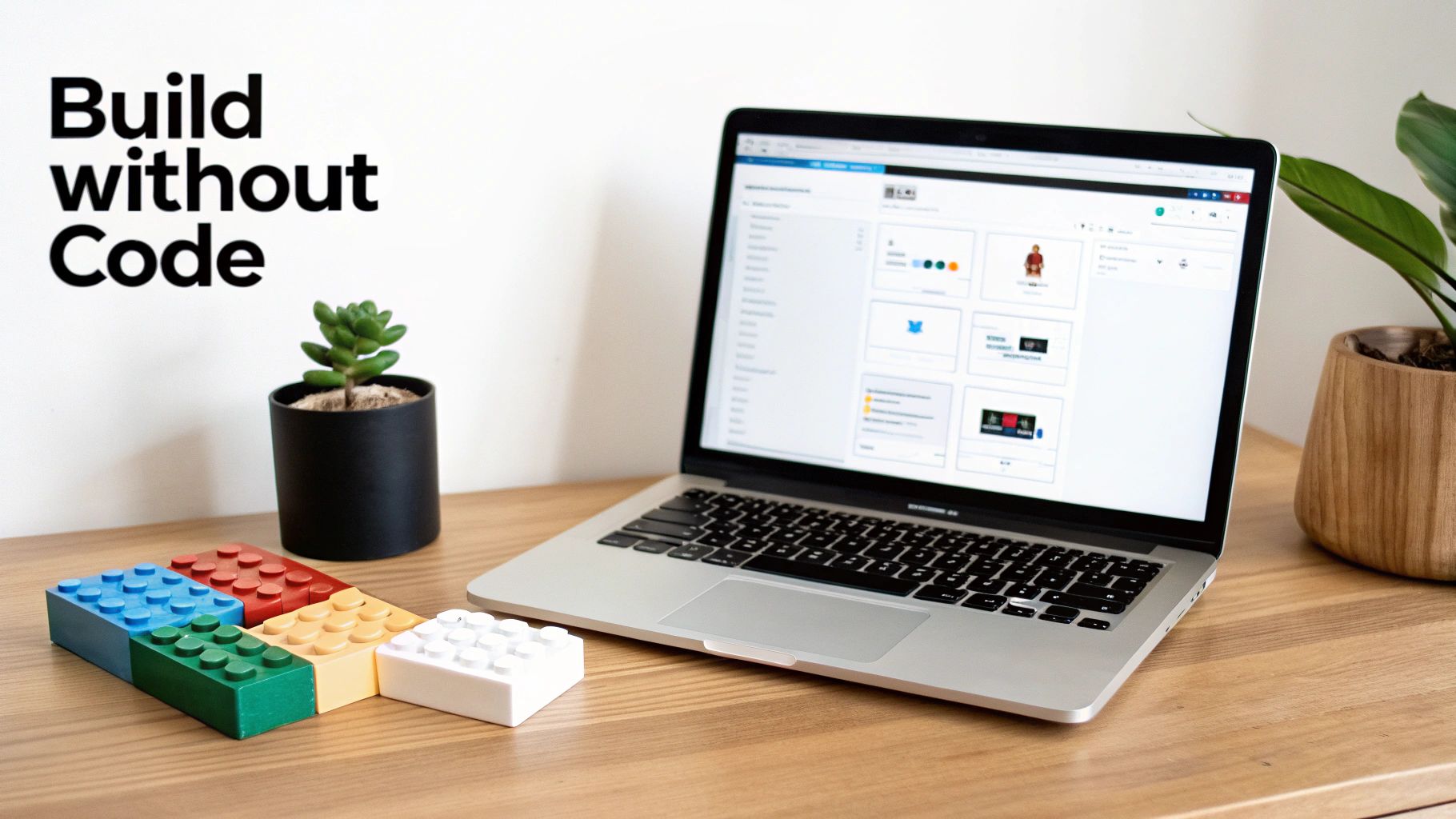
The whole point is to keep the interface clean and intuitive. This lets you focus on the user experience and design, not on getting bogged down in code syntax. This visual-first approach is what finally closes the gap between having an idea and holding a working product in your hands. These aren't just for building simple prototypes anymore; they are serious platforms for building real business applications.
The Next Leap: From Drag-and-Drop to AI-Driven Creation
For a long time, no-code app builders were all about visual, drag-and-drop editors. They were a huge step forward, but you still had to manually place every single button, text field, and image. The next evolution is already here, and it’s a big one. AI is shifting the entire process from manual construction to intelligent conversation.
Instead of meticulously piecing together an interface, you can now just describe what you want in plain English. This conversational style feels much more natural and is incredibly fast, letting you build at the speed you think.
This isn't just a small tweak to the old way of doing things; it's a completely new workflow. It lets founders, designers, and product managers turn a simple thought directly into a working user interface, closing the gap between a great idea and a real, interactive prototype.
This new breed of AI-powered tools takes your instructions and turns them into reality. You stop being an assembler and become a director, guiding a smart partner that does the heavy lifting of generating code and arranging components for you.
From a Simple Prompt to a Production-Ready UI
The magic behind this shift is prompt-to-UI generation. Think of it like having an expert developer on call who can instantly build whatever you ask for. That's the feeling an AI no-code builder gives you.
A founder can type, “Create a user profile screen with a circular avatar, a short bio, and a three-column grid of user posts,” and then watch it appear in moments. This isn't just a picture—it’s a real, functional UI built with clean, exportable code like React Native.
This capability completely changes the game for testing ideas. Product teams can now mock up several different UI concepts for a new feature in a single afternoon. They can get feedback on interactive prototypes instead of static designs, a process that used to take days, if not weeks, of back-and-forth between design and engineering.
The market is catching on fast. The no-code AI platform market is expected to skyrocket from $4.93 billion to an astounding $24.42 billion by 2030, growing at an annual rate of 30.6%. This explosion shows just how much AI is opening up app creation, with forecasts suggesting that by 2026, 80% of low-code and no-code users will come from outside of traditional IT departments.
How AI-Driven Creation Works in Practice
Let’s look at a few real-world examples of how different people on a product team might use this:
-
For a Startup Founder: Instead of writing a dense spec document, a founder can generate the first version of their app’s entire onboarding flow just by describing each screen. This gives them a tangible product to show investors or get feedback on from early users.
-
For a UX Designer: A designer can describe a complex dashboard layout, complete with charts and data tables. The AI builds the initial version, and the designer can then tweak it with simple follow-up commands like, “Make the main call-to-action button bigger and change its color to our primary brand blue.”
-
For a Product Manager: When exploring a new feature, a PM can quickly build several different user flows to A/B test their ideas with stakeholders. This takes the guesswork out of planning and ensures developers are only working on validated concepts.
This conversational approach gives non-technical creators the power to build complex, polished interfaces without writing a single line of code. To get a better sense of how artificial intelligence is reshaping software development, especially for businesses, you can find some great information on topics around AI in business automation. The benefit is crystal clear: teams can now build, test, and learn faster than ever before.
Choosing Your Path: No-Code, Low-Code, or Traditional Code?
As a founder, product manager, or designer, one of the first big decisions you'll make is how to build your app. This isn't just a technical question—it's a strategic one that directly shapes your budget, timeline, and how fast you can get your idea into the hands of real users.
The whole thing comes down to a series of trade-offs. You're constantly balancing speed and cost against control and long-term scalability. Are you trying to get a prototype ready for an investor meeting on Monday? Or are you architecting a complex enterprise system meant to last a decade? Each path serves a different goal, and picking the right one is absolutely critical.
Understanding The Core Trade-Offs
Let's cut through the jargon. Think of these different approaches as vehicles to get you from Point A (a great idea) to Point B (a launched product).
- No-Code: This is like leasing a fully-loaded electric car. It’s fast, you don't need to know how an engine works, and you can be on the road almost immediately. The catch? You’re limited to the features and destinations the car company allows.
- Low-Code: This is more like a high-performance kit car. You get the major components like the engine and chassis, which saves a ton of time. But you still need some mechanical skills to put it all together and add your own custom touches.
- Traditional Code: This is the equivalent of building a car from scratch. You forge every part yourself, giving you complete control over every single detail, from the horsepower to the stitching on the seats. The potential is limitless, but it demands expert engineers and a serious investment of time and money.
This decision tree can help you quickly visualize which path might be the best fit, especially with modern AI-driven tools in the mix.
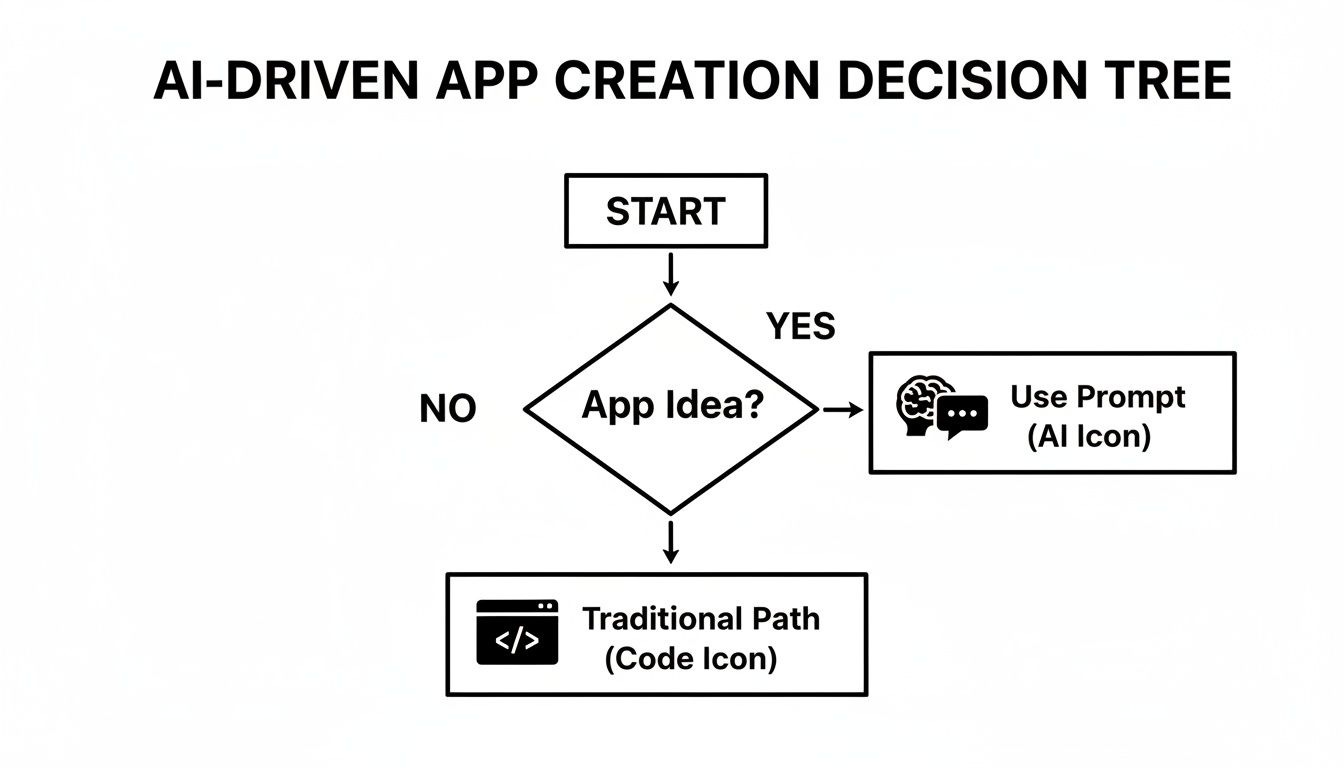
As you can see, AI-powered builders are carving out a new, more direct route from concept to creation for a lot of projects.
Development Approaches Compared
To really make the right call, you have to look at these options side-by-side. Speed to launch is a huge factor, but so is what happens after you go live. Will your app be able to grow with you, or will you eventually hit a wall?
The table below is a quick-glance comparison to help you choose the best fit for your project.
| Criteria | No-Code | Low-Code | Traditional Code | AI-Hybrid (like RapidNative) |
|---|---|---|---|---|
| Time to MVP | Days to weeks | Weeks to months | Months to a year+ | Days to weeks |
| Technical Skill | None required | Basic coding helps | Expert engineers needed | None for UI creation |
| Cost to Build | Low | Moderate | High | Very low for UI |
| Flexibility | Limited to platform | Moderately flexible | Infinitely flexible | High (with code export) |
| Scalability | Platform-dependent | Good, with limits | Unlimited | Unlimited (with code) |
| Code Ownership | No (vendor lock-in) | Sometimes (often limited) | Yes (full ownership) | Yes (exportable code) |
The most important factor here for long-term viability is code ownership. This is the hidden risk of most no-code platforms. They trap your app inside their ecosystem, a problem known as "vendor lock-in." If you outgrow their features or they go out of business, you’re forced to start over from scratch.
The Rise Of The AI-Hybrid Model
A new category is starting to change the game entirely: the AI-hybrid builder. Platforms like RapidNative combine the raw speed of no-code with the power and freedom of real, exportable source code.
You can generate your entire UI using simple English prompts, and what you get is production-ready React Native code. You can then hand that code off to a developer to build out the backend or add complex features. This isn't a walled garden; it's a launchpad.
This model completely flips the script on the old trade-offs. For a deeper dive into the broader market, check out this Ultimate Guide to No-Code and Low-Code Development Platforms. It does a great job of placing these tools within the larger software development landscape.
Ultimately, by choosing an AI-hybrid path, you de-risk your project. You get to market at incredible speed without sacrificing the freedom to scale, customize, and truly own your intellectual property. It’s the smart, strategic choice for any team that needs to move fast today without getting painted into a corner tomorrow.
Bringing Your App Idea to Life with a No-Code Builder
Alright, let's move past the theory and get into the practical application. The true test of a modern no-code app builder isn't just a list of features, but what you can actually build with it—something that solves a real problem for your users, validates a business idea, or helps you secure that next round of funding.
These platforms have grown up. We're well beyond simple landing pages or contact forms now. Startups, design agencies, and even large enterprise teams are using them to create sophisticated, interactive mobile apps. And they're doing it at a speed that gives them a serious competitive edge.
Prototyping a SaaS Onboarding Flow
Imagine you’re a product manager launching a new software tool. You know that a clunky onboarding experience will kill user retention, but coding a polished one from scratch is a multi-week project that your engineers don't have time for. This is where an AI-powered builder changes the game.
You could generate the entire flow in an afternoon. Your workflow becomes a simple conversation:
- Prompt 1: "Create a welcome screen with our company logo, a headline that says 'Welcome to the Future of Productivity', and a 'Get Started' button."
- Prompt 2: "Generate a second screen asking the user to connect their calendar, with options for Google and Outlook."
- Prompt 3: "Design a final screen with a checklist of three key setup tasks for the user to complete."
Just like that, you have a fully interactive prototype. You can get it in front of users for feedback today, not next month. This lets you iterate and refine the flow before a developer even thinks about writing a single line of code, ensuring you’re building something people will actually stick with.
Building an MVP for a Wellness App
Think about a startup founder with a great idea for a fitness app. They have a shoestring budget and no developers on staff, but they need to build an MVP to attract their first users and show investors they're serious. A no-code builder is a perfect fit.
Here’s a realistic path they could take:
- Generate Core Screens: Use simple text prompts to create the essential UI—a login page, user profile, a daily dashboard, and a screen for logging meals.
- Create Navigation: Visually connect the screens to build a logical user journey. Maybe the dashboard links to a more detailed workout log. It's all drag-and-drop.
- Export for Extension: Once the UI feels right, they can export clean, production-ready React Native code. Now, instead of hiring an expensive team to build the whole app, they can bring on a freelance developer just to connect the front-end to a backend service like Firebase. That's a much smaller, more manageable task.
This approach strips a huge amount of risk out of the project. It frees the founder to focus on what matters most: talking to users and growing the business, not getting stuck in the technical weeds.
This isn't just a niche trend. The move toward these tools is massive. In fact, 84% of businesses are now using no-code solutions. So-called citizen developers—many with no technical background—are now responsible for 60% of custom apps. We're seeing development timelines cut by as much as 90%. The data shows this is a fundamental shift in how software is made.
Designing an E-commerce Storefront
Let's say an e-commerce brand wants to test a new mobile shopping experience for an upcoming launch. Their goal is to A/B test a new product page layout to see if it boosts conversion rates.
With a prompt-based tool, their designer can create different versions almost instantly:
- Prompt: "Create a product detail screen for a sneaker. Include a large image carousel at the top, the product name and price below it, size selection buttons, and a prominent 'Add to Bag' button."
- Follow-up Prompt: "Now, create an alternate version where the 'Add to Bag' button is sticky at the bottom of the screen."
Getting this kind of immediate, tangible output is huge. It makes A/B testing design ideas incredibly fast and helps close the communication gap that so often exists between designers and developers. You can see more about how the power of design-to-code automation is accelerating these cycles.
These real-world workflows show that a good no-code builder is more than just a concept—it's a practical, powerful tool for building, testing, and shipping real products, faster.
Why Code Export and Ownership Is Non-Negotiable
Let’s talk about the big, unspoken fear in the no-code world: vendor lock-in. It's that nagging question every founder has in the back of their mind. What if this platform I'm building my entire business on suddenly shuts down? What happens when my app gets bigger and I hit a wall with their features?
It’s a completely valid worry. A lot of traditional no-code app builders are essentially "walled gardens." They let you build amazing things inside, but you can never, ever take your work with you. Your app, your intellectual property, your entire user base—it's all tied to one provider. For any serious project, that's a massive business risk.
This is why the ability to export clean, human-readable source code isn't just some nice-to-have feature. For anyone looking to build a real business, it’s a must-have. It’s about future-proofing your work from day one.
Escaping the Walled Garden
Picture this: you spend months, maybe even a year, building, launching, and growing your app. It’s finally getting traction. Then you hit a technical ceiling. Maybe you need a custom integration the platform doesn't support, or a very specific native feature on iOS. With a closed-system builder, your only real option is to scrap everything and start over from scratch. That kind of setback can be devastating.
True ownership means having the freedom to take your creation and go anywhere. When you can export your application’s source code, you're not just renting a space in someone else’s ecosystem; you possess a tangible, independent asset.
Code export completely flips the script. It puts the power back where it belongs—with you, the creator. This developer-first approach means your app can grow and evolve without being trapped by the limitations of the tool you used to get started.
The Power of Production-Ready React Native
Now, the quality of the exported code is what really matters. You don't want a jumbled mess of proprietary code that no developer can make sense of. The real game-changer is getting production-ready React Native code. We're talking about the same framework used by giants like Instagram, Shopify, and Coinbase.
This is about more than just having a backup. This kind of clean, component-based code gives you a few immediate and very practical advantages:
- Seamless Developer Handoff: You can literally hand the exported code to an engineering team or a freelancer, and they can hit the ground running. They won't be scratching their heads trying to figure out a black box; they’ll be working in a popular, well-documented framework.
- Unlimited Customization: Need to connect to a weird legacy API or build a native module for a niche hardware feature? With the source code in hand, developers can build anything you can dream up. Your app's potential is no longer capped by a platform's feature list.
- Long-Term Scalability: As your user base explodes, you have total control over optimizing performance and managing your infrastructure. You're in the driver's seat, not just a passenger.
A Practical Workflow for Growth
Think about how this plays out in the real world. A non-technical founder uses an AI-powered builder to design and prototype the entire user interface for a new social app. It takes them just a couple of days. They use that clickable prototype to validate the idea with users and even secure their first round of seed funding.
Great. Now it's time to build the real backend. Instead of starting from square one, they can export the entire UI as clean React Native code and give it to their first developer. This move just saved that engineer hundreds of hours of tedious UI coding. They can dive straight into the complex backend logic and API integrations that will actually make the app special.
This is the ultimate advantage: moving seamlessly from no-code speed to full-code power. The velocity you gain at the start doesn't become a roadblock later. When you choose a no-code app builder that is committed to code ownership, you’re not just building an app—you’re building a lasting, scalable business asset.
How to Choose the Right No-Code App Builder
Picking the right no-code app builder is a huge decision. It's easy to get lost comparing feature lists on pricing pages, but the tool you choose will literally define your product's potential, your ability to adapt down the road, and ultimately, your freedom.
To make a smart choice, you have to ask the right questions—the ones that cut through the marketing fluff and get to the heart of what matters for a real, growing product. Think of it less like buying a subscription and more like choosing a foundational partner for your business. The best platforms help you get off the ground fast without painting you into a corner later.
Your Evaluation Checklist
Before you commit to a platform, run it through this simple but crucial checklist. These questions are designed to expose a tool’s real-world flexibility and show you whether it truly aligns with your long-term vision.
-
Can I Export Clean Source Code? This is, without a doubt, the most important question you can ask. Does the platform generate genuine, developer-friendly code like React Native, or does it lock your entire app into a proprietary black box? For any serious project, true ownership of your code is non-negotiable.
-
How Flexible is the Design System? Are you able to build a unique, pixel-perfect user interface that actually matches your brand, or are you stuck using slightly modified templates? Look for tools that give you granular control over every aspect of styling and layout.
-
What Are Its Integration Capabilities? Your app won't exist in a silo. How easily can it connect to the other tools you rely on, like external databases, custom APIs, or third-party services like Stripe or Firebase? A solid integration system is absolutely critical for building anything beyond a simple brochure app.
-
Will It Scale With My Success? Imagine you suddenly have ten thousand active users. Will the platform’s architecture handle the load, or will performance grind to a halt? Look for transparency about their infrastructure and how they handle growth.
Ask yourself: "Will my app eventually need a custom feature this platform can't support?" If the answer is yes, then code exportability isn't a luxury—it's your escape hatch.
By asking these questions first, you shift your focus from short-term convenience to long-term viability. This ensures the no-code builder you pick isn't just a tool for today, but a solid launchpad for whatever comes next.
When you're evaluating specific platforms, you'll find subtle but critical differences. For instance, digging into a detailed comparison between RapidNative and FlutterFlow shows exactly how factors like code ownership and AI integration create very different outcomes for builders. Choosing wisely means betting on your own freedom and flexibility.
Frequently Asked Questions
When you're diving into the world of no-code, a few big questions always seem to pop up, especially if you're serious about building a real product. Let's tackle some of the most common concerns we hear from founders, product managers, and designers.
Can I Really Build an App Like Uber or Instagram with No-Code?
The short answer? Not entirely. A massively complex platform like Uber relies on custom backend logic and deep native integrations that are just beyond what a pure no-code platform can handle.
But here's the smart way to think about it. An AI-hybrid no-code app builder can generate your entire user interface and all the user flows. You can then hand off that clean, exportable React Native code to your development team, letting them focus on the heavy lifting—the complex backend. This approach can literally save you thousands of hours of frontend development.
The goal isn't to replace developers entirely but to radically accelerate the initial build. You get the speed of no-code for the UI without sacrificing the power of custom code for complex logic, giving you the best of both worlds.
What Happens If the No-Code Platform I Use Shuts Down?
This is a huge, valid concern. It’s the classic risk of "vendor lock-in." If your app is built on a closed system that doesn't let you export your code, you could lose everything overnight. It's a risk no serious project can afford to take.
That’s precisely why choosing a builder that lets you export the source code is a non-negotiable. When you have the clean React Native code in your hands, you truly own your application. You can host it anywhere, modify it however you want, and continue building on it completely independently of the tool you started with.
Do I Still Need a Developer If I'm Using a No-Code Tool?
It really depends on what you’re trying to achieve. For validating an idea, creating a high-fidelity prototype, or building a relatively straightforward app, you might not need a developer at all. This is incredibly empowering for non-technical creators who want to build and test their ideas on their own.
However, as your app grows, you'll almost certainly need a developer for things like custom backend integrations, sophisticated database work, and intricate business logic. The best no-code tools are built for this reality. They make it easy to hand things off and collaborate, allowing developers to step in and extend what you’ve already built.
Ready to build your app idea at the speed of thought? RapidNative turns your prompts into production-ready React Native code, giving you the velocity of no-code and the freedom of real ownership. Start building for free.
Ready to build your app?
Turn your idea into a production-ready React Native app in minutes.
Free tools to get you started
Free AI PRD Generator
Generate a professional product requirements document in seconds. Describe your product idea and get a complete, structured PRD instantly.
Try it freeFree AI App Name Generator
Generate unique, brandable app name ideas with AI. Get creative name suggestions with taglines, brand colors, and monogram previews.
Try it freeFree AI App Icon Generator
Generate beautiful, professional app icons with AI. Describe your app and get multiple icon variations in different styles, ready for App Store and Google Play.
Try it freeFrequently asked questions
What is RapidNative?
RapidNative is an AI-powered mobile app builder. Describe the app you want in plain English and RapidNative generates real, production-ready React Native screens you can preview, edit, and publish to the App Store or Google Play.
Can I export the code?
Yes. RapidNative generates clean React Native and Expo code that you can export at any time. No lock-in, no proprietary format. Hand it to your developers or keep building inside RapidNative.
Is RapidNative free to use?
Yes. You can build apps on the free plan with no credit card required. Paid plans unlock unlimited AI generations, code export, and direct publishing to the App Store and Google Play.
Do I need to know how to code?
No. Most users build apps by describing what they want in plain English. Developers can drop into the code whenever they want more control, but coding is optional.
How long does it take to build an app?
Most users have a working first screen in under a minute. A full MVP usually takes a few hours instead of the weeks or months traditional development requires.