React Native AI App Builder
Build production-ready React Native apps with AI. Describe your screens in plain English and get clean, exportable Expo code instantly.

Why Build with React Native?
React Native powers some of the world's most popular apps. Here's why developers and companies choose it:
- One codebase for iOS and Android — ship faster, maintain less
- Native performance with JavaScript — no compromise on speed
- Huge ecosystem of libraries and community support
- Used by Meta, Microsoft, Shopify, and thousands more
- Expo makes deployment simple — from development to app stores in minutes
How RapidNative Accelerates React Native Development
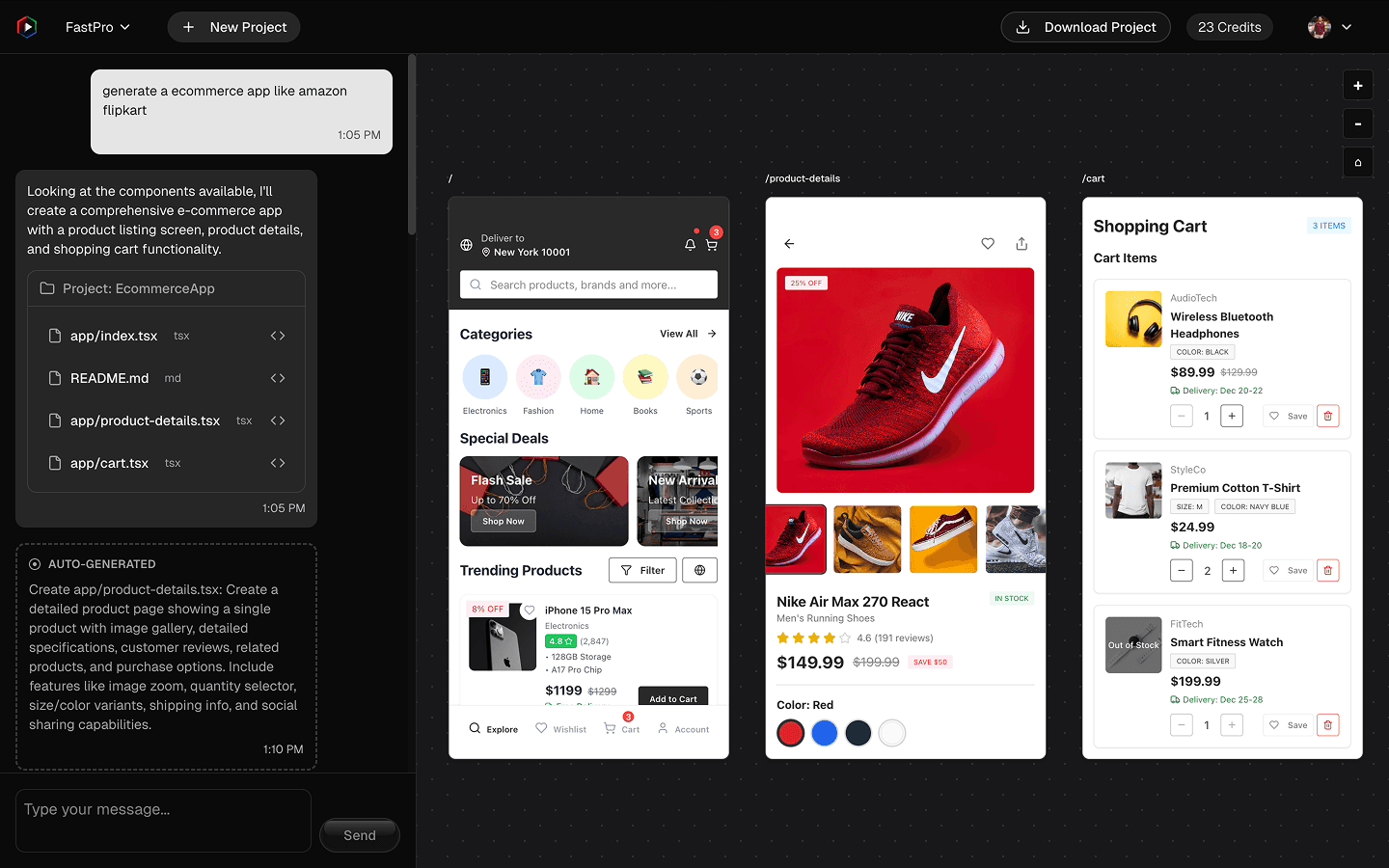
Skip the boilerplate. RapidNative uses AI to generate production-ready React Native code from simple prompts.
AI-Powered Code Generation
Describe your screen in plain English. Get clean React Native components instantly.
NativeWind Styling
Beautiful, responsive designs using Tailwind CSS syntax for React Native.
Expo-Ready Exports
Download complete Expo projects. Run with Expo Go or build for production.
TypeScript by Default
All generated code is fully typed for better developer experience and fewer bugs.
Iterative Refinement
Use AI chat to tweak layouts, add features, and refine your components — all in real-time.
From Idea to React Native App in Minutes
- Step 01
Describe Your Screen
Write a prompt like "A settings screen with profile photo, dark mode toggle, and notification preferences." Our AI understands context and generates appropriate layouts.
- Step 02
AI Generates React Native Code
RapidNative creates production-ready React Native components with NativeWind styling, TypeScript types, and proper component structure.
- Step 03
Preview and Refine
See your React Native screens live in the preview. Use AI chat to make adjustments — change colors, add components, or restructure layouts.
- Step 04
Export to Expo
Download your complete Expo project. Run it instantly with Expo Go or build standalone apps for the App Store and Google Play.
React Native App Builder FAQs
What is React Native and why should I use it?
React Native is a framework for building native mobile apps using JavaScript and React. It allows you to create apps for both iOS and Android from a single codebase, saving time and resources while delivering native performance.
Is the generated React Native code production-ready?
Yes. RapidNative generates clean, well-structured TypeScript code using NativeWind for styling. The output follows React Native best practices and can be directly integrated into your Expo projects.
Does RapidNative support Expo?
Absolutely. All generated code is fully compatible with Expo. You can export your projects and run them instantly with Expo Go or build standalone apps using EAS Build.
Can I customize the generated components?
Yes. Use our AI-powered chat to refine layouts, adjust styles, and add interactivity. You can also export the code and modify it directly in your preferred IDE.
What is NativeWind and why do you use it?
NativeWind brings Tailwind CSS to React Native, enabling rapid styling with utility classes. It provides consistent styling across platforms and makes the generated code easy to understand and modify.
Start building today.
Build React Native apps with AI — no boilerplate, no setup.