Your Idea to App Without Code: A Practical Guide to AI App Creators
Use an AI app creator to turn your ideas into functional apps with zero code. This guide explores how they work, key features, and choosing the right tool.
By Riya
10th Nov 2025
Last updated: 10th Nov 2025
Picture this: you have an idea for a mobile app. Instead of writing a complex project brief or hiring a team of developers, you simply describe it in plain English. Moments later, you have a working, interactive screen, complete with clean code. This isn't a futuristic dream; it's what a modern AI app creator does today.
For founders, product managers, and designers, these tools are changing the game. They compress a process that once took months of planning, design, and coding into a matter of hours, making it possible to go from a simple idea to a testable product faster than ever before.
The New Way to Build: From Conversation to Code
The traditional path from idea to app was slow and expensive, walled off by the need for specialized coding skills. AI app creators tear down that wall. Instead of painstakingly designing every screen or writing thousands of lines of code, you have a conversation with the AI.
You describe what you need, and the AI builds it. This shift empowers non-technical creators to:
- Build an MVP in a Weekend: Got an idea for a new app? You can now build a functional prototype to test with real users in an afternoon, not in six months.
- Create Custom Internal Tools: Need a simple app for your sales team to track leads or for your warehouse to manage inventory? You can build it yourself without pulling engineers off core product work.
- Get Production-Ready Code: The best AI app creators don't just generate pretty mockups. They produce clean, high-quality code (like React Native) that a developer can immediately take over and build upon.
A Market That's Moving Fast
The demand for these tools is exploding. Since late 2022, the generative AI app market has seen massive growth. In the first half of 2025 alone, downloads for AI-powered apps hit 1.7 billion worldwide—a 67% increase from the previous period. This isn't just hype; it's a clear signal that people are looking for smarter, faster ways to build software. For a deeper dive into market trends, you can explore the 2025 state of the AI apps market.
How Does the Magic Happen?
So, how does an AI turn your words into a working app? It's powered by sophisticated frameworks that handle the heavy lifting behind the scenes. Technologies like LangChain, a powerful framework for building AI apps, manage the complex logic, allowing the AI to focus on one thing: translating your vision into a real user interface.
Ultimately, an AI app creator is more than a shortcut; it's a strategic tool. It lets you get user feedback faster, drastically reduces upfront development costs, and allows you to focus on what matters most—building a product people love. This guide will show you how to choose and use these platforms to bring your own ideas to life.
How an AI App Creator Actually Works
Ever wondered how an AI can take a simple sentence and produce a fully functional app screen? It’s not magic, but a sophisticated process that feels like it. The core engine is What is Generative AI, which allows the tool to create brand new code and UI designs from scratch based on your text prompts.
Think of it like instructing a master chef. You provide the recipe (your prompt), and the AI uses its training, tools, and ingredients to prepare the dish for you.
This graphic breaks down how the complex, multi-step process of traditional development is streamlined into three simple steps: describe your idea, let the AI build, and get your code.
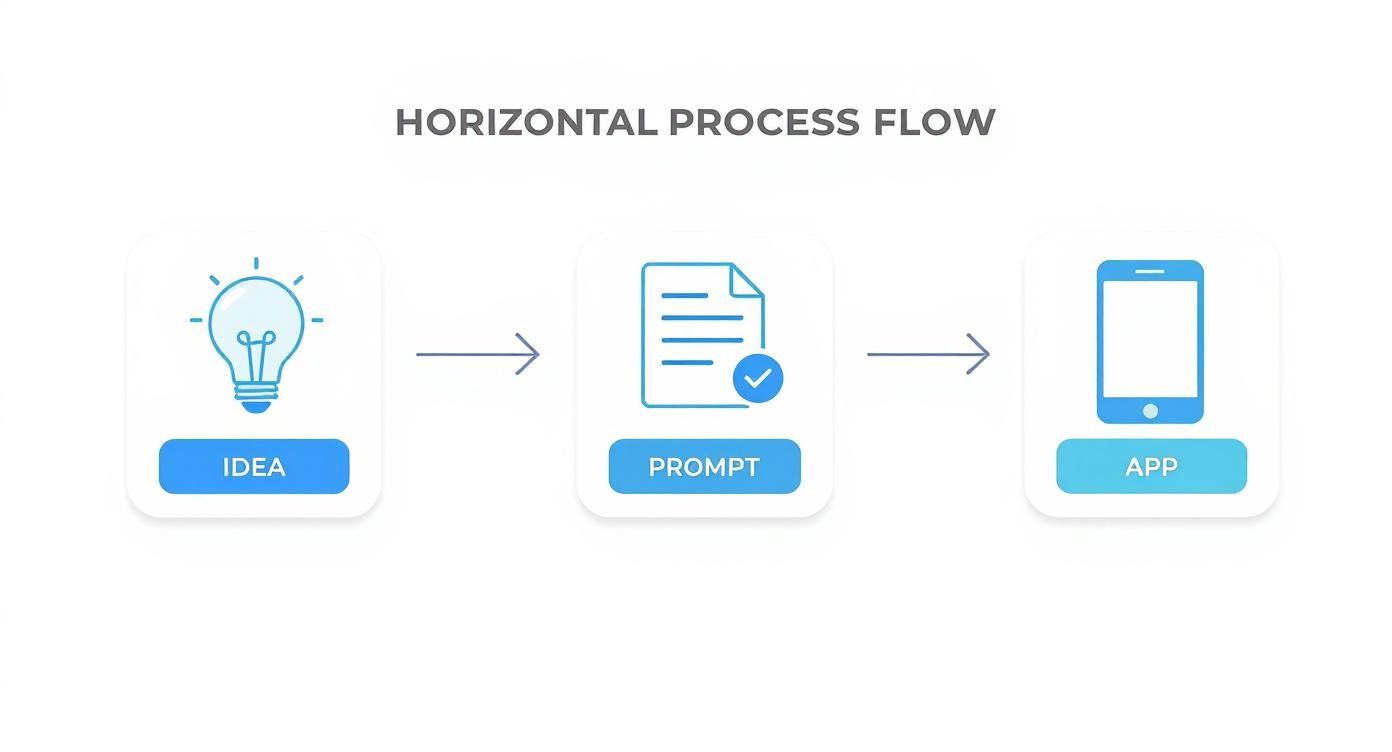
Let's look at the key components that make this possible.
The AI's Ears: Natural Language Processing (NLP)
First, the AI needs to understand your request. This is where Natural Language Processing (NLP) comes in. NLP is the technology that allows the machine to interpret human language.
When you write, "Create a login screen with fields for email and password, and add a bright blue 'Log In' button," NLP deconstructs the sentence. It identifies the key elements: a "screen," specific "fields" for data entry, a "button" for action, and even stylistic details like the color "bright blue." It acts as the essential translator between your idea and the machine's code.
Your prompt is the single most important part of this process. The more specific and clear your instructions are, the more accurately the AI can build what you envision.
The AI's Brain: Large Language Models (LLMs)
Once your request is understood, the Large Language Model (LLM) takes over. The LLM is the brain of the operation. It has been trained on billions of lines of code and text from across the internet, giving it a deep understanding of programming languages, common design patterns, and what makes a user interface effective.
Using the instructions from the NLP, the LLM generates the actual code. For a tool like RapidNative, this means writing clean, structured React Native code. It doesn't just piece together random snippets; it constructs logical components, applies styling from your description, and ensures everything works together as a cohesive screen.
The AI's Toolbox: Pre-Built Components and Models
While an LLM can write code from scratch, the best AI app creators also use a toolbox of pre-built UI components and models. These are like high-quality, pre-made ingredients that ensure speed and consistency.
Instead of writing the code for a login button from the ground up every time, the AI can pull a standardized, customizable button component from its library. This approach is a game-changer for several reasons:
- Speed: Assembling pre-vetted components is much faster than writing everything from scratch.
- Consistency: Using a core library ensures the app's design remains consistent and follows established UI/UX best practices.
- Reliability: These components have already been tested and refined, meaning fewer bugs in the generated code.
This powerful combination—NLP for understanding, an LLM for code generation, and pre-built components for efficiency—is what enables an AI app creator to turn a simple text prompt into a production-ready app screen in minutes.
What Can an AI App Creator Actually Do?
It’s easy to think of an AI app creator as just a code generator, but that's only part of the story. These tools are designed to accelerate the entire product development lifecycle, from initial concept to interactive prototype. They handle the tedious, repetitive work, so you can focus on the creative, strategic parts of building a great user experience.
The core promise is to shrink the distance between idea and execution. Here’s a look at the key capabilities that make it happen.

Generate UI and UX from a Text Prompt
This is the most impressive feature: the ability to generate complete user interfaces from a simple description. You describe a screen, and the AI builds it.
For example, you could type: "Create a product detail screen for an e-commerce app. It needs a large product image at the top, followed by the product title, price, and a prominent 'Add to Cart' button." In seconds, you get a visually structured, functional screen.
The AI doesn't just place elements on a canvas; it's trained on established UX patterns, so the layouts it creates are intuitive. It automatically handles spacing, alignment, and typography, giving you a professional-looking design from the start. This alone can save hours of manual design work.
Scaffold Backend Logic and Databases
An app is more than its interface; it needs an engine. While most AI app creators currently focus on the frontend, the most advanced tools are beginning to scaffold the backend as well. This is a massive time-saver, allowing them to:
- Define Data Models: Describe your data—like "a user has a name, email, and profile picture"—and the AI can map out the necessary database schema.
- Create API Endpoints: The tool can generate the basic API connections needed to fetch and send data, building the plumbing that connects your UI to its data source.
- Set Up Authentication: It can construct the entire user sign-up and login flow, a standard but surprisingly complex part of nearly every app.
This provides a functional skeleton for your app, not just an empty shell. It’s a huge head start for any project.
Iterate in Real-Time with Conversational Edits
This is where the process becomes truly dynamic. The old feedback loop—design, code, review, repeat—was painfully slow. An AI app creator turns it into a conversation.
If you don't like the first version, you just tell the AI what to change: "Make that button green and move it to the bottom." The change happens instantly. This conversational approach lets you test different layouts, color schemes, and user flows on the fly, refining a rough concept into a high-fidelity prototype in a single session.
This rapid feedback cycle is what truly sets AI app creators apart. It closes the gap between imagination and execution, giving you the freedom to explore and validate ideas faster than ever before.
To understand the leap forward, it’s helpful to compare these new tools to the traditional drag-and-drop builders many are familiar with.
Traditional No-Code vs. AI App Creator
| Feature | Traditional No-Code Builder | AI App Creator |
|---|---|---|
| Creation Method | Manual drag-and-drop of pre-set widgets | Conversational prompts and natural language |
| Speed to First Draft | Hours to days | Minutes |
| Customization | Limited to the platform's templates and components | Highly flexible; can generate unique layouts and styles |
| Iteration Process | Manual, element-by-element adjustments | Real-time conversational edits and refinements |
| Code Export | Often locked into a proprietary system or produces messy code | Generates clean, production-ready code for developers |
As you can see, AI app creators represent a fundamental shift. They’re not just a faster version of old tools; they offer a completely new, more intuitive way to build software.
Real-World Examples: From Idea to MVP in Hours
Theory is one thing, but seeing how an AI app creator performs on real projects is where its value becomes clear. Founders, product managers, and designers are already using these tools to solve practical problems, compress timelines, and get products in front of users faster than ever.
Here are a few scenarios showing what's possible.
Use Case 1: Building an MVP for a Niche Social App
The User: A startup founder with an idea for a social network for urban gardeners. The Challenge: Validate the core concept quickly without burning through investor cash on a full development team.
Instead of spending months in development, she uses an AI app creator to build a functional Minimum Viable Product (MVP) in an afternoon. She starts with a simple prompt:
"Create a social feed screen for a gardening app. Each post should have a user profile picture, username, a large photo of a plant, and icons for like, comment, and share. Add a floating action button to create a new post."
In under a minute, the AI generates the main feed. She continues the conversation to build out the other core screens:
- For the Profile: "Now, create a user profile screen that shows a large profile photo, a bio, and a grid of the user's posts."
- For a New Post: "Make a screen for creating a new post. It needs an image upload field and a text box for a caption."
- For Navigation: "Connect these three screens with a bottom tab navigator using icons for Home, New Post, and Profile."
In just a few hours, she has a clickable, testable prototype that looks and feels like a real app. She can immediately get it into the hands of potential users for feedback, validating her idea without writing a single line of code.
Use Case 2: Creating an Internal Inventory Management Tool
The User: A product manager at a growing e-commerce company. The Challenge: The warehouse team is struggling with a clunky, outdated system. Building a custom tool would pull engineers away from customer-facing projects for weeks.
She uses an AI app creator to build the tool herself. Her first prompt is direct and functional:
"Build a simple inventory management app. The main screen needs a list of products showing name, SKU, and current stock count. Add a search bar at the top."
The AI instantly generates the list view. She then refines it conversationally:
- To Add Functionality: "When a user taps a product, take them to a detail screen where they can update the stock count with '+' and '-' buttons."
- To Add a Feature: "On the main screen, add a button with a barcode icon that opens the device camera for scanning."
The PM now has a working prototype that demonstrates the exact workflow she envisioned. She can show it to the warehouse team for immediate feedback and then hand it to the engineering team as a crystal-clear, functional specification, saving countless hours of meetings and documentation.
Use Case 3: Rapidly Prototyping UI Variations for Testing
The User: A UX designer working on a new workout summary screen for a fitness app. The Challenge: She wants to test several different layouts, but creating multiple high-fidelity mockups in a design tool is slow and tedious.
With an AI app creator, she can generate and compare interactive versions almost instantly. She starts with her baseline concept:
"Design a workout summary screen. It needs a header that says 'Workout Complete!', a list of exercises with sets and reps, and a large 'Finish' button at the bottom."
From there, she iterates just by describing the changes she wants:
- Variation 1: "Change the layout to use cards for each exercise."
- Variation 2: "Instead of a list, show the summary as a series of circles with icons for each exercise."
- Variation 3: "Make the 'Finish' button purple and add a secondary 'Share' button next to it."
Each variation is not a static image but a real, interactive screen she can test on a device. This allows her to gather much more meaningful feedback and make data-driven design decisions in a fraction of the time.
This speed is crucial in today's market. Consumer AI adoption is exploding, with 61% of American adults having used an AI app. However, only about 3% of users are paying, meaning the bar for quality and user experience is incredibly high. For teams that can build polished, valuable applications quickly, the opportunity is massive. You can discover more insights about the state of consumer AI and its market potential on menlovc.com.
Choosing the Right AI App Creator
With so many new tools emerging, selecting the right AI app creator can be overwhelming. They all promise to make development faster, but the details matter. The best choice isn't the one with the most features; it's the one that aligns with your project goals, technical comfort level, and long-term vision.
Think of it as choosing a partner for your project, not just a disposable tool. It should accelerate your work today without limiting your options tomorrow. To find that partner, you need to look past the marketing and evaluate a few key factors.
1. Code Ownership and Technical Freedom
This is the most critical consideration: what happens to your app after you build it? Are you locked into the platform, or do you truly own your creation?
- Code Export: Can you export the complete, human-readable source code? A platform that generates clean, standard code (like React Native) gives you total freedom. You can take that code to any developer, host it anywhere, and avoid vendor lock-in.
- Extensibility: How easy is it for a developer to add custom features the AI can't build? The best tools produce well-organized, modular code. If the exported code is a tangled mess, it defeats the purpose by creating more work for your engineering team.
An AI app creator should be a launchpad, not a cage. The ability to export clean, production-ready code is your escape hatch, ensuring you can scale your app without having to rebuild it from scratch.
2. Usability and Support
Beyond the code, consider the user experience of the platform itself. How intuitive is it, and what happens when you get stuck?
- Learning Curve: Is the platform genuinely easy to use for its target audience? For a non-technical founder, this means a clear, conversational interface. For a developer, it means good documentation and a workflow that integrates smoothly.
- Community and Support: Where can you turn for help? Look for an active user community, responsive support channels, and comprehensive tutorials. A strong support system is invaluable, especially when you're working on an ambitious project.
The AI market is projected to grow from nearly $400 billion today to almost $3.5 trillion by 2033. This rapid expansion means more tools will appear, making it crucial to choose a platform with a solid foundation and a clear vision for the future. You can find more data on AI's market growth and user adoption on explodingtopics.com.
3. Business Model and Pricing
Finally, analyze the pricing structure to ensure it fits your budget and project scope.
- Subscription Tiers: Most platforms use tiered plans. Scrutinize what's included at each level. Are essential features like code export, team collaboration, or unlimited AI generations locked behind expensive enterprise plans?
- Pay-per-Use Models: Some tools may charge based on usage (e.g., per screen generated). This can be cost-effective for small, one-off projects but can become expensive if you plan to iterate frequently.
Choosing the right tool is a strategic decision. To help you navigate the options, we've compiled a guide comparing the best AI app builder platforms and their ideal use cases.
Building Your First App Screen with AI: A Quick Walkthrough
Reading about AI is one thing; seeing your idea materialize on a screen in seconds is another. Let's walk through the process of using a modern AI app creator to turn a simple concept into a real, working app screen.

The goal here is to get a feel for the workflow and realize that you can start building your app right now.
Step 1: Crafting Your Prompt
Everything starts with your instructions. A clear, detailed prompt is the blueprint for the AI. Instead of a vague request like "make a login screen," let's be specific.
Imagine we're building a login screen for an app called 'Zenith'. A strong initial prompt would be:
"Create a login screen for a mobile app named 'Zenith'. It should have a centered logo, two input fields for email and password, and a primary purple login button. Make the background a light gray."
This prompt gives the AI everything it needs: the required components, the desired layout, and the color scheme.
Step 2: Generating the UI and Code
Once you submit your prompt, the AI gets to work. In seconds, it generates a fully functional UI screen. You'll see the Zenith logo, the input fields, and the purple button, all arranged on a light gray background as you described.
Crucially, while you see the visual interface, the AI is also writing the code behind it. With a tool like RapidNative, this means you get clean, production-ready React Native code that a developer can immediately use.
Step 3: Refining Your Design with Conversational Edits
The first draft is just the beginning. Now, you can refine the design through conversation. Forget tweaking pixels in a design tool; just tell the AI what to change.
Let's add a common feature with a simple follow-up prompt:
"This looks good. Now add a 'Sign up with Google' button below the main login button."
The AI understands the context and instantly updates the screen, adding the new button while maintaining a consistent design. This back-and-forth process is what makes building a simple mobile application with AI so much faster than traditional methods.
Common Questions About AI App Creators
As you explore AI-powered development, questions are bound to arise. It's a new paradigm that changes how we think about everything from code ownership to the role of a developer. Here are answers to the most common questions from founders, PMs, and developers.
Can an AI App Creator Build an App as Complex as Uber?
Right now, an AI app creator is excellent for building MVPs, functional prototypes, internal tools, and apps with standard features. It can absolutely generate the core UI components for a complex app, like user profiles, activity feeds, and settings screens.
However, an application like Uber, with its real-time GPS tracking, complex dispatch algorithms, and dynamic pricing, still requires significant custom engineering.
Think of the AI as a hyper-efficient junior developer that gets you 80% of the way there. It builds the solid foundation, freeing up your senior engineers to focus on the unique 20% of complex logic that delivers your app's core value.
Do I Own the Code the AI Generates?
This is a critical question, and the answer depends on the platform. The best tools give you full ownership and allow you to export clean, human-readable code (like React Native). This is a non-negotiable feature. It's your escape hatch from vendor lock-in, ensuring you can hand the project to a development team or take it in-house when you're ready to scale.
Always check a platform's terms of service regarding code ownership and export capabilities before you commit. The freedom to own and modify your code is essential for long-term success.
What Happens if There's a Bug in the AI's Code?
Most AI app creators are designed for rapid iteration. If you notice a visual bug or layout issue, your first step should be to refine your prompt. For example, instead of manually editing code to fix an alignment problem, you would simply tell the AI, "Center the login button on the screen."
For more complex issues, code export is key. Platforms that generate clean, well-structured code allow a developer to jump in and debug it just like any other codebase.
Is It Still Worth Learning to Code?
Absolutely. An AI app creator doesn't replace developers; it makes them more productive.
For non-technical founders and PMs, these tools are empowering, allowing them to build and prototype ideas that were previously out of reach. For developers, they eliminate tedious, repetitive tasks—like scaffolding new screens or building yet another login form—so they can focus on solving genuinely hard engineering problems.
In fact, understanding code fundamentals helps you write more effective prompts and get significantly better results from these AI tools.
Ready to turn your idea into a real app, faster than ever before? RapidNative lets you generate production-ready React Native code from simple text prompts. Go from concept to clickable prototype in minutes. Start building with RapidNative today.
Ready to build your app?
Turn your idea into a production-ready React Native app in minutes.
Free tools to get you started
Free AI PRD Generator
Generate a professional product requirements document in seconds. Describe your product idea and get a complete, structured PRD instantly.
Try it freeFree AI App Name Generator
Generate unique, brandable app name ideas with AI. Get creative name suggestions with taglines, brand colors, and monogram previews.
Try it freeFree AI App Icon Generator
Generate beautiful, professional app icons with AI. Describe your app and get multiple icon variations in different styles, ready for App Store and Google Play.
Try it freeFrequently asked questions
What is RapidNative?
RapidNative is an AI-powered mobile app builder. Describe the app you want in plain English and RapidNative generates real, production-ready React Native screens you can preview, edit, and publish to the App Store or Google Play.
Can I export the code?
Yes. RapidNative generates clean React Native and Expo code that you can export at any time. No lock-in, no proprietary format. Hand it to your developers or keep building inside RapidNative.
Is RapidNative free to use?
Yes. You can build apps on the free plan with no credit card required. Paid plans unlock unlimited AI generations, code export, and direct publishing to the App Store and Google Play.
Do I need to know how to code?
No. Most users build apps by describing what they want in plain English. Developers can drop into the code whenever they want more control, but coding is optional.
How long does it take to build an app?
Most users have a working first screen in under a minute. A full MVP usually takes a few hours instead of the weeks or months traditional development requires.