12 Best Tools for Startup Founders Building a Mobile Product in 2025
Discover the 12 best tools for startup founders building mobile products. A practical guide covering prototyping, dev, analytics, and GTM.
By Parth
30th Nov 2025
Last updated: 30th Nov 2025
As a founder building a mobile product, your most valuable asset is time. The right tools don't just add features; they multiply your efficiency, collapse iteration cycles, and get your app in front of users faster. The pressure to validate an idea, build a minimum viable product (MVP), and find product-market fit is immense, and navigating the vast landscape of software can be overwhelming. Wasting weeks integrating the wrong platform or overspending on a tool you don't need is a common but avoidable pitfall. This guide cuts through the noise.
This isn't a generic list of popular software. It's a curated, practical toolkit designed for founders, product managers, and designers who need to validate, build, and grow their mobile app without a massive team or budget. We've compiled a definitive list of the best tools for startup founders, focusing specifically on platforms that accelerate key stages of the mobile product lifecycle. From initial idea sketching and prototyping to customer acquisition and company formation, each recommendation is grounded in real-world application. Mastering your toolkit is just one piece of the puzzle; understanding broader principles like effective strategies for smart business growth is equally crucial for long-term success.
Inside this resource, you will find a categorized breakdown of 12 essential platforms. For each tool, we provide a concise review, practical use-case scenarios for mobile product teams, transparent pricing signals, and an honest assessment of its limitations. We also include screenshots and direct links to help you evaluate and implement the perfect stack for your startup's journey. Let's dive in and equip you with the resources to build faster and smarter.
1. RapidNative
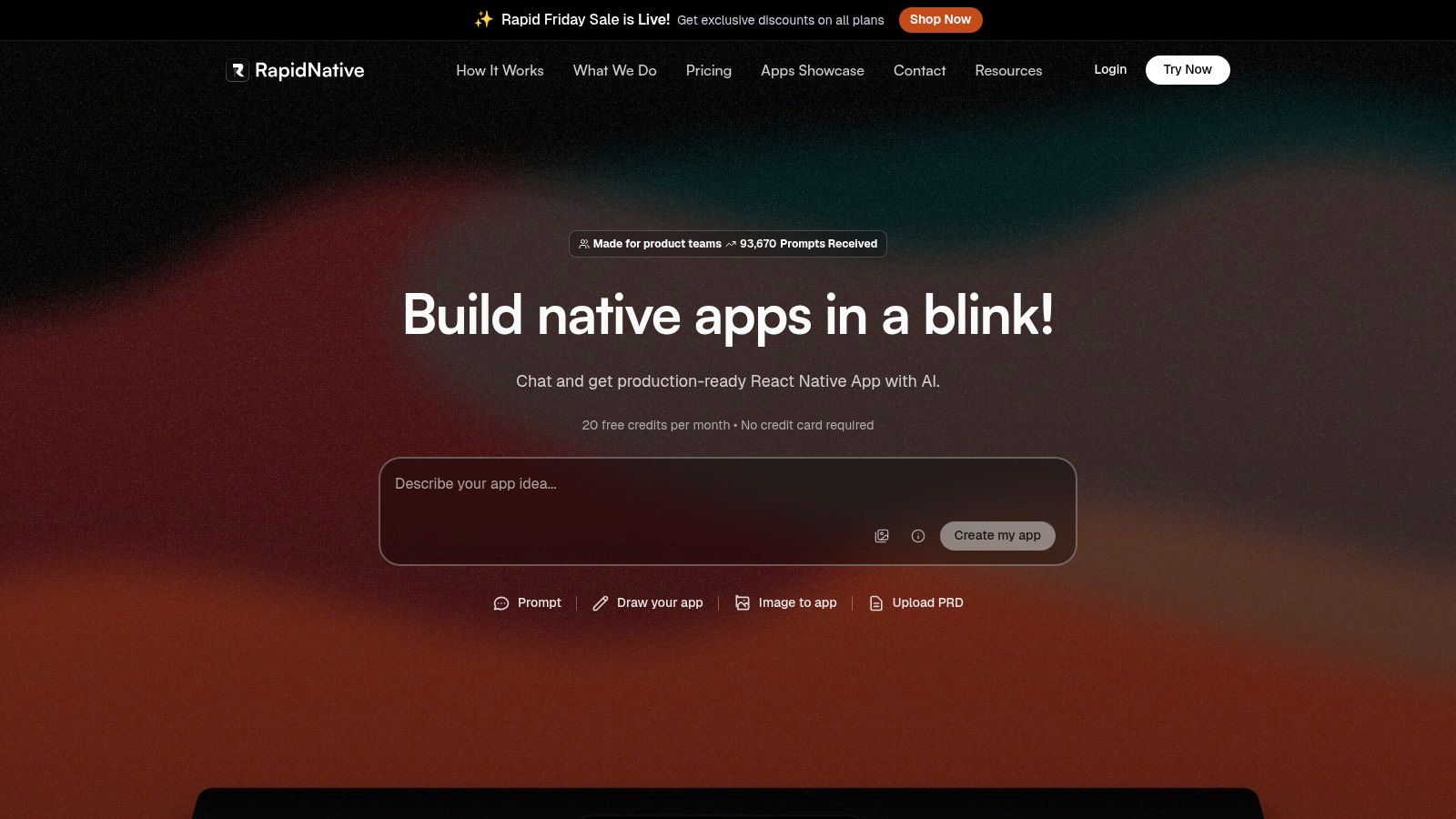
RapidNative is an AI-powered platform designed to dramatically shorten the distance between a mobile app idea and a functional, developer-ready prototype. It stands out as one of the best tools for startup founders by directly addressing a critical early-stage challenge: building a high-fidelity, testable mobile user interface without immediately sinking massive resources into manual UI development. Instead of producing locked-in, no-code artifacts, it generates clean, production-grade React Native code that developers can actually use and build upon.
Why It's a Top Choice for Founders
The platform’s core strength lies in its multi-input generation engine and its developer-first output. Founders and product teams can describe an app screen in a simple sentence, upload a whiteboard sketch, or provide a design mockup, and RapidNative’s AI translates it into a fully interactive UI. This allows for incredibly fast iteration cycles, enabling you to build and refine entire user flows in minutes, not weeks. The conversational chat interface further accelerates this process, letting you make edits ("change the primary button to blue") in real time.
For mobile startups, the key differentiator is the quality and usability of the exported code. The output is a standard Expo/React Native project using TypeScript and NativeWind for theming. This means the code is not a dead end; it's a genuine accelerator. Your engineering team can take the generated codebase and immediately start integrating backend logic and complex features, saving hundreds of hours of boilerplate UI work.
Practical Use Cases and Implementation
- MVP Validation: A founder with an idea for a new social media app can generate a clickable prototype of the core feed, profile, and posting screens from a simple text prompt. They can then test this prototype with potential users for feedback before writing a single line of production code.
- Design-to-Code Handoff: A UX designer finalizes their app mockups in Figma. Instead of just exporting static images for developers, they can use RapidNative to convert those designs into a functional, componentized React Native starting point, ensuring the final product matches the vision.
- Developer Acceleration: An engineering team building a new fintech app can use RapidNative to scaffold out all the standard UI screens (e.g., login, settings, transaction history, dashboard), allowing them to focus entirely on the unique business logic and secure backend integration.
Pricing and Access
RapidNative offers a tiered pricing model that is accessible for early-stage startups:
- Free: Includes 20 requests per month, perfect for initial testing and small experiments.
- Starter: At $20/month, this plan provides 50 requests and allows you to export production-ready code.
- Pro: The most popular plan at $50/month, offering 150 requests for more intensive prototyping needs.
- Teams & Enterprise: Custom plans are available for larger teams requiring advanced collaboration features and support.
Pros and Cons
| Pros | Cons |
|---|---|
| Generates real, exportable React Native code. | Focuses on UI/navigation; no backend generation. |
| Multiple input methods (text, image, whiteboard). | Request limits on all tiers; credits don't roll over. |
| Incredibly fast prototyping and iteration cycles. | Complex logic and native modules require manual coding. |
| Outputs are modular, clean, and developer-friendly. | Still an emerging tool with features on the roadmap. |
Bottom Line: RapidNative is an essential tool for any startup founder looking to validate a mobile app idea quickly and efficiently. It bridges the gap between design and development by producing high-quality, usable code that accelerates your product journey from concept to launch.
2. Product Hunt
Product Hunt is an essential daily destination for discovering the newest tech products and a vital launchpad for getting your own mobile app noticed. It serves as a real-time pulse of the tech world, showcasing everything from AI-powered productivity apps and niche SaaS solutions to innovative developer tools. For mobile product founders, it's a goldmine for competitive analysis, inspiration, and initial user acquisition.
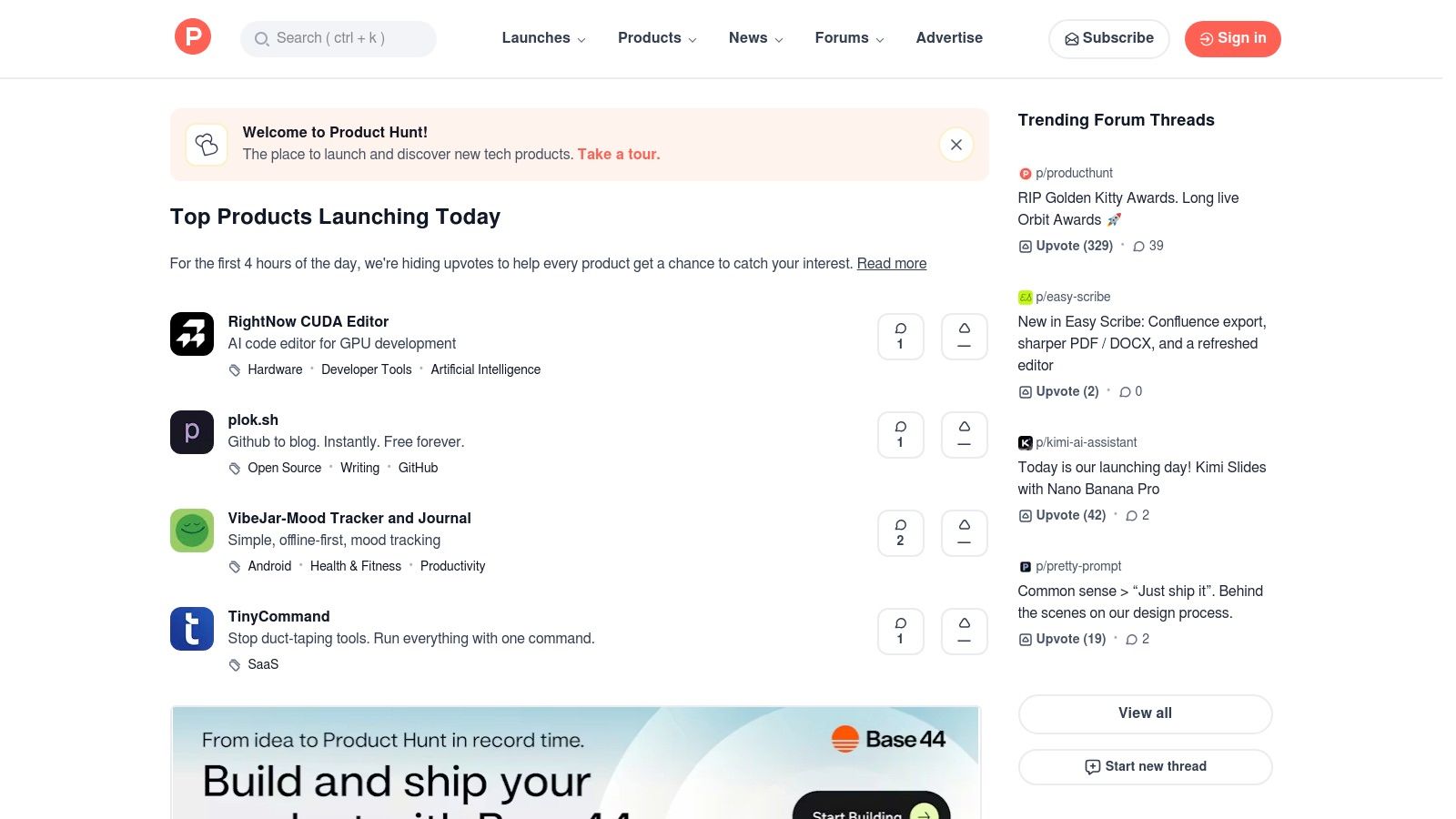
Unlike static review sites, Product Hunt’s value comes from its dynamic community. The daily ranking system, driven by user upvotes and comments, provides immediate, unfiltered feedback on new concepts. This makes it one of the best tools for startup founders to validate an app idea or spot emerging market trends before they become mainstream. Browsing and submitting a product is free, making it accessible to even the most bootstrapped ventures.
Practical Tip: Use Product Hunt not just to launch, but to continuously educate yourself on what the market is rewarding. Monitor top mobile apps in your niche to understand messaging, onboarding flows, and design trends that resonate with early adopters.
Practical Use Cases for Mobile Founders
- Market Research: Before building your fitness app, search for "workout tracker" or "meal planner" to gauge existing competition. Analyze their launch-day comments for valuable user feedback like "I wish it had an Apple Watch integration" or "The UI feels confusing."
- Early User Acquisition: A successful launch of your new note-taking app can drive thousands of highly qualified visitors to your site in a single day, providing the first wave of sign-ups and crucial App Store reviews.
- Tool Discovery: Find emerging AI-powered tools that can streamline your operations. You can find more detail on how platforms like Product Hunt surface the best AI startup tools for founders.
Pros & Cons
| Pros | Cons |
|---|---|
| Excellent for discovery and trend-spotting. | Signal can be noisy; daily popularity isn't guaranteed quality. |
| Community feedback helps validate tools quickly. | Launch success is unpredictable and requires preparation. |
| Free to browse and submit your own products. | Limited deep data versus dedicated review platforms. |
Website: https://www.producthunt.com
3. G2
G2 is the world’s largest B2B software marketplace, offering millions of user-generated reviews across thousands of categories. For mobile founders, it's an indispensable resource for vetting and selecting the software that will run your business operations—from CRM and marketing automation to HR and finance tools. It helps you move beyond marketing claims and see how tools actually perform for companies of a similar size and industry.
Unlike more discovery-focused platforms, G2 excels at deep, comparative analysis. Its signature “Grid” reports, which chart products based on user satisfaction and market presence, provide a quick visual summary of the leaders in any given category. Researching products is free, giving founders access to a wealth of data to make informed purchasing decisions without any upfront cost.
Practical Tip: Use G2 for detailed, head-to-head software comparisons when you have a budget to spend and need to make the right choice. The user filters are its superpower; always narrow results by company size to see what works for other startups, not just enterprises.
Practical Use Cases for Mobile Founders
- Vendor Selection: When choosing a critical tool like a mobile analytics platform (e.g., Mixpanel vs. Amplitude), use G2’s comparison feature to evaluate the top options side-by-side on features, pricing, and user ratings from other app companies.
- Competitor Intelligence: Look up your direct competitors to understand their strengths and weaknesses from a user perspective. The reviews often highlight missing features or pain points you can capitalize on in your own app.
- Discovering Alternatives: If a popular tool like Intercom is too expensive for your early-stage support needs, use G2's "Alternatives" feature on that product's page to find more budget-friendly or startup-focused solutions that users also recommend.
Pros & Cons
| Pros | Cons |
|---|---|
| Deep review volume across most founder-relevant categories. | Some concerns about moderation and sponsored placements. |
| Useful filters for SMB/startup fit and specific use cases. | Navigation can feel ad-heavy and push vendor-sponsored content. |
| Free to research with direct links to vendor trials. | Overwhelming choice in popular categories can be hard to parse. |
Website: https://www.g2.com
4. Capterra
Capterra serves as a comprehensive software directory where founders can compare tools across hundreds of business categories. Unlike niche, developer-focused marketplaces, its strength lies in its breadth, covering everything from CRM and accounting to marketing automation and HR. For non-technical founders or those seeking operational software for their mobile app business, Capterra provides a structured, high-level overview of the competitive landscape.
The platform’s value comes from its user-generated, verified reviews and standardized feature checklists, allowing for quick, side-by-side comparisons. You can filter by company size, features, and pricing models, making it one of the best tools for startup founders to create a shortlist for essential business software without endless individual research. Researching on the platform is completely free.
Practical Tip: Use Capterra to efficiently research and select foundational business software for your startup. Its structured data is ideal for creating a shortlist of vendors for non-technical needs like sales, marketing, and finance tools.
Practical Use Cases for Mobile Founders
- Vendor Shortlisting: Quickly create a list of the top 3-5 help desk tools or subscription billing platforms that fit your mobile app's budget and core feature requirements.
- Alternative Discovery: If a popular email marketing tool is too expensive, use Capterra’s "Alternatives" feature on any listing to find comparable but more suitable options for your early user base.
- Feature Gap Analysis: Compare feature checklists between top competitors in a category to understand industry-standard offerings and identify potential market gaps for your own product.
Pros & Cons
| Pros | Cons |
|---|---|
| Easy to scan options with pricing cues. | Less depth on technical/dev tools than developer marketplaces. |
| Good for non-technical founder needs (CRM, finance). | Vendor-driven lead generation can bias visibility. |
| Free to research and compare software. | Reviews can lack nuanced, deep technical feedback. |
Website: https://www.capterra.com
5. AppSumo
AppSumo is a marketplace that offers deep discounts and lifetime deals (LTDs) on emerging software, making it an indispensable resource for cost-conscious mobile startups. It specializes in tools for marketing, sales, productivity, and content creation, allowing founders to build a powerful software stack without committing to expensive monthly subscriptions. For early-stage companies, this can mean the difference between having a necessary tool and going without due to budget constraints.
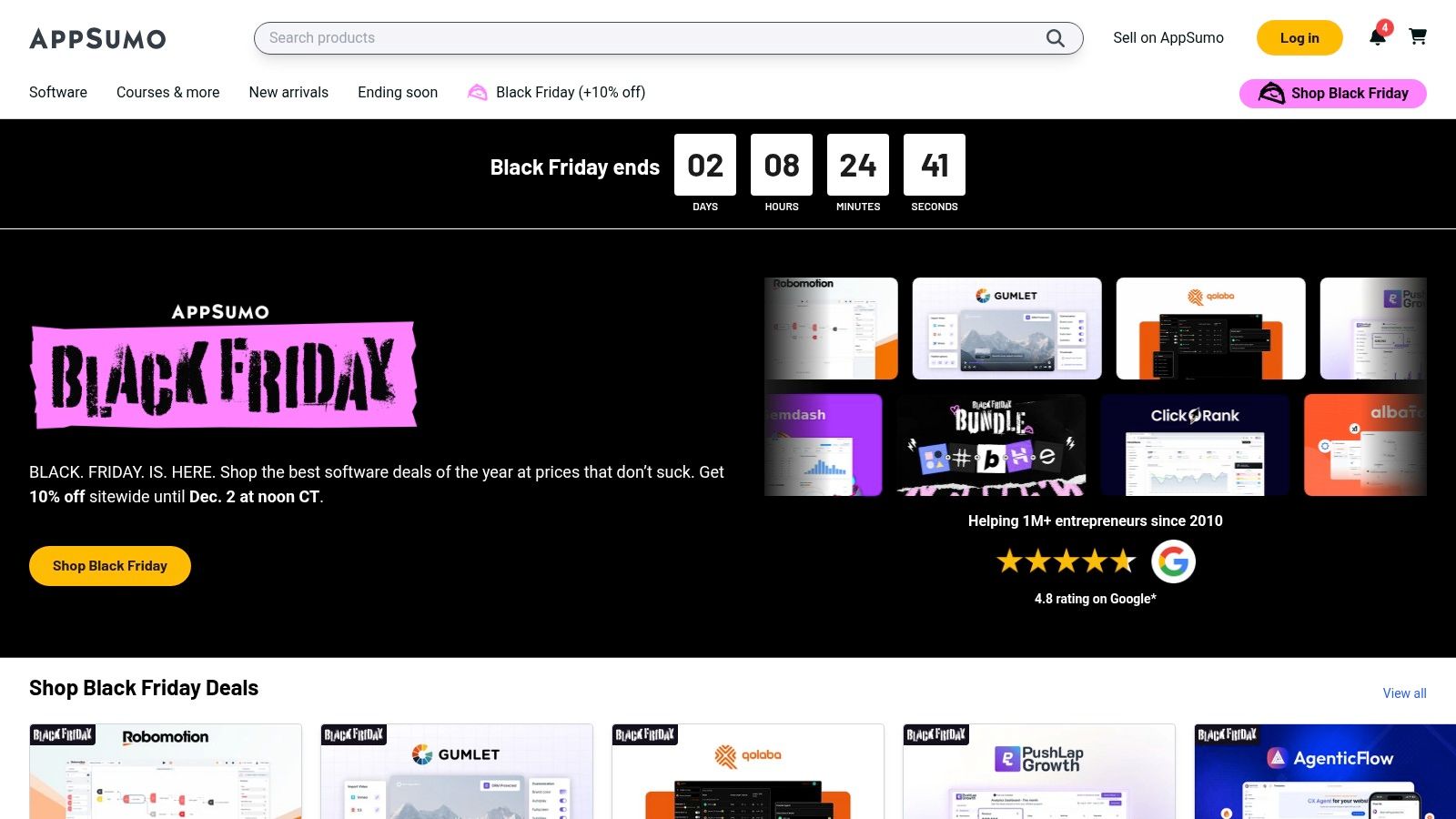
Unlike traditional software marketplaces, AppSumo's core value lies in the LTD model. This allows a founder to pay a one-time fee for lifetime access to a tool, significantly lowering the total cost of ownership. This approach to software acquisition makes it one of the best tools for startup founders looking to maximize their runway while experimenting with different solutions to find what works best for their operations.
Practical Tip: Use AppSumo to lock in low-cost tools for non-critical but important functions like social media management or lead generation. Always research the company behind the deal to gauge its long-term viability before purchasing.
Practical Use Cases for Mobile Founders
- Building a Marketing Stack: Acquire lifetime deals on tools for SEO analysis, email marketing, social media scheduling, and content creation to promote your mobile app at a fraction of the standard cost.
- Testing New Software: Experiment with various user feedback or survey tools with minimal financial risk, thanks to the low entry price and a generous refund policy on many deals.
- Operational Efficiency: Find niche AI-powered tools for tasks like video editing for app store previews, copywriting for marketing pages, or customer support chatbots to streamline workflows without a recurring monthly expense.
Pros & Cons
| Pros | Cons |
|---|---|
| Locks in low costs during the crucial early stage. | Mixed reliability; some LTDs may be discontinued. |
| Easy to test multiple tools without long contracts. | Review moderation can be inconsistent. |
| Huge selection of SMB and startup-focused software. | Terms can change over time; requires vendor vetting. |
Website: https://appsumo.com
6. AWS Marketplace
For startups building their app's backend on Amazon Web Services, the AWS Marketplace is an indispensable resource for procuring third-party software and services. It acts as a digital catalog where founders can find, test, and deploy everything from security tools and AI APIs to specialized databases. This makes it one of the best tools for startup founders looking to streamline their tech stack management.
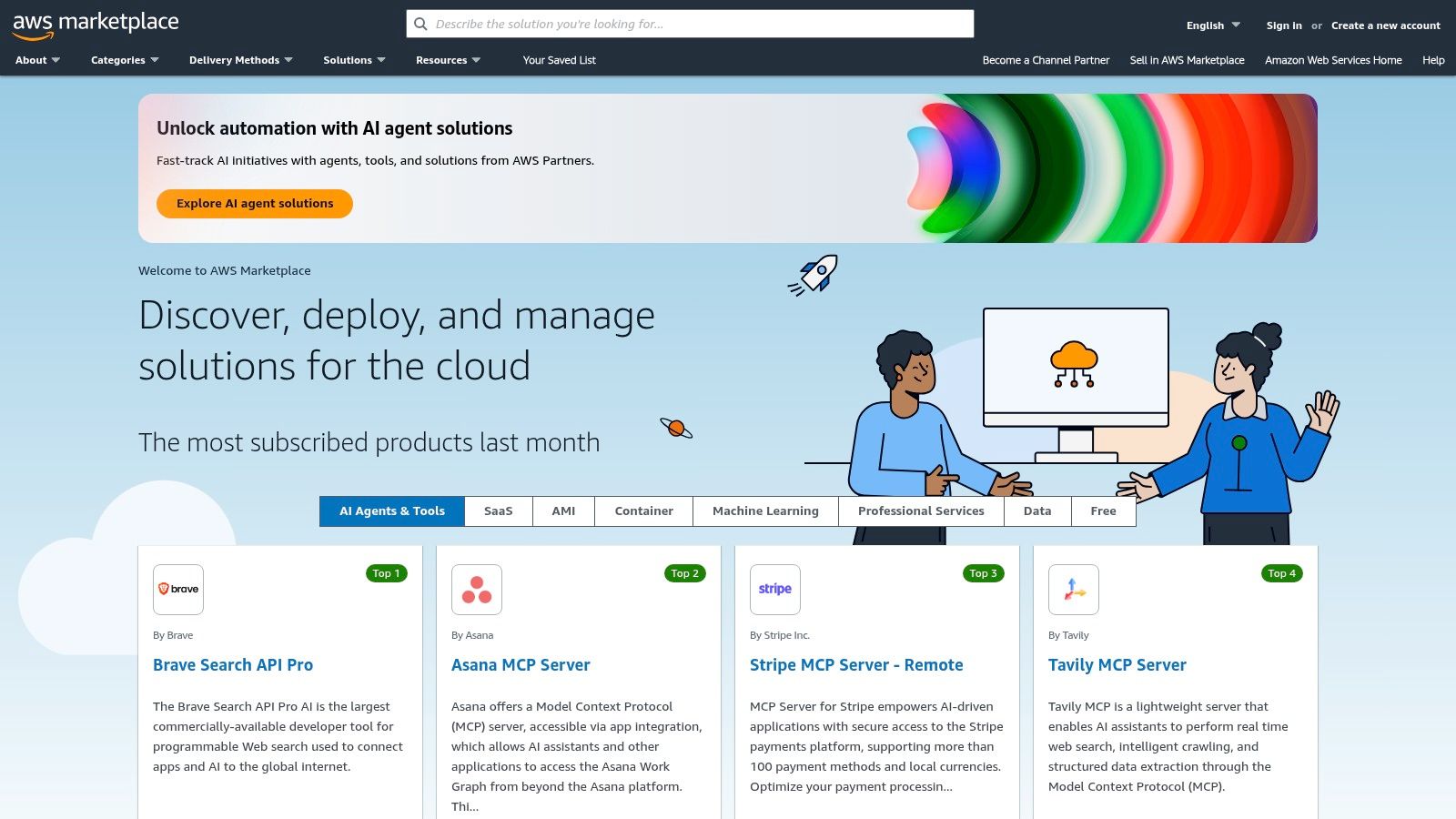
Unlike direct SaaS subscriptions, AWS Marketplace centralizes billing directly into your existing AWS invoice. This simplifies procurement, consolidates vendor management, and allows you to use your AWS credits or committed spend on a vast library of external tools. For a mobile startup managing a tight budget and limited administrative overhead, this integration is a significant operational advantage.
Practical Tip: If your app's backend is on AWS, use the Marketplace to simplify procurement and potentially lower costs by leveraging your existing AWS spend. It removes the friction of managing dozens of separate subscriptions.
Practical Use Cases for Mobile Founders
- Simplified Procurement: Purchase and deploy essential tools like a MongoDB database, developer tools, or security software with one-click deployment and consolidated billing, saving administrative time.
- Cost Management: Use existing AWS credits from an accelerator program to pay for third-party SaaS for your app's backend, maximizing the value of your AWS budget.
- Vendor Vetting: Discover and test pre-vetted software solutions that are guaranteed to be compatible with your AWS environment, many offering free trials or pay-as-you-go pricing.
Pros & Cons
| Pros | Cons |
|---|---|
| Frictionless procurement for teams already on AWS. | Best value if your budget already sits on AWS. |
| Governance and compliance alignment with AWS accounts. | Enterprise-leaning UI may feel heavy for very early teams. |
| Consolidated billing simplifies vendor management. | Pricing is not always the most competitive versus direct. |
Website: https://aws.amazon.com/marketplace
7. Google Cloud Marketplace
For startups building their mobile app's infrastructure on Google Cloud Platform (GCP), the Google Cloud Marketplace is an indispensable resource. It's a curated catalog of validated SaaS solutions, APIs, and deployable applications that integrate seamlessly into your existing cloud environment. Instead of managing separate contracts and billing cycles, founders can procure and deploy essential tools directly from their GCP console.
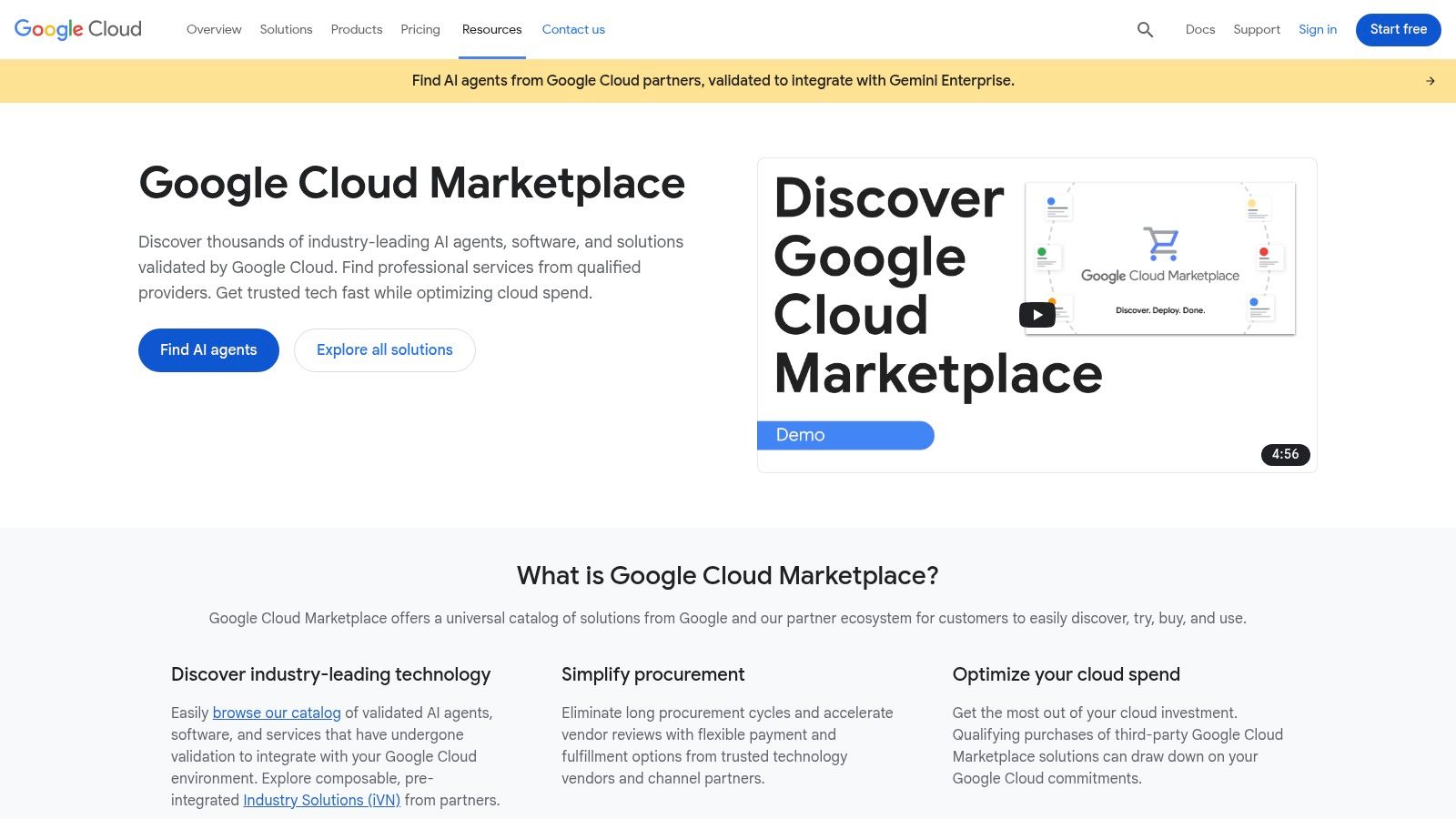
The primary advantage is simplified procurement and governance. Every tool listed has been technically validated by Google, reducing integration risks. Furthermore, purchases made through the marketplace can often count toward your GCP spending commitment, a significant financial benefit for startups with cloud credits. This makes it one of the best tools for startup founders already invested in the Google ecosystem.
Practical Tip: If your app is built on GCP, always check the Marketplace first when sourcing new backend software. You can centralize billing, simplify vendor management, and potentially leverage your existing cloud spend.
Practical Use Cases for Mobile Founders
- Accelerated Deployment: Quickly deploy pre-configured virtual machines or Kubernetes applications for databases like MongoDB or analytics tools like Datadog to support your mobile app without manual setup.
- Centralized Procurement: Use the Private Marketplace feature to create a pre-approved list of software for your team, ensuring security compliance and budget control as you scale.
- Leverage Cloud Credits: Purchase third-party SaaS subscriptions for services like push notifications or real-time databases and draw down your committed GCP spend, effectively getting more value from your cloud budget.
Pros & Cons
| Pros | Cons |
|---|---|
| Smooth deployment for teams on GCP. | Value depends entirely on your GCP footprint. |
| Centralized governance and cost reporting. | Enterprise focus can feel heavy for very small teams. |
| Purchases can draw down GCP spending commitments. | Selection is narrower than the open market. |
Website: https://cloud.google.com/marketplace
8. Microsoft AppSource
For startups building apps that integrate with the Microsoft ecosystem (e.g., productivity tools for Teams or Outlook), AppSource is the definitive marketplace for discovery and deployment. It’s a central hub for SaaS solutions and add-ins that connect directly with tools like Microsoft 365 and Dynamics 365. Founders can find everything from sophisticated analytics dashboards for Power BI to AI-powered productivity tools that plug straight into Microsoft Teams and Outlook.
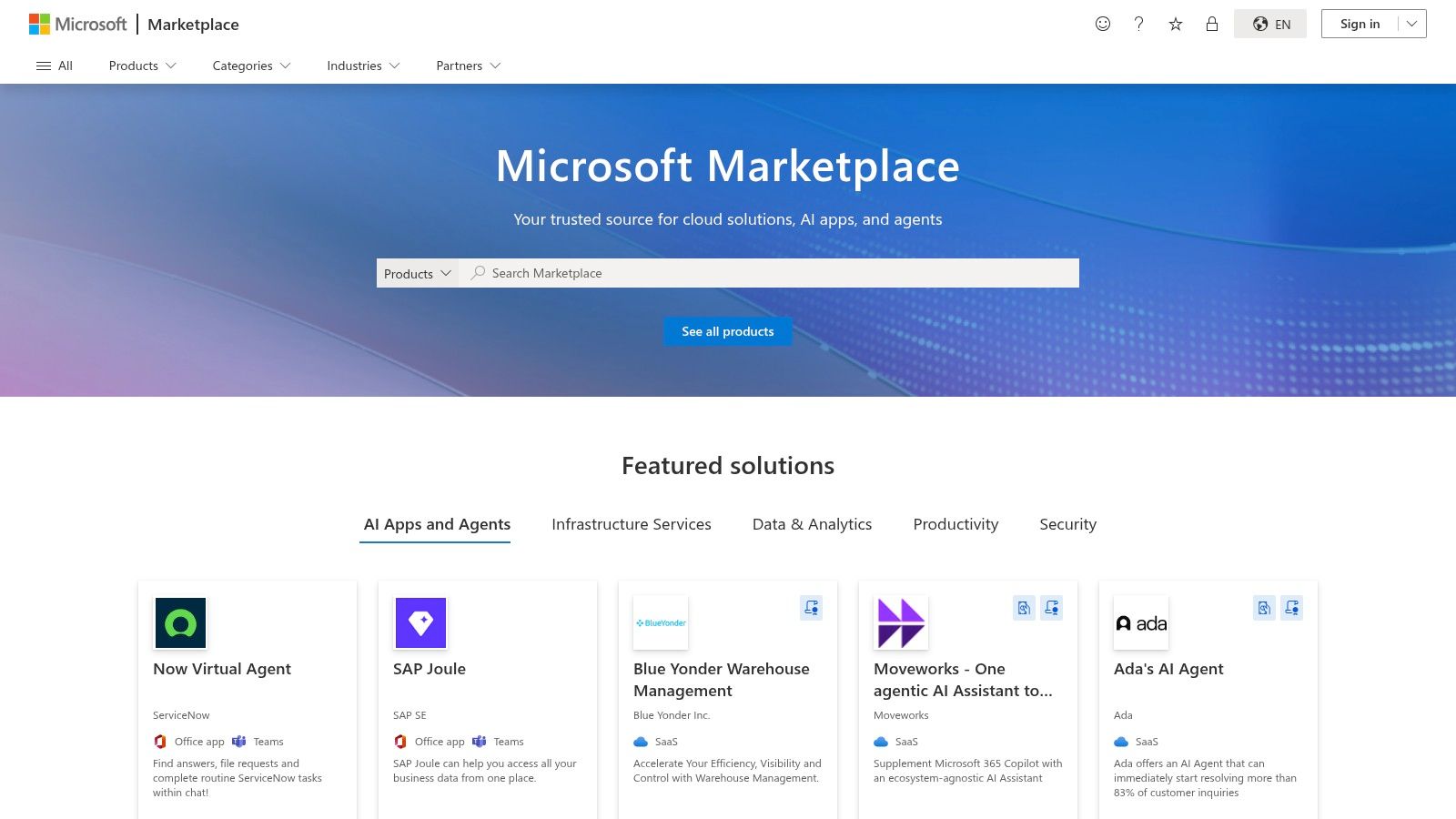
Unlike broader software marketplaces, AppSource’s primary value lies in its deep, certified integrations. This ensures that the tools you find are vetted for compatibility and security, reducing implementation friction. This focus makes it one of the best tools for startup founders looking to extend the functionality of their existing Microsoft software stack. Most apps offer a free trial or a freemium version, allowing for easy evaluation.
Practical Tip: Use AppSource to enhance your core Microsoft tools instead of replacing them. Focus on finding niche solutions that automate specific workflows within the software your team already uses daily.
Practical Use Cases for Mobile Founders
- Operational Efficiency: Discover add-ins for Outlook or Teams that automate scheduling or streamline project updates related to your mobile app's development roadmap.
- Go-to-Market Strategy: For B2B mobile startups whose customers use Microsoft products, listing your own app on AppSource can open up a massive distribution channel directly to Microsoft's enterprise customer base.
- Data & Analytics: Find pre-built Power BI dashboards that can visualize user data from your app, saving significant development time on business intelligence.
Pros & Cons
| Pros | Cons |
|---|---|
| Deep integration with the Microsoft workflow. | Primarily benefits teams standardized on Microsoft 365. |
| Variety of tools across all business functions. | Catalog can be overwhelming without specific search filters. |
| Vetted applications reduce security and compatibility risks. | Discoverability can be a challenge for niche tools. |
Website: https://appsource.microsoft.com
9. GitHub Marketplace
For any startup building software, GitHub Marketplace is an app store that supercharges your development workflow. It offers a curated collection of tools that automate everything from continuous integration (CI/CD) and code quality checks to security scanning and monitoring. This centralization makes it one of the best tools for mobile startup founders looking to build a robust, modern development toolchain without managing dozens of separate subscriptions.
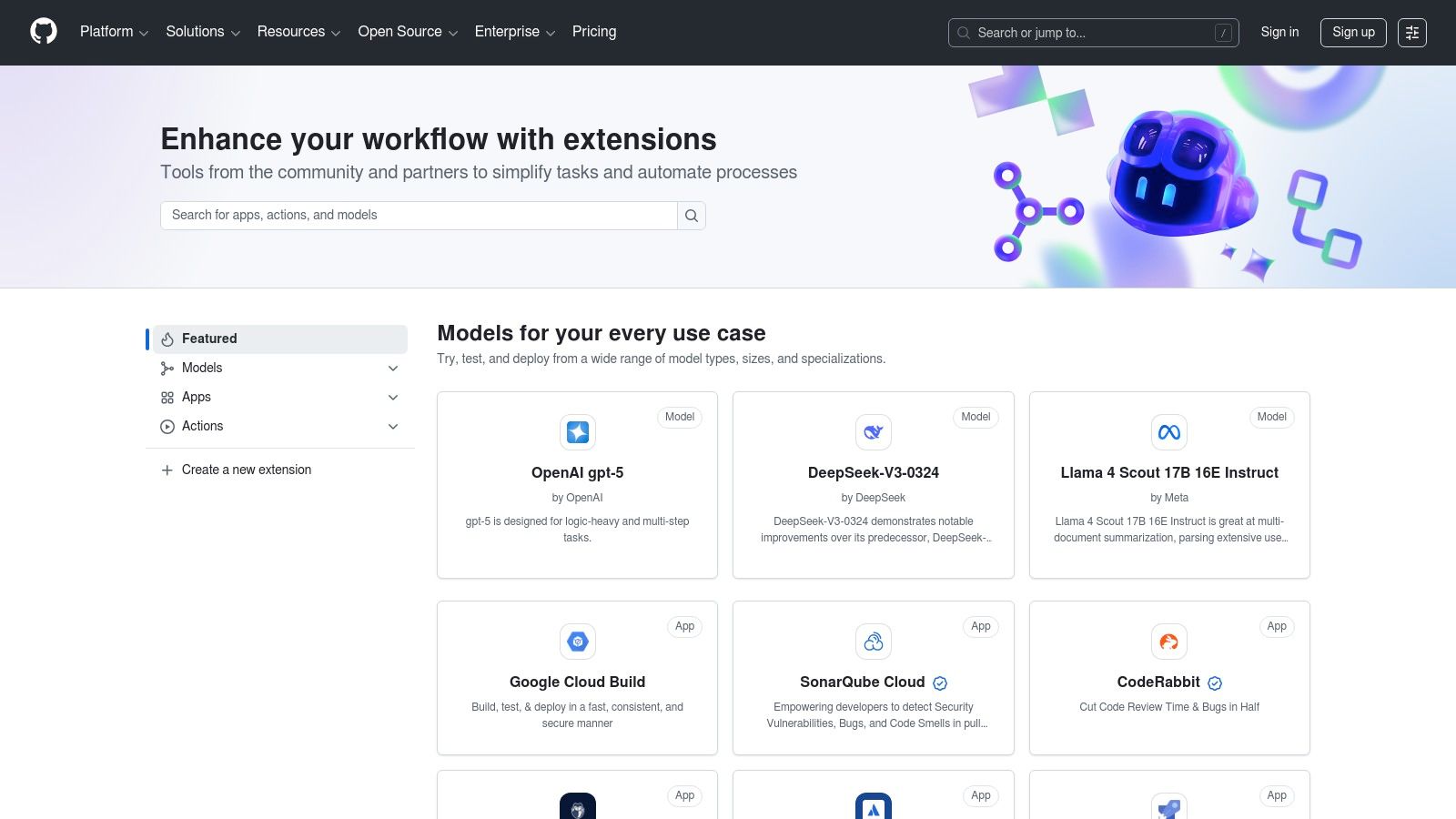
Unlike sourcing tools individually, the Marketplace centralizes billing and permissions management through your existing GitHub account, simplifying administration. You can discover, try, and buy apps with a few clicks, often with free tiers available for startups. It allows your mobile development team to enhance repositories with powerful automations, dramatically accelerating development velocity from day one.
Practical Tip: Treat GitHub Marketplace as your first stop for developer-centric tools. Centralizing your tool stack here reduces administrative overhead and ensures new tools integrate seamlessly into your team's pull request and deployment workflows.
Practical Use Cases for Mobile Founders
- Automate Code Quality: Install apps like Code Climate or SonarCloud to automatically scan new code for bugs, vulnerabilities, and quality issues on every pull request for your mobile app's codebase.
- Streamline CI/CD for Mobile: Integrate tools like CircleCI or Bitrise to automate the building, testing, and deployment of your iOS and Android apps to TestFlight and Google Play Beta.
- Enhance Security: Add security tools like Snyk or Dependabot (native) to automatically find and help fix vulnerabilities in your app's open-source dependencies.
Pros & Cons
| Pros | Cons |
|---|---|
| Speeds up a modern dev toolchain from within GitHub. | Primarily developer-focused; less coverage for non-technical tools. |
| Clear trials and pricing plans with an easy install. | App quality varies; review carefully before committing. |
| Centralized billing and permissions management. | Vendor lock-in risk if you move away from GitHub. |
Website: https://github.com/marketplace
10. Google Workspace Marketplace
For startups built on Google’s ecosystem, the Google Workspace Marketplace is a treasure trove for extending functionality without adding new, siloed tools. It’s the official app store for Gmail, Docs, Sheets, and Drive, allowing founders to enhance their existing workflows with specialized add-ons for sales, marketing, and operations. This approach consolidates your toolset, keeping your team productive within a familiar environment.
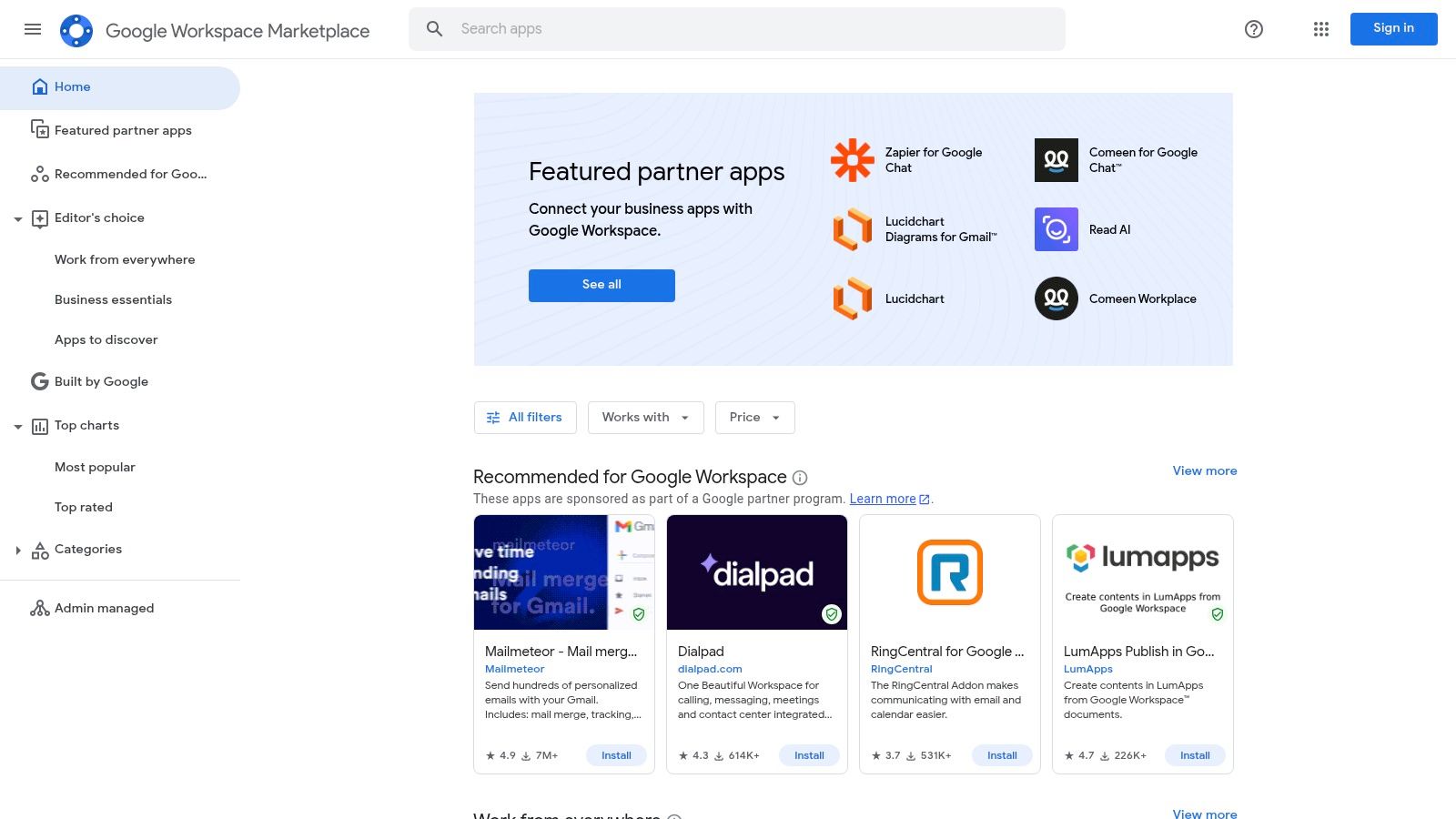
Unlike standalone SaaS products, these add-ons integrate directly into the apps your team uses daily. You can find everything from lightweight CRMs that live inside Gmail to project management tools that sync with Google Sheets. The marketplace features a mix of free and paid apps, and the independent security-verification badge on many listings helps streamline vendor screening, making it one of the more secure and integrated collections of tools for startup founders.
Practical Tip: Leverage the marketplace to solve niche problems directly within your existing workflows. Instead of buying a new platform, check if an integrated add-on can do the job, saving both money and training time.
Practical Use Cases for Mobile Founders
- Sales & CRM: Find add-ons that turn Gmail into a simple CRM, tracking beta sign-ups and early customer outreach for your app without ever leaving your inbox.
- Operations Automation: Install tools that connect Google Sheets to your app's database, automating data entry or report generation for user metrics and financial tracking.
- Marketing Enhancement: Use add-ons to design newsletters in Google Docs or manage email campaigns to your app's user base directly from a spreadsheet.
Pros & Cons
| Pros | Cons |
|---|---|
| Tight integration with daily-use Google tools. | Add-on depth varies; some tools are light wrappers. |
| Security-verified badge helps with vendor screening. | Best for Workspace-centric teams; limited use otherwise. |
| Centralized admin control for installations. | Discovery can be challenging without specific keywords. |
Website: https://workspace.google.com/marketplace
11. HubSpot for Startups
Building a robust go-to-market engine for your mobile app early is critical, but the costs can be prohibitive. HubSpot for Startups solves this by offering its comprehensive suite of marketing, sales, and service tools at a massive discount for eligible companies. It bundles a powerful CRM with marketing automation, sales pipelines, and customer service hubs, providing a unified platform to manage the entire customer lifecycle from day one.

Unlike piecing together multiple disparate tools, this program allows founders to establish a scalable, integrated system without the typical enterprise-level price tag. The program offers tiered discounts, with some startups qualifying for up to 90% off in their first year. This makes it one of the best tools for startup founders looking to implement professional-grade growth infrastructure for their mobile product on a tight budget.
Practical Tip: Implement HubSpot early to build a single source of truth for all customer interactions. This avoids the painful data migration that often comes with scaling from disconnected, cheaper tools later on.
Practical Use Cases for Mobile Founders
- Unified Customer View: Track a user’s entire journey from their first website visit and marketing email open to their app download and in-app support ticket, all in one place.
- Early Marketing Automation: Set up simple automated email sequences to nurture early-stage leads from your landing page and onboard new app users without manual effort.
- Sales Pipeline Management: For B2B or subscription-based apps, build a structured sales process from the start, ensuring no trial user or lead falls through the cracks as your team grows.
Pros & Cons
| Pros | Cons |
|---|---|
| Significant cost relief on a full GTM software suite. | Eligibility rules apply; best discounts need partner status. |
| Scales from a free CRM into paid tiers as you grow. | Onboarding and advanced features can add complexity and cost. |
| Extensive education and integration ecosystem. | Can be overkill for very early-stage, pre-product startups. |
Website: https://www.hubspot.com/startups
12. Stripe Atlas
Stripe Atlas solves one of the most daunting early-stage hurdles: legally incorporating your business so you can accept in-app payments and issue equity. It provides a standardized, fast-tracked process for forming a Delaware C Corporation or LLC, obtaining a U.S. Employer Identification Number (EIN), and opening a business bank account. For founders, especially those outside the U.S., it demystifies a complex legal and financial process.
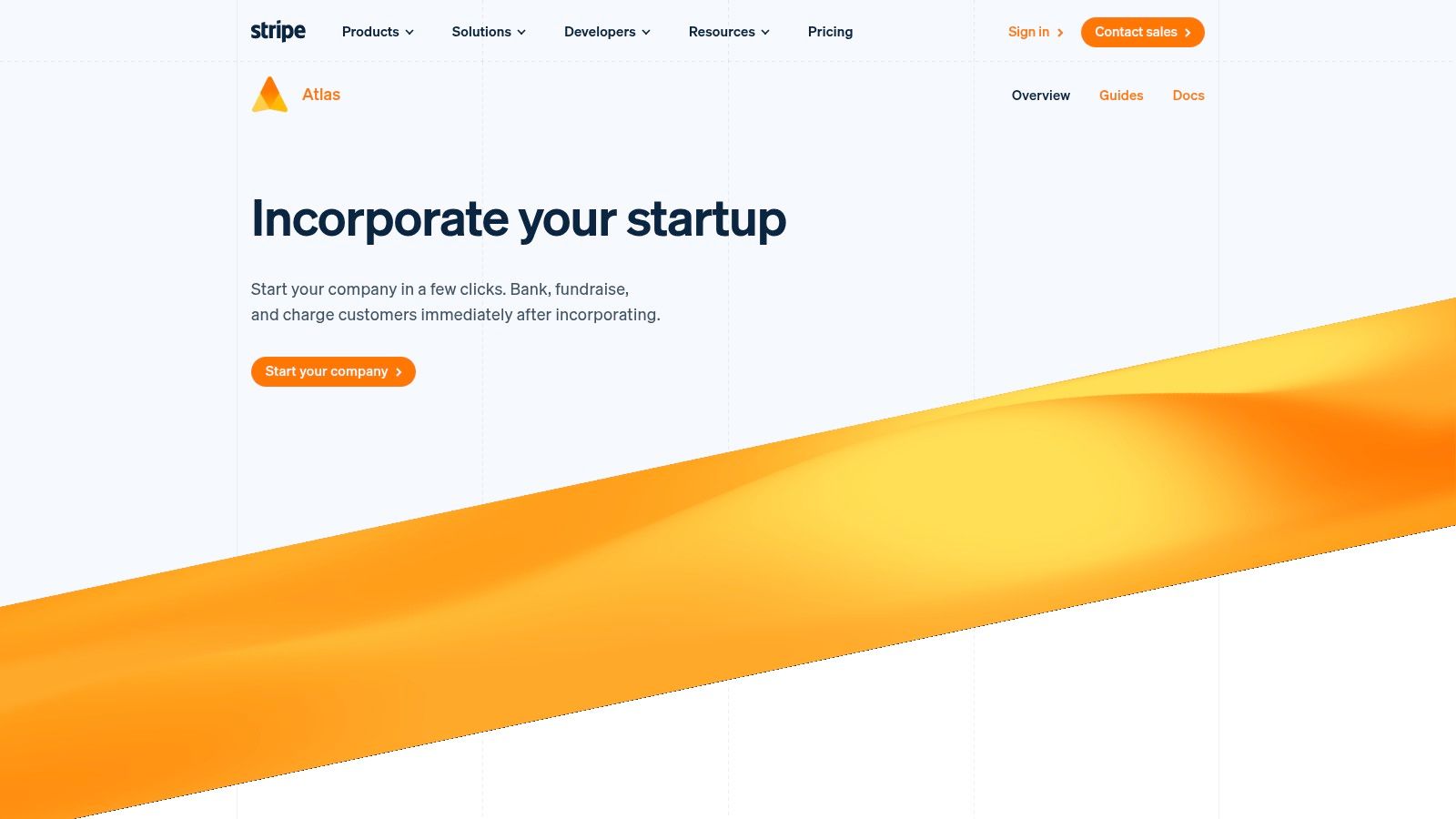
Unlike traditional law firms, Stripe Atlas creates a seamless pipeline from company formation directly to monetization. Once incorporated, your business is instantly connected to the Stripe payments ecosystem, removing a significant piece of operational friction. This integration makes it one of the best tools for startup founders who need to get from idea to revenue as quickly as possible, a key step in the mobile app development lifecycle. The one-time setup fee is $500, with ongoing costs for registered agent services.
Practical Tip: Use Stripe Atlas to standardize your company's legal and financial foundation from day one. This simplifies future fundraising, hiring, and stock issuance by establishing a clean, venture-ready corporate structure.
Practical Use Cases for Mobile Founders
- Global Entrepreneurship: Non-U.S. founders building an app for the U.S. market can easily establish a U.S. entity to access the American banking system, App Store payment processing, and venture capital ecosystem.
- Venture-Ready Formation: Creates a Delaware C-Corp, the standard structure preferred by most U.S. venture capitalists, and helps generate founder stock issuance documents.
- Accelerated Launch: Go from an app idea to a legally operating company capable of accepting in-app purchases and subscriptions in a matter of days, not weeks or months.
Pros & Cons
| Pros | Cons |
|---|---|
| Fast, standardized U.S. incorporation workflow. | Higher upfront cost than some formation services. |
| Smooth path from company setup to accepting payments. | Not a substitute for bespoke legal or tax counsel. |
| Excellent for international founders entering the U.S. | Limited to Delaware entities (C-Corp and LLC). |
Website: https://stripe.com/atlas
Top 12 Tools for Startup Founders — Comparison
| Product | Core features | Target users | Primary value / USP | Best for / Price |
|---|---|---|---|---|
| RapidNative | Prompt-to-UI + image/whiteboard import; chat-driven edits; exportable Expo/React Native (TS) + NativeWind code | Founders, PMs, UX designers, devs, agencies | Generates clean, modular, production-ready React Native UI code for fast prototyping and handoff | Prototype → production UIs; Free / Starter $20 / Pro $50 / Enterprise |
| Product Hunt | Daily launches, voting, comments, promo pages | Makers, founders, early adopters | Community discovery and launch exposure | Validate demand and get feedback; free to browse/submit |
| G2 | Millions of user reviews, side-by-side comparisons, filters | Buyers, SMBs, procurement teams | Deep review volume and category rankings for vendor selection | Research and compare enterprise tooling; free |
| Capterra | Category directory, pricing snapshots, buyer guides | Non-technical founders, small businesses | Quick pricing and feature scans for shortlist building | Shortlist vendors and pricing ranges; free |
| AppSumo | Lifetime deals, steep discounts, centralized refunds on select offers | Bootstrapped founders, SMBs | Lock in low-cost SaaS via LTDs and promotions | Buy discounted tools for early-stage needs; deal-based pricing |
| AWS Marketplace | SaaS/AMI/container listings, consolidated AWS billing, private offers | Teams on AWS, enterprise procurement | Streamlined procurement and billing within AWS ecosystem | Procurement for AWS-based infra; pay via AWS billing |
| Google Cloud Marketplace | Validated apps, private marketplace, GCP integration | GCP customers, data/AI teams | Tight deployment and billing integration with GCP services | Deployable on GCP with consolidated billing; pay via GCP |
| Microsoft AppSource | Apps for Microsoft 365, Dynamics, Power Platform; consulting listings | Microsoft-centric teams and enterprises | In-product discovery and deep Microsoft integrations | Extend Microsoft workflows; free/paid listings |
| GitHub Marketplace | Developer apps, Actions, CI/CD and security integrations | Dev teams, engineers | Native integration with GitHub workflows and org controls | Add dev tools and automations; free/paid plans |
| Google Workspace Marketplace | Add-ons for Gmail/Drive/Sheets, admin controls, security badge | Workspace users, ops and sales teams | Easy extensions inside common productivity apps with admin governance | Extend Workspace functionality; free/paid apps |
| HubSpot for Startups | Discounted CRM/marketing/sales hubs, onboarding, partner perks | Qualified startups, GTM teams | Significant startup discounts + onboarding to build GTM stack | Discounted HubSpot tiers (eligibility applies) |
| Stripe Atlas | Incorporation guidance, EIN filing, banking access, equity docs | Founders forming US companies | Fast, standardized US company formation with payments path | Company formation service; one-time fee (varies) |
Your Stack is Your Strategy: Choosing the Right Tools for the Job
Navigating the landscape of startup tools can feel overwhelming, especially for mobile product teams. With countless options vying for your attention and budget, the risk of "shiny object syndrome" is real. However, the right toolkit isn't just a collection of apps; it's a strategic asset that can provide a critical competitive edge. The best tools for startup founders are those that directly address core operational bottlenecks, from validating an app idea to acquiring your first paying users.
Your stack is a direct reflection of your strategy. A founder focused on rapid, customer-informed product development will prioritize tools that shorten the feedback loop. A team aiming for lean, capital-efficient growth will invest in platforms that automate user acquisition. The ultimate goal is to assemble a lean, powerful, and integrated system that allows your team to focus on its most important work: building a mobile product that customers genuinely need and love. Your tools should be enablers, not distractions.
Key Takeaways for Building Your Mobile Startup Stack
This article surveyed a wide range of resources, from marketplaces like G2 for discovery to foundational platforms like Stripe Atlas for incorporation. The core lesson is that there is no one-size-fits-all solution. Your unique context—including your team's skills, your app's complexity, and your runway—should dictate every choice.
Remember these guiding principles as you build your toolkit:
- Prioritize Integration Over Isolation: Tools that communicate with each other save immense time. For a mobile app, this could mean ensuring your crash reporting tool (like Sentry) automatically creates a ticket in your project management app (like Jira). A well-connected stack creates a seamless flow of information.
- Focus on 'Jobs to Be Done': Before evaluating any tool, clearly define the problem you are trying to solve. Are you trying to accelerate UI development? Streamline user feedback from TestFlight? Automate onboarding emails? Choosing a tool based on a specific, painful job-to-be-done ensures you're investing in a solution, not just a feature set.
- Scalability is a Future Problem (Mostly): Don't over-optimize for enterprise-level scale on day one. Choose a push notification service that meets your immediate needs and offers a clear, affordable upgrade path for when you hit a million users. The ability to start small is a hallmark of the best tools for startup founders.
- Think in Tiers: Core, Growth, and Optimization: Your stack can be visualized in tiers. The core includes your development environment (Xcode/Android Studio), codebase (GitHub), and communication (Slack). The growth tier includes your mobile analytics and marketing automation. The optimization tier includes A/B testing and user session replay tools. Build from the core outwards.
Your Actionable Next Steps
Instead of trying to implement everything at once, take a methodical approach. Start by auditing your current mobile development process and identifying the single biggest bottleneck. Is it the handoff between design and development? Is it managing beta tester feedback?
Once you've identified the primary pain point, use the marketplaces we discussed (like Product Hunt or GitHub Marketplace) to create a shortlist of 2-3 potential solutions. Run a small, time-boxed trial with each one. Involve the team members who will be using the tool daily. Their buy-in and firsthand experience are invaluable. This focused, problem-first approach ensures you adopt tools that deliver immediate, measurable value, building a resilient and effective operational foundation for your startup's journey.
Ready to eliminate the bottleneck between design and development for your mobile app? RapidNative helps you convert your Figma designs into production-ready React Native code in minutes, not weeks. Stop wasting time on repetitive UI coding and start shipping features faster by visiting RapidNative to see how it works.
Ready to build your app?
Turn your idea into a production-ready React Native app in minutes.
Free tools to get you started
Free AI PRD Generator
Generate a professional product requirements document in seconds. Describe your product idea and get a complete, structured PRD instantly.
Try it freeFree AI App Name Generator
Generate unique, brandable app name ideas with AI. Get creative name suggestions with taglines, brand colors, and monogram previews.
Try it freeFree AI App Icon Generator
Generate beautiful, professional app icons with AI. Describe your app and get multiple icon variations in different styles, ready for App Store and Google Play.
Try it freeFrequently asked questions
What is RapidNative?
RapidNative is an AI-powered mobile app builder. Describe the app you want in plain English and RapidNative generates real, production-ready React Native screens you can preview, edit, and publish to the App Store or Google Play.
Can I export the code?
Yes. RapidNative generates clean React Native and Expo code that you can export at any time. No lock-in, no proprietary format. Hand it to your developers or keep building inside RapidNative.
Is RapidNative free to use?
Yes. You can build apps on the free plan with no credit card required. Paid plans unlock unlimited AI generations, code export, and direct publishing to the App Store and Google Play.
Do I need to know how to code?
No. Most users build apps by describing what they want in plain English. Developers can drop into the code whenever they want more control, but coding is optional.
How long does it take to build an app?
Most users have a working first screen in under a minute. A full MVP usually takes a few hours instead of the weeks or months traditional development requires.