Turn design to code automation into real apps: From Figma to production
Discover design to code automation: turn Figma designs into functional apps with practical tools, clear workflows, and real benefits for your product team.
By Paridhi
6th Dec 2025
Last updated: 6th Dec 2025

We’ve all been there. A designer spends weeks obsessing over every detail in Figma, creating a user interface that's both beautiful and intuitive. The prototype is perfect, the user flows are smooth as silk, and the whole team is buzzing with excitement.
Then comes the handoff. And the friction begins.
Bridging The Gap Between Design And Development

What should be a smooth transition often turns into a slow, frustrating grind. Developers are tasked with manually turning static pictures into live, functioning code. It's a tedious process, and it's almost guaranteed to introduce small (but maddening) inconsistencies.
A button is a few pixels off. A font weight doesn't match the design spec. An animation just doesn't feel right.
This kicks off a painful loop of back-and-forth communication. Designers create exhaustive spec documents, developers hunt for clarification, and product managers spend their days playing mediator—all while the launch date gets further and further away. Every tiny revision burns precious hours for both designers and engineers, distracting them from the core features that actually deliver value to your users.
The Hidden Costs of Manual Handoffs
This old way of working has some serious hidden costs that go way beyond just lost time. For founders and product managers, this friction means delayed launches and missed windows of opportunity. For designers, it’s the frustration of seeing their meticulous vision get lost in translation.
The real-world impact of this bottleneck is huge:
- Drained Resources: Hours spent on "pixel-pushing" and minor UI fixes are hours that could have been invested in innovation, user research, or solving tough technical problems.
- Team Misalignment: The constant back-and-forth can strain relationships between designers and developers, creating an "us vs. them" dynamic instead of a true partnership.
- Stifled Innovation: When your team is stuck in the mud of basic UI implementation, there’s simply less time and energy left for experimenting with new ideas or quickly acting on user feedback.
This gap between a static design file and a live application is where many great mobile products lose momentum. The challenge isn't a lack of talent or effort; it's a broken process that fails to connect the creative vision with the technical execution efficiently.
A New Way Forward
The good news? This is a solvable problem. The rise of design-to-code automation provides a direct path to smoothing out this entire workflow. These tools act as a translator, converting design specifications directly into a functional codebase.
By automating the repetitive, manual part of UI development, teams can finally break out of that endless revision cycle. If your team is already invested in a specific stack, you can dive deeper into how to translate Figma designs to React Native code in our detailed guide.
This guide will walk you through how this technology is changing the game, helping teams align their work, speed up development, and ultimately, ship better mobile products much faster.
What Is Design-to-Code Automation, Really?
Think of design-to-code automation as a specialized translator. Imagine handing a detailed architectural blueprint—your Figma file—to a builder who speaks a completely different language. Instead of forcing them to manually interpret every single line and measurement, you give them a device that instantly reads the blueprint and spits out precise building instructions in their native tongue.
That's exactly what these tools do for mobile apps. They analyze the visual language of your design—the layout, colors, fonts, component structures, and spacing you meticulously crafted in a tool like Figma—and translate it directly into front-end code for your mobile app. It's not magic, but a highly sophisticated process of parsing design data and mapping it to corresponding code elements.
This translation bridges the enormous gap between a static image and a living, breathing user interface, turning your visual concepts into a real, functional starting point for developers.
How It Works Under the Hood
When an automation tool looks at your design, it’s not just taking a screenshot and making a wild guess. It's systematically deconstructing the design file, layer by layer, and identifying the key properties and relationships that a developer would otherwise have to painstakingly code by hand.
For a mobile product team, this means the tool understands things like:
- Component Recognition: It scans for reusable elements in your design, like buttons, input fields, or cards. If you've built a solid design system, it can often map these directly to your existing code components.
- Layout Interpretation: It analyzes how everything is arranged on the screen. It pays close attention to features like Figma's auto-layout to understand the rules for spacing, alignment, and how the UI should behave on different screen sizes.
- Style Extraction: It pulls out all the specific styling details—hex codes for colors, font families and weights, border radiuses, and shadow effects—and converts them into the right styling code for your chosen framework (like React Native).
This intelligent analysis is what separates today’s tools from the clunky, unreliable plugins of the past. The goal isn't just to produce code that looks right, but code that is logically structured and easy for a developer to actually work with.
More Than Just a Timesaver
While the most obvious benefit of design-to-code automation is speed, its real value is in creating a single source of truth. When the design file directly generates the initial codebase, you sidestep all those "lost in translation" errors that happen during a manual handoff. This means the final product is much more likely to match the original design intent right from the start.
The market for these tools is booming for this very reason. The global Design to Code Tools market is projected to hit between USD 2.0 billion and USD 4.0 billion by 2025, a surge driven by AI and machine learning advancements that are finally making the generated code genuinely useful. You can find more insights on this market expansion and its drivers on hdinresearch.com.
This isn't about replacing developers. It's about augmenting them. By automating the repetitive, predictable task of scaffolding UI, you free up your engineering team to focus on what truly matters—building complex business logic, optimizing performance, and integrating native device features.
Ultimately, this technology changes the entire handoff conversation. It shifts the focus from tedious, pixel-by-pixel implementation to high-level strategic collaboration. Designers and developers can spend their time together discussing user experience and functionality, confident that the foundational UI code is already handled with precision. That alignment is where teams really start to build better mobile products, faster.
Comparing Different Automation Approaches
Diving into the world of design to code automation can feel like a lot. There are so many tools out there, and each one claims to be the magic bullet for your workflow. But here's the secret: they aren't all trying to solve the same problem. These tools are built for different teams, different goals, and frankly, different definitions of what "code" even means.
Choosing the right one really boils down to what your team actually needs. Are you a designer trying to build a killer interactive prototype without bugging a developer? Or are you a dev team that needs to get production-ready mobile UI built yesterday? Your answer points you to a completely different class of tool.
The decision often comes down to one fundamental question: Is the output really code that developers can take and run with, or is it more of a self-contained, interactive design?
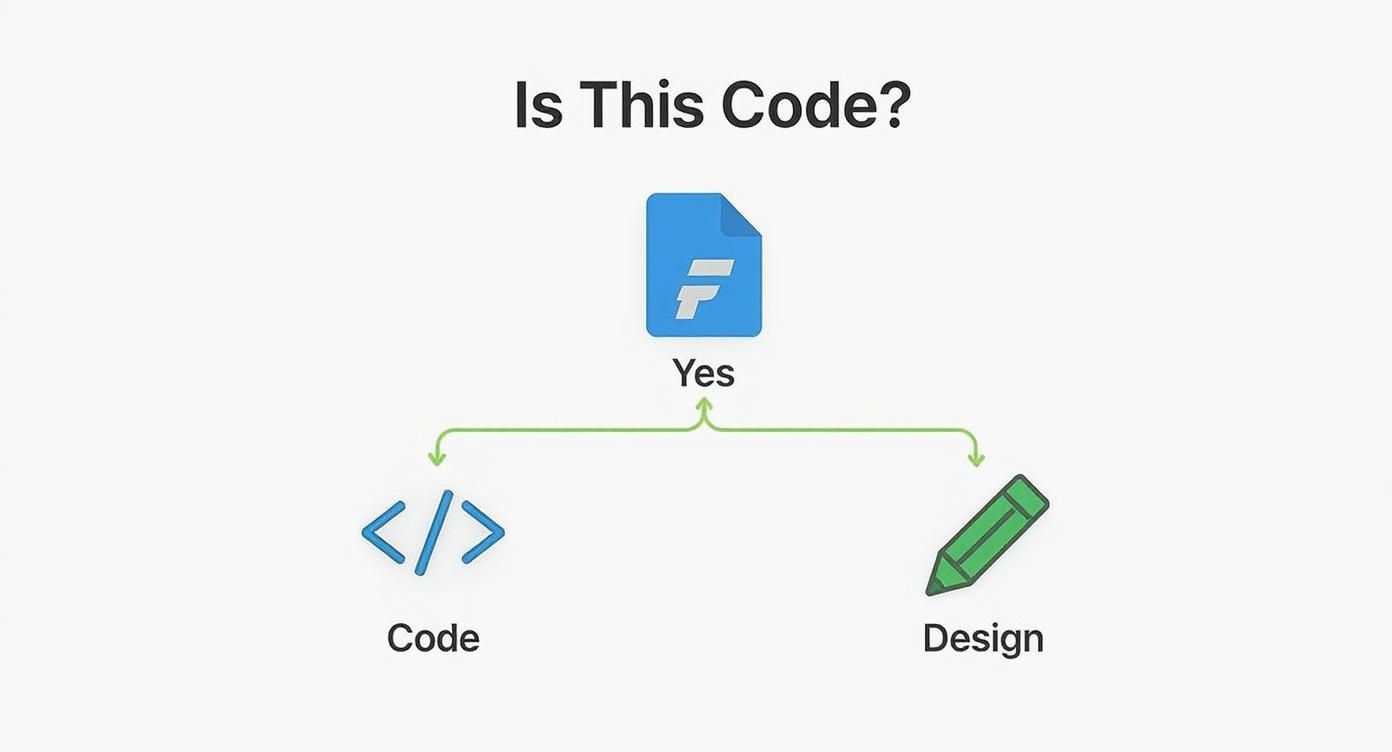
The path you take determines whether you end up with a high-fidelity mockup or the actual foundation for your application. Let's break down the three main flavors of these tools so you can figure out what makes sense for you.
Simple Design Tool Plugins
The easiest entry point is the humble plugin, right inside tools like Figma. These are usually one-click affairs that promise to spit out HTML/CSS or maybe a React snippet from your design frame.
The big win here is convenience. They're fast, dead simple to use, and require basically zero setup. For a quick marketing page or a very basic component, they might save a developer a few minutes of grunt work. It's a decent starting point.
But you hit their limits fast. As soon as things get even a little complex, the generated code tends to be messy, with no real structure. It's almost never something you'd want to ship to production without gutting it and starting over. Think of them as a way to quickly see a static design in a browser, not as a serious development tool.
All-in-One Low-Code Platforms
Next up, you have the all-in-one platforms like Framer. These are a huge leap forward, blurring the lines between designing and building. Here, designers can create incredibly polished, highly interactive prototypes that look and feel like a finished product.
These tools are absolute champs for prototyping and getting user feedback. You can build and ship a fully functional website directly from the platform, which is amazing for marketing sites, portfolios, or simple web apps. They give non-technical creators the power to bring their ideas to life without a single line of code.
The catch? You're playing in their sandbox. While you can sometimes get code out, it’s usually tangled up in the platform's specific framework. This makes it a real headache to integrate into an existing, custom codebase, and it's especially tricky if you're building a native mobile app.
These platforms are masters of creating high-fidelity, interactive prototypes. They excel at answering the question, "What should this product feel like?" but are less suited for producing the clean, extensible source code needed for a scalable mobile application.
Developer-Centric AI Tools
A new category has popped up, one aimed squarely at professional mobile and web development teams. Tools like RapidNative aren't trying to be the last step in a design process; they're built to be the first step in a professional development workflow. This is true design to code automation.
The main goal here is to generate clean, maintainable, and production-ready code that a developer can actually use and build upon. They don't just mindlessly translate pixels; they interpret the design's intent and scaffold it into a well-architected codebase using standard frameworks like React Native.
This approach gives you the best of both worlds:
- For Designers and PMs: It dramatically cuts down the time it takes to see a design working as a real, interactive component on an actual device.
- For Developers: It automates the most tedious part of the job—translating mockups into UI code—freeing them up to focus on the hard stuff like business logic, API integrations, and performance.
The output isn't some locked black box. It's clean, idiomatic code that follows best practices, ready for a handoff. Because these tools are built with developers in mind from the ground up, they produce a codebase that’s meant to be customized and scaled. Checking out a modern design-to-app tool shows just how AI is turning the old handoff headache into a collaborative starting point. This developer-first philosophy is what really sets them apart, making them a powerful ally in building great mobile apps faster.
Design to Code Automation Tool Comparison
To make the choice clearer, here’s a quick breakdown of how these different approaches stack up for mobile product teams.
| Approach | Primary Use Case | Code Quality | Flexibility | Best For |
|---|---|---|---|---|
| Simple Plugins | Quick visualization, basic component scaffolding | Low (Often unstructured, not production-ready) | Low (Generates snippets, not full apps) | Designers needing a quick HTML/CSS preview or a rough starting point for a simple component. |
| All-in-One Platforms | High-fidelity prototyping, simple web app/site publishing | Medium (Tied to the platform's ecosystem) | Medium (Difficult to eject and integrate into custom codebases) | Product teams and designers who need to quickly build and test interactive web-based prototypes. |
| Developer-Centric AI | Accelerating production UI development | High (Clean, maintainable, framework-specific) | High (Designed for handoff and extension) | Development teams building scalable mobile or web apps who want to automate UI creation. |
Ultimately, the "best" tool is the one that fits your team's workflow and goals. If your primary need is rapid prototyping for web, an all-in-one platform is a fantastic choice. But if you're building a production mobile app and want to give your developers a massive head start, a developer-centric AI tool is the clear winner.
The Benefits and Limitations of Automation
Bringing design-to-code automation into your workflow can feel like you’ve suddenly given your product team a massive advantage. But like any powerful tool, it’s crucial to understand what it does well—and, just as importantly, where it hits its limits. Getting this right from the start is the key to making it work for you, not against you.
The most obvious win is a massive speed boost. When you automate the process of turning a Figma design into working UI code, you cut out a huge slice of manual, often tedious work. This isn't a small change; it means teams can go from a static mockup to a live, interactive prototype on a real device in a tiny fraction of the usual time.
That speed does more than just save hours on a timesheet. It fundamentally changes the way teams work by creating much tighter feedback loops. When designers and product managers see their ideas running as real code almost instantly, they can test assumptions and validate user flows much earlier, leading to smarter decisions before costly development work begins.
The Big Wins: Speed and Consistency
Moving faster is one thing, but automation also brings a level of consistency that’s incredibly difficult to achieve by hand. By generating code directly from your central design system, these tools make sure every button, card, and color token lines up perfectly with your established brand guidelines.
This puts an end to "design drift"—that all-too-common problem where tiny visual inconsistencies sneak into the product release after release.
- Lightning-Fast UI Builds: You can generate the foundational UI for new screens and features in minutes, not days.
- A Perfect Match for Your Design System: Every component produced is a perfect reflection of your source of truth, keeping the app's look and feel locked down.
- Happier, More Productive Developers: Your engineers are freed from the drudgery of pixel-pushing. Instead, they can focus their talent on the hard stuff: business logic, API integrations, and performance.
The real win isn't just the code you get. It's the time and mental energy you give back to your team. By taking care of the predictable UI layer, automation lets your best people solve the unique, high-value problems that actually make your product great.
Knowing the Boundaries
It’s just as important to be honest about what these tools can't do. Design-to-code automation is fantastic at building the visual, declarative part of your app—the user interface. What it doesn't understand is the complex logic or the native device features that make an app truly useful.
Think of it this way: a tool can generate a flawless UI for a photo-sharing screen. It can’t, however, write the code to access the phone's camera, compress the image, or upload the file to your backend. Those tasks require complex, imperative logic that's well beyond what UI generation can handle today.
The demand for these tools is exploding for a reason. Valued at USD 6.04 billion in 2024, the AI Code Tools market is on track to hit USD 37.34 billion by 2032. This incredible growth is driven by companies eager to ship faster and sidestep the bottlenecks of manual coding. You can dig into the full research on this global trend from SNS Insider.
Don't Get Trapped in a Black Box
One of the biggest pitfalls to watch out for is the "black box" solution. Some platforms generate code that looks pixel-perfect but is nearly impossible for a human to read, modify, or build upon. If your developers can't work with the output, you haven't solved a problem—you've just created a new one.
This is why a developer-first approach is so critical. The goal isn't just to get code; it's to get clean, readable, and maintainable code that acts as a high-quality starting point. The automation should handle the first 80% of the UI, leaving behind a well-structured foundation that developers can confidently own, customize, and integrate with your app's core logic.
Weaving Automation Into Your Workflow
Bringing design-to-code automation into your team is about more than just adding another tool to the stack. It’s a genuine shift in mindset, moving away from the old, disconnected way of doing things. The days of designers tossing files "over the wall" to developers are numbered.
Instead, we're moving toward a truly collaborative, iterative cycle where design and development are intertwined from the start. Your design file stops being just a static picture of the app; it becomes the direct blueprint for the initial codebase.
Build a Disciplined Design System First
Let's be blunt: the foundation of any good automation is a rock-solid design system, likely built in a tool like Figma. The old saying "garbage in, garbage out" has never been more true. If your designs are a free-for-all of detached layers and inconsistent styles, the code you get back will be just as chaotic.
To get clean, maintainable code, you have to start thinking like a developer when you design. This means baking structure into your designs from the very beginning.
- Embrace Auto Layout: Use Figma's auto layout feature for everything. It’s how you define the rules for spacing, alignment, and responsiveness, giving the automation tool the logic it needs to build flexible layouts.
- Define Components and Variants: Every button, input, or card needs to be a proper component with clearly named variants. This is the difference between getting reusable, modular code versus a bunch of one-off, disconnected styles.
- Use Variables for Everything: Stop hard-coding colors, fonts, and spacing. Use Figma variables (or tokens) for all styling. This creates a single source of truth that translates directly into a themeable, easy-to-update codebase.
Think of your Figma file less like a freeform canvas and more like a structured database. Every layer name, component, and variable is crucial metadata that tells the automation tool how to write clean, logical code. A tidy design file is the single most important factor for success.
Redefine the Handoff with the 80/20 Rule
The new handoff isn't an end—it's a launchpad. The most effective teams I've seen adopt the 80/20 rule for automation. Use the tool to generate the first 80% of the UI—all the screens, components, and layouts that are visually locked down in the design.
This generated code becomes a high-quality starting point for your developers. Their role shifts to what they do best: building the final 20%. This is where they wire up APIs, implement complex business logic, manage application state, and add those tricky native features that automation can’t touch.
This approach gives you the best of both worlds. You get the speed and consistency of automation for the repetitive UI slog, freeing up your developers to focus their brainpower on the hard engineering problems that actually make your product unique. For those using AI-powered tools, learning to communicate your intent clearly is a huge advantage; you can sharpen this skill by exploring effective prompt engineering tips.
Aligning on a New Collaborative Workflow
This isn't just a niche idea; it's where the industry is heading. Gartner predicts that by 2025, a staggering 70% of new enterprise applications will use low-code or no-code technologies, a huge leap from less than 25% in 2020. The market reflects this shift, with the global low-code/no-code valuation soaring past USD 30 billion in 2024.
To make this transition work, your team needs to agree on a new game plan:
- Start with a Pilot Project: Don't try to change everything overnight. Pick a small, non-critical feature or even a single screen to start. This gives you a low-risk sandbox to test the tool, polish your design system, and figure out the new handoff process.
- Set It Up Collaboratively: Designers and developers need to sit down together and map design components to their code counterparts. Agree on naming conventions and make sure the design system perfectly mirrors the production component library.
- Iterate and Refine: The first code export won't be perfect, and that's okay. Treat it as a draft. Use the review process as a feedback loop to improve both the design file's structure and the tool's configuration.
By taking these steps, design-to-code automation stops being just another utility and becomes the engine for a faster, more collaborative, and far more effective way of building mobile products.
Frequently Asked Questions About Automation
Whenever teams start looking into design-to-code automation, the same questions always pop up. Founders worry about what it means for their team structure, designers are skeptical about how well their work will be translated, and developers—quite rightly—have serious doubts about the quality of the code.
Let's clear the air and tackle these common questions head-on.
Will This Technology Replace Our Developers?
This is always the first question, and the answer is a firm no. The point of design-to-code automation is to make your developers more powerful, not to replace them.
Think of it this way: it automates the most monotonous part of their job—the painstaking process of turning static mockups into boilerplate UI code. By taking that off their plate, you free them up to solve the hard problems that actually require their expertise.
Instead of meticulously tweaking pixels to match a design, your engineers can pour their energy into:
- Building out complex business logic and state management.
- Integrating tricky APIs and other backend services.
- Fine-tuning app performance so the user experience is buttery smooth.
- Wiring up sophisticated native features that make an app feel alive.
The best automation tools don't just spit out code; they generate a clean, readable, and maintainable foundation. It’s a starting point that makes developers more efficient, letting them build better products faster. It’s a force multiplier, not a replacement.
How Accurate Is the Code Generated From Figma?
The quality of the code you get out is directly tied to two things: how well-structured your design file is and how good the automation tool is. You simply can't throw a messy, disorganized design at a tool and expect it to produce a pristine codebase. Garbage in, garbage out.
To get the best results, your Figma files need to be built with discipline. That means using auto-layout religiously for spacing and responsive behavior, constructing everything from well-defined components and variants, and relying on variables for things like colors and fonts. When a design has that kind of internal logic, a modern AI tool can translate it with stunning accuracy.
That said, you have to be realistic. The goal isn't a magical, one-click solution that's 100% perfect every time. A much more practical—and incredibly valuable—target is automating 80-95% of the initial UI build. Hitting that number can shave hundreds of hours off a project, even if a developer needs to step in for the final polish.
Can Automation Handle Complex Native Mobile Features?
This is a crucial point to understand. Design-to-code tools are brilliant at generating the visual layer of an app—the screens, components, layouts, and styles. They excel at translating what they can see in a design file.
What they can't do is generate the underlying logic for complex native device features. These are the things that require deep hooks into the phone's operating system, like:
- Accessing the camera or photo gallery.
- Using GPS for location services.
- Implementing push notifications.
- Interacting with Bluetooth or NFC sensors.
The most effective workflow, by far, is a hybrid one. Use automation to build out the entire user interface at lightning speed. Then, have your developers come in and wire up these native functionalities within the generated codebase. It’s all about playing to the strengths of both the tool and your team.
What Is the Best Way to Get Started?
Jumping in and trying to automate your entire app from day one is a recipe for frustration. A much smarter approach is to start small with a pilot project. This gives your team a low-risk sandbox to learn, experiment, and figure out a new way of working together.
Pick a single screen or a non-essential feature to use as your test case. This lets your designers and developers collaborate on the new process without the pressure of a looming deadline.
During this pilot, your team will naturally:
- Learn the Workflow: Get a real feel for what the tool can and can't do.
- Refine Your Design System: Quickly spot and fix any messy habits in your Figma files that are holding back the code generation.
- Adapt the Handoff: Create a new handoff process where designers deliver a structured file and developers take ownership of the code it produces.
Once you’ve nailed a small-scale test and everyone sees the value, you'll have the buy-in and confidence you need. From there, you can start rolling out design-to-code automation across more and more of your product.
Ready to close the gap between your designs and a real mobile app? With RapidNative, you can turn prompts, images, or flows into production-ready React Native code in minutes. Stop the endless cycle of manual handoffs and start shipping faster. Build your first screen for free at RapidNative.
Ready to build your app?
Turn your idea into a production-ready React Native app in minutes.
Free tools to get you started
Free AI PRD Generator
Generate a professional product requirements document in seconds. Describe your product idea and get a complete, structured PRD instantly.
Try it freeFree AI App Name Generator
Generate unique, brandable app name ideas with AI. Get creative name suggestions with taglines, brand colors, and monogram previews.
Try it freeFree AI App Icon Generator
Generate beautiful, professional app icons with AI. Describe your app and get multiple icon variations in different styles, ready for App Store and Google Play.
Try it freeFrequently asked questions
What is RapidNative?
RapidNative is an AI-powered mobile app builder. Describe the app you want in plain English and RapidNative generates real, production-ready React Native screens you can preview, edit, and publish to the App Store or Google Play.
Can I export the code?
Yes. RapidNative generates clean React Native and Expo code that you can export at any time. No lock-in, no proprietary format. Hand it to your developers or keep building inside RapidNative.
Is RapidNative free to use?
Yes. You can build apps on the free plan with no credit card required. Paid plans unlock unlimited AI generations, code export, and direct publishing to the App Store and Google Play.
Do I need to know how to code?
No. Most users build apps by describing what they want in plain English. Developers can drop into the code whenever they want more control, but coding is optional.
How long does it take to build an app?
Most users have a working first screen in under a minute. A full MVP usually takes a few hours instead of the weeks or months traditional development requires.