Product Code Builder: Turn Your Idea into a Real App, Faster
Discover how a product code builder accelerates development, turning ideas into production-ready code with practical tips for founders, PMs, and developers.
By Parth
19th Jan 2026
Last updated: 19th Jan 2026
Picture this: you have an idea for a mobile app. Instead of writing a detailed spec document and waiting weeks for a design, you simply describe the screens you want in plain English. A few moments later, a fully functional, coded user interface pops up on your screen. That’s the magic of a product code builder. It’s a tool that takes your product description and turns it into real, professional-grade source code that you completely own, bridging the gap between a great idea and a tangible prototype you can actually use.
What Is a Product Code Builder?
A product code builder is a new breed of development tool that uses AI to generate high-quality UI code directly from simple descriptions, sketches, or even design files. Think of it like having an expert developer on your team who can instantly translate your vision into a working interface, built with clean, modern code.
This approach tackles some of the most frustrating bottlenecks in mobile app development head-on: the agonizingly slow prototyping cycles, the high upfront costs, and the all-too-common communication breakdown between a product vision and the technical team building it.
Moving Beyond No-Code Limitations
While no-code platforms are great for simple projects, they often lock you into their ecosystem. A true product code builder gives you a critical escape hatch: exportable source code. You’re never trapped. The point isn’t just to create a pretty mock-up; it's to generate a clean, scalable, and developer-friendly codebase that serves as the foundation for your real application.
This single difference unlocks some serious advantages for your team:
- Full Ownership: You get the code. It’s yours to host, modify, and build on however you see fit, with zero platform restrictions.
- Unlimited Scalability: Since you have the source code, you can add complex backend logic, integrate with any API you want, and fine-tune performance as your user base grows.
- Developer Collaboration: The output is clean code that developers can actually work with, slotting right into professional workflows using tools like Git.
To better understand where a product code builder fits, let's compare it to other common approaches.
Product Code Builder vs Traditional Development
This table breaks down the key differences between using a product code builder, traditional coding, and a standard no-code platform.
| Attribute | Product Code Builder | Traditional Coding | No-Code Platforms |
|---|---|---|---|
| Speed to Prototype | Hours or days | Weeks or months | Days or weeks |
| Technical Skill | Low (prompts, designs) | High (expert developers) | Low (drag-and-drop) |
| Code Ownership | Full ownership | Full ownership | None (platform-locked) |
| Customization | Unlimited (with code) | Unlimited | Limited to platform features |
| Scalability | High (native codebase) | High | Low to moderate |
| Upfront Cost | Low | High | Low to moderate (subscription) |
As you can see, a product code builder offers a unique blend of speed, ownership, and scalability that was previously out of reach.
How It Accelerates Your Workflow
Tools like RapidNative use AI to transform simple prompts into production-ready React Native screens. A founder can describe a user profile screen, and the AI generates the corresponding code in minutes, following modern best practices. This completely changes the early game of app development.
A product code builder automates the repetitive, time-consuming work of building a user interface. It lets founders and product managers validate ideas in hours instead of weeks, freeing up developers to focus on the complex, high-value logic that makes an app special.
Instead of waiting for a designer to hand off specs to a developer who then manually codes the screens, teams can see their ideas come to life almost instantly. For anyone looking to get their hands dirty, learning how to build a prototype this way can slash the time it takes to go from a concept to real user feedback. That kind of speed and efficiency is a game-changer for anyone building a mobile product today.
How AI Turns Your Prompts Into Real Code
It feels a bit like magic, doesn't it? You describe a user interface in plain English, and a fully coded screen just appears. But behind the curtain, a modern product code builder is a finely tuned engine, not a black box. It’s all about smart engineering designed to understand what you want and turn it into clean, developer-ready code.
Let’s break down exactly how it works, starting from the moment an idea pops into your head to seeing it live on a screen.
The whole process kicks off when you type in a prompt. Imagine you write, "Create a user profile screen with an avatar, a username, and three stat counters for posts, followers, and following." The AI first chews on that sentence, parsing the natural language to pull out the key UI elements and layout instructions. It knows "avatar" and "username" are components and that "profile screen" sets the overall scene.
This simple idea-to-code workflow is what makes these tools so powerful. They bridge the gap between concept and execution.
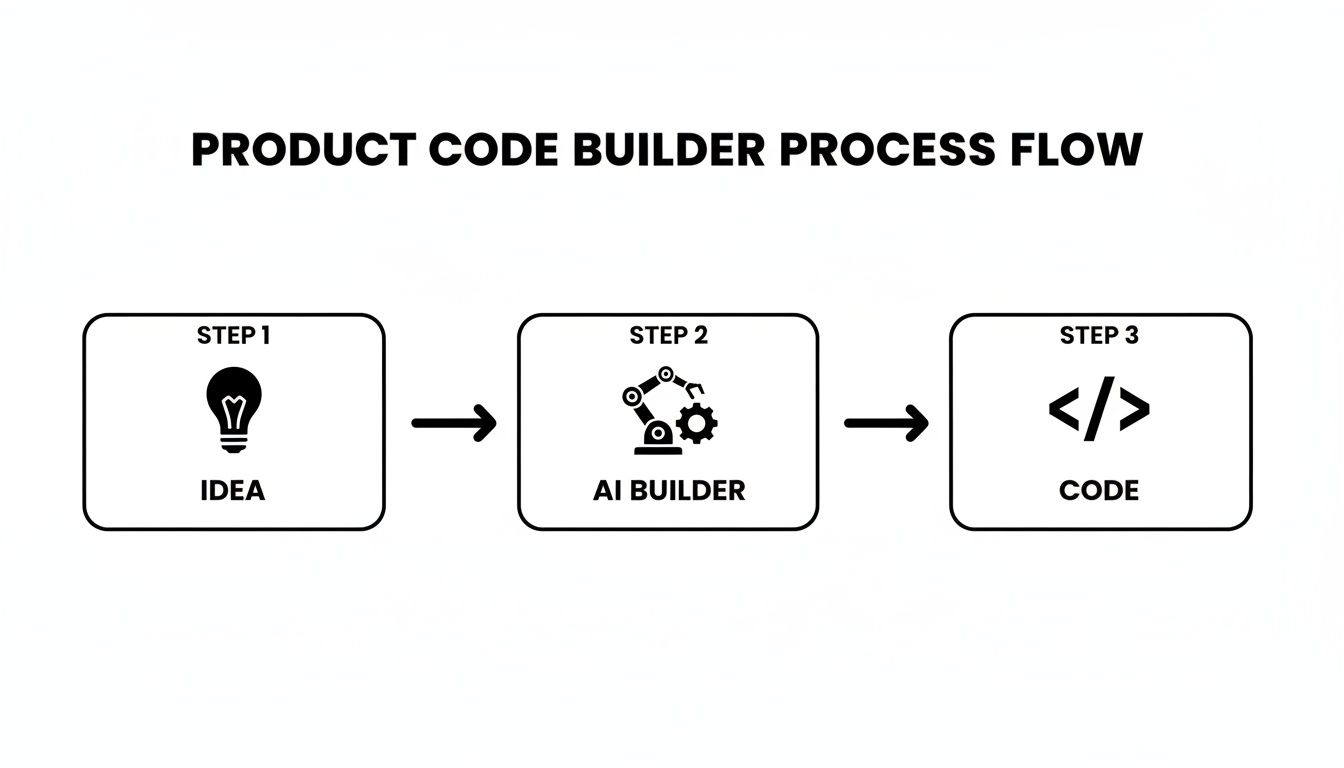
As you can see, the AI acts as an intelligent translator, cutting out the tedious manual steps of turning a design mock-up into actual code.
The Power of a Curated Tech Stack
Once the AI understands your prompt, it doesn’t just spit out any old code. A quality product code builder is opinionated—it relies on a specific, modern tech stack chosen for its ability to produce clean, modular, and scalable code. In RapidNative's case, that stack includes:
- Expo and React Native: This is the foundation. It ensures the code is truly native for both iOS and Android, which means great performance and a developer experience that feels familiar and solid.
- TypeScript: By generating code in TypeScript, the AI gives developers a huge leg up. You get type-safety out of the box, which helps catch errors early and makes the codebase much easier to manage down the road.
- NativeWind: This utility-first CSS framework for React Native keeps all the styling consistent and easy to theme. The AI uses NativeWind to apply styles that a developer can easily jump in and customize later.
The point is, you’re not just getting a visual replica of your idea. You’re getting a well-architected screen built with the same tools a senior mobile developer would choose.
From Generation to Iteration
Getting that first version of the screen is just the starting line. The real game-changer is chat-driven iteration. This is where you can have a conversation with the builder to fine-tune the UI, all without writing a single line of code yourself.
You can follow up with simple commands like:
- "Make the avatar circular and add a blue border."
- "Change the font size of the username to be larger."
- "Arrange the stat counters horizontally with more space between them."
Each new prompt triggers the AI to tweak the underlying React Native and TypeScript code, and the live preview updates instantly. This rapid feedback loop is a dream for product managers and designers who need to experiment with different variations on the fly. You can see a detailed walkthrough of this process in our guide on going from a prompt to a fully coded app.
The core value isn’t just speed; it’s the ability to see your vision, test it on a real device, and make adjustments in real-time. This dynamic process removes the friction between product vision and engineering execution.
This kind of agility is critical. The ability to iterate quickly is a massive competitive advantage in a world where users expect polished, intuitive apps. Tools that generate production-ready React Native code from a prompt are becoming essential for staying in the game.
Practical Use Cases for Product and Dev Teams
Theory is one thing, but how does a product code builder actually help teams ship better mobile apps, faster? The real value comes alive when you see how it fits into the day-to-day grind for founders, product managers, and developers. Let's look at a few real-world examples to see how this kind of tool can completely change how a team works.
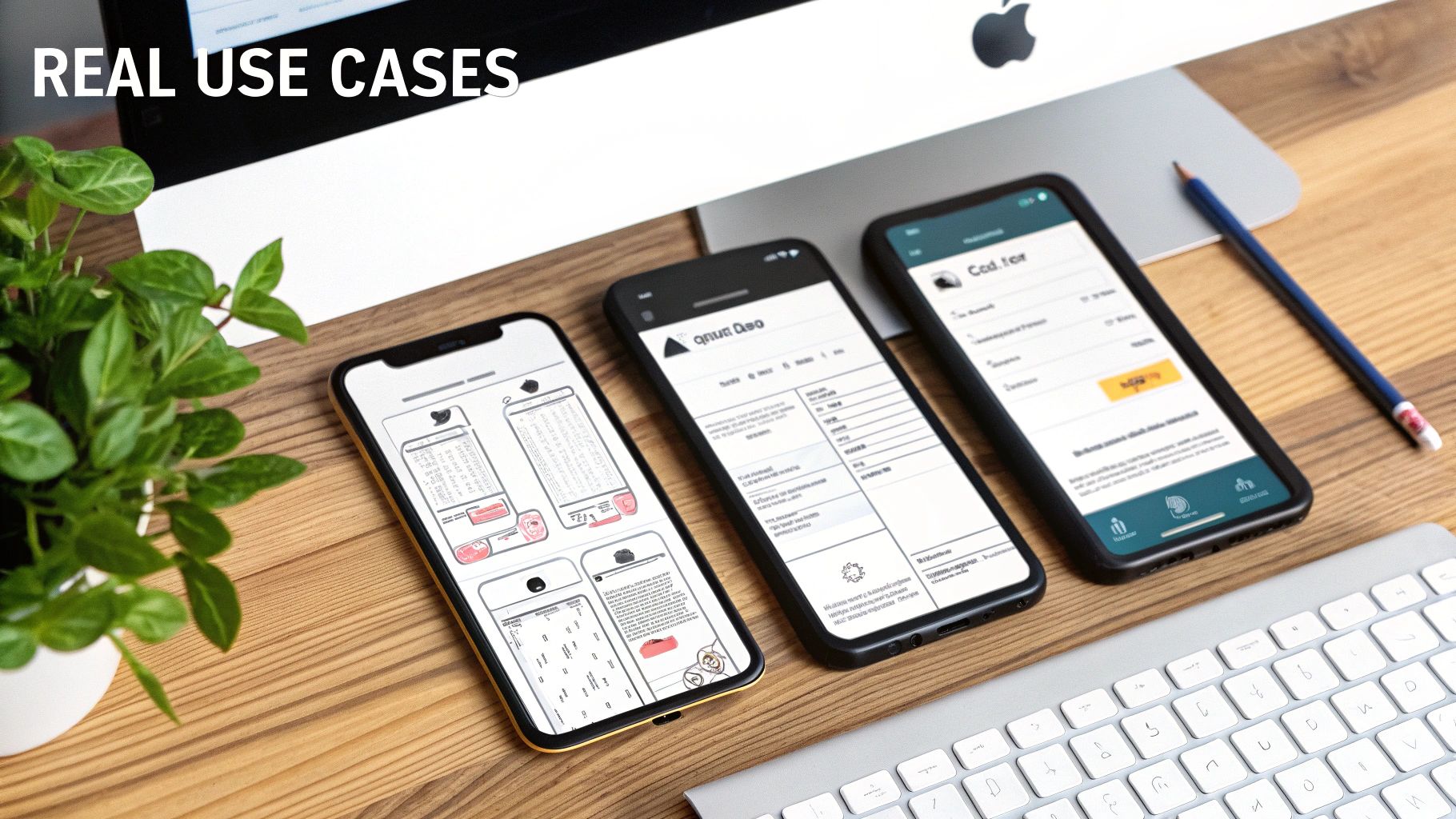
This image nails it—you can quickly spin up multiple screen variations, see them on a device, and get them ready for real-world testing. This kind of speed closes the gap between an abstract idea and a concrete, interactive experience that you can actually hold in your hand.
For the Startup Founder Building an MVP
Let’s say you’re a founder with a brilliant idea for a fitness app. Your number one goal is to get a working Minimum Viable Product (MVP) in front of investors and early users. The problem? Hiring a full development team is a huge expense, and waiting months for a prototype to get built feels like an eternity in startup land.
This is exactly where a product code builder is a game-changer. Instead of writing out a massive spec document, you can just describe what you want.
- Prompt: "Create a three-screen onboarding flow. The first screen has a welcome message and a 'Get Started' button. The second screen asks for the user's fitness goals with options for weight loss, muscle gain, and endurance. The third screen is a 'thank you' page."
In a matter of hours, you can have a fully functional, interactive onboarding flow built with clean React Native code. You can test it on your own phone, share it with potential customers for feedback, and tweak it on the fly. This radical speed means you can validate your core concept and secure funding far more quickly.
For the Product Manager Validating a New Feature
Now, picture yourself as a product manager at an e-commerce company. The team is thinking about adding a new "daily deals" feature, but nobody's sure which layout will actually get users to click. The old way of doing this is a long, drawn-out process: brief designers, wait for mockups, then hand them to developers to build multiple versions for A/B testing. That could easily eat up an entire sprint, if not more.
With a product code builder, you can take matters into your own hands. In a single afternoon, you can generate several different layouts for the list and detail screens yourself.
You can create a grid view, a list view with large images, and a compact text-only version, all from simple text prompts. This lets you test multiple hypotheses simultaneously with real, interactive prototypes before a single line of code is manually written.
This frees up your engineering team to work on core infrastructure while you nail down the user experience. You can get real user feedback on a working prototype before committing any developer time, making your entire product development process more efficient.
For the Developer Eliminating Boilerplate
Finally, let's look at this from a developer's perspective. A huge chunk of a developer's time gets eaten up by repetitive, low-impact tasks: setting up navigation, creating themeable components from scratch, and scaffolding basic screen layouts. It's the boilerplate work that has to get done but doesn't solve any of the hard, interesting problems.
A product code builder automates all of that grunt work. It can generate the entire UI foundation for a new feature, including:
- Navigation: It scaffolds the necessary stack and tab navigators, connecting screens just like you described in your user flow.
- Theming: It produces components already styled with NativeWind, making sure everything is consistent and easy to theme later.
- Screen Layouts: It creates the complete file structure for new screens, often with placeholder data ready to be hooked up to an API.
This gives developers a massive head start. Instead of burning days on UI setup, they can jump straight into the complex logic that really matters—wiring up the backend, optimizing performance, and building the unique functionality that makes the app special. The builder handles the what, freeing up the developer to focus on the how.
Why Exporting Real Code Is a Game Changer
Let's cut to the chase. The one feature that truly sets a product code builder apart from the pack is its ability to generate and export real source code. This isn’t just some nifty add-on; it’s the lifeline for your project's future health and scalability. It’s your guarantee that you’ll never hit a dead end.
This gives you a level of freedom that's the complete opposite of the "walled garden" you find with most no-code platforms. While those tools are fantastic for getting simple ideas off the ground, they often box you into vendor lock-in. If your app needs a feature the platform doesn't support, or you outgrow its performance limits, your only option is to start over from square one.
A product code builder, on the other hand, hands you the keys from day one.
What Does "Real Code" Actually Mean?
When I say "real code," I'm not talking about a tangled mess of machine-generated files that technically compiles. I mean clean, production-ready code that a seasoned developer could pick up and start working with immediately. It's code that follows well-established industry best practices.
This is a make-or-break distinction. The aim isn't just to spit out something that looks right on the screen. The underlying architecture has to be solid, maintainable, and built to handle the twists and turns of a real-world application.
The output of a product code builder isn't the finish line; it's a massive head start. It lays down a well-architected foundation, letting your team build on top of it with total creative and technical freedom.
You really do get the best of both worlds here: the rapid speed of building your UI visually, plus the infinite potential of a traditional codebase.
The Power of a Clean Architecture
A good product code builder is opinionated about code quality. It intentionally generates a clean, organized, and predictable structure. This isn't just for show—it unlocks some serious advantages for your team.
- Modular Components: Your screens are assembled from reusable pieces. Need to change the look of a button? You edit it in one place, and that change ripples across the entire app. It's design consistency without the manual grunt work.
- Clear Theming: Styling isn't buried in individual files. It's managed through a central theme, often using something like NativeWind. This makes it a breeze to completely overhaul your app's look and feel.
- Separation of Concerns: The generated code intelligently keeps the user interface (the "what you see") separate from the business logic (the "how it works"). This makes life incredibly easy for a developer who needs to connect the app to APIs and wire up the backend.
It’s this structured approach that makes the handoff from a product manager to a developer so smooth. A non-technical founder can lay out a user flow, and the developer gets a pristine, organized project that’s ready for the heavy lifting. To see this in action, you can explore the process of exporting real React Native code and get a feel for the output.
Ultimate Flexibility and Full Ownership
At the end of the day, exporting real code is about controlling your own destiny. Once that source code is on your machine, you're no longer constrained by any platform's limitations.
Want to integrate a custom machine learning model? Need to connect to a legacy backend system? Have to add a specific native module to access advanced camera features? No problem. The code is yours. You have complete freedom to modify it, optimize it, and host it wherever you want.
This model of full ownership ensures your project can grow without being held back. You get the initial burst of speed to build your MVP, but you also have the long-term runway to turn that MVP into a market-leading product. It’s the strategic advantage that gives your big idea the room it needs to thrive.
How to Weave a Product Code Builder Into Your Workflow
Adopting a new tool shouldn't feel like you're ripping apart your existing processes. It should feel like you’ve just handed your team a new superpower. A product code builder is designed to slide right into your development lifecycle, not as a replacement for your core tools, but as a collaboration hub that speeds things up at every stage.
The key is to think of it as a bridge. It’s not about overhauling your entire system but about finding those key moments where you can smooth out the friction between a product manager's vision and a developer's keyboard. The goal is to make the journey from a simple idea to a fully interactive prototype almost seamless.
Let's walk through a practical workflow that I've seen teams use to build better products, faster.
A Step-by-Step Integration Workflow
The real magic of a product code builder is how it connects the non-technical and technical folks on a team. The whole process is fluid, iterative, and built from the ground up for collaboration. Here’s how it usually plays out.
-
The Idea and Initial Prompt (Product Manager) A product manager has an idea for a new feature. Instead of spending hours writing a detailed spec doc, they just open the product code builder and describe the first screen in plain English. Something like: "Create a login screen with fields for email and password, a 'Log In' button, and links for 'Forgot Password' and 'Sign Up'."
-
Live Prototyping and Iteration (PM & Designer) In just a few moments, a real, functional UI appears. The PM can immediately start clicking around, testing the flow on an actual device, and using simple chat commands to make changes. They might say, "Make the 'Log In' button blue and full-width," or "Add our logo above the title." This back-and-forth happens in minutes, not days.
-
Handoff to Development (Developer) Once the prototype feels good, the PM exports the source code. This isn’t a flat design file; it’s a clean, well-structured React Native project. They can commit this code to a Git repository and assign a task to a developer, pointing them to the new branch. The developer now has a working UI to start with, not just a picture of one.
-
Backend Integration and Logic (Developer) The developer pulls the code and gets right to the important stuff. They can immediately start hooking up the login button to an authentication API, adding form validation, and handling error states. All the tedious, time-consuming UI setup is already done.
This workflow doesn't get rid of version control or task management—it actually makes them better by giving developers a much stronger starting point.
Best Practices for Collaboration
To really get the most out of a product code builder, you need to establish clear lines of communication between roles. The tool quickly becomes a shared language that everyone on the team can understand and contribute to.
A product code builder is not just a code generator; it's a collaborative canvas. It gives product managers the power to build and test their ideas directly, while giving developers a clean, developer-approved starting point that saves them hours of boilerplate work.
For product managers, being able to test an interaction on a real device instantly is a game-changer compared to static mockups. For developers, this means fewer meetings trying to interpret a design and more time spent on engineering challenges.
Structuring Prompts for the Best Results
While the AI is smart, the quality of what you get out is directly related to the quality of what you put in. Clear, structured prompts will always give you better results.
- Be Specific: Instead of saying "make a list," try something like, "create a vertical list of user cards. Each card should have an avatar, a username, and a follow button."
- Build Incrementally: Don't try to describe your entire app in a single prompt. Start with one screen, get it right, and then move on to the next.
- Use Conversational Edits: For small changes, just use simple follow-up commands. "Change the background color to light gray" is much more efficient than starting from scratch.
By embracing this kind of workflow, teams can completely change their development process. The cycle of ideation, prototyping, and coding becomes faster, more collaborative, and ultimately, much better at delivering what users actually want.
Frequently Asked Questions
Whenever you're looking at a new tool, questions are going to pop up. And when that tool is something like a product code builder that can fundamentally change how you build apps, it’s smart to get a handle on what it does, what it doesn't do, and where it fits in your process. Here are some of the most common questions we hear, answered straight up.
Does a Product Code Builder Replace Developers?
Absolutely not. Think of a product code builder as a force multiplier for your development team, not a replacement. It’s like an incredibly efficient assistant that takes on all the tedious, repetitive work—building out UI components, structuring screens, and setting up navigation.
By automating that groundwork, your developers are freed up to tackle the really tough, high-value challenges. Instead of sinking days into boilerplate UI code, they can jump right into the complex business logic, architecting the backend, wiring up APIs, and fine-tuning performance. The builder gives them a massive head start, handling the UI grunt work so they can focus on the hard engineering problems that truly differentiate your product.
A product code builder empowers developers by automating the least creative parts of their job. It lets them kick off a project with a clean, well-structured UI foundation, supercharging their workflow and freeing them to focus on what they do best.
It also makes collaboration so much smoother. A product manager can visually assemble a working prototype, and a developer can take the clean, exported code and start building on it immediately. It closes the gap between design and engineering.
What Are the Limitations I Should Know About?
It's really important to have clear expectations. A product code builder is exceptional at generating the entire frontend UI layer of a mobile app. We're talking about all the screens, components, layouts, and user flows that your customers actually see and touch.
But its focus is deliberately specific. A product code builder is not designed to:
- Write backend logic: It won’t build your server, manage your database, or create your APIs. That's a job for your backend team.
- Handle deep native features: If you need to access specialized hardware sensors or run complex custom background tasks, a developer will need to write that native code.
- Perform micro-optimizations: While the generated code is clean and performant, tuning complex animations or squeezing out every last drop of performance for edge cases is still a developer's domain.
The whole point is that the builder's output is clean and modular, making it incredibly easy for a developer to pick it up and handle these more advanced tasks. It gives you a rock-solid starting point, not a magical one-click solution for your entire tech stack.
How Is This Different from No-Code or Low-Code Tools?
This is probably the most critical distinction to understand, and it all comes down to two words: ownership and flexibility.
Most no-code and low-code platforms are "walled gardens." They're fantastic for getting simple projects off the ground quickly, but they lock you into their ecosystem. The moment you hit a wall—a feature they don't support or a performance bottleneck you can't fix—you're stuck. Your only real option is often to throw everything away and rebuild from scratch on a different platform.
A true product code builder gives you the ultimate "eject button": clean, standard, production-ready React Native code that you own completely.
| Feature | Product Code Builder | No-Code/Low-Code Platform |
|---|---|---|
| Code Ownership | You own 100% of the source code | You are licensed to use the platform |
| Flexibility | Unlimited customization and extension | Limited to platform-provided features |
| Vendor Lock-In | None. You can leave at any time | High. Migrating away is difficult |
| Scalability | High, built on a professional stack | Varies, often with platform limits |
This developer-first approach means your project is built to scale. You can customize it with any feature you can imagine and plug it directly into professional development workflows without hitting any arbitrary walls.
Can I Use the Generated Code in an Existing App Project?
Yes, and this is actually one of the most powerful ways to use a product code builder, especially for established teams. The code it generates is designed from the ground up to be modular and portable.
You can design and build out a single screen or even an entire multi-screen user flow, then export the components, styles, and navigation files. From there, it's simple to drop them right into your existing React Native or Expo project.
This makes it an incredible tool for adding new features to a mature app on the fly. For instance, you could quickly prototype a new onboarding flow or a redesigned settings page, get the green light from stakeholders, and then hand the ready-to-use code over to your dev team to wire it up. It dramatically cuts down the time it takes to expand your app.
Ready to stop wasting time on UI boilerplate and start building your mobile app faster? With RapidNative, you can turn your ideas into clean, production-ready React Native code in minutes. Build your first screen for free at https://www.rapidnative.com and experience the future of app development today!
Ready to build your app?
Turn your idea into a production-ready React Native app in minutes.
Free tools to get you started
Free AI PRD Generator
Generate a professional product requirements document in seconds. Describe your product idea and get a complete, structured PRD instantly.
Try it freeFree AI App Name Generator
Generate unique, brandable app name ideas with AI. Get creative name suggestions with taglines, brand colors, and monogram previews.
Try it freeFree AI App Icon Generator
Generate beautiful, professional app icons with AI. Describe your app and get multiple icon variations in different styles, ready for App Store and Google Play.
Try it freeFrequently asked questions
What is RapidNative?
RapidNative is an AI-powered mobile app builder. Describe the app you want in plain English and RapidNative generates real, production-ready React Native screens you can preview, edit, and publish to the App Store or Google Play.
Can I export the code?
Yes. RapidNative generates clean React Native and Expo code that you can export at any time. No lock-in, no proprietary format. Hand it to your developers or keep building inside RapidNative.
Is RapidNative free to use?
Yes. You can build apps on the free plan with no credit card required. Paid plans unlock unlimited AI generations, code export, and direct publishing to the App Store and Google Play.
Do I need to know how to code?
No. Most users build apps by describing what they want in plain English. Developers can drop into the code whenever they want more control, but coding is optional.
How long does it take to build an app?
Most users have a working first screen in under a minute. A full MVP usually takes a few hours instead of the weeks or months traditional development requires.