How an AI Powered App Builder Can Accelerate Your Go-to-Market Strategy
Discover how an AI powered app builder turns your ideas into functional apps from a simple text prompt. A practical guide for founders, PMs, and developers.
By Sanket Sahu
2nd Dec 2025
Last updated: 2nd Dec 2025
Picture this: you have a game-changing app idea on Monday morning. You describe the key screens and features in plain English, and by Tuesday afternoon, you have a functional, interactive prototype with clean, exportable code. This isn't a far-off dream; it's the reality of using an AI-powered app builder. For founders, product managers, and anyone tasked with bringing a mobile product to life, this is the fastest way to get from a rough concept to a tangible app you can test, validate, and ship.
A New Way to Build and Test Mobile Products
For years, building an app involved a frustrating trade-off. You could hire developers and code from scratch—a slow and expensive process—or you could use a no-code platform, which often traps you in rigid templates that can't scale. An AI-powered app builder offers a third path, one that combines the speed of no-code with the flexibility of real code, making the entire process more collaborative and accessible for your whole team.
Instead of writing code or dragging and dropping pre-made blocks, you simply describe what you need. It’s like having a conversation with a senior developer who can instantly generate screens, buttons, and layouts based on your instructions. This approach demolishes the barriers that typically stand between a great idea and a working product.
Who Benefits from This New Approach?
While this technology helps everyone, it’s a massive advantage for the people responsible for a product's success. Whether you're a founder trying to validate a new business idea or a product manager aiming to ship features faster, an AI builder directly impacts your key metrics.
Here’s a practical breakdown of how it empowers different roles on a product team.
Core Benefits of AI App Builders by Role
| Role | Primary Benefit | Key Use Case |
|---|---|---|
| Founders & Entrepreneurs | Speed to Market | Building a functional MVP in days, not months, to validate ideas with real users and secure investor buy-in without a large upfront engineering investment. |
| Product Managers | Rapid Prototyping | Instantly creating and testing new feature flows or UI concepts to gather user feedback, de-risking the product roadmap without consuming engineering cycles. |
| UX/UI Designers | Interactive Mockups | Transforming static Figma or Sketch designs into live, testable prototypes in minutes, accelerating the user testing and iteration loop. |
| Developers | Code Automation | Generating the boilerplate UI for standard screens (logins, profiles, settings) to focus their expertise on complex backend logic and core features. |
The goal is to give each role a superpower, enabling them to move faster and focus on high-impact work.
This shift is more than a fleeting trend—it’s a fundamental change in how software gets made. The market for AI in software development is projected to grow from USD 8.1 billion in 2025 to USD 32.4 billion by 2035, a clear indicator of its staying power. You can explore more data on the AI development market to see the full scope of this transformation.
The core promise of an AI-powered app builder is simple: it closes the gap between imagination and implementation, allowing you to build at the speed of thought.
By automating the tedious parts of UI creation, these tools free up your team to focus on what truly matters: building an amazing product that solves a real customer problem.
How AI Turns Your Words Into a Working App
So, how exactly does an AI-powered app builder take a simple sentence and spin it into a functional app screen? The process is like having a conversation with an incredibly fast and talented UI engineer. You describe what you want—"I need a user profile screen"—and they instantly generate a detailed, well-structured interface with everything in the right place.
It starts when you give the AI a natural language prompt. This is just a plain-English instruction. For example, you might type: "Create a user profile screen with a circular profile picture, a user's name, a username handle, and a short bio text area."
The AI's brain, which is powered by Natural Language Processing (NLP), gets to work. It breaks your sentence down into meaningful chunks, figuring out not just the words you used, but the intent behind them.
From Prompt to Pixels
First, the AI deconstructs your request, hunting for key nouns and verbs to understand the screen's purpose and what components it needs to assemble.
- "User profile screen" sets the overall context.
- "Circular profile picture" identifies a specific UI element: an image holder, styled as a circle.
- "User's name" and "username handle" point to two separate text fields.
- "Short bio text area" signals the need for a larger, multi-line text block.
Once the AI has this shopping list, it performs component mapping, matching each item from your prompt to a corresponding pre-built component in its library. Think of it as a master builder grabbing the right digital Lego bricks for the job.
Component Mapping: This is the magic where the AI translates your abstract ideas (like "a picture") into concrete, pre-coded UI components (like an
<Image />element with the right properties).
After grabbing the right components, the AI figures out how to arrange them using layout inference. The AI has been trained on millions of high-quality app designs, giving it a deep understanding of common user experience (UX) patterns. It knows that a profile picture usually sits at the top, followed by the name, username, and bio.
This isn't a random guess. The AI applies established design principles to create a visual hierarchy that feels intuitive. It assembles the mapped components into a logical structure, generating a clean, user-friendly interface in seconds.
This is the entire idea-to-app workflow in a nutshell—built for speed and simplicity.
The process strips away the typical friction, letting you jump straight from an idea to a working interface with AI bridging the gap.
The Power of Iteration
But the real magic doesn't stop with the first draft. A great AI-powered app builder lets you keep the conversation going. You can refine and tweak the design with follow-up prompts, just as if you're collaborating with a human designer.
For example, you could continue with instructions like:
- "Make the user's name bold and change the color to blue." The AI knows exactly which text component to target and instantly modifies its style.
- "Add a 'Follow' button below the bio." It recognizes the need for a new button and places it where it belongs according to standard layout conventions.
- "Now, center everything on the screen." The AI adjusts the screen’s overall layout properties to align all the elements perfectly.
This back-and-forth makes the design process fluid and natural. Instead of painstakingly dragging pixels or writing CSS, you just say what you want. This approach isn't just faster; it opens up app design to anyone, regardless of their technical background. To see this in action, check out this guide on the prompt-to-app generation process, which walks through more complex examples.
At its core, an AI-powered app builder handles the heavy lifting. By understanding your words and applying battle-tested design intelligence, it automates the tedious parts of UI creation, freeing you to focus on the big picture.
Under the Hood: The Tech That Powers AI App Builders
While the experience feels like magic, an AI-powered app builder is a sophisticated system of technologies working in concert. For non-technical founders or PMs, understanding the basics ensures you're choosing a tool that produces quality output your developers can actually use. Think of it as a high-tech assembly line with three key stations: a brilliant interpreter, a massive parts warehouse, and a lightning-fast builder.
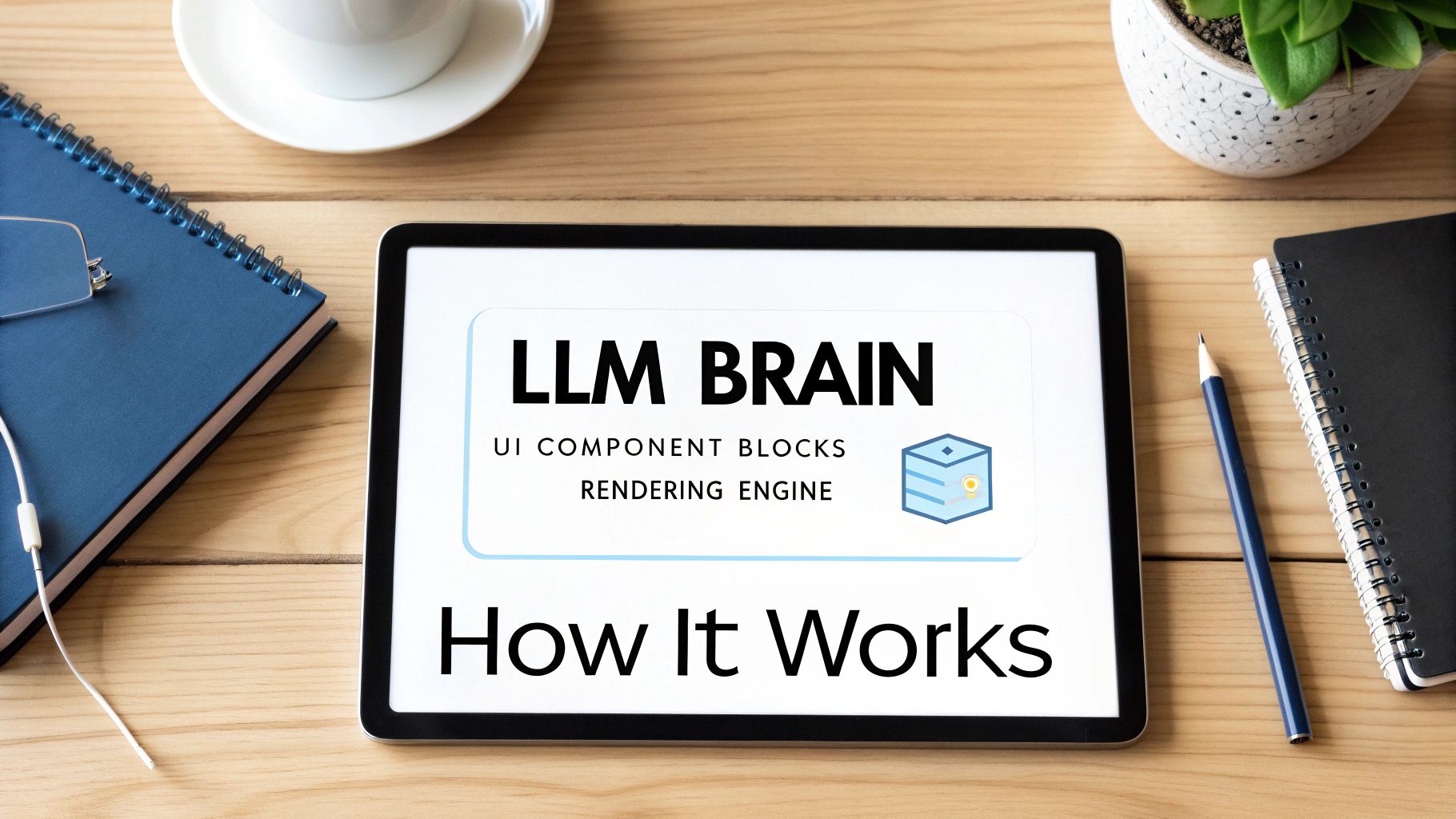
This setup allows someone without a technical background to build a sophisticated app screen while giving developers confidence that the code is structured and reliable. Let’s look at each layer to see how it turns a simple English sentence into a functional, polished screen.
The AI Brain: Large Language Models (LLMs)
At the heart of any AI app builder is a Large Language Model (LLM). This is the interpreter—the "brain" of the operation. When you type a prompt like, "create a login screen with email, password fields, and a Google sign-in button," the LLM is what figures out what you actually mean. It understands context, relationships, and common UI design patterns.
These aren't generic, off-the-shelf LLMs. They are fine-tuned on enormous datasets of code and design. The tool's creators feed their models millions of examples of high-quality app screens, UI components, and code snippets from sources like GitHub and public design libraries.
This training teaches the AI more than just code syntax—it teaches the semantics of good design. It learns what a "profile screen" usually contains, where a "submit button" should logically go, and how to create a visual hierarchy that people can intuitively understand.
This specialized training is what makes a purpose-built app creation tool far more effective than a generic chatbot. It allows the AI to make smart assumptions and fill in the blanks in your prompt with design best practices learned from analyzing countless real-world apps.
The Building Blocks: UI Component Libraries
Once the LLM understands what you want, it needs the raw materials to build it. That's where the UI component library comes in. Think of this as the builder's warehouse, stocked with every pre-built part needed to assemble an app.
This library is a vast collection of standard UI elements, including:
- Buttons in various styles (primary, secondary, icon-only)
- Text inputs for different data types (email, password, numbers)
- Image holders, sliders, toggles, and date pickers
- Structural elements like cards, lists, and navigation bars
Each component is a self-contained, pre-coded, and pre-styled piece of the interface. An AI-powered app builder like RapidNative uses libraries based on battle-tested systems like React Native, ensuring every "building block" is ready for a real mobile environment. This modular approach is incredibly efficient. Instead of writing code from scratch for every button, the AI just picks the right component from its library and configures it based on your prompt.
The Assembly Line: The Rendering Engine
The final piece is the rendering engine. This is the assembly line worker that takes the LLM's blueprint and the components from the library and puts them all together into a final, visible screen. It interprets the AI's instructions on layout, spacing, and styling, and then "draws" the visual interface you see in the builder.
For developers, the output from this engine is what really matters. A good rendering engine produces clean, organized, and production-ready code—like the React Native code generated by RapidNative—that can be easily exported and integrated into an existing project.
Together, these three layers—the LLM brain, the component library, and the rendering engine—form a powerful system that makes prompt-to-app creation a reality, opening up software creation to anyone with a great idea.
Choosing the Right Tool for Your Project
When building a new app, product teams now have three distinct paths: AI-driven generation, traditional no-code platforms, and manual coding. The goal isn't to find the single "best" method, but to choose the smartest tool for what you're trying to accomplish right now.
Each path offers a unique trade-off between speed, flexibility, and the technical skill required. Getting this right is key to aligning your project with your budget, timeline, and long-term goals. For instance, an AI builder is perfect for spinning up a prototype over a weekend to validate an idea. However, a complex, high-performance system will always demand the granular control that only manual coding provides.
Comparing Your Development Options
To make an informed choice, let's compare how these three methods stack up against the criteria that matter most to product teams.
Here’s a simple breakdown to help you see the bigger picture:
| Criteria | AI Powered App Builder | Traditional No-Code/Low-Code | Manual Coding |
|---|---|---|---|
| Development Speed | Fastest. Generates UI from a prompt in seconds, perfect for rapid prototyping and MVPs. | Fast. Relies on drag-and-drop interfaces, which are quick but can become tedious for complex layouts. | Slowest. Every line of code is written by hand, offering maximum precision but taking the most time. |
| Customization | High (with code export). The initial generation is lightning-fast; full customization comes after you export the code. | Medium. You're limited by the platform's pre-built components and settings. Extending it is often difficult or impossible. | Unlimited. You have complete control over every pixel, feature, and interaction. |
| Skill Level Required | Low to Medium. Writing a basic prompt requires no technical skill. Editing the exported code requires a developer. | Low. Built for non-technical users with visual, intuitive interfaces that are easy to learn. | High. Demands deep knowledge of programming languages, frameworks, and software architecture. |
| Cost | Low to Medium. Most are subscription-based, offering an affordable way to get your first version built and out the door. | Medium. Subscription costs can increase significantly as your user base grows or your app becomes more complex. | High. The main expense is developer salaries, often a startup's largest budget item. |
| Scalability | High. Because you can export clean code (like React Native), a development team can take it and scale it indefinitely. | Limited. You often hit a "glass ceiling" where performance lags or advanced features are impossible to build. | Highest. The app is architected from the ground up to handle massive scale and complex business logic. |
This comparison shows there’s no one-size-fits-all answer. The best path forward depends on your immediate needs.
The best choice depends entirely on your immediate goal. Are you testing a hypothesis, building a simple internal tool, or architecting an enterprise-grade platform? The answer will point you to the right starting point.
Finding The Right Fit For Your Project
The no-code market is one of the fastest-growing areas in tech, expected to grow from USD 4.93 billion in 2024 to USD 24.42 billion by 2030. This incredible growth is driven by the massive efficiency gains these tools offer. Some reports show that 65% of apps are now built without traditional coding, leading to 90% faster launch times. You can review key no-code market growth statistics for more details.
This data highlights a critical truth: speed is a major competitive advantage. An AI powered app builder sits at the intersection of this trend, giving you the ease of no-code with the power of real, exportable code. This hybrid approach makes it an excellent fit for many situations. If you're weighing your options, our guide on the best AI app builders provides a detailed look at the top tools available.
A great way to evaluate different AI tools is to see how they perform on a specific task, like by comparing AI-powered product name generators to see which ones deliver the best results. Ultimately, your choice should empower your team to move fast without getting locked into a system that limits future growth.
Practical Use Cases for Product Teams
Let's move from theory to practice. How does an AI-powered app builder actually fit into your team's day-to-day workflow to deliver real results? By offloading the initial, often tedious, work of UI creation to an AI, you free up each person to focus on their core strengths.

This shift is already happening. A recent survey revealed that 87% of tech leaders confirm their companies are actively using AI tools in development. The biggest win? Nearly 40% of companies are leveraging AI specifically to eliminate repetitive coding tasks. You can read more about 2025 app development trends to understand how quickly this is becoming the new standard.
Here are some real-world examples of how different people on your team can put these tools to work.
For the Founder Launching an MVP
Imagine a founder with a brilliant idea but a limited budget. The traditional path meant spending significant seed money and months with a development agency just to get a first version.
Now, they can use an ai powered app builder over a weekend. They draft a few simple prompts outlining the core user journey—from signup to the main dashboard. By Sunday night, they have a real, clickable prototype that generates exportable code.
When they walk into investor meetings the following week, they aren't just showing a slide deck. They're handing over a live app for investors to try on their own phones. It's a game-changer for validating an idea and making a compelling pitch.
For the Product Manager Testing New Features
A Product Manager needs to A/B test two different checkout flows. Traditionally, this required detailed mockups, user stories, and a long wait for the engineering team to build both versions—a process that could take weeks.
With an AI app builder, the PM can generate both flows in a single afternoon. They simply describe each one—"create a single-page checkout" versus "design a multi-step wizard." Instantly, they have two interactive prototypes ready for user testing, allowing them to gather real feedback before a developer writes a single line of production code. This massively de-risks the feature and helps the team build the right thing the first time.
The greatest advantage an AI app builder gives a product team is the ability to decouple ideation from engineering. It allows creative and strategic work to happen in parallel with, not in sequence after, development.
For the Designer Bridging Mockups and Reality
A UX/UI Designer has just finalized a beautiful set of static mockups in Figma. The problem? Stakeholders struggle to grasp the vision from flat images.
Using an AI builder’s image-to-app feature, the designer uploads their mockups. The AI scans the designs and instantly converts them into interactive React Native screens with working buttons and navigation. Now, they can run user tests with a prototype that feels real, catching usability issues and validating their design choices with actual interactions.
For the Developer Accelerating Boilerplate Code
A developer needs to build a new settings section for an app, including profile editing, notification toggles, and a contact form. This work is necessary but repetitive and time-consuming.
Instead of hand-coding every screen, the developer uses an ai powered app builder to generate the boilerplate UI. They prompt the tool for each screen and, in minutes, receive clean, production-ready React Native code. They can export it, integrate it into the project, and immediately focus on more complex tasks, like wiring up the backend APIs. This saves hours of manual work and ensures UI consistency.
Of course, a successful launch is just the beginning. Whether an app is built with AI or by hand, you need a plan for what comes next. Much like how teams rely on WordPress website maintenance services to keep their sites running smoothly, a solid post-launch plan is just as critical as the build itself.
How to Start Building Your First AI-Generated App
Getting started with AI-assisted development is more straightforward than you might think. When choosing an AI powered app builder, the goal isn't to find a "perfect" tool, but to find one that fits your project's current needs and future goals. A good platform should feel like a creative partner, helping you move from a napkin sketch to a real product without the usual friction.
First, define your objective. Are you building a quick prototype to test a user flow, or are you laying the groundwork for a minimum viable product (MVP)? A simple prototype doesn't need perfect, production-ready code. An MVP absolutely does, because your development team will need to build upon it.
Your Evaluation Checklist
With your project's scope in mind, you can start evaluating platforms. Instead of getting lost in feature lists, ask practical questions that focus on your workflow and the final output.
Here’s a simple checklist to guide you:
- How good is the exported code? Don't just take their word for it. Generate a screen and ask a developer to review the output. You want clean, well-organized React Native components, not messy code that’s impossible to work with.
- What's in the component library? A solid builder needs a comprehensive set of ready-to-use UI elements. Check if it includes everything you need, from basic buttons and inputs to complex components like navigation bars and scrollable lists.
- Can you iterate on the design easily? The real value lies in refinement. Try asking the AI to change a color scheme, adjust spacing, or swap an icon. The better it understands follow-up requests, the smoother your workflow will be.
- Does it integrate with your existing tools? Look for practical integrations like Figma-to-code or the ability to generate a screen from a screenshot. The better it fits into your current design and development process, the more time you'll save.
The single most important factor is avoiding vendor lock-in. The purpose of these tools is to accelerate development, not to trap you in a proprietary system. Always choose builders that provide a clear and easy path from AI generation to hands-on coding.
Moving Forward with Confidence
The best way to choose an AI powered app builder is to try a few. Most offer a free trial, which is the perfect opportunity to test them with your own prompts and see what kind of code they produce. For a deeper dive into this initial phase, check out our guide on creating a functional AI MVP to see how these tools perform in a real-world project.
The future of app development isn't about AI replacing people; it's about giving them superpowers. These tools are becoming creative partners that handle tedious work, freeing up founders, designers, and developers to focus on what they do best: solving problems and building amazing products.
Got Questions? We've Got Answers
When product teams first explore AI app builders, a few key questions usually come up. Let's tackle them head-on.
Can AI really build my entire, complex app from scratch?
Not quite—at least, not yet. Think of an AI builder as an expert front-end developer. It's brilliant at generating the user interface (UI), setting up navigation, and building out initial screens. It’s designed to eliminate about 80% of that repetitive, time-consuming front-end work.
For complex business logic, backend database integrations, or unique native features, you'll still need a developer to step in. The good news is, they'll be working with a clean, well-structured codebase, not starting from scratch.
Is the code it generates actually production-ready?
Yes. The leading platforms in this space generate high-quality, production-ready code. For example, a modern AI-powered app builder will output clean React Native code that follows industry best practices.
This means you’re not getting a disposable prototype. You're getting a solid foundation that your development team can trust and build upon immediately. Before committing to a tool, it's always smart to review their code samples to verify the quality for yourself.
Who is this technology actually for?
It’s built for the entire product team, helping to break down the traditional silos between roles.
- Founders & Product Managers can finally build MVPs and functional prototypes in hours to test their ideas with real users.
- Designers can bring static mockups to life, turning them into interactive apps for more effective user testing.
- Developers can skip the tedious boilerplate UI code and focus on solving more challenging and interesting engineering problems.
The real goal here is to close the gap between a great idea and a working product. It’s all about helping teams build, test, and iterate faster than ever before.
Ultimately, these tools make building an app a more collaborative and accessible process for everyone involved.
Ready to see your app idea come to life in minutes, not months? With RapidNative, you can describe your vision in plain English and get production-ready React Native code in seconds. Stop wasting time on boilerplate UI and start building what really matters. Build your first screen for free at RapidNative.
Ready to build your app?
Turn your idea into a production-ready React Native app in minutes.
Free tools to get you started
Free AI PRD Generator
Generate a professional product requirements document in seconds. Describe your product idea and get a complete, structured PRD instantly.
Try it freeFree AI App Name Generator
Generate unique, brandable app name ideas with AI. Get creative name suggestions with taglines, brand colors, and monogram previews.
Try it freeFree AI App Icon Generator
Generate beautiful, professional app icons with AI. Describe your app and get multiple icon variations in different styles, ready for App Store and Google Play.
Try it freeFrequently asked questions
What is RapidNative?
RapidNative is an AI-powered mobile app builder. Describe the app you want in plain English and RapidNative generates real, production-ready React Native screens you can preview, edit, and publish to the App Store or Google Play.
Can I export the code?
Yes. RapidNative generates clean React Native and Expo code that you can export at any time. No lock-in, no proprietary format. Hand it to your developers or keep building inside RapidNative.
Is RapidNative free to use?
Yes. You can build apps on the free plan with no credit card required. Paid plans unlock unlimited AI generations, code export, and direct publishing to the App Store and Google Play.
Do I need to know how to code?
No. Most users build apps by describing what they want in plain English. Developers can drop into the code whenever they want more control, but coding is optional.
How long does it take to build an app?
Most users have a working first screen in under a minute. A full MVP usually takes a few hours instead of the weeks or months traditional development requires.