Mobile App User Retention: A 2026 Playbook
Learn proven mobile app user retention tactics for 2026, from onboarding to re-engagement, to boost loyalty and reduce churn.
By Riya
21st Oct 2026
Last updated: 21st Oct 2026
A typical mobile app loses most of its newly acquired users before the first month is over. Adjust's 2024 global benchmark puts median retention at 26% on Day 1, 13% on Day 7, and 7% on Day 30, a curve that makes install volume a poor substitute for product health (Adjust's 2024 retention benchmark). The useful question isn't how many people downloaded an app. It's whether the people who installed it found enough value to come back, and where the experience failed when they didn't.
For founders and product teams, retention is best treated as a diagnostic system. The early checkpoint tests whether a new user reaches value; the next tests whether the product gives them a reason to return; the later one tests whether that value becomes part of a recurring workflow. Those problems can't all be fixed with more notifications.
What Mobile App User Retention Actually Means
Start with one mental model: the install cohort curve. A cohort is a group of users who installed during the same period, and retention is the share of that group that returns on a specific day. Looking at cohorts separately helps reveal whether a product change improved the experience for new users, rather than letting fresh installs disguise a decline among existing ones.
Day 1, Day 7, and Day 30 are useful checkpoints because each captures a different part of the user's relationship with the app. Day 1 asks whether the first session delivered on the promise that brought someone in. Day 7 tests whether there's a reason to return after the initial novelty fades. Day 30 helps show whether the product has become useful enough to revisit over time. These are distinct measurements, not interchangeable labels for “engagement.”
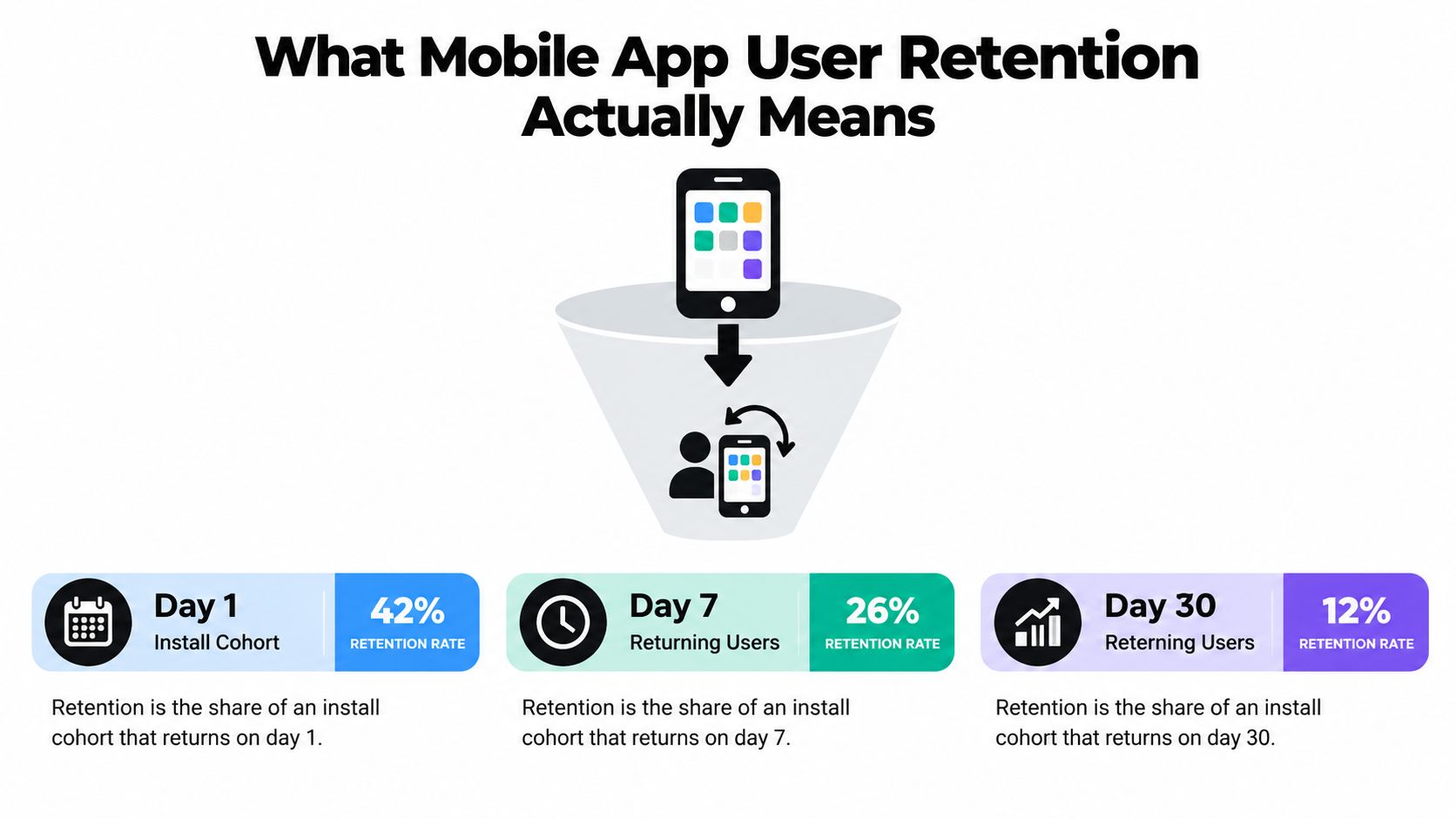
The curve is more informative than a single active-user total. If a team attracts a wave of new users, the aggregate number of active accounts can look stable even as each new cohort returns less often. Cohort retention makes that pattern visible and gives the team a way to connect product changes with the behavior of users who experienced them.
“Engagement” and “stickiness” can be useful shorthand, but they don't specify what users did or when they came back. A user opening an app isn't necessarily progressing toward its value. A more useful definition ties retention to a meaningful recurring action, such as completing a workout, editing a project, or sending a message. For a deeper introduction to the choices involved in defining retention, Capgo's app retention guide is a helpful companion.
The Core Metrics Every Product Team Should Track
A useful retention dashboard starts with the decision a team needs to make, not the list of metrics available in an analytics tool. The cohort curve shows whether users return, but related measures help explain the scale, business impact, and possible blind spots behind that curve.
The dashboard that supports decisions
Event-based cohort retention should be the anchor. Define a retained user by a product action that reflects value, not by an app open. A project tool might measure a return edit or shared preview; a fitness product might measure a completed session. Keep the event definition consistent across cohorts so a change in reporting doesn't look like a change in behavior. RapidNative's guide to retention cohorts offers useful context for structuring that analysis.
DAU/MAU, the ratio of daily active users to monthly active users, is often used as a shorthand for how frequently a product's audience returns. It can help compare trends within a product, but it can also flatter a small group of frequent users while the wider audience drifts away. Pair it with cohort retention and segments that distinguish new users from established ones.
Churn describes users who stop returning over a defined period. It's retention's counterpart, but a single churn figure can hide different causes: some people never reached value, while others used the product successfully before their need changed. Split the measure by cohort and meaningful product behavior before deciding what to fix.
Lifetime value (LTV) translates expected customer value over time into a business measure. It depends on assumptions about how long customers stay and what value they generate, so a different time horizon or revenue definition can change the result. For practical context on connecting acquisition costs with long-term value, see CPI and LTV strategies for apps.
Net revenue retention (NRR) helps subscription teams understand whether revenue from an existing customer base is growing or shrinking after changes such as upgrades, downgrades, and cancellations. It's a revenue lens, not a substitute for user retention: revenue can hold up even when some users stop returning, and usage can remain strong without revenue expansion.
Practical rule: Use app opens to understand reach, meaningful actions to understand progress, and financial metrics to understand commercial outcomes. Don't ask one number to do all three jobs.
A Diagnostic Framework for Retention Problems
A retention curve becomes useful when it narrows the backlog. Treat each checkpoint as a different failure mode, then test the product experience most likely to explain the drop. A weak early return suggests a different intervention from a later decline, so “improve retention” isn't specific enough to guide design or engineering work.
Read the shape before choosing a fix
Begin by defining a retained event and building install-based cohorts. Segment those cohorts by acquisition source, platform, geography, and onboarding path where the data is reliable. Then compare the checkpoints. Benchmarks can orient the discussion, but they're not universal targets: the 2024 OneSignal dataset reported 28.29% average Day 1 retention, 17.86% on Day 7, and 7.88% on Day 30, and its category results varied substantially (OneSignal's 2024 mobile app benchmarks).
Next, inspect the transitions rather than treating each checkpoint as an isolated score. If Day 1 is comparatively healthy but Day 7 drops sharply, users may understand the initial promise but lack a reason to return. If the early experience is weak, first-session friction or a mismatch between acquisition messaging and the product is a more plausible place to investigate. If users return early but fade later, examine whether the product fits naturally into a recurring task.
| Weaker checkpoint | Likely product causes | First experiment to run |
|---|---|---|
| Day 1 | Unclear promise, slow setup, premature permissions, or failure to reach a first useful outcome | Remove or defer one setup step, then compare completion of the core action |
| Day 7 | The first session works, but recurring utility, content relevance, or a return trigger is missing | Test a relevant follow-up tied to an unfinished or repeatable task |
| Day 30 | The product hasn't become part of a lasting habit or workflow | Test a workflow integration, collaboration path, or meaningful repeat-use feature |
The table is a hypothesis guide, not a diagnosis by itself. A Day 7 decline can have different causes in a news app and a project workspace, and teams should inspect actual user paths before committing to a fix.
For each experiment, write down the affected cohort, the observed failure, the proposed change, and the user action that should improve. Compare users who complete the activation event with those who don't. If activated users return more reliably, shorten the path to that event before adding lifecycle messages. If the behavior doesn't differ, revisit whether the event represents real value.
The Retention Levers That Actually Move the Numbers
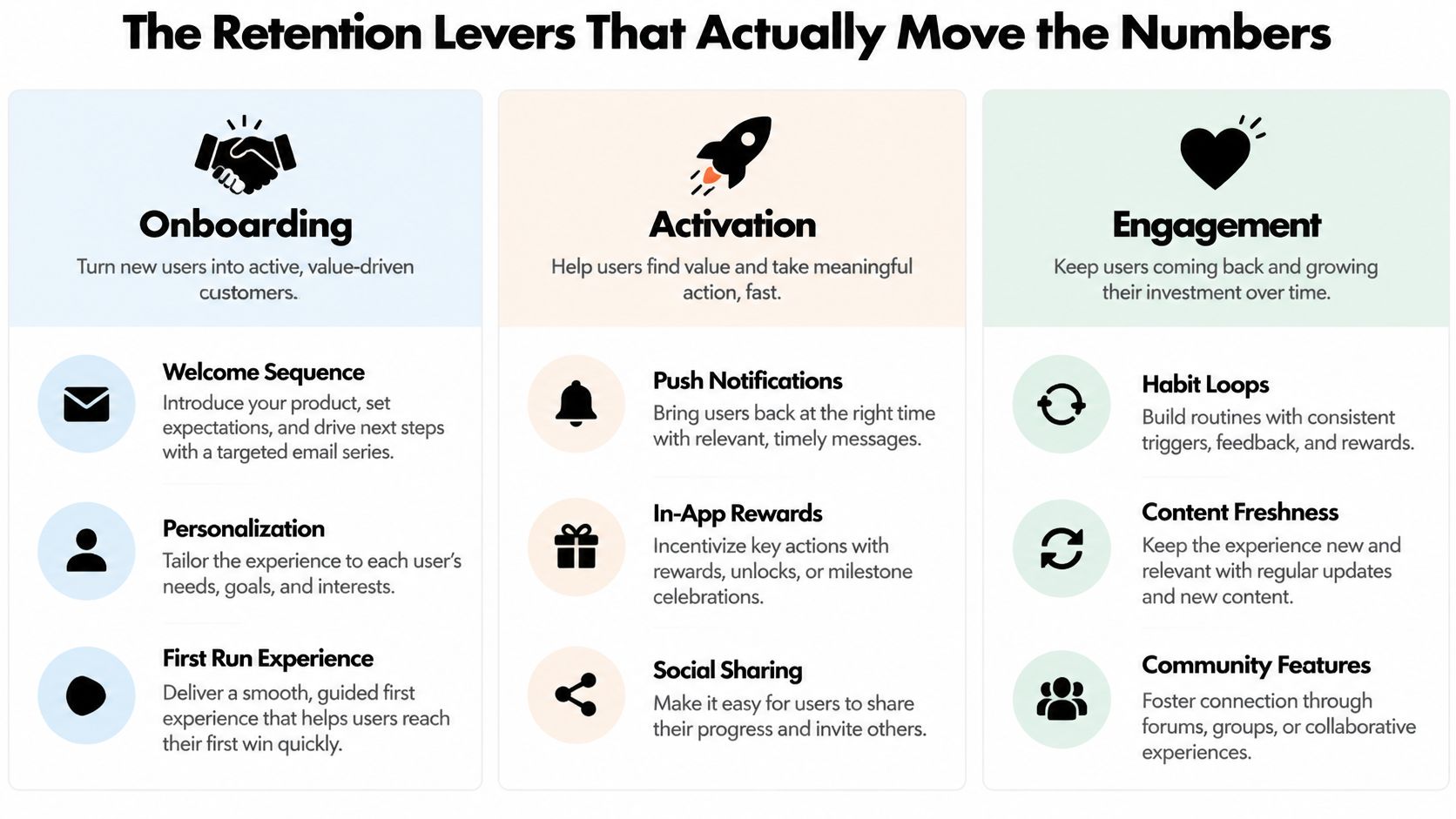
Retention levers work at different moments in the user journey. Onboarding and activation address whether a new user experiences value. Engagement mechanics help users find a reason to return. Push and email can support those reasons, but they can't create useful product behavior on their own. Performance and reliability affect every stage.
Match the lever to the failing checkpoint
Onboarding and activation matter most when new users don't reach a first meaningful outcome. Strip away instructions that don't help someone take the next action. A budgeting app, for example, might let a new user create a spending alert before asking them to explore every settings screen. Teams can use mobile onboarding best practices to think through how to guide users without turning a first session into a tutorial marathon.
Engagement and personalization should respond to what users have done, not to a generic schedule. A reminder about an unfinished task can be useful; the same reminder sent to someone who already completed it feels careless. For products with recurring use, fresh content, saved preferences, or an unfinished workflow can give users a concrete reason to return.
Push and email are useful when they connect a user with a timely, relevant action. A six-month comparison reported approximately 55% first-month retention among users who opted into push notifications, versus 29% among users who opted out (MarketingCharts' summary of push retention figures). That association doesn't prove notifications caused the difference: users who opt in may already be more engaged. Treat the finding as a reason to test permission timing and message relevance, not as a case for prompting everyone immediately.
A better permission flow asks after a user sees why notifications could help. A delivery app can explain order updates after someone places an order; a finance app can ask once a user creates an alert. Measure whether the messages lead to a valuable action and whether users disable notifications or disengage. Don't optimize for opt-in rate alone.
Core product quality underpins every lever. Slow rendering, unreliable navigation, and drafts that disappear can undermine a promising onboarding flow and make every reminder less credible. Fix repeated product friction before layering on more messaging.
What works: Give each intervention a job. Onboarding should help users reach value; lifecycle messages should bring them back to useful work; product improvements should make that work dependable.
Measuring Retention When Signals Are Disappearing
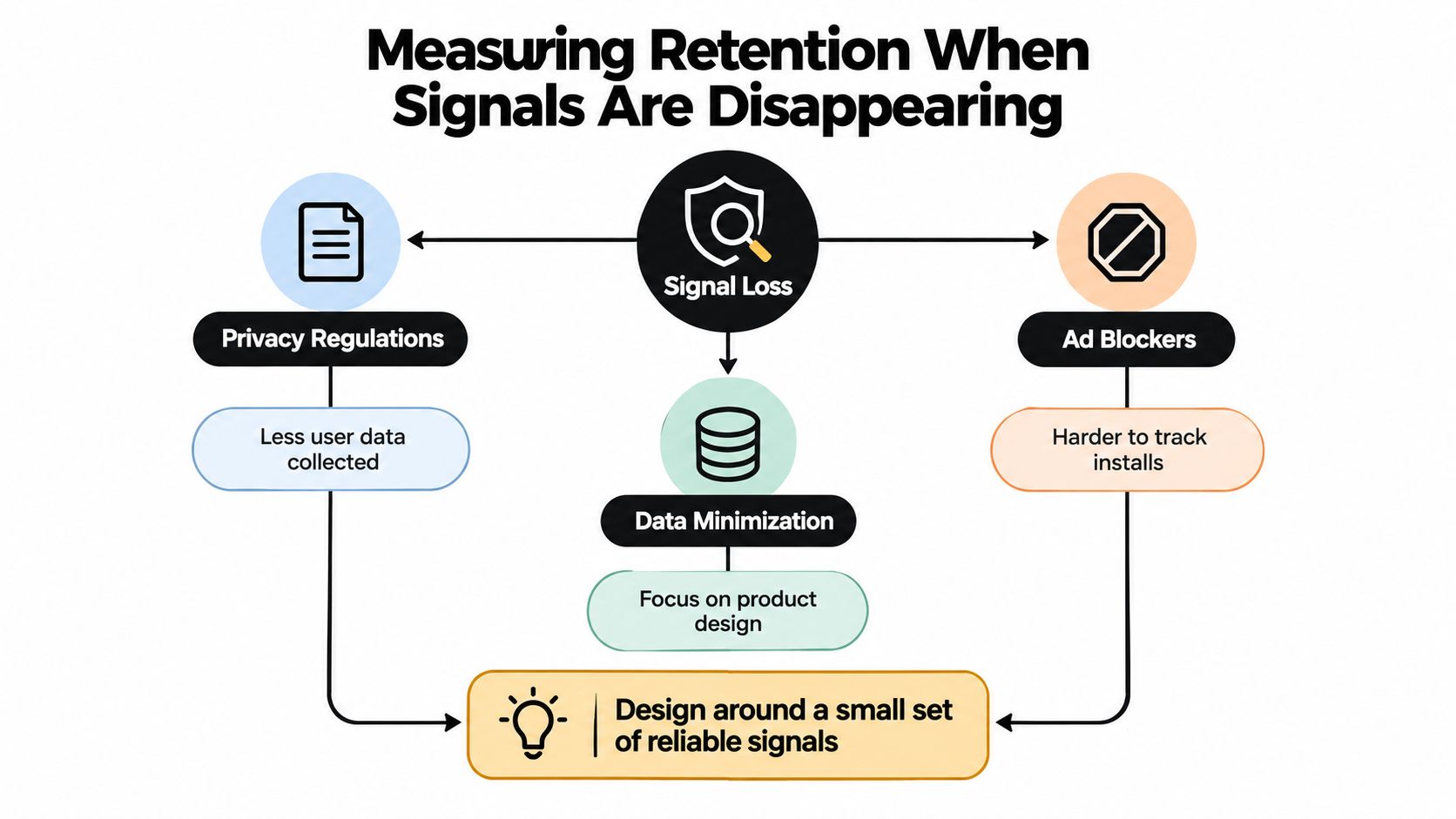
A retention program can't depend on a perfect picture of every user's journey. Privacy choices and incomplete identity resolution make individual-level attribution harder, while teams still need to learn whether changes help users. The practical response is to design measurement around a small set of reliable, user-beneficial events, rather than collecting more data because it might be available.
Build a useful view without perfect identity
Instrument a small, consistent event path: install attribution when available, first launch, account creation where relevant, completion of the core action, and return sessions. Keep product events first-party and document what each one means. Server-side attribution can help where it's available and appropriate, but don't make the retention dashboard depend on connecting every event to a fully resolved identity.
Cohort-level analysis can still show whether one onboarding path or acquisition source performs differently, even when some users can't be connected across channels. Use product-qualified actions, such as saving a result or sharing a preview, to understand progress. A marketing-qualified lead may help a growth team prioritize outreach; it doesn't establish that someone has found lasting product value.
Industry survey findings underline why teams need to account for imperfect signals: 71% of marketers reported revenue impact from measurement blind spots, while 47% said they struggled to activate user data for personalization or measure retention effectively (Branch's report on app growth and signal loss). The response shouldn't be to track every possible behavior. Choose observable events that help the team improve the product and make the user's experience more useful.
Notification restraint belongs in the measurement plan too. A 2025 randomized field experiment involving more than 500 users of a pet-monitoring app in South Korea found personalized messages outperformed generic ones, while warning that excessive or irrelevant messaging can create fatigue (La Trobe's report on push notifications). Test relevance, quiet modes, and user control alongside return behavior. For a disciplined approach to experiment design, Figr's A/B testing best practices can help teams make comparisons interpretable.
Real-World Examples and Prototyping Retention Fixes
A fitness app sees users complete a workout in their first session, but the Day 7 cohort is weak. The problem may not be a confusing introduction. The team can test whether a next-session plan, a saved training goal, or a relevant reminder gives people a useful reason to return. The experiment should measure completed workouts, not just opens.
A marketplace has a different problem. People browse and buy early, then the Day 30 curve weakens. The team might test saved searches, relevant updates when an item matches a user's preferences, or a smoother path to repeat purchase. The point isn't to add a notification because the curve is low. It's to test whether the product can deliver a reason to return that matches the user's intent.
A collaboration tool may discover that individual use is less predictive of retention than shared previews. In that case, the product team can compare a solo onboarding path with one that helps users invite a teammate and open a shared preview. Feedback from those previews can reveal whether the workflow makes sense before engineers commit to a more extensive build; a practical user feedback integration guide can help teams plan how to collect and act on that input.
A prototype makes these tests concrete. AI-native builders such as RapidNative can turn prompts, sketches, or product requirements into interactive React Native flows, letting a team review screens and navigation before committing to a full implementation. A PM can compare onboarding variants, permission timing, or a re-engagement screen, then take the chosen direction into engineering review. Collaborative preview links can also help gather focused feedback on a flow, rather than asking users to react to a static description.
The prototype is not proof of retention improvement. It's a way to make the experience testable, surface friction earlier, and clarify what a production experiment needs to measure.
A short product walkthrough can help teams see how an interactive app-building workflow fits into that loop.
Your 30-Day Retention Action Plan
Week one: Agree on the retained event, instrument the path from first launch to that action, and build install-based cohorts. Check that event names mean the same thing to product, design, and engineering.
Week two: Compare the early checkpoints and identify the weakest transition. Run an onboarding experiment that changes one meaningful source of friction, such as setup order or permission timing. Keep the success measure tied to the core action, not screen completion alone.
Week three: Test one relevant return message or in-app prompt. Give users control where appropriate, and watch for opt-outs or signs that the message is intrusive. Kill the tactic if it drives opens without useful product actions or damages trust.
Week four: Review the cohort curves, write a one-page retention brief, and choose the next product changes based on the evidence. Keep investing where users reach value and return; revise the hypothesis when a change shifts activity but not meaningful behavior.
RapidNative helps product teams turn prompts, sketches, or requirements into interactive React Native prototypes with live screens and navigation, so onboarding and retention flows can be reviewed before engineering commitment. If you're testing a mobile app experience, visit RapidNative to prototype the flow and make the next retention experiment tangible.
Ready to build your app?
Turn your idea into a production-ready React Native app in minutes.
Free tools to get you started
Free AI PRD Generator
Generate a professional product requirements document in seconds. Describe your product idea and get a complete, structured PRD instantly.
Try it freeFree AI App Name Generator
Generate unique, brandable app name ideas with AI. Get creative name suggestions with taglines, brand colors, and monogram previews.
Try it freeFree AI App Icon Generator
Generate beautiful, professional app icons with AI. Describe your app and get multiple icon variations in different styles, ready for App Store and Google Play.
Try it freeFrequently asked questions
What is RapidNative?
RapidNative is an AI-powered mobile app builder. Describe the app you want in plain English and RapidNative generates real, production-ready React Native screens you can preview, edit, and publish to the App Store or Google Play.
Can I export the code?
Yes. RapidNative generates clean React Native and Expo code that you can export at any time. No lock-in, no proprietary format. Hand it to your developers or keep building inside RapidNative.
Is RapidNative free to use?
Yes. You can build apps on the free plan with no credit card required. Paid plans unlock unlimited AI generations, code export, and direct publishing to the App Store and Google Play.
Do I need to know how to code?
No. Most users build apps by describing what they want in plain English. Developers can drop into the code whenever they want more control, but coding is optional.
How long does it take to build an app?
Most users have a working first screen in under a minute. A full MVP usually takes a few hours instead of the weeks or months traditional development requires.