Validate Product Ideas Fast: A Guide for Mobile Product Builders
Stop guessing. Learn how to validate product ideas fast with our founder's guide to mobile app prototyping, user testing, and actionable feedback.
By Paridhi
3rd Dec 2025
Last updated: 3rd Dec 2025

Here’s a hard truth I’ve learned building mobile apps: most new products are built for a market that doesn't exist. This leads to a spectacular amount of wasted time, money, and morale. To validate product ideas fast, you have to make a fundamental mental shift—from asking, “Can we build this?” to a much tougher question: “Should we build this?” The only way to answer that is by challenging your core assumptions with real users before writing a single line of code.
Why Most App Ideas Fail and How to Succeed

Every founder, product manager, and designer knows the intoxicating rush of a new app idea. It feels like a genuine breakthrough, a solution everyone has been waiting for. But that excitement can blind us to an uncomfortable reality: does anyone actually need this?
The consequences of ignoring that question are staggering. The number one reason startups fail isn't a lack of funding or a weak team—it's building something nobody wants. Globally, 30,000 new products are released each year, and a devastating 95% of them fail. You can dig into the data in this insightful article on product failure rates.
This happens because teams fall in love with their solution before confirming the problem is real and urgent for a specific group of people. This is precisely where a rapid validation loop becomes your most powerful strategic advantage. It's not about commissioning expensive, month-long market research studies. It’s a nimble framework built for one thing: speed and learning.
The Shift to Rapid Validation
The old way of building mobile products was a gamble. You’d write a detailed spec doc, raise capital, hire a team, and spend months (or years) in a development silo, only to launch to the sound of crickets. The modern approach flips this script entirely.
The goal now is to shrink the time between an idea and a meaningful piece of feedback from a real, live user. It’s a simple, powerful loop:
- Pinpoint your riskiest assumptions. What must be true for your app idea to work? Is it that users will pay for a specific feature? Or that they even have the problem you think you're solving?
- Create low-cost experiments. Instead of building the entire app, you build just enough to test one of those assumptions. This could be anything from a simple landing page to a clickable prototype or even just a well-structured conversation.
- Measure what people do, not just what they say. Talk is cheap. You need to prioritize user behavior. Do they sign up? Do they click through the core workflow in your prototype? That's the evidence that counts.
Thinking about validation in these terms helps clarify the huge difference between slow, traditional methods and the fast, agile approach needed to build a successful mobile app today.
Validation Approaches: Traditional vs. Rapid
| Attribute | Traditional Validation | Rapid Validation |
|---|---|---|
| Timeline | 3-6 months | 1-2 weeks |
| Cost | High (tens of thousands) | Low (hundreds or less) |
| Output | 50-page market research report | Actionable user insights, prototype |
| Focus | "Will people say they'll use it?" | "Do people actually use it?" |
| Risk | Delays launch, high upfront cost | Minimal investment, quick pivot |
The contrast is stark. The rapid approach isn't just faster; it's a fundamentally smarter way to build mobile products that people will actually use and pay for.
By focusing on learning instead of just building, you de-risk your entire venture. Each small validation cycle provides a clear signal either to move forward with confidence, adjust your approach, or pivot to a better idea before you've invested significant resources.
How to Frame a Testable Hypothesis
A great app idea is exciting, but it’s just the beginning. To figure out if it's a good idea, you need to turn that initial spark into a sharp, testable statement. If you skip this, you’ll end up with fuzzy feedback that doesn’t give you a clear signal on whether to move forward or head back to the drawing board.
This is exactly where a simple hypothesis framework saves the day. It’s a tool that forces you to get incredibly specific about who you’re building for, what problem you’re actually solving, and what success looks like in plain numbers. A vague notion like "people will like a plant app" suddenly becomes a concrete, provable assumption about real user behavior.
The Core Hypothesis Framework
The whole point here is to spell out what you believe in a way that leaves no room for misinterpretation. This isn't just an academic exercise; it's a practical tool that focuses your energy and resources. A solid hypothesis clearly states what you expect to happen and how you’ll know if you were right.
We believe [target user] will [take this action] for [this reason], and we'll know we're right when we see [this measurable outcome].
Breaking it down, this structure forces you to nail down four crucial pieces of the puzzle:
- Target User: Who, exactly, is this for? Be specific. "Everyone" is never the right answer.
- Action: What’s the single most important thing you need them to do?
- Reason: Why do you think they'll do it? This is your core assumption about their motivation or pain point.
- Measurable Outcome: What number will tell you if you've succeeded or failed? It has to be quantifiable.
Building Hypotheses for a Plant Care App
Let's make this real. Imagine you have an idea for a mobile "plant care reminder app." Instead of just building it, you can spin up several distinct hypotheses, each one aimed at a different core assumption you need to test. Thinking this way is a crucial part of your overall market and learning strategy.
Here are a few examples of how this might look.
Example Hypotheses:
-
Hypothesis 1 (Problem Validation): We believe new plant owners who work full-time will add at least three plants during onboarding because they struggle to remember watering schedules. We'll know we're right when 70% of new users complete this step.
-
Hypothesis 2 (Solution Validation): We believe users who receive push notifications will mark a watering task as complete because the timely reminders are genuinely helpful. We'll know we're right when the weekly task completion rate is over 60%.
-
Hypothesis 3 (Value Proposition Validation): We believe busy professionals with houseplants will upgrade to a premium plan for a pest identifier because they're willing to pay to protect their investment. We'll know we're right when 5% of active users subscribe within the first month.
When you frame your ideas this way, you're not just guessing anymore. You’re creating a clear roadmap for validation. Each hypothesis points directly to a feature to prototype and a metric to track, turning every test into a source of clear, unambiguous answers.
Creating Your Prototype in Minutes, Not Months
Once you have a solid, testable hypothesis, it's time to bring it to life. In the old days, this meant a slow, expensive handoff to designers and developers. But today, you can go from a simple idea to a tangible, interactive mobile prototype in a single afternoon—without writing a single line of code.
This is the secret to how you validate product ideas fast. Instead of wasting weeks debating wireframes, you can generate functional UI screens from plain English prompts. It puts the power to create directly into the hands of the people with the ideas, whether they're founders, product managers, or designers.
From a Simple Prompt to an Interactive UI
Let's go back to our plant care app idea. We’re working with the hypothesis that new plant owners get overwhelmed and need simple, guided onboarding. Now, we can turn that thought directly into a working prototype with a tool like RapidNative.
You don't need to draw boxes or arrows. You just describe what you want. This completely closes the gap between your vision and a prototype people can actually hold.
A good starting prompt might look like this:
Create a minimalist onboarding flow for a plant care app. The first screen should have a welcoming message and a single button to 'Get Started.' The second screen should let a user add their first plant by either searching a database or taking a photo.
Just like that, the tool generates the UI screens. But the real magic is in the iteration. What if the first draft feels a bit… off? You can refine it with simple follow-up commands.
Example Iteration Prompts:
- "Make the 'Get Started' button larger and use a vibrant green color."
- "On the second screen, change the layout to have two distinct buttons: 'Search for a Plant' and 'Identify with Camera.'"
- "Add a progress indicator at the top of the screen to show the user they are on step 2 of 3."
This conversational approach makes UI/UX exploration fast, fun, and accessible to anyone. You can test out multiple design directions in the time it used to take just to schedule a kickoff meeting. Understanding the ins and outs of creating effective product prototypes is key to de-risking your launch and getting this process right.
Why This Kind of Speed Is a Game-Changer
Building prototypes this quickly isn't just a neat party trick; it's a massive strategic advantage. The old, slow validation process burned through cash and time, often leading to products that missed the mark. With rapid prototyping, you can get real feedback from real users in days, not months.
The goal isn't a perfect, pixel-for-pixel final app. It's to build something just real enough to get an honest, gut reaction from a potential user. A high-fidelity prototype feels like a real app, and that elicits far more genuine feedback than a static wireframe ever could.
This approach also breaks down silos. A product manager can spin up screens to show the engineering team exactly what they’re thinking. A founder can create a clickable demo to stick in a pitch deck. It removes bottlenecks and keeps the creative momentum flowing.
Ultimately, turning your ideas into interactive UIs closes the loop between hypothesis and feedback faster than ever before. You're no longer just talking about your idea—you're putting a working version of it directly into people's hands.
For a closer look at the technical side of this process, check out our guide on how to build mobile apps quickly.
Running User Tests That Actually Work
A prototype is just a pretty picture until you put it in front of a real person. This is your moment of truth. It's where you stop guessing and start validating your product idea fast by watching how people actually behave. The great news? You don't need a fancy lab or a huge budget. All you need is a plan and the willingness to truly listen.
Effective user testing isn't about asking people if they like your app. It’s about giving them a specific task and observing everything that follows. Where do they succeed effortlessly? Where do they get stuck? What do they do when you aren't there to hold their hand? This is how you uncover the raw, honest feedback that turns an assumption into a validated concept.
Two High-Impact, Low-Effort Testing Methods
When you need insights quickly, two methods are my go-to: remote testing and guerrilla testing. Both are incredibly effective for gathering feedback without the typical overhead of traditional research. If you're looking for a deeper dive, you can explore a wide range of user experience testing methods that suit different project stages.
1. Remote User Testing
This is as straightforward as it sounds. You send your prototype link to a participant and watch them interact with it over a video call. It's a fantastic way to reach your specific target audience, no matter where they are in the world. To make this process even smoother, specialized usability testing and remote user research tools can capture every click and comment, giving you invaluable data.
Your test script doesn't need to be a long, formal document. The real goal is to set a realistic scenario and give them a clear task.
Example Remote Test Script (Plant Care App):
"Hey [Name], thanks so much for helping me out today. So, imagine you just brought home a new monstera and you want to make sure you're taking care of it properly. I'm about to send you a link to a prototype. Can you share your screen and just walk me through how you'd add that new plant to this app?"
Once they start, your main job is to be quiet and observe. Watch where their cursor goes, notice where they hesitate, and encourage them to think out loud. The gold is in their unprompted commentary.
2. Guerrilla Testing
I love this one. It’s the art of getting rapid-fire feedback from strangers in the wild—think coffee shops, co-working spaces, or anywhere your target users might naturally be. The trick is to keep it short, focused, and casual. You'd be amazed at what you can learn from a 15-minute chat.
The Five-Minute Guerrilla Test Playbook
You’re not trying to test the entire app. Your mission is to test one core task that’s tied directly to your main hypothesis. Forget showing them every single screen.
Here’s a simple script that focuses on a single, critical action:
- The Setup (1 min): "Hi, sorry to interrupt. I'm working on a new app and was hoping to get your quick opinion. I'd be happy to buy you a coffee for just a few minutes of your time."
- The Context (1 min): "This is just a rough prototype for an app that helps people remember to water their plants. It's not a finished product, so some buttons might not work."
- The Task (2 mins): "Using this, could you show me how you would add a new plant to your collection?"
- The Follow-Up (1 min): "Thanks! Was that what you expected to happen? Was there anything confusing or surprising about that process?"
This lightweight approach forces you to get out of the building and connect with real people. Just five of these quick conversations can reveal powerful patterns. The points of friction or moments of delight will pop up over and over, giving you a crystal-clear signal for what to do next.
Turning Feedback into Actionable Next Steps
Alright, you've wrapped up your user tests. You're now staring at a mountain of notes, maybe some recordings, and a bunch of scribbled observations. This stuff is pure gold, but let's be honest—it’s a mess. The real trick is turning that jumble of feedback into clear, decisive actions that tell you exactly what to do next.
This isn't about getting stuck in an endless debate over every little comment. It’s about having a quick, repeatable system to make sense of what you've learned and keep the momentum going. By organizing the data, you can connect what people did directly back to your original hypothesis. That's how you decide whether to iterate, pivot, or build.
A Simple Framework for Sorting Feedback
To keep from getting lost in the weeds, I like to sort every single note into four straightforward buckets. This method forces you to categorize insights, which makes it much easier to spot recurring themes across all your tests.
- What Worked: What did people get instantly? Where did they fly through the flow without a second thought? Make a note of these "aha!" moments and intuitive interactions.
- What Confused Users: Where did they hesitate? Get stuck? Where did they say, "Huh, I thought this would do something else?" This bucket is your roadmap for fixing friction.
- New Ideas: Did someone suggest a feature you never considered? Did they try to use the prototype in a completely unexpected way? Capture these flashes of user creativity.
- Open Questions: What new questions did the tests bring up? Maybe you realize you tested with the wrong crowd, or that the problem you're solving isn't the real problem after all.
When you organize feedback this way, you create a powerful, high-level summary. Instead of overreacting to one person's opinion, you can see that 75% of users got stuck on the exact same screen. Now you have a clear, data-driven priority for your next sprint.
This is all about a streamlined process: you prototype, you test, and you take action.
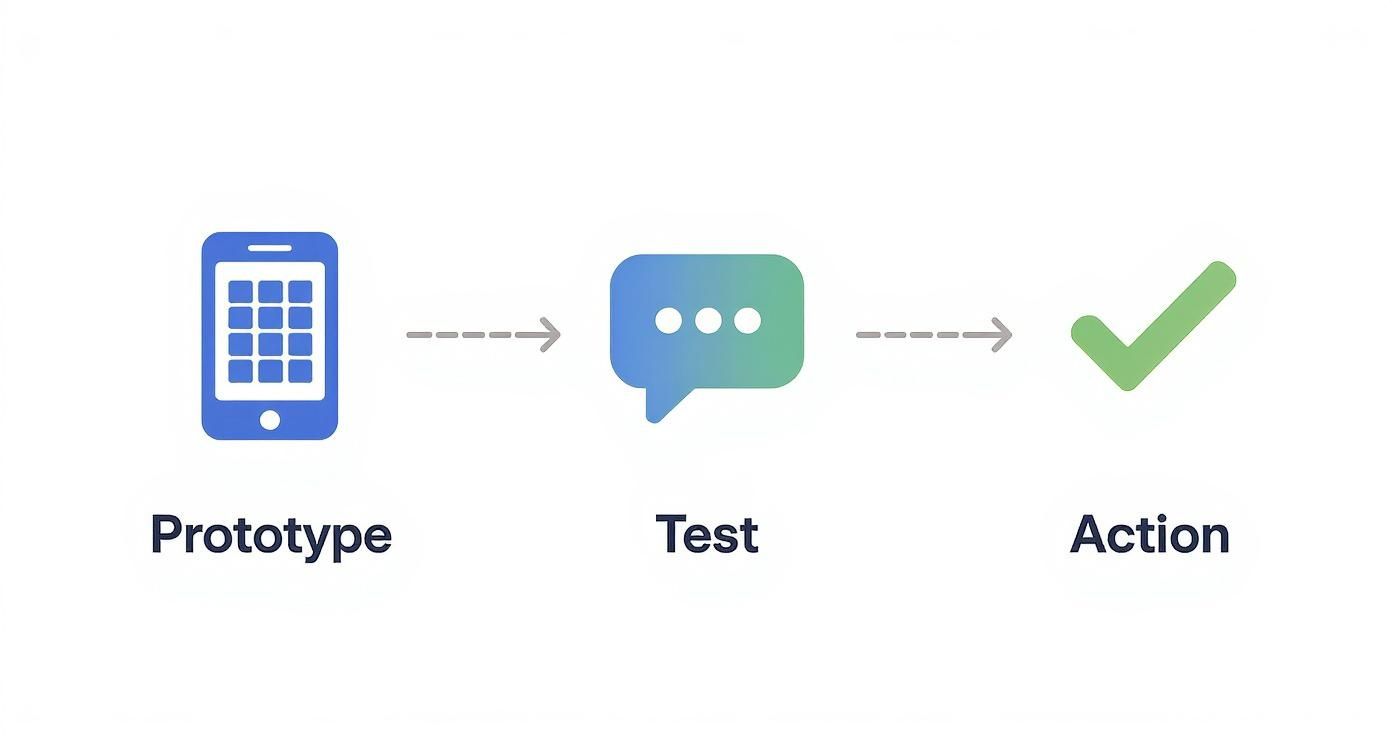
Ultimately, every test should lead you to a clear decision based on the evidence you’ve gathered.
Connecting Insights Back to Your Hypothesis
With your feedback neatly sorted, it’s time to answer the big question: Did you prove or disprove your hypothesis?
This is the moment of truth. Go back to that specific, measurable outcome you defined at the start. For our plant care app example, if the hypothesis was that 70% of users would add a plant but only 20% actually did, then the hypothesis is invalidated.
That's not a failure. It’s a successful experiment that gave you a critical insight before you wasted time and money. It’s also where you see the real power of rapid validation. Startups often face failure rates up to two times higher than established companies, and this kind of quick, behavioral measurement is what closes that gap. The goal is to get your core assumptions to a dataset validation success rate exceeding 95% before you commit to writing a single line of production code. You can explore these key performance indicators for product validation to learn more.
Iteration Recipes: What to Do Next
Your findings should clearly point you down one of three paths. I think of these as "iteration recipes"—simple instructions for what to do next based on the evidence.
-
Refine the Prototype: If users loved the core idea but stumbled over the UI, your hypothesis is probably solid, but the execution needs tweaking. The next move is simple: make targeted changes to the prototype based on your "What Confused Users" bucket and test it again.
-
Pivot the Hypothesis: If users found the prototype easy to use but then said they wouldn't actually download the app because the problem isn't a real pain point for them... well, the UI isn't your issue. It's time to head back to the drawing board and frame a new hypothesis that tackles a more urgent problem.
-
Proceed with Confidence: If users sailed through the core task and their feedback confirmed your assumptions about the problem you're solving, you have a green light. This is a strong signal that you're on the right track and can move toward development with way less risk.
Navigating the Murky Waters of Product Validation
Even with a solid game plan, you're bound to hit some common snags when you're trying to validate a product idea fast. Founders, PMs, and designers all run into the same practical questions. Let's tackle some of the most frequent hurdles you'll likely face.
How Many Users Is "Enough" for a Test?
This is a big one, and the answer is probably fewer than you think. At this early stage, we're not aiming for statistical perfection. We're hunting for big, glaring flaws in our core assumptions.
Jakob Nielsen of the Nielsen Norman Group famously found that testing with just five users will uncover around 85% of the usability problems. For early-stage idea validation, that's your magic number. Start with 3 to 5 people who truly represent your target user.
If all five of them get stuck on the same screen or don't understand the value, that’s a powerful signal. You don't need to test with 50 people to know you've got a problem.
What if the Feedback Is Brutally Negative?
Honestly? Pop the champagne. That's a huge win. Getting overwhelmingly negative feedback on a cheap prototype is a gift—it just saved you a ton of time, money, and heartache you would have spent building something nobody wanted.
This isn't failure. It's a successful experiment that proved your hypothesis was wrong.
Think of negative feedback as a shortcut to a better product. The market is giving you a free, high-value course correction. Embrace it.
Now your job is to dig into the "why." Were you talking to the wrong people? Did you misunderstand the problem you were trying to solve? Was your solution just too clunky? Take those insights, form a smarter hypothesis, and go again.
How Do I Bridge the Gap from Prototype to Development?
The moment your prototype starts getting consistent "aha!" moments from users, and they can fly through the main tasks without getting stuck, you've got the green light. And with today's tools, moving from that validated design to actual code can be surprisingly seamless.
That UI from your prototype is no longer just a pretty picture; it’s the direct blueprint for what needs to be built. In many cases, you can export it directly into production-ready code.
- For iOS: This often means getting clean SwiftUI code.
- For Android: You might get well-structured Jetpack Compose components.
This direct handoff completely changes the game. It gets rid of the old, error-prone process of a designer handing off static images for an engineer to rebuild from scratch. Instead, your developers get a massive head start with clean code that already matches the prototype your users loved. It's a massive accelerator for getting to launch.
Ready to stop guessing and start testing? With RapidNative, you can turn your idea into a tangible, testable prototype in minutes. Generate production-ready React Native UI from simple text prompts, get it in front of real users, and build with the confidence that you're on the right track. Start building your app today.
Ready to build your app?
Turn your idea into a production-ready React Native app in minutes.
Free tools to get you started
Free AI PRD Generator
Generate a professional product requirements document in seconds. Describe your product idea and get a complete, structured PRD instantly.
Try it freeFree AI App Name Generator
Generate unique, brandable app name ideas with AI. Get creative name suggestions with taglines, brand colors, and monogram previews.
Try it freeFree AI App Icon Generator
Generate beautiful, professional app icons with AI. Describe your app and get multiple icon variations in different styles, ready for App Store and Google Play.
Try it freeFrequently asked questions
What is RapidNative?
RapidNative is an AI-powered mobile app builder. Describe the app you want in plain English and RapidNative generates real, production-ready React Native screens you can preview, edit, and publish to the App Store or Google Play.
Can I export the code?
Yes. RapidNative generates clean React Native and Expo code that you can export at any time. No lock-in, no proprietary format. Hand it to your developers or keep building inside RapidNative.
Is RapidNative free to use?
Yes. You can build apps on the free plan with no credit card required. Paid plans unlock unlimited AI generations, code export, and direct publishing to the App Store and Google Play.
Do I need to know how to code?
No. Most users build apps by describing what they want in plain English. Developers can drop into the code whenever they want more control, but coding is optional.
How long does it take to build an app?
Most users have a working first screen in under a minute. A full MVP usually takes a few hours instead of the weeks or months traditional development requires.