Ride-hailing app
like Uber
Riders book on a real map, drivers accept with a countdown, an admin runs fares and surge. Seeded with a whole city.
- Free template
- Expo and Supabase
- iOS, Android, web
- Your own copy of the code
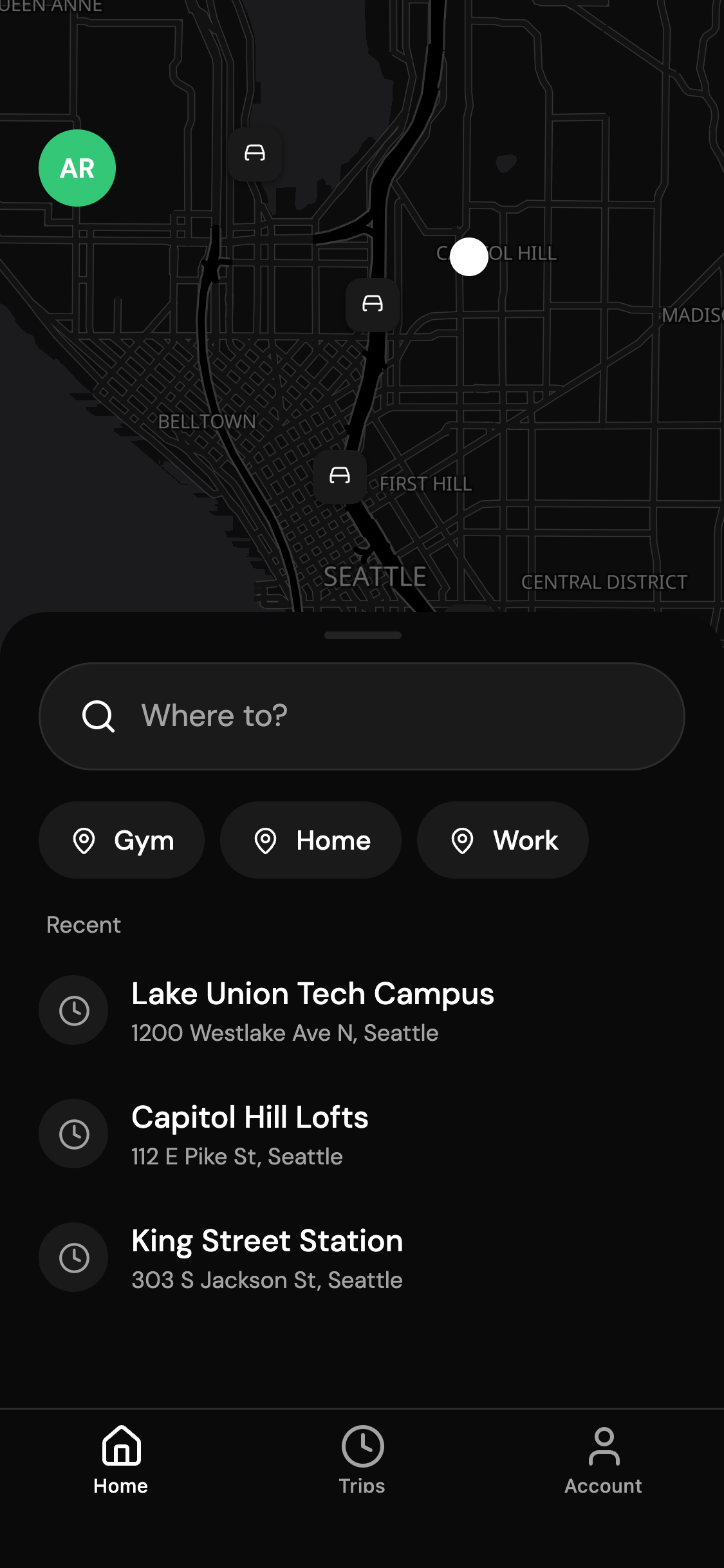
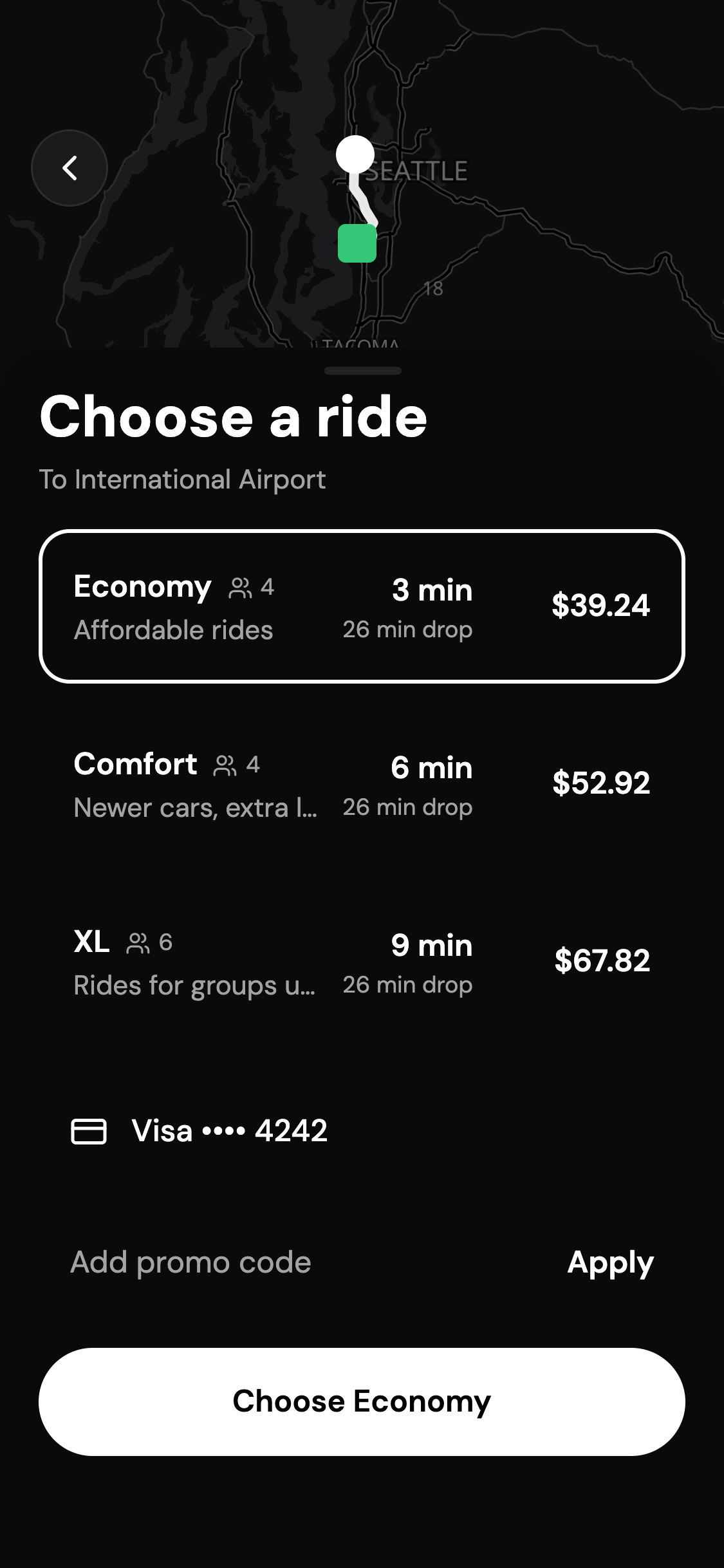
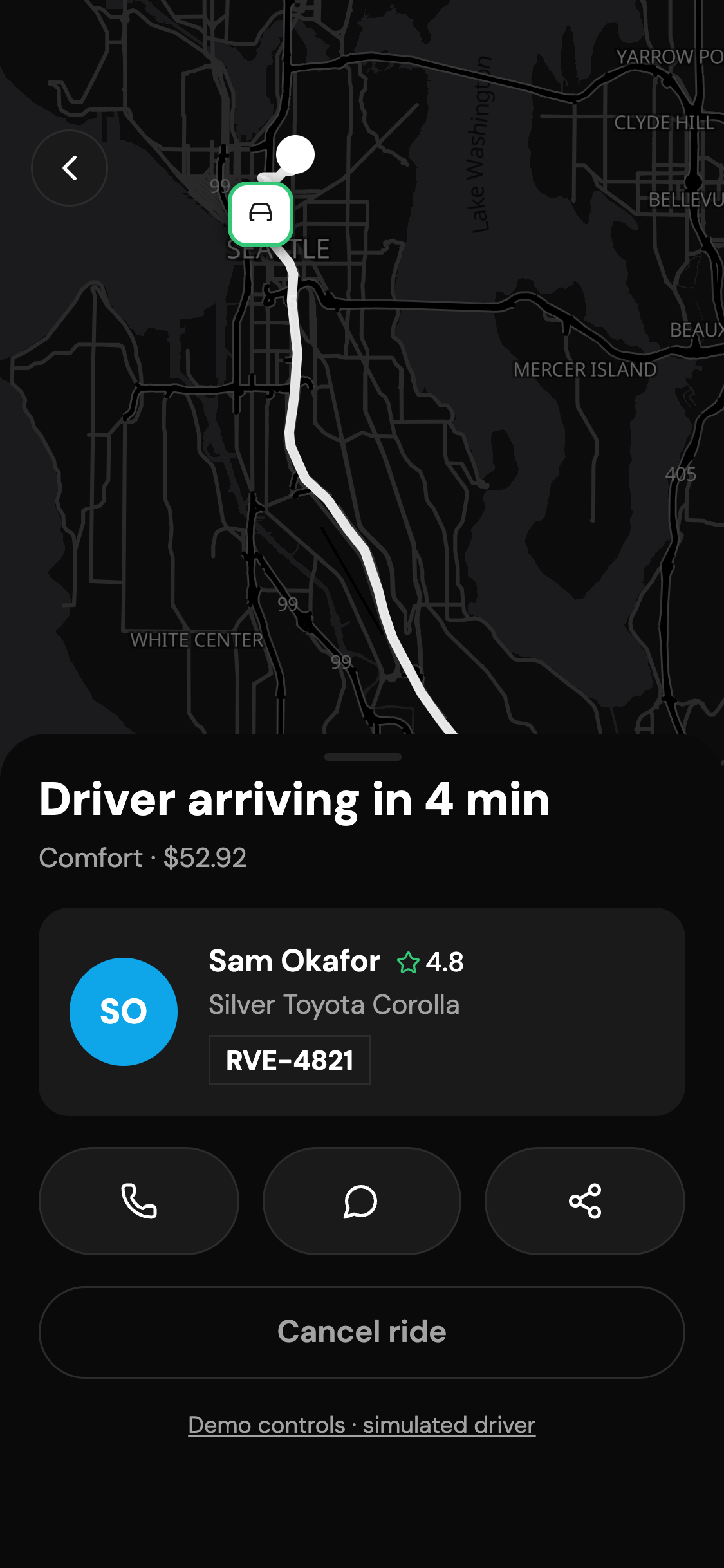
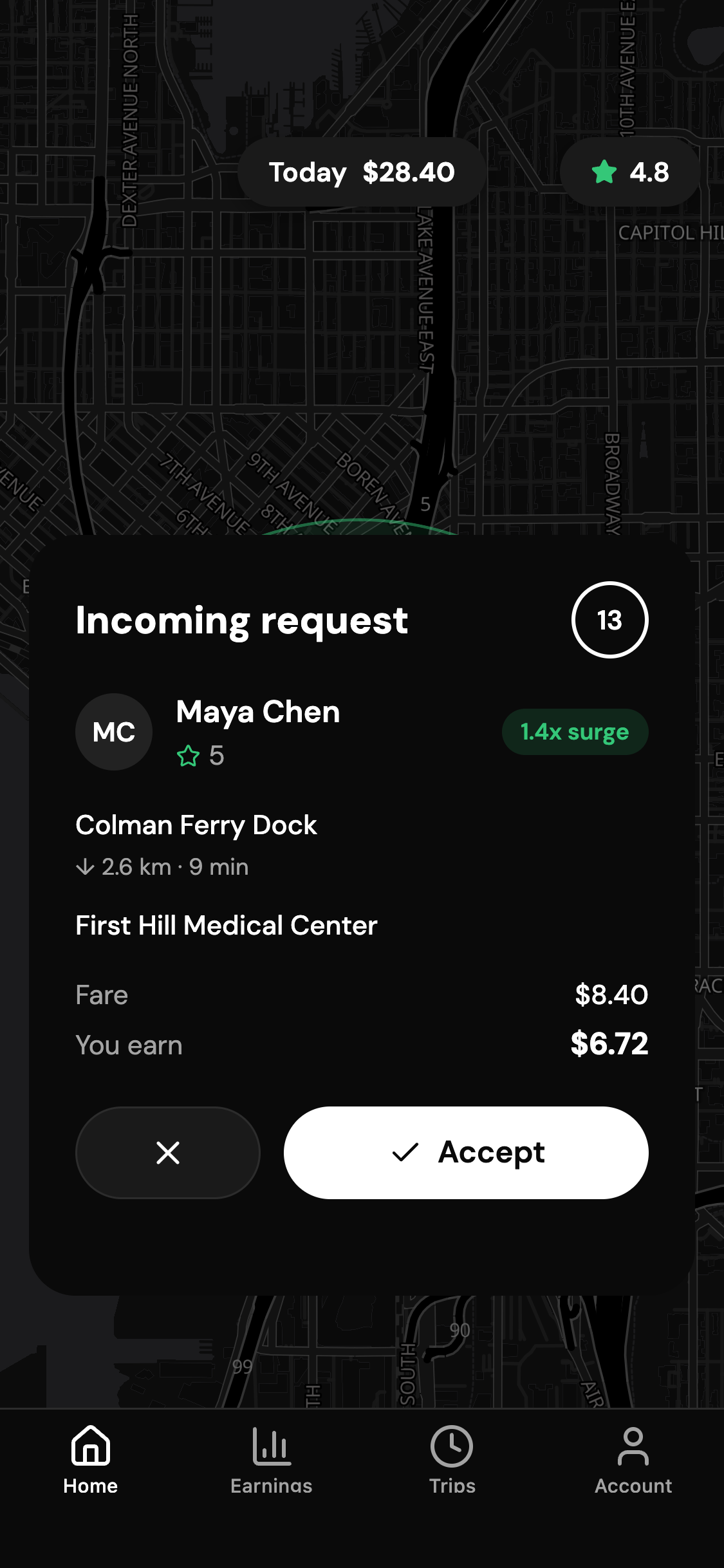
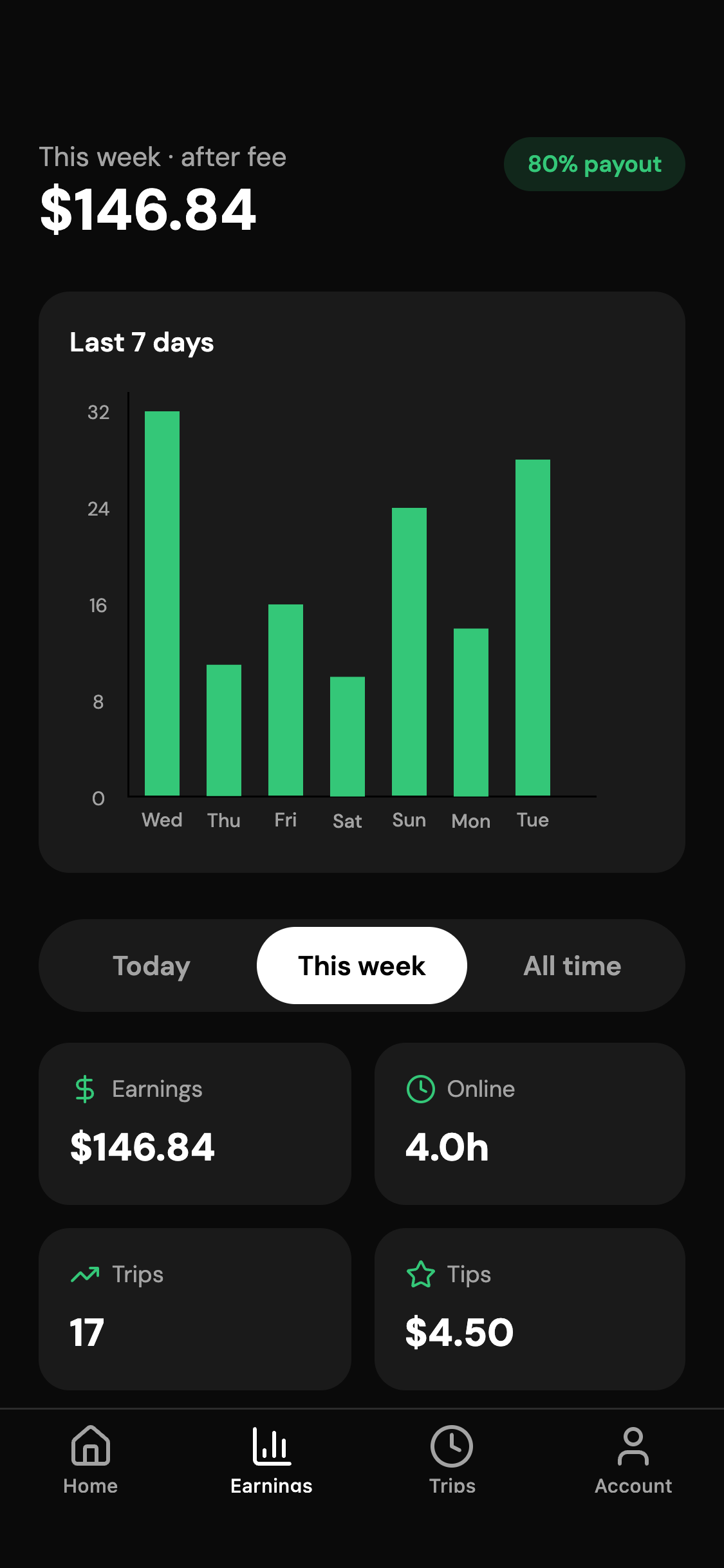
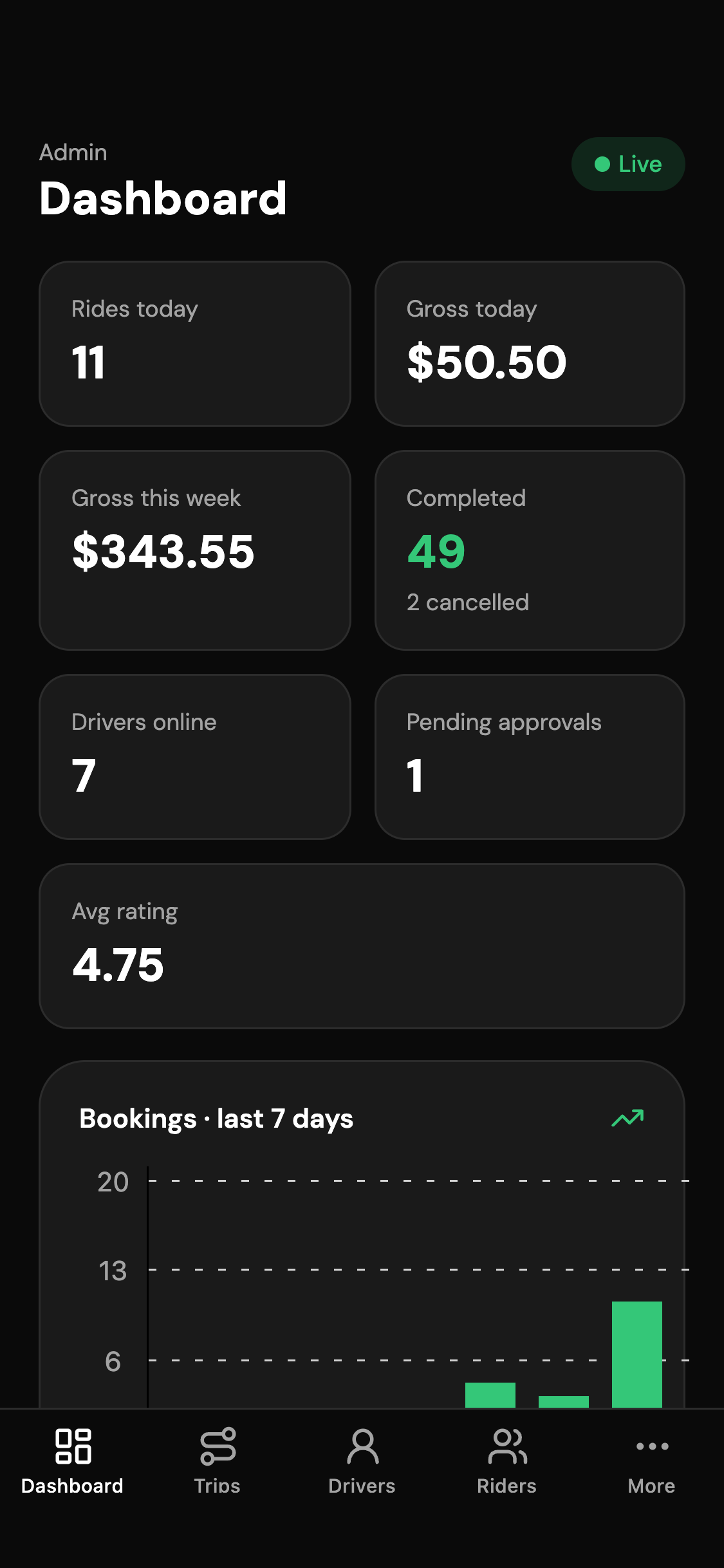
Screens built and filled with data
Workflows end to end
- Book a ride
- Ride with a driver
- Rate, tip and get the receipt
- Cancel a ride
Tables already designed
Access rules on every table
Riders read and write their own rides, cards, places and tickets; approved drivers read open requests and their assigned rides; admins read and write everything; nobody changes their own role or admin flag.
Supabase row-level security
Sample rows so no screen starts empty
- rides29
- places16
- profiles15
- drivers10
- driver_documents4
Features
Everything the app does, on day one
Book a ride
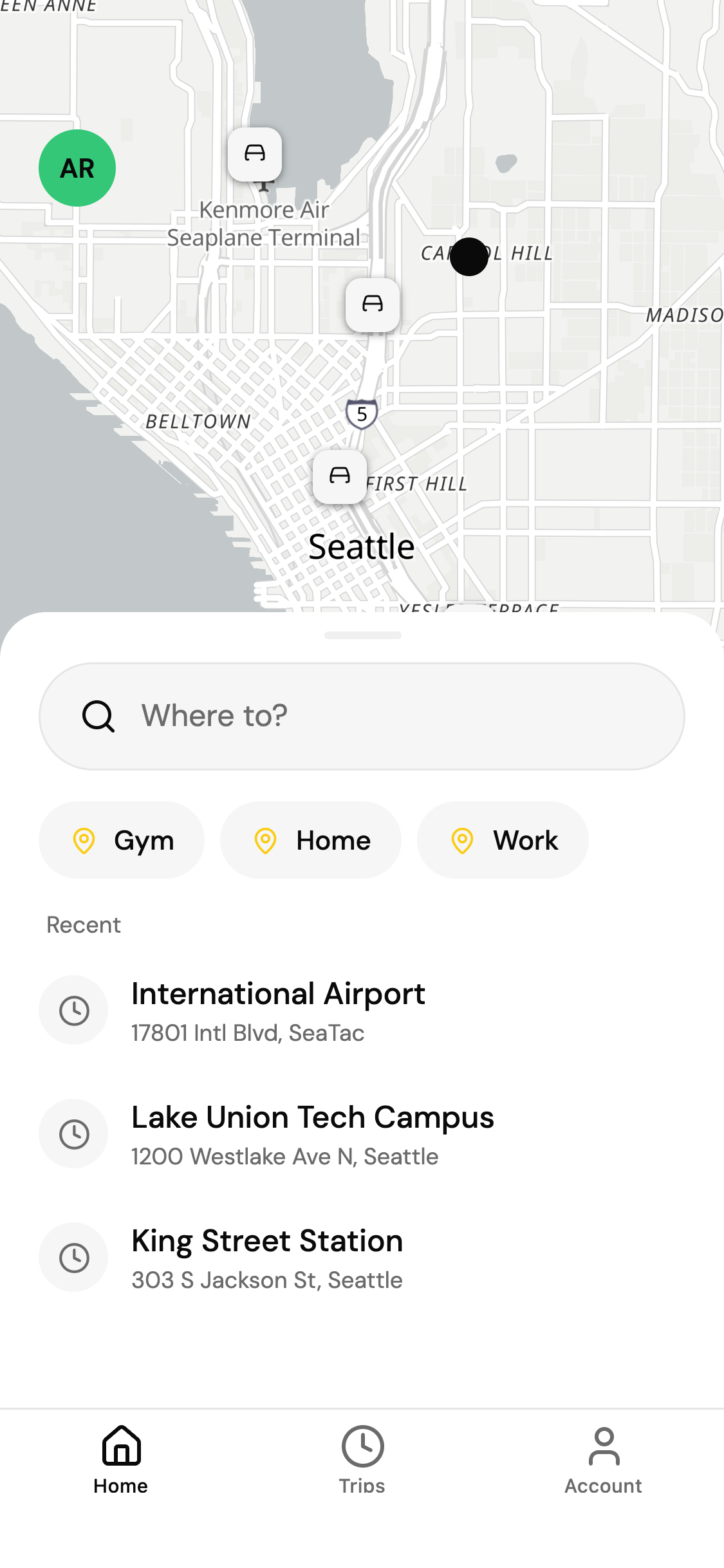
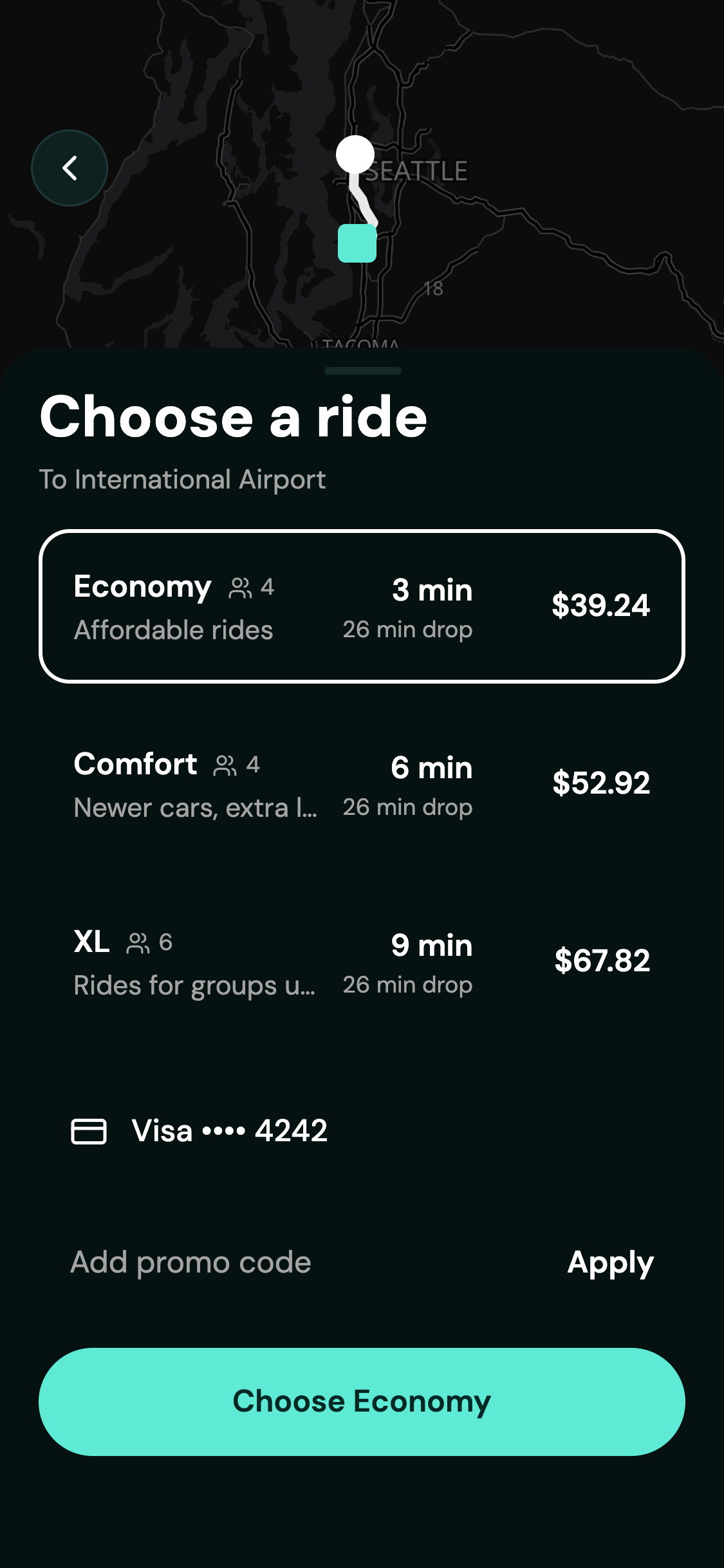
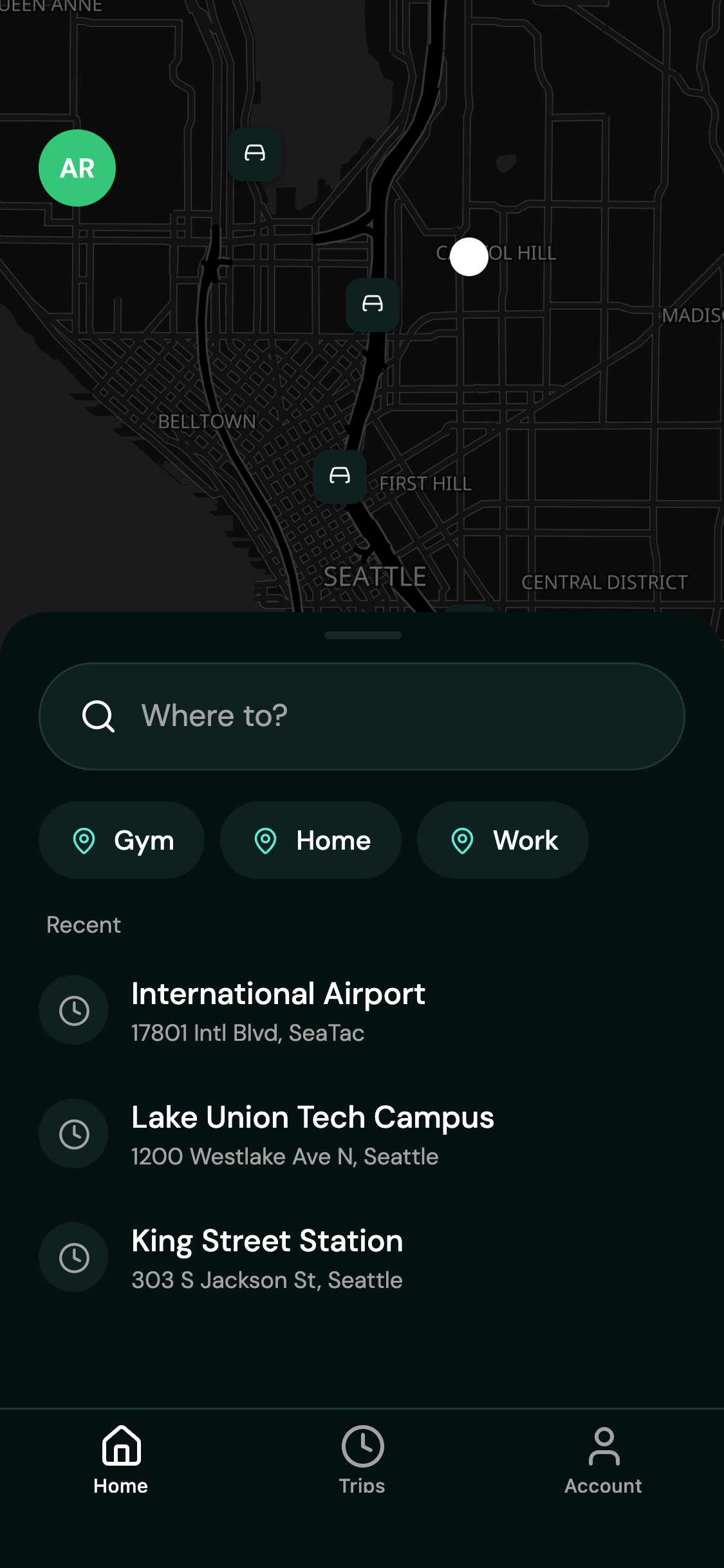
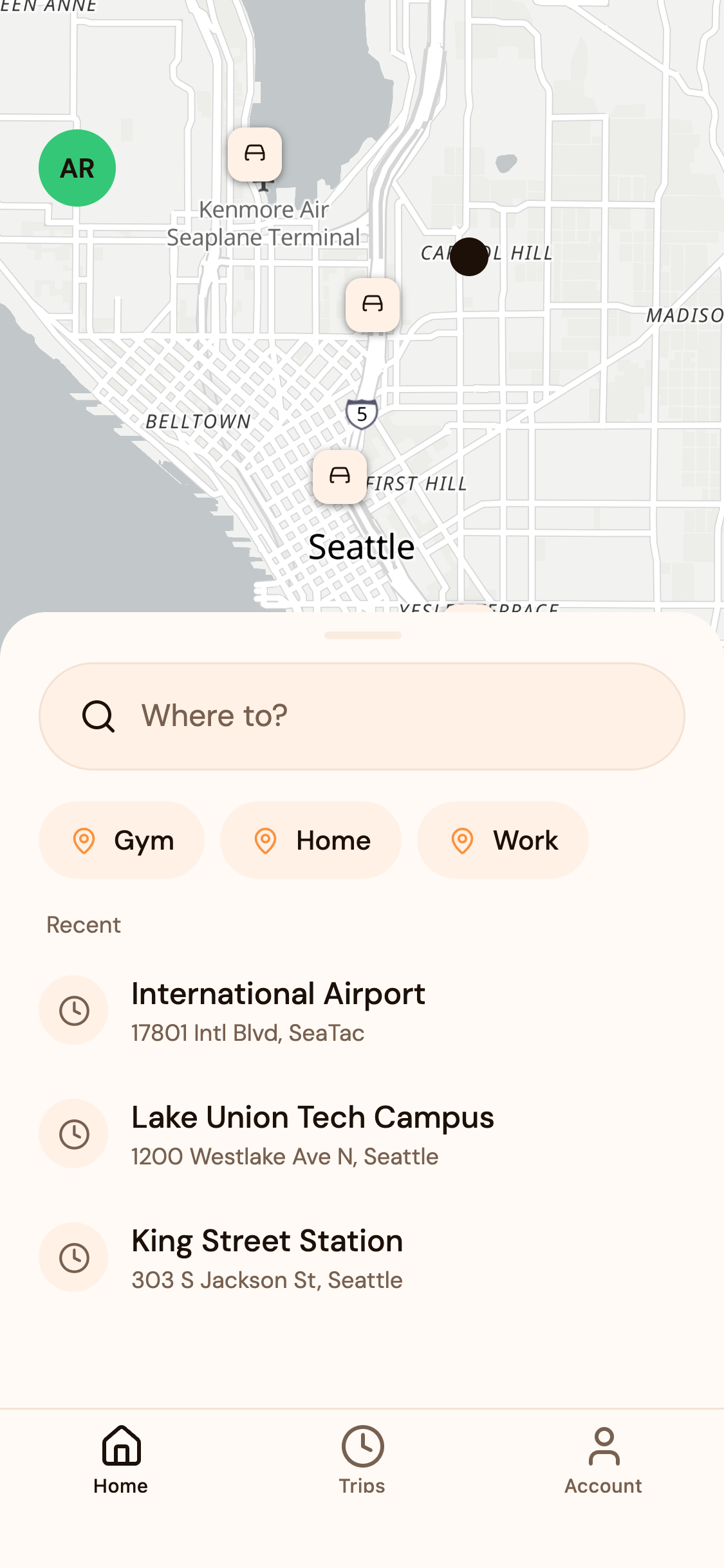
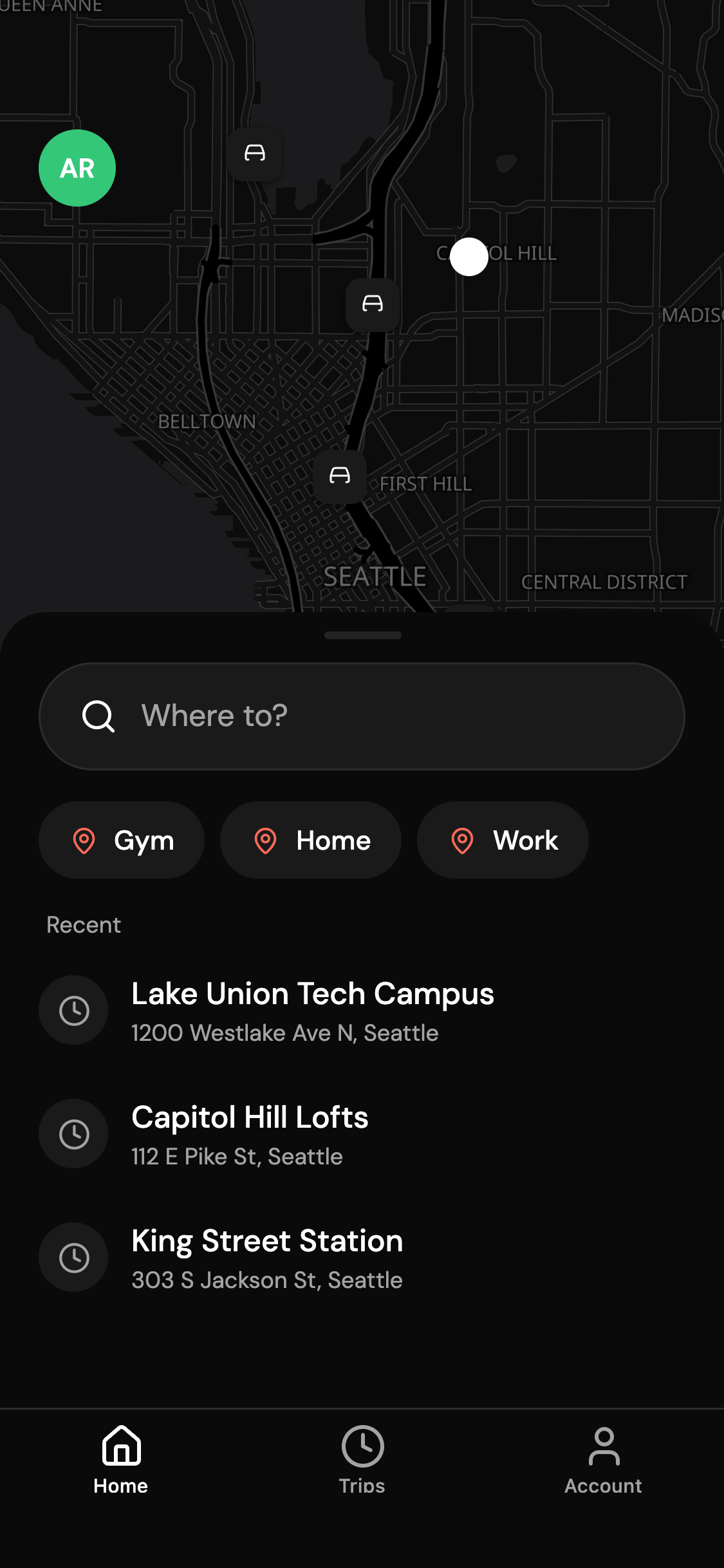
"Where to?" search with saved and recent places, a real map with the road route, and two taps to a car.
Upfront fares
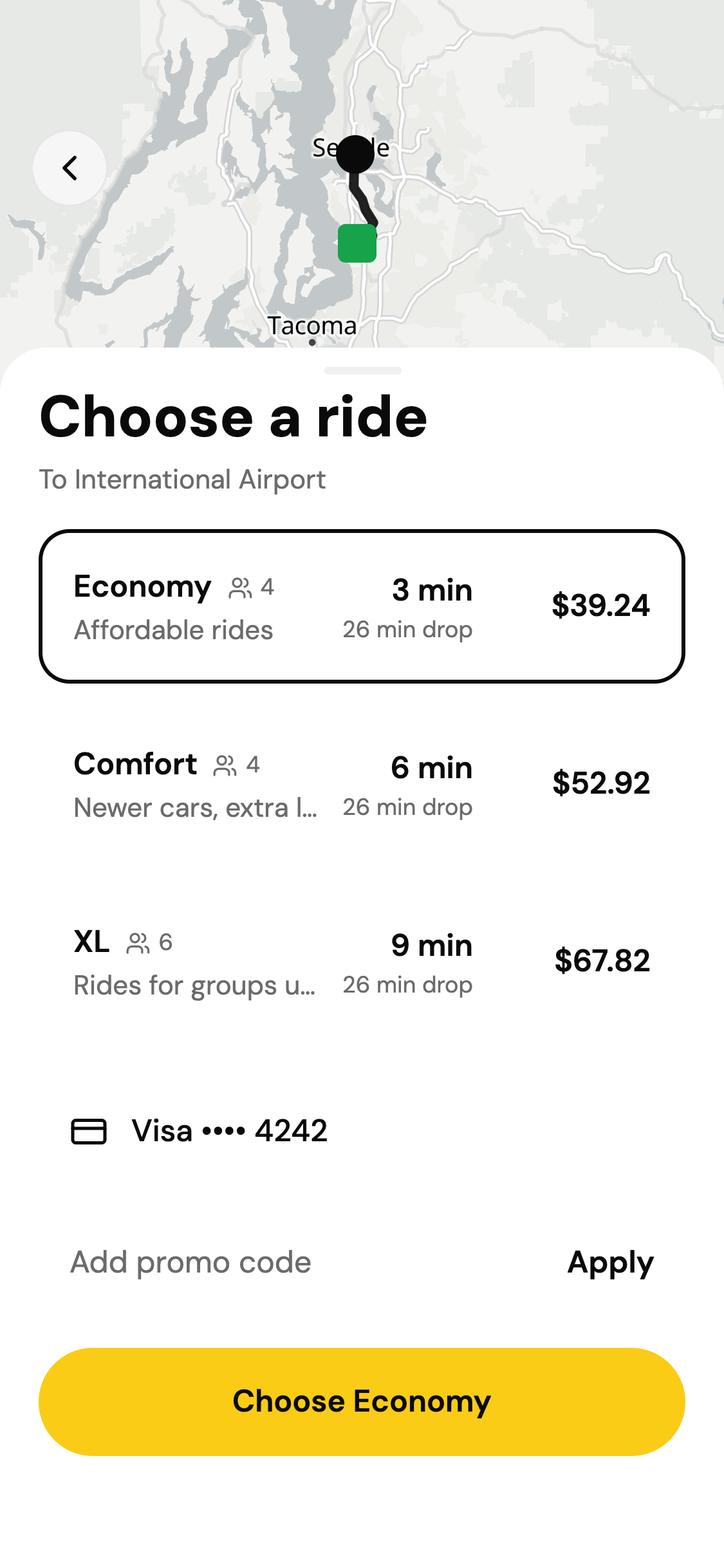
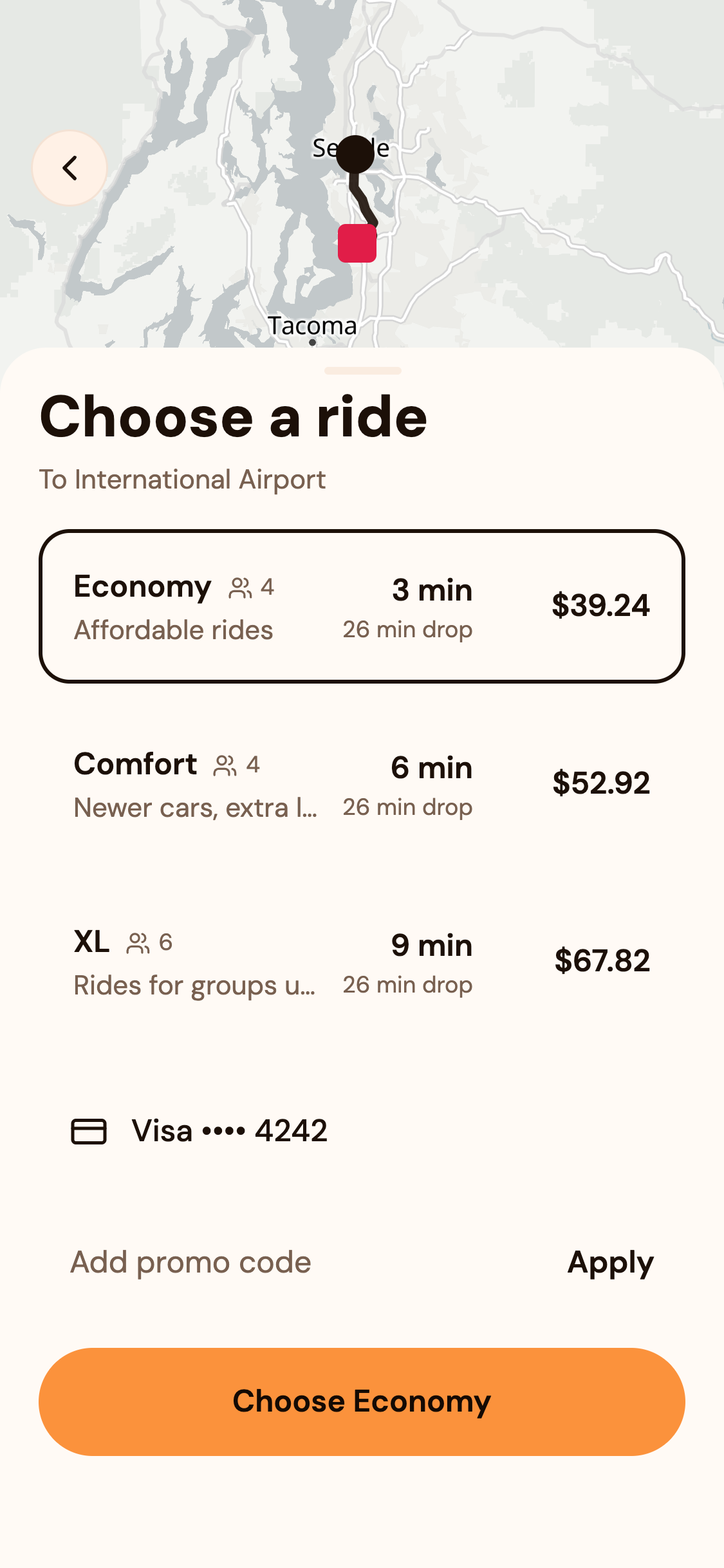
Economy, Comfort and XL quoted before you book, with the nearest driver's ETA, busy-zone surge and promo savings.
Live trip tracking
Finding your ride, driver arriving, driver here and on trip, with the driver's car, plate and rating, and the car moving on the map.
Ratings and tips
Rate the driver with stars and compliments, add a tip, and get a full receipt with the fare breakdown.
Trip history
Every past ride with its route, fare and status, each opening its receipt or the live trip.
Driver requests
Go online, take an incoming request with a 15 second countdown, accept or decline, then navigate, arrive, start and complete.
Driver earnings
This week and today after the service fee, a 7-day chart, per-trip earnings, ratings and the vehicle's documents.
Admin dashboard
Live fleet map, rides and bookings today, pending approvals, every trip, rider and driver with their detail.
Fares and zones
Per vehicle type pricing and busy zones with surge multipliers, drawn on the map and used by every quote.
Customize with prompts
Make it yours in one sentence
Pick what to change first. Your copy opens in the editor and the AI starts right away, changing this app in place.
Make it yours
You get your own copy of Ride-hailing app. Tell the AI what to change first.
Themes and icons
Your look, before the first prompt
Pick a theme and an app icon. Your copy is made in them: no prompt, no credits.
Theme
App icon
Your copy starts in this look. It is one theme file, so every screen changes together, and you can keep adjusting it with prompts.
One prompt later
“Call it Kerb, make the main buttons and brand colour coral, and add a note for the driver when booking a ride”
A real run on this template. One turn renamed the app, recoloured every screen and added the field to the database.
Workflows
What people can already do in it
Pick one to walk through its steps on the screen it happens on.
Book a ride
Under the hood
A real full-stack app, not a mockup
For the technical side: how it is built, the database, the code itself and the stack.
The editor writes a real app. The app talks to its own Supabase backend, and the same code runs on phones and the web.
RapidNative editor
The AI writes the code, schema and sample data
Your app
Expo SDK 57, React Native, 33 screens
Supabase backend
Supabase: Postgres (12 tables, 34 access rules), auth, storage, API routes
Runs on
iOS, Android and the web
12 tables, linked the way the app works. Riders read and write their own rides, cards, places and tickets; approved drivers read open requests and their assigned rides; admins read and write everything; nobody changes their own role or admin flag.
profiles
15 sample rows
places
16 sample rows
vehicle_types
3 sample rows
drivers
10 sample rows
driver_documents
4 sample rows
zones
3 sample rows
promotions
3 sample rows
payment_methods
4 sample rows
saved_places
3 sample rows
rides
29 sample rows
ride_declines
empty
support_tickets
1 sample rows
Slices of this template's own files. Your copy is a standard Expo project: change it in the editor, by prompt or by hand, or, on a paid plan, download it and keep going in your own editor.
21export function useProfile() {
22  const { client } = useApp();
23  const { user, isAuthenticated } = useAuth();
24  const id = user?.id ?? null;
25
26  return useQuery({
27    queryKey: profileKeys.byId(id ?? 'anon'),
28    queryFn: async () => {
29      if (!id) return null;
30      const { data, error } = await client
31        .from('profiles')
32        .select('id, full_name, phone, role, is_admin, avatar_color, rating, created_at')
33        .eq('id', id)
34        .maybeSingle();
35      if (error) throw error;
36      return (data as Profile) ?? null;
37    },
38    enabled: !!isAuthenticated && !!id,
39  });
40}2create policy payment_methods_admin_select on payment_methods for select using (is_admin());46export const lightTheme = vars({
47 "--radius": "16",
48
49 "--background": "255 255 255",
50 "--foreground": "0 0 0",
51
52 "--card": "246 246 246",
53 "--card-foreground": "0 0 0",
54
55 "--popover": "255 255 255",
56 "--popover-foreground": "0 0 0",
57
58 "--primary": "0 0 0",
59 "--primary-foreground": "255 255 255",
60
61 "--secondary": "246 246 246",
62 "--secondary-foreground": "0 0 0",
63
64 "--muted": "240 240 240",
65 "--muted-foreground": "107 107 107",
66
67 "--accent": "22 163 74",
68 "--accent-foreground": "255 255 255",
69
70 "--destructive": "239 68 68",
71
72 "--border": "230 230 230",
73 "--input": "230 230 230",
74 "--ring": "0 0 0",
75
76 "--chart-1": "0 0 0",
77 "--chart-2": "22 163 74",
78 "--chart-3": "120 120 120",
79 "--chart-4": "180 180 180",Sample data: Seattle, with 16 invented places on real coordinates. Demo accounts (password rapidnative-demo): demo@rapidnative.com (Alex Rivera: rider, driver and admin, so every screen opens in the preview), rider@rapidnative.com (Priya Nair), driver@rapidnative.com (Sam Okafor), admin@rapidnative.com (Jordan Lee). 3 more riders, 8 more drivers (online, offline, pending and suspended) with vehicles and documents, 3 busy zones, 3 promo codes, payment methods, about 60 rides with fares, tips, ratings and comments, open requests and trips in progress. Good to know: GPS and live location: the rider's position is simulated (the Home saved place, or the nearest place to a fixed point) and the driver's car moves along the route by time ("Simulated GPS" on every map). Device location (expo-location) and real driver positions plug in at src/lib/currentLocation.ts and src/lib/simulateTrip.ts. Dispatch: requests reach drivers signed in on the driver side; when none is connected, "Demo controls · simulated driver" on the live trip plays the driver's part (src/lib/simulateDispatch.ts). In production, move status changes to a server function. Payments: cards store only brand and last 4 digits and nothing is charged. Stripe plugs in at the payment screen and the receipt. Calls, messages and trip sharing: buttons open a note that they are simulated. Twilio or a chat service plugs in there. Routing: the public OSRM demo server; use your own routing service (or Mapbox Directions) in production. Notifications: none are sent; trip status refreshes every few seconds.
- Framework
- Expo SDK 57, React Native 0.86.3
- Navigation
- Expo Router 57.0.18, file-based routes
- Data
- TanStack Query 5.90.16
- Styling
- NativeWind 4.2.1, one theme file
- Database
- Supabase (Postgres), row-level security on every table
- Auth
- Email and password
- Server code
- API routes in api/, deployed with the app
- Language
- TypeScript 6.0.3, strict
- Platforms
- iOS, Android, web
- Ownership
- A standard Expo project; download the full source on the Starter plan and up
Screens
Every screen, built and filled with data
33 routes: /account, /, /trips, /admin/driver/[id], /admin/drivers, /admin/fares, /admin, /admin/more, /admin/rider/[id], /admin/riders, /admin/trip/[id], /admin/trips, /admin/zones, /book, /confirm-pickup, /drive/[id], /driver/account, /driver/earnings, /driver, /driver/ratings, /driver/trip/[id], /driver/trips, /driver/vehicle, /help, /payment, /promotions, /rate/[id], /ride/[id], /saved-places, /search, /trip/[id], /login, /signup.
Scan with your phone
On your phone
Try it on your phone first
This is the template itself, running live. Scan the code and it opens in Expo Go, the same way your own copy will.
Install Expo Go
Free on the App Store and Google Play.
Scan the code
With the Camera app on iPhone, or from Expo Go on Android.
Use the app
Sign in with the demo account and try every workflow on a real phone.
How it works
From template to the App Store
- Step 1
Use the template
You get your own copy in your account, running in the editor with its data.
- Step 2
Tell the AI what to change
Rename it, restyle it, add features. It edits this app; it does not start over.
- Step 3
Run it and ship it
Open it on your phone with a QR code, then publish to the App Store and Google Play.
Questions
Before you start
Is the template free?+
Do I own the code?+
Can I publish it to the App Store and Google Play?+
What is mocked?+
Can I use my own backend?+
Is this affiliated with Uber?+
Your app, already started
Free to start. Your copy, your name, your brand, and the AI ready to change any of it.
Not affiliated with or endorsed by Uber. Uber is a trademark of its owner.