Expense splitting app
like Splitwise
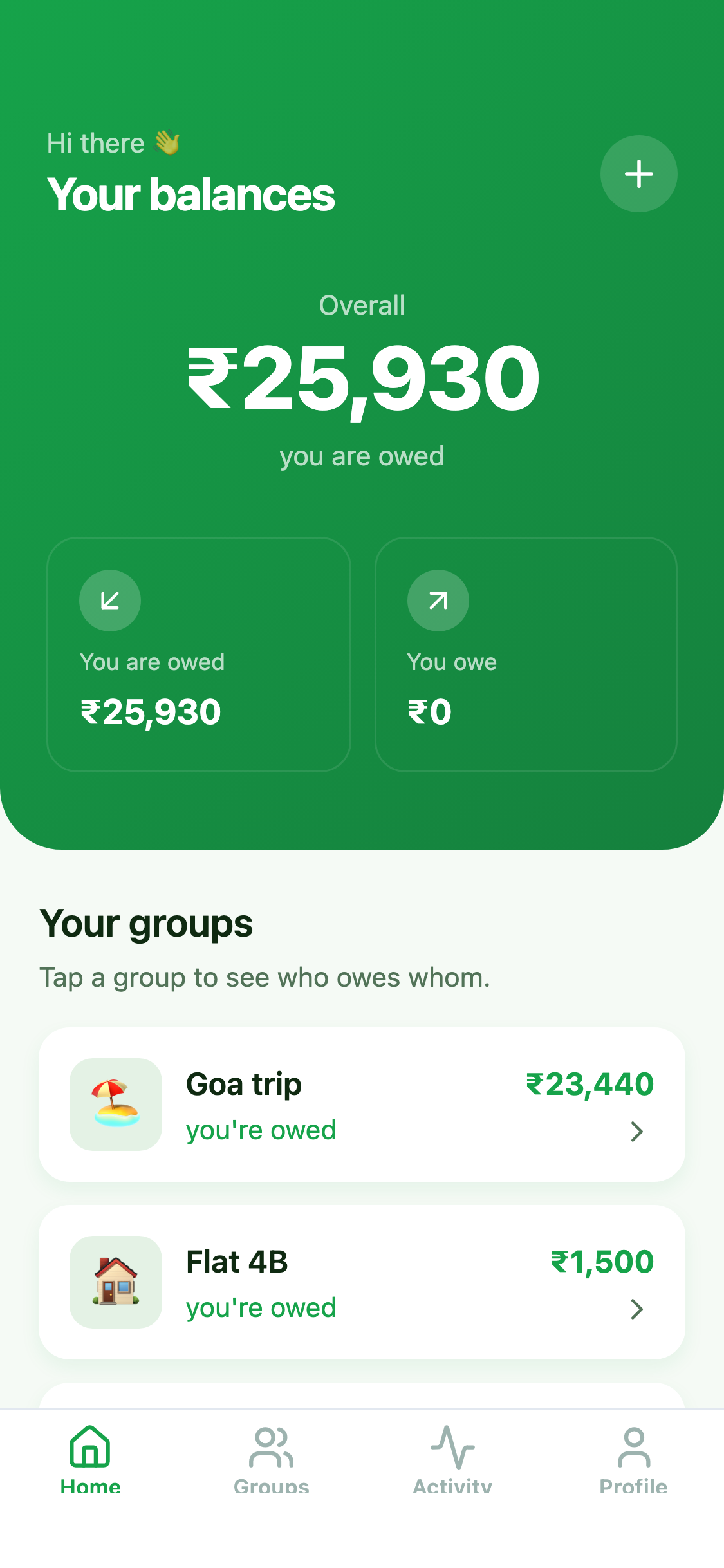
Groups, shared expenses, who owes whom, and settle up. Seeded with a Goa trip, a flat and Friday dinners.
- Free template
- Expo and Supabase
- iOS, Android, web
- Your own copy of the code
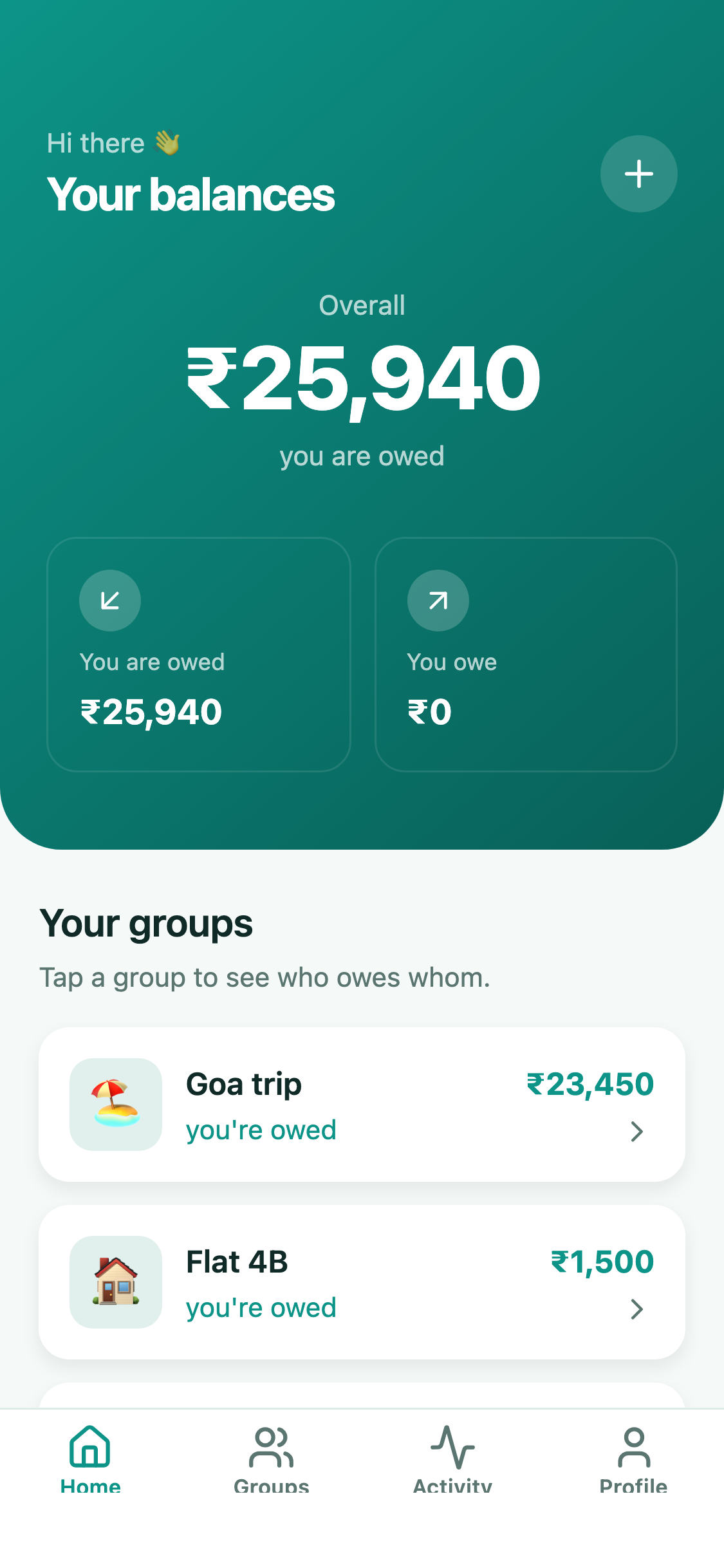
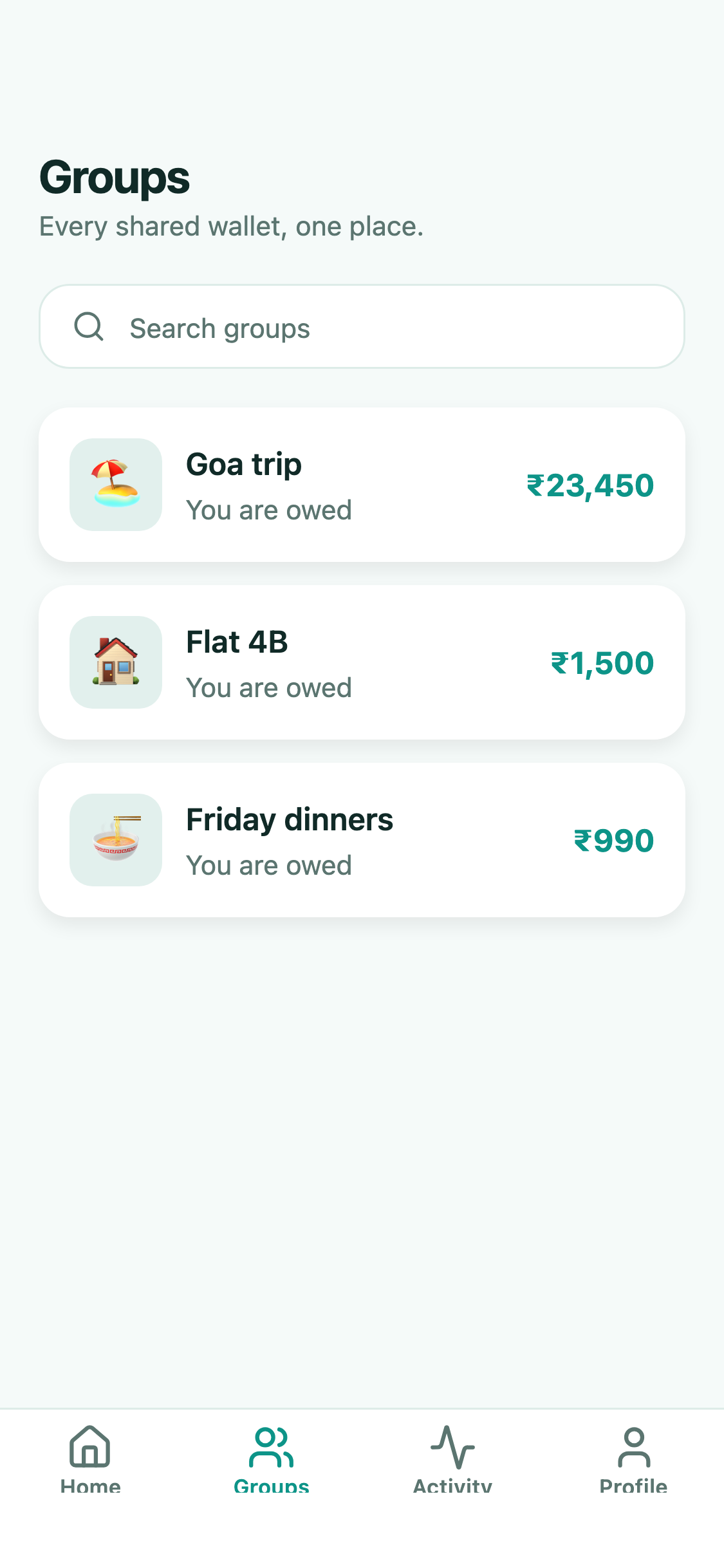
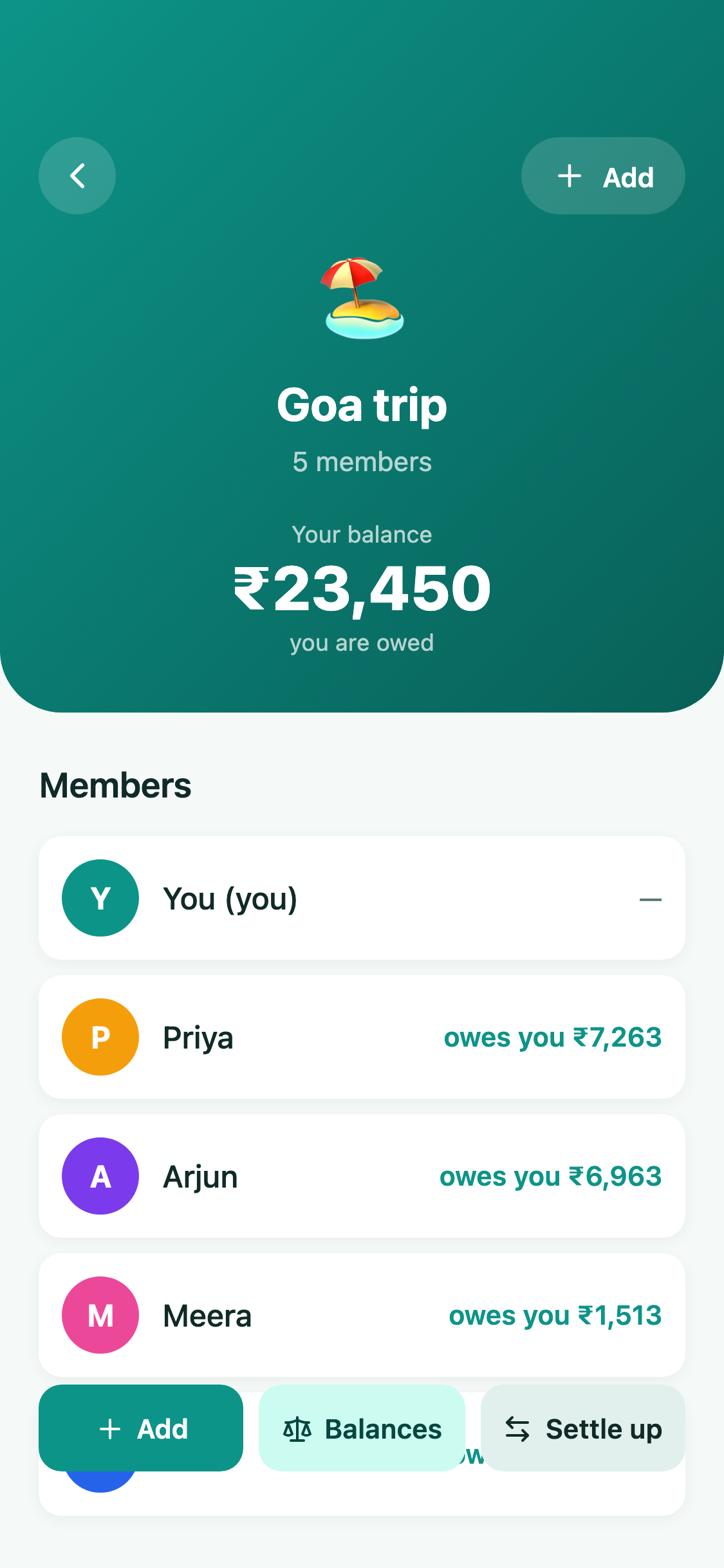
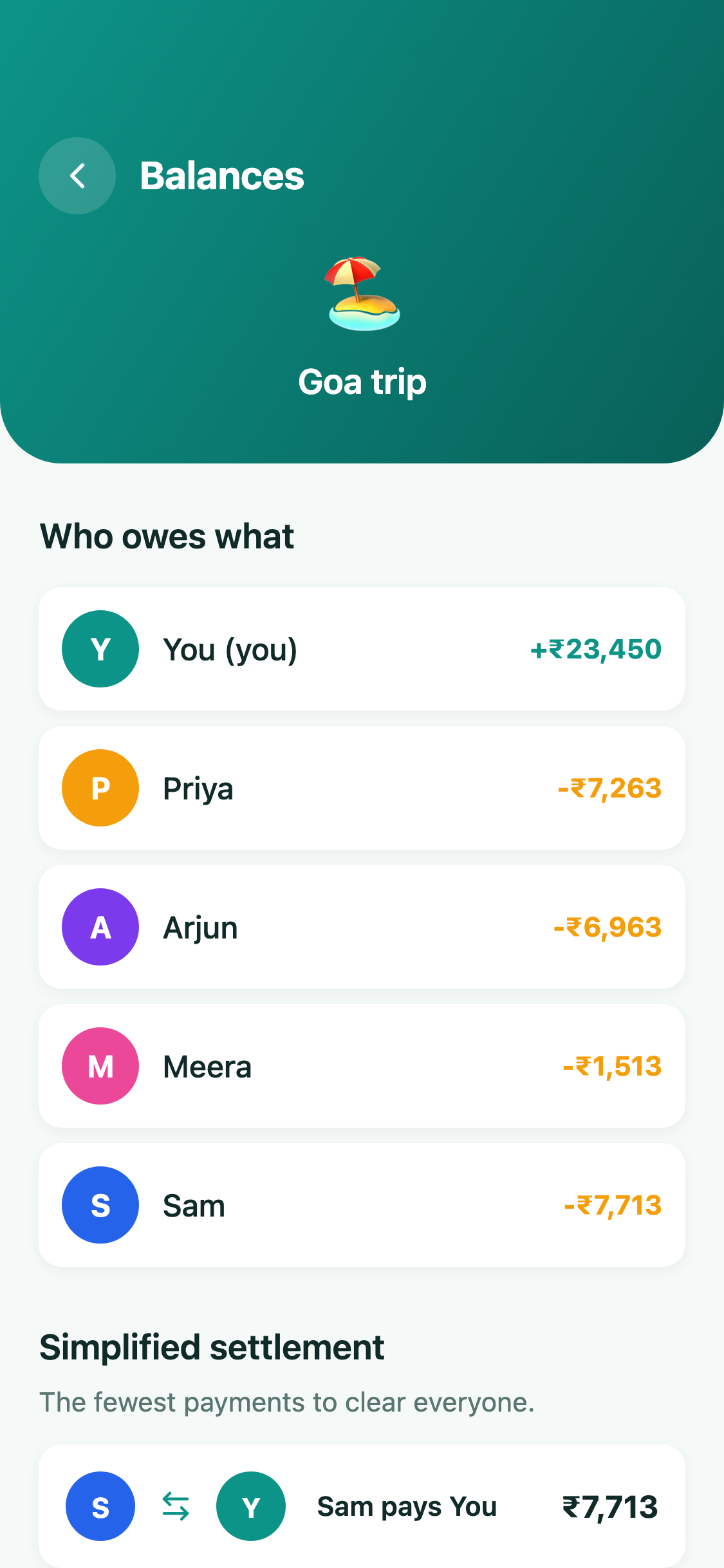
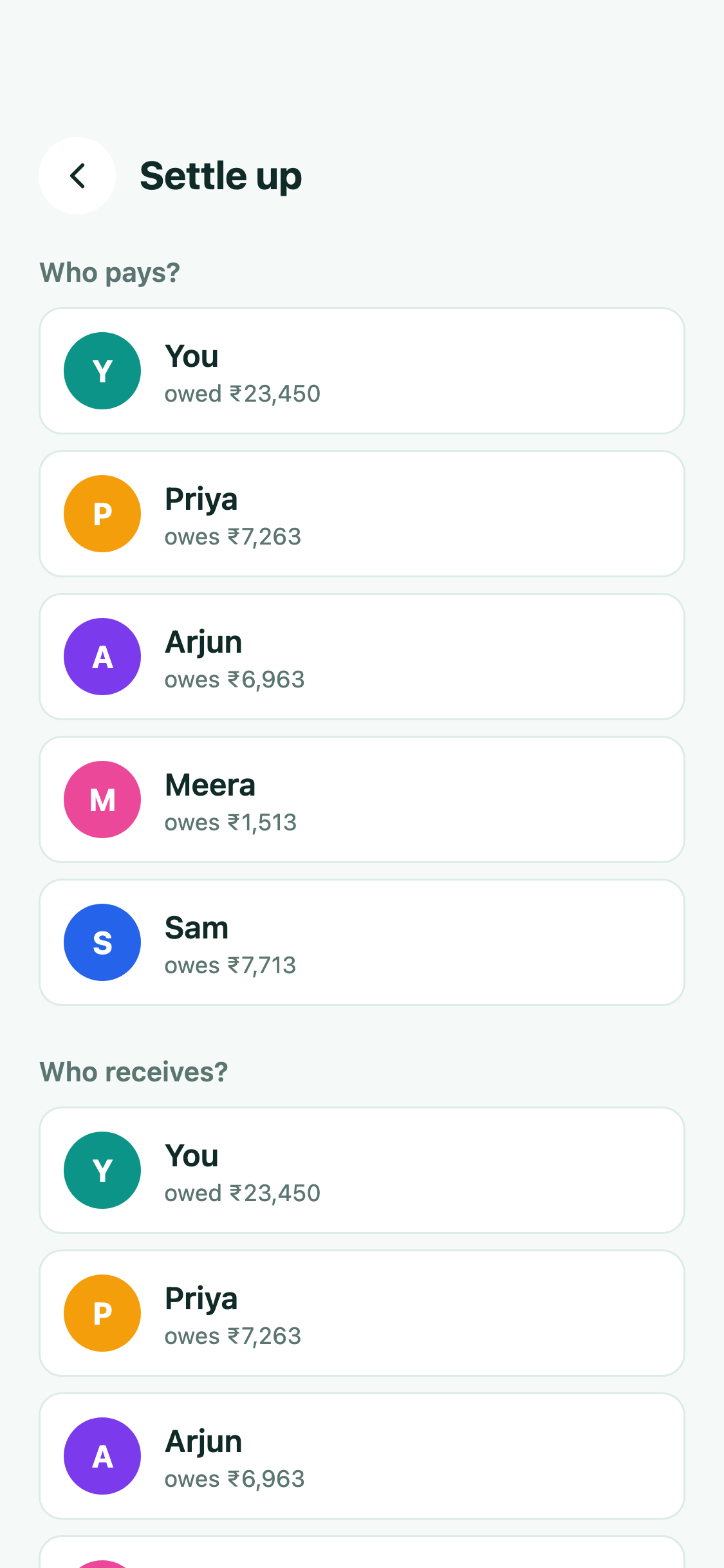
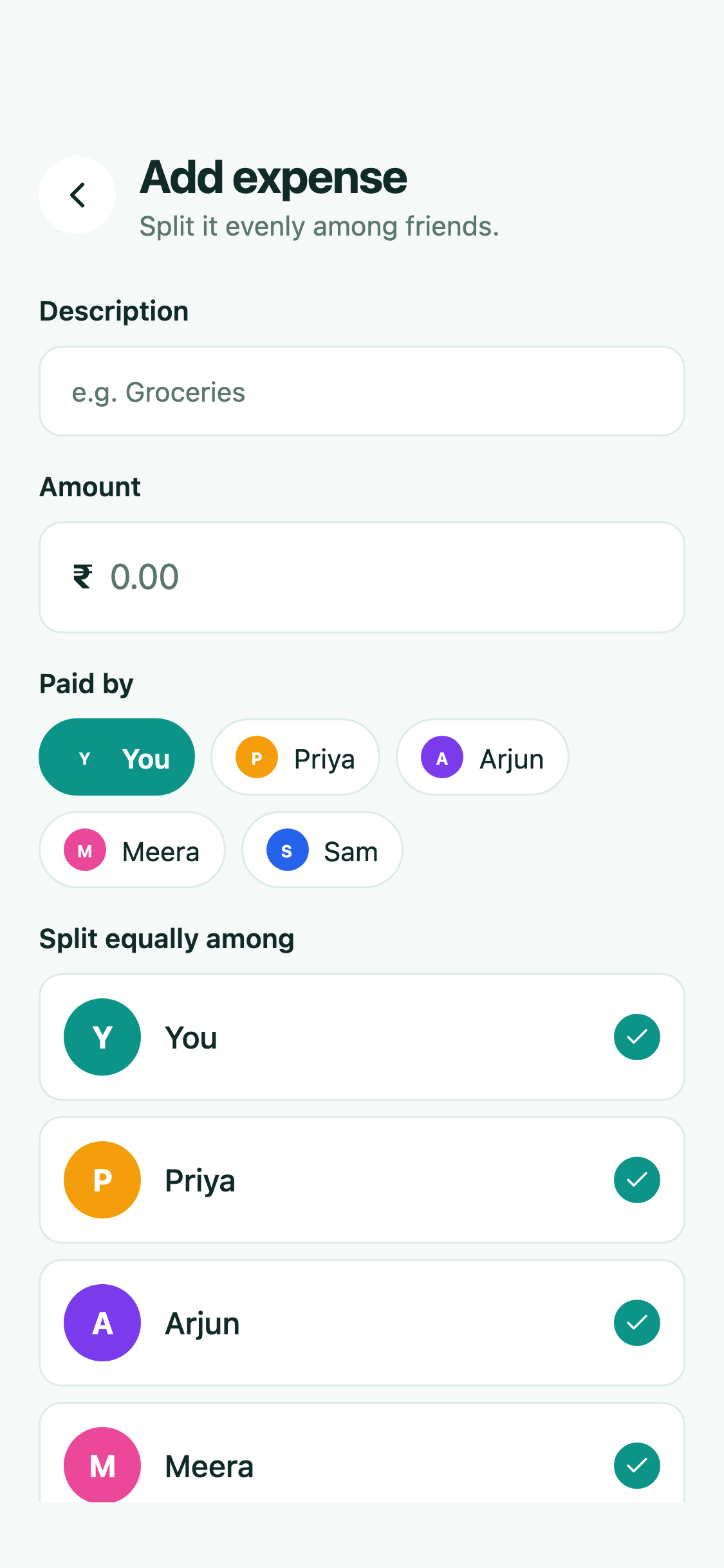
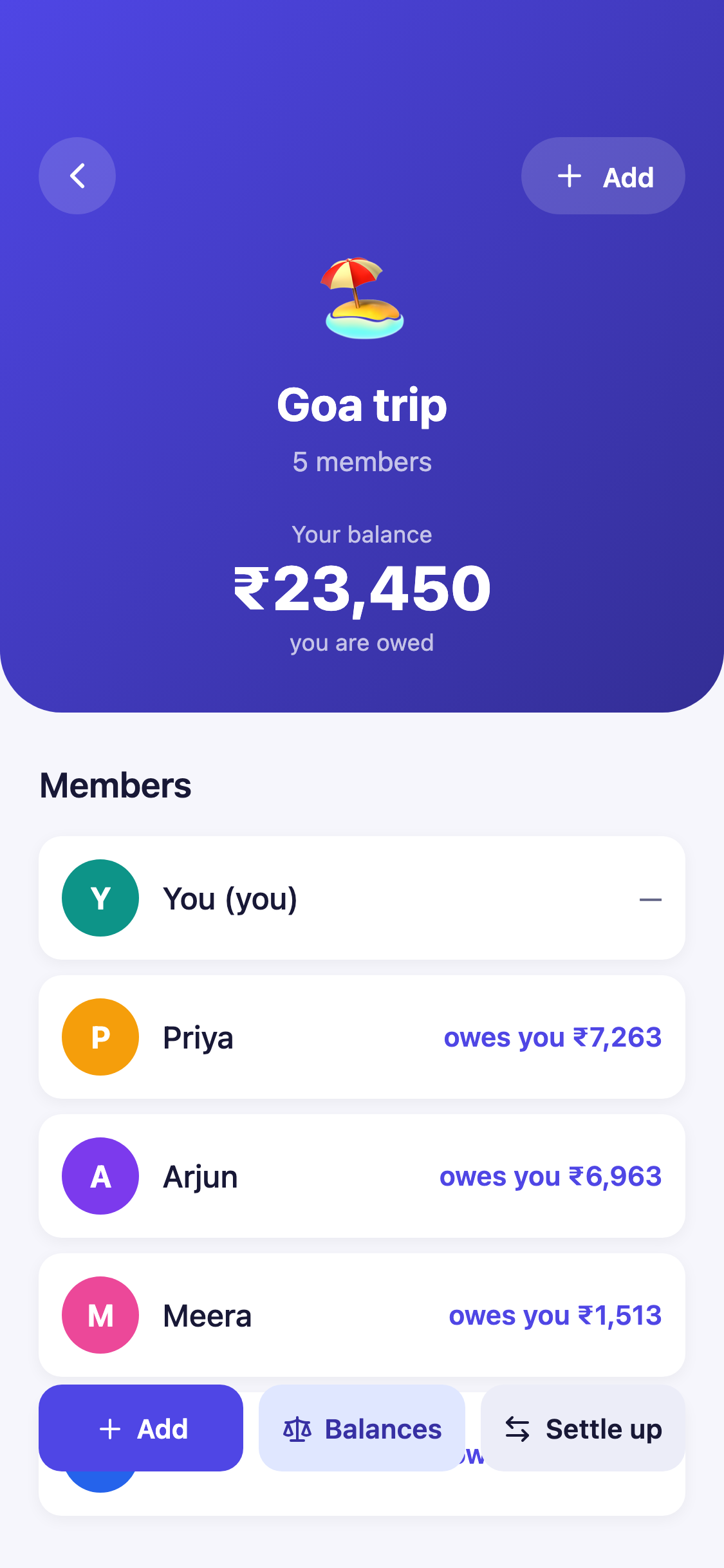
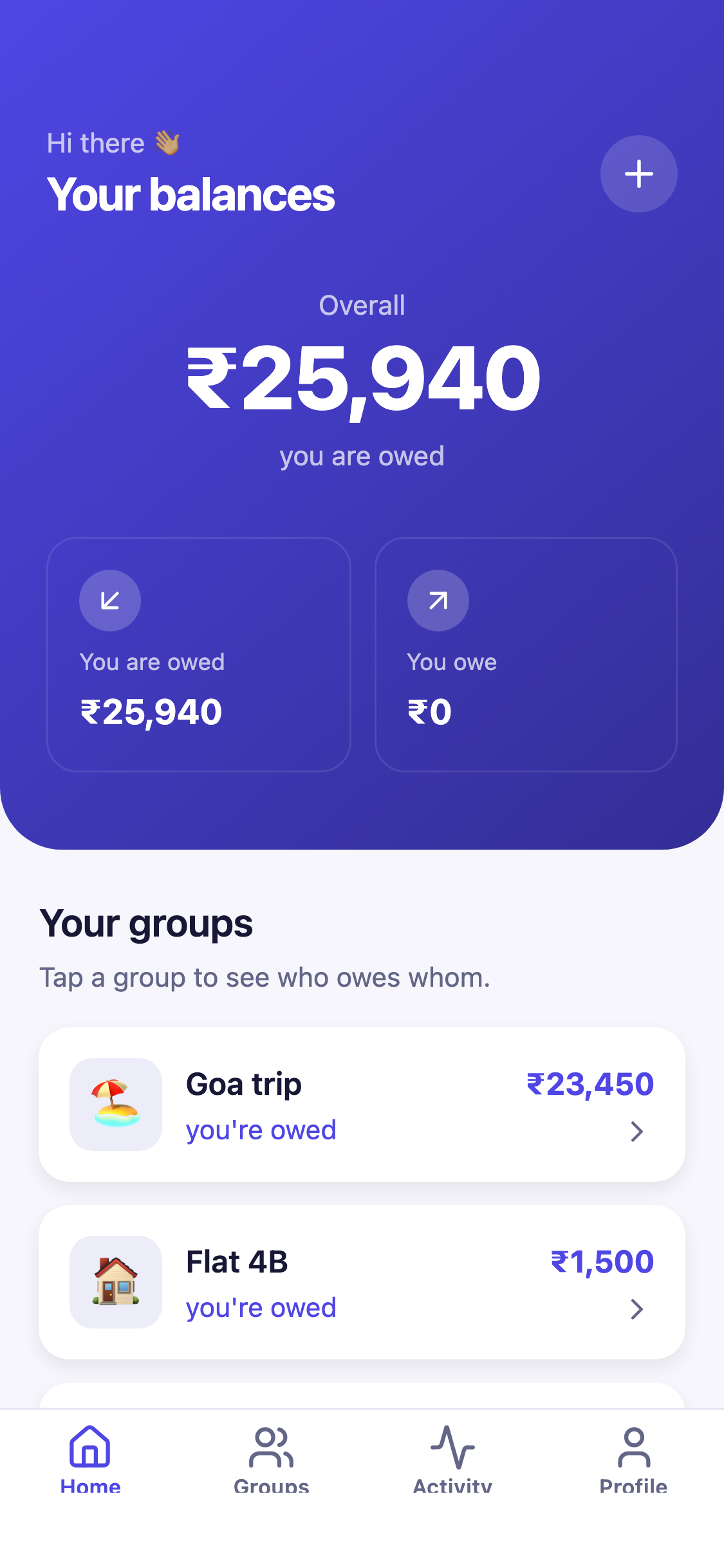
Screens built and filled with data
Workflows end to end
- Add an expense
- See who owes whom
- Settle up
- Track activity
Tables already designed
Access rules on every table
A member reads and writes only rows of groups they belong to.
Supabase row-level security
Sample rows so no screen starts empty
- expense_splits75
- group_members15
- expenses15
- profiles5
- groups3
Features
Everything the app does, on day one
Groups for anything
Trips, flats, dinners, each with its own members, expenses and balances.
Equal splits
Pick who paid and who shares; each share is computed to the paisa.
Live balances
Per group and overall, who owes you and whom you owe.
Simplified settlement
The fewest payments that clear everyone in a group.
Settle up
Record who paid whom, and every balance updates.
Activity feed
Every expense and settlement across your groups, newest first.
Accounts and privacy
Email sign-up and sign-in; people see only the groups they belong to.
Customize with prompts
Make it yours in one sentence
Pick what to change first. Your copy opens in the editor and the AI starts right away, changing this app in place.
Make it yours
You get your own copy of Expense splitting app. Tell the AI what to change first.
Themes and icons
Your look, before the first prompt
Pick a theme and an app icon. Your copy is made in them: no prompt, no credits.
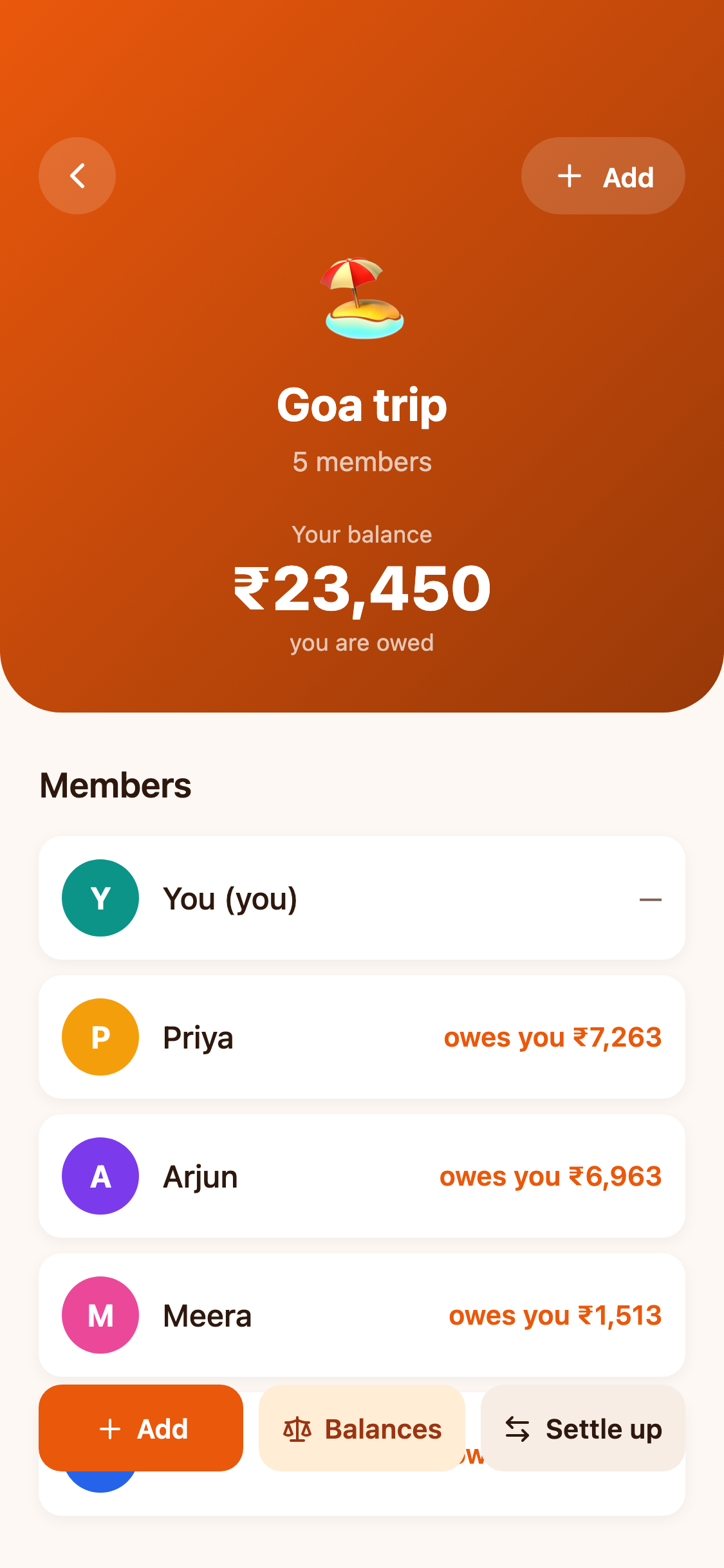
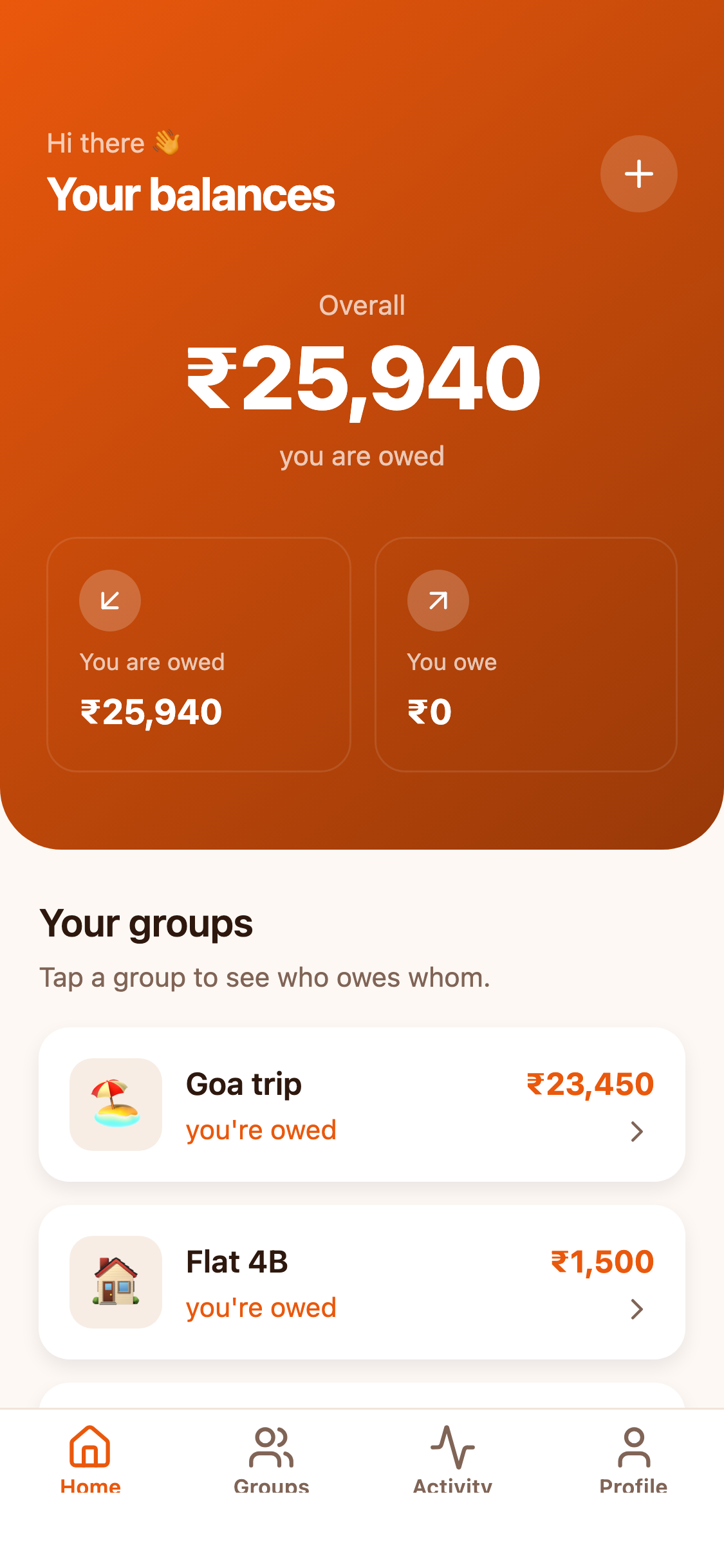
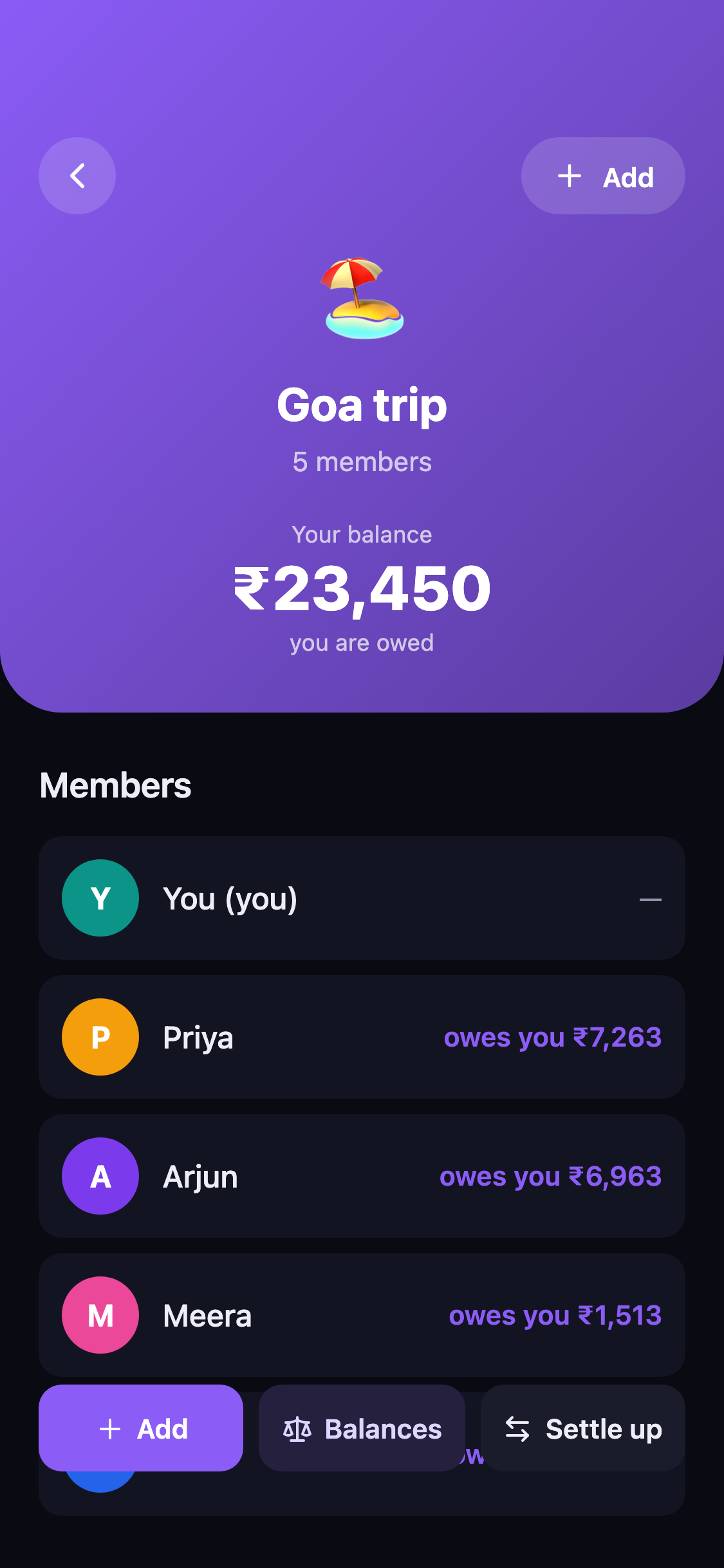
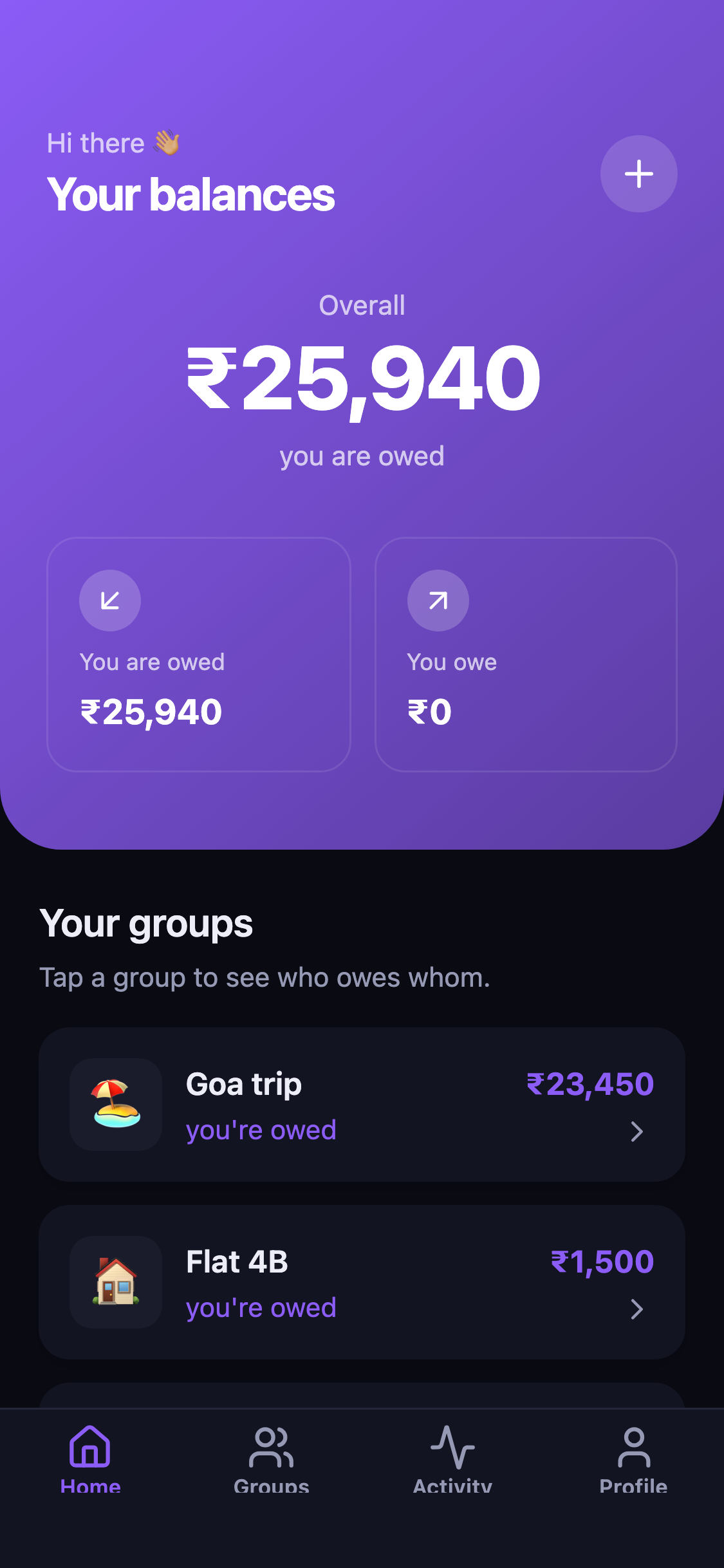
Theme
App icon
Your copy starts in this look. It is one theme file, so every screen changes together, and you can keep adjusting it with prompts.
One prompt later
“Call it SplitPal, make the brand colour green, and add a note field to expenses”
A real run on this template. One turn renamed the app, recoloured every screen and added the field to the database.
Workflows
What people can already do in it
Pick one to walk through its steps on the screen it happens on.
Add an expense
Under the hood
A real full-stack app, not a mockup
For the technical side: how it is built, the database, the code itself and the stack.
The editor writes a real app. The app talks to its own Supabase backend, and the same code runs on phones and the web.
RapidNative editor
The AI writes the code, schema and sample data
Your app
Expo SDK 57, React Native, 10 screens
Supabase backend
Supabase: Postgres (6 tables, 18 access rules), auth, storage, API routes
Runs on
iOS, Android and the web
6 tables, linked the way the app works. A member reads and writes only rows of groups they belong to.
groups
3 sample rows
profiles
5 sample rows
group_members
15 sample rows
expenses
15 sample rows
expense_splits
75 sample rows
settlements
2 sample rows
Slices of this template's own files. Your copy is a standard Expo project: change it in the editor, by prompt or by hand, or, on a paid plan, download it and keep going in your own editor.
18export default function HomeScreen() {
19  const primary = useThemeColor('--primary');
20  const primaryDeep = useThemeColor('--primary', { shade: -0.35 });
21  const accent = useThemeColor('--accent');
22  const mutedFg = useThemeColor('--muted-foreground');
23  const { client } = useApp();
24  const { user } = useAuth();
25
26  const groupsQ = useQuery({
27    queryKey: ['groups', user?.id],
28    queryFn: async () => {
29      const { data, error } = await client.from('groups').select('*').order('created_at');
30      if (error) throw error;
31      return data ?? [];
32    },
33    enabled: !!user,
34  });
35
36  const expensesQ = useQuery({
37    queryKey: ['expenses', user?.id],
38    queryFn: async () => {
39      const { data, error } = await client.from('expenses').select('*').order('created_at', { ascending: false });
40      if (error) throw error;
41      return data ?? [];
42    },
43    enabled: !!user,
44  });
45
46  const splitsQ = useQuery({
47    queryKey: ['expense-splits', user?.id],
48    queryFn: async () => {
49      const { data, error } = await client.from('expense_splits').select('*');
50      if (error) throw error;
51 return data ?? [];41export function computeNetBalance(
42 userId: string,
43 expenses: Expense[],
44 splits: ExpenseSplit[],
45 settlements: Settlement[],
46): number {
47 let net = 0;
48 for (const e of expenses) {
49 if (e.paid_by === userId) net += e.amount_cents;
50 for (const s of splits) {
51 if (s.expense_id === e.id && s.user_id === userId) {
52 net -= s.share_cents;
53 }
54 }
55 }
56 for (const st of settlements) {
57 if (st.from_user === userId) net -= st.amount_cents;
58 if (st.to_user === userId) net += st.amount_cents;
59 }
60 return net;
61}
62
63export function useAllBalances(
64 groups: Group[] | undefined,
65 expenses: Expense[] | undefined,
66 splits: ExpenseSplit[] | undefined,
67 settlements: Settlement[] | undefined,
68) {
69 const { user } = useAuth();
70 return useMemo(() => {
71 if (!groups || !expenses || !splits || !settlements || !user) {
72 return { groupBalances: new Map<string, number>(), totalOwed: 0, totalOwes: 0 };
73 }
74 const groupBalances = new Map<string, number>();6create or replace function public.is_group_member(gid text)
7returns boolean
8language sql
9stable
10security definer
11set search_path = public
12as $$
13 select exists (
14 select 1 from group_members
15 where group_members.user_id = auth.uid()
16 and group_members.group_id = gid
17 );
18$$;
19
20-- ============================================================
21-- group_members
22-- ============================================================
23drop policy if exists group_members_select on group_members;
24create policy group_members_select on group_members
25 for select using (
26 user_id = auth.uid() or is_group_member(group_id)
27 );
28
29drop policy if exists group_members_insert on group_members;
30create policy group_members_insert on group_members
31 for insert with check (
32 user_id = auth.uid() or is_group_member(group_id)
33 );
34
35drop policy if exists group_members_delete on group_members;
36create policy group_members_delete on group_members
37 for delete using (
38 user_id = auth.uid() or is_group_member(group_id)
39 );39export const lightTheme = vars({
40 "--radius": "16",
41
42 "--background": "245 250 249",
43 "--foreground": "16 42 39",
44
45 "--card": "255 255 255",
46 "--card-foreground": "16 42 39",
47
48 "--popover": "255 255 255",
49 "--popover-foreground": "16 42 39",
50
51 "--primary": "13 148 136",
52 "--primary-foreground": "255 255 255",
53
54 "--secondary": "204 251 241",
55 "--secondary-foreground": "6 70 63",
56
57 "--muted": "226 240 237",
58 "--muted-foreground": "91 117 112",
59
60 "--accent": "245 158 11",
61 "--accent-foreground": "66 42 2",
62
63 "--destructive": "220 38 38",
64
65 "--border": "221 236 232",
66 "--input": "221 236 232",
67 "--ring": "13 148 136",
68
69 "--chart-1": "13 148 136",
70 "--chart-2": "245 158 11",
71 "--chart-3": "124 58 237",
72 "--chart-4": "236 72 153",Sample data: Demo user (demo@rapidnative.com) plus 4 friends; 3 groups (Goa trip, Flat 4B, Friday dinners); 15+ expenses across them; 2 settlements, so every screen has data and balances are non-zero. Good to know: No payments: "Settle up" records a settlement, it moves no money. Real payments (Stripe, UPI) plug in at the settle-up screen.
- Framework
- Expo SDK 57, React Native 0.86.3
- Navigation
- Expo Router 57.0.18, file-based routes
- Data
- TanStack Query 5.90.16
- Styling
- NativeWind 4.2.1, one theme file
- Database
- Supabase (Postgres), row-level security on every table
- Auth
- Email and password
- Server code
- API routes in api/, deployed with the app
- Language
- TypeScript 6.0.3, strict
- Platforms
- iOS, Android, web
- Ownership
- A standard Expo project; download the full source on the Starter plan and up
Screens
Every screen, built and filled with data
10 routes: /activity, /groups, /, /profile, /add-expense/[groupId], /balances/[groupId], /group/[id], /settle-up/[groupId], /login, /signup.
How it works
From template to the App Store
- Step 1
Use the template
You get your own copy in your account, running in the editor with its data.
- Step 2
Tell the AI what to change
Rename it, restyle it, add features. It edits this app; it does not start over.
- Step 3
Run it and ship it
Open it on your phone with a QR code, then publish to the App Store and Google Play.
Questions
Before you start
Is the template free?+
Do I own the code?+
Can I publish it to the App Store and Google Play?+
What is mocked?+
Can I use my own backend?+
Is this affiliated with Splitwise?+
Your app, already started
Free to start. Your copy, your name, your brand, and the AI ready to change any of it.
Not affiliated with or endorsed by Splitwise. Splitwise is a trademark of its owner.