A Practical Guide to Using AI in Your JavaScript App
Discover how to implement AI in JS. This guide covers TensorFlow.js, browser vs. server models, API integration, and real-world app examples.
By Sanket Sahu
7th Feb 2026
Last updated: 7th Feb 2026
When we talk about AI in JS, we're talking about running artificial intelligence models right inside a JavaScript environment. This could be a user's web browser, a Node.js server, or even a mobile app built with a framework like React Native.
This approach brings powerful features like image recognition, natural language processing, and predictive analytics directly into the apps your team is building, often without needing a dedicated Python backend. It's a huge shift that lets your JavaScript developers build much smarter, more dynamic user experiences. For founders, PMs, and designers, it means that features that once seemed out of reach are now practical additions to your product roadmap.
Why AI in JavaScript Is a Game Changer for Product Teams
For a long time, the AI and web/mobile development worlds were pretty separate. AI was the domain of Python, data scientists, and powerful servers. JavaScript was busy running the user interfaces we all know. Bringing AI into the JavaScript ecosystem finally closes that gap, creating a powerful new combination for building mobile products.
Think of it as giving your app a brand-new set of senses. Before, it could only react to simple user inputs like clicks and taps. With AI, it can now see through image recognition, understand language, and even predict what a user might do next. This isn't just a small tweak; it unlocks entirely new product possibilities that used to be incredibly complex and expensive to implement.
The Power of On-Device AI
One of the biggest wins is running AI models directly on the user's device, or "client-side." This has some massive benefits for any mobile product team.
- Instantaneous Feedback: When the model runs in the app, there's zero network lag. This makes features like real-time object detection from a live camera feed or instant text analysis feel incredibly fluid and responsive. For a mobile user, this speed feels magical.
- Enhanced Privacy: User data never has to leave the device. This is a game-changer for apps that handle sensitive information, like medical records or private documents. It's a powerful way to build user trust from day one.
- Reduced Server Costs: By pushing the computation to the user's device, you don't need to pay for as many expensive, GPU-powered servers. This makes building AI-driven features much more accessible for startups and smaller teams.
Bridging the Talent Gap
While Python's popularity has surged with AI, JavaScript is still a powerhouse with approximately 28 million developers worldwide. The growth of AI in JS means this enormous community of web and mobile developers doesn't have to switch languages to start building intelligent apps.
The integration of AI into JavaScript is opening up new revenue streams and showing how small businesses are making money with AI. You can dig deeper into this industry shift by checking out recent software development trend reports.
By bringing machine learning models to the browser and mobile apps, we are giving millions of developers the tools to build a smarter, more responsive, and more private mobile experience.
This shift makes AI development a team sport. It allows product managers, designers, and developers to collaborate on smart features using the language and tools they already know. It’s about making AI a practical part of everyday app development, not a niche field for data scientists.
Where Should Your AI Model Live? Client-Side vs. Server-Side
When you decide to add AI to your JavaScript application, one of the first and most important decisions is: where will the model actually run? This isn't just a technical detail—it's a core product choice that will shape your app's performance, user privacy, cost, and overall feel.
You have two main paths: running the model on the client-side (right inside the user's browser or mobile app) or on the server-side (using a Node.js environment). Each route has clear benefits and trade-offs, making them suited for very different kinds of features.
This decision tree gives you a quick visual on how to think about getting started.
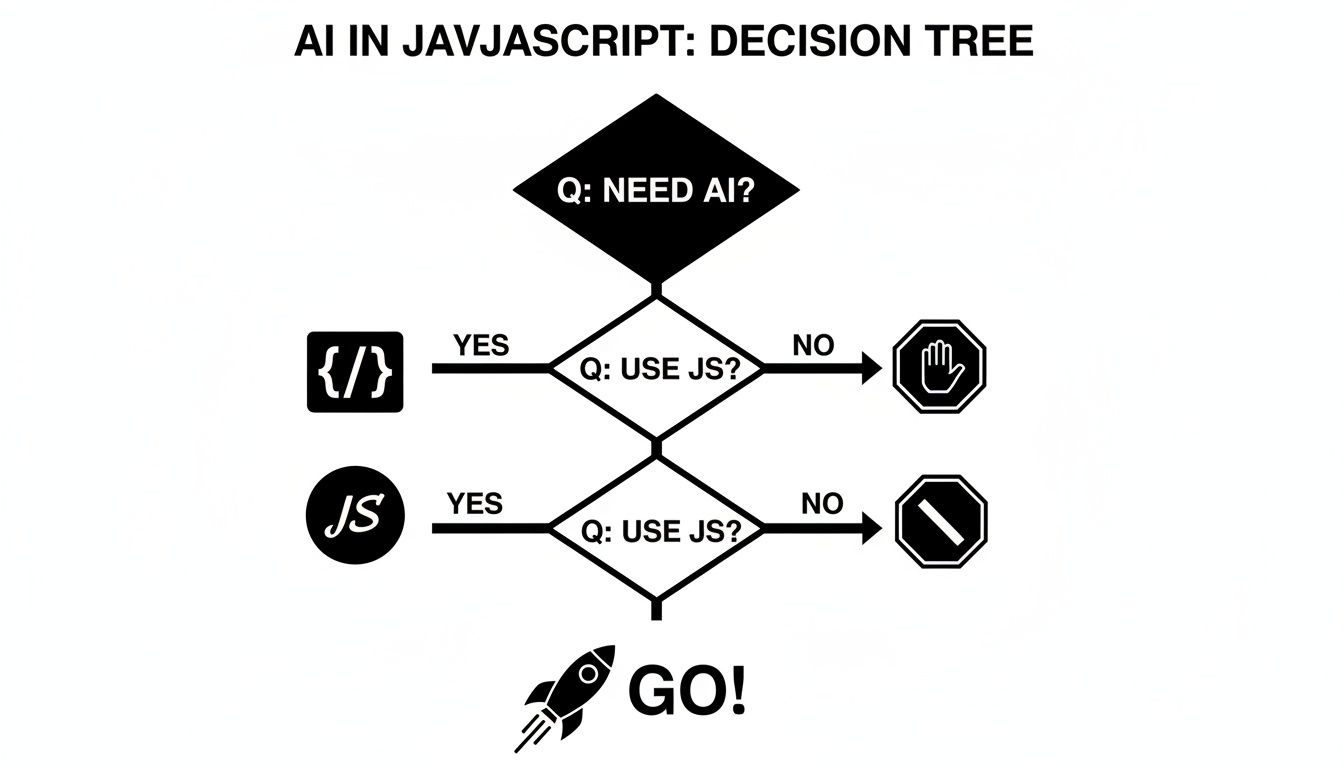
As you can see, if you need AI and you're working with JavaScript, the path forward is clear. You're ready to start building.
Running AI in the Browser or Mobile App (Client-Side)
Putting an AI model directly into the user's app is like giving it superpowers that even work offline. All the heavy lifting happens right on the user's device, whether it's a laptop or a phone.
This approach is a perfect fit for features that need to feel instant and keep user data completely private. Since everything is processed locally, sensitive information like personal photos or documents never leaves the user's machine. That’s a huge win for building trust. Plus, with zero network latency, interactions are immediate—think of live video filters or predictive text that appears as you type.
The main trade-off is performance variability. You are at the mercy of the user's hardware. A new iPhone might run a complex model without breaking a sweat, but an older Android phone could struggle, creating a frustratingly slow experience for some of your users.
Running AI on a Server (Server-Side)
The alternative is the more traditional route: host your AI model on a server and have your JavaScript app talk to it over the internet. This approach gives you access to virtually limitless computing power. You can deploy enormous, complex models that would be impossible to run on a user's device.
This is the go-to method for heavy-duty jobs like training models, running deep analytics on huge datasets, or using cutting-edge generative AI that demands serious GPU muscle. It also lets you keep your proprietary models secure on your server, protecting your intellectual property. You can update or switch out models on the fly without ever asking your users to download a new version of the app.
The biggest trade-off here is latency. Every single request has to make a round trip from the user's device, to your server, and back again. That delay can be a deal-breaker for any feature that needs to feel responsive. It also means you're handling user data, which brings privacy and security responsibilities to the forefront.
Choosing between client-side and server-side AI isn't about which one is "better." It's about picking the right tool for the job. A real-time photo filter thrives on the client, while a sophisticated text summarizer needs the raw power of a server.
To make this choice clearer, here's a direct comparison.
Client-Side vs Server-Side AI Execution in JavaScript
Deciding where your model lives is a balancing act between speed, power, privacy, and cost. This table lays out the core trade-offs to help your team find the right balance for your specific product feature.
| Factor | Client-Side (In-Browser/App) | Server-Side (Node.js/Cloud) |
|---|---|---|
| Performance | Instantaneous. Zero network lag as all processing is local. | Powerful but delayed. Can handle massive models but is limited by network speed. |
| Privacy | Excellent. User data never leaves the device. | Requires trust. Data must be sent to the server, raising privacy concerns. |
| Cost | Lower server costs. Offloads computation to the user's device. | Higher server costs. Requires powerful, often expensive, server infrastructure. |
| Accessibility | Works offline. Core AI features can function without an internet connection. | Requires connection. The app is unusable without a stable internet connection. |
| Best For | Real-time feedback, privacy-sensitive apps, offline features, AR filters. | Complex computations, large models, data analysis, generative AI. |
Ultimately, your feature's specific needs will point you in the right direction. A feature requiring instant feedback points to the client, while a task needing immense computational horsepower is a clear job for the server.
Choosing Your JavaScript AI Toolkit
Once you've decided where your AI model will live, the next big question is what tools to build with. The JavaScript AI ecosystem is buzzing with activity, offering a fantastic range of libraries for just about any job. Think of them as specialized toolkits; some are all-in-one workbenches, while others are precision instruments for specific tasks.
Picking the right library is a critical step. It doesn't just impact your app's performance; it also dictates how easily you can bring in AI models from other popular ecosystems, like Python. Let's dig into the major players that make ai in js a reality.
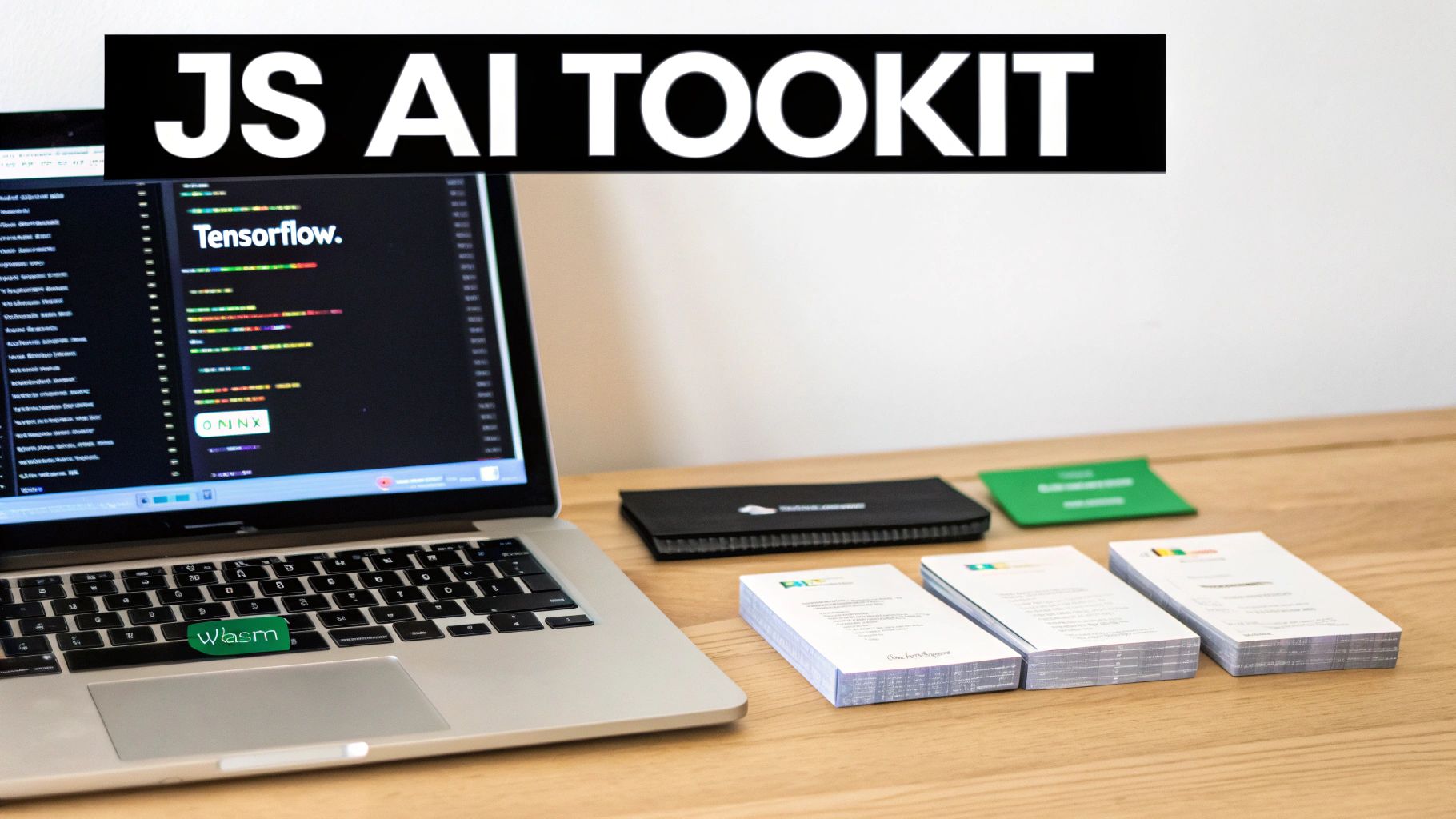
TensorFlow.js: The All-in-One Powerhouse
For running AI models on the device, TensorFlow.js is the undisputed heavyweight champion. Straight from Google, it’s a massive library that lets you run—and even train—machine learning models right in the browser or a Node.js environment.
It's the Swiss Army knife for on-device AI in JavaScript.
TensorFlow.js isn't just about using pre-built models. It uniquely empowers developers to create, retrain, and fine-tune models using JavaScript alone, making AI development more accessible to the massive web developer community.
Here’s a quick look at what your team can do with it:
- Run Pre-Trained Models: Load and use off-the-shelf models for tasks like image classification, object detection, or sentiment analysis with just a few lines of code.
- Convert Python Models: Have a model built with the main TensorFlow library in Python? You can convert it to run seamlessly in your JS app.
- Train Models from Scratch: This is the big one. You can define, train, and run your own custom models directly in JavaScript.
For most on-device AI projects, this library is an excellent place to start. The documentation is top-notch, and the community is huge, so you'll never be short on examples or support. It’s worth exploring different AI product development tools to see how frameworks like this fit into the bigger picture.
ONNX.js: The Universal Translator
TensorFlow.js is incredibly powerful, but not every AI model is built with TensorFlow. Many data science teams prefer other frameworks like PyTorch or Scikit-learn. This is where ONNX.js shines.
ONNX (Open Neural Network Exchange) is like the PDF of the machine learning world—it’s a universal format that lets you pass models between different tools without breaking them. ONNX.js is the JavaScript runtime that lets your app read and execute these model "PDFs."
The real magic of ONNX.js is interoperability. It builds a bridge, letting your web app run a model created in PyTorch without a messy conversion process. This is a game-changer for teams where data scientists and front-end developers work in different ecosystems. It guarantees the model the data scientist built is the exact one running in the user's browser.
WebAssembly (WASM): For Near-Native Speed
Sometimes, you just need raw speed. For computationally heavy tasks like real-time video analysis or complex 3D rendering, even the most optimized JavaScript can feel sluggish. This is where WebAssembly, or WASM, comes into play.
WASM isn't a JavaScript library itself. It's a low-level format that acts as a supercharger for web and mobile apps. You can take code written in high-performance languages like C++ or Rust and compile it to run at near-native speeds right inside the JavaScript environment.
In the AI world, modern JavaScript runtimes like TensorFlow.js and ONNX.js use WASM under the hood to handle the most demanding calculations. By offloading the heaviest number-crunching to WASM, the application stays snappy and responsive. It gives you the best of both worlds: a friendly JavaScript API for your developers and the raw power of a lower-level language for the heavy lifting.
Tapping into AI Brains: Integrating APIs into Your JavaScript App
Building and training your own AI model is a massive undertaking. Luckily, you don't have to. For most teams looking to add serious intelligence to their apps, there's a much more practical path: using third-party AI APIs.
Think of it like this: instead of building a power plant, you just plug into the electrical grid. Companies like OpenAI, Anthropic, and Cohere have already done the incredibly hard work of training massive, state-of-the-art models. You get to tap into that power with a simple web request from your JavaScript code.
This approach is perfect for adding features like text summarization, content generation, or sophisticated chatbots without getting bogged down in infrastructure. You send a request with a text prompt, and you get a smart response back. Your team can focus on creating a great user experience, not managing a fleet of GPUs.
Making the Call from JavaScript
Getting started is surprisingly straightforward. If your developers have ever used the fetch API in JavaScript, they already have the core skill they need. You just construct a request with your prompt, add a secret API key for authentication, and send it off to the provider's endpoint.
Let’s look at a real-world example. Here’s how you might ask an AI model to whip up a product description from a Node.js server:
async function generateDescription(productName) {
  // Your secret key, safely stored as an environment variable on the server.
  const apiKey = process.env.AI_API_KEY;
  const prompt = `Write a short, exciting product description for: ${productName}`;

  try {
    const response = await fetch('https://api.anthropic.com/v1/messages', {
      method: 'POST',
      headers: {
        'Content-Type': 'application/json',
        'x-api-key': apiKey,
        'anthropic-version': '2023-06-01'
      },
      body: JSON.stringify({
        model: "claude-3-sonnet-20240229",
        max_tokens: 150,
        messages: [{ role: "user", content: prompt }]
      })
    });

    if (!response.ok) {
      throw new Error(`API request failed with status ${response.status}`);
    }

    const data = await response.json();
    return data.content[0].text;

  } catch (error) {
    console.error("Error calling AI API:", error);
    return "Could not generate a description at this time.";
  }
}
Notice this code is designed to run on a server. That’s intentional, and it brings us to the most important rule of using AI APIs.
The Golden Rule: Protect Your API Keys
Your API key is a direct line to your company's credit card. If it leaks, anyone can use it to make API calls on your dime, and those bills can get very big, very fast.
Never, ever embed API keys directly in your frontend code. A key sitting in your React or Vue app is publicly visible in the browser's source code. It's like leaving your house keys under the doormat.
The only safe way to handle this is to route your requests through a backend you control. Your mobile or web app calls your own server endpoint, and your server securely attaches the API key (stored as an environment variable) before forwarding the request to the AI provider. This "backend-for-frontend" pattern is non-negotiable for any production application using ai in js.
Of course, getting great results isn't just about the code—it's about the instructions you give the AI. To learn more, check out our guide on essential prompt engineering tips.
Handling the Realities of External APIs
When you use an external service, you're not the only one in line. Providers use rate limits to ensure fair access for everyone, capping how many requests you can make in a certain amount of time. Your application needs to be prepared for this.
- Build for Resilience: If you hit a rate limit, the API will send back an error. Your code needs to catch this and handle it gracefully, perhaps by waiting a moment and then retrying the request.
- Manage the Wait: These AI models are powerful, but they aren't instant. An API call can take several seconds. Your UI absolutely must account for this delay. Show a loading spinner or a progress indicator to let the user know something is happening. An app that just freezes while waiting for a response feels broken.
Building Real-World AI Features with JavaScript
Theory is great, but seeing AI in JS work its magic in a real app is where things get exciting. Let's walk through two practical examples that show how to bring these ideas to life, one for the web and one for mobile. These projects make the concepts we've discussed tangible and give you a solid blueprint for your own work.

Example 1: Real-Time Object Detection in the Browser
Imagine an e-commerce app that lets users point their phone's camera at an object in their home and instantly get recommendations for similar products. This is a classic client-side AI task, perfect for a library like TensorFlow.js because it needs real-time feedback without any network lag.
The goal is simple: create a web page that uses the camera, feeds that video into a pre-trained model, and draws boxes around any objects it recognizes—all happening right inside the browser.
Here’s the game plan:
- Load the Model: First, load a popular, pre-trained object detection model called COCO-SSD. TensorFlow.js makes this as simple as a single function call.
- Access the Camera: Next, use standard browser APIs to get permission to use the webcam and stream the live feed into a
<video>element on the page. - Run Inference on Each Frame: This is the magic. A loop continuously grabs the current frame from the video, passes it to the loaded model, and asks it to make a prediction.
- Display the Results: The model sends back an array of objects it found, complete with a name (like "chair" or "laptop") and the coordinates for a bounding box. A developer can then use this data to draw a rectangle and a label directly over the video, showing the user what the AI "sees" in real time.
The entire process happens on the user's device. No data ever leaves their machine, which guarantees total privacy and a snappy, instantaneous experience. It’s a powerful way to build engaging, interactive features.
This browser-based approach is fantastic for things like augmented reality try-ons, interactive learning tools, or any app where immediate visual feedback is essential.
Example 2: Content Summarization in a React Native App
Now, let's turn our attention to a mobile app built with React Native. Consider a productivity or news app that handles lots of text. Giving users a quick summary of a long article or comment thread with just a single tap would be an incredible value-add.
This kind of task is a perfect job for a powerful Large Language Model (LLM) that we access through an API. Trying to run a huge summarization model directly on a phone isn't practical, so we'll rely on a server to do the heavy lifting.
The user flow is simple: the user sees a long block of text, taps a "Summarize" button, and gets the highlights. Here’s how you'd build the logic for this inside a React Native and Expo project.
- Trigger the API Call: When the button is pressed, the React Native app sends the full text to a secure backend endpoint you control. Crucially, the app never calls the LLM provider directly.
- Secure Server-Side Logic: Your backend—a Node.js server or a serverless function—gets the text. It then wraps it in a prompt like, "Summarize the following text into three key bullet points," and sends this request off to an AI provider like Anthropic or OpenAI, including your secret API key.
- Handle the Response: The backend waits for the LLM to process the request and generate the summary. Once it gets the response back, it cleans up the result and sends the neat, summarized text back to the React Native app.
- Display the Summary: The app receives the summary and shows it to the user, maybe in a pop-up modal or a new, expandable section.
This API-driven pattern is the go-to method for integrating powerful generative AI into mobile apps. It keeps the mobile app fast and lightweight, as the phone isn't bogged down with complex calculations; it's just making a standard network request. The key is to manage the user experience around that API call by showing a loading spinner, which keeps the app feeling responsive even while the AI is "thinking."
How We Use AI to Speed Up Mobile Development
All the principles and tools we’ve been discussing aren't just academic exercises—they're the very engine we've used to build a new breed of development tool. Here at RapidNative, our entire platform is built around putting AI in JS to work, creating a workflow that genuinely redefines how mobile apps get made.
This is where the ideas of API integration and code generation really come to life. Instead of a developer painstakingly translating a Figma design or a product spec document into lines of code, our platform lets AI interpret those inputs directly. It can take user prompts, wireframes, or even rough sketches and turn them into production-ready React Native components and screens.
From Idea to Interactive UI in Minutes
Our system takes a high-level request—say, "create a login screen with Google and Apple sign-in options"—and intelligently breaks it down into concrete steps for an AI model. That AI then generates the actual React Native code, using a modern stack that includes Expo and NativeWind. The output isn't a flat image or a wireframe; it's a real, interactive piece of the app that you can preview and share on the spot.
This instant feedback loop completely shrinks the gap between an idea and a tangible prototype. We're seeing a massive shift across the mobile development world toward tools that accelerate this exact process. Generative AI use has skyrocketed from 33% in 2023 to 71% in 2024, and these new solutions are saving developers time equivalent to 1.6% of all work hours. You can dive deeper into the rapid adoption of AI on Salesmate.io.
We aren't just using AI to spit out a few lines of code. We’re using it to build a collaborative space where product managers, designers, and developers can work together to build and refine a live application in real time.
This approach cuts out a huge amount of the manual coding and endless back-and-forth that bog down the early stages of app development. It lets teams validate ideas, test user flows, and nail down UI designs with a working prototype, not just a static picture. You can learn more about how to accelerate your workflow with AI in mobile development. The end result is a faster, more synchronized process that helps get products into users' hands much sooner.
Common Questions About AI in JS
As teams start exploring AI and JavaScript, the same handful of questions pop up almost every time. Whether you're a developer figuring out what's technically possible or a product manager sizing up the risks, getting these fundamentals straight is crucial before you commit to a project.
Let's tackle the most common ones so your team can move forward with confidence.
Is JavaScript Really Powerful Enough for "Real" AI?
Yes, for a huge range of applications. While Python has long been the go-to for heavy-duty model training, modern JavaScript engines are incredibly fast. When you pair that with libraries like TensorFlow.js that use WebGL and WebAssembly (WASM) to talk directly to the hardware, you can run seriously complex models right on a user's device.
We're talking about real-time image recognition and natural language processing happening in the browser or a mobile app with surprisingly good performance. For training enormous models from scratch, you'll still want a beefy server. But for running those models—what we call "inference"—and building interactive features, JS has more than enough muscle for the job.
Do My Developers Need a PhD in Math to Use This?
Thankfully, no. For most mobile and web applications, the heavy-duty math has been neatly tucked away by the libraries and APIs. The real magic of modern AI tools is that they handle the complex calculus and linear algebra behind the scenes.
You don't need to build the engine to drive the car. Instead of getting bogged down in theory, your team can focus on the creative part: integrating powerful, pre-trained models into your app and tweaking them to solve your specific user problem. This has opened the door for many more developers to get involved.
What Are the Biggest Security Traps to Watch Out For?
The security concerns really boil down to where your AI code is running.
- On the Client (In the App/Browser): The main thing to worry about here is your model being stolen. If you've developed a custom, proprietary model that's your secret sauce, a savvy user could potentially download it from their browser. For this reason, highly sensitive models are better kept on a server.
- On the Server (via API Calls): Here, the number one risk is accidentally leaking your secret API keys. You should never, ever put these keys directly in your frontend code. The right way to handle this is to have your app talk to a secure backend or a serverless function, which then makes the call to the AI service using keys stored safely as environment variables. This prevents someone from running up a massive bill on your account.
Ready to see how RapidNative uses these same AI principles to build mobile apps faster? Turn your ideas into production-ready React Native code in minutes. Build your first screen for free at RapidNative.
Ready to build your app?
Turn your idea into a production-ready React Native app in minutes.
Free tools to get you started
Free AI PRD Generator
Generate a professional product requirements document in seconds. Describe your product idea and get a complete, structured PRD instantly.
Try it freeFree AI App Name Generator
Generate unique, brandable app name ideas with AI. Get creative name suggestions with taglines, brand colors, and monogram previews.
Try it freeFree AI App Icon Generator
Generate beautiful, professional app icons with AI. Describe your app and get multiple icon variations in different styles, ready for App Store and Google Play.
Try it freeFrequently asked questions
What is RapidNative?
RapidNative is an AI-powered mobile app builder. Describe the app you want in plain English and RapidNative generates real, production-ready React Native screens you can preview, edit, and publish to the App Store or Google Play.
Can I export the code?
Yes. RapidNative generates clean React Native and Expo code that you can export at any time. No lock-in, no proprietary format. Hand it to your developers or keep building inside RapidNative.
Is RapidNative free to use?
Yes. You can build apps on the free plan with no credit card required. Paid plans unlock unlimited AI generations, code export, and direct publishing to the App Store and Google Play.
Do I need to know how to code?
No. Most users build apps by describing what they want in plain English. Developers can drop into the code whenever they want more control, but coding is optional.
How long does it take to build an app?
Most users have a working first screen in under a minute. A full MVP usually takes a few hours instead of the weeks or months traditional development requires.