A Founder's Guide to Collaboration on a Project in App Development
Discover how founders, PMs, and designers can transform their collaboration on a project with AI tools, turning ideas into apps faster than ever before.
By Suraj Ahmed
12th Feb 2026
Last updated: 12th Feb 2026
When you get collaboration on a project right, it feels less like a relay race and more like a jam session. The old-school approach of passing static mockups to product managers who then write massive spec docs for engineers just doesn't cut it anymore. It’s slow, disconnected, and almost guarantees you’ll be redoing work later.
It creates silos, invites misunderstanding, and guarantees expensive rework.
The End of Siloed App Development
Think about the traditional way of building a mobile app. Designers are off in their corner of Figma, meticulously crafting pixels. PMs are busy translating those visuals into dense documents. Finally, developers get the handoff and have to decipher everything to build the actual product.
Every single one of those handoffs is a potential breaking point where critical details and context get lost in translation. It’s an inefficient, isolating process. Teams end up working in their own little worlds, only to discover weeks later that everyone had a slightly different idea of what they were building.
A Modern Approach to Team Collaboration
Thankfully, we don't have to work that way anymore. An integrated workflow is essential for any lean startup that wants to be fast and aligned. AI-native tools like RapidNative are built specifically to tear down those walls, creating a single, shared space where everyone contributes to a live prototype from the very beginning.
Picture a founder, a designer, and a PM all working within the same environment. There are no static files being passed around. Instead, they’re shaping the app together, in real time, with changes instantly reflected for everyone to see.
This completely changes the team dynamic. The focus shifts from producing artifacts—like mockups and specs—to actually building a functional product. The benefits are crystal clear:
- A Single Source of Truth: Everyone sees and interacts with the exact same version of the product. This kills confusion about what's current and what's not.
- Instant Feedback Loops: A designer's tweak or a PM's copy change is visible to the entire team the moment it happens. Your feedback cycle shrinks from weeks to minutes.
- No More Translation Errors: Since the prototype generates clean, production-ready code from the start, the gap between design and development disappears. What you see is truly what you get.
This unified approach isn't just about tools; it's about changing the culture of collaboration on a project. It encourages a shared sense of ownership and allows the best ideas to surface, regardless of who they come from.
Adapting to New Ways of Working
The rise of hybrid and remote work has only made this need for better digital collaboration more urgent. With roughly a quarter of all paid workdays in the U.S. now happening from home, teams have to rely on tools that keep them connected.
It's not just a nice-to-have, either. The data shows that organizations making this shift see real results. A stunning 72% of teams report measurable productivity boosts when working in highly collaborative environments. You can dig into these workplace collaboration statistics to see the full picture. For distributed teams, a unified platform isn't just a tool—it's the glue that keeps everyone perfectly aligned and moving forward together.
Establishing Your Collaborative Workspace
Every great app project kicks off long before the first line of code is written or a single pixel is pushed. It begins with creating a central hub—a single source of truth—where your entire team can align on the vision and have the right tools to get the job done from the very start.
Think of this initial setup as pouring the foundation for a house. Getting it right prevents a world of headaches later on. In a tool like RapidNative, this means creating a new project and getting your whole team invited on day one. Bringing everyone into the same space immediately dismantles silos and prevents those classic version control nightmares we all dread.
Setting Clear Roles And Permissions
With everyone in the workspace, the next step is crucial: assign roles. This isn't about bureaucracy; it's about clarity. It answers the question, "Who owns what?" and stops the "too many cooks in the kitchen" chaos before it can even start.
A clear role structure empowers everyone to contribute with confidence. To ensure an efficient workflow and prevent bottlenecks, it's essential to have a clear breakdown of responsibilities for each team member.
Here's a practical breakdown of how successful mobile product teams define these roles.
Defining Team Roles for Effective App Collaboration
| Team Role | Primary Responsibility in the Project | Key Action Examples |
|---|---|---|
| Founder/Product Manager | Guides the overall product vision and strategy. | Writes initial prompts for new screens, defines user flows, and provides high-level feedback on the app's direction. |
| UI/UX Designer | Owns the visual identity, user experience, and component library. | Refines AI-generated layouts, creates reusable components, ensures brand consistency, and perfects the user interface. |
| Developer | Focuses on technical feasibility, code inspection, and implementation planning. | Inspects the generated code for quality, provides feedback on technical constraints, and prepares for the final handoff. |
This structure ensures the designer can focus on the UI without worrying about accidental changes, and the developer can inspect the code without disrupting the ongoing design work. When roles are this well-defined, everyone knows exactly how to contribute, which makes the entire process smoother. You can learn more about how these roles work together by reading our guide on how to collaborate in real time with your team.
This isn't about restricting people; it's about creating focus. When roles are clear, collaboration becomes more fluid because everyone understands their primary contribution and respects the boundaries of others.
From Whiteboard Sketch To First Prototype
Now for the fun part. Let’s say a founder just finished a brainstorming session and has a whiteboard full of sketches for a new onboarding flow. They can snap a photo of a rough drawing—maybe the login screen—and upload it straight into the project. In moments, the AI gets to work, analyzing the drawing and transforming it into a functional app screen.
Just like that, an idea scrawled on a whiteboard becomes the first tangible version of the product. It’s no longer just a concept; it's an interactive prototype that the whole team can see and touch.
This gives everyone a shared starting point. The designer can immediately jump in to refine the AI-generated components, the product manager can start tweaking the copy with simple chat prompts, and the developer can see the initial structure taking shape. The whole team is aligned from the first click.
It’s worth remembering that the environment itself, whether physical or digital, plays a huge role in team dynamics. A well-structured space can promote employee camaraderie and collaboration and help everyone do their best work.
How to Iterate on App Designs with Simple Prompts
Once your workspace is set up, the real work—and the fun—begins. This is where your team’s creative speed really picks up, moving beyond slow, static feedback loops into a truly dynamic, real-time creative process. The secret sauce here is chat-driven development, where plain English prompts become your most powerful tool for building the product.
Forget the old routine of redlining mockups, exporting assets, and waiting around for changes. Just picture a product manager typing, “Change the login button to our brand’s primary blue,” and seeing the live prototype update on the spot. This kind of immediate visual feedback completely changes the way teams make decisions.
A Real-World Iteration Scenario
Let's walk through a super common example: polishing a user onboarding flow.
The first pass from the AI gives you functional screens, but they're missing that human touch. The product manager, looking at the flow, might type a quick prompt to tweak the copy: "Update the headline to 'Welcome to the Future of Collaboration' and the subtext to 'Let's get your account set up in seconds.'" Instantly, the text on the screen changes for everyone.
Then, the designer jumps in with visual feedback right in the chat. They could suggest, "Make the 'Next' button larger and add more padding around the input fields." As they type, the layout shifts in real-time. All the while, a developer can keep an eye on the generated React Native code, making sure it’s clean and scalable right from the get-go.
This whole process cuts out the middleman. Instead of just talking about what needs to change, the team is actually making the changes together, live.
Getting your team ready for this kind of high-speed collaboration is straightforward.
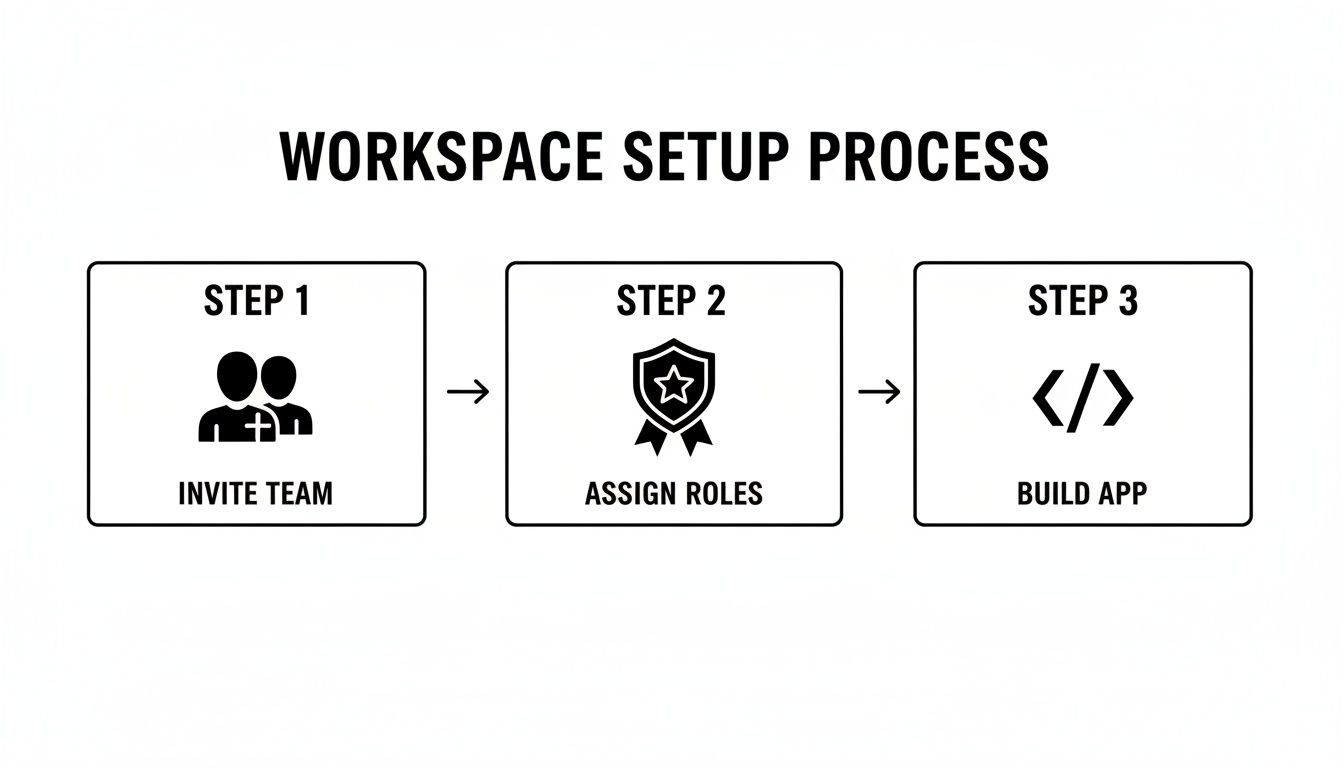
This simple flow—inviting your team, setting roles, and getting to work—is the foundation for the kind of fast-paced iteration we're talking about.
From Screen to Device Instantly
Maybe the most powerful part of this whole feedback loop is testing on an actual device. A shareable QR code lets the entire team load the live prototype right onto their phones. This instantly closes the gap between how an app looks on a big monitor and how it actually feels in someone’s hand.
This immediate, real-world testing is a game-changer. It lets you validate crucial UX decisions—like button placement or font sizes—in minutes, not days. It’s one of the most effective ways to improve your app using rapid prototyping techniques.
Even with these tools, so many teams are stuck in old, inefficient habits. According to workplace collaboration statistics, knowledge workers waste an incredible 103 hours per year in pointless meetings, 209 hours on duplicated work, and 352 hours just talking about work instead of actually doing it. A chat-driven workflow tackles this waste head-on by turning conversations into direct product updates, making sure every discussion actually pushes the project forward.
Turning Raw Ideas into Reusable Components
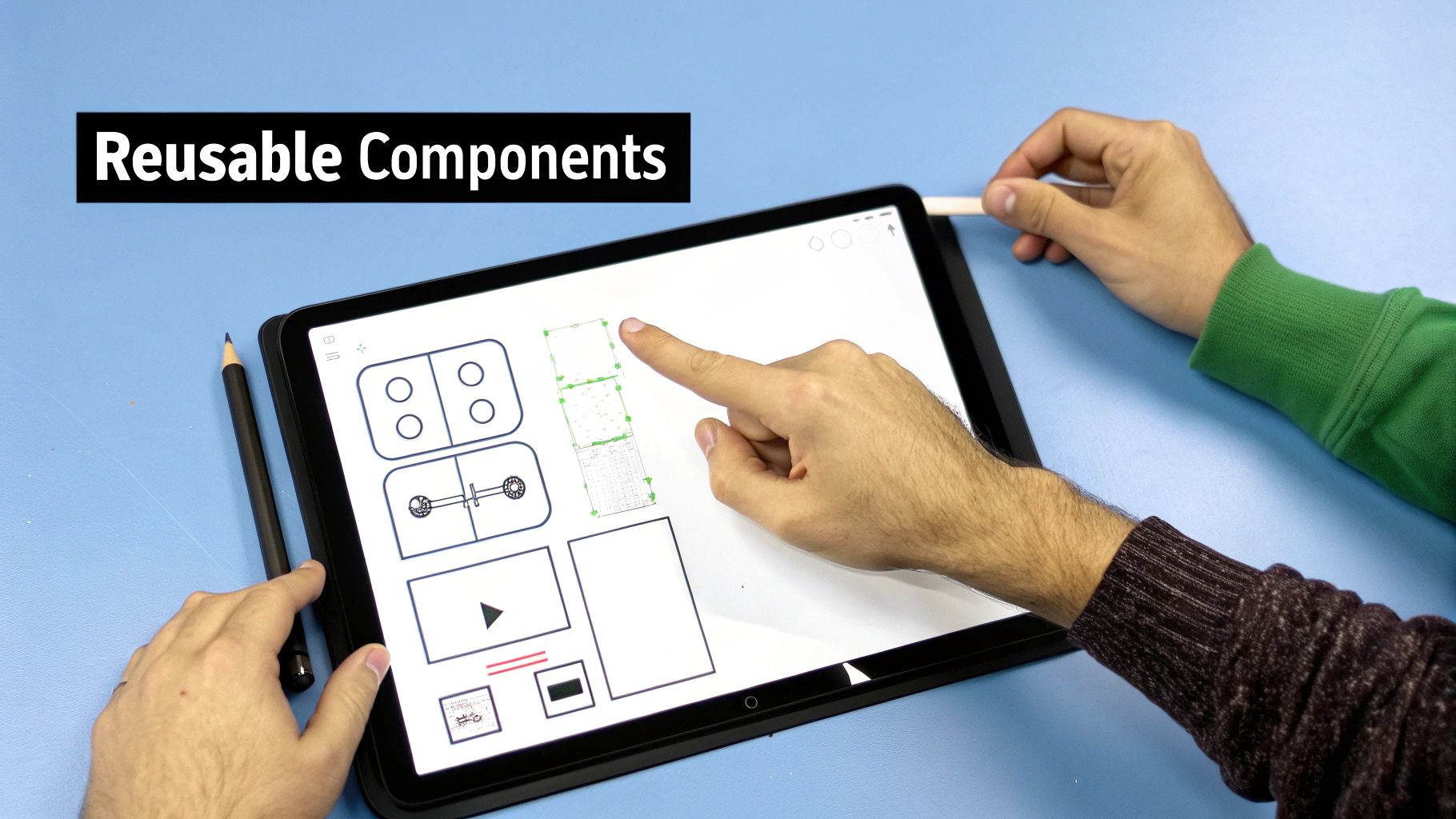
The best mobile apps just feel right. That consistency and intuitive nature usually comes from a solid foundation of reusable components. But those polished final pieces don't just appear out of thin air—they often start as messy sketches on a whiteboard or rough ideas jotted down in a notebook.
So, how do you bridge that gap between a raw concept and a production-ready asset? This is where a modern, collaborative workflow makes all the difference.
Picture this: your team finishes a brainstorming session with a whiteboard sketch of a new user profile card. It's got the basics—a spot for a picture, a name, and a "Follow" button. Instead of having a designer painstakingly recreate it from scratch in another tool, you just snap a photo and upload it. The AI gets to work, interpreting the drawing and instantly generating a functional screen with a simple, unstyled version of that card.
This isn't the final product, and that's the point. What you have now is a shared canvas, a tangible starting point for your team to build on.
From AI Output To Polished UI
Now the real magic begins. The team can gather around this newly generated screen and start refining it on the spot. No more back-and-forth emails or meetings just to discuss the next steps.
The designer can jump right in. Using simple chat prompts, they might adjust the layout, apply brand colors, or switch to the correct font styles. This whole collaboration on a project is incredibly fluid and visual, with every tweak happening in real-time.
At the same time, the product manager can hop in and edit the button copy or placeholder text to make sure the language fits the product's voice. It’s like a live jam session where everyone's expertise comes together to shape a single, critical element of the app.
This workflow is amazing at preserving the original design intent. The journey from a hand-drawn sketch to a coded UI component is direct and completely transparent, so nothing gets lost in translation between different tools or teams.
Creating A Reusable Asset
Once the team is happy with the profile card's look and feel, the next move is to make it a reusable component. This is one of the most important steps you can take to enforce design consistency across your entire application.
With a simple command, you can designate the finished profile card as a "ProfileCard" component. From that moment on, anyone on the team can drag and drop that exact component onto any other screen. Need to change the button color later? Just edit the master component, and that update will instantly ripple through every instance it's used.
This way of working creates a much more efficient system for everyone:
- Designers can feel confident that the app's visual identity will stay consistent.
- Product Managers can mock up new screens quickly using pre-built, approved elements.
- Developers get clean, modular code that’s far easier to understand and build upon.
By connecting the earliest, messiest phase of ideation directly to the final engineering process, your team can build faster and with way more alignment. Every good idea truly becomes a solid building block for your app.
Managing Versions and Preparing for Handoff
Real-time creative work is great for getting ideas flowing, but any serious product needs control, clarity, and a clear path from prototype to production. As your app design changes and evolves, you need a reliable way to mark key milestones and make the eventual transition to your engineering team completely painless. This is where version management becomes your best friend.
Think of it like creating saved checkpoints in a video game. After a tough level, you save your progress. That way, if you make a mistake later on, you can always go back to that safe point. In a tool like RapidNative, creating named versions gives you immutable snapshots of your project at critical moments.
Creating Stable Milestones
This process is incredibly simple but its impact is huge. Let's imagine your team has just wrapped up a big push and everyone's signed off on the new user onboarding flow. Instead of just diving into the next task, you take a moment to create a new version and give it a clear, descriptive name like 'V2 Onboarding Flow - Approved'.
This single action accomplishes a few crucial things:
- It creates a permanent record. You now have an official, agreed-upon version of the onboarding flow that everyone can reference.
- It de-risks future changes. Your team can go wild experimenting with ideas for V3, knowing they can always jump back to this stable, approved version with a single click.
- It eliminates confusion. When a developer asks, "Which version should I build from?" there's no guesswork. You can point them directly to the named milestone.
This practice is essential for keeping up your momentum without losing control. It gives your team the psychological safety to be creative and take risks, knowing a stable foundation is always there to fall back on.
This structured approach to versioning keeps the entire collaboration on a project organized, which becomes more and more important as your app gets more complex. It helps you avoid that all-too-common scenario where a "final" design gets accidentally overwritten or important decisions are lost in a flood of small, incremental changes.
Executing A Seamless Handoff
Ultimately, the goal is to hand off a solid foundation to your developers. This shouldn’t be a painful, document-heavy ceremony. It should be a clean, straightforward export of production-ready code.
Because a tool like RapidNative generates real React Native code with every prompt and every click, the handoff process is incredibly direct. A developer doesn't get a static mockup they have to interpret; they get a codebase they can pull into their local environment and start working with immediately.
And this isn't a locked-in system—it's a launchpad. Once the code is exported, your developers have total freedom to:
- Integrate with your specific backend APIs.
- Write complex, custom business logic.
- Add native modules or third-party libraries.
- Hook the app into your existing CI/CD pipelines.
The platform takes care of all the time-consuming UI scaffolding, generating clean, modular code that follows best practices. This frees up your engineers to focus their valuable time on the hard problems—the unique challenges that make your app special—instead of spending hundreds of hours just translating designs into code. It makes the final handoff less of an endpoint and more of a starting pistol for the next phase of development.
Common Questions About AI-Powered Collaboration
Whenever you bring a new tool into your team's workflow, questions are going to pop up. That’s a good thing. When that tool involves AI for building apps, founders, PMs, and designers all want to know how it really works on the ground. Let's dig into the questions we hear most often so you can jump in with confidence.
How Does An AI App Builder Keep Our Designs Consistent?
Design consistency is everything for a great user experience, and this is where AI-driven tools really shine. The secret is a combination of reusable components and a central design system.
Think about it this way: your designer creates the perfect primary button—the right color, font, and padding. They save it as a component within the platform. Now, anyone on the team, whether it's a PM or a founder, can drop that exact, pre-approved button onto any new screen they're working on.
This simple workflow completely stops "design drift," where tiny, accidental inconsistencies start to pile up over time. It frees up your designers to think about the bigger UX challenges, knowing the tool is automatically enforcing the brand standards they’ve already set.
Can Non-Technical Team Members Genuinely Contribute?
Yes, and honestly, this is the whole point. True collaboration on a project happens when everyone has a voice and can actively participate. An AI app builder makes this a reality.
A founder or PM can use plain English to get things done, typing prompts like, "Add a five-star rating component to this screen." They can even snap a picture of a whiteboard sketch and watch the AI turn it into a working UI.
This changes their role from just writing tickets to actually building the solution alongside the rest of the team. This is a massive leap forward for speed and alignment. You can see more on how these AI-powered mobile workflows make this possible.
What If Our Developers Need To Add Custom Logic?
AI app builders are here to give your engineers a running start, not to replace them. The platform generates clean, production-ready React Native code that your development team can pull down whenever they need it.
Once the code is exported, your developers have total control. They can plug in custom APIs, write tricky business logic, or build out any of the complex features that make your app unique. The AI takes care of all the repetitive UI work, freeing up hundreds of hours so your engineers can focus on the hard problems that truly need their expertise.
How Can We Share Progress With External Stakeholders?
Showing your progress needs to be fast and effective. Forget sending stale PDFs or complicated Figma links. With a modern AI tool, you can generate a live, interactive prototype and share it with a simple link or a QR code.
Just send the latest version over to investors, beta testers, or other departments. They can run the app right on their own phones, giving you the kind of real-world feedback you could never get from static mockups. Your team can see the feedback, make the changes, and push a new version in hours, not weeks.
Ready to see what this kind of collaboration can do for your team? RapidNative turns your app ideas into production-ready code in minutes. Get started today at https://www.rapidnative.com.
Ready to build your app?
Turn your idea into a production-ready React Native app in minutes.
Free tools to get you started
Free AI PRD Generator
Generate a professional product requirements document in seconds. Describe your product idea and get a complete, structured PRD instantly.
Try it freeFree AI App Name Generator
Generate unique, brandable app name ideas with AI. Get creative name suggestions with taglines, brand colors, and monogram previews.
Try it freeFree AI App Icon Generator
Generate beautiful, professional app icons with AI. Describe your app and get multiple icon variations in different styles, ready for App Store and Google Play.
Try it freeFrequently asked questions
What is RapidNative?
RapidNative is an AI-powered mobile app builder. Describe the app you want in plain English and RapidNative generates real, production-ready React Native screens you can preview, edit, and publish to the App Store or Google Play.
Can I export the code?
Yes. RapidNative generates clean React Native and Expo code that you can export at any time. No lock-in, no proprietary format. Hand it to your developers or keep building inside RapidNative.
Is RapidNative free to use?
Yes. You can build apps on the free plan with no credit card required. Paid plans unlock unlimited AI generations, code export, and direct publishing to the App Store and Google Play.
Do I need to know how to code?
No. Most users build apps by describing what they want in plain English. Developers can drop into the code whenever they want more control, but coding is optional.
How long does it take to build an app?
Most users have a working first screen in under a minute. A full MVP usually takes a few hours instead of the weeks or months traditional development requires.