How to Create a Dating App: A Founder's Guide from Idea to MVP
Learn how to create dating app: validate your niche, design with AI, integrate the backend, and launch a successful MVP.
By Riya
14th Jan 2026
Last updated: 14th Jan 2026
Before you write a single line of code or design a single screen, you have to answer one crucial question: who is this dating app really for? If the answer is "everyone," you're setting yourself up to fail.
The temptation to build the next Tinder is huge, but it's a trap. The dating app market is a battlefield dominated by giants. Competing with them head-on is a losing game for a startup. Instead, your secret weapon is focus. Find a specific community that feels ignored by the mainstream apps and build something just for them.
Finding Your Niche in a Crowded Market

Your mission is to build an app for someone, not everyone. That focus becomes your North Star, guiding every decision you make—from features and branding to your go-to-market strategy.
Look at the apps that have successfully carved out their own space. Hinge markets itself as "the app designed to be deleted," directly targeting people who are fed up with casual swiping and want a real relationship. Raya created an exclusive, members-only community for people in creative fields. They didn't try to be for everybody, and that's precisely why they succeeded.
The market data backs this up. The online dating world was a USD 7.94 billion market in 2022 and is on track to hit USD 14.42 billion by 2030. That growth isn’t just from the big players; it's fueled by new apps bringing fresh, specialized ideas to the table. There's plenty of room to play if you're smart about it.
Defining Your Target User and Unique Value
So, who is your person? Get specific. "Millennials in New York" is way too broad. Think of your ideal user as a real person. What are their hobbies, their values, their biggest frustrations with the current dating scene?
Start by brainstorming communities that are currently underserved. A few ideas to get the wheels turning:
- Shared Passions: Think board game lovers, sober adventurers, or vegan foodies.
- Lifestyle Alignment: An app for digital nomads, single parents, or fitness fanatics.
- Professional Circles: A network for traveling nurses, tech founders, or academics.
- Specific Demographics: A platform for professionals over 40 or LGBTQ+ individuals in smaller towns.
Once you’ve locked in your audience, you need to define your Unique Value Proposition (UVP). This is your promise. It’s the short, punchy answer to the question, "Why should I use your app instead of the one I already have?"
Your UVP isn't a feature list. It's the core benefit you deliver. For an app aimed at dog lovers, the UVP could be: "The only dating app that helps you find a partner who loves your dog as much as you do."
From Niche to MVP Features
With a clear user and a compelling UVP, you can finally start thinking about features for your Minimum Viable Product (MVP). The key word here is minimum. Only build what is absolutely essential to deliver on your core promise. Everything else is noise.
A great way to figure this out is to dig into what users are already struggling with. By understanding user challenges on existing platforms, you can uncover pain points that your app can solve.
Let’s bring this to life with an example. If you’re building an app for people seeking serious relationships, a "dealbreaker" filter for things like religion or wanting kids is non-negotiable. If your app is for gamers, maybe integrating with their Steam or Twitch profile is the killer feature that gets them to sign up.
Here’s a simple table to help you map this out:
Core Feature Planning for Your Dating App MVP
This table breaks down essential features for a dating app MVP, distinguishing between 'must-haves' for basic functionality and 'differentiators' that help your app stand out in a specific niche.
| Feature Category | MVP Must-Have | Example Differentiator |
|---|---|---|
| User Profiles | Basic info, photo uploads, bio | Linking a Goodreads profile for book lovers |
| Discovery | Swiping or grid view | Location-based matching at music festivals |
| Communication | Real-time chat, emoji support | Video "icebreaker" prompts before messaging |
| Onboarding | Simple email/social signup | Niche-specific onboarding questions (e.g., "Favorite D&D class?") |
This kind of focused planning prevents you from building a bloated, generic app. You're building a sharp, purposeful tool for a specific group of people.
Before you jump into designing screens, make sure your core idea is solid. We have a whole guide on how to validate product ideas fast so you don't waste time and money. Getting this foundational work right is what separates the apps that fizzle out from the ones that build a loyal, passionate user base from day one.
Designing Your App's UI with Simple Prompts

Alright, you’ve validated your niche. Now comes the part where most projects get stuck: translating that idea into actual screens. This is usually where you'd fire up a wireframing tool, get lost in design revisions, and then brace for a complicated hand-off to a developer.
Let's sidestep that entire mess.
Instead of meticulously drawing every box and button, you can generate your core UI by just describing what you want. This completely changes the game, turning a weeks-long process into something you can knock out in an afternoon—even if you've never touched a design tool in your life.
It's about making design feel more like a conversation. You see your ideas appear on the screen in real-time, which lets you tweak and refine your vision on the fly.
Prompting Your Core User Flows
When you build a dating app, the entire experience hangs on just a few critical user flows. Using a prompt-based tool like RapidNative, you can whip up the foundational screens for these flows in minutes.
Let's walk through the essentials and the kind of prompts that bring them to life.
- Onboarding and Profile Creation: This is your app's first impression, so it has to be smooth and perfectly tailored to your niche. You aren't just prompting for a generic signup; you're describing the exact experience you want for your users.
- Discovery and Matching: The absolute heart of the app. For an MVP, you can't go wrong with a classic card-swipe interface. It's proven, intuitive, and something we can generate instantly.
- Chat and Communication: After a match, the real connection begins. The chat needs to feel clean and responsive, giving users a familiar and comfortable space to talk.
It really is as simple as typing what you want. In the RapidNative workspace, you can start with a basic request and watch the screen come together.
This screenshot captures that "aha!" moment—a simple text description transformed into a structured, visual layout. That's a huge leap forward, done in seconds.
Iterating and Refining with Conversational Edits
That first generated screen is just your starting block. The real magic happens when you start refining it through conversation. This is where you fine-tune the UI to get it just right for your brand and your users.
Think of it like you're art directing a designer who works at lightning speed. You ask for a change, and poof—it's done. This back-and-forth is what lets you nail the details without getting bogged down in menus and settings.
Here are a few practical examples of what you might say:
- "Make the profile picture larger and center it."
- "Change the main button color to a deep purple."
- "Swap out the text-based interest tags for a list of icons with text."
- "Add a 'Verified' checkmark badge right next to the user's name."
This chat-based workflow puts you, the founder, in the driver's seat, even if you're not technical. You’re not just vaguely describing an idea; you're actively shaping the final product. If you want to get really good at this, we've put together a guide with our best prompt engineering tips to help you get the most out of every description.
Key Takeaway: Prompt-based design isn't about replacing designers. It’s about giving builders a way to create high-fidelity, functional UI mockups at the speed of thought. This frees up your design and dev talent to focus on the harder stuff, like backend logic and architecture.
Why a Strong UI Matters More Than Ever
Let's be real: the dating app market is crowded. A polished, intuitive interface isn't just a nice bonus anymore—it's what separates you from the noise. Analysts see huge growth ahead, especially for AI-driven and niche apps. According to research from Technavio, success will hinge on delivering a standout user experience, starting with that crucial first impression.
Tools that crush the UI/UX design timeline are your best bet for grabbing a piece of this growing market. By generating your UI from prompts, you’re not just moving faster. You're building a solid foundation that you can test, validate, and then hand off to developers as clean, production-ready code, bridging the gap between a static mockup and a real, working application.
Mapping User Journeys into an Interactive Prototype
A folder full of gorgeous screens is a solid start, but it’s not an app. Users can't experience a static image; they need to tap, swipe, and navigate. This is where we breathe life into those designs, connecting them into a cohesive user journey that feels like a real, working product.
This step is what turns a collection of JPEGs into a testable concept. By visually linking each screen, you start to see the app through your users' eyes. How do they actually get from signing up to swiping? What’s the first thing they see after a match? Mapping this out is the only real way to catch awkward transitions or dead ends before a single dime is spent on development.
Tools with a visual flow canvas, like the one inside RapidNative, make this process feel almost like drawing on a whiteboard. You're not wrestling with code or complex navigation logic. You're just drawing lines between screens, literally showing how someone will move through your app.
From Static Screens to Dynamic Flows
First things first, you need to lay out your core user flows on the canvas. Think of it like storyboarding the main "scenes" of your app. That lonely signup screen isn't just floating in space anymore; you're going to physically link it to the next step in the journey.
For a dating app MVP, you'll have a few critical paths to map out:
- The Onboarding Journey: This is your first impression. Connect the
Welcome Screento theEmail Signup Screen, then guide the user to theCreate Profile Screen, and finally to theUpload Photos Screen. This visual chain represents that entire first-time experience. - The Matching Flow: This is the fun part. The main
Discovery Screen(where all the swiping happens) should link to aMatch Notification Modal. A tap on that notification needs to take the user straight into aChat Screenwith their new connection. - Navigation and Settings: How do people get around? You’ll set up the main tab bar, connect the "Settings" button to the
User Settings Screen, and link the "Matches" tab to theMatch List Screen.
This isn't just a technical exercise; it's a strategic one. It forces you to put yourself in the user's shoes and make sure every single action has a logical and intuitive path forward.
Configuring Navigation and Basic Interactions
With your screens linked up, the next move is defining the main navigation. For a dating app, a bottom tab bar is almost always the right choice. It’s familiar, effective, and gives users persistent, one-tap access to the most important parts of your app.
In a tool like RapidNative, you just designate which screens will be your main tabs—usually "Discovery," "Matches," and "Profile/Settings." This simple step instantly gives your prototype a recognizable, app-like structure.
Beyond the main tabs, you'll start defining those smaller, but crucial, interactions.
This is where your app starts to feel real. When you define that tapping the little message icon on a profile card opens the chat screen, you've created an interaction someone can actually test. It's no longer a picture of a button; it’s a functional pathway.
This is the whole point of rapid prototyping. You're building a functional skeleton of your app that’s ready for genuine user testing. You can hand this prototype to someone and ask them to "sign up and find a match." Watching them navigate the flow you’ve built provides priceless feedback on your design's usability.
If you want to go deeper on this, we've got a complete guide on how to build a prototype of a product that breaks these concepts down even further. Validating your user journey at this stage is one of the smartest ways to de-risk your project. It ensures the app is intuitive and fun to use before you write a single line of custom backend code. This is how you create a dating app that people will actually want to keep using.
This is where tools like RapidNative change the game completely, leaving traditional no-code platforms in the dust. You’re not locked into a proprietary system. Instead, you can export your entire user interface into a clean, professional, and fully extensible React Native project.
This isn't just about saving a few hours. It’s about giving your development team a massive running start with a codebase they can actually build on, respect, and maintain. You’re handing them a well-structured project, not some jumbled export that needs to be rewritten from the ground up.
What’s Actually In Your Codebase?
The moment you hit "export," you get a complete React Native project. This isn't a black box—it’s built with industry-standard technologies that developers already know and trust.
Let's unpack what you're actually getting:
- Expo: This is a lifesaver. It handles the mind-numbing complexities of building for both iOS and Android from a single codebase, managing all the native project configurations so your team can just focus on building features.
- TypeScript: Your code comes strongly typed. This means fewer bugs sneak into production, you get better code completion in your editor, and the project stays maintainable as it scales. Your developers will thank you for this.
- React Native: The heart of your app, ensuring you get that smooth, native user experience on iPhones and Android devices alike.
- NativeWind: Think of this as Tailwind CSS but for mobile apps. It’s a utility-first framework that keeps your UI components consistently styled and dead simple to theme.
You’ve essentially automated the most tedious part of frontend development: the initial setup, screen creation, and component styling. Now, your development team can jump straight into the fun part—connecting this beautiful UI to a powerful backend.
This process is a straight line from creating screens to mapping out the flow and generating a prototype that's ready for code export.
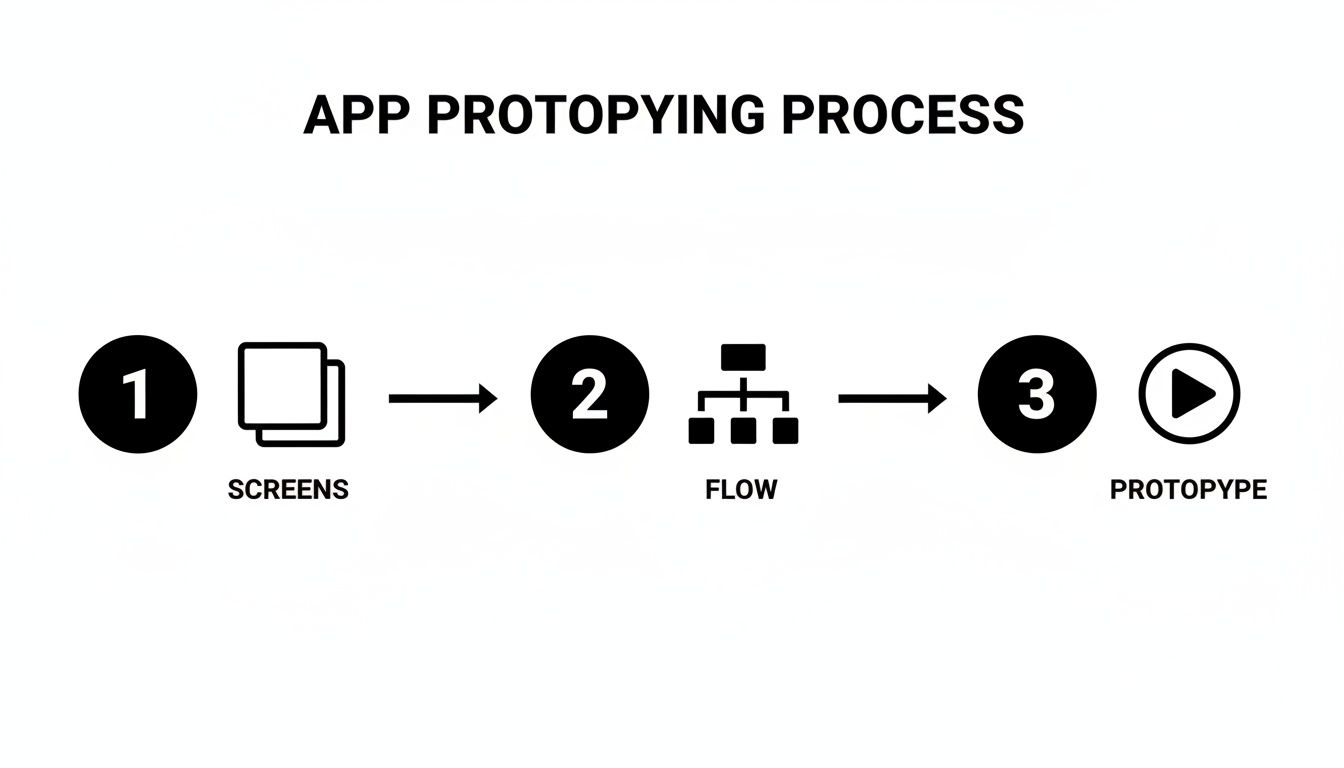
This streamlined approach means the code you export is a direct reflection of the user journeys you already tested and validated. That cuts down massively on rework and the all-too-common miscommunication between design and development.
The Developer Handoff and Integration Plan
Your exported UI is the "what"—what the user sees and interacts with. The backend is the "how"—how data is managed, how matches are made, and how everything is kept secure. Think of this next part as a clear handoff document for your technical co-founder or development team. It outlines the crucial integration points for turning your UI into a fully functional dating app.
When you create a dating app, getting this connection right is everything.
A Quick Note on Backend Choices: This checklist is totally backend-agnostic. For startups trying to move fast, popular and scalable choices are platforms like Firebase, Supabase, or AWS Amplify. These "Backend-as-a-Service" (BaaS) platforms give you pre-built solutions for authentication, databases, and real-time functions, which is perfect for an MVP.
Backend Integration Checklist for Your Dating App UI
Here’s a high-level checklist to guide the integration of your AI-generated React Native frontend with all the necessary backend services.
| Component | Integration Task | Recommended Service/Tech |
|---|---|---|
| User Authentication | Connect the signup and login screens to an auth service. Implement session management to keep users logged in. | Firebase Auth, Supabase Auth, Auth0 |
| User Profiles | Create a database schema for profiles (bio, photos, interests). Hook up the profile screen to read and write this data. | Firestore, Supabase (PostgreSQL), DynamoDB |
| Discovery/Matching | Implement the core matching logic. This involves fetching potential matches and storing user swipes (likes/dislikes). | Cloud Functions or other serverless logic to handle your matching algorithms. |
| Real-Time Chat | Integrate a real-time messaging service. Connect the chat UI so users can send and receive messages instantly. | Firebase Realtime Database, Ably, Stream |
| Safety & Moderation | Plan for user reporting and blocking features. Implement basic content filtering for text and images. | Build custom logic or use services like Sightengine for automated moderation. |
Each item on this list is a critical piece of the puzzle. For example, when integrating User Authentication, a developer will take your generated login screen and wire up the "Sign In" button to call the Firebase Auth API. Once a user successfully signs in, the app will navigate them to the main discovery screen you designed.
This methodical approach—nailing the UI first and then plugging in the backend services—is how you move incredibly fast. You've already validated the user experience with your prototype, so development becomes a clear, focused effort of connecting the dots rather than guessing what to build. This is how you create a dating app that can launch lean and iterate quickly.
Launching Lean and Iterating with User Feedback
You’ve exported the code, the backend is hooked up, and your MVP is officially a real, functioning app. It's a huge milestone. The natural instinct is to shout it from the rooftops, but the smartest move you can make right now is to whisper. A massive public launch is often just a vanity metric; a controlled, quiet soft launch is where the real strategic advantage lies.
Getting your app into the hands of real users isn't the finish line—it's the actual starting line. This is where you stop making assumptions and start gathering hard data on what people really do, think, and want inside the world you just built.
The Strategy of a Soft Launch
A soft launch is all about learning, not just racking up downloads. The goal is simple: release your app to a small, specific, and carefully chosen group of people. Ideally, this group is a perfect match for the user persona you defined way back in the planning phase.
This controlled environment minimizes your risk while maximizing the quality of your initial feedback. Why is it so effective? Because a small user base is manageable. You can personally onboard them, have genuine conversations, and watch how they behave without drowning in support tickets and server costs. This first group of users becomes your most important line of defense against major usability flaws or a confusing experience.
To build some anticipation and organize your first users, check out different waitlist software tools. They're a fantastic way to manage this initial group and create some early buzz before you go fully live.
Tracking the Metrics That Actually Matter
When you create a dating app, it's easy to get lost in a sea of data. For your MVP, you have to ignore the noise. Focus on a handful of key metrics that directly measure user engagement and tell you if your core features are working.
Here are the essentials to monitor from day one:
- Daily Active Users (DAU) / Monthly Active Users (MAU): This ratio is your "stickiness" score. A high DAU/MAU ratio means people are coming back frequently—a huge positive signal.
- Match Rate: This is calculated as
(Number of Matches / Number of Right Swipes) * 100. A healthy match rate tells you that your user pool is compatible and your discovery algorithm is on the right track. - Conversation Initiation Rate: What percentage of new matches leads to at least one message being sent? This is critical. It measures the leap from a passive match to an active, meaningful engagement.
- User Retention (Day 1, Day 7, Day 30): Of the people who sign up on Monday, what percentage are still using the app on Tuesday? A week later? Thirty days later? Strong early retention is one of the best predictors of long-term success.
A low conversation rate, for instance, is a massive red flag. It might mean your chat UI is clunky, users are getting matches they aren't actually interested in, or there's simply not enough of a spark to get them talking. This is exactly the kind of actionable insight a soft launch is designed to give you.
Creating a Powerful Feedback Loop
Data tells you what is happening. Direct user feedback tells you why. You need to build a simple, frictionless way for your early adopters to report bugs, suggest features, and vent their frustrations. Don't make them hunt for it.
Set up a clear and obvious channel for feedback. This could be a simple in-app form that shoots an email directly to you, a private Discord channel for your first 100 users, or even a "Shake to Report" feature. The tool itself matters less than the principle: make it ridiculously easy for users to talk to you.
This direct line to your community is your most valuable asset. The insights you get here are pure gold. They'll guide your next development sprint and ensure you’re building features that solve real problems, not just things that sounded cool in a meeting.
Iterating with Speed and Precision
This is where an AI-assisted workflow becomes a genuine superpower. When feedback starts rolling in—"The profile buttons are too small," or "I wish I could filter by proximity"—you don't have to file a ticket and wait two weeks for a fix. You can just open your UI project, describe the change in plain English, and generate the updated code in minutes.
Imagine a user reports that your onboarding flow is confusing. With a tool like RapidNative, you can rearrange the screens, tweak the button text, and refine the entire layout in a single afternoon. You then export the new code, and your developer can integrate it almost immediately. This completely transforms your iteration cycle from a matter of weeks into hours.
This kind of agility allows you to respond to user needs at a pace that traditional development just can't match. You’re no longer just building an app; you’re co-creating it with your first users. By launching lean, listening intently, and iterating rapidly, you build unstoppable momentum and ensure the product you create is one that people genuinely want and love to use.
Got Questions? We’ve Got Answers.
Even with a solid roadmap, a few key questions always pop up when you're getting ready to create a dating app. It's totally normal. You're trying to make smart calls on everything from the tech to the business model and user safety—and in this market, those decisions really matter.
Let's tackle the big one first: how much is this going to cost? The honest answer is, "it depends." The final price tag is a moving target based on your feature list, how complex the app is, and where your team is located. That said, a traditionally developed MVP can easily run anywhere from $25,000 to over $100,000.
This is where tools like RapidNative come in. By handling the UI development, you can dramatically cut down those initial frontend expenses. That frees up a ton of your budget for the stuff that makes your app work, like a powerful backend and a smart marketing plan.
What's the Right Tech to Use?
Another question I hear all the time is about the tech stack. When you’re building for mobile, you're usually looking at two main paths: native development or a cross-platform framework.
-
Going Native: This means building separate apps for iOS (with Swift) and Android (with Kotlin). You get top-tier performance and full access to all the phone's features, but you're also doubling your work and your team size. It's powerful, but expensive.
-
Cross-Platform (like React Native): This approach lets you write your code once and ship it to both iOS and Android. Modern frameworks like React Native have gotten so good that the user experience feels almost identical to a native app. For most startups, this is the way to go—it’s just a much faster and more efficient way to get to market.
When you use RapidNative, you’re exporting a React Native project. You get that single, easy-to-manage codebase without compromising on the smooth, polished UI users demand.
Making Money and Keeping Users Safe
So, how does the app actually turn a profit? You could run ads, but they often clutter the experience and turn users off. The gold standard in dating apps is the freemium model. The core experience is free, but you offer paid upgrades for users who want more.
Think about the top apps out there. They let you swipe and match for free, but you can pay for perks like unlimited swipes, seeing who's already liked you, or "boosting" your profile to get more views. It’s a great model because it keeps the app accessible while giving your most engaged users a reason to spend.
Finally, let's talk about something that absolutely cannot be an afterthought: user safety. This has to be baked into your plan from day one. You need to have features like user reporting, a blocking function, and some form of photo verification.
More and more, apps are also using AI moderation services to automatically screen for inappropriate photos or messages. Building a space where people feel safe isn't just a feature—it's the foundation of a healthy, thriving community.
Ready to stop planning and start building? With RapidNative, you can take your dating app idea and turn it into production-ready React Native code in minutes. Start building for free at https://www.rapidnative.com.
Ready to build your app?
Turn your idea into a production-ready React Native app in minutes.
Free tools to get you started
Free AI PRD Generator
Generate a professional product requirements document in seconds. Describe your product idea and get a complete, structured PRD instantly.
Try it freeFree AI App Name Generator
Generate unique, brandable app name ideas with AI. Get creative name suggestions with taglines, brand colors, and monogram previews.
Try it freeFree AI App Icon Generator
Generate beautiful, professional app icons with AI. Describe your app and get multiple icon variations in different styles, ready for App Store and Google Play.
Try it freeFrequently asked questions
What is RapidNative?
RapidNative is an AI-powered mobile app builder. Describe the app you want in plain English and RapidNative generates real, production-ready React Native screens you can preview, edit, and publish to the App Store or Google Play.
Can I export the code?
Yes. RapidNative generates clean React Native and Expo code that you can export at any time. No lock-in, no proprietary format. Hand it to your developers or keep building inside RapidNative.
Is RapidNative free to use?
Yes. You can build apps on the free plan with no credit card required. Paid plans unlock unlimited AI generations, code export, and direct publishing to the App Store and Google Play.
Do I need to know how to code?
No. Most users build apps by describing what they want in plain English. Developers can drop into the code whenever they want more control, but coding is optional.
How long does it take to build an app?
Most users have a working first screen in under a minute. A full MVP usually takes a few hours instead of the weeks or months traditional development requires.