A Founder's Guide to Mobile App Prototyping Software
Discover how modern mobile app prototyping software transforms ideas into interactive apps with AI, saving founders time and money. Learn a faster way to build.
By Paridhi
16th Dec 2025
Last updated: 16th Dec 2025
Mobile app prototyping software is what turns a great idea into something you can actually see and touch—an interactive model—long before you spend a dime on coding. For founders, product managers, and designers, modern AI-driven tools are a game-changer. They let you instantly map out user flows and test concepts, completely flipping the script on development time and costs.
Let's walk through how you can use this new AI-powered workflow to go from a rough idea to a working prototype in just minutes.
Go From Idea to Interactive Prototype in Minutes
You have a brilliant app idea, but then you're hit with the reality of a blank screen. For anyone who isn't a seasoned designer, translating that vision into a coherent visual format feels like a massive hurdle. The old way of doing things—manual wireframing, pixel-perfect UI creation—is slow and can kill momentum right out of the gate.
This is where an AI-powered workflow really shines. Instead of painstakingly building screen by screen, you can use simple text prompts to generate your first wireframes and user flows almost instantly. You just describe your app's purpose, who it's for, and its core features in plain English. The AI takes it from there, building the foundational structure for you.
Bypassing the Initial Friction
The biggest win here is the sheer speed and accessibility. You no longer need to be a design wizard to create a professional-looking mockup. This is a game-changer for validating ideas fast.
Imagine you're a founder with an idea for a local services marketplace. Instead of spending weeks on design, you can describe the entire user journey—from login and searching for a service to booking and payment—and have a complete, clickable flow ready in minutes. This means you can get feedback from potential users or investors this week, not next month.
This diagram shows how AI short-circuits the traditional process, condensing what used to take days into a matter of moments.

It’s all about removing the manual work that sits between the idea and the prototype. You get a direct path from your concept to something you can actually test.
Practical Prompts for Real-World Apps
The quality of your AI-generated prototype comes down to the quality of your prompt. You need to be descriptive. Here are a couple of real-world examples to show you what this looks like:
- For a Fitness Tracker: "Create a mobile app for tracking daily workouts. It needs a dashboard showing steps and calories, a screen to log different exercises like running and weightlifting, a history view with weekly progress charts, and a simple user profile screen."
- For a Local Services Marketplace: "Generate an app that connects homeowners with local plumbers and electricians. The main flow should include a home screen with service categories, a search results page with provider profiles, a booking screen with a calendar, and a user account section to manage appointments."
The goal is to get a solid, actionable foundation for your project without touching code or opening a traditional design tool. This makes it so much easier to get early feedback from stakeholders or potential customers.
The demand for these tools is exploding. The mobile app prototyping software market grew from $1.2 billion in 2024 to $1.47 billion in 2025. That jump is directly tied to the need for better, faster ways to build interactive mobile prototypes, especially as the entire mobile app market is projected to grow by 21.55%.
Let's Generate Your First AI-Powered Wireflow
This is where your idea starts to become a real thing. A wireflow isn't just a collection of screens; it's the actual blueprint for how someone will move through your app. With today's mobile app prototyping software, you can turn a single sentence into this entire user journey, setting the stage for the rest of your project. The key is learning how to write a good prompt.
Instead of just giving a vague idea, a solid prompt lays out all the necessary screens, what the user needs to do on them, and how everything connects. Think of yourself as a director giving your AI assistant clear, scene-by-scene instructions.

Crafting the Perfect Prompt
Let's say we're building a meal delivery app. A weak prompt would be something like, "Make a food app." That doesn't give the AI much to work with. A strong, actionable prompt, on the other hand, tells a clear story.
Here’s a practical template that works wonders:
"Create a wireflow for a meal delivery app. The user starts with a splash screen, then moves to a login/signup screen. After logging in, they land on a home screen with a search bar and categories like 'Pizza' and 'Sushi'. Tapping a category leads to a restaurant list. Tapping a restaurant opens its menu. From the menu, users add items to a cart and then proceed to a checkout screen with fields for address and payment."
This kind of detail gives the AI everything it needs: the specific screens, the sequence of events, and the key actions the user will take.
From Prompt to Visual Blueprint
After you hit enter, the AI does its thing. In just a few seconds, you'll have a complete visual wireflow mapping out every screen and its connection. You’ll see boxes for "Login," "Home," "Menu," and "Checkout," with arrows clearly showing the user's path.
This isn't just a static diagram; it's a living map of your app's logic. For founders and product managers, this step is pure gold. You can see the entire user journey at a glance, making it incredibly easy to spot confusing paths or dead ends before a single line of code is written. If you're curious about how different platforms handle this, we've broken down several AI prototyping tools and their approaches.
Reviewing and Refining the Flow
The first wireflow is just your starting point—a first draft. Now, it's time to put on your product manager hat and scrutinize it. Does the user's journey actually make sense?
Run through a quick mental checklist:
- Is anything missing? For our meal delivery app, what about a password reset flow? Or an order confirmation screen? These are easy to forget.
- Is the navigation intuitive? If a user gets to the checkout and wants to go back to the home screen, is there a clear path?
- Are there any friction points? Forcing someone to create an account before they can even see the restaurants is a classic conversion killer. This is the stage to catch that.
This review process is where you really feel the benefit of an AI-driven workflow. You're not tweaking pixels; you're shaping the core user experience with a simple, visual tool. It’s the fastest way to make sure your app's foundation is rock-solid from the very beginning.
Transform Wireframes into High-Fidelity UI
A solid wireflow is your app's blueprint. It maps out the user's journey and defines the core structure. But let's be honest—a collection of gray boxes isn't going to get stakeholders or investors excited. To truly sell your vision and get useful feedback from early testers, you need to bring that blueprint to life with a high-fidelity UI. This is where you make the leap from a basic plan to a polished interface that looks and feels like a real product.
With modern mobile app prototyping software like RapidNative, this transformation is no longer a week-long design sprint. The AI can take your approved wireflow and instantly apply a complete design system. We're talking consistent colors, typography, and component styling across every single screen, often with just one click. It’s like having an instant UI designer on your team.
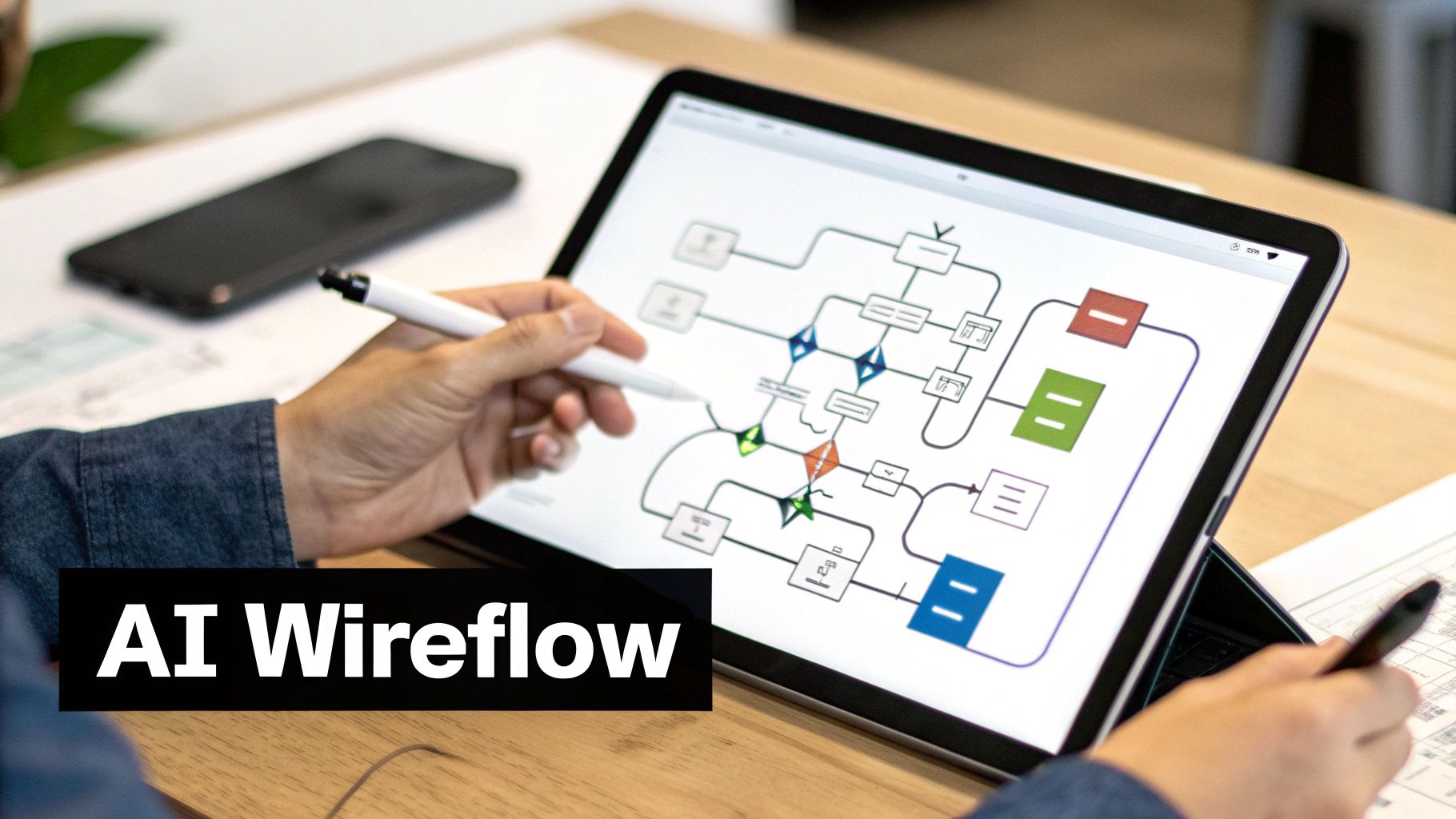
For founders and product managers who need to move fast, this is a massive advantage. You can generate a visually compelling prototype that’s ready for a pitch deck or a user testing session in minutes, not days.
What to Look for in an AI-Generated UI
Once the AI has applied a design, it’s time for a quality check. The goal isn't pixel-perfection right away. Instead, you're making sure the fundamentals are solid. Run through this quick checklist to evaluate the initial output:
- Visual Hierarchy: Does the design naturally guide your eye to the most important actions? The main call-to-action buttons should pop.
- Brand Alignment: Do the colors and fonts feel appropriate for the brand you're building? You should be able to see a clear path to customizing it.
- Consistency: Are buttons, input fields, and icons styled the same way everywhere? A consistent design language makes an app feel professional.
- Clarity and Readability: Can you actually read the text? Check for sufficient contrast between text and background colors to ensure everything is legible.
This quick evaluation ensures your prototype is not just functional but also visually coherent, turning it into a much more powerful communication tool. The value here is undeniable, and the market reflects it. The prototyping software market is projected to skyrocket from $0.792 billion in 2025 to $3.1 billion by 2034. This boom is driven by tools that empower smaller teams to build better products faster. You can read the full research about prototyping market growth to see the data for yourself.
From Blueprint to Reality: Wireframe vs. High-Fidelity UI
It's helpful to see just how different these two stages are. A wireframe is all about structure, while a high-fidelity UI is all about the experience. Thinking about it this way clarifies the immense value this AI-driven transformation provides.
| Attribute | Wireframe | High-Fidelity UI |
|---|---|---|
| Purpose | Defines structure, layout, and user flow. | Simulates the final look, feel, and user experience. |
| Visuals | Basic shapes, lines, and placeholder text. | Real colors, typography, imagery, and branding. |
| Use Case | Internal alignment on core functionality. | Stakeholder presentations and user testing. |
| Fidelity | Low-fidelity, focused on function over form. | High-fidelity, focused on aesthetics and interaction. |
At the end of the day, that jump from wireframe to high-fidelity UI is where your idea finally becomes tangible. It's the moment your team, investors, and first users can finally see what you see, making it one of the most critical steps in the entire prototyping process.
Refine Your Design with Simple Chat Commands
Your first AI-generated UI is a fantastic starting point, but it's rarely the final version. In a typical design process, this is where the grind begins—nudging pixels, manually resizing elements, and hunting through menus. It's tedious work.
With an AI-driven workflow, this entire feedback loop gets squeezed into a simple chat conversation. Instead of messing with property panels, you just tell the AI what you want to change.
This process feels less like wrestling with design software and more like directing a highly efficient assistant. For founders or product managers who aren't designers, this is a game-changer. It flattens the learning curve, letting you make meaningful changes without getting bogged down in technical details.

Making Design Changes Through Conversation
The magic here lies in giving clear, specific instructions. The more precise your command, the better the AI's execution. This back-and-forth can handle everything from tiny cosmetic tweaks to major layout overhauls.
Here are a few real-world examples of commands you might use in a tool like RapidNative:
- For Branding: "Change the primary button color on all screens to our brand's blue, #0A74DA."
- For Layout: "Increase the spacing between the items in the product list. It feels too cluttered."
- For New Elements: "Add a 'Forgot Password?' link below the login button on the sign-in screen."
- For Content: "Change the headline on the onboarding screen to 'Welcome to Your Fitness Journey'."
This is where you really feel the power of AI-assisted prototyping. Tasks that could easily burn hours of a designer's time are done in seconds. You can condense weeks of back-and-forth into a single, productive afternoon.
How to Give Precise Feedback to the AI
Even though it feels like a conversation, you still need to be crystal clear. A common mistake is using ambiguous language. A command like "make the button bigger" is subjective—bigger by how much? The AI has to guess.
The secret is to be specific without being overly technical. Think like you're giving directions to a person: provide context, state the action, and describe the desired outcome. Precision eliminates guesswork and speeds up the entire refinement process.
Instead of a vague request, get more descriptive. You don't need to know code, just what you want to see.
| Vague Command | Precise Command |
|---|---|
| "Fix the login screen." | "Add a 'Show Password' icon to the password input field on the login screen." |
| "Make the text look better." | "Change the font for all body text to 'Inter' and set the font size to 16px." |
| "This looks too crowded." | "Add 24px of vertical padding between the image and the title on the detail screen." |
By getting into the habit of this specific, conversational style, anyone on the team can jump in and contribute to the design. It breaks down the silos between product, design, and engineering, helping you get to a final product faster.
Turn Your Prototype into Production-Ready Code
This is the moment of truth. You’ve polished your prototype, and now it's time to turn it into something your developers can actually build with. This is where AI-driven mobile app prototyping software closes that frustrating gap between design and development.
Instead of the old-school handoff—static images and redline documents—you’re exporting clean, functional React Native code straight from your design.
For non-technical founders or PMs, you’re not just showing your vision anymore; you’re delivering a functional starting point. For developers, this means no more guessing pixel values from a mockup. They get a codebase with a solid component structure and styling already in place, letting them jump right into business logic and backend integration.
What to Expect from AI-Generated Code
So, what does this exported code actually look like? When you hit "export," the tool creates a complete, organized React Native project.
Here’s what a developer should see, which is a good sign of quality code generation:
- Modular Components: Every UI element you designed—buttons, cards, input fields—is its own reusable component. This is crucial for keeping the codebase clean and scalable.
- Clean Styling: The code uses a consistent styling approach, like Tailwind CSS, which smartly converts design tokens into easy-to-use utility classes.
- Logical Screen Structure: Each screen from your prototype maps directly to a specific file, with all the navigation logic already wired up.
This kind of seamless handoff is the whole point of effective design-to-code automation, and it's a massive time-saver.
By cutting out the manual work of translating design into code, teams can shorten their initial development sprints by weeks, sometimes even months. That's a serious competitive advantage when you're racing to get an MVP to market.
The Impact on Your Development Timeline
This move toward code generation is part of a much bigger trend. By 2025, it's estimated that a whopping 65% of all apps will be built using low-code platforms.
The numbers are staggering: teams report 90% faster launch times and a 362% return on investment compared to traditional development. With 50% of developers already using AI coding assistants, integrating AI-generated code is quickly becoming the new normal.
Of course, once you have that production-ready code, the next step is getting it into the app stores. Having a clean codebase from the get-go makes it much easier to meet platform requirements, like those in Apple's App Store Guidelines for developers. It helps ensure your app is not just well-designed, but also technically sound and ready to pass review without major headaches.
Common Questions About AI Prototyping
Whenever teams explore a new way of working, a few questions always pop up. Making the jump to AI-powered mobile app prototyping software might seem like a huge leap, but it's often more straightforward than you'd expect. Here are clear, no-nonsense answers to the most common questions from founders, designers, and developers.
This new way of building products shifts the focus from tedious design work to high-level strategy and creative problem-solving. If you're curious about the bigger picture, it's worth checking out insights on the Generative AI Landscape to see how these trends are shaping the tools we use every day.
Do I Need Technical Skills to Use AI Prototyping Software?
Not at all. These tools are built from the ground up for non-technical users. If you can clearly explain your app's features in plain English, you have everything you need to get a functional wireframe and a polished UI.
Think of it as a conversation. You're not fighting with clunky design menus; you’re simply telling the AI what you envision, making it an incredible collaborator for everyone on the team, no matter their role.
Can I Customize the Design to Match My Brand?
Absolutely. This is a must-have feature for any serious prototyping platform. You can use basic chat commands to tell the AI to:
- Use your brand’s exact hex color codes for UI elements.
- Upload your custom fonts and apply them across the entire app.
- Follow your established design system rules to keep everything consistent.
This way, the prototype you're testing is a genuine reflection of your final product vision from the start.
AI prototyping isn’t meant to replace tools like Figma. It’s about turbo-charging the first 80% of the journey. You get a solid, coded foundation in minutes, and can then export to your favorite design tool for those final, pixel-perfect tweaks.
Is the Generated React Native Code Actually Usable?
Yes. Today's AI code generation isn't just spitting out messy scripts. It produces clean, modular, and scalable React Native code that follows modern development best practices.
What your developers get is a well-organized project that acts as a strong starting point. It lets them skip hundreds of hours of repetitive UI setup and jump right into what matters most: implementing the unique business logic and connecting to your backend.
Ready to see how fast you can turn your idea into a coded prototype? With RapidNative, you can generate production-ready React Native screens from a single prompt. Start building your app today at https://www.rapidnative.com.
Ready to build your app?
Turn your idea into a production-ready React Native app in minutes.
Free tools to get you started
Free AI PRD Generator
Generate a professional product requirements document in seconds. Describe your product idea and get a complete, structured PRD instantly.
Try it freeFree AI App Name Generator
Generate unique, brandable app name ideas with AI. Get creative name suggestions with taglines, brand colors, and monogram previews.
Try it freeFree AI App Icon Generator
Generate beautiful, professional app icons with AI. Describe your app and get multiple icon variations in different styles, ready for App Store and Google Play.
Try it freeFrequently asked questions
What is RapidNative?
RapidNative is an AI-powered mobile app builder. Describe the app you want in plain English and RapidNative generates real, production-ready React Native screens you can preview, edit, and publish to the App Store or Google Play.
Can I export the code?
Yes. RapidNative generates clean React Native and Expo code that you can export at any time. No lock-in, no proprietary format. Hand it to your developers or keep building inside RapidNative.
Is RapidNative free to use?
Yes. You can build apps on the free plan with no credit card required. Paid plans unlock unlimited AI generations, code export, and direct publishing to the App Store and Google Play.
Do I need to know how to code?
No. Most users build apps by describing what they want in plain English. Developers can drop into the code whenever they want more control, but coding is optional.
How long does it take to build an app?
Most users have a working first screen in under a minute. A full MVP usually takes a few hours instead of the weeks or months traditional development requires.