How RapidNative Previews React Native Apps on Real Devices
By Suraj Ahmed
30th Jun 2026
Last updated: 30th Jun 2026
The fastest demo of an AI app builder is not a video. It is the moment someone types a prompt, points their phone camera at a QR code, and watches their app launch on the device a few seconds later. No Xcode. No Android Studio. No Node. No expo start. Not even a USB cable.
This article is a walk through the architecture behind that moment in RapidNative — how we generate the QR code, what URL it actually carries, and how a private Expo Go tunnel gets stood up per project on cloud infrastructure so a user's React Native preview can stream live to their device.
If you have ever shipped React Native with the standard expo start --tunnel flow, you know it works but it ties the dev server to your laptop. We needed a version of that workflow that runs entirely in the browser tab. This is what it took.
A 40-second primer for non-mobile devs
A short answer first, for snippet hunters: a React Native preview on a real device through RapidNative happens by scanning a QR code in the editor with the Expo Go app. The QR resolves to an exp:// URL pointing at a per-project Metro dev server running in our cloud. Expo Go fetches the JS bundle from that server and executes it on the phone with hot module reload — no CLI, no local environment, no native build.
That is the surface. The interesting part is everything that has to happen behind the QR.
The "Run on Phone" surface
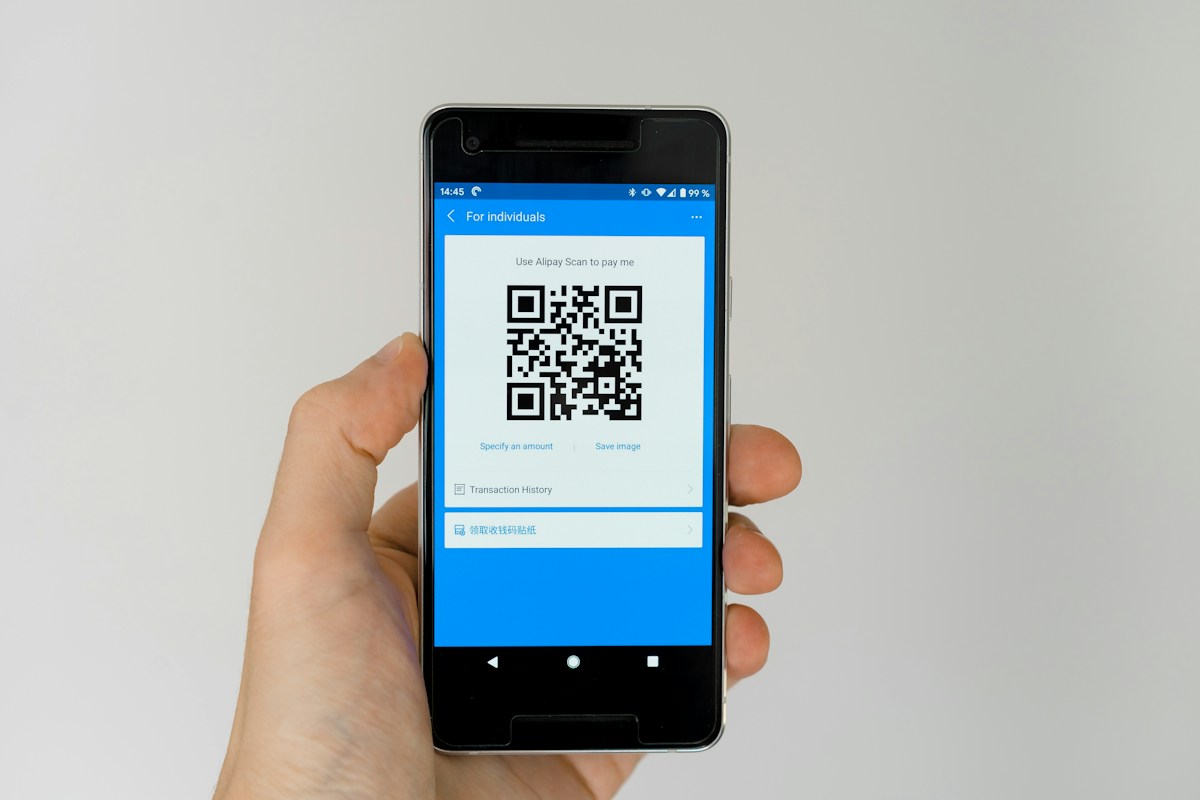
When you open a project in RapidNative, the editor header carries a small phone icon. Clicking it opens a popover with two QR codes side by side:
- Web App — a Progressive Web App preview that renders in any mobile browser
- Android / iOS App — a native preview that opens inside Expo Go
The two paths solve different problems. The web QR is for people who do not have Expo Go installed and want to share a working link with stakeholders. The Expo Go QR is for the real thing — a native runtime executing React Native code on iOS or Android, with all the native components, gestures, and animations behaving the way they will in production.
Both QRs are rendered client-side using the qrcode npm package (v1.5.4). The library turns a URL into a base64-encoded PNG that gets dropped into a normal <img> tag — there is no canvas or SVG layer involved. It is intentionally boring on purpose. The interesting work is in the URL the QR encodes, not in the QR itself.
What is actually in the QR code?
The native QR encodes a URL like this:
exp://abc123-expo-dev.rapidnative.com
That exp:// scheme is registered by Expo Go on both iOS and Android. When the OS sees it, it hands the URL off to Expo Go instead of opening a browser. Expo Go treats whatever follows as the address of a Metro dev server it should connect to.
The subdomain shape — {projectId}-expo-dev.rapidnative.com — is doing real work. Every project in RapidNative has its own projectId, and every project gets its own subdomain that resolves through our edge to a container running a Metro server bound to that project's source files. There is no shared dev server. There is no port number leaking to the user. Two users opening preview at the same time get two independent containers on two different subdomains.
The web QR encodes a sibling URL:
https://abc123-preview.rapidnative.com
Same pattern, different runtime. The web subdomain serves a pre-bundled HTML/JS snapshot of the same React Native code, ported to web via a bundler shim that maps React Native primitives to web equivalents. We will come back to that later.
The classic Expo workflow vs. the cloud workflow
To understand what is different about RapidNative's preview, it helps to compare it against the standard Expo developer loop.
| Step | Standard expo start flow | RapidNative cloud flow |
|---|---|---|
| Where the dev server runs | Your laptop | A container in our cloud |
| What you install | Node, npm, expo CLI, project deps | Nothing — just Expo Go on the phone |
| What the QR encodes | exp://192.168.x.x:8081 (LAN) or exp://u.expo.dev/... (Tunnel) | exp://{projectId}-expo-dev.rapidnative.com |
| TLS | LAN: none. Tunnel: yes, via ngrok-like service | Yes — always, through our own domain |
| Network requirement | Phone and laptop on same Wi-Fi (LAN) | Phone has internet — that's it |
| Bundler | Metro running on your machine | Metro running in a per-project container |
| Hot reload | Yes, file watcher on disk | Yes, file deploy + Metro restart per reload |
The big shift is that the dev server is no longer pinned to a developer machine. That changes who can preview an app. A non-technical founder, a designer testing flows, a stakeholder on a call — none of them need a CLI, a local clone, or even a laptop. They need a phone and an internet connection.
The full route from popover to phone
Here is the end-to-end flow that fires when a user clicks the phone icon, scans the native QR, and watches their app launch.
1. The editor asks the backend to prepare the preview
The QR is generated immediately, but the preview service may not be running yet. Cold containers exist. So the editor calls a backend route:
POST /api/preview/{projectId}
This route is the orchestrator. It checks whether an Expo dev service for this project is already running and healthy, and if not it spins one up. Concretely it does a health check, then either returns the existing exp:// URL or starts the cold-start path.
2. The orchestrator talks to an admin service
Container lifecycle is not done from inside the Next.js app. That would couple the marketing/editor app to infrastructure concerns it should not own. Instead, the API route forwards a request to a separate admin service that knows how to start, stop, deploy to, and health-check Expo dev containers. Authentication between them is handled with a shared secret on the server.
The admin service exposes endpoints like:
POST /projects/{projectId}/services/expo-dev/start
POST /projects/{projectId}/services/expo-dev/stop
POST /projects/{projectId}/services/expo-dev/deploy
GET  /projects/{projectId}/services/expo-dev/health
start spins up a container, runs Metro inside it, and assigns it the {projectId}-expo-dev.rapidnative.com hostname. deploy ships the user's current React Native files into the container's working directory. stop reaps containers that have gone idle.
3. Files flow from Postgres into the container
The user's React Native source code lives in Supabase — in a files table joined to a projects table, along with binary assets stored in Supabase Storage. When the orchestrator starts a fresh preview, it fetches the latest snapshot of those files and pushes them to the admin service's deploy endpoint. The admin service writes them into the container's filesystem.
Two things matter here. First, the cold-start path is the slow path, but it is the only one you ever wait on. Second, the source of truth is the database, not the container. If a container dies, we lose nothing — a new one rebuilds from the same database state.
4. The QR's URL resolves to the right container
The user has already scanned the QR. Expo Go is now trying to connect to exp://abc123-expo-dev.rapidnative.com. DNS resolves the subdomain to our edge. The edge looks at the project ID prefix and routes the connection to the container we just started for that project. From Expo Go's perspective, this is just a Metro dev server — a thing it already knows how to talk to.
5. Metro hands the bundle to the phone
Metro inside the container does what Metro always does: it transpiles the project, resolves modules, and produces a JS bundle. Expo Go downloads that bundle, hands it to the JS engine on the device (Hermes by default), and the app starts. Hot module reload uses Metro's own WebSocket connection back to the container, so live edits in the editor can re-bundle and refresh the device without a full reload.
6. The "Reload Preview" button
When a user changes code in the editor and clicks Reload Preview, the editor hits the same API route with ?reload=true. The orchestrator stops the running service, re-fetches the latest files from Supabase, redeploys them into a fresh container, and starts Metro again. Expo Go on the phone sees the bundle change and reloads. End-to-end this typically takes a few seconds — fast enough to feel interactive, slow enough that we do not do it on every keystroke.

Why containers instead of a single shared dev server?
The most obvious alternative would be to run one big Metro server that serves all projects, with the project ID encoded in the URL path. We rejected that early. A shared Metro process is a giant shared mutable global — modules cached across projects, file watchers fighting each other, a crash in one project's code crashing the dev server for everyone. Per-project containers fix all of that.
The trade-off is cost. A container per active preview is more expensive than a multi-tenant process. We mitigate that with aggressive idle timeouts: a container that has not had a Metro request in a while is killed. Cold start is in the seconds, not minutes, because the container image already has Node, Metro, Expo, and the project's static dependencies baked in. Only the user's files need to be deployed at start time.
The isolation pays off in other places too. Sandboxed networking limits what user code can reach. Per-project memory caps prevent one runaway project from taking down a node. We can roll out a new Metro version to one project as a canary. None of this is possible with a shared process.
The PWA preview, and when to use which
The native QR is the showcase, but the PWA QR is the workhorse. Most preview clicks in practice are from the editor user themselves, who is on a laptop and wants to see the screen update without picking up a phone. The PWA preview gives them that — a web URL that renders the React Native app in a desktop browser inside a phone frame.
To make that possible, the same React Native source is bundled to a web target. RapidNative uses an in-browser bundler called almostmetro that runs inside a Web Worker. It maintains a virtual filesystem in memory, watches it for changes, and produces a CJS bundle whenever a file is touched. The bundle is wrapped in HTML and loaded as a blob URL inside a sandboxed iframe in the editor. There is also a server-side bundling path that stores the bundle in a project_bundle_preview table so the PWA URL works for people other than the editor user.
The split is a clean separation of concerns. The native QR exists for fidelity — when you need to see real native scrolling, real navigation gestures, and real OS chrome. The web QR exists for speed and shareability — when you need a link to send a stakeholder five minutes from now.
How does Expo Go work with QR codes?
Behind the scenes, Expo Go is a thin shell around the React Native runtime, distributed as an app on the App Store and Google Play. Its job is to load any compatible JS bundle from any Metro server, and run it. The QR code is just a transport for the dev server URL.
When you scan a QR with the Expo Go app open (or via the iOS Camera app on iOS), Expo Go fetches a manifest from the server at the URL encoded in the QR. The manifest is a JSON document describing the bundle URL, the app's name, its assets, and its runtime requirements. Expo Go downloads the bundle, validates it against the manifest, and executes it. From there it is React Native — same JS engine, same bridge, same components a published app would use.
That is why the preview is fidelity-true. There is no transpilation layer between "preview" and "production" that could hide bugs. The same bundle Expo Go is running on your phone in preview is the bundle your users would run after you publish the app.
Can you preview a React Native app without installing Node.js?
Yes — that is the whole point of a cloud-hosted preview workflow. With RapidNative you do not need Node, npm, Yarn, the Expo CLI, Watchman, Xcode, Android Studio, or any local dependency. The Metro dev server runs in our cloud and is reachable over HTTPS through our domain. Your phone needs Expo Go installed, and the device needs internet access. That is it.
This is the difference that makes AI-driven app building viable for non-engineers. The traditional Expo onboarding had real friction even for developers — xcode-select --install, the right Node version, simulators, environment variables. None of that is on the path to seeing your app on a device with RapidNative.
LAN, Tunnel, and the cloud preview model
Anyone who has used expo start knows the LAN vs. Tunnel choice. LAN is fast but requires the phone and laptop on the same Wi-Fi. Tunnel routes through a public relay so the phone can reach the laptop from anywhere, but adds latency. RapidNative's cloud preview is closer to Tunnel in topology but with one important property: the relay endpoint is on our own domain, with a real TLS certificate, not a shared service URL.
That matters for two reasons. First, corporate networks that block third-party relays — common at large companies — still work because the preview hostname is part of the rapidnative.com domain. Second, the preview URL is stable for the lifetime of the project, not regenerated every dev server restart, so it can be bookmarked, shared, and embedded.

The pieces nobody sees but every preview depends on
A list of the boring but load-bearing parts that make this whole thing feel one-click:
- Wildcard DNS and edge routing.
*.rapidnative.comresolves to our edge, which inspects the subdomain prefix and routes to the right container. Without this, no per-project hostname is possible. - A health-check loop. The orchestrator polls container health before returning a URL to the editor, so a user never scans a QR pointing at a container that is still booting.
- A file deploy protocol. Files are shipped to the container as a single archived payload, not file-by-file. Network round trips dominate cold start otherwise.
- A project-runner registry. A
project_runnerstable in the database tracks which projects currently have a live container, their hostnames, and their health. When the editor reopens, it can reuse a live container instead of cold-starting another one. - Per-project sandboxing. User code in one container cannot reach another container's filesystem, environment, or network. This is not a feature anybody sees but it is the difference between "demo" and "product."
None of these are RapidNative inventions. They are the cost of running anything serious in the cloud. What is unusual is putting all of them between a user's prompt and a QR code on the screen.
What this unlocks
The architecture is interesting on its own, but it is in service of a workflow that is hard to do any other way. A user types a prompt. The AI generates a few React Native screens. The user opens the preview popover, scans the QR with their phone, and the app loads. They tap around. They notice a button is in the wrong place. They click that button in the editor and describe the change. The Reload Preview button fires. A few seconds later, the change is on their phone. They never opened a terminal.
For people who can already code, this is a nice-to-have. For everyone else, it is the difference between "I am going to build an app" and "I never finished setting up the toolchain." We built the QR preview pipeline because we wanted that gap to not exist.
If you want to try it: open RapidNative, describe a screen, and scan the QR with Expo Go on your phone. The first time through is the part of the product that is hardest to explain in writing.
Frequently asked questions
Do I need a Mac to preview a React Native app on a real iPhone? No. A Mac is required to build a signed native binary for the App Store, but for preview via Expo Go on iOS you only need the iPhone itself with the Expo Go app installed. The phone connects directly to the cloud Metro server over the internet.
What happens if my internet connection drops mid-preview? Expo Go caches the most recently loaded bundle. If the connection drops, the app keeps running from the cached bundle, but hot reload stops working until the connection is restored. Reloading the preview from the editor will fail until you are back online.
Is the preview the same as the production build? The JavaScript is identical — the bundle Expo Go runs is the same React Native code the production app would run. The runtime is slightly different: Expo Go is a development client with debugging tools enabled. For full production parity, you need a custom dev client or a published build, both of which RapidNative can produce as part of the code export workflow.
Can I share the QR with someone else to preview my app? Yes — the preview URL is stable for the lifetime of the project. As long as you have a running preview container (or the share recipient triggers a new one), anyone with the QR can scan it from their own phone. This is one of the most common ways founders demo a work-in-progress to a co-founder or designer.
How is this different from Expo Snack? Expo Snack is a great in-browser sandbox for short React Native examples and tutorials. RapidNative's preview is built for real projects — multi-screen apps with navigation, state, real data, and an exportable codebase you own. The QR preview here is a window into a full app, not a snippet.
Sources cited and recommended reading: Expo Go documentation, Metro bundler architecture, React Native running-on-device guide.
Ready to build your app?
Turn your idea into a production-ready React Native app in minutes.
Free tools to get you started
Free AI PRD Generator
Generate a professional product requirements document in seconds. Describe your product idea and get a complete, structured PRD instantly.
Try it freeFree AI App Name Generator
Generate unique, brandable app name ideas with AI. Get creative name suggestions with taglines, brand colors, and monogram previews.
Try it freeFree AI App Icon Generator
Generate beautiful, professional app icons with AI. Describe your app and get multiple icon variations in different styles, ready for App Store and Google Play.
Try it freeFrequently asked questions
What is RapidNative?
RapidNative is an AI-powered mobile app builder. Describe the app you want in plain English and RapidNative generates real, production-ready React Native screens you can preview, edit, and publish to the App Store or Google Play.
Can I export the code?
Yes. RapidNative generates clean React Native and Expo code that you can export at any time. No lock-in, no proprietary format. Hand it to your developers or keep building inside RapidNative.
Is RapidNative free to use?
Yes. You can build apps on the free plan with no credit card required. Paid plans unlock unlimited AI generations, code export, and direct publishing to the App Store and Google Play.
Do I need to know how to code?
No. Most users build apps by describing what they want in plain English. Developers can drop into the code whenever they want more control, but coding is optional.
How long does it take to build an app?
Most users have a working first screen in under a minute. A full MVP usually takes a few hours instead of the weeks or months traditional development requires.