One-Shot Prompts: The Fastest Way to Build and Test Mobile App Ideas
Discover how one shot prompts speed up app prototyping with practical examples and tips for accurate UI design.
By Parth
5th Feb 2026
Last updated: 5th Feb 2026
Picture this: you have an idea for a new app feature on Monday morning, and by Monday afternoon, you're clicking through a working prototype. Sounds like a fantasy, right? For most mobile product teams, it is—a dream lost in the slow grind of design mockups, developer handoffs, and tedious coding.
This guide is for you—the founder, PM, or designer trying to build better mobile products faster. We'll show you how to make that dream a reality with a simple but powerful technique: the one-shot prompt.
Build Prototypes in Hours, Not Weeks
We all know the traditional way of building mobile apps is painfully slow. Getting a single screen from a polished Figma design into a developer's hands to be turned into interactive code can take days, if not weeks. That lag between a great idea and getting real user feedback is where innovation dies. It’s a resource drain, and for teams trying to move quickly, it’s a killer.
This is especially true for new companies. A good guide on mobile app development for startups can lay out the long road ahead, but prompt-driven tools can help you skip a lot of the traffic.
That's where one-shot prompts come in. Forget writing a massive spec doc or creating pixel-perfect mockups for every single state. Instead, you just give the AI one solid, high-quality example of what you want.
A one-shot prompt is like showing a junior designer a single, perfectly crafted button from your app and saying, "Now, create a whole login form using this exact style." It's the sweet spot—not too vague, not too overwhelming—giving the AI just enough context to get the job done right.
From Bottleneck to Superpower
This might seem like a small tweak to your workflow, but the downstream effects are huge. Using one-shot prompts lets you leapfrog the manual grunt work that bogs down the prototyping phase. The payoff for your product team is immediate.
- Move at Lightning Speed: Generate a high-fidelity UI that actually looks like your product in minutes. This completely changes the pace of your feedback loop, from internal design reviews to actual user testing.
- Get Everyone on the Same Page: Conversations with stakeholders are so much more productive when you can show them a working prototype instead of just talking about an idea. Decisions get made faster because they're based on something real.
- Free Up Your Engineers: When you aren't wasting hours on initial mockups and endless revisions, you free up your engineers to focus on building the final, polished product. That saves a ton of time and money.
For anyone building a product—founders, PMs, designers—this approach flips the script. Prototyping stops being a frustrating bottleneck and becomes your team's new superpower, letting you build, test, and learn faster than ever before.
How AI Interprets Your Instructions
To really nail your one-shot prompts, it helps to have a gut feeling for how an AI "thinks." Let’s set aside the complex algorithms for a second and imagine you're onboarding a new junior designer. The way you brief them directly shapes the quality of their first draft, right? It's the exact same principle with AI.
An AI doesn't grasp your intent or the bigger picture like a person does. It sees your prompt as a massive math problem, hunting for patterns and connections in the mountains of data it was trained on. This is especially true when working with Generative AI, where your prompt is the direct instruction for what it creates.
That’s why the clarity of your input is everything.
Finding the Sweet Spot: From Vague Ideas to Clear Direction
Let’s stick with that junior designer analogy to break down the different ways you can give instructions.
-
Zero-Shot Prompting: This is like walking up to the designer and saying, "Create a user profile screen." That's it. No examples, no context. You’re just banking on their previous experience to fill in the blanks. The results? A total gamble, and they rarely fit the unique style of your app.
-
Few-Shot Prompting: Now you’re giving the designer a little more to work with. You hand them a folder with ten or twenty different profile screens from various apps. While this provides a ton of context, it's a lot for you to pull together and can actually overwhelm the designer (and the AI) with conflicting styles and ideas.
One-Shot Prompting: This is where things get efficient. You show the designer one single, perfect example—say, a contact card from your own app—and tell them, "Now, design a user profile screen that matches this exact style." That one high-quality example gives them just enough information on your typography, spacing, and component design to apply it to a new screen.
It’s about giving the AI a clear, relevant blueprint. This focused instruction cuts through the vagueness of zero-shot and the noise of few-shot, leading to far more predictable and consistent UI designs for your mobile product.
A Comparison of Prompting Techniques
Here’s a quick look at the three primary prompting methods to clarify which is right for your app prototyping needs.
| Technique | Your Input | Ideal Use Case | Typical Effort |
|---|---|---|---|
| Zero-Shot | A simple command without any examples. | Quick brainstorming or generating generic ideas. | Very Low |
| One-Shot | A command paired with a single, high-quality example. | Creating new UI components that match an existing style. | Low |
| Few-Shot | A command with multiple, diverse examples. | Complex tasks requiring nuanced understanding. | High |
For building mobile UIs with a consistent design system, the one-shot approach almost always hits the sweet spot between effort and quality.
This focused approach is a game-changer for speeding up the design and prototyping workflow. The graphic below shows just how much faster teams can move when they switch from old-school manual methods to a prompt-first process.
Making that jump from a slow, hands-on process to a rapid, AI-assisted one is the key to building and testing ideas faster than ever.
By getting a handle on these simple concepts, you can fundamentally change how you build apps. If you’re ready to go deeper, you can learn more about how we apply generative AI for app development in our guide.
Why One-Shot Prompts Are a Game Changer for Mobile Teams
Let's get practical: the real power of a one-shot prompt isn't just a technical trick. It's about how it directly helps you ship better products faster.
For any product team, especially in the fast-paced world of mobile apps, speed and accuracy are everything. One-shot prompting dramatically tightens the feedback loop, taking you from a spark of an idea to a tangible prototype you can actually get in front of users.
It delivers a huge accuracy boost over a zero-shot guess without bogging you down in the data collection and formatting nightmare that comes with few-shot learning. This isn't just a minor efficiency gain; it's a fundamental shift that delivers real, measurable benefits.
Think about it: instead of spending hours in meetings debating abstract concepts, you can generate and compare interactive prototypes on the spot. This changes the conversation entirely, moving from "what if" to "which one," and gets everyone aligned far more quickly.
Driving Real Business Value
By providing just a single, well-crafted example, you're giving the AI the perfect amount of context to generate consistent, high-quality results. That one simple action sends positive ripples across your entire product development cycle.
- Slash Development Costs: When you get the UI right much earlier, you cut down on the endless back-and-forth between design and engineering. That saves an incredible amount of time and money.
- Accelerate Time-to-Market: The power to go from a rough concept to a testable prototype in hours, not weeks, is a massive advantage. You can validate ideas with actual users and ship winning features faster than your competition.
- Get Everyone on the Same Page: Prototypes are a universal language. When stakeholders can see, touch, and interact with a proposed feature, discussions become clearer and more productive. It's so much easier to get buy-in when the vision is no longer just an idea on a whiteboard.
The Power of a Single Example
The value of one-shot prompts isn't just anecdotal; the performance data speaks for itself. Research consistently shows that giving an AI just one solid example can radically improve its ability to grasp and execute a task.
Depending on how complex the job is, studies have recorded accuracy improvements anywhere from 5% to over 40% when compared to zero-shot methods. One specific analysis found that one-shot prompting improved a large language model's ability to understand structured data by 6.76%. The key here is the return on investment: you get these significant gains with minimal effort. You can learn more about the mechanics in this insightful article on AI prompting techniques.
Crafting a single example might take you a few minutes. Gathering and labeling a dataset for few-shot prompting? That could take weeks.
This incredible balance of high impact for low effort is precisely what makes one-shot prompting such a powerful tool. It’s not just about writing better instructions for an AI—it’s about changing the very economics of how we innovate and build products. For any team serious about building better mobile experiences faster, this technique is quickly moving from a "nice-to-have" to an absolute must.
Building Mobile UIs with One-Shot Prompts
Alright, let's move past the theory and get our hands dirty. This is where one-shot prompts really start to shine. We're going to use them to build some real-world mobile UI components. Think of the templates below as practical, plug-and-play starting points for any AI-powered app builder, like RapidNative.
The strategy for each prompt is simple but powerful: we give the AI one solid, descriptive example to show it what we want, then we give it a new, similar task. This approach hands the AI a perfect blueprint, which is key to getting an output that actually matches your app's style.
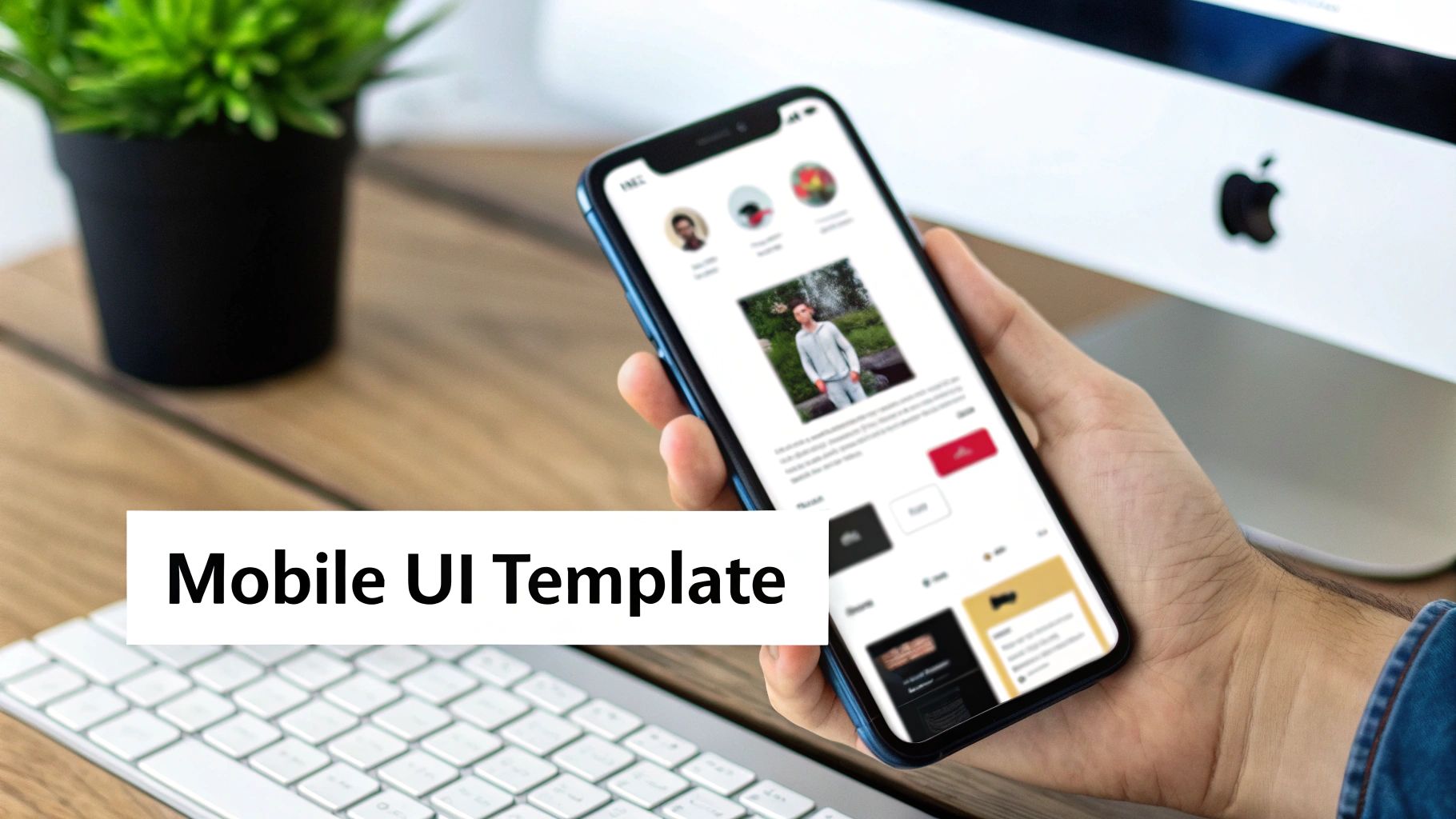
Generating a Product Card from a User Profile
Let's say you've already designed a nice user card component. Now you need a product card that looks like it belongs in the same app. This is the perfect job for a one-shot prompt.
Prompt Template:
Example: A user card with a circular avatar image, a bold username, a light grey user handle directly below it, and a primary 'Follow' button.
Task: Now, create a product card. It should feature a rectangular product image, a bold product title, a price in green text, and a primary 'Add to Cart' button.
See how specific that is? We didn't just tell the AI what to include; we told it how to style those elements—"circular avatar," "bold username," "green text." The AI picks up on the structural DNA from your example and applies it to the new content from your task. The result is visual harmony across your app's components.
Creating a Settings Page from a Login Form
Consistency matters just as much for entire screens as it does for tiny components. Imagine you have a login screen you love, and now you need a settings page that shares that same design language.
Prompt Template:
Example: A login screen with a central logo, two text input fields with placeholder text and icons, and a full-width primary button at the bottom. The background is a soft grey.
Task: Generate a settings page using the same style. It should include a title 'Settings,' three rows with a label and a toggle switch each, and a 'Save Changes' primary button at the bottom.
In this case, the prompt establishes a clear layout pattern: a focal point at the top (logo/title), interactive elements in the middle, and a main call-to-action at the bottom. The AI can easily replicate that structure while swapping out the specific components, from text inputs to toggle switches.
Designing a Dashboard Widget Based on a Profile Card
Dashboard widgets need to be compact and easy to scan. Why reinvent the wheel? You can use an existing card component as the perfect foundation.
Prompt Template:
Example: A profile card with a user's name as a title, their email address as a subtitle, and a small 'Edit' icon in the top-right corner, all within a container with a light border and rounded corners.
Task: Create a 'Monthly Sales' dashboard widget that follows this design. Use 'Monthly Sales' as the title, show a large dollar amount (e.g., $14,580) as the subtitle, and include a 'View Report' link in the top-right corner.
By referencing a component you already have, you guarantee new widgets won't stick out like a sore thumb. This is an incredibly fast way to expand your component library without starting from scratch every single time, making one-shot prompts a must-have skill for anyone focused on building consistent UIs quickly.
How to Refine and Troubleshoot Your Prompts
Let's be real: even the most perfectly written one-shot prompts can go sideways. You ask for a minimalist dashboard and get something cluttered. The AI might nail the layout but completely miss your brand's color palette. It happens.
When your output isn't quite right, the first instinct might be to get frustrated and start from scratch. Don't. The real skill is in the follow-up—the small, smart tweaks that steer the AI back on course.
Think of it less as a failure and more like a conversation. You're simply clarifying what you meant the first time. Getting good at this quick, iterative loop is what separates the pros from the beginners, and it's the fastest way to get pixel-perfect results without touching a line of code.
A Simple Framework for Iteration
When a design comes back funky, resist the urge to throw out the whole prompt. Instead, work with what you have. A few targeted adjustments are almost always more effective than a complete rewrite.
Here’s a simple process to follow:
-
Check Your Example First: The problem often hides in your example. Was it specific enough? If you asked for a "blue button" and got a light sky blue instead of your brand's deep navy, the AI isn't wrong—it just guessed. Fix it by being more precise in the next iteration, maybe even using a hex code: "a button with a navy blue (#000080) background."
-
Add Explicit Constraints: If the AI adds something you don’t want, tell it to stop. Plain and simple. If your user profile card suddenly has a subtitle you never asked for, add a direct, impossible-to-misinterpret negative constraint like, "Important: do not include a subtitle."
-
Rephrase or Simplify Your Request: Is your prompt trying to do too much at once? Instead of asking for an entire complex screen in one go, try breaking it down. Generate the header first. Then the sidebar. Then the main content area. Building piece by piece often gives you more control.
This cycle of prompt, review, and refine is the absolute core of good prompt engineering. Every little tweak you make teaches you something about how the model thinks, making your next one-shot prompts better from the get-go.
Ultimately, troubleshooting isn't about giving orders; it's about providing better guidance. When you treat it like a collaborative back-and-forth, you can dial in the exact UI you need with surprising speed. For a deeper look at these kinds of techniques, check out our other prompt engineering tips and best practices.
The Future Is Prompt-Driven Development
Getting the hang of one-shot prompts is more than just learning another neat trick. It's quickly becoming a fundamental skill for building software. We're moving away from the old, rigid development cycles and into a much more fluid, conversational way of working where how well you communicate with an AI directly speeds up your team.
This is the core of what’s being called prompt-driven development. It’s a workflow where product managers, designers, and developers all work together with AI, using clear, precise language to generate everything from code snippets to entire user interface screens. It's no longer a 'nice-to-have'—it’s becoming a must-have skill for everyone on the team.
A New Core Competency
The entire field of prompt engineering is exploding. Current projections estimate the market will be worth $3.43 billion by 2029. And this isn't just speculative hype—the results are real. Agencies that have adopted structured prompting are reporting a 67% average boost in productivity. Some teams have even slashed content production time from a full five days down to just two hours. You can dive deeper into the rapid growth of prompt engineering to see the numbers for yourself.
This kind of economic impact is why prompt engineering has broken out of its niche. It's no longer just for AI specialists. Your ability to write a good one-shot prompt is now directly tied to your team's efficiency and the quality of what you ship.
Prompt-driven development isn't about replacing developers; it's about augmenting the entire product team. It empowers non-technical members to contribute directly to the creation process, turning ideas into testable artifacts faster than ever before.
Gaining a Durable Advantage
As AI tools get woven more deeply into our day-to-day work—from sketching out initial concepts to writing the final code—your team's skill in prompting will become a serious competitive edge. Teams that get good at this conversational style of building will simply move faster than those stuck in old-school development cycles.
They'll build better products, test more ideas, and get to market quicker. This isn't a passing fad; it’s a fundamental shift in how software gets made. Learning how to effectively use one-shot prompts today is a direct investment in your team's ability to stay agile and successful for years to come. Explore this new workflow in our guide on how to turn a prompt into a functional app.
Your Questions About One-Shot Prompts, Answered
I've heard a lot of the same questions from founders, product managers, and designers who are just getting started with one-shot prompts for app development. Let's get right into the practical answers you're looking for.
When Should I Use One-Shot Over Zero-Shot Prompting?
A one-shot prompt is your best bet when you need the AI to mimic a very specific style, structure, or format that’s unique to your product. Think of it as the key to maintaining brand consistency across all your different UI components.
Zero-shot, on the other hand, is great for quick-and-dirty tasks where the style isn't a big deal. It’s perfect for generating simple placeholder text or a basic, unstyled layout when you're just spitballing ideas in the early stages.
Can I Use an Image as My One-Shot Example?
Yes, you absolutely can, as long as your AI tool of choice can handle multimodal inputs. For designers, this is a game-changer.
Providing a screenshot of a UI component as your example is a fantastic way to turn a visual mockup directly into functional code. It ensures the output is incredibly faithful to your original concept, saving you from having to painstakingly describe every visual detail in words.
What Makes a "Good" Example for a Prompt?
A truly effective example is specific, complete, and well-structured. It doesn’t leave any room for guesswork.
For UI development, that means you need to clearly define every key element, its styles, and its layout. For example: "a card with 16px padding, a 1px light gray border, a bolded H3 title, and a primary button with the hex code #007AFF." The more precise you are, the more accurately the AI can replicate your pattern.
Ready to turn your ideas into interactive prototypes in minutes? With RapidNative, you can use one-shot prompts to generate production-ready React Native code instantly. Build faster and collaborate smarter. Give it a try at https://www.rapidnative.com.
Ready to build your app?
Turn your idea into a production-ready React Native app in minutes.
Free tools to get you started
Free AI PRD Generator
Generate a professional product requirements document in seconds. Describe your product idea and get a complete, structured PRD instantly.
Try it freeFree AI App Name Generator
Generate unique, brandable app name ideas with AI. Get creative name suggestions with taglines, brand colors, and monogram previews.
Try it freeFree AI App Icon Generator
Generate beautiful, professional app icons with AI. Describe your app and get multiple icon variations in different styles, ready for App Store and Google Play.
Try it freeFrequently asked questions
What is RapidNative?
RapidNative is an AI-powered mobile app builder. Describe the app you want in plain English and RapidNative generates real, production-ready React Native screens you can preview, edit, and publish to the App Store or Google Play.
Can I export the code?
Yes. RapidNative generates clean React Native and Expo code that you can export at any time. No lock-in, no proprietary format. Hand it to your developers or keep building inside RapidNative.
Is RapidNative free to use?
Yes. You can build apps on the free plan with no credit card required. Paid plans unlock unlimited AI generations, code export, and direct publishing to the App Store and Google Play.
Do I need to know how to code?
No. Most users build apps by describing what they want in plain English. Developers can drop into the code whenever they want more control, but coding is optional.
How long does it take to build an app?
Most users have a working first screen in under a minute. A full MVP usually takes a few hours instead of the weeks or months traditional development requires.