How to Build an App Without Code in Minutes
Learn how to build an app without coding in 2026. Explore the best no-code and AI app builders to turn your idea into a real mobile app — fast and affordable.
By Rishav
15th Feb 2026
Last updated: 17th Feb 2026

Got a killer app idea but don't know how to code? You're not alone. For years, this was a major roadblock for founders, product managers, and designers. But the game has changed. You can now build an app without code, and not with the clunky, limited builders of the past. We're talking about new AI-powered tools that transform your plain English descriptions, sketches, and documents into real, working mobile apps with clean code developers can actually use.
The New Way to Build Mobile Apps Without Code
Building an app used to be a long, expensive process. You’d spend a fortune on design, hand it off to developers, wait months for a first version, and then spend even more time and money fixing what got lost in translation. This process sidelined countless non-technical founders and product people who knew exactly what they wanted but couldn't write a line of Swift or Kotlin.
Early no-code platforms tried to fix this, but they often locked you into their system, making it hard to scale or add custom features.
Now, AI-native tools are closing the gap between your idea and a functional product. Instead of just creating a pretty mockup, these platforms generate production-ready code—usually React Native—that your engineering team can take over and build upon.
This is a game-changer for anyone building a product:
- Test ideas in hours, not months. Have a new feature idea? You can build a working prototype and get it into users' hands by the end of the day.
- Kill the silos. Designers, PMs, and founders can finally build together, tweaking the UI and logic in real-time. No more static Figma files and endless email chains.
- Smooth out the handoff to engineering. When the initial build is done with real, clean code, there’s far less for developers to rebuild or reinterpret. The foundation is already there.
A Rapidly Growing Movement
This isn't just a neat trick for side projects; it's the future of app development. The market for these tools is exploding. Projections show the global low-code development platform market is on track to hit a staggering $264.40 billion by 2032. Why? Because businesses need to move faster, and there simply aren't enough developers to keep up with demand.

This picture captures the new dynamic perfectly. It's less about siloed tasks and more about hands-on, collaborative creation.
Let's break down what this shift actually means for your team.
Traditional Coding vs AI-Powered No-Code Development
| Factor | Traditional Coding | AI-Powered No-Code |
|---|---|---|
| Speed to V1 | Months. Long cycles for design, dev, and QA. | Hours or Days. Go from idea to a testable app incredibly fast. |
| Cost | High. Requires a full team of specialized developers. | Low. Significantly reduces upfront engineering costs. |
| Team Involvement | Siloed. Product managers and designers hand off specs. | Collaborative. Entire team can build and iterate together in real-time. |
| Iteration | Slow & Expensive. Changes require a full development cycle. | Instant. Tweak prompts and regenerate screens on the fly. |
| Code Output | Production-ready (eventually). | Production-ready React Native. No vendor lock-in. |
| Accessibility | Only for developers. High technical barrier to entry. | Open to everyone. If you can write an email, you can build an app. |
The differences are stark. For founders and product teams, the AI-powered approach removes the biggest bottlenecks to innovation: time, money, and technical dependency.
The key takeaway is that building an app without code is no longer just for landing pages or simple internal tools. It’s for creating complex, scalable mobile apps that get you to market faster.
This guide will walk you through the entire process, step by step. We'll cover everything from planning and writing effective prompts to testing your app on a real device. For a deeper dive into picking the right platform, you can explore this no-code app builder guide. And if you're curious about other innovative tools in the space, platforms like usepassflow.com are always worth checking out.
Turning Your App Idea Into Prompts the AI Understands
The magic of an AI app builder is its ability to understand plain English, but there's a catch: the quality of the app it generates depends entirely on the quality of your instructions. If you want to build an app without code that actually works the way you imagine, you need to get good at translating your vision into clear, detailed commands.
Think of the AI as a brilliant junior developer—incredibly fast, but with zero context about your business or users. Just telling it to "make a recipe app" is too vague. It doesn't specify the look and feel, user navigation, or key features. You'll get something generic every time.
Your job is to break your big idea down into specific screens, components, and user actions.
From a Fuzzy Concept to a Concrete Blueprint
Great prompting is about describing two things: the what (the UI elements on the screen) and the how (what those elements do). Instead of getting overwhelmed by the entire app, focus on one screen at a time. Describe what the user sees and what they can do on that screen.
Let's use a real-world example: building a simple recipe app.
- A Vague Prompt: "A home screen for a recipe app." (This is not helpful.)
- An Effective Prompt: "Create a home screen titled 'Daily Recipes.' It needs a search bar at the very top with placeholder text that says 'Search for a dish...' Right below that, I want a grid of recipe cards. Each card must show a large image of the food, the recipe title, and the estimated cooking time."
See the difference? The second prompt gives the AI specific components to work with (search bar, grid, cards), tells it what content to put in them (title, placeholder text), and establishes a clear visual hierarchy.
The trick is to describe the user interface as if you're explaining a wireframe to a colleague. Be explicit about every button, text field, image, and list.
If you want to go even deeper on this, we've put together a whole guide on prompt engineering tips for app creation that covers more advanced techniques.
Mapping Out User Flow and Navigation
Once you have a screen, you need to connect it to the rest of your app. This means describing user actions and what happens next. The simplest framework is: "When a user does X, the app should do Y."
Let's continue with our recipe app to build out the user flow.
- Start with the User's Action: "When a user taps on any recipe card from the home screen grid..."
- Define the Destination: "...they should navigate to a recipe detail screen."
- Describe the New Screen: "This detail screen needs the full-size recipe image at the top. Below the image, show the recipe title in a large, bold font. Under that, create two sections: a bulleted list for 'Ingredients' and a numbered list for 'Instructions'."
By connecting actions to screen changes, you're not just building static mockups—you're mapping out a functional, navigable user flow. This structured approach helps the AI understand both the look and the behavior of your app, turning your idea into something a person can actually use.
Building and Refining Your App in Real Time
Once you’ve turned your idea into a detailed prompt, the magic really begins. This is where an AI platform becomes a genuine creation tool. You're not just sending instructions into a black box; you’re actively working with the AI and seeing your app come to life instantly.
The process feels like a conversation. You give it your initial prompt, and the app appears on your screen—screens populate, components arrange themselves, and navigation links connect everything. This immediate feedback is a huge leap forward from trying to describe a vision to a team over weeks.
Iterating and Refining Through Conversation
Of course, the first version is never the final one. That’s the whole point. The real power is in the refinement cycle. Instead of tweaking code or pushing pixels in Figma, you just continue the conversation with the AI. It feels less like development and more like directing a very fast, capable assistant.
Need to make a change? Just tell it what to do.
- "Change the main call-to-action button to a deep purple, like
#5A67D8." - "Add a user profile icon to the top right of the header."
- "Make the body text
16pxfor better readability."
Each command is executed instantly, so you see the results of your decisions right away. This live, collaborative model means product managers, designers, and founders can all jump in, give feedback, and make tweaks on the fly without waiting for a developer to become available.
This completely collapses the old feedback loop. What used to be days of back-and-forth between design and engineering now happens in seconds. It's a powerful way to avoid the expensive rework that bogs down so many projects.
This visual shows just how direct the path from idea to functional app has become.
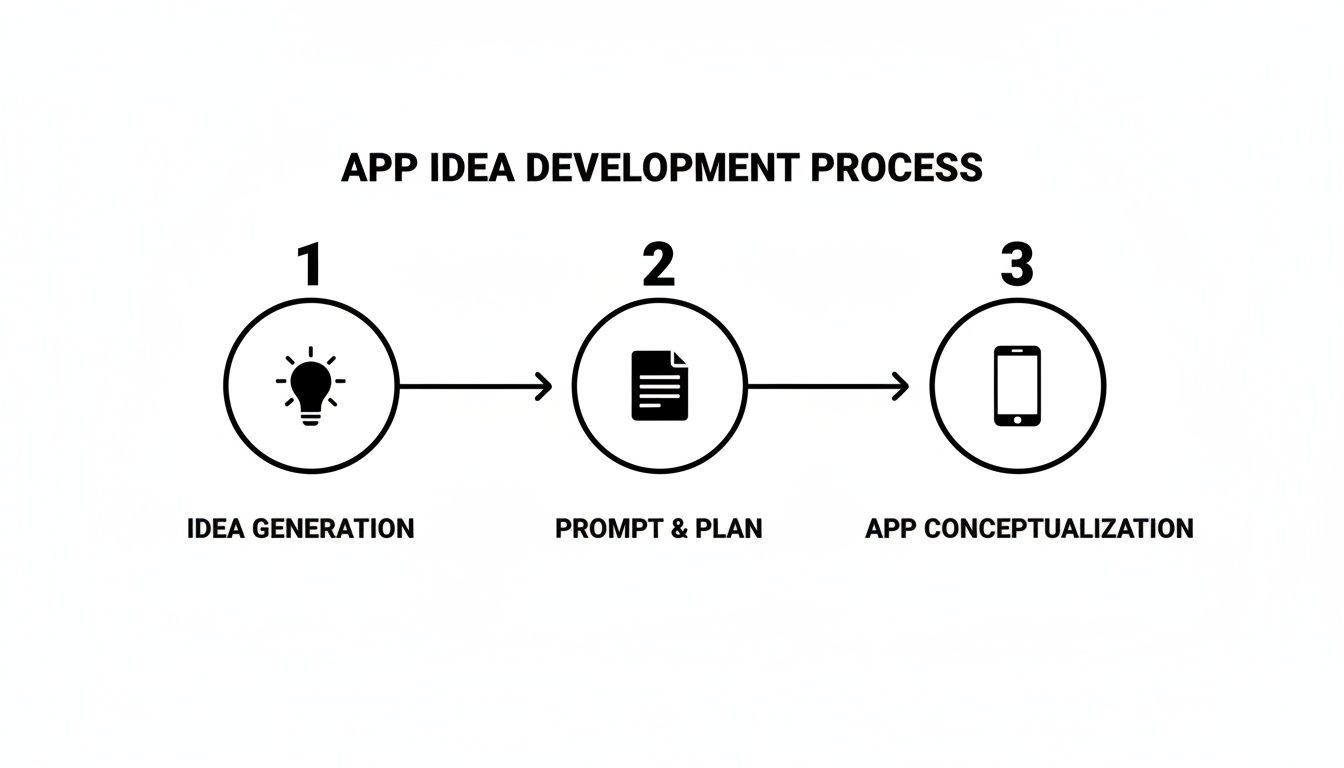
The journey is distilled down to its core: Idea, Prompt, App. The AI handles the complex steps in between.
Becoming the New Standard
This isn't just a niche trend; it’s quickly becoming how modern products get built. The data backs this up. By 2026, an incredible 70% of new applications built by organizations will be created using low-code or no-code tools. That's a huge jump from less than 25% back in 2020. And with many of these platforms boasting 99%+ uptime, they've proven they are ready for serious business.
This rapid iteration cycle is essential for testing ideas and getting the user experience right before you sink significant engineering time and money into a project. When you use AI to generate a full React Native application, you’re not just creating a wireframe. You're building the actual codebase that will become your product.
You can see a more detailed breakdown of how this technology works in our guide to the AI React Native generator.
Getting Your App on a Real Device for Testing
An app that only exists on your computer is just a concept. The real magic happens when you get it onto a physical device and into someone's hands. After you've refined the design with the AI, it’s time to bridge that gap from idea to reality. This is the moment you find out what truly works.
Thankfully, you don't have to deal with the headaches of submitting to the Apple App Store or Google Play just for initial testing. Modern AI builders like RapidNative let you generate a shareable link or a QR code in an instant.
This feature is a massive win for product teams. You can drop a link into a Slack channel for stakeholders or have a potential user scan a QR code right from your screen. Within seconds, they're tapping and swiping through a working version of your app on their own phone.
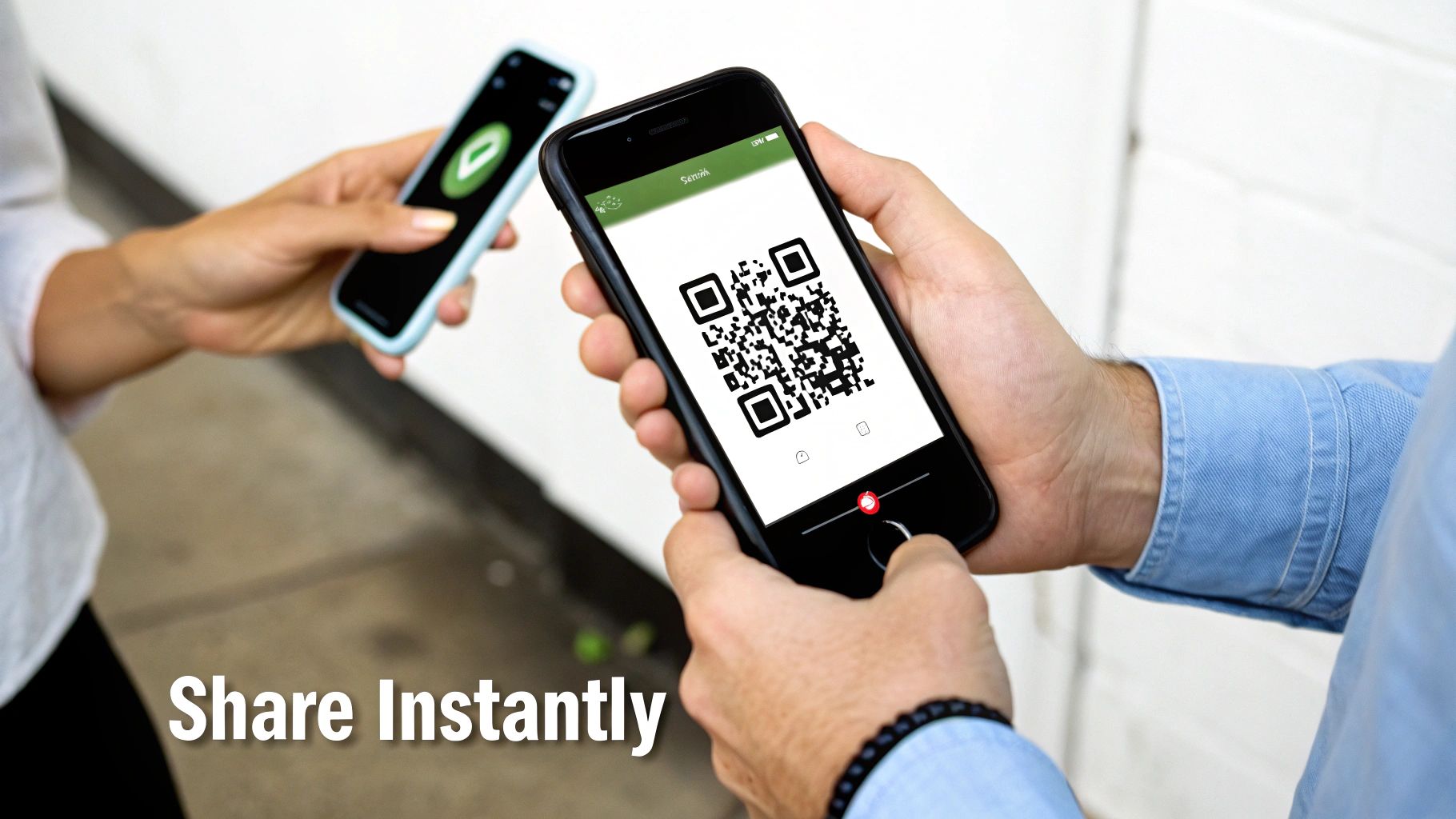
This kind of immediate, multi-platform feedback (iOS, Android, and web) is priceless. It lets you test your assumptions and validate the user experience much earlier—and for a fraction of the cost—of traditional development.
How to Collect Feedback That Actually Helps
With your app now in a few hands, the goal is to get honest, useful insights. Simply asking, "So, do you like it?" won't get you far. You need to guide testers through specific scenarios to see where things click and where they get stuck. A little structure turns vague opinions into a clear action plan.
Getting your prototype into the hands of real users is the fastest way to learn. It replaces assumptions with data, helping you kill bad ideas early and double down on what resonates.
Use a simple checklist to keep your testing sessions focused. This helps you spot patterns by having different people perform the same tasks.
A Quick Checklist for User Testing
Here's a practical framework for guiding early user feedback. The key is to observe their actions and encourage them to "think out loud" as they navigate the app.
- The "What is this?" Test: Show them the home screen and ask what they think the app does. Is your value proposition clear from the start?
- The Core Task: Give them one main goal to complete. For our recipe app, it might be: "Try to find a recipe for chocolate chip cookies and save it." Watch to see if they can complete this primary user journey without help.
- Navigation Check: How do they try to get around? Do they naturally find the navigation menu, or do they seem lost and tap randomly?
- Clarity of Language: Point to a button and ask, "What do you expect to happen when you tap this?" This tells you if your labels and calls to action make sense.
This kind of rapid, hands-on testing is the whole point of using an AI builder. You can spot a confusing workflow, jump back into the tool, tweak it with a new prompt, and push out an updated version for testing—often in the same afternoon. It’s a tight feedback loop that traditional development just can't match.
Giving Developers Production-Ready Code
Let's be honest: one of the biggest criticisms of older no-code tools was vendor lock-in. You'd spend weeks building your app, only to hit a wall. Need a custom feature the platform doesn't support? Too bad. Your only option was to start over from scratch with a development team. For any serious project, that's a deal-breaker.
This is where AI-driven builders completely change the game. Instead of trapping your app in their ecosystem, their primary output is clean, professional-grade code. When you use a tool like RapidNative, you aren't just making a clickable prototype. You're creating a standard React Native project.
The best part? You can export the entire codebase at any time and hand it straight to your engineering team. There's no proprietary system or black box. It’s just a clean project a developer can git clone and run on their machine in minutes.
A Better Handoff to Engineering
This export feature fundamentally improves the collaboration between product, design, and engineering. Your developers aren't receiving a static Figma file or a vague document to interpret. They're getting a living, working frontend codebase.
Think about what that means for your project. They can skip the tedious, time-consuming work of building UI components from scratch. Instead, they can dive right into what they do best: wiring up the backend, integrating complex APIs, and building the core infrastructure that makes your app powerful and secure. The AI handles what it looks like, so your team can focus on how it works.
This isn’t a threat to developers; it’s a massive accelerator. They inherit a well-structured React Native project full of modular components, letting them build on a solid foundation instead of starting from a blank screen.
This workflow is rapidly becoming the new standard. A recent study found that 87% of developers are already using low-code tools in some capacity, and with 82% using AI coding assistants, the leap to working with AI-generated codebases is a small one. The impact is undeniable, with teams reporting development speeds increasing by up to 10x and costs dropping by as much as 50-90%. You can dig into more of these stats by exploring the rise of no-code platforms on codeconductor.ai.
What Do Developers Get?
When you hit that "export" button, you're not just getting a folder of random files. You’re giving your engineering team a genuine, usable asset. Here's what they can expect to find:
- A Standard React Native Structure: No strange configurations. It’s a familiar file and folder layout that follows industry best practices.
- Reusable Components: Every button, card, and form you designed is generated as a clean, reusable component.
- Human-Readable Code: The generated code is well-commented and structured to be easily understood and modified by a developer.
- Complete Project Control: Once exported, the code is 100% yours. Host it in your own GitHub repo and integrate it into your existing CI/CD pipelines.
This workflow creates a seamless bridge, allowing non-technical creators and seasoned developers to collaborate effectively, each bringing their best skills to the project without slowing each other down.
Got Questions About Building Apps This Way?
When I talk to founders, product managers, and designers about building apps without code, the same questions always come up. There's a lot of excitement about the speed, but also a healthy dose of skepticism about the limitations. Let's tackle those concerns head-on.
So, Can I Actually Build a Complex and Scalable App?
Absolutely, but it's important to understand where these tools shine. AI app builders are phenomenal at accelerating the creation of the user interface and frontend logic—everything your users see and interact with. You can build incredibly sophisticated UIs and user flows in a fraction of the time it would take a traditional team.
When it comes to heavy-duty backend logic, custom databases, or complex third-party integrations, the generated code becomes an excellent starting point for your development team. The goal isn't to replace backend engineers; it's to free them from months of frontend work so they can focus on the complex, unique logic that powers your app.
What Happens If I Need a Feature the AI Can't Handle?
This is the key advantage of a code-generating tool. Unlike being locked into a proprietary platform, you're never stuck. If you hit a limitation or need a highly custom component, you can export the entire React Native codebase at any point.
From there, a developer can take the clean, modular code and build out any custom feature you need using standard tools. The AI gets you 90% of the way there in minutes, and a developer can then step in to add that final 10% of bespoke complexity without starting from scratch.
It all comes down to ownership. When the tool outputs clean code, you own your product's future. You're never trapped by a platform's limitations, which gives you the freedom to innovate and scale as your business grows.
How Is This Different from Older No-Code Tools?
This is a critical distinction. Traditional no-code builders often operate as "walled gardens." Your app lives on their platform and can only do what their platform allows. That’s fine for simple websites or internal tools, but it becomes a major roadblock when you need to scale or add unique features.
Modern AI-native app builders are completely different because their final product is code. They generate a standard, exportable codebase that isn't tied to the platform you used to create it. You get the speed and user-friendly interface of a no-code tool, but with all the power, flexibility, and ownership of a traditional codebase. It’s genuinely the best of both worlds.
After building your app, the next step is often figuring out how to monetize it. Exploring the best platforms for selling digital products can be crucial for turning your creation into a sustainable business.
Ready to see this in action and turn your idea into a real app in minutes? With RapidNative, you can go from a simple prompt, sketch, or design file to a working React Native app you can test on your phone almost instantly. Start building for free today at https://www.rapidnative.com.
Ready to build your app?
Turn your idea into a production-ready React Native app in minutes.
Free tools to get you started
Free AI PRD Generator
Generate a professional product requirements document in seconds. Describe your product idea and get a complete, structured PRD instantly.
Try it freeFree AI App Name Generator
Generate unique, brandable app name ideas with AI. Get creative name suggestions with taglines, brand colors, and monogram previews.
Try it freeFree AI App Icon Generator
Generate beautiful, professional app icons with AI. Describe your app and get multiple icon variations in different styles, ready for App Store and Google Play.
Try it freeFrequently asked questions
What is RapidNative?
RapidNative is an AI-powered mobile app builder. Describe the app you want in plain English and RapidNative generates real, production-ready React Native screens you can preview, edit, and publish to the App Store or Google Play.
Can I export the code?
Yes. RapidNative generates clean React Native and Expo code that you can export at any time. No lock-in, no proprietary format. Hand it to your developers or keep building inside RapidNative.
Is RapidNative free to use?
Yes. You can build apps on the free plan with no credit card required. Paid plans unlock unlimited AI generations, code export, and direct publishing to the App Store and Google Play.
Do I need to know how to code?
No. Most users build apps by describing what they want in plain English. Developers can drop into the code whenever they want more control, but coding is optional.
How long does it take to build an app?
Most users have a working first screen in under a minute. A full MVP usually takes a few hours instead of the weeks or months traditional development requires.