A Founder's Guide to Using Generative AI for App Development
Discover how generative AI for app development can help you turn simple text prompts into functional, production-ready UIs. Ship better mobile apps, faster.
By Damini
26th Dec 2025
Last updated: 26th Dec 2025

Imagine describing your app idea in plain English and, moments later, seeing a functional user interface on your screen. That’s the core promise of generative AI for app development. It’s not an autopilot to replace your team; it’s an expert co-pilot that handles the tedious UI work, freeing you up to focus on strategy, users, and growth.
How Generative AI Is Changing App Development
Generative AI is flipping the script on how apps get made, moving us from a code-first to an idea-first world. In the past, you needed a developer to translate a sketch into lines of code. Now, you can just tell an AI what you want. A simple prompt like, "Create a login screen with Google and Apple sign-in buttons," can generate a tangible, clickable prototype in seconds.
This completely changes the game by bridging the gap between a great idea and a real product. For founders, product managers, and designers, it smashes the technical barrier to entry. You can suddenly build and validate ideas without ever touching code, which shortens the feedback loop from weeks to minutes.
From Manual Labor to Creative Collaboration
Building an app’s user interface used to be a long, manual grind. A designer would create a beautiful but static image in a tool like Figma, and then a developer would have to painstakingly rebuild it, piece by piece, in code. The whole process is slow, expensive, and often full of communication breakdowns.
Generative AI turns this entire workflow into a creative conversation. Instead of just understanding keywords, a tool like RapidNative interprets your intent to transform abstract requests into clean, production-ready code. This doesn’t just speed up the first draft; it makes iteration incredibly fast. A simple follow-up like, "make the primary button purple," instantly updates both the design and the code behind it.
Think of it this way: You are no longer just the architect handing over blueprints; you are the director, guiding a highly skilled builder who executes your vision in real time.
Comparing Prototyping Workflows
To really understand the impact, let's look at how the old way of building stacks up against this new, AI-driven approach.
| Phase | Traditional Method | Generative AI Method |
|---|---|---|
| Idea to Mockup | Days to weeks; requires a designer and specialized tools. | Minutes; requires only a clear idea and a prompt. |
| Mockup to Code | Weeks to months; requires a skilled developer. | Seconds; AI generates code instantly. |
| Iteration | Slow and costly; involves back-and-forth between design and dev. | Instant; requires a simple follow-up prompt. |
| Cost | High; involves salaries for designers and developers. | Low; often a subscription-based model. |
| Skills Needed | Expertise in UI/UX design and programming languages. | Ability to articulate an idea clearly in plain language. |
It's pretty clear that generative AI radically condenses the timeline, lowers the cost, and makes the whole process more accessible to everyone on the team.
A Surge in Developer Productivity
This isn't just theory; we're seeing this shift happen in real-time across the industry. The adoption of AI coding tools is exploding because teams are seeing huge efficiency gains. By 2025, it's projected that 50% of developers will use AI coding tools daily, and that number jumps to a staggering 65% in top-performing organizations. You can learn more about how AI is reshaping mobile development in our detailed article at https://www.rapidnative.com/blogs/ai-mobile-development.
This boost in productivity is exactly where tools that turn prompts into React Native UI fit in, giving non-technical folks the power to build real screens. Teams that have adopted these tools are reporting velocity gains of 15% or more, a powerful testament to the practical impact. To get the full picture, check out the complete report on generative AI's role in the enterprise. This new way of working frees up your team to focus on what actually matters: solving real user problems and building amazing products.
Your Workflow from Prompt to Prototype
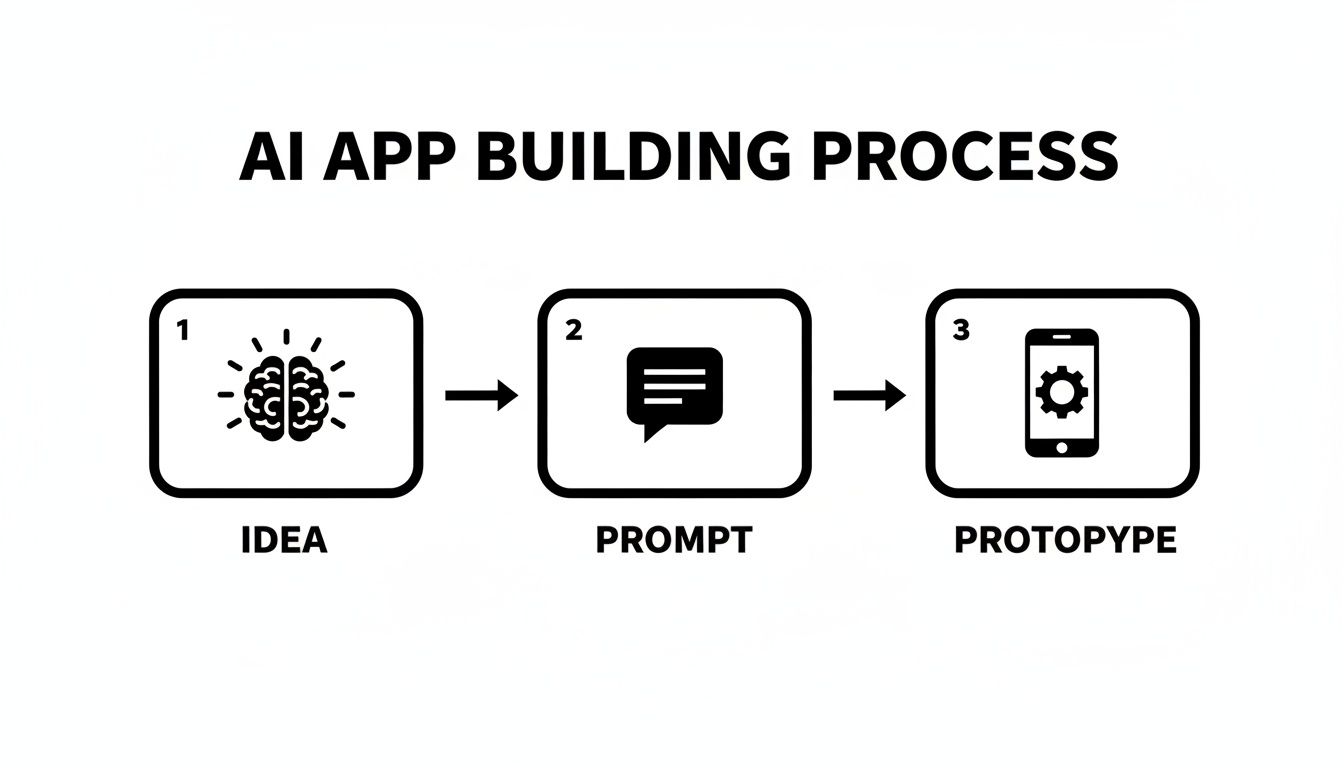
Not long ago, turning an idea into a working, interactive prototype was a huge undertaking, demanding significant time and budget. With generative AI, that entire journey gets compressed into a few simple steps. The process feels less like a technical coding marathon and more like a collaborative conversation. You don't need a background in development to steer the creation of a polished app screen; you just need a clear vision.
At its heart, this workflow is all about translating your intent into a real product. You start by describing your idea, watch the AI bring it to life, tweak the details with simple chat commands, and then walk away with production-ready code.
It really is a direct, accelerated path from concept to creation, tearing down the technical walls that used to stand in the way.
Step 1: Crafting a Clear Prompt
Everything starts with your words. A prompt is simply a description, in plain English, of the screen or feature you want to build. The quality of this initial prompt has a massive impact on the quality of the first draft the AI generates, so clarity is key.
Think of it like you're briefing a junior designer. Just saying "make a list" is way too vague. A good prompt gives the AI context—what is this screen for, and what needs to be on it?
Example Prompt for a Fitness App Dashboard:
"Create a dashboard screen for a fitness app. It should have a large card at the top showing 'Today's Workout' with an image and a 'Start Workout' button. Below that, display three smaller cards in a row for 'Steps,' 'Calories Burned,' and 'Active Minutes,' each with an icon and a number. At the bottom, include a navigation bar with icons for 'Home,' 'Workouts,' and 'Profile.'"
This level of detail gives the AI a solid blueprint to work from, meaning the first version it produces will be much closer to what you had in mind. For more tips on mastering this first step, check out our complete guide on how to go from prompt to app.
Step 2: Generating the Initial UI
Once you've submitted your prompt, the magic happens. The AI model gets to work, interpreting your instructions and translating them into a visual user interface. In just a few seconds, a fully formed screen pops up, built with standard components and laid out logically based on your description.
This isn't just a flat, static image. It's a real, interactive screen. You can get an immediate feel for how the buttons, cards, and navigation elements look and behave, giving you a real sense of the user experience right away. The AI takes care of all the tedious setup—the screen structure, basic styling, and component placement—saving you hours of manual work.
Step 3: Iterating and Refining with Chat
Your first draft is rarely your last, and that's where chat-driven iteration comes in. Instead of writing up feedback for a designer and waiting hours or days for a revision, you can literally "talk" to your design in real-time.
You can make precise adjustments using simple, conversational commands.
- "Make the 'Start Workout' button purple and increase the font size."
- "Change the background color of the screen to a light gray."
- "Add a title at the very top that says 'My Dashboard'."
Each command updates the UI instantly, so you can experiment on the fly. This back-and-forth loop lets anyone, technical or not, act as the art director, fine-tuning the design until it’s perfect. Once the initial concept is solid, creating effective mobile app mockups is a great next step to refine the visuals for user testing and getting stakeholder buy-in.
Step 4: Exporting Production-Ready Code
The final and most powerful step is exporting the code. This is what really sets this process apart from traditional no-code tools. Instead of being trapped in a proprietary system, you get clean, well-organized, and maintainable source code.
The output isn't a disposable prototype; it's a professional-grade foundation built on industry standards like React Native and TypeScript.
This means a developer can take the AI-generated code and hit the ground running. They can start integrating backend logic, connecting to APIs, and building out complex features without having to reconstruct the entire UI from scratch. It creates a seamless handoff from the product team to the engineering team, ensuring the final app is not only beautiful but also scalable and built to last.
How Different Roles Benefit from AI-Driven Development
Generative AI isn't a magic wand for just one person on the team; it’s a collaboration engine that supercharges the entire product development process. It acts as a universal translator between the spark of an idea and a functional screen, helping everyone contribute more effectively and stay on the same page from day one.
The result is a development cycle that’s more cohesive, efficient, and honestly, more creative. Everyone ends up speaking the same visual language.
This isn't some far-off future, either. Adoption is climbing fast. By mid-2025, it’s predicted that 54.6% of development teams will be using generative AI in their workflow, a huge jump driven by a clear need for greater productivity. Tools like RapidNative are right at the center of this shift, giving non-engineers the power to build real React Native UIs just by describing what they want. For a closer look at the data, you can check out the full 2025 report on the state of generative AI adoption.

For Startup Founders
As a founder, you live and die by two things: speed and cash. You have to validate your vision and show traction to get investors on board, but the old way of building an app can easily torch your entire pre-seed round before you even have a basic MVP.
Generative AI for app development completely changes that equation. A founder can now build a high-fidelity, interactive prototype in a weekend instead of waiting months and spending tens of thousands of dollars.
- Real-World Use Case: A founder has an idea for a fitness app and a big investor pitch next week. They use a prompt to instantly generate the core screens—a workout dashboard, a list of exercise routines, and a user profile. A few chat-based commands later, their branding is applied and the user flow is tweaked. They walk into that pitch not with a slide deck, but with a clickable prototype on their phone that looks and feels like a real product.
Suddenly, the vision is tangible. That’s how you get checks signed.
For Product Managers
Product managers own the "what" and "why" of a product. The problem is, there's often a massive delay between defining a feature and actually seeing it in action. This gap is risky; bad assumptions can go undiscovered until weeks of engineering time have already been sunk.
AI tools give PMs a direct line to validating ideas with users and stakeholders long before a single line of production code gets written.
Instead of writing a lengthy requirements document and hoping it’s interpreted correctly, a PM can now build the feature themselves. This hands-on approach eliminates ambiguity and shortens the feedback loop from months to hours.
- Real-World Use Case: A PM wants to test a new, streamlined checkout flow. They use a series of prompts to build the entire multi-step process, from adding an item to the cart to the final confirmation screen. They can then share this interactive prototype with designers for feedback and run user tests to spot friction points—all before the feature ever hits the engineering backlog.
For UX/UI Designers
Designers are the architects of the user experience, but static mockups and wireframes can only tell part of the story. They can't fully capture the feel of an interaction or the subtle flow between screens on a real device.
With generative AI, designers can bring their static concepts to life instantly. This allows them to test the usability of their ideas in a much more realistic context.
- Real-World Use Case: A UX designer sketches a new onboarding sequence on a whiteboard. They snap a picture, and an AI tool converts those rough drawings into a series of interactive React Native screens. The designer can immediately tap through the flow on a phone, catching awkward transitions or confusing steps that were impossible to see in a static sketch.
For React Native Developers
Developers are the ones who ultimately build the product, but so much of their time gets eaten up by repetitive, boilerplate work—scaffolding screens, styling components, and setting up navigation. It’s necessary, but it’s not the complex, high-value problem-solving they're best at.
Using generative AI for app development, developers can skip the tedious setup. The AI generates a clean, high-quality code foundation, letting them dive straight into the tougher challenges.
- Real-World Use Case: A React Native developer needs to build a new social feed. Instead of manually creating all the list components, comment modals, and profile headers, they use a prompt to generate the entire UI. They get well-structured TypeScript code that's ready for them to integrate with the backend API, saving days of frontend boilerplate and letting them focus on making the feature actually work.
Why Exporting Real Code Beats No-Code Platforms
When you start looking at generative AI for app development, you'll quickly run into two very different approaches: no-code platforms and true code generators. The difference might seem small, but it has a massive impact on the future of your project. Choosing the wrong path can lead to a frustrating dead end, forcing a complete and costly rebuild later on.
Think of a no-code platform as renting a beautifully furnished apartment. It’s convenient at first—everything you need is right there. The catch? You’re living within someone else’s walls. You can’t knock down a wall, rewire the electricity, or build a custom extension. You're completely limited by the landlord's rules.

Breaking Free from the Walled Garden
This is the classic "no-code ceiling." Your app works great right up until you need a unique feature, a specific third-party integration, or a performance tweak the platform simply doesn't support. At that point, you’re stuck. Your only option is to scrap everything, hire a development team, and start over from scratch, losing all that initial time and effort.
This is where generative AI tools that export real, human-readable code completely change the game. Instead of renting an apartment, it’s like being handed the blueprints, all the building materials, and the keys to your own custom-built house. You have complete ownership and control.
The goal isn't just to build a prototype quickly; it's to build a high-quality foundation for a real, scalable product. Exporting code ensures your initial speed doesn't come at the cost of long-term flexibility.
You can modify the foundation, integrate any system you want, and extend its capabilities in any direction you can imagine. There are no artificial limits. This approach respects your vision by ensuring your project can grow from a simple idea into a full-featured product without ever hitting a wall. If you want to explore this more, our guide on no-code vs. real code breaks it down even further.
The Power of Ownership and Extensibility
When a tool like RapidNative generates clean, modular React Native code, it’s giving you a professional-grade asset, not just a disposable mockup. This brings profound advantages for your team and the lifecycle of your project.
- Seamless Developer Handoff: You get structured, readable code that follows industry best practices. Developers aren't handed a mysterious black box; they get a familiar codebase they can instantly understand, test, and build upon.
- Unlimited Customization: Your app isn't stuck with a pre-set library of widgets. If you need to connect to a proprietary backend, implement complex custom animations, or integrate a niche SDK, you can. You have the source code, so anything is possible.
- Future-Proofing Your Product: Technology changes fast. With full code ownership, you can adapt to new standards, migrate your infrastructure, or optimize performance as your user base grows. You're never locked into a single vendor's ecosystem.
- True Intellectual Property: The code you generate is 100% yours. This is a critical distinction for startups and businesses where the application itself is a core asset. You own the IP, not the platform you used to build it.
Building for the Long Term
Ultimately, the choice comes down to what you want to achieve. No-code platforms can be great for simple internal tools or quick prototypes where scalability isn't a concern. They offer impressive speed for a very narrow set of uses.
But for any serious mobile application destined for the App Store, getting real, high-quality code is non-negotiable. It’s the only path that takes you from a brilliant concept to a robust, scalable, and successful product. It’s the difference between building a temporary shelter and laying the foundation for a skyscraper.
Understanding the Benefits and Current Limitations
To use generative AI for app development effectively, you have to be realistic about what it does well and where it falls short. It's not a magic button that builds an entire company for you. Think of it as a powerful collaborator—one that gives you a massive advantage when applied to the right parts of the development process.
The biggest wins are about efficiency. Teams are seeing huge speed improvements, going from an idea to a working prototype in minutes instead of weeks. This completely changes the economics of experimentation. Suddenly, founders and product managers can test more ideas with far fewer resources. It also creates a shared visual language, bridging the communication gap between technical and non-technical team members who can now collaborate on a live product together.
The Strengths: Where AI Excels Today
At its core, generative AI is brilliant at turning plain English into well-structured user interfaces. It’s a master at handling the tedious, repetitive work that bogs down the early stages of a project.
- Rapid UI and Frontend Generation: AI is a beast at scaffolding screens, arranging components, and applying consistent styling. Ask it for a login screen or a product dashboard, and it will churn out clean, production-ready frontend code almost instantly.
- Accelerated Prototyping: Forget static mockups. AI builds interactive, on-device prototypes that feel like the real thing, letting you get immediate user feedback. The feedback loop shrinks from weeks to a single afternoon.
- Design System Adherence: The best AI tools can be pointed at your brand’s design system. This means every button, card, and screen it generates will automatically align with your established visual identity.
This isn't just a trend; it's backed by serious money. Enterprise spending on generative AI is projected to hit $37 billion in 2025, a massive jump from $11.5 billion in 2024. More than half of that capital is pouring into the application layer—the very foundation of these developer-first tools.
The Limitations: Where You Still Need Humans
For all its power, today's generative AI isn't about to replace skilled developers. It's crucial to understand its boundaries to avoid frustration. These tools are co-pilots, not lone pilots.
The most significant limitations are on the backend and when dealing with deep, complex logic.
- No Complex Backend Logic: AI can't architect a sophisticated server-side system, manage your database, or write the secure, business-critical algorithms your app depends on.
- Limited Native Device Integration: Need to access the phone's camera, GPS, or Bluetooth? That almost always requires custom code that's beyond what AI can reliably generate on its own.
- Performance Tuning and Security: Optimizing your app for speed, ensuring it's secure, and hunting down tricky bugs are all still jobs that firmly belong to experienced developers.
We also see some inherent constraints in the models themselves, like the context window dilemma in AI models, which limits how much information they can process at once. But once you understand these boundaries, you can play to AI's strengths. Use it as the ultimate accelerator for building your app's frontend, and let your developers focus their brainpower on the complex logic that makes your product unique.
Frequently Asked Questions
As teams start looking into generative AI for app development, the same questions tend to pop up. Let's cut through the noise and tackle the most common ones with practical, direct answers.
Can I actually build an entire app just with generative AI?
The short answer is no, not yet. Generative AI is a powerhouse for speeding up UI and front-end development. It's incredibly good at creating production-ready screens, components, and user flows in a matter of seconds.
But it doesn't touch backend logic, databases, or complex API integrations. Think of it this way: AI builds the beautiful, interactive "house" for your app—the part users see and touch. You still need a developer to handle the "plumbing" and "electricity" that make everything work behind the scenes.
How do I keep everything on-brand?
This is a huge deal for any serious product. The best AI app builders are designed to work with your existing design system, not against it. You can define your brand’s theme—colors, fonts, button styles—and the AI will generate UIs that stick to those rules automatically.
You can even steer it with simple, conversational requests as you work:
- "Use my brand's primary purple for all buttons."
- "Apply our standard 'body' text style to this paragraph."
- "Make sure all cards have a border radius of 8px."
This way, you get the speed of AI without sacrificing the consistent, professional look that defines your brand.
Is the code AI generates actually usable?
Yes, but this is probably the single biggest difference between tools on the market. The top platforms, like RapidNative, are obsessed with generating clean, modular, and maintainable code using standards like React Native and TypeScript.
The whole point is to give developers a high-quality foundation they can actually build on, not a throwaway prototype that has to be scrapped. The code should be something an engineer is happy to work with.
The output is structured with best practices in mind, so it’s easy for a developer to pick it up, add to it, and integrate it with the backend. It’s meant to be the start of a real project, saving your team from hours of tedious setup.
What’s the secret to writing a good prompt for UI?
Great prompts are descriptive, specific, and clear about the screen’s purpose. If you’re vague, you'll get vague results. "Create a list" is a weak start. A much better prompt gives the AI the context it needs to deliver.
For example, a strong prompt would be: "Design a user profile screen with a circular profile picture at the top, the user's full name and email address below it, and a list of options including 'Edit Profile,' 'Settings,' and 'Log Out.'"
Giving details on the layout, key elements, and what you want the user to do helps the AI generate a much more accurate first draft, which means less time spent tweaking things later.
Ready to see your app idea come to life in minutes? With RapidNative, you can describe your vision in plain English and get production-ready React Native code instantly. Stop waiting and start building. Try RapidNative for free.
Ready to build your app?
Turn your idea into a production-ready React Native app in minutes.
Free tools to get you started
Free AI PRD Generator
Generate a professional product requirements document in seconds. Describe your product idea and get a complete, structured PRD instantly.
Try it freeFree AI App Name Generator
Generate unique, brandable app name ideas with AI. Get creative name suggestions with taglines, brand colors, and monogram previews.
Try it freeFree AI App Icon Generator
Generate beautiful, professional app icons with AI. Describe your app and get multiple icon variations in different styles, ready for App Store and Google Play.
Try it freeFrequently asked questions
What is RapidNative?
RapidNative is an AI-powered mobile app builder. Describe the app you want in plain English and RapidNative generates real, production-ready React Native screens you can preview, edit, and publish to the App Store or Google Play.
Can I export the code?
Yes. RapidNative generates clean React Native and Expo code that you can export at any time. No lock-in, no proprietary format. Hand it to your developers or keep building inside RapidNative.
Is RapidNative free to use?
Yes. You can build apps on the free plan with no credit card required. Paid plans unlock unlimited AI generations, code export, and direct publishing to the App Store and Google Play.
Do I need to know how to code?
No. Most users build apps by describing what they want in plain English. Developers can drop into the code whenever they want more control, but coding is optional.
How long does it take to build an app?
Most users have a working first screen in under a minute. A full MVP usually takes a few hours instead of the weeks or months traditional development requires.