PRD to App: Turn Requirements Into a Working Prototype
(155 chars):
By Suraj Ahmed
2nd Apr 2026
Last updated: 2nd Apr 2026
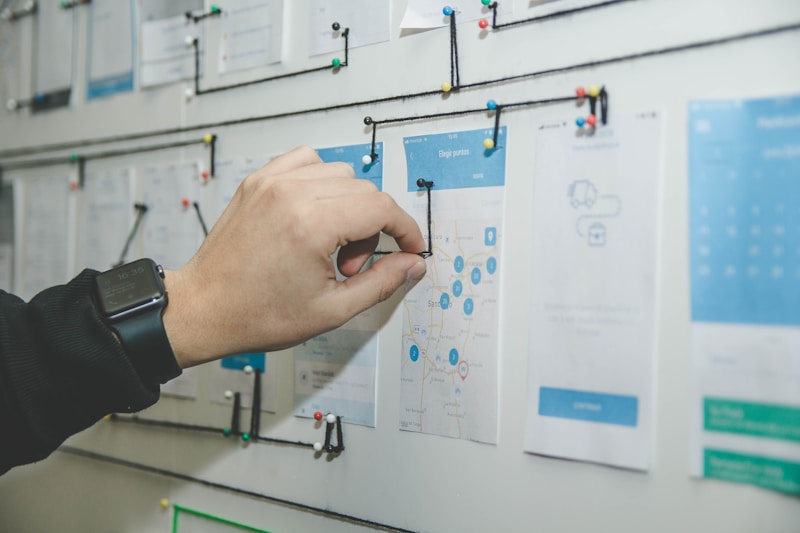
Most Product Requirements Documents die a quiet death somewhere between a Notion page and a Figma board.
You write the spec. You map the user stories. You detail every feature with careful precision. And then you wait — for a designer to create wireframes, for a developer to build a proof of concept, for someone to translate your words into something that runs on a real phone. That wait typically takes weeks. In a startup, weeks can be the difference between shipping and stalling.
This is the gap that PRD-to-app conversion was built to close. With RapidNative — an AI-native mobile app builder — you can paste a product requirements document and walk away with interactive mobile flows, canvas-style connected screens, and exportable React Native code in under an hour.
Here's a deep look at how that works, why it matters, and who benefits most.
What Is PRD-to-App Conversion?
PRD-to-app conversion is the process of using AI to read a Product Requirements Document and automatically generate interactive mobile app screens and flows. Rather than manually translating specs into wireframes or mockups, the AI parses your requirements, identifies features and user journeys, and produces a testable prototype that mirrors how the final app should behave — including navigation between screens.
It's not a shortcut that produces toy apps. The output is production-grade React Native code built on Expo, so the prototype you validate with stakeholders becomes the foundation your engineering team builds on.
Why PRDs Fail to Drive Action on Their Own
A well-written PRD contains everything a team needs to build: user personas, feature descriptions, acceptance criteria, edge cases, and business logic. But it's still a document. Stakeholders read it. Engineers reference it. Designers interpret it. Somewhere in that chain of translation, details get lost, assumptions get made, and features get built wrong.
The core problem isn't the PRD itself — it's the time lag between writing requirements and seeing something tangible. By the time a working prototype exists, the team has already invested weeks of effort, which means the cost of acting on feedback is high.
Consider what this looks like in practice. A product manager writes a thorough spec for a food delivery app: onboarding flow, restaurant search, cart mechanics, order tracking, review system. The PRD is clear. The designer starts wireframing. Two weeks later, the first wireframes are ready. In the review meeting, a stakeholder points out that the restaurant search is buried three taps from the home screen, and the checkout flow has no guest option. Both issues are obvious in the wireframe — but they were present in the PRD from day one. The PRD just couldn't show anyone what the problem looked like until someone drew it.
That's not a failure of the PRD. That's a failure of the feedback loop.
The Traditional PRD-to-Prototype Pipeline (And Why It's Slow)
Most product teams follow a linear waterfall between spec and prototype:
- PM writes PRD — requirements gathering, user story mapping, priority scoring
- Design handoff — designer interprets spec, creates low-fidelity wireframes (1–2 weeks)
- Design iteration — team reviews wireframes, requests changes, designer revises (1+ weeks)
- High-fidelity mockups — designer produces pixel-perfect screens (1–2 weeks)
- Developer handoff — engineer builds a working prototype (2–4 weeks)
- Stakeholder review — only now can stakeholders actually interact with the product
That's 5–9 weeks from PRD to something you can put in a user's hands. In a startup, that's most of a quarter.
Even with modern tools like Figma accelerating the design phase, the fundamental problem remains: there's a human interpretation layer between the written spec and the interactive prototype. Every handoff is a potential misalignment. Every revision cycle is a potential delay.
How AI Converts a PRD Into an Interactive Mobile Prototype
Here's how RapidNative's PRD-to-App feature works in practice — step by step.
Step 1: Upload or Paste Your PRD
You paste your product requirements text or upload a file directly into the tool. The AI reads the full document — user stories, feature descriptions, navigation flows, and business rules — and extracts the key entities: screens, features, interactions, and data flows.
No special formatting required. The AI handles structured PRDs, bullet-pointed feature lists, informal briefs, and everything in between. If your "PRD" is actually a well-organized pitch deck outline, it will work.
Step 2: AI Generates Canvas-Style Connected Flows
Rather than generating isolated screens, RapidNative creates canvas-style connected flows — a visual map of your entire product journey. Each user flow shows how screens connect: onboarding leads to home, which branches to search, which connects to product detail, which triggers checkout.
This is the differentiator that matters most. Most prototyping tools — and most AI prototyping tools — generate individual screens. You end up with a grid of disconnected mockups that don't show you how users actually move through the product. A canvas-style flow shows the entire user journey extracted from your PRD, making it immediately obvious whether your requirements translate into a coherent product.
Step 3: Preview Instantly on Real Devices
The generated prototype isn't a static mockup — it's a real React Native application you can open on your phone via QR code. You experience the PRD the way your users will: tapping through flows, scrolling lists, triggering interactions.
This step alone catches requirement gaps that reading a spec or reviewing wireframes will miss. When you run through the prototype, you notice that the user profile section has no clear entry point from the home screen, or that the onboarding sequence has eight steps where users will drop off. These problems existed in your PRD — they just weren't visible until something ran on a device.
Step 4: Collaborate and Gather Stakeholder Feedback
Once you have a prototype, sharing it takes seconds. Send a link to stakeholders, investors, or users — they open it on their own device, no app installation required. Feedback arrives before a single line of production code has been written.
For product teams, this replaces the "walk through the doc in a meeting" review cycle with something far more efficient: handing someone a phone and asking them to complete a task. That's user research, not a status meeting.
Step 5: Export Production-Ready React Native Code
When the prototype validates your requirements, you export it. RapidNative generates clean, structured React Native and Expo code — properly organized navigation, functional screen components with layout and styling, and state management patterns ready for logic integration.
Your engineering team doesn't start from a Figma file they have to rebuild in code. They start from working code that already matches the approved prototype. The gap between "prototype approved" and "development started" essentially disappears.

Canvas-Style Flows vs. Static Wireframes: What's the Difference?
Most prototyping tools produce static screens. You design screen A, you design screen B, you create a hotspot that links them. The result looks like navigation, but it's actually just slides.
Canvas-style flows work differently. The AI reads your user stories and navigation requirements and generates a journey graph — a connected map where each screen knows its place in the flow, not just what it looks like. This has concrete implications:
- Requirement gaps become visible immediately. If a feature mentioned in the PRD has no clear navigation path, the canvas reveals it as an island — a screen with no way in or out.
- Stakeholder communication improves. Showing a connected user journey is more effective than showing a grid of individual screens because it answers the question every stakeholder actually has: "How does this all fit together?"
- Developer handoff is cleaner. Engineers receive a prototype that already encodes navigation logic, not just visual designs they have to reverse-engineer into a component tree.
This is why the move from isolated prototypes to canvas-style flows isn't just a UI preference — it's a fundamentally more useful artifact for product alignment.
Who Benefits Most From PRD-to-App Conversion
Product Managers and Product Teams
For PMs, the value is direct: validate specs visually before committing development time. You write a thorough PRD. AI converts it to an interactive prototype in minutes. You review the prototype before handing requirements to engineering. Misalignments you'd have caught two sprints into development get caught in the first review meeting instead.
This also changes the nature of PRD reviews. Instead of walking stakeholders through a document, you hand them a device and say "try to book a table." The feedback is immediate, specific, and actionable.
Founders and Early-Stage Startups
Founders often use PRDs as pitch materials — explaining features to investors, co-founders, or early hires. A written spec is an abstraction. A clickable prototype on an investor's phone is a demo.
RapidNative gives founders a way to convert product thinking into something demonstrable before hiring a single engineer. Investor conversations become more concrete; early user interviews become actual usability tests rather than concept explanations.
Design and Development Agencies
Agencies convert client briefs — which are essentially informal PRDs — into prototypes for approval. The traditional approach (wireframe → revision → high-fidelity → revision) is slow and expensive. Agencies that build mobile prototypes for clients using PRD-to-app conversion can produce interactive flows from a client brief in hours instead of weeks, which reduces revision cycles and speeds up project kickoffs dramatically.
UX Designers
For designers, the highest-value work is refining interfaces, establishing visual systems, and solving complex UX challenges. The lowest-value work is producing low-fidelity wireframes during the exploratory phase — mapping out information architecture before any real design decisions are made.
When AI generates canvas-style flows from a PRD, designers skip directly to high-fidelity refinement. The time savings aren't marginal — they're structural.
The ROI of Faster PRD-to-Prototype Conversion
The business case for compressing the PRD-to-prototype timeline is straightforward:
| Stage | Traditional timeline | With PRD-to-app |
|---|---|---|
| PRD to first interactive prototype | 3–5 weeks | ~30–60 minutes |
| Stakeholder review iteration | 2–3 rounds × 1–2 weeks each | 2–3 rounds × 1–2 hours each |
| Requirement gap discovery | Week 6+ | Day 1 |
| Developer handoff | Figma file → rebuild in code | Export React Native code |
| Time to first real user test | 8–12 weeks | 1–3 days |
When you can run a user test in two days instead of two months, you can run ten tests in the time it used to take to run one. That changes the economics of product validation entirely. A team that validates one major assumption per quarter becomes a team that validates ten.
This is the argument that resonates most with engineering-focused founders: prototyping faster doesn't just save time, it changes how many bets you can make.
Common Questions About PRD-to-App Conversion
Can AI handle complex PRDs with multiple user personas and conditional logic?
Modern AI models handle complexity well. RapidNative doesn't need to understand every nuance of your business logic to produce a useful prototype — it identifies main user journeys, feature interactions, and navigation flows, which it does reliably even from dense specification documents. The goal is a prototype that validates your requirements, not a finished product that handles every edge case.
What if the generated prototype doesn't match our brand?
Prototypes generated from PRDs are starting points. RapidNative's point-and-edit feature lets you click any element — a button, a color, a layout component — and describe changes in plain English. Getting from AI-generated baseline to brand-aligned prototype takes minutes, not a redesign cycle.
Does this replace our designer?
No. It eliminates the low-value early work that precedes design expertise — the wireframing phase that exists primarily to establish information architecture and feature scope. Designers add the most value when they're working on a validated structure, refining visual design, and solving genuine UX challenges. They add less value iterating wireframes that could have been validated with a prototype earlier in the process.
Getting Started
If you have a product requirements document — or a rough feature spec, a series of user stories, or a structured brief — you can convert it to an interactive mobile prototype today.
The process with RapidNative's PRD-to-App:
- Paste or upload your requirements
- Review the generated canvas-style connected flows
- Preview on your device via QR code
- Share with stakeholders and collect feedback
- Iterate in minutes, not weeks
- Export React Native code when requirements are validated
No design experience required. No developer hours needed. Your PRD becomes something you can hold.

Conclusion
The gap between a written product spec and a working prototype has always been the most expensive part of mobile app development. Teams invest weeks translating documents into something interactive, only to discover misalignments that could have been caught in the first review.
PRD-to-app conversion closes that gap. It doesn't replace the product manager, the designer, or the engineer — it eliminates the dead time between writing requirements and seeing them in action. Connected canvas flows surface navigation gaps. Real-device preview surfaces UX problems. React Native code export eliminates the handoff rebuilding step.
If your current product cycle is waiting on a wireframe, try starting with your PRD instead. The most useful thing your requirements document can do is become something you can test.
Related reading:
Ready to build your app?
Turn your idea into a production-ready React Native app in minutes.
Free tools to get you started
Free AI PRD Generator
Generate a professional product requirements document in seconds. Describe your product idea and get a complete, structured PRD instantly.
Try it freeFree AI App Name Generator
Generate unique, brandable app name ideas with AI. Get creative name suggestions with taglines, brand colors, and monogram previews.
Try it freeFree AI App Icon Generator
Generate beautiful, professional app icons with AI. Describe your app and get multiple icon variations in different styles, ready for App Store and Google Play.
Try it freeFrequently asked questions
What is RapidNative?
RapidNative is an AI-powered mobile app builder. Describe the app you want in plain English and RapidNative generates real, production-ready React Native screens you can preview, edit, and publish to the App Store or Google Play.
Can I export the code?
Yes. RapidNative generates clean React Native and Expo code that you can export at any time. No lock-in, no proprietary format. Hand it to your developers or keep building inside RapidNative.
Is RapidNative free to use?
Yes. You can build apps on the free plan with no credit card required. Paid plans unlock unlimited AI generations, code export, and direct publishing to the App Store and Google Play.
Do I need to know how to code?
No. Most users build apps by describing what they want in plain English. Developers can drop into the code whenever they want more control, but coding is optional.
How long does it take to build an app?
Most users have a working first screen in under a minute. A full MVP usually takes a few hours instead of the weeks or months traditional development requires.