React Native CalorieAI
A React Native template for building an AI calorie tracker app — the foundation for shipping your own Cal AI alternative, MyFitnessPal competitor, or AI-powered nutrition app. Includes photo-based meal scanning, barcode lookup, macro tracking, analytics dashboard, and Supabase-ready authentication. Built with Expo 54, NativeWind v4, and TypeScript. Add your own AI vision model (GPT-4o Vision, Claude, Gemini) and launch your AI calorie counter.
Join thousands of developers building amazing apps
7-day money-back guarantee
22+
App Screens
2
Platforms
100%
TypeScript
7-Day
Money-Back Guarantee
Why Choose This CalorieAI Template?
Thinking about building an AI calorie counter? This React Native template gives you the complete foundation: 22+ production screens, an AI meal scanning flow, barcode scanner, macro tracking, analytics dashboard, Supabase authentication, and full onboarding. Built so you can focus on your AI model and product differentiation instead of rebuilding screens from scratch. Connect any vision-capable AI (GPT-4o Vision, Claude, Gemini) and ship your own AI food tracker.
AI Food Recognition
Analyzes meal photos using your preferred AI vision model and returns structured nutrition data with ingredients, macros, and calories. Requires your own API key setup.
Cross-Platform Ready
Built with React Native and Expo for seamless deployment on both iOS and Android from a single codebase.
Dark Mode Built-in
Beautiful light and dark themes with seamless auto-switching and theme-aware components throughout.
Plug & Play Backend
Supabase authentication and Postgres database pre-configured. Just add your credentials and go.
Complete Onboarding
Full onboarding flow with splash, auth, OTP verification, and multi-step profile setup screens.
NativeWind + Tailwind
Styled with NativeWind v4 and Tailwind CSS for rapid, consistent UI development with theme variables.
Real-time Analytics
Daily and weekly dashboards with calorie trends, macro distribution charts, and streak tracking.
Production Ready
Clean architecture, TypeScript, and best practices out of the box. Ready to ship to app stores.
Everything you need to launch your calorieai app
Build an AI Calorie Counter Like Cal AI
AI Meal Scanner
Photograph any meal and receive an instant, structured nutrition breakdown. Requires an AI vision model setup (e.g., GPT-4o Vision).
Barcode Scanner
Scan packaged food barcodes for instant nutrition lookup via Open Food Facts with adjustable serving sizes.
Analytics Dashboard
Track daily and weekly calorie trends, macro distribution, goal completion, and maintain your streak.
Smart Goal Setting
AI-suggested calorie and macro targets based on your health goals — lose weight, build muscle, or maintain.
Manual Entry
Add meals manually with a flexible ingredient builder for complete control over your food log.
BMI & Profile
Live BMI calculation with color-coded scale, personalized profile, and configurable diet preferences.
See it in action
Experience the beautiful interface with stunning visuals, smooth animations, and intuitive navigation across all screens.
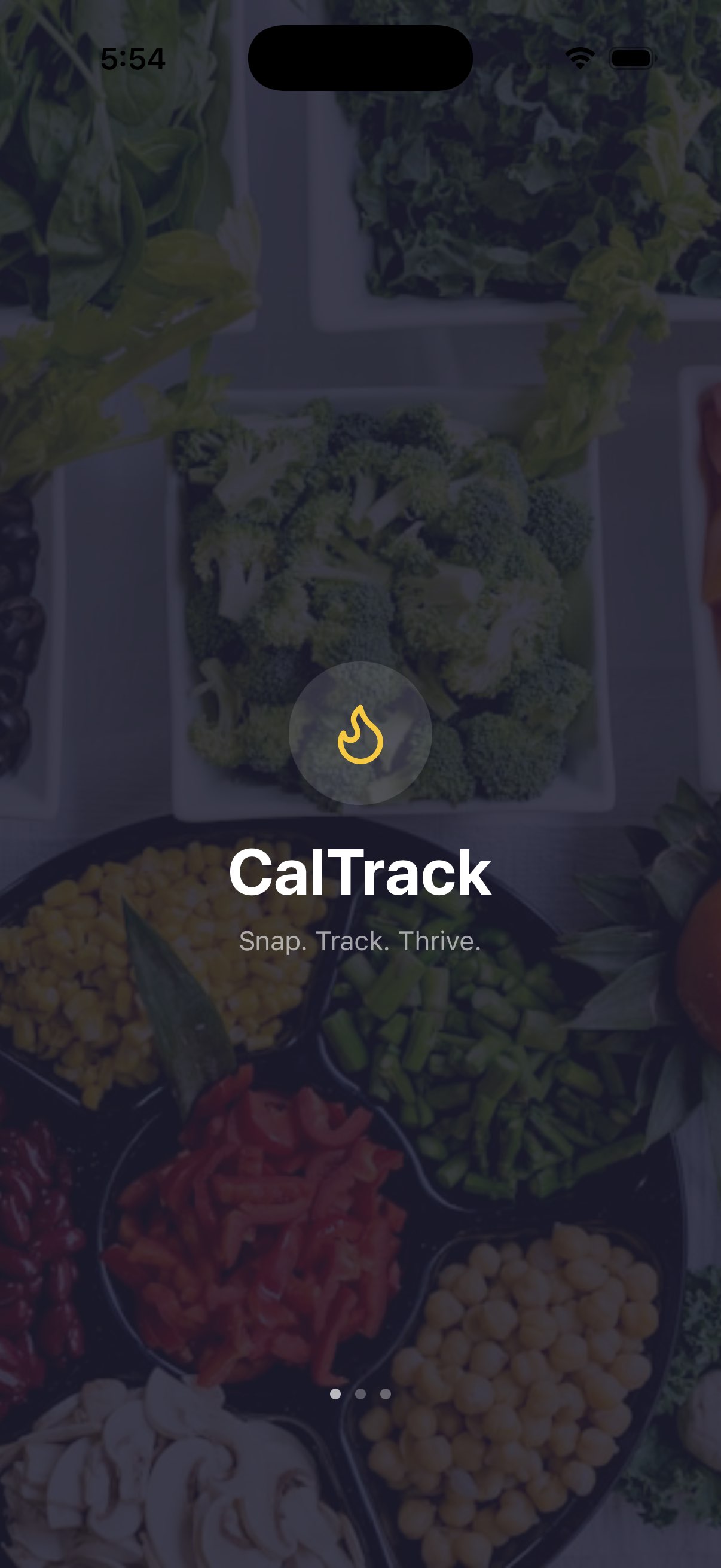
Splash Screen
Beautiful branded launch screen with app logo
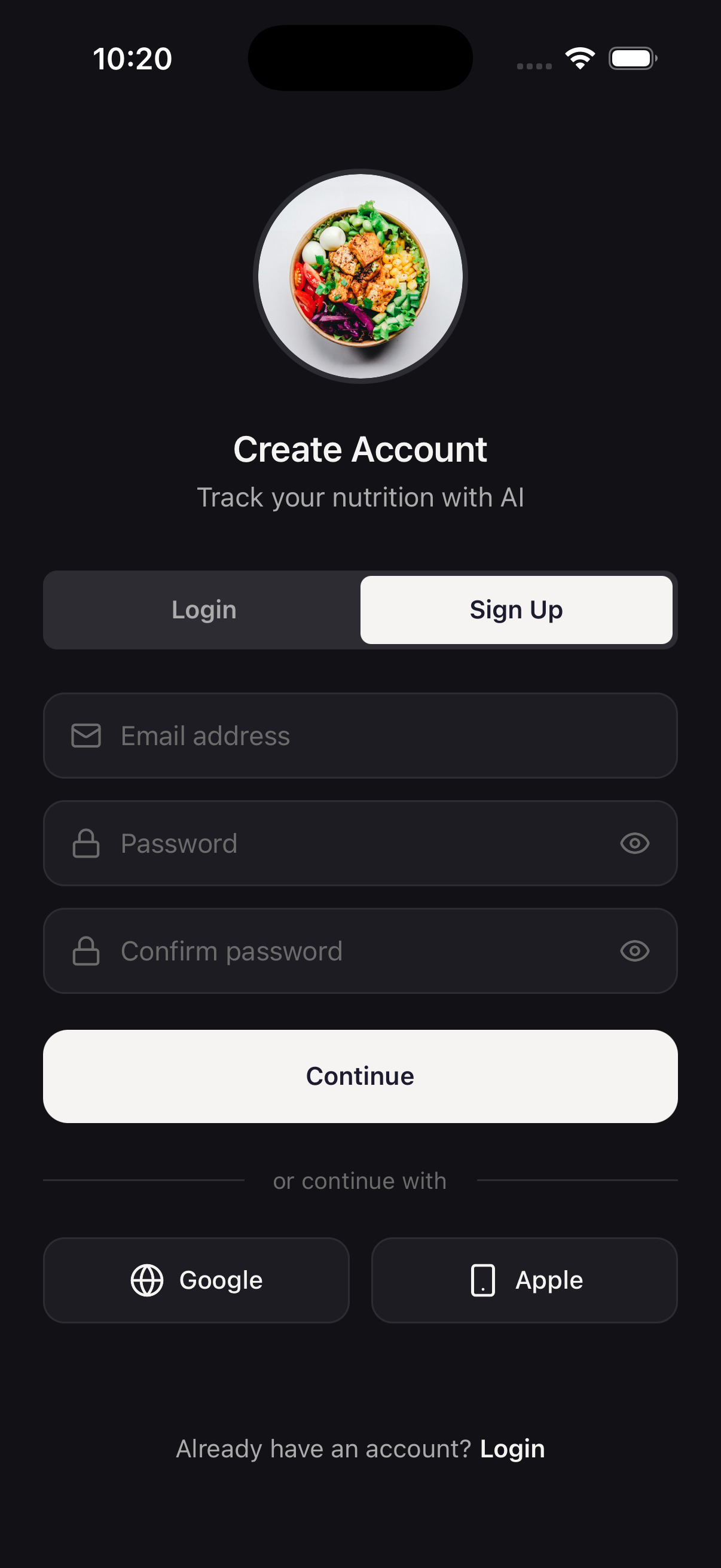
Sign Up
Clean authentication screen with email and social login
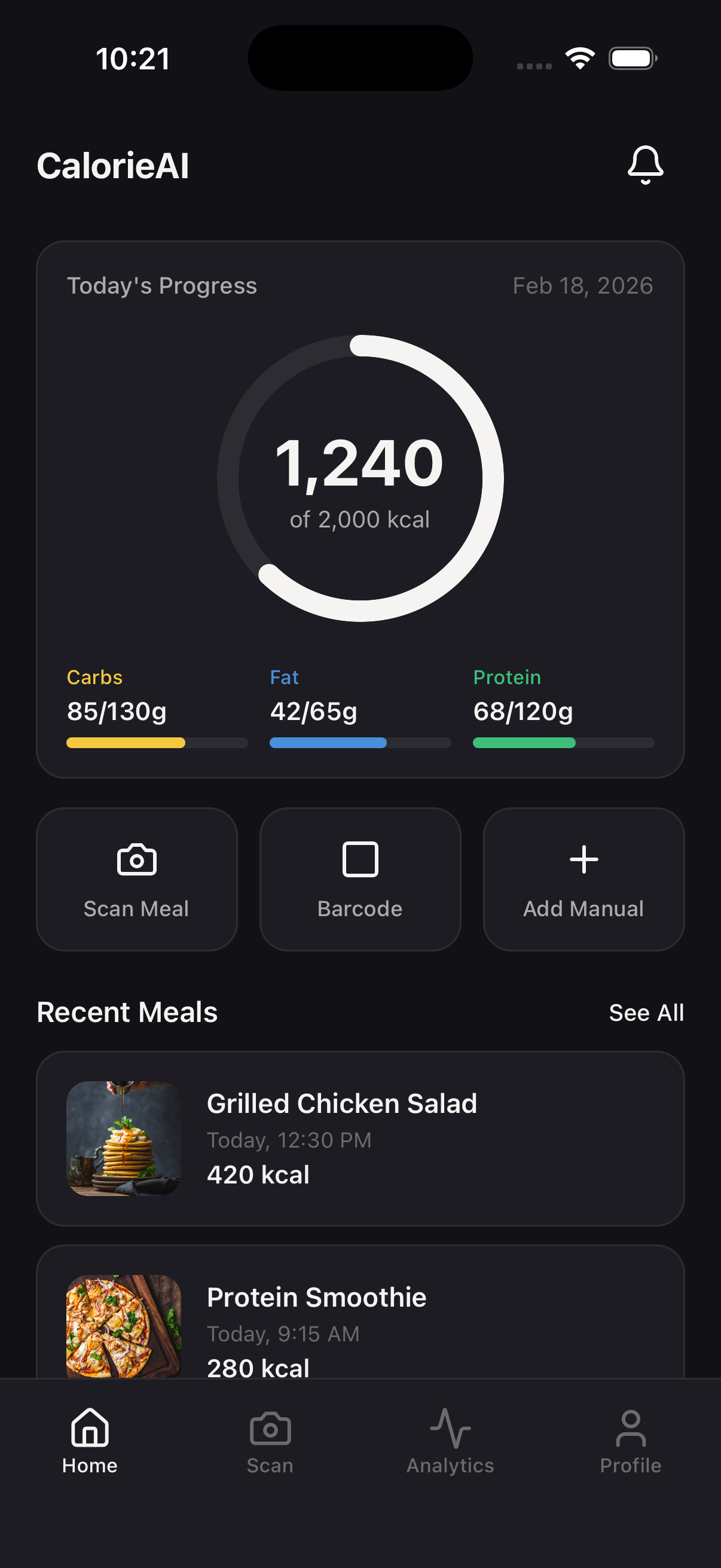
Home Dashboard
Daily calorie ring, macro bars, and quick actions
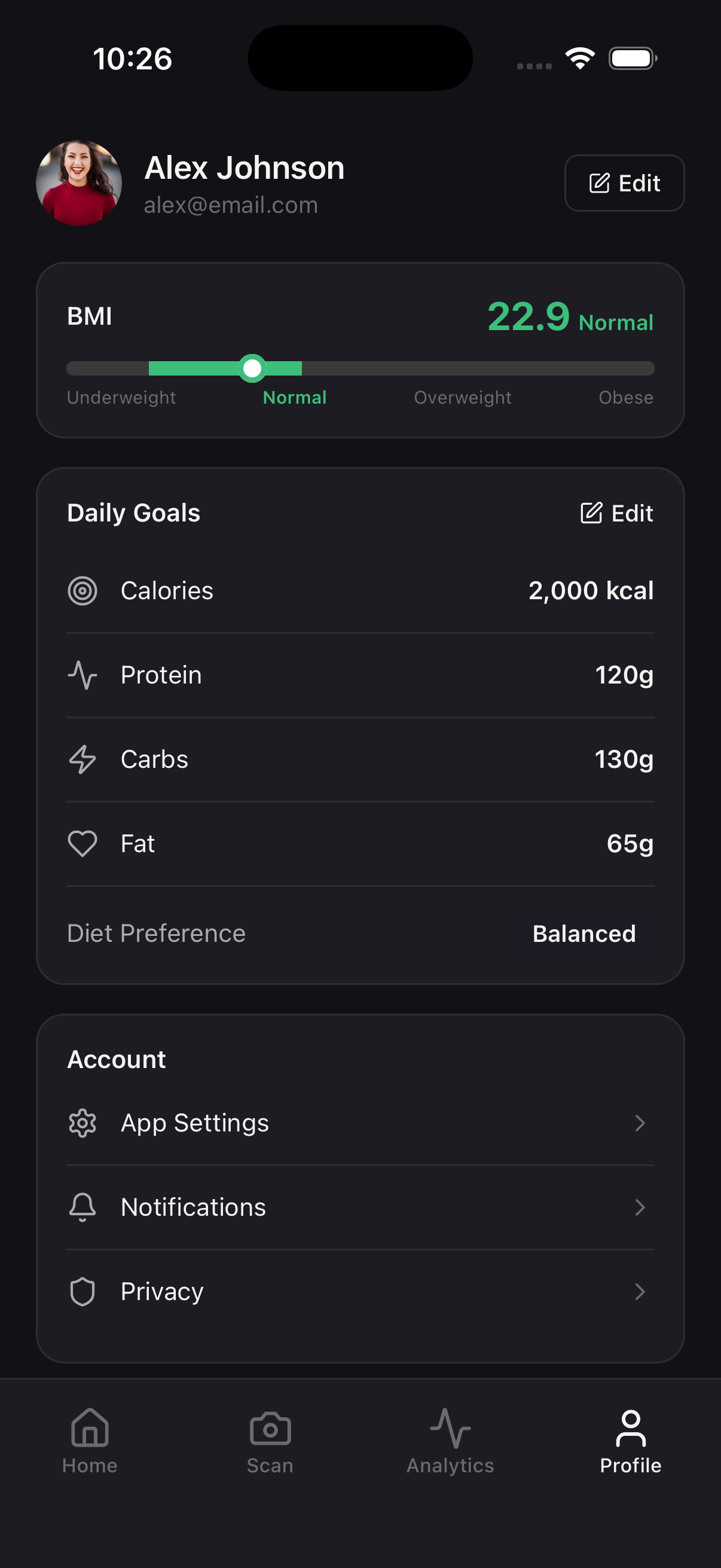
Profile & Goals
Personalized calorie targets and diet preferences
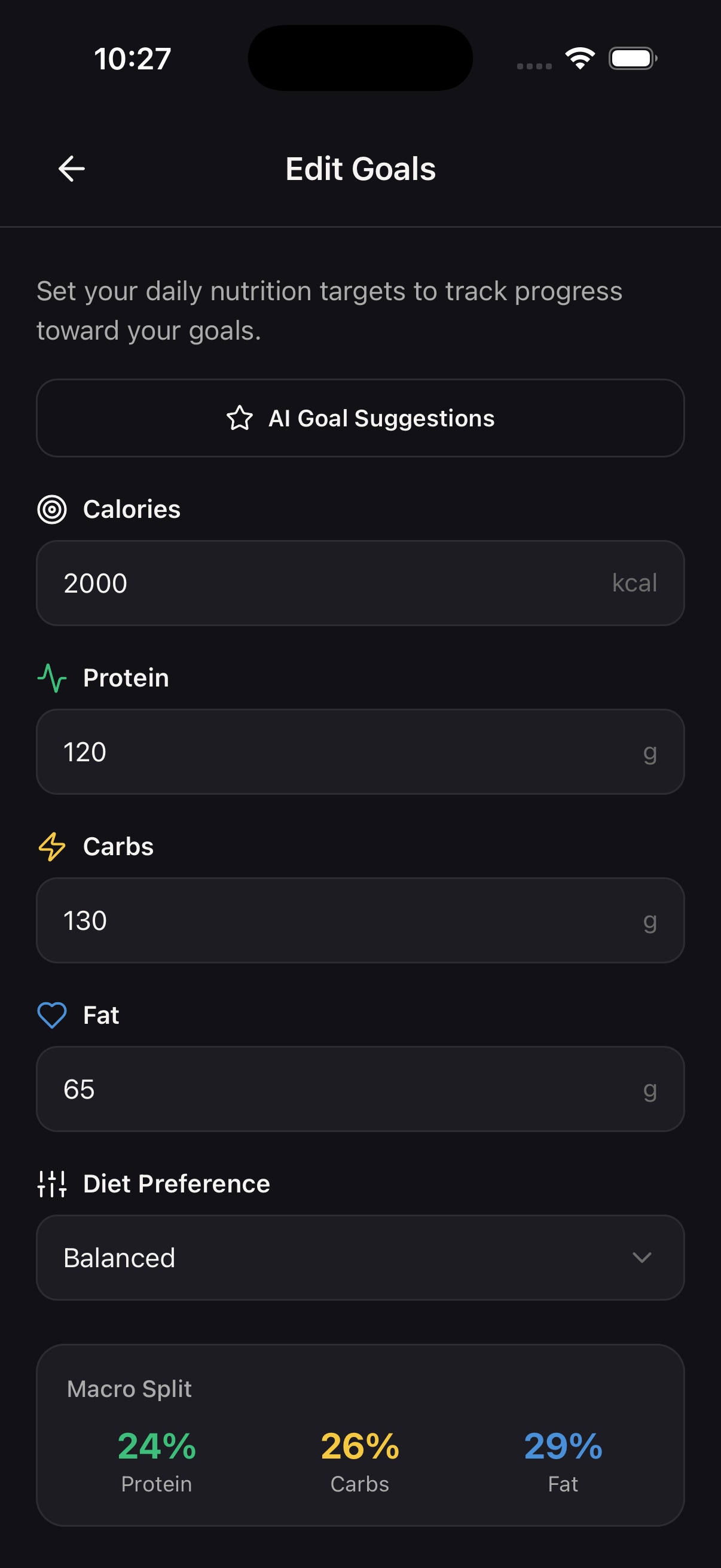
Set Daily Goals with AI
AI-suggested calorie and macro targets based on your goals
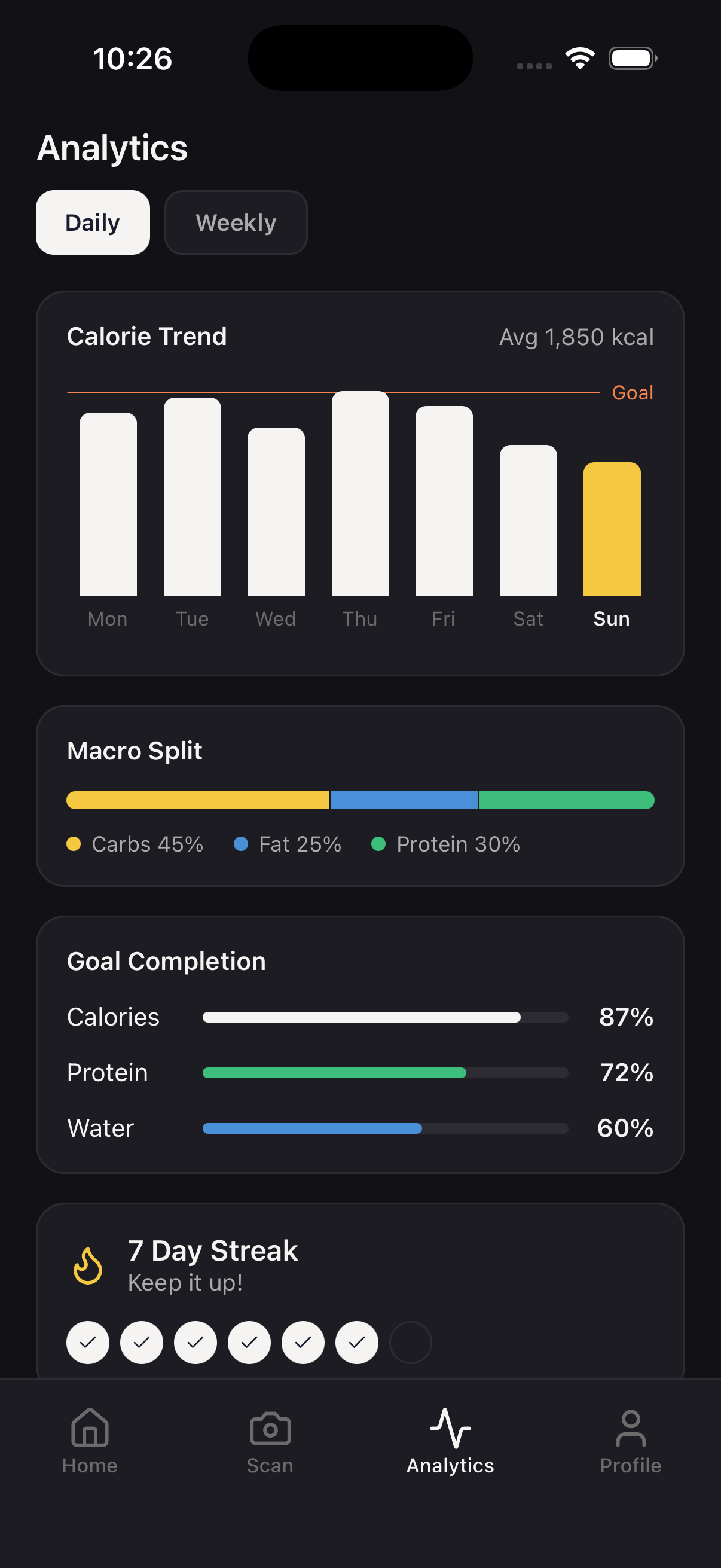
Analytics
Weekly trends, macro distribution, and streak tracking
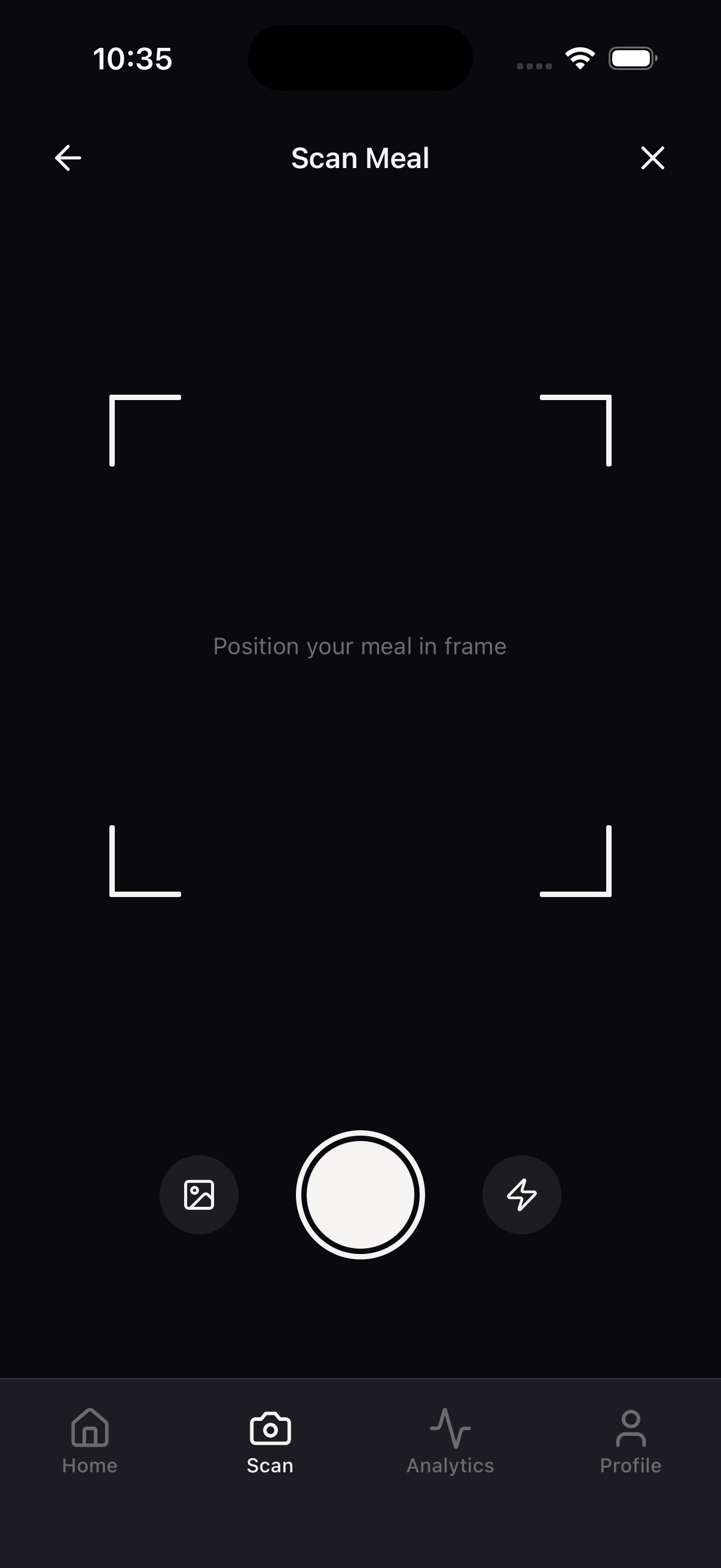
AI Meal Scan
Point your camera at any meal for instant analysis
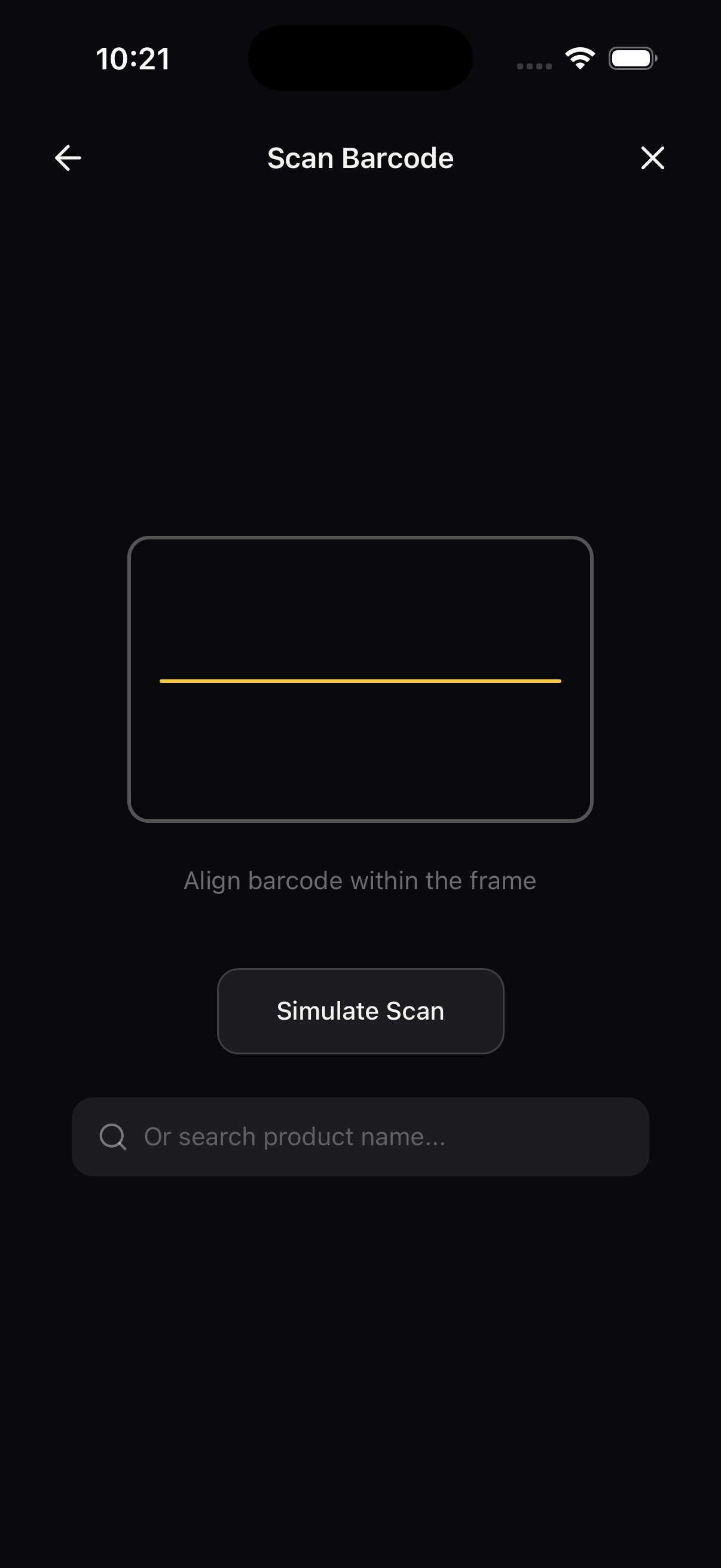
Bar Code Scan
Scan product barcodes for instant nutrition lookup
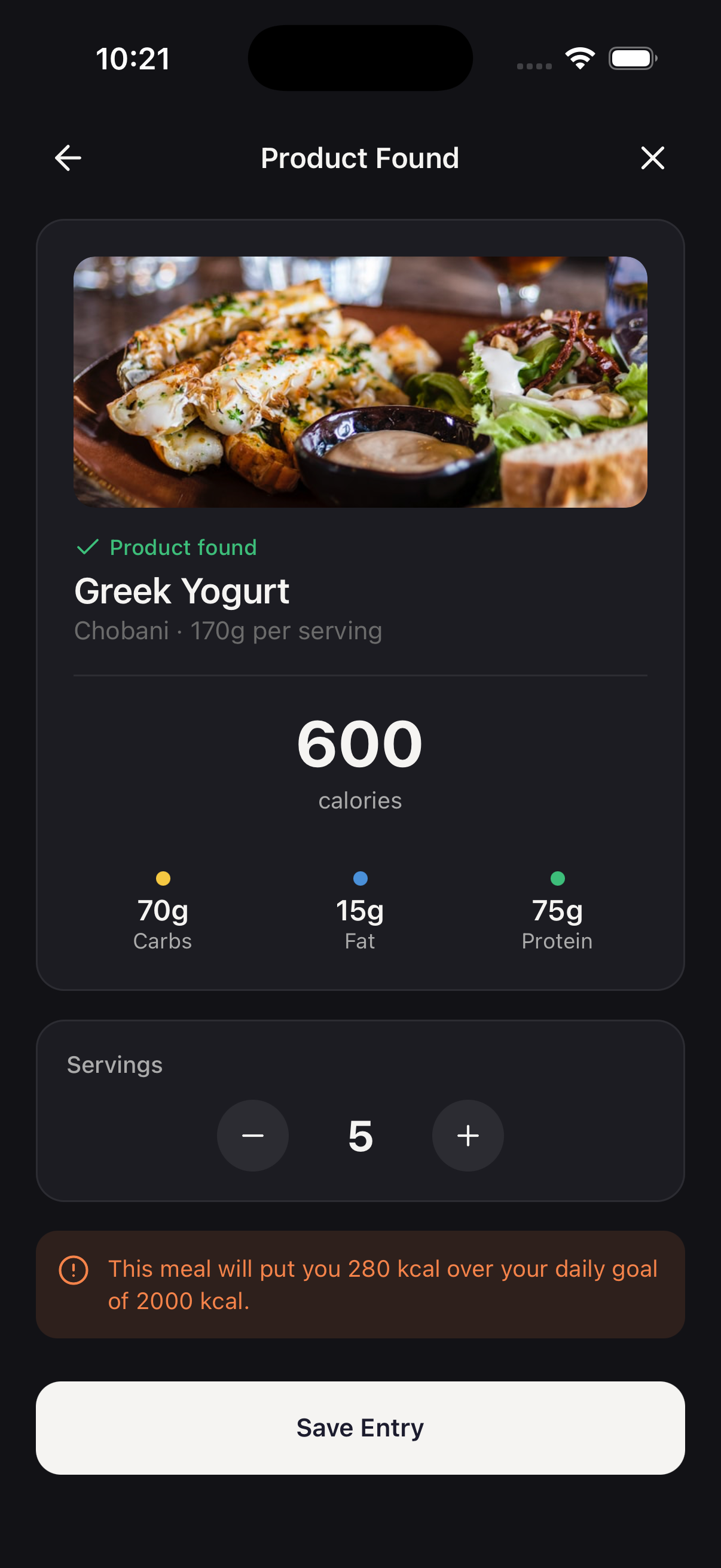
Nutrition Result
Detailed ingredient breakdown with editable macros
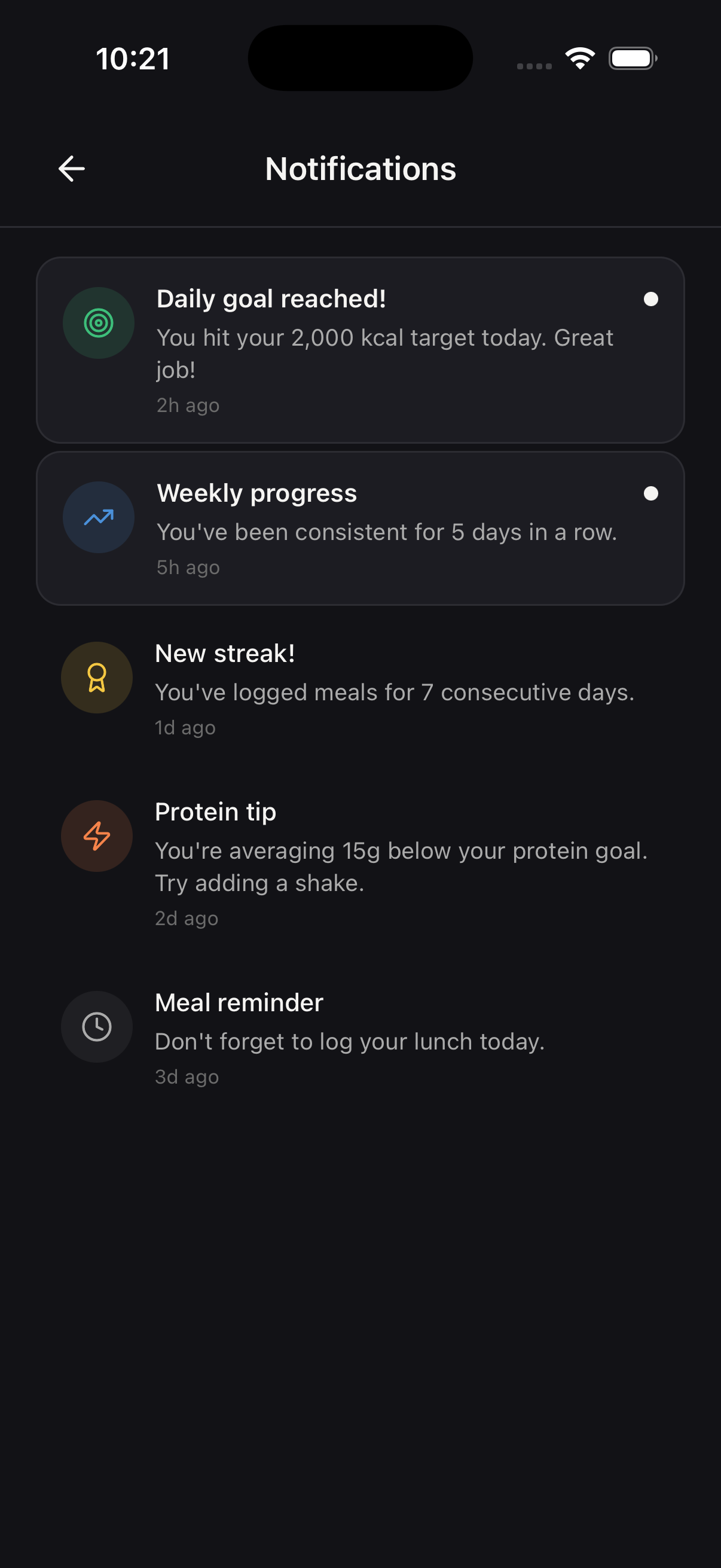
Notification
Smart meal reminders and goal achievement alerts
Get started in 4 simple steps
From download to deployment, streamlined every step to get your app live as quickly as possible.
Download & Install
Clone the repository and run npm install to get all dependencies set up in minutes.
Customize Branding
Update colors, fonts, and assets in the theme config to match your brand identity.
Connect Backend
Add your Supabase credentials and the required AI model setup in the .env file to power authentication and AI scanning.
Deploy to Stores
Use EAS Build to create production builds and submit to App Store and Google Play.
Built with Modern Technologies
Designed to boost your productivity with cutting-edge tools. Built on React Native and Expo for cross-platform excellence.
Core Technologies

- Cross-platform iOS & Android
- Native performance
- Hot reload development
- Simplified development workflow
- OTA updates
- Native API access
- Full type safety
- Better developer experience
- IntelliSense support
UI & Navigation

- Universal styling
- Dark mode support
- Responsive design
- File-based routing
- Deep linking
- Type-safe navigation
Backend & AI
- Authentication
- Postgres database
- Real-time sync
- Barcode lookup
- Nutrition database
- Free & open API
Loved by developers worldwide
See what developers are saying about this template. Join the community of builders creating amazing apps.
“Had a working MVP in front of beta users within a week. The entire backend was already wired up, so I just focused on customizing the UI and plugging in my API keys. Weeks of work, done.”
Jake M.
Indie Developer
“A client needed a proof-of-concept for an AI product by Friday. We grabbed the template Monday morning, swapped in their branding, and demoed a fully working app in 3 days. They signed the contract that week.”
Sarah P.
Agency Lead at PixelForge
“We went from idea to App Store submission in under 3 weeks. The screens, navigation, and the backend were all there. We started onboarding users almost immediately. Saved us at least 2 months of design and engineering work.”
Raj K.
CTO at NoteFlow AI
Frequently Asked Questions
Everything you need to know about the CalorieAI template.
What is included in the CalorieAI template?
+
The template includes complete source code for all screens (onboarding, meal scanning, analytics, profile, goals), reusable components, TypeScript types, navigation setup, theming system, and comprehensive documentation. You get everything needed to launch a production-ready nutrition tracking app.
What AI model does the meal scanner use?
+
The CalorieAI meal scanner requires a vision-capable AI model such as GPT-4o Vision or similar to analyze meal photos. The AI returns a structured JSON output with detected ingredients, individual macronutrients, and total calories. You will need to set up your own AI provider and API key.
Is the template compatible with Expo Go?
+
Yes! The template is built with Expo SDK 54 and works with Expo Go for development. For production, you can use EAS Build to create native iOS and Android apps.
Can I customize the colors and branding?
+
Absolutely. The template uses NativeWind (Tailwind CSS) with a centralized theming system. You can change the primary color, fonts, and all styling by updating a single configuration file. Light and dark modes adapt automatically.
Do you provide support and updates?
+
Yes, your purchase includes 6 months of support and free updates. We also have a Discord community where you can get help from other developers.
Can I use this for multiple projects?
+
The standard license allows use in a single end product. For multiple projects or client work, please contact us for an extended license.
Can I build a Cal AI clone or MyFitnessPal alternative with this template?
+
Yes. This React Native template gives you the core UX patterns of top AI calorie tracker apps — photo-based meal scanning, barcode lookup, macro tracking, and analytics. You own the code and the differentiation. Add your own AI vision model, branding, and content strategy to build a genuine Cal AI alternative or nutrition tracker of your own.
Which AI model do I need for the calorie counter?
+
The template is AI-model-agnostic. Any vision-capable model works — GPT-4o Vision, Claude with vision, Google Gemini Pro Vision. The meal scan flow sends a photo to your chosen model and expects structured JSON back with ingredients, calories, and macros. You bring the API key and the prompts.
Is this an AI food tracker template?
+
Yes. Beyond calorie counting, the template supports full nutrition and macro tracking — protein, carbs, fat, and micronutrients. You can position your app as an AI food tracker, nutrition diary, macro counter, or fitness companion. The data layer is flexible enough to support any nutrition product.
How much does it cost to build an AI calorie counter app?
+
Building an AI calorie counter from scratch typically takes 3–6 months and $40,000–$150,000 in development costs. With this template you skip the UI, auth, navigation, and onboarding work. Your remaining spend is an AI vision API, a backend (Supabase recommended), and content — most teams ship a customized version in 2–4 weeks.
Get the CalorieAI Template
Choose the license that fits your needs. All licenses include lifetime access and free updates.