How to build a
E Learning App.
No code required
A full-stack online learning app with course discovery, video lessons, progress tracking, and achievement badges. Built on Expo and React Native with a Supabase backend powering courses, enrollments, and user progress.
Join founders launching apps without writing code
7-day money-back guarantee
Technically Optimized for Superior User Experience
Engineered for optimal performance and engagement. Our template's tech stack ensures speed, reliability, and seamless cross-platform functionality.
9
App Screens
2
Platforms
100%
TypeScript
Smart Course Search
Instantly find courses and topics with real-time search across 6 categories including Programming, Design, Business, and more
Structured Curriculum
Organized course sections with expandable lessons, completion tracking, and locked/unlocked states
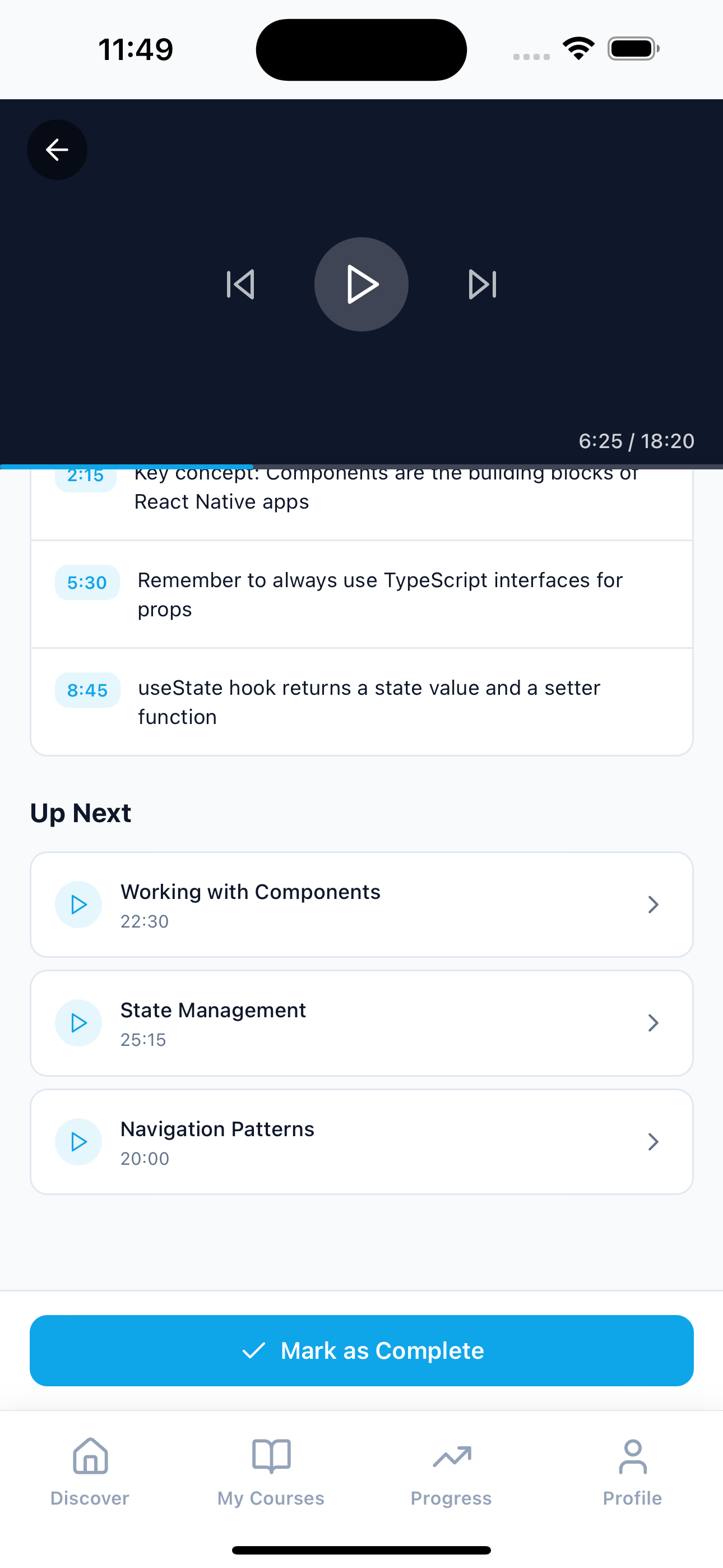
Interactive Lesson Player
Full-featured video player with skip controls, progress bar, timestamped notes, and mark-as-complete functionality
Learning Analytics
Track total study time, lessons completed, day streaks, and weekly activity with beautiful bar charts
Goal Setting
Set daily and weekly learning goals with progress indicators to stay motivated and on track
E Learning App Kit Preview
Experience the beautiful interface with stunning visuals, smooth animations, and intuitive navigation across all screens.
Sign In
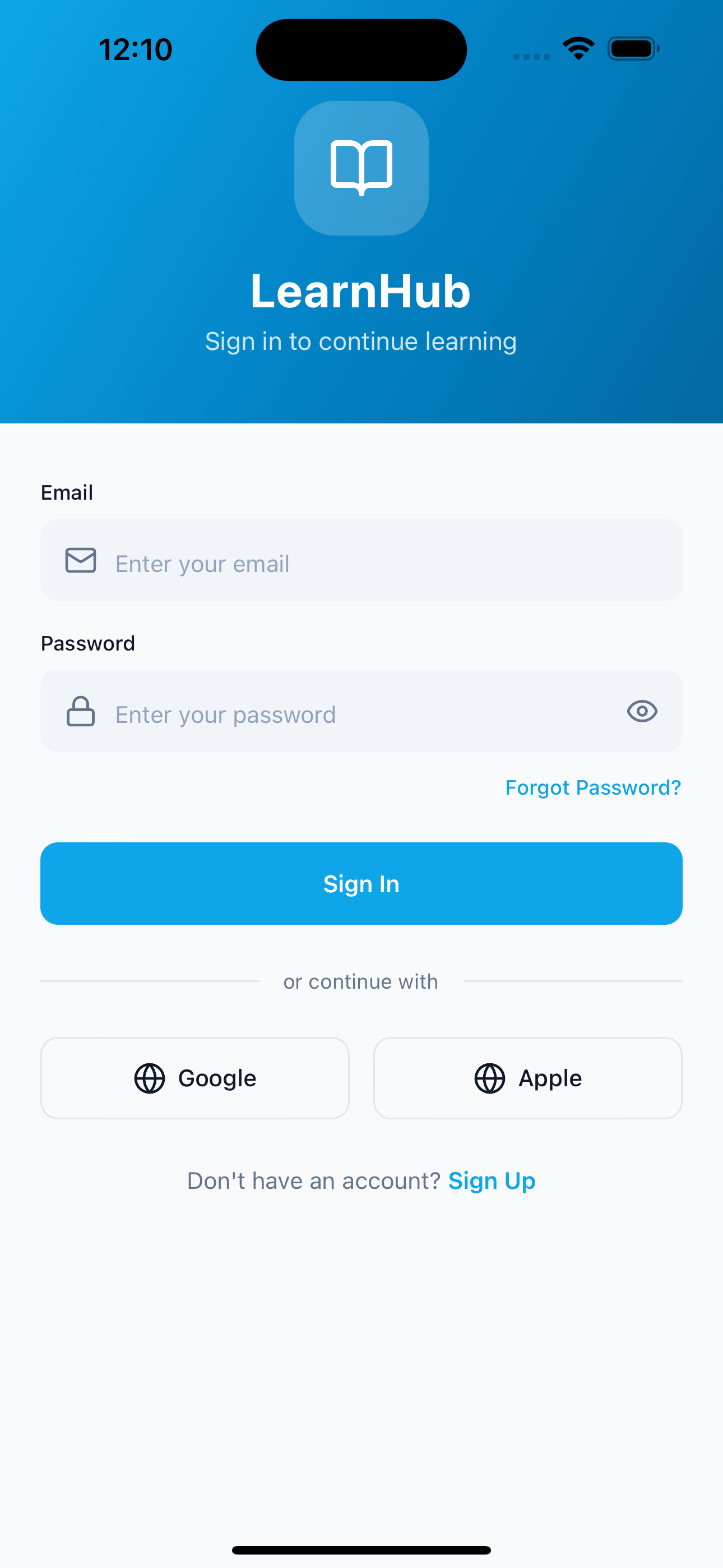
Clean sign-in screen with email and password authentication
Sign Up
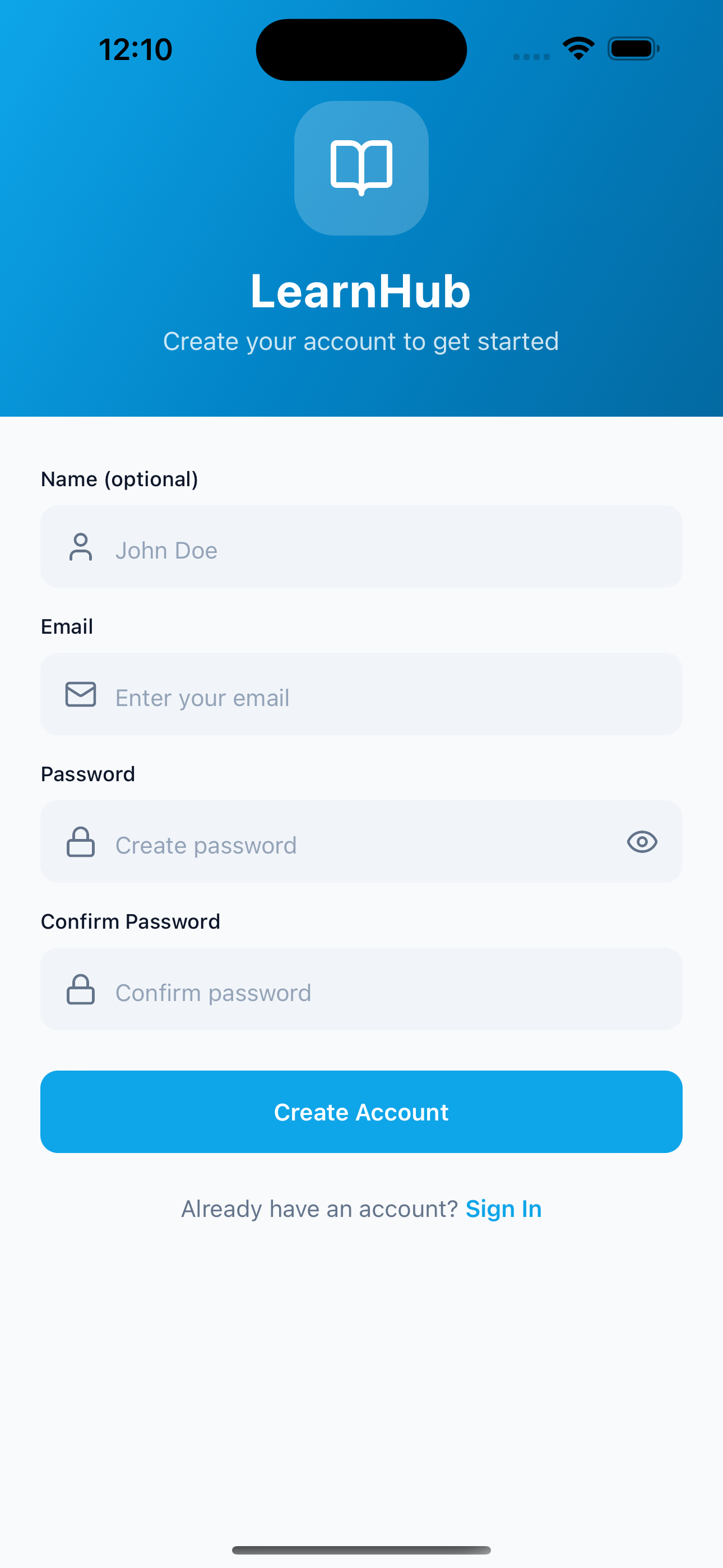
Clean sign-up screen with email and password authentication
Discover
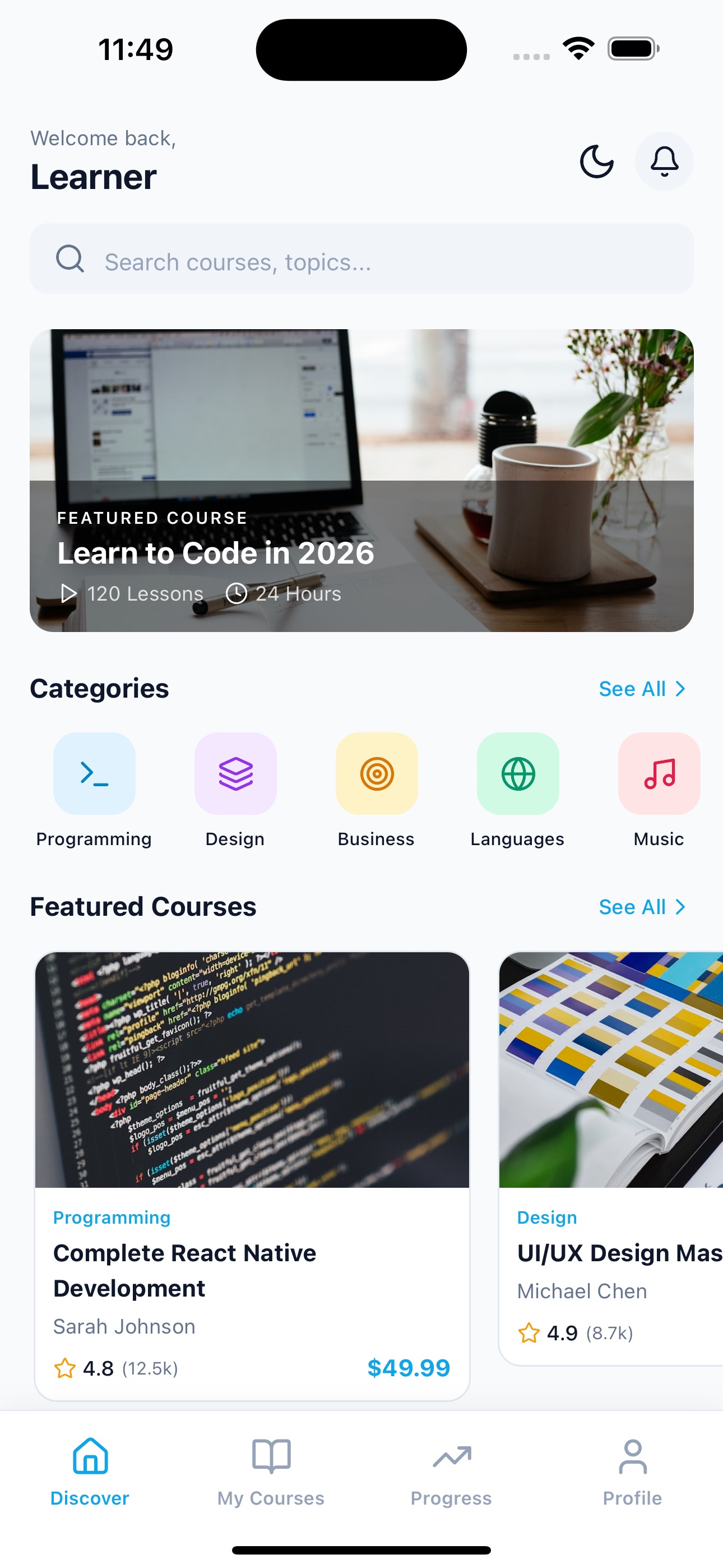
Browse courses by category with featured and popular sections
Courses
Browse and filter courses across multiple categories
Course Detail
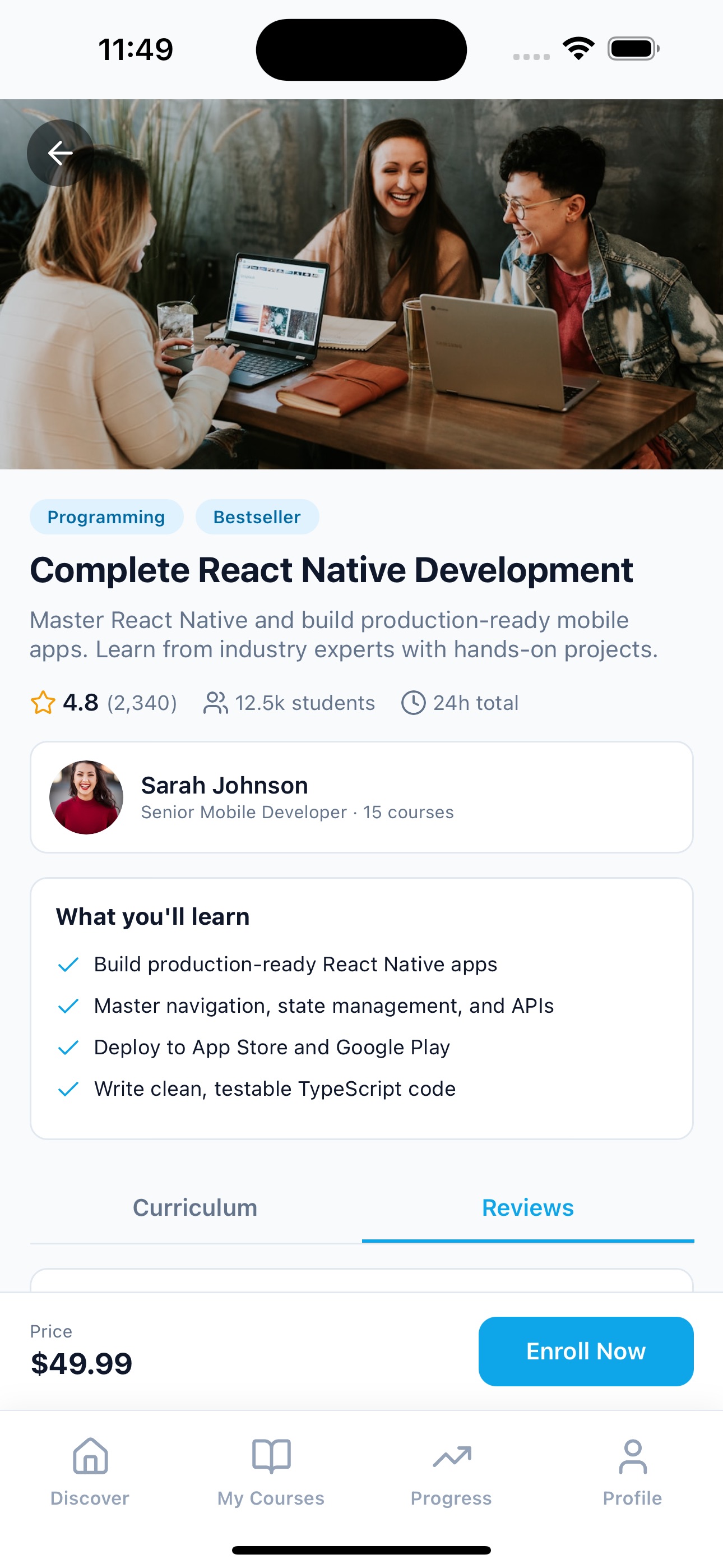
Full curriculum, instructor info, reviews, and enrollment
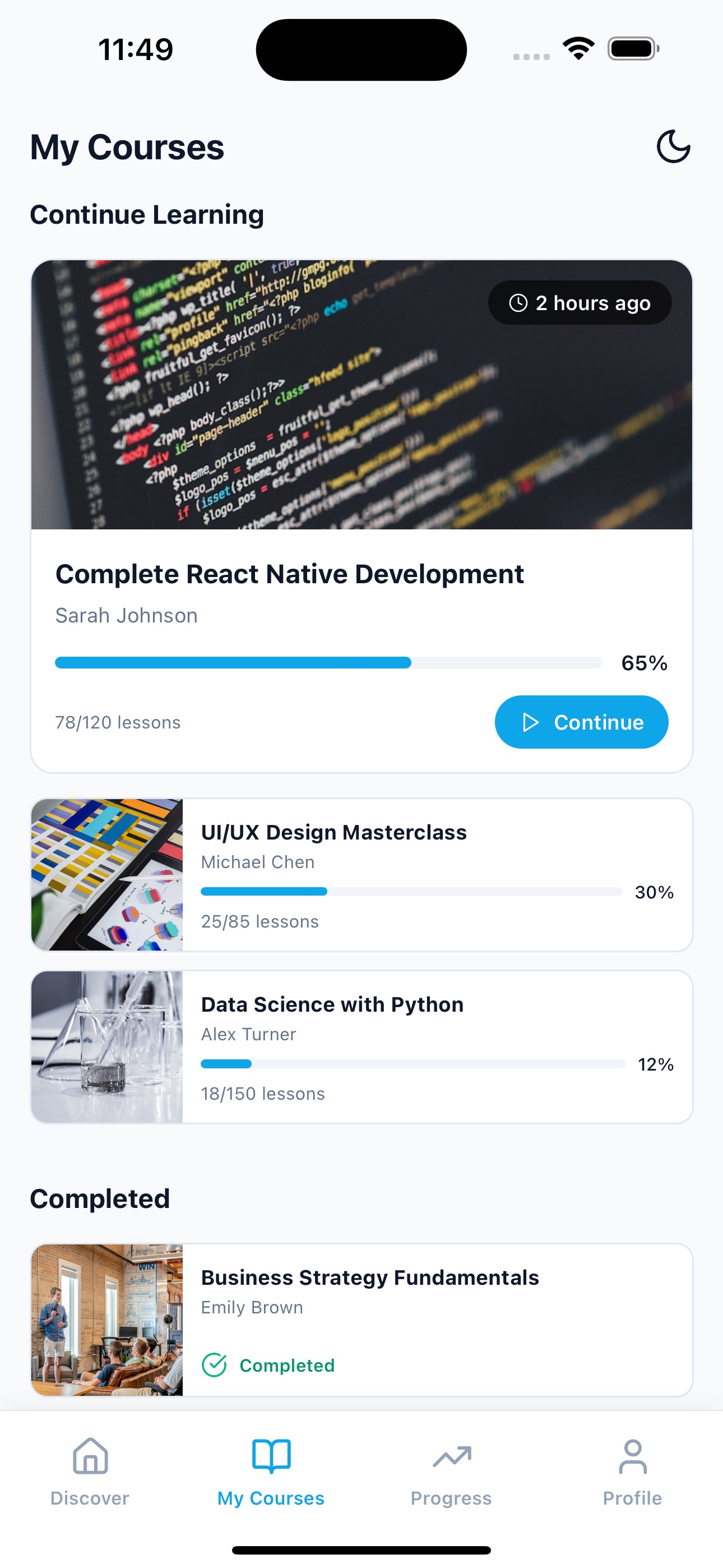
My Courses
Continue learning with progress bars and completed courses
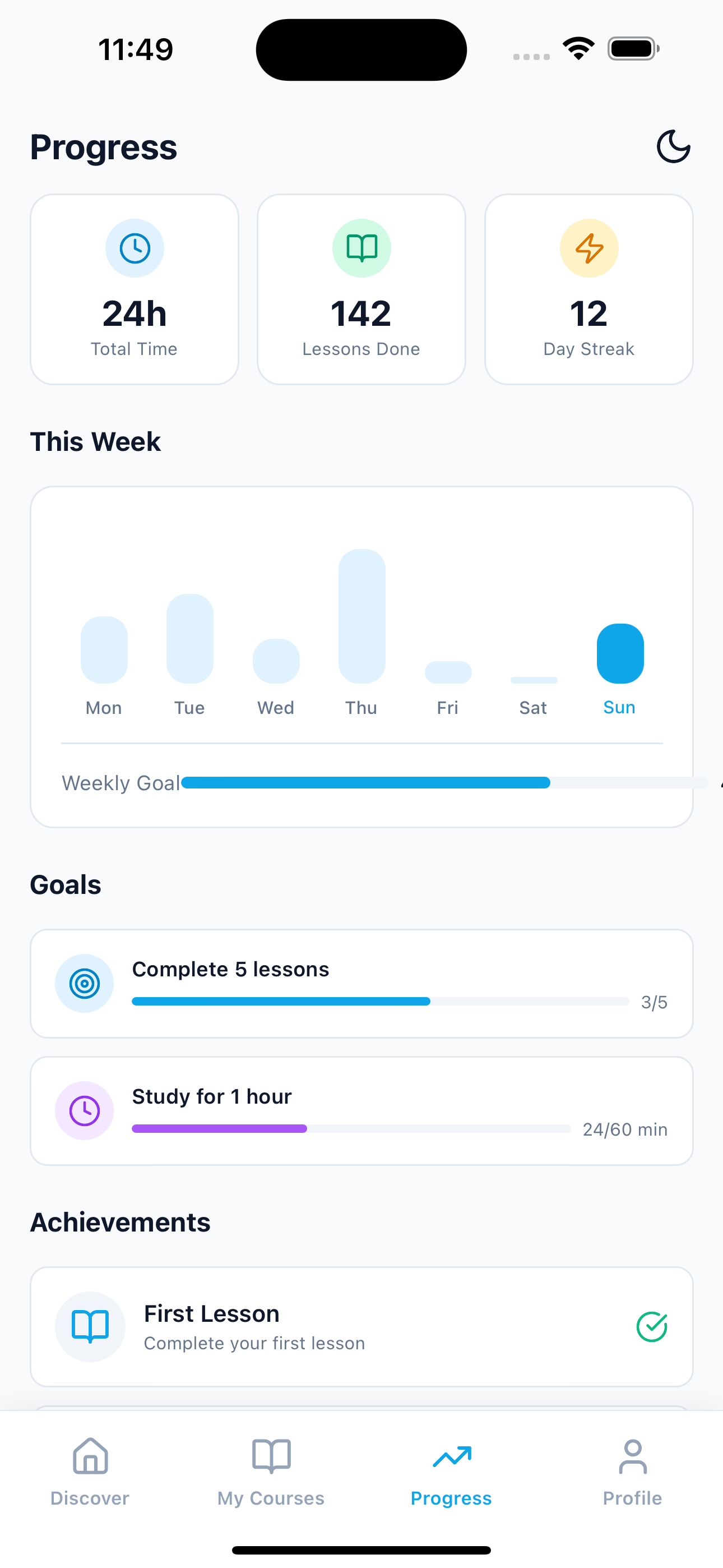
Progress
Weekly activity charts, streaks, goals, and achievements
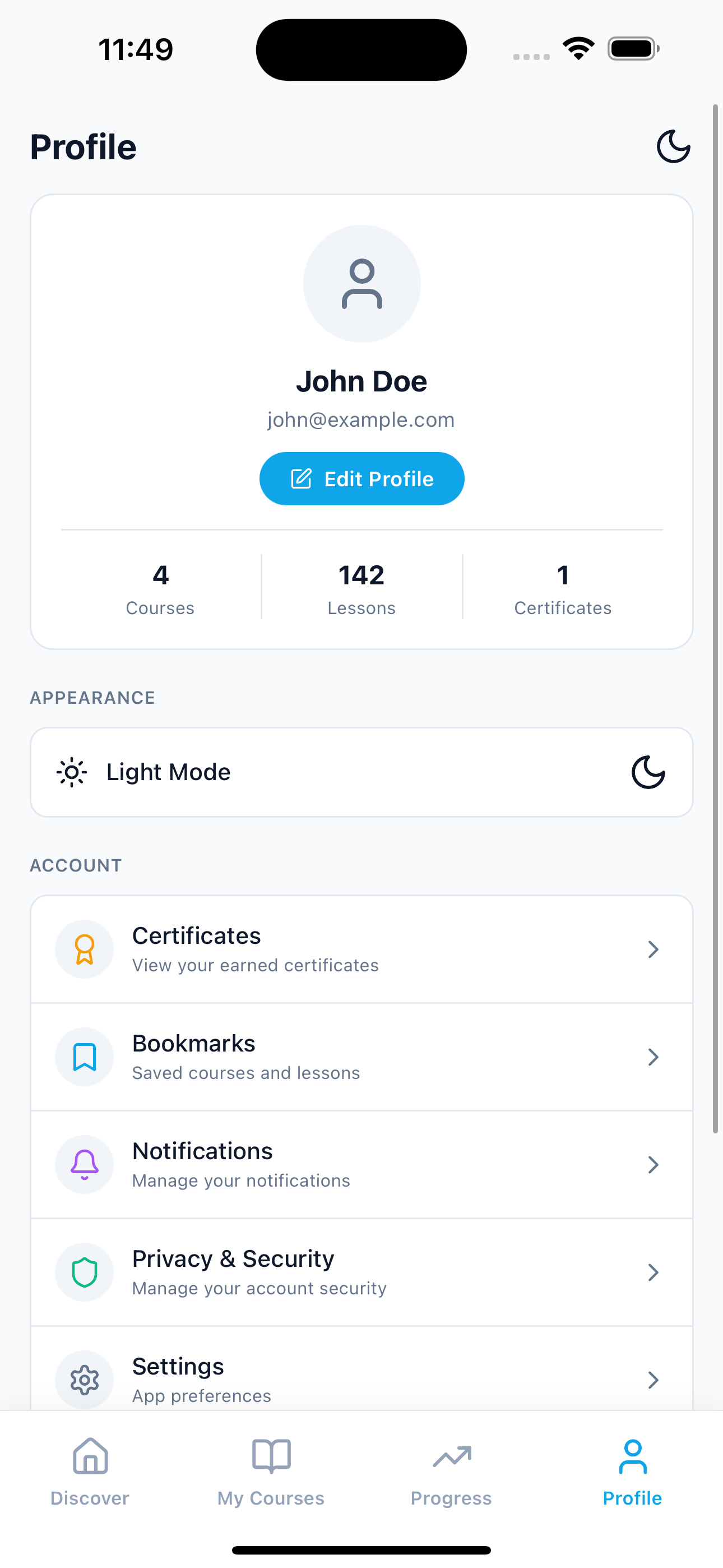
Profile
User profile with stats, certificates, and bookmarks
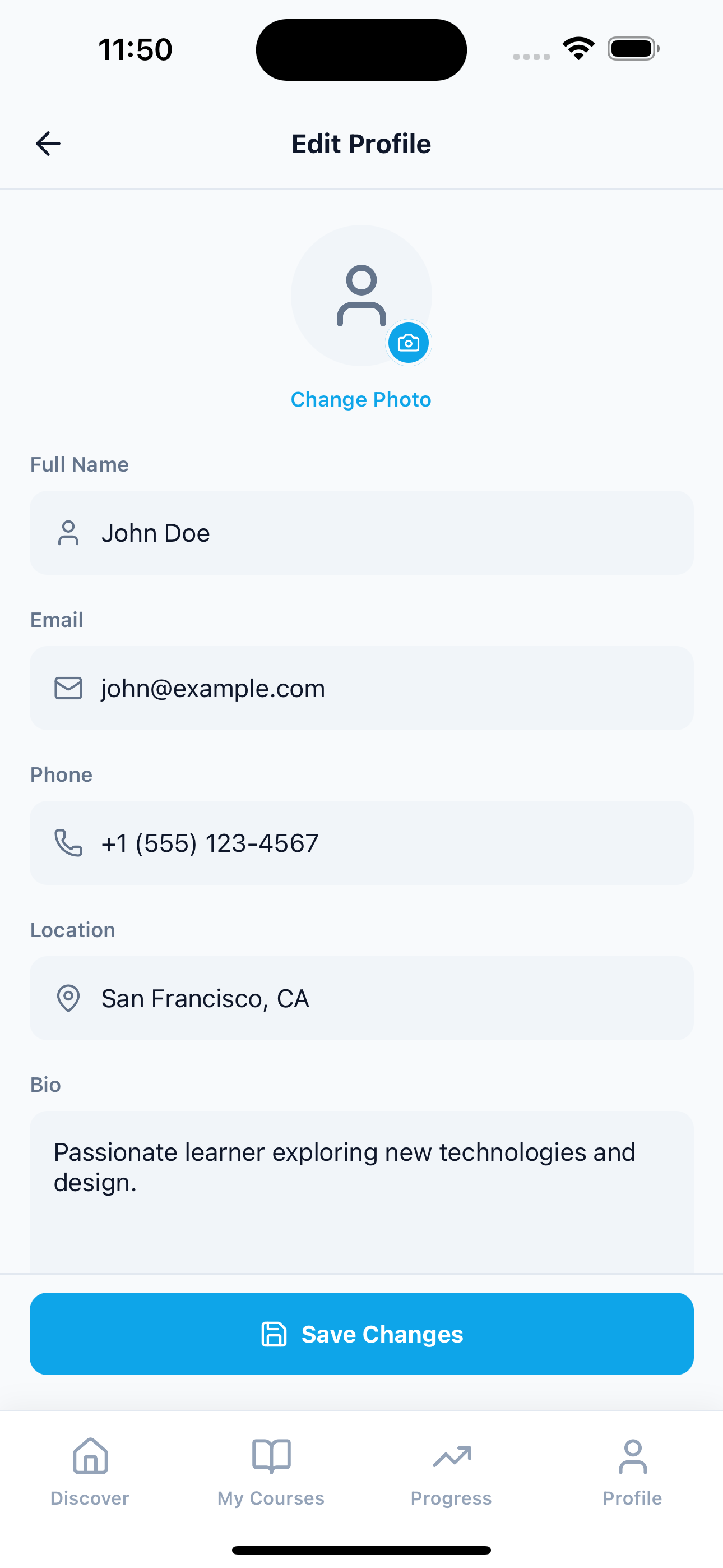
Edit Profile
User profile edit with stats, certificates, and bookmarks
From idea to launched app in 4 simple steps
No coding required. Just follow the step-by-step playbook — most founders launch in under a week, even if they've never built an app before.
Download & Install
Clone the repository and run npm install to get all dependencies set up in minutes.
Customize Branding
Update colors, fonts, and assets in the theme config to match your educational platform brand.
Connect Backend
Integrate your API endpoints for authentication, course content, video streaming, and progress tracking.
Deploy to Stores
Use EAS Build to create production builds and submit to the App Store and Google Play.
Launch Your E Learning App 2x Faster
No need to code from scratch. Save 200+ development hours with this React Native UI template. With advanced features and creative tools, the E Learning App UI Kit is the perfect choice to create engaging mobile app platforms for your community.
37.5 hours
UI Design & Prototyping
40.5 hours
Core Features Integration
22.5 hours
Navigation & Animations
16.5 hours
User Progress & Tracking
27.5 hours
Theming & Customization
15 hours
Accessibility Features
20.5 hours
Responsive Design Optimization
22.5 hours
Testing & Bug Fixing
Skip months of development. Launch this week.
Build an e-learning app in weeks with this production-ready React Native template. Ships with 9+ screens covering course discovery, course detail, video lesson player, progress analytics, achievement badges, and user profiles. Designed for mobile-first learning platforms, course marketplaces, and internal training apps. Connect Mux, Vimeo, or Cloudflare Stream for video, plug in your LMS backend, and launch your edtech product.
Course Discovery
Browse courses by category with search, featured sections, and personalized recommendations
Video Lesson Player
Built-in video player with playback controls, progress tracking, and timestamped notes
Progress Analytics
Weekly activity charts, learning streaks, goal tracking, and detailed statistics
Achievement System
Gamified learning with unlockable badges, milestones, and completion certificates
Dark & Light Mode
Beautiful Sky Blue theme with seamless light and dark mode switching
Tailwind CSS with NativeWind
Leverage Tailwind CSS through NativeWind v4 for efficient cross-platform styling
Faster Development
Accelerate your edtech platform launch with production-ready screens and components
Cost Reduction
Save months of development time and thousands in costs with a ready-made template
Everything your users expect, already built in
A complete, polished app — every feature your customers expect is already done. You focus on growing your business while the product takes care of itself.
Smart Course Search
Instantly find courses and topics with real-time search across 6 categories including Programming, Design, Business, and more
Structured Curriculum
Organized course sections with expandable lessons, completion tracking, and locked/unlocked states
Interactive Lesson Player
Full-featured video player with skip controls, progress bar, timestamped notes, and mark-as-complete functionality
Learning Analytics
Track total study time, lessons completed, day streaks, and weekly activity with beautiful bar charts
Goal Setting
Set daily and weekly learning goals with progress indicators to stay motivated and on track
Achievement Badges
Gamified experience with unlockable badges like First Lesson, Week Warrior, Course Master, and Scholar
User Profiles
Complete profile management with avatar, bio, stats display, certificates, and bookmarks
Ratings & Reviews
Course rating system with student counts, review tabs, and instructor profiles with credentials
Everything you need to go live
A complete launch kit — not just an app. From the finished product to the playbook that gets it into the App Store, every piece is included.
Complete iOS + Android app
A finished, polished app ready to publish to both App Stores on day one.
Admin dashboard
Manage listings, users, and content from one simple web dashboard — no engineer needed.
Branding & customization guide
Step-by-step instructions to swap in your logo, colors, and copy in an afternoon.
Launch playbook
A clear week-by-week plan from setup to your first real users.
App Store submission templates
Pre-written descriptions, screenshots specs, and review answers to sail through approval.
Lifetime updates
Every future improvement to the kit is yours — no extra fees, ever.
Founder community access
Join a private group of non-technical founders launching real apps and sharing what works.
Email support
Stuck on a step? Real humans answer your questions — usually within one business day.
7-day money-back guarantee
Not the right fit? Get a full refund within 7 days. Zero risk to try it.
Loved by founders launching real apps
Non-technical founders are shipping apps that look like they cost six figures to build — and getting real customers in days, not months.
“Had a working MVP in front of beta users within a week. The entire backend was already wired up, so I just focused on customizing the UI and plugging in my API keys. Weeks of work, done.”
Jake M.
Indie Developer
“A client needed a proof-of-concept for an AI product by Friday. We grabbed the template Monday morning, swapped in their branding, and demoed a fully working app in 3 days. They signed the contract that week.”
Sarah P.
Agency Lead at PixelForge
“We went from idea to App Store submission in under 3 weeks. The screens, navigation, and the backend were all there. We started onboarding users almost immediately. Saved us at least 2 months of design and engineering work.”
Raj K.
CTO at NoteFlow AI
Launch your E Learning App app today
One simple price. Lifetime access, lifetime updates, and a 7-day money-back guarantee — zero risk to start.
Common questions from non-technical founders
Straight answers, no jargon. Still unsure? Real humans answer every email — usually within one business day.
What is included in the LearnHub template?
+
The template includes complete source code for all screens (course discovery, course detail, lesson player, my courses, progress tracking, profile, and edit profile), 50+ reusable UI components, TypeScript types, tab navigation with Expo Router, NativeWind theming with dark mode, and comprehensive documentation.
Do I need to set up my own backend?
+
No. The backend is built in — you get a real database, user authentication, and file storage out of the box, so course content and progress actually persist. Mock data is pre-seeded so screens render populated from the start. You can point the data layer at your own Supabase, or call external APIs, at any time, and video streaming still uses the provider of your choice.
Is the template compatible with Expo Go?
+
Yes! The template is built with Expo SDK 54 and works with Expo Go for development. For production, you can use EAS Build to create native iOS and Android apps with full native module support.
Can I customize the colors and branding?
+
Absolutely. The template uses NativeWind v4 (Tailwind CSS) with a centralized theming system supporting both light and dark modes. You can change the primary color (Sky Blue by default), fonts, and all styling by updating a single theme configuration file.
Does it include video streaming functionality?
+
The template includes a complete video lesson player UI with play/pause, skip, progress bar, and timestamp controls. For actual video streaming, you will need to integrate a video service like Mux, Vimeo, or your own CDN.
Can I use this for multiple projects?
+
The standard license allows use in a single end product. For multiple projects or client work, please contact us for an extended license.
Can I build an Udemy clone or online course app with this template?
+
Yes. The template includes the core patterns for a mobile course platform — course browsing, category filters, course detail with curriculum, video player UI, progress tracking, and user profiles. Use it as a starting point for an Udemy-style marketplace, a branded corporate training app, or a standalone course product.
Is this a React Native LMS template?
+
Yes — it works as a foundation for a mobile LMS (Learning Management System) or course marketplace app. You bring the backend (Supabase, Firebase, or custom), video infrastructure, and content management. The React Native frontend is complete with 9+ screens.
Does the e-learning template include video streaming?
+
The video player UI is fully built (play/pause, skip, progress bar, timestamp controls), but actual video streaming requires your own service — Mux, Vimeo, Cloudflare Stream, or a custom CDN. The template is video-service-agnostic so you can choose what fits your budget.
How do I build an online course app with React Native?
+
The fastest path is a production-ready template like this one. You get 9+ screens covering the full learner experience (discovery, enrollment, lessons, progress, profile), TypeScript types, NativeWind styling, and Expo Router navigation. You add your content, connect a video service, and wire up your backend. From idea to beta-ready in weeks.