Customer Support Integration for React Native Apps
Master customer support integration in React Native. Learn to select tools, install SDKs, sync user context, and monitor performance for seamless in-app help.
By Suraj Ahmed
29th Sep 2026
Last updated: 29th Sep 2026
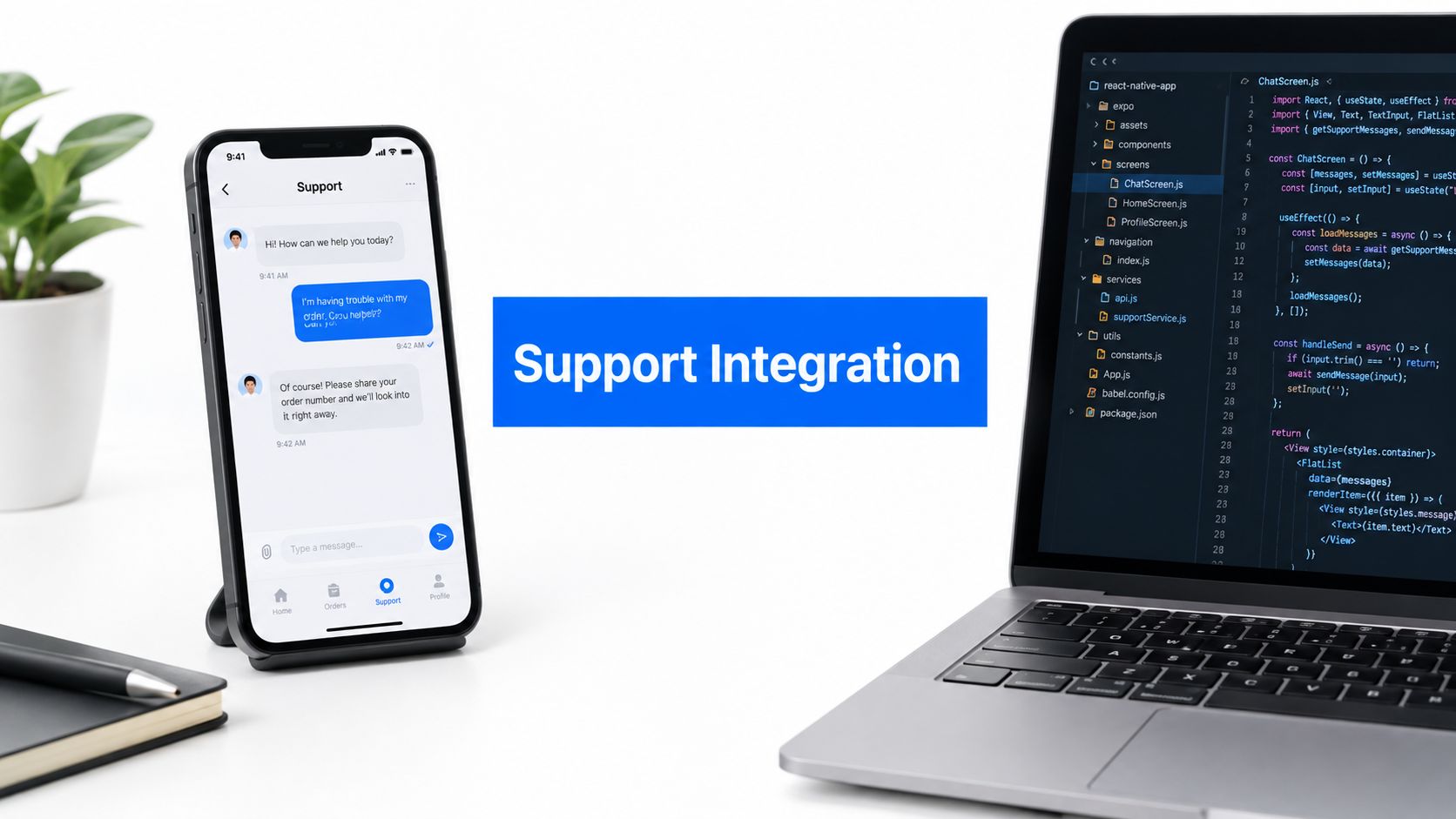
A user gets stuck while confirming a payment, onboarding a teammate, or finding a setting buried three screens deep. They tap your support button, then switch to email or X because the in-app conversation feels too limited. Your agent receives a name and a vague complaint, but not the user's account tier, current screen, recent actions, or the error state that caused the problem. The user starts over, and your team spends the first reply reconstructing an incident that already happened inside your app.
That's the hidden cost of weak customer support integration. The visible feature is a chat launcher, but the product is the context flowing behind it. For teams shipping React Native apps, the strongest implementation connects identity, conversation history, app navigation, operational routing, and privacy controls into one support workflow.
Why In-App Customer Support Integration Matters
In-app support gives the customer a shorter path from failure to explanation. A user reporting “checkout doesn't work” can attach the relevant order, enter support from the checkout screen, and continue the conversation without leaving the product. An agent can see the authenticated profile and the events that occurred immediately before the message, rather than asking the customer to reproduce the entire journey from memory.
That difference matters when a conversation crosses channels. A customer may begin in mobile chat, reply to an email later, and call after the issue becomes urgent. If each channel creates a separate record, the customer repeats the same details and the agent makes decisions with an incomplete timeline. A useful guide to user feedback integration treats feedback as product data, not just a message waiting in an inbox.
The operational effect is measurable. Companies using integrated omnichannel solutions saw a 31% reduction in first-resolution time and a 39% decrease in customer wait times, yet 56% of customers still have to repeat themselves because support channels remain disconnected, according to Plivo's summary of omnichannel customer service statistics. The contrast explains why a generic chat widget rarely solves the underlying problem. It adds another door without connecting the rooms.
The support payload is part of the product
A useful mobile support flow should carry enough context to answer four questions quickly:
- Who is this user? Include a stable user identifier, account status, plan, locale, and relevant permissions.
- What were they trying to do? Capture the screen or feature entry point, without collecting unnecessary sensitive content.
- What happened? Pass structured error codes, order or workspace identifiers, and recent events where appropriate.
- What should happen next? Route the issue to the correct queue and provide a path back to the affected screen.
This is also where AI support deserves careful framing. Teams considering automated triage or agent assistance can use this blog on customer support AI to understand how AI fits into a broader support workflow. AI can summarize a conversation, suggest an answer, or classify a bug, but it can't recover context your integration never captured.
The goal isn't to force every customer into in-app chat. Email, phone, and messaging still matter. The goal is to make the handoff feel continuous, so a channel switch changes the interface, not the customer's history.
Choosing the Right Support Architecture for React Native
Choose the support architecture before choosing the SDK. The wrong system can look fast during a demo and become expensive once you need custom navigation, reliable identity sync, offline behavior, analytics, and agent workflows.
Three approaches cover most React Native products.
Dedicated in-app messaging SDKs
Tools such as Intercom and Front provide a mature conversation layer with user profiles, inboxes, automation, knowledge bases, and agent collaboration. Their main advantage is feature depth. Your team can ship a working support surface without building message delivery, read states, attachments, push notifications, and agent assignment from scratch.
The trade-off is control. SDK UI can impose visual patterns that don't match your product, and native dependencies can complicate Expo builds. You'll also need to understand how the vendor handles identity, custom attributes, data retention, deep links, and event delivery before committing.
Ticketing platforms with mobile wrappers
Zendesk and similar helpdesk systems work well when your operation already depends on structured tickets, service queues, macros, reporting, and escalation rules. A mobile wrapper can expose those capabilities to users while keeping the support team in a familiar environment.
The risk is a disconnected mobile experience. A web-view wrapper often feels unlike the surrounding app, can consume more memory than a focused native surface, and may behave poorly around keyboard handling, backgrounding, navigation, and network changes. It still makes sense when support is secondary, the existing helpdesk is well established, or the team needs a ticket form more than a conversational product experience.
Custom chat with WebSockets
A custom interface gives you complete control over layout, navigation, message rendering, attachments, offline queues, and product-specific workflows. It's the right choice when support is tightly coupled to a complex domain, such as financial operations, clinical workflows, or collaborative workspaces where every message must reference an internal object.
You also own everything. That includes delivery guarantees, retries, moderation, notifications, agent tooling, search, audit history, routing, analytics, and compliance. Custom chat is rarely justified just because a team dislikes an SDK's colors.
| Architecture Type | Implementation Effort | UI Customization | Best Use Case |
|---|---|---|---|
| Dedicated messaging SDK | Moderate | Moderate, depending on vendor APIs | Teams that need mature chat, automation, and agent tools quickly |
| Ticketing system with mobile wrapper | Low to moderate | Low to moderate | Products with established ticket workflows and limited support UI requirements |
| Custom WebSocket chat | High | High | Products where support is a core, domain-specific workflow |
A practical vendor review should cover system fit, not just license cost. A market study found that 43% of organizations invested in solutions that didn't integrate well with other systems, while 36% failed to consider the end-user experience. Those figures appear in this analysis of helpdesk and CRM integration tools. Ask whether the platform can consume your identity model, expose events, support routing, and open app links before you compare feature checklists.
If your team also needs coverage outside product hours, separate the software decision from the staffing decision. A practical overview of customer support outsourcing companies can help frame the operational trade-off. Outsourcing agents won't fix fragmented records, so establish the integration contract first.
For teams prototyping several support flows, this guide to doing integrations is useful as a planning reference. Validate the mobile interaction before you spend weeks wiring production services.
Installing and Configuring the SDK in Your App
Start with a thin integration boundary. Don't scatter vendor calls through screens and button handlers. Create one support service that owns initialization, identity updates, event tracking, unread counts, and navigation payloads. That boundary makes it easier to replace an SDK or add a second channel later.

Install the dependency deliberately
For a bare React Native project, install the vendor package and complete the required iOS and Android native setup. With Expo, check whether the SDK provides a config plugin. If it does, add the plugin to your app configuration and rebuild the native projects. A JavaScript-only install won't make a native module available in a development build.
Keep the SDK version pinned while you integrate. An unreviewed upgrade can change native permissions, initialization timing, or UI behavior. Test both platforms from a clean build, not only through a previously installed development client.
Initialize once at the root
Initialize support after your app has enough information to establish an authenticated session, but before users can open the launcher. A typical flow looks like this:
- Load configuration safely. Keep public application identifiers in environment-specific configuration and keep private signing material on your server.
- Initialize the provider. Run the SDK setup from the application root or a dedicated provider component.
- Identify the user. Call the vendor's login or identify method after authentication resolves.
- Register navigation handlers. Make support links available to your React Navigation or Expo Router layer.
- Expose the launcher. Render it only when the SDK is ready and the user session is known.
Avoid initializing on every screen mount. Duplicate listeners can produce repeated events, multiple push registrations, or inconsistent unread counts.
Make the UI belong to the app
The launcher should match your interaction model, but it shouldn't obscure primary actions or appear during sensitive flows. A floating button may work on a general dashboard and fail on a full-screen editor. Some teams use a support row in Settings, a contextual “Get help” action on error states, and a persistent inbox badge instead of one global bubble.
NativeWind styles won't automatically control a vendor's native views. Treat SDK styling as a separate design surface. Configure colors, typography, spacing, and icon treatment through the provider's supported options, then test long translated strings, large text settings, dark mode, keyboard presentation, and small screens.
Practical rule: Keep the vendor UI at the edge of your app. Keep session state, business context, and navigation in your own code.
Configure knowledge and event delivery
A knowledge base can reduce unnecessary conversations, but don't expose a large, unfiltered article list inside every screen. Use contextual entry points where possible, such as billing help from billing screens and troubleshooting content from an error state.
Webhooks should report meaningful lifecycle events to your backend, including conversation creation, assignment, reply, resolution, and escalation. Store an internal event identifier so retries don't create duplicate records. On the client, measure launcher opens and article interactions without putting message contents into general analytics by default.
Finally, test the production bundle on older devices and poor connections. A support feature that crashes during an error state is worse than no launcher at all. Check startup cost, memory use, push behavior, background resume, and what the user sees when the SDK service is unavailable.
Syncing User Context and Routing Support Tickets
The support record should become useful before the first message arrives. At minimum, pass a stable user ID, account or workspace ID, authenticated email where appropriate, plan or subscription tier, locale, app version, and platform. Add structured attributes for roles and entitlements, not a sentence that an agent has to parse manually.
A safe event sequence looks like this:
- The user authenticates.
- Your app calls the support provider's identify method with the canonical user ID.
- Your backend or app sends approved traits such as plan, role, and workspace.
- The app records a small set of relevant events, such as
checkout_started,invite_failed, orexport_error. - The app updates traits when the user upgrades, changes workspace, or loses access.
- Logout clears the provider session and local support state.
Don't identify a user with a mutable display name. Don't use a device identifier as the primary account key. If the same person signs in on two devices, both sessions should resolve to one customer record.
Update context as state changes
Identity sync isn't a one-time initialization task. A user can upgrade while a conversation is open, switch organizations, change language, or move from a trial to a paid account. Your auth and account state should emit changes to the support service through one controlled hook.
For example, an account store can call updateUserTraits whenever the active workspace changes. The payload should include only fields approved for support use. If a user reports an export failure, attach the export job ID and error category, not the entire exported dataset.
The same principle applies to routing. A billing question can go to a billing queue, a crash report to a technical queue, and an access problem to an account queue. Route using structured metadata and server-side rules where possible. Client-side routing hints can improve the experience, but they shouldn't let an untrusted client assign priority or bypass controls.
Deep-link into the right screen
Deep links close the loop between the agent's answer and the customer's next action. Define an internal route format, such as myapp://settings/billing or myapp://workspace/invitations, and map approved support links to known screens. Never go directly from arbitrary remote text.
With React Navigation, register a linking configuration and handle the incoming URL through the navigation container. With Expo Router, use its linking and route conventions, then validate route parameters before navigation. A support article might open the billing screen, while a reply about invitations opens the team management screen.
The route should be safe when the user lacks permission. If a link targets a workspace they no longer access, show a clear fallback instead of exposing an error or automatically opening a different account.
This architecture reflects a broader operational priority. 88% of service leaders said tech integration was a priority for bringing data together and eliminating silos, while 44% of companies were investing specifically in data integration to enable personalization, according to Salesforce's customer service trends. The mobile implementation is one practical expression of that larger data foundation.
Handling Security and Privacy During Integration
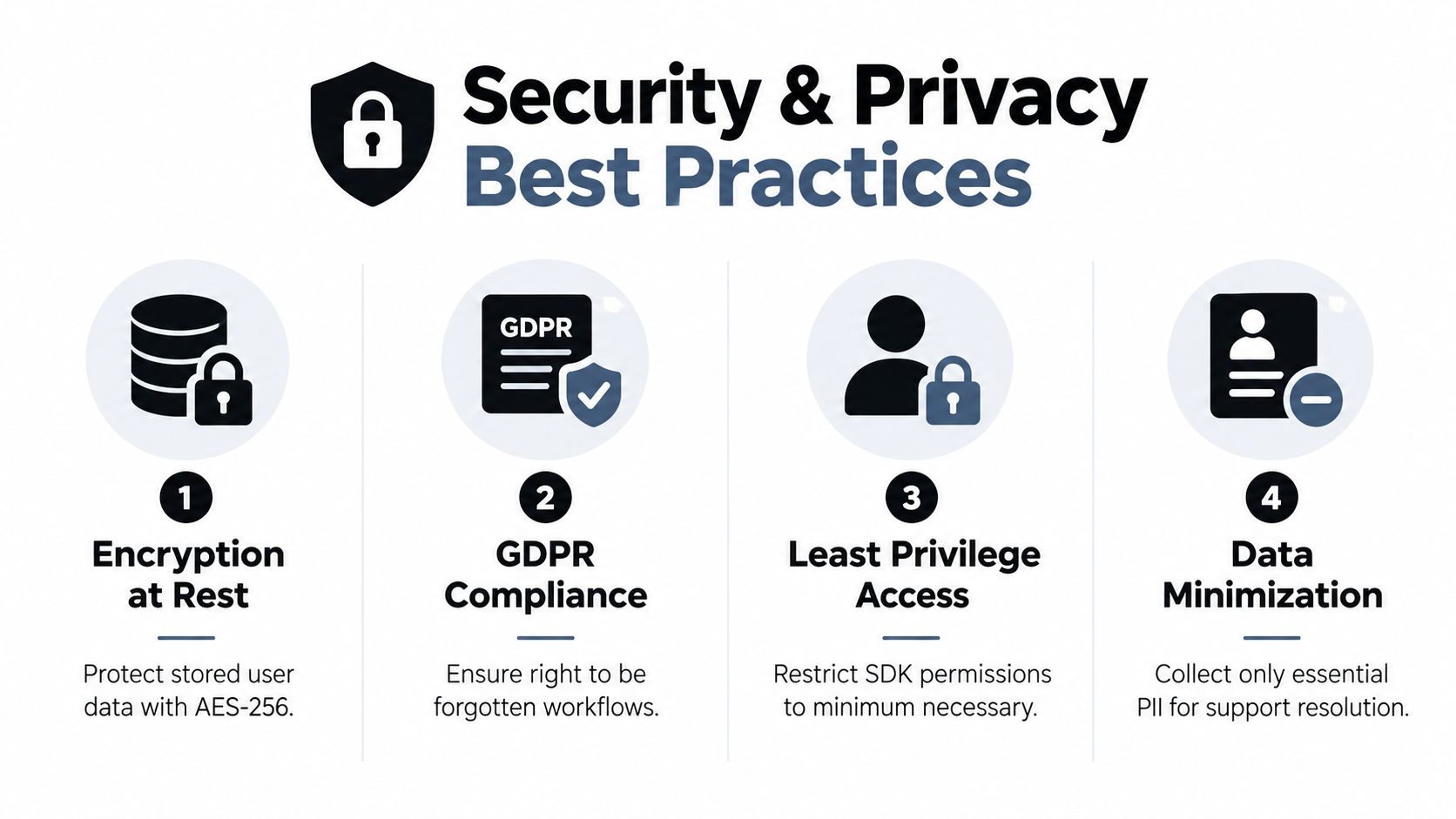
A support SDK can access highly valuable context, which also makes it a liability if you send too much or authenticate carelessly. Treat every support attribute as a data contract. Decide what agents need to resolve an issue, what the vendor stores, how long it remains available, and who can access it.
Use verified identity whenever the provider supports it. A common pattern is server-generated HMAC identity verification. Your backend calculates the signature using the user's canonical identifier and a secret that never ships in the app. The client sends the identifier and server-provided signature to the SDK. If an attacker changes the client payload without a valid signature, the provider can reject the impersonated session.
Minimize the support payload
Don't send passwords, access tokens, full payment details, private message bodies from unrelated features, or raw diagnostic dumps by default. Redact sensitive values before they leave the device, and apply server-side filtering as a second control. A structured error code is usually more useful than a full request body.
Review vendor data residency, retention, subprocessors, deletion workflows, and export controls before production. If your product serves users covered by GDPR or CCPA, connect account deletion and access requests to the support record lifecycle. “Delete my account” shouldn't leave a hidden copy of the conversation attached to an orphaned profile without a documented reason.
Test failure paths, not just the happy path
Run a test matrix that includes:
- Unauthenticated access: Confirm that a logged-out user can't inherit the previous account's conversation.
- Account switching: Move between workspaces and verify that identity, traits, and routing change together.
- Network loss: Disable connectivity while opening support, sending a message, and receiving a reply.
- Background and resume: Put the app to sleep during an active conversation and verify state restoration.
- Expired sessions: Check that the app requests authentication again without losing the correct support association.
- Deep-link abuse: Try unknown routes, invalid object IDs, and links to resources the user can't access.
- Sensitive input: Enter test payment numbers and credentials, then verify redaction in every support destination.
Escalation must be explicit. An escalation policy defines who gets notified first, who takes over if the first responder can't resolve the issue or is unavailable, how quickly the handoff happens, and which channel is used, with handoffs varying by severity and scope, as described in Alchemer's explanation of escalation policies.
Write those rules for both support and engineering. A payment outage, security report, or data-loss bug needs a different owner and handoff path from a feature request. Include severity, acknowledgement conditions, ownership, and customer communication so a critical report doesn't sit in a general queue.
For a broader implementation checklist, use this guide to protecting user data as a review prompt. Security isn't a final SDK setting. It spans identity, payload design, permissions, storage, logging, and human access.
Monitoring and Scaling Your Support Operations
Shipping the launcher is the start of the operating model, not the finish line. Your team needs to know whether customers are using in-app support, whether agents can resolve issues with the context provided, and whether automation is helping or creating extra handoffs.
Track the journey from entry to outcome:
- First-contact resolution: Did the customer get a useful resolution without another interaction?
- Average response time: How long did the user wait for the first meaningful reply?
- Resolution time: How long did the conversation remain open?
- CSAT: Did the customer rate the interaction positively?
- In-app support engagement: Which screens and entry points generate conversations or article views?
- External-channel deflection: Are users finding answers in the app instead of leaving for email or social channels?
- Escalation rate: Which issue types require specialist intervention?
- Context completeness: Can agents resolve the issue without asking for information the app already knows?
The last metric is easy to miss. A fast response that asks the user to repeat their account, device, and error details isn't a successful integration. Review a sample of conversations with product and engineering, then classify the missing context. If many reports lack the affected object ID, add it to the event payload. If agents can't tell which app version produced a crash, add a safe version field to the profile.
Improve the system through support evidence
Use conversation themes to refine both product UX and the knowledge base. Repeated questions about the same setting may indicate poor navigation, unclear copy, or a missing empty state. An article with many opens but few successful resolutions may need screenshots, a clearer route, or a direct deep link.
AI can help with summarization, triage, retrieval, and draft responses, but maturity depends on workflow design and data quality. 82% of senior leaders invested in AI for customer service recently, while only 10% reported mature deployment where AI was fully integrated into support operations at scale, according to the Intercom Customer Transformation Report. The gap is a warning against adding an AI assistant before your records, permissions, escalation paths, and knowledge ownership are reliable.
Start with a narrow workflow. Let automation classify a known category, suggest relevant documentation, or summarize a conversation for an agent. Keep human review for refunds, account closure, security reports, and ambiguous technical failures. Evaluate the automation against resolution quality and customer feedback, not the number of messages it handles.
Scale ownership with the product
Assign an owner for the SDK integration, an owner for support operations, and an owner for the knowledge base. Review vendor changes, native dependency upgrades, route mappings, redaction rules, and webhook failures as part of normal release work.
A mature React Native support integration should make the next action obvious to both sides. The customer can reach help from the failing screen, the agent sees verified context, the system routes the case correctly, and the answer can return the user to a safe product state. That's operational infrastructure, not a decorative chat bubble.
RapidNative helps founders, PMs, designers, and React Native teams prototype support flows with real screens, navigation, and reusable components before committing to a backend or SDK decision. Build and test an in-app support experience quickly, then visit RapidNative to turn the validated interface into clean, exportable React Native code.
Ready to build your app?
Turn your idea into a production-ready React Native app in minutes.
Free tools to get you started
Free AI PRD Generator
Generate a professional product requirements document in seconds. Describe your product idea and get a complete, structured PRD instantly.
Try it freeFree AI App Name Generator
Generate unique, brandable app name ideas with AI. Get creative name suggestions with taglines, brand colors, and monogram previews.
Try it freeFree AI App Icon Generator
Generate beautiful, professional app icons with AI. Describe your app and get multiple icon variations in different styles, ready for App Store and Google Play.
Try it freeFrequently asked questions
What is RapidNative?
RapidNative is an AI-powered mobile app builder. Describe the app you want in plain English and RapidNative generates real, production-ready React Native screens you can preview, edit, and publish to the App Store or Google Play.
Can I export the code?
Yes. RapidNative generates clean React Native and Expo code that you can export at any time. No lock-in, no proprietary format. Hand it to your developers or keep building inside RapidNative.
Is RapidNative free to use?
Yes. You can build apps on the free plan with no credit card required. Paid plans unlock unlimited AI generations, code export, and direct publishing to the App Store and Google Play.
Do I need to know how to code?
No. Most users build apps by describing what they want in plain English. Developers can drop into the code whenever they want more control, but coding is optional.
How long does it take to build an app?
Most users have a working first screen in under a minute. A full MVP usually takes a few hours instead of the weeks or months traditional development requires.