Firebase Studio Is Shutting Down: Build Mobile Apps in Your Browser Instead
Firebase Studio stopped taking new workspaces in June 2026 and closes on March 22, 2027. Here's what happens to your apps, how to move your project out, and how to build one mobile app for Android and iPhone in your browser.
By Russel
11th Nov 2026
Last updated: 11th Nov 2026
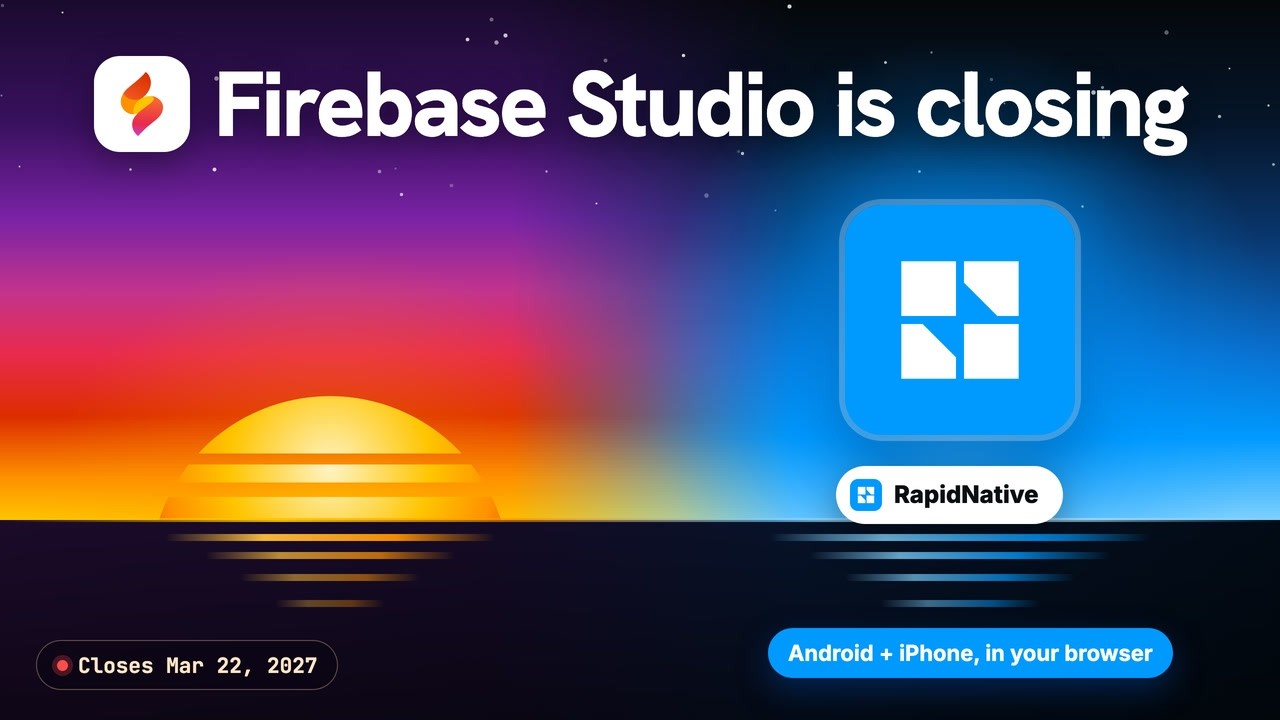
If you searched for Firebase Studio, here's the short answer: it's closing. Google stopped accepting new Firebase Studio workspaces and sign-ups on June 22, 2026, and the whole service shuts down on March 22, 2027. Apps you already published keep running. Only the workspace goes away.
That leaves two groups of people looking for a Firebase Studio alternative: people with a project inside who need to move it out, and people who just want to build an app and found a door that's closing. This guide covers both. You'll see what Firebase Studio was, exactly what happens to your apps and data, how to export your project step by step, where Google sends you next, and how to build one real mobile app for Android and iPhone right in your browser.
Prefer to watch? The whole walkthrough is in this 6-minute video:
Is Firebase Studio Shutting Down?
Yes. Google announced the Firebase Studio sunset on March 19, 2026. New workspaces and new sign-ups were switched off on June 22, 2026. Existing workspaces still open until March 22, 2027, when Firebase Studio shuts down and all remaining data is permanently deleted. Published apps and core Firebase services keep running.
Here's the full timeline, including the Project IDX years:
| Date | What happened |
|---|---|
| May 2024 | Project IDX opens to everyone as a public beta |
| April 2025 | Project IDX becomes Firebase Studio at Google Cloud Next, in preview |
| March 19, 2026 | Google announces that Firebase Studio is shutting down |
| June 22, 2026 | New workspaces and new sign-ups are switched off |
| March 22, 2027 | Firebase Studio shuts down and remaining data is deleted |
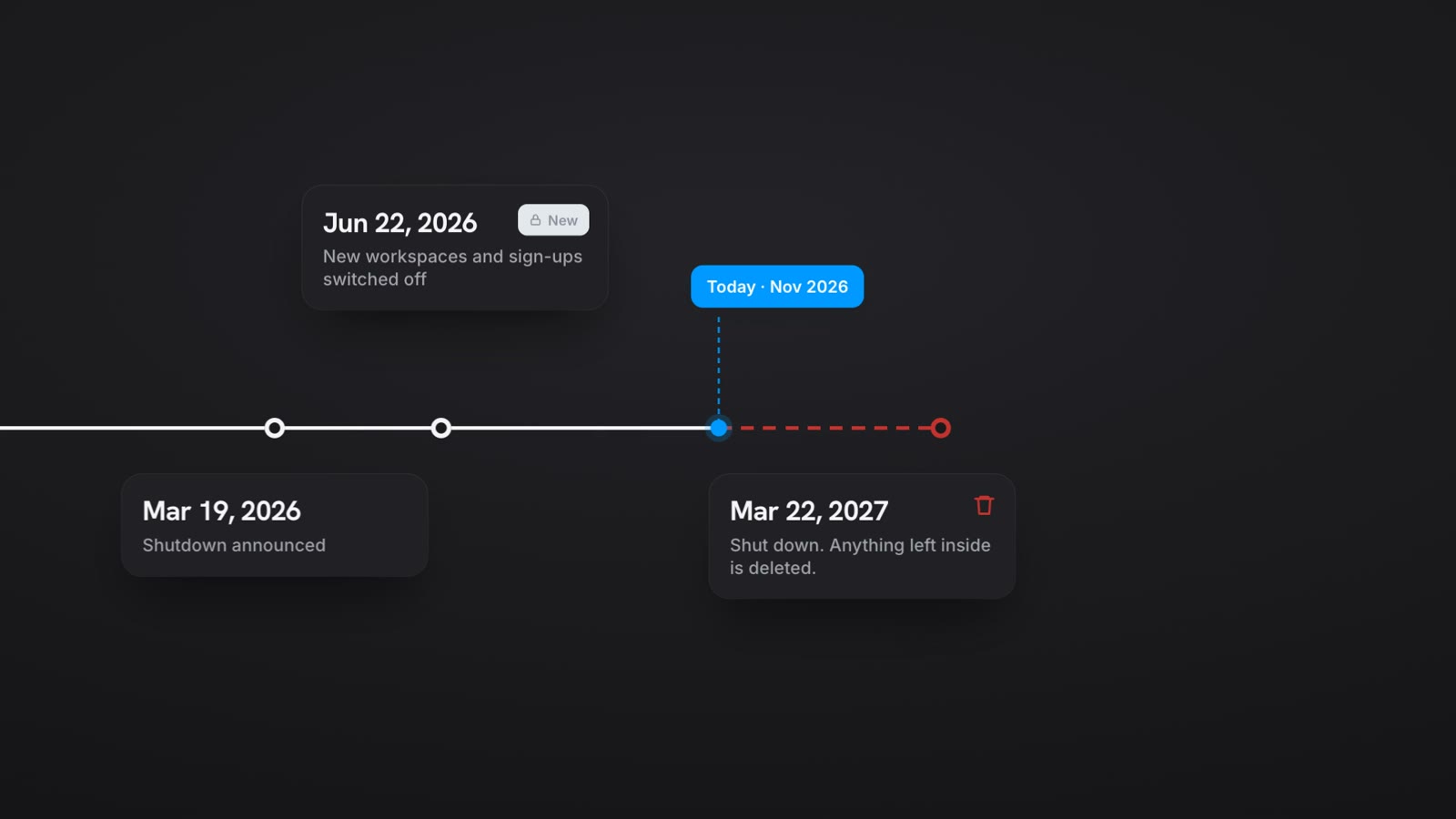
Google is putting its effort into two newer AI tools instead, and its sunset notice points Firebase Studio users to both: Google AI Studio and Google Antigravity. More on those below.
What Happens to Your Firebase Studio Apps and Data
This is where most of the worry comes from, so let's be precise. The shutdown affects the development environment, not your running app.
- Published apps keep running. If you deployed your app with Firebase App Hosting, it stays online after March 22, 2027.
- Your Firebase backend is not affected. Google's notice says core Firebase services, including Cloud Firestore, Authentication and App Hosting, are untouched. Your database and your users' accounts stay where they are.
- The workspace is deleted. The code, files and settings inside Firebase Studio are gone after March 22, 2027, and Google says they can't be recovered.
- Your secrets don't travel. Firebase Studio doesn't carry your
.envfile into the new home. If your app calls Gemini, you'll need to add your Gemini API key again, for example as an App Hosting environment variable in the Firebase console. - Sign-in may need one setting. If your app uses Google Sign-In and moves to a new domain, add that domain under Authorized domains in your Firebase Authentication settings.
So the one thing you must do is get your source code out before the deadline. Here's how.
How to Export Your Firebase Studio Project
Every Firebase Studio workspace now has a Move now button. It gives you three routes, depending on where you want to keep working:
- To Google AI Studio (stay in the browser). Click Move now, choose Prepare for AI Studio, then Move to Google AI Studio. The conversion can take several minutes. Pick this if your app was built with the prototyping agent and you want to keep building by prompting.
- To Google Antigravity (code on your computer). Click Move now, then Zip and Download. Extract the folder, open it in the Antigravity editor, and run the
@fbs-to-agy-exportprompt in the Agent pane. If you prefer the terminal, runnpx firebase-tools@latest studio:export PATHwith Node.js 20 or later and Firebase CLI 15.10.0 or later. - Anywhere else. Click Move now and Zip and Download, or push the project to GitHub. Before you commit, check that
.envis excluded so your keys don't end up in a public repository.
A few tips from Google's migration guide that save real time:
- Delete
node_modulesand large unused files first. Oversized projects can stall the export. - Only the workspace creator can use Move now. Collaborators on a shared workspace can duplicate it or export by hand, but they'll need their own Firebase project and environment variables.
- To keep your existing app URL, connect the App Hosting backend (usually named
studio) to your code through GitHub sync. Publishing from AI Studio instead gives you a new*.run.appaddress, and mapping a custom domain to it can take up to 24 hours.
Do this now, not in March. Google's deadline is firm, and the deletion is permanent.
What Firebase Studio Actually Was
Firebase Studio started life as Project IDX, a browser-based code editor from Google. It was renamed and relaunched as Firebase Studio in April 2025, with Gemini built in. As Google's Firebase Studio docs describe it, it had two halves:
- An App Prototyping agent. You described an app in plain words, and Gemini built a working Next.js web app you could preview and publish.
- A full code workspace. Behind the agent sat a Code OSS editor (the open-source base of VS Code) running on a virtual machine in Google Cloud, with templates for frameworks like Flutter and Android, plus Android emulators.
That split matters for anyone building a phone app. The prompt-to-app part made web apps. For a mobile app, you opened a Flutter or Android template in the code workspace and wrote the code yourself, with Gemini helping. So Firebase Studio was easy for web prototypes and a developer tool for mobile. The tools Google recommends next follow the same pattern.
Where Google Sends You: Google AI Studio and Antigravity
Google's migration guide points Firebase Studio users to two places:
- Google Antigravity, a desktop app for macOS, Windows and Linux. It's code-first, with AI agents that work alongside you in the editor. It's a good fit if you used Firebase Studio's code view, started from a template or repository, or need local tools.
- Google AI Studio, which runs in your browser. You describe what you want and it builds it. Google calls it "the fastest path from prompt to full-stack production app."
Google AI Studio can now build Android apps
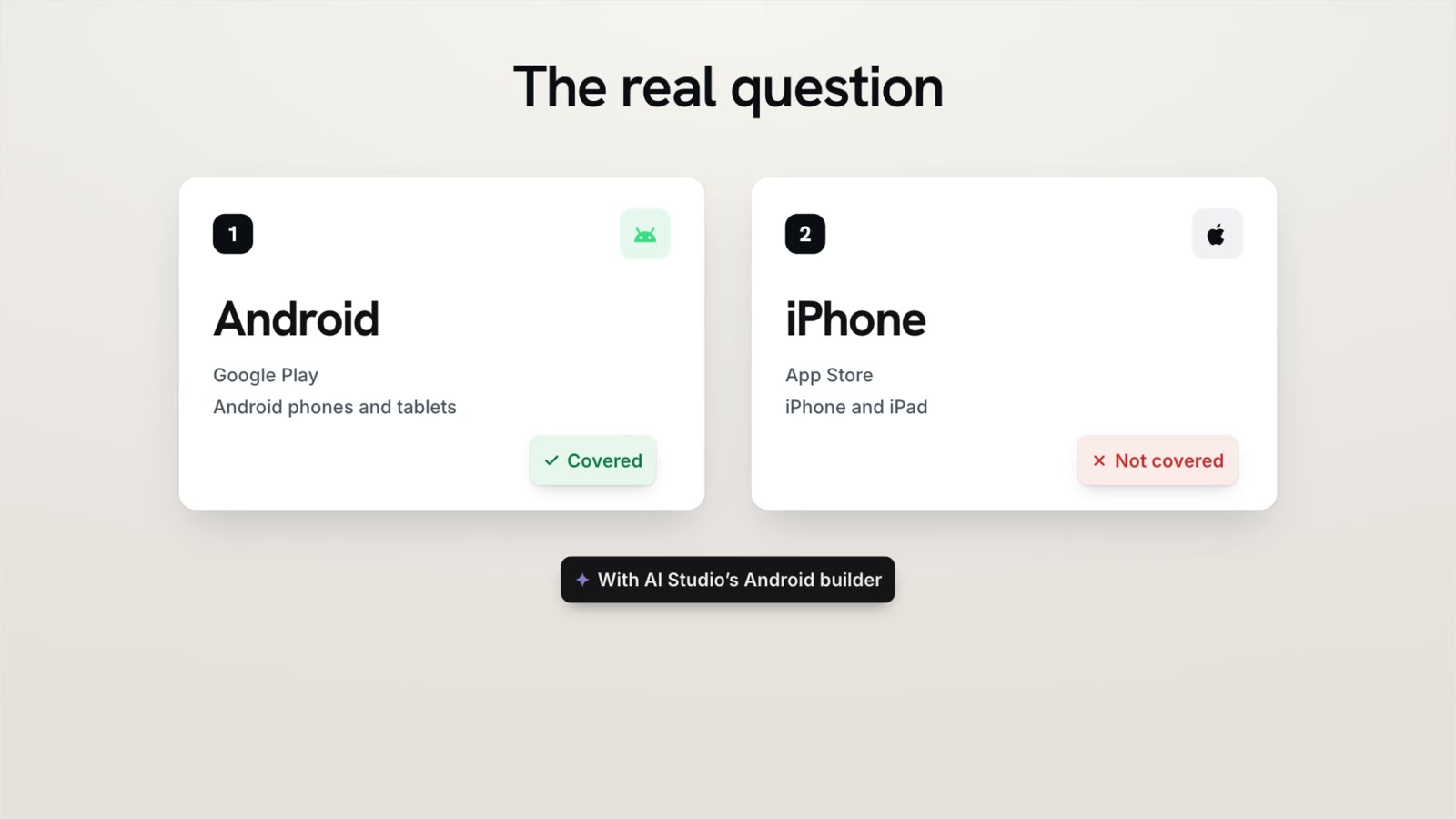
Since Google I/O on May 19, 2026, Google AI Studio can build native Android apps. You pick Build an Android app, start prompting, and it writes Kotlin code using Jetpack Compose. You preview the app on an Android emulator running in your browser, install it on a real phone through the Android Debug Bridge (ADB), and publish to Google Play's internal test track with one click.
That's a genuine step forward, and for Android developers it's a great tool. But look at what it covers:
- It's Android only. Google's announcement doesn't mention iPhone, so iPhone owners can't use what you build.
- Getting it on your own phone means ADB, Android's developer bridge. That's a cable or wireless debugging setup, which is fine for developers and a hurdle for everyone else.
- Publishing goes to an internal test track, not straight to the public store listing.
The Real Question for a Mobile App: Android and iPhone?
If you're building a mobile app, the first question isn't which Google tool to use. It's who will use your app.
In the United States, iOS accounted for about 58% of mobile web traffic in mid-2026, according to StatCounter. Worldwide, Android is bigger. Either way, an Android-only app shuts out a large share of the people you want to reach, often more than half of them in the US.
The usual answer is a cross-platform framework like React Native, where one codebase becomes a real native app on both platforms. That's the approach behind our guide to cross-platform mobile development, and it's what RapidNative builds for you.
How to Build a Mobile App Without Firebase Studio
RapidNative is a Firebase Studio alternative built for mobile apps. It's an AI app builder that runs entirely in your browser, like Firebase Studio did. The difference is what comes out: a real React Native app built with Expo, with screens, login and a database, that runs on Android and iPhone from one project. There's no SDK, no emulator and nothing to install. Here's the same flow as in the video.
Step 1: Describe your app
Go to rapidnative.com and type your idea into the box. In the video, the prompt is:
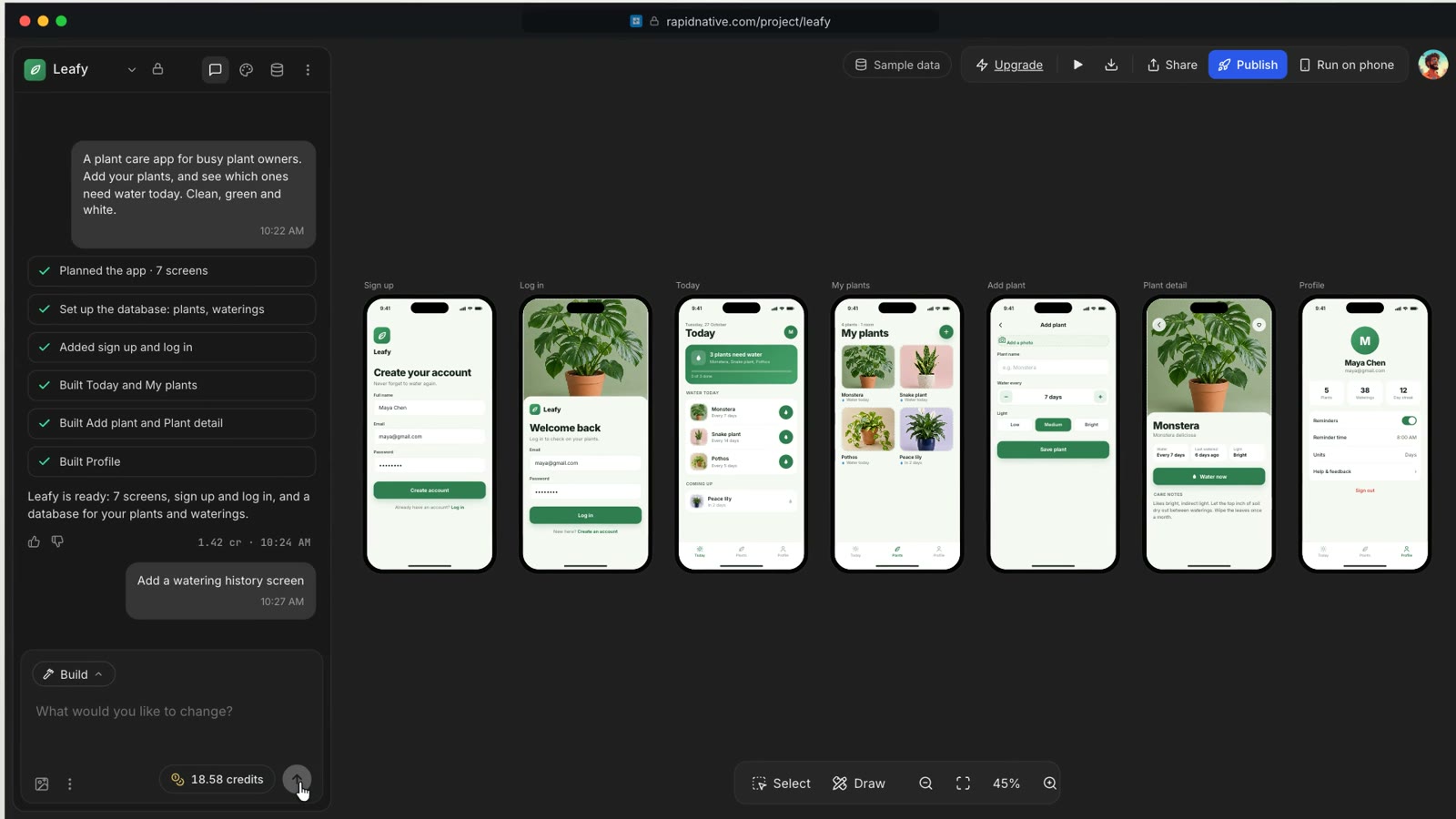
A plant care app for busy plant owners. Add your plants, and see which ones need water today. Clean, green and white.
Click Build it. You can start free, with no credit card. If you'd rather start from something visual, upload a screenshot, a sketch or a design export, and RapidNative turns it into working screens.
Step 2: Watch it build the screens, login and database
RapidNative plans the app, sets up the database, adds sign-up and log-in, and then builds each screen on the canvas while you watch. In the video, it builds seven screens for the plant app: sign up, log in, today, my plants, add plant, plant detail and profile.
Step 3: Try it and change it
Click play to use the app right in the editor. Adding a plant saves it to the app's own database, so you're testing real behavior, not a static mockup.
To change something, click Select, pick any part of a screen, and say what you want. Or type it in the chat, like "add a watering history screen", and the new screen appears. If you've never built software before, our guide on how to build an app without coding shows how to write prompts that get you what you want.
Step 4: Run it on your own phone
This is the step that took the most setup in Firebase Studio and takes about a minute here:
- Install Expo Go on your phone, from Google Play or the App Store.
- In RapidNative, click Run on phone to show the QR code.
- On iPhone, scan the code with the Camera app. On Android, open Expo Go and tap Scan QR code.
Your app opens on your real phone. No cable, no emulator, no SDK. Ask for a change in the editor and your phone updates in seconds. We explain what happens behind that scan in how RapidNative's QR code preview works on real devices.
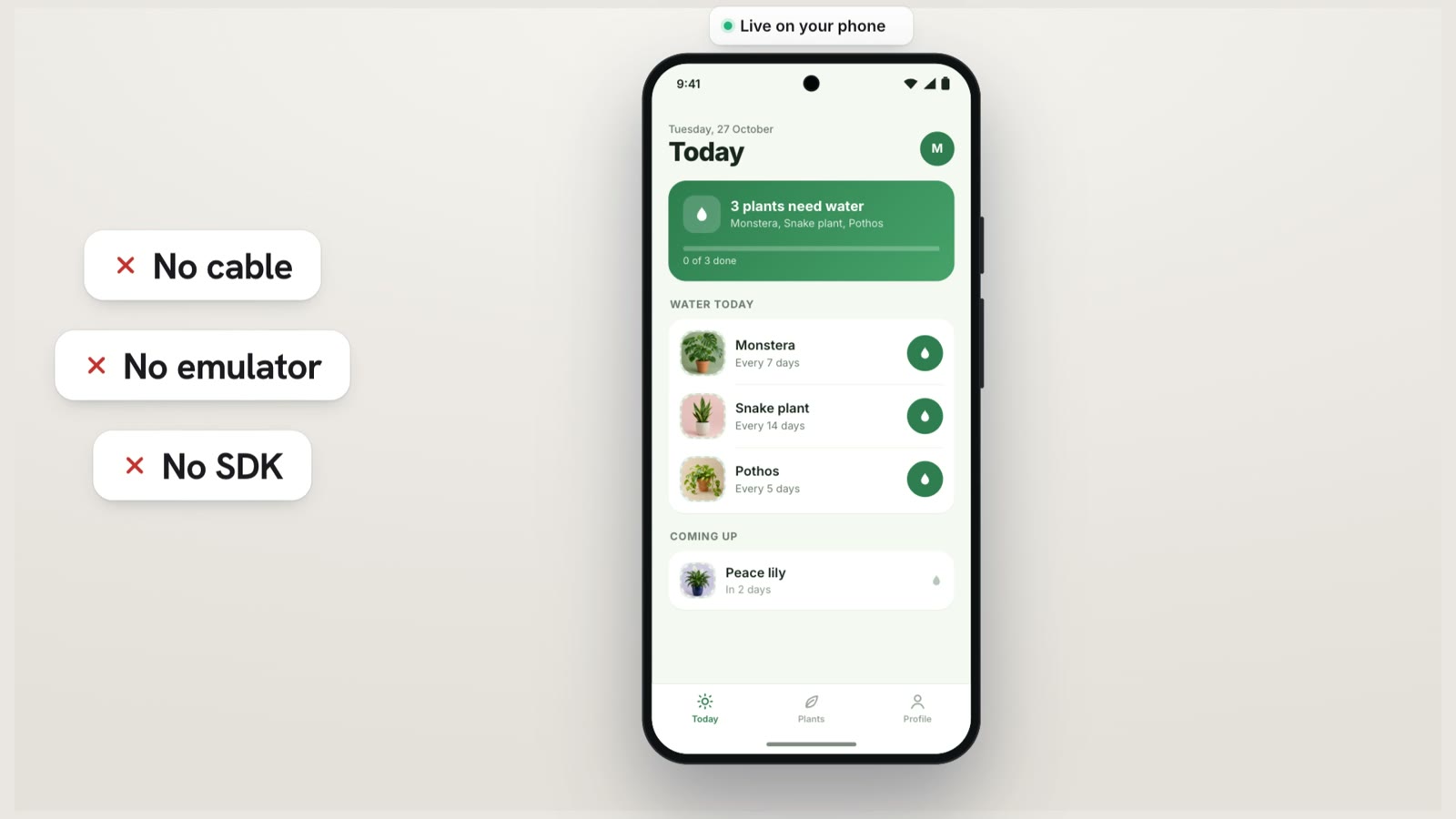
Is it a real native app? Yes. It isn't a website in a wrapper. It's React Native with Expo, using native components, so scrolling, buttons and navigation feel right on both Android and iPhone. And because everything runs in a browser tab, you can build from a Chromebook, a tablet or an older laptop.
Step 5: Get an APK or publish to both stores
When you want the app installed for real, you have a few options:
- An APK for Android. On paid plans, RapidNative builds the APK in the cloud and emails you a download link. Install it on any Android phone. APK builds are rolling out to paid plans now.
- Google Play. You need a developer account, which has a one-time US$25 fee. New personal accounts must also run a closed test with at least 12 testers for 14 days before publishing to production. Our guide to Android beta testing explains how those testing tracks work.
- The App Store. Apple requires a membership in the Apple Developer Program, which costs US$99 a year. Our walkthrough on how to publish a React Native app to the App Store covers the full review process.
You can hand all of that off. In the editor, click Publish and choose automatic deployment with LetsDeployIt, our deployment service from the same team. It handles the native build, the store listings and the submission to both stores. It's a separate paid service.
Step 6: Keep your code
On any paid plan (Starter is $20 a month), download the full source code. It's a standard Expo project, so you can open it in any editor, including Antigravity, build it with EAS and ship it with your own tools. Our post on React Native app source code shows what's in the export. There's no lock-in.
Already Have a Firebase Studio Prototype? Bring It to Mobile
If you built a web prototype in Firebase Studio and now want it on phones, you don't have to start from a blank page:
- Rebuild it from screenshots. Take screenshots of your web app's main screens and upload them to RapidNative with a short description. It turns them into native mobile screens you can keep editing. This is the fastest route for small apps.
- Hand it over for conversion. LetsDeployIt, from the RapidNative team, converts apps built in other tools into native iOS and Android apps and submits them to both stores. Send it your exported zip or your published app link. It's a paid service.
One thing to know up front: RapidNative apps come with their own database and login, built on Supabase. There's no built-in Firestore connector, so if your data lives in Firestore, plan to move it or reach it through your own API.
Firebase Studio vs Google AI Studio vs RapidNative
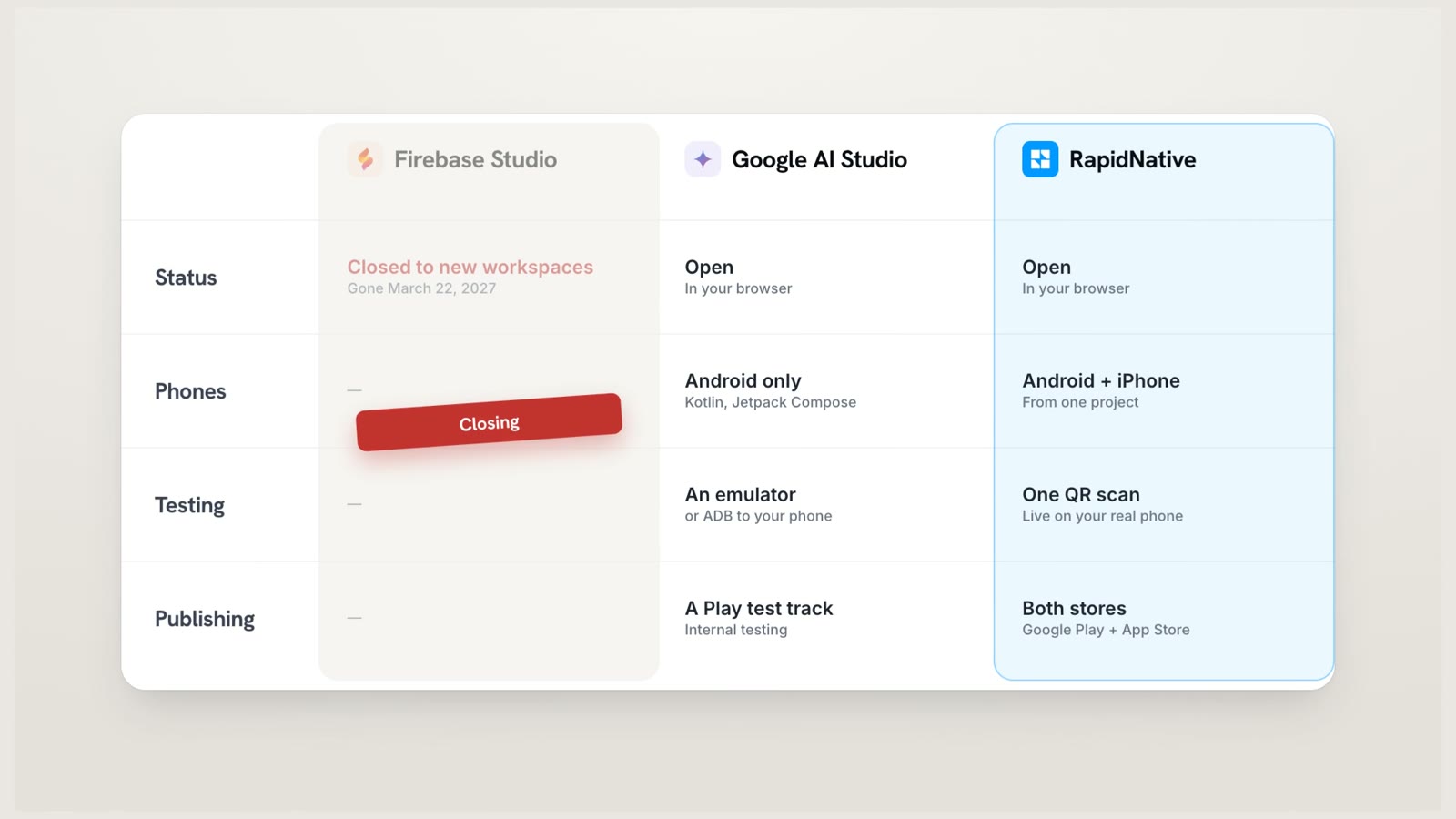
Here's how the three compare side by side, as of November 2026:
| Firebase Studio | Google AI Studio | RapidNative | |
|---|---|---|---|
| Status | Closed to new workspaces since June 22, 2026. Shuts down March 22, 2027 | Active | Active |
| Where it runs | Your browser, on a Google Cloud machine | Your browser | Your browser |
| What the AI builds | Next.js web apps | Web apps, and native Android apps in Kotlin | Native mobile apps in React Native with Expo |
| Phones | Android, through templates and your own code | Android only | Android and iPhone, from one project |
| Testing on a phone | Android emulator in the workspace | Emulator in the browser, or ADB to your phone | One QR scan with Expo Go |
| Publishing | Firebase App Hosting, for web apps | Google Play internal test track | Google Play and the App Store, or export the code |
| Cost to start | Was free in preview | Free to start | Free, no credit card |
For a deeper look at the two browser builders, see our Google AI Studio vs RapidNative comparison.
Which Firebase Studio Alternative Fits You?
People used Firebase Studio for very different things, so there isn't one right replacement. Match it to how you used it:
| If you used Firebase Studio for... | Look at |
|---|---|
| Prompting a web app into existence | Google AI Studio |
| Coding in the full workspace, with Gemini as a helper | Google Antigravity, or any editor with an AI assistant |
| A browser-based VS Code you could open from any computer | A cloud development environment such as GitHub Codespaces |
| A Flutter app on a Firebase backend | Google Antigravity, or a Flutter builder such as FlutterFlow |
| A native Android app in Kotlin | Google AI Studio's Android builder, or Android Studio on your computer |
| A mobile app for Android and iPhone, without coding | RapidNative |
If you used Android Studio Cloud, which also ran inside Firebase Studio, our guide to building an Android app without Android Studio covers that shutdown in detail. And if you're weighing AI builders more broadly, we compare the main options in our roundup of the best AI mobile app builders.
When Google AI Studio Is the Right Choice
To be fair, Google AI Studio is a great pick in plenty of cases:
- You want a web app, not a phone app.
- You want an Android-only app in Kotlin and you're comfortable with ADB and Google Play's test tracks.
- You'd rather stay inside Google's tools, with Gemini, Google Cloud and the Antigravity hand-off in one place.
If your app needs deep platform features or custom native code, a native toolchain is still worth learning, and our comparison of React Native vs native development can help you decide. But if you want one app on Android and iPhone, running on your real phone today, start in the browser.
Start Building Your Mobile App
Firebase Studio made a promise worth keeping: describe an app in your browser and watch it come to life. Its shutdown doesn't end that idea. First, get your project out before March 22, 2027, using Move now. Then pick the Firebase Studio alternative that matches what you're building.
If that's a mobile app for Android and iPhone, open rapidnative.com, describe your app, and scan the QR code with your phone. You can start free, with no credit card, and have your app running on your own phone in minutes. No install. No emulator. Go build your mobile app.
Ready to build your app?
Turn your idea into a production-ready React Native app in minutes.
Free tools to get you started
Free AI PRD Generator
Generate a professional product requirements document in seconds. Describe your product idea and get a complete, structured PRD instantly.
Try it freeFree AI App Name Generator
Generate unique, brandable app name ideas with AI. Get creative name suggestions with taglines, brand colors, and monogram previews.
Try it freeFree AI App Icon Generator
Generate beautiful, professional app icons with AI. Describe your app and get multiple icon variations in different styles, ready for App Store and Google Play.
Try it freeFrequently asked questions
Is Firebase Studio shutting down?
Yes. Google announced the Firebase Studio sunset on March 19, 2026. New workspaces and new sign-ups were switched off on June 22, 2026, and Firebase Studio shuts down for good on March 22, 2027. Anything still inside a workspace on that date is permanently deleted.
Will my app stop working when Firebase Studio shuts down?
No. Apps you already published keep running, and core Firebase services such as Cloud Firestore, Authentication and App Hosting are not affected. Only the Firebase Studio workspace goes away, so move your source code out before March 22, 2027.
Is Firebase itself shutting down?
No. Only Firebase Studio, the browser-based development workspace, is closing. Firebase as a backend platform, including Firestore, Authentication, Hosting and App Hosting, keeps running as before.
How do I export my Firebase Studio project?
Open the workspace and click Move now. You can move it to Google AI Studio, zip and download it for Google Antigravity or any other editor, or push it to GitHub. Your .env file does not move with it, so re-add secrets such as your Gemini API key wherever the app runs next.
What is the best Firebase Studio alternative?
Google recommends Google AI Studio for building in the browser and Google Antigravity for code-first work on your own computer. If you want one mobile app that runs on both Android and iPhone without writing code, RapidNative builds a React Native app in your browser that you test on your phone with a QR scan.
Can Google AI Studio build iPhone apps?
As of November 2026, Google AI Studio's native app builder makes Android apps in Kotlin with Jetpack Compose, and Google's announcement does not mention iOS. To build for Android and iPhone from one project, use a cross-platform tool such as RapidNative, which builds React Native apps with Expo.
What happened to Project IDX?
Project IDX became Firebase Studio in April 2025. Because they are the same product, Project IDX workspaces follow the same shutdown timeline and close on March 22, 2027.