How to Reduce Rework in Product Development
How to Reduce Rework. Discover proven strategies to reduce rework in your product team. Learn root cause analysis, measurement systems, preventive processes
By Riya
24th Sep 2026
Last updated: 24th Sep 2026
Avoidable rework can consume 40–50% of total project effort, and fixing a bug during implementation costs about 6× more than fixing it during design. The most effective way to reduce rework is to resolve ambiguity through clear requirements, tested prototypes, structured handoffs, and continuous measurement before changes become expensive.
Product teams often treat rework as an unavoidable consequence of building something new. Some iteration is unavoidable, and useful. A prototype should expose weak assumptions, user confusion, and missing edge cases. The costly form of rework begins when those discoveries arrive after engineering has committed to screens, navigation, data contracts, and test cases.
For a mobile product team, the practical question isn't how to eliminate every change. It's how to make learning happen while the cost of changing direction is still low.
Why Rework Is Your Team's Biggest Hidden Cost
Avoidable rework can consume 40–50% of total project effort, while roughly 80% of that rework often comes from just 20% of defects. Those figures make rework a prioritization problem, not merely a general quality concern. If a team finds the small group of defects creating most of the repeated work, it can recover more capacity than it would by asking everyone to work faster. (Basili and colleagues on software rework economics)
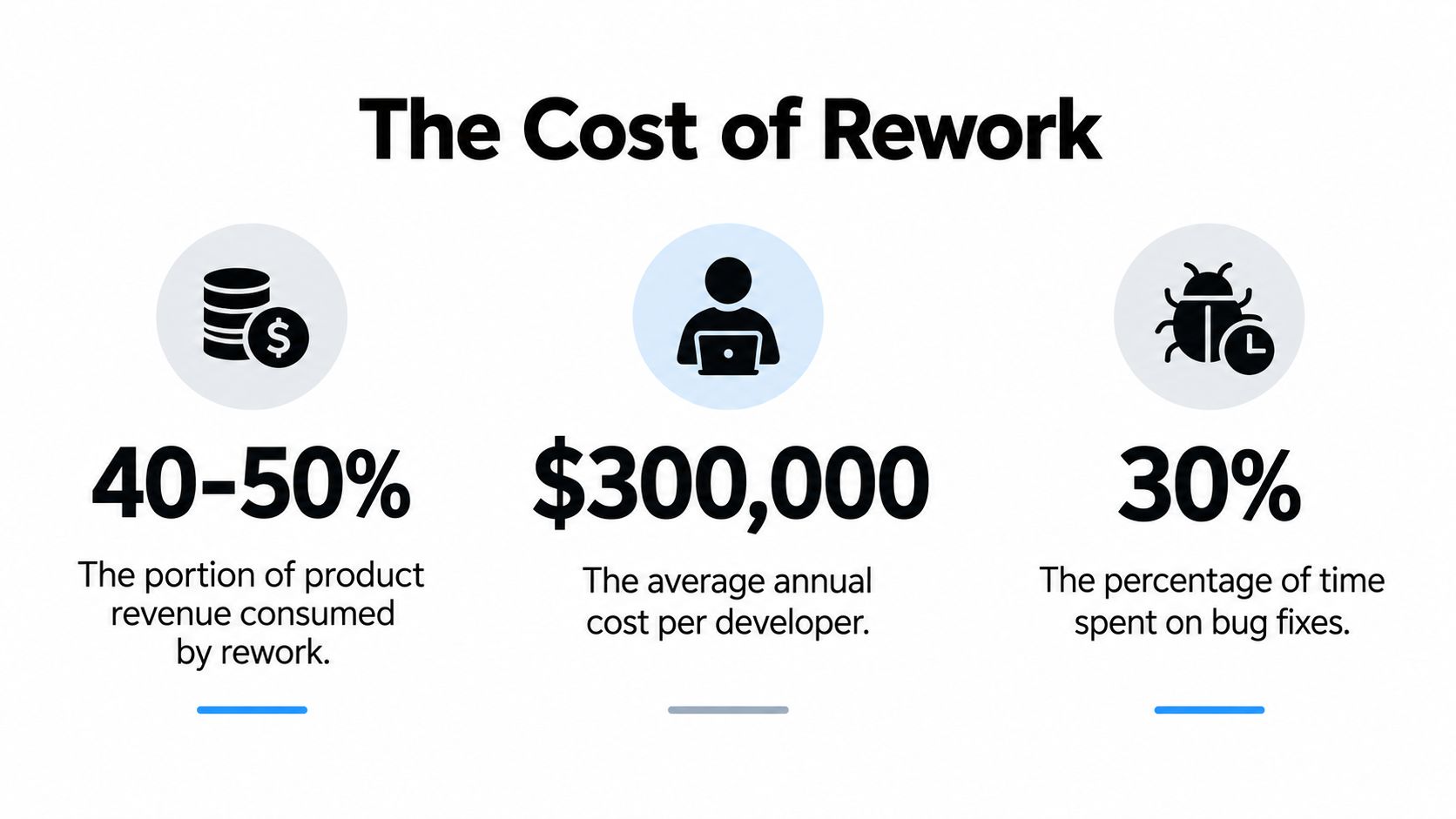
The timing of discovery matters just as much as the defect itself. A bug fixed during design represents the baseline cost. The same bug found during implementation costs about 6× more, and a bug left until maintenance can cost up to 100× more, according to the software economics evidence summarized by Lyssna's prototype testing guide. By then, the team isn't changing one screen. It may be revising requirements, updating designs, rewriting code, adjusting tests, and explaining the change to stakeholders.
A simple phase-by-phase view
| Phase | Relative Cost | Typical Trigger |
|---|---|---|
| Design | 1× | An unclear flow or missing state is found in a prototype |
| Implementation | 6× | A coded interaction fails against the intended requirement |
| Maintenance | Up to 100× | A production defect requires a patch, regression testing, and support |
The table isn't a budgeting formula. It's a decision rule. If a product manager can spend a short review session clarifying an acceptance criterion, that effort is usually preferable to discovering the same ambiguity after development has started.
Rework also deserves a broader definition. In product development, it means repeating design work because new information has appeared. That information might come from user testing, a stakeholder decision, technical discovery, or an overlooked platform constraint. Some repetition is learning. Wasteful churn happens when the team discovers information that it could reasonably have surfaced earlier, or when the same confusion is resolved repeatedly because nobody captured the decision.
Practical rule: Don't try to suppress iteration. Move important iteration toward requirements, prototypes, and component decisions, where the team can change direction without tearing apart production work.
Where Rework Comes From in Product Teams
A polished mobile flow can hide unfinished product decisions. A team may spend weeks building onboarding before defining what happens when users deny permissions, lose connectivity, or return after abandoning signup. Once those states surface, engineering reopens navigation, analytics, error handling, and sometimes the data model. The defect is visible in code, but the cause is usually an unresolved decision upstream.
Requirements defects account for 70–85% of rework costs, and poorly managed requirements can turn 60–80% of total software development cost into rework, according to the requirements research summarized by IBM Rational. Keep those figures as a warning about where to invest review time, not as a reason to treat every later change as failure. Rework can expose useful information. The waste begins when the team discovers predictable information after implementation, or records a decision so poorly that the same question returns.
A composite mobile product scenario
A subscription budgeting app provides a common example. The founder requests “a simple way to pause a subscription.” The designer creates a confirmation screen, while the developer assumes billing stops immediately. Finance later clarifies that the pause starts at the next renewal date. One ambiguous phrase now affects copy, account status, billing rules, notifications, and the resume flow.
The design-to-implementation gap creates a second source of repetition. A design may show the happy path while leaving loading, empty, error, permission, and offline states undefined. Developers make reasonable choices, yet those choices can differ from the intended product behavior. A clickable prototype, including the unresolved states, gives the team a cheaper place to test those assumptions. Tools such as RapidNative can help teams expose and revise mobile interaction decisions before production code carries the cost.
Rushed technical debt creates a third source. A team duplicates a component because no reusable pattern has been agreed on, hard-codes a temporary route for a demo, or applies inconsistent spacing while the design system remains unfinished. Each shortcut saves time today. Later, a small requirement change touches more files, increases regression risk, and forces another round of coordination.
Diagnose the pattern, not the person
Review recent tickets and classify the trigger:
- What changed late? Check requirements, navigation, copy, permissions, and platform behavior.
- Where did discovery happen? Distinguish design review findings from issues found in QA or production.
- What was rebuilt? Record duplicated screens, replaced components, and rewritten flows.
- Which handoff failed? Look for missing decisions, outdated files, or unclear ownership.
Distributed teams need explicit ownership and communication practices before implementation begins. If a product team is considering external capacity, this guide to LATAM developers can help assess collaboration alongside technical skills. Adding people to an ambiguous process increases interpretation paths. A shared product baseline reduces them.
Measuring Your Rework Before You Try to Fix It
Any team knows when a sprint felt chaotic, but members can't explain how much time went into redoing accepted work. Start with a lightweight log instead of a complex reporting system. The purpose isn't to create administrative work. It's to show which discovery points are producing the most expensive repetition.
Create one entry whenever accepted work must be changed because the original requirement, design, implementation, or test was incomplete or incorrect. Use a shared spreadsheet, issue label, or project database with these fields:
- Item and phase caught: Record the feature and whether design review, implementation, QA, release validation, or maintenance found the issue.
- Root cause: Choose a practical category such as ambiguous requirement, missing edge case, design inconsistency, technical shortcut, dependency change, or misunderstood handoff.
- Correction effort: Record the hours spent investigating, deciding, designing, coding, testing, and coordinating the fix.
Calculate the basic rework ratio as:
Total rework hours ÷ total delivery hours
Keep the denominator consistent. If delivery hours include design, engineering, QA, and product work, rework hours should include the same kinds of effort. Don't compare a narrowly defined rework total with a broad delivery total, because the resulting ratio will look healthier than the team's actual experience.
A cadence that works within one sprint
Ask each contributor to log rework when it happens, not at the end of the month. During the sprint review, the product manager groups entries by root cause and phase. The team then selects the most repeated cause for a short prevention experiment, such as adding an error-state checklist to design reviews or requiring acceptance criteria for permission handling.
Historical project-management research connects process maturity and direct measurement with substantial reductions in rework. Compared with average Level 2 programs, Level 3 shows a 1.6× reduction, Level 4 shows a 2.4× reduction, and Level 5 achieves a 3.4× reduction. (Process maturity and rework research)
Maturity doesn't mean adding bureaucracy. It means making the path from requirement to shipped behavior repeatable enough that the team can see where work returns. Teams that want a more detailed quality workflow can also use this app quality assurance guide as a reference when defining review and testing responsibilities.
Building a Preventive Framework for Requirements and Design
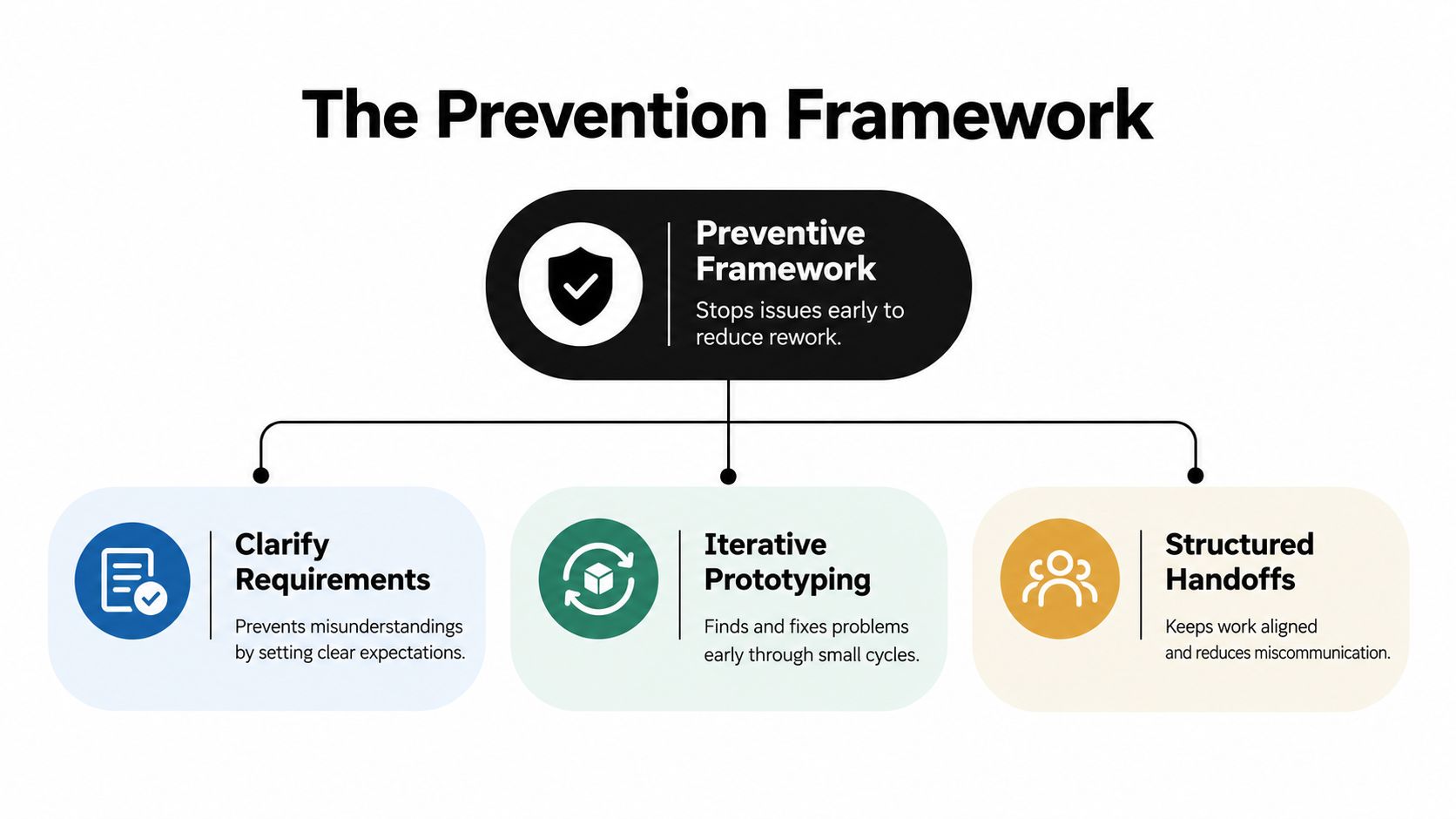
Rework is managed before implementation through three connected decisions: clarify the requirement, test the behavior, and agree on an implementation path. Separating these activities creates gaps. A polished prototype cannot resolve an undefined acceptance criterion, while a clear requirement still leaves room for rework if important states remain unspecified.
Start with one authoritative requirement
Keep the current product decision in a single source of truth. For each increment, record the user outcome, scope boundaries, acceptance criteria, non-functional expectations, dependencies, and unresolved questions. Authoring checks should flag vague wording, missing conditions, and terms that product, design, engineering, and QA may interpret differently.
Have those disciplines review the increment before implementation begins. Once the team accepts the criteria, use them as a working baseline. Requirements can change, but each change should be explicit and include a quick assessment of its effect on screens, navigation, data contracts, and tests. A product requirements guide can help teams turn product intent into criteria that engineers can build and testers can verify.
Early review protects more than schedule. A sentence, sketch, or interaction can still be changed cheaply. Once the decision is embedded in code, the same learning may require changes across components, data, tests, and documentation. Late fixes can cost up to 100× more than early ones, so prevention should focus on the decisions with the widest downstream impact.
Make reusable decisions visible
A design system records more than visual styles. It defines decisions about buttons, typography, spacing, navigation, loading behavior, validation, and component states. Reusing those decisions prevents every new screen from becoming a separate negotiation.
Before development starts, check whether the prototype uses approved components. If it introduces a new pattern, record the reason and the states it supports. A one-off component may be justified, but leaving it undocumented turns a local exception into future maintenance work.
The same discipline applies to less visible product details. Teams releasing branded apps should include documenting font license compliance in handoff records, alongside asset ownership and usage constraints. A missing license decision can force font replacement and visual adjustments across several screens late in the project.
Close the gate with evidence
A review gate should answer concrete questions:
- Can a user complete the primary flow?
- Are loading, empty, error, permission, and offline states represented?
- Does the interaction match the acceptance criteria?
- Are component exceptions and platform decisions recorded?
- Can engineering distinguish stable decisions from exploratory work?
RapidNative supports this prevention loop at the prototyping layer by turning prompts, sketches, images, or PRDs into shareable React Native apps. Teams can inspect real screens, navigation, and components before implementation absorbs the remaining uncertainty. The gate is not a ceremony. It is the last inexpensive opportunity to resolve disagreement before code makes each change more costly.
Prototyping and Handoff Workflows That Kill Rework Early
Prototype testing changes the economics of disagreement. Testing with just 5 users can uncover about 85% of usability issues, and early prototype testing can reduce rework by 30–50% or more, according to prototype testing evidence from TheySaid. The exact result depends on the quality of the test and the problem being examined, but the operating lesson is reliable: validate the flow before asking engineering to absorb its uncertainty.
A traditional workflow often moves from product brief to static mockups to a handoff document, then to a separately built mobile interface. Each translation can introduce a new interpretation. Designers may demonstrate a state that isn't documented, developers may recreate a component differently, and product managers may discover that the intended flow doesn't work once navigation becomes real.
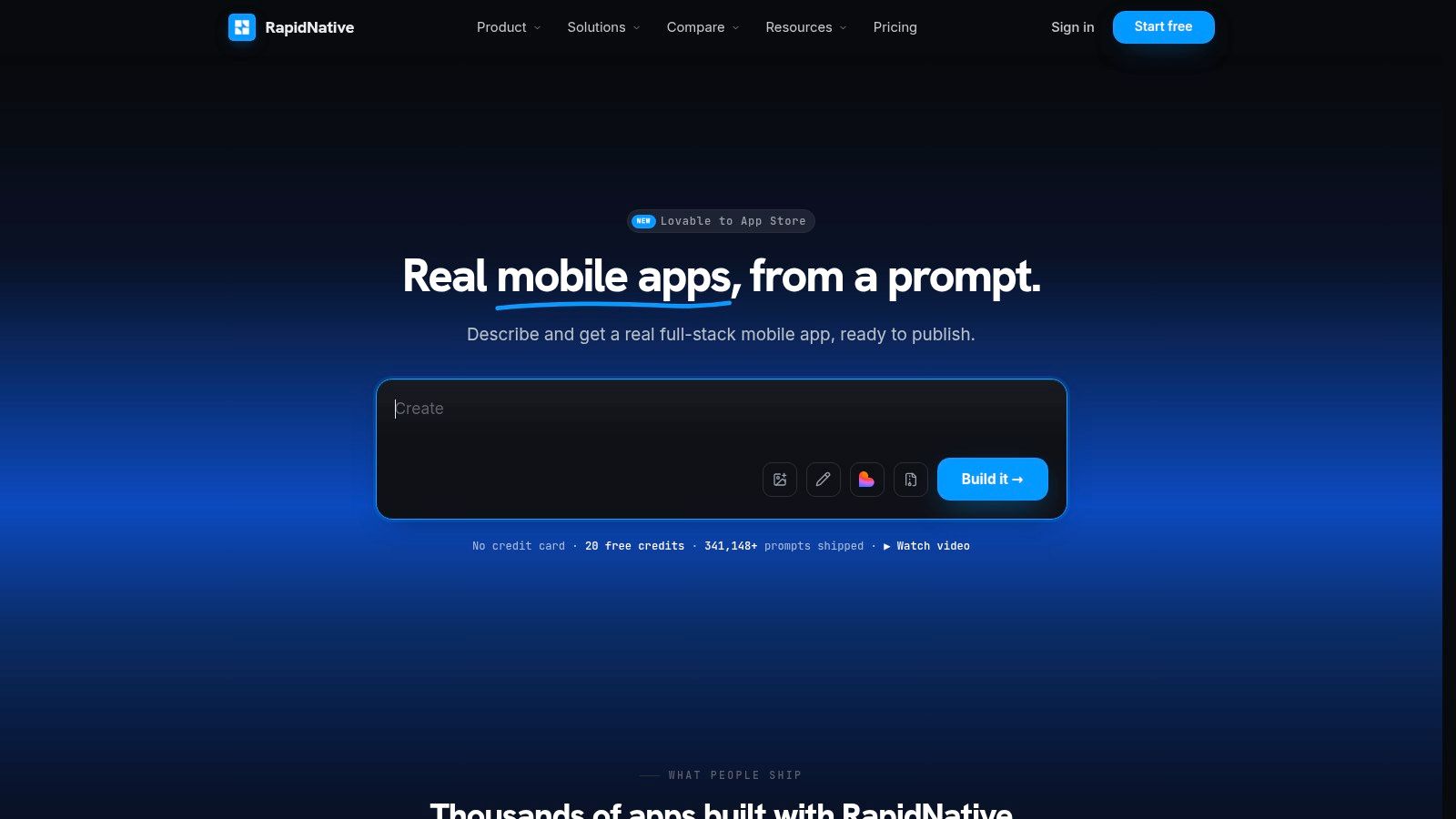
A code-connected prototyping workflow reduces those translations. RapidNative can turn prompts, sketches, images, or PRDs into shareable React Native apps, with live screens, navigation, and components that teams can preview through a link or QR code. It generates code with React Native, Expo, and NativeWind, so the prototype can serve as a starting point for engineering rather than a disposable visual reference.
Compare the handoff choices
| Workflow | What the team validates | Main rework risk |
|---|---|---|
| Static mockup only | Visual direction and basic screen sequence | Interaction and state gaps appear during implementation |
| Traditional no-code prototype | User flow and rough behavior | Engineering may rebuild the product in a different technical structure |
| Code-connected prototype | Flow, component behavior, and implementation direction | Teams still need engineering review for architecture and production constraints |
Design-first workflows are associated with 30–50% fewer change requests during development sprints. Upfront prototyping and user testing can cost $2K–$5K, while downstream interface rework can reach $20K–$80K when a product must be rebuilt. (Mobile design-first workflow analysis) These figures shouldn't become a promise for every team. They illustrate why a short validation cycle can be a rational trade-off when the alternative is discovering a flawed interaction after implementation.
Previewing the app with users is only half the job. Before handoff, label each screen as validated, unresolved, or intentionally out of scope. Attach acceptance criteria to the relevant flow, identify reusable components, and record decisions about platform behavior. Then have engineering review the generated structure before committing to production work.
The following walkthrough shows the kind of prompt-to-app workflow teams can use to move from an early product idea toward a testable interface:
For teams refining their approach, this guide to UI design and prototyping provides a useful reference for connecting visual decisions with interactive validation. The critical principle is continuity. When the prototype and shipped product use the same component logic and design language, handoff becomes refinement instead of reconstruction.
Running Continuous Improvement with Rework KPIs
A rework log becomes useful when it changes the team's next decision. Track three indicators that cover effort, stability, and learning transfer. Don't use them to rank individuals. Use them to find where the product process is asking people to repeat decisions.
Three indicators for a mobile team
Rework ratio measures rework hours divided by total delivery hours. Watch whether it rises after a new workflow, feature type, or staffing change. If it climbs, inspect the phase where issues are first discovered and the root-cause categories attached to those entries.
Requirements-stability index tracks the share of accepted requirements that change after acceptance criteria have been frozen. A rising result suggests that discovery is ending too early, stakeholders aren't aligned, or the team is freezing work before important questions are answered. The corrective action might be more prototype testing, a clearer decision owner, or a smaller increment.
Prototype-to-production deferral rate tracks how many issues found during prototype testing are carried into implementation rather than resolved before build. A high result doesn't always mean the team failed. Some issues may be deliberately deferred because they aren't essential to the first release. The team should distinguish conscious deferral from missed follow-up.
Review these measures monthly, then choose one prevention experiment for the next sprint. A team might require explicit offline behavior for every network-dependent flow, add a design-system review for new components, or make a product decision owner attend the prototype session. Keep the experiment narrow enough that the log can show whether it changed the type or timing of rework.
Turn changes into product intelligence
Changelogs are more than release communication. A study of 3,000 app changes found that 92.5% were informative for requirements engineering, with 63.6% mentioning non-functional requirements and 28.9% referring to functional requirements. (Study of app changes and requirements engineering) Your team can use the same idea without building a research system. Review changes to identify repeated drivers such as performance expectations, accessibility, permissions, security, or missing user behavior.
The right KPI doesn't tell the team to move faster. It tells the team where to learn earlier.
At the monthly retrospective, review the log, identify the most costly recurring driver, and select one process adjustment. Keep the baseline visible across releases, but avoid turning a target into a reason to hide work. A team that reports more early discoveries may be improving visibility, even before the rework ratio falls.
The operating system is simple: capture the event at the point of work, classify the cause, review the pattern, and change one upstream behavior. That loop helps a mobile team protect engineering capacity while preserving the iteration that makes a product better.
RapidNative turns prompts, sketches, images, and product requirements into shareable React Native apps with live previews and exportable code, giving founders, product managers, designers, and developers a practical layer for testing decisions before implementation hardens them. Try RapidNative to validate a mobile flow earlier, align your team around working behavior, and carry a clearer prototype into engineering.
Ready to build your app?
Turn your idea into a production-ready React Native app in minutes.
Free tools to get you started
Free AI PRD Generator
Generate a professional product requirements document in seconds. Describe your product idea and get a complete, structured PRD instantly.
Try it freeFree AI App Name Generator
Generate unique, brandable app name ideas with AI. Get creative name suggestions with taglines, brand colors, and monogram previews.
Try it freeFree AI App Icon Generator
Generate beautiful, professional app icons with AI. Describe your app and get multiple icon variations in different styles, ready for App Store and Google Play.
Try it freeFrequently asked questions
What is RapidNative?
RapidNative is an AI-powered mobile app builder. Describe the app you want in plain English and RapidNative generates real, production-ready React Native screens you can preview, edit, and publish to the App Store or Google Play.
Can I export the code?
Yes. RapidNative generates clean React Native and Expo code that you can export at any time. No lock-in, no proprietary format. Hand it to your developers or keep building inside RapidNative.
Is RapidNative free to use?
Yes. You can build apps on the free plan with no credit card required. Paid plans unlock unlimited AI generations, code export, and direct publishing to the App Store and Google Play.
Do I need to know how to code?
No. Most users build apps by describing what they want in plain English. Developers can drop into the code whenever they want more control, but coding is optional.
How long does it take to build an app?
Most users have a working first screen in under a minute. A full MVP usually takes a few hours instead of the weeks or months traditional development requires.