Box Real Time Collaboration: A Mobile Team Guide
Learn what box real time collaboration means, how it works under the hood, and how mobile product teams can build and prototype collaborative features fast.
By Sanket Sahu
10th Oct 2026
Last updated: 10th Oct 2026
Your designer changes the onboarding screen while the product manager rewrites the copy. A developer opens the same prototype to check whether the new flow can ship on mobile. Ten minutes later, the comments no longer match the screen, someone is working from an older export, and nobody knows which version should guide implementation.
That failure isn't really about missing cursors. It comes from unanswered product decisions: who is present, who can write, how changes travel, and what happens when connectivity disappears. Box real time collaboration offers a useful reference architecture for answering those questions, even if your team never adopts Box.
The Mobile Team Scenario That Started This Question
A founder often discovers the problem during an onboarding review. The designer is adjusting the screen hierarchy, the PM is testing a shorter explanation, and the developer is checking navigation on a phone. Everyone believes they're editing the same product experience, but their tools may be showing different states.
The visible damage is easy to describe. A comment attaches to a screen that has since moved. A developer implements a button label that the PM already replaced. An exported file becomes the unofficial source of truth because the team can't tell which shared document is current.
The deeper issue is that real-time collaboration is a system of decisions, not a checkbox. A live cursor only answers one small question, whether another person is looking at the artifact. It doesn't tell you whether that person can edit, whether the edit has reached every device, or whether the system can recover the work after a connection drops.
Working rule: Every collaborative mobile feature must define presence, write access, and disconnection behavior before the interface is polished.
Box is useful here because its collaboration model makes those boundaries visible. Its historical user figures also show why these boundaries matter at scale. In its fiscal-year filing for the year ended January 31, 2021, Box reported more than 77.7 million registered users worldwide, with approximately 80% non-paying users and roughly 20% paying users in its Form 10-K. The important lesson isn't the commercial ratio. It's that participants in shared work can greatly outnumber the people directly covered by a paid contract.
For a mobile team, that translates into a practical design question: are you building an internal workspace, an invited collaboration layer for clients and suppliers, or an artifact that anyone can join? Each choice changes identity, permissions, auditability, and recovery. Box gives you a concrete model to inspect before you commit to your own architecture.
What Real Time Collaboration Actually Means
Real-time editing is commonly recognized from Google Docs. Multiple people open one cloud file, see activity from others, and watch changes appear without passing attachments around. That image is useful, but it leaves out the parts that determine whether collaboration remains trustworthy.
A practical definition is:
Real-time collaboration lets authorized people act on one shared artifact, see relevant changes quickly, and rely on a coherent history when something goes wrong.
That definition has three working pillars.
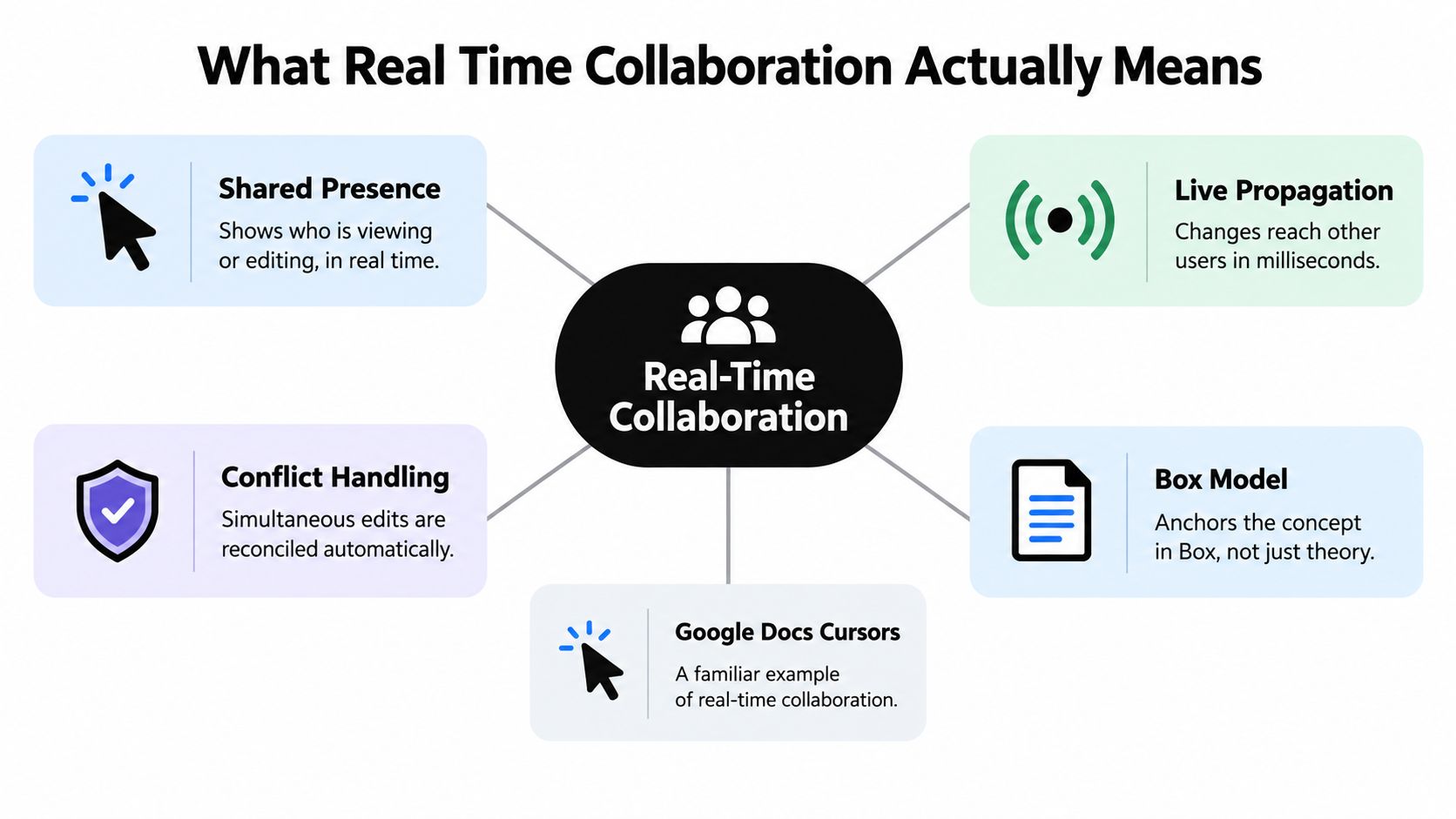
Shared presence tells the team who is viewing or editing. Presence might be a name, avatar, cursor, selection highlight, or a simple “currently editing” state. It helps people avoid surprising one another, but presence must expire when a device disconnects. A stale cursor creates false confidence.
Live propagation describes how a change moves from one device to the shared service and back to other devices. Box's Office integrations use cloud-mediated synchronization, so edits move through Box rather than relying on users to exchange local copies as described in Box's Office integration documentation.
Conflict handling defines what happens when two people act on the same content. A system can merge operations, choose a winner, block an outside edit, or preserve separate versions. Calling a feature “real-time” without describing this behavior leaves the most expensive question unanswered.
For a mobile product, test each pillar with the same artifact. Let the founder change onboarding copy, the designer alter layout, and the developer inspect the result from another device. Then disconnect one participant, reconnect them, and verify whether the system preserves authorship, displays the current state, and offers a recoverable history.
Protocols That Power Real Time Collaboration
A collaborative interface usually combines several technical mechanisms rather than relying on one protocol. WebSockets act like a walkie-talkie between the client and server. They keep a connection open so the service can push changes without waiting for repeated polling. They handle transport, not the rules for merging edits.
Operational Transformation, or OT, resembles a chess referee. The system receives operations from different players, transforms them against one another, and applies them in an order that aims to preserve intent. Classic shared-document experiences often use this family of techniques because text operations have a clear sequence and central coordination can simplify consistency.
CRDTs, or conflict-free replicated data types, resemble a shared notebook whose pages carry enough identity and ordering information to reconcile independently written changes. They can support more resilient offline work, but they also add data-model complexity, storage overhead, and product decisions around deletion, ordering, and user-visible conflicts.
Box's Microsoft Office co-authoring model makes a deliberately narrower choice. Participants inside a co-authoring session can edit simultaneously, while Box rejects file changes from users outside that session according to its co-authoring basics. That is a session-level consistency boundary, not unrestricted multi-writer reconciliation.
The trade-off teams actually face
A mobile team doesn't need to choose the most advanced protocol by default. It needs to choose the failure behavior it can explain to users.
| Approach | Useful mental model | Main advantage | Main cost |
|---|---|---|---|
| WebSockets | Walkie-talkie | Fast server-to-client updates | Doesn't resolve conflicts alone |
| OT | Chess referee | Central coordination for ordered edits | More difficult operation transformation |
| CRDTs | Self-reconciling notebook | Stronger support for independent replicas | More complex data and product behavior |
| Session lock | Reserved workroom | Predictable consistency boundary | Limits simultaneous participation |
This decision also affects long-term maintenance. Teams evaluating a custom collaboration layer should include assessing API upgrade costs in their planning, because a sync service becomes part of the product's dependency surface. For a mobile implementation, document how changes synchronize across devices before selecting a library or backend, using this guide to syncing data across devices as a practical comparison point.
How Box Implements Real Time Collaboration
Box Notes is a useful historical example because it joined live activity with the controls teams need after the meeting ends. Box introduced Box Notes in 2014, including version history, annotations, tables, checklists, and visibility into who was viewing or editing a note in real time. By January 2017, Box said nearly 40% of Fortune 500 companies used Box Notes, and it reported that more than 69,000 businesses relied on Box at that time in its announcement.
The product lesson is more valuable than the historical milestone. Live editing becomes useful when the team can identify participants, review what changed, comment on work, and restore an earlier state. Without those controls, simultaneous editing can make mistakes happen faster.
Three concrete collaboration loops
Box Notes treats the note as a shared workspace. Presence tells users who is active, propagation keeps edits visible, and version history supports recovery. A mobile product can copy that pattern for a feature brief, user-flow definition, or acceptance-criteria document.
Office co-authoring adds an integration boundary. Box routes edited file data through Microsoft's Office Collaboration Service, so identity configuration, cross-service data flow, and governance must be part of the deployment design. The model is intentionally bounded: users in the active session can edit, while users outside it do not overwrite the collaborative state.
External collaboration turns identity into a product feature. Box allows external collaborators to receive access levels comparable to managed users, while administrators can revoke access and report activity. Administrators still don't directly control the external user's account settings or content that person owns as explained in Box's external-user guidance.
For a mobile team, the equivalent might be an invited beta tester reviewing a prototype. Decide whether that person can comment, edit, download, duplicate, or only view. The interface should reflect those permissions instead of presenting every collaborator as an equal co-author.
Where Real Time Collaboration Quietly Breaks
More simultaneous editors don't automatically produce better collaboration. A live session can improve coordination while making connectivity, licensing, and identity failures more consequential.
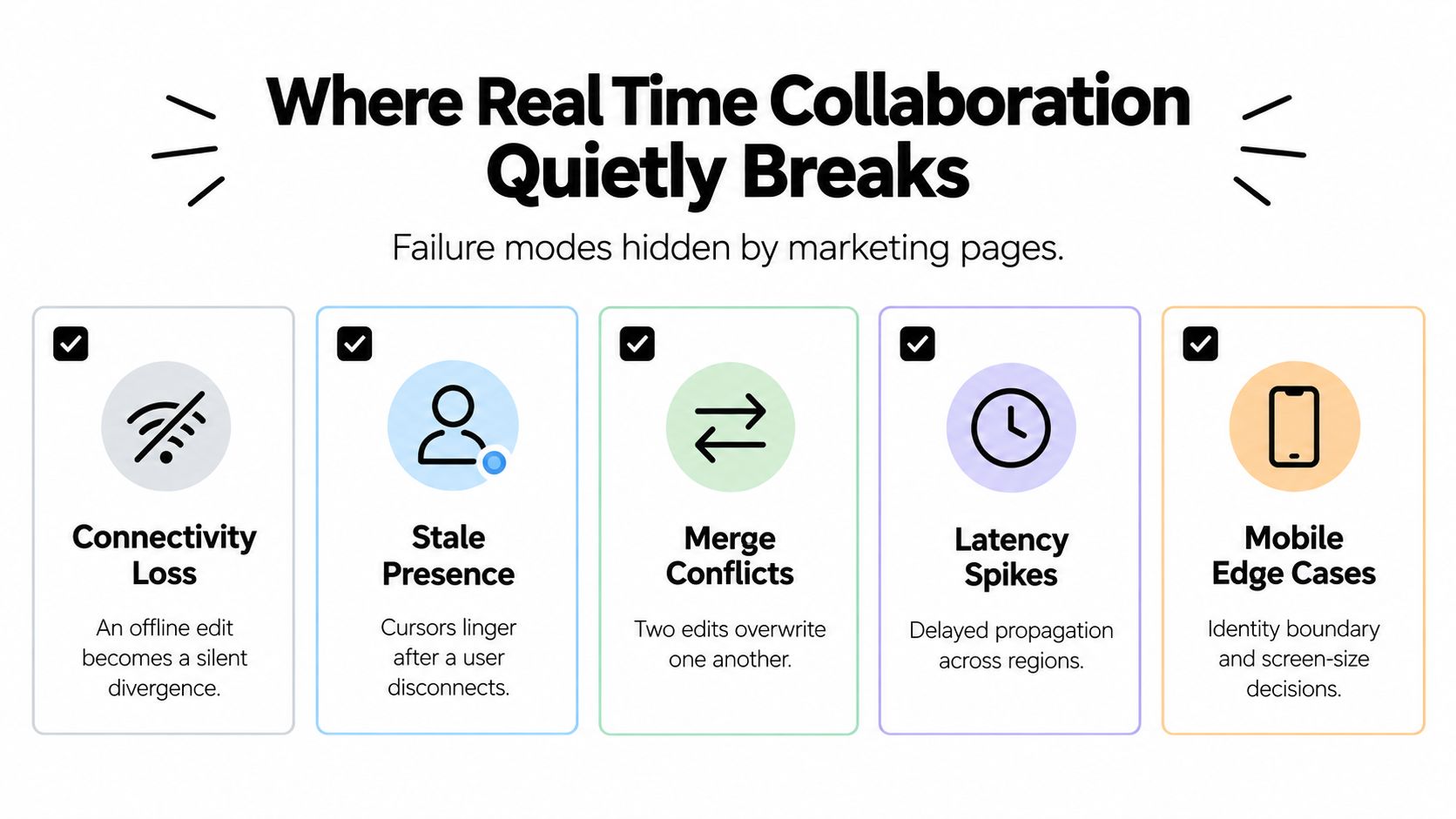
Box's own behavior exposes several cases teams should test. If connectivity is lost, a co-authored file can become a local copy, and the user may need to save it as a new file to avoid conflicts as described in Box's co-authoring FAQ. A manually locked file can open read-only in Office, which defeats the intended live-editing path. Desktop co-authoring also doesn't support legacy perpetual Office licenses, so a mixed fleet can produce different behavior for different users.
Sprint scenario: A designer loses connectivity on a train, edits the onboarding flow, and reconnects expecting the team to see the changes. The file is now a local copy. The team must identify which state is authoritative before merging anything.
External access creates a different failure mode. An administrator may revoke a guest's permission, but can't directly govern copies or content that the guest owns outside the organization's boundary. That means secure collaboration isn't only a permissions screen. It also involves invitation rules, expiration, audit fields, download behavior, and offboarding.
Before shipping, run a scenario matrix covering desktop Office, Office for the web, Box Drive, mobile, offline edits, reconnection, and unsupported clients. For a broader product pattern, compare your prototype against this real-time collaboration whiteboard guide, then write down the exact result users should see after each failure.
Translating the Box Model Into a Mobile Product Decision
A mobile team can turn the Box reference architecture into four decisions. Make them before the team commits to a database, editor library, or polished collaboration animation.
Define the identity boundary
Start with the people who can enter the workspace. Is the feature for employees, invited clients, suppliers, or anonymous viewers? If a guest can edit, decide whether they need an account, who owns the resulting content, and how the team removes access.
Choose the conflict strategy
A session lock is easier to explain than a global merge engine. It works well when one group edits a specific artifact together and outsiders should wait. OT or CRDT-based designs make more sense when independent offline work is central to the product and the team can support the extra complexity.
Specify offline behavior
Don't leave disconnection behavior to the sync library. Choose one of three recognizable outcomes: read-only while offline, a local copy that becomes a new version, or an offline change that the system merges after reconnection. Then show that state in the mobile interface.
Make governance visible
Record who changed what, when they changed it, which permission allowed the action, and whether access expires. For external collaborators, include invitation and revocation flows, ownership transfer, download rules, and audit review.
| Collaboration Primitive | Box Behavior | Mobile Team Decision |
|---|---|---|
| Presence | Shows viewing or editing activity | Which people and device states appear live? |
| Propagation | Sends changes through the cloud | What is the expected state after reconnecting? |
| Conflict boundary | Restricts editing to a co-authoring session | Will the product lock, merge, or branch edits? |
| Version recovery | Preserves earlier document states | Can users inspect and restore a prior prototype? |
| External identity | Guests can collaborate, but own account boundaries remain | Who controls guest access and copied content? |
The strongest prototype is not the one with the most animated cursors. It's the one that makes these decisions observable to a tester.
Prototyping Collaborative Mobile UIs With RapidNative
Once the team understands the collaboration behavior, it still has to decide whether to build the backend or validate the interface first. Building from scratch gives engineers control over identity, synchronization, persistence, and conflict handling. It also commits the team to those choices before users have confirmed that live co-editing improves the workflow.
A prototype-first path separates the interface question from the infrastructure question. RapidNative turns prompts, sketches, images, or PRDs into shareable React Native apps with navigation, screens, and components rendered live. A founder, designer, and developer can work on the same mobile-app project while evaluating whether the collaborative flow is understandable before wiring production synchronization.
Consider an onboarding experiment. The PM wants to know whether a designer and copywriter should edit the same onboarding step live, or whether comments and approval are enough. Build both interaction patterns as clickable screens, invite the team to review them together, and observe where people expect presence, suggestions, version history, or explicit approval.
The prototype won't prove that your eventual sync engine handles offline merges. It can reveal whether users understand edit ownership, whether external reviewers need accounts, and whether a locked state feels safer than simultaneous changes. That distinction saves engineering time because the team validates the product behavior before optimizing the transport layer.
Role clarity helps too. A designer may focus on selection states and feedback, a PM on decisions and approval, and a developer on component boundaries and exported code. Teams defining those responsibilities can use this overview of UX mobile designer roles as a reference, while this guide to a real-time collaboration app can help frame the interaction patterns to prototype.
Bringing It All Together
Box real time collaboration is most useful as a reference model, not a feature list to copy. It exposes three questions every mobile product must answer: who is present, how changes propagate, and how conflicts are handled. Its session-level co-authoring boundary, cloud-mediated synchronization, version history, and external-user controls show that live editing only works when the surrounding rules are explicit.
Use this short action list before choosing a stack:
- Solo founder: Prototype the collaborative screens before building real synchronization. Test whether shared editing is necessary or whether comments and review states solve the problem.
- Small product team: Decide the identity boundary, conflict strategy, offline behavior, and governance model in sprint planning. Don't let the first sync library make those choices accidentally.
- Regulated team: Put permissions, expiration, auditability, ownership, and recovery ahead of cursor effects. A slower prototype with clear controls is safer than a fast demo with undefined data boundaries.
- Engineering team: Test supported clients and connection states, then document the user-visible result for each one. A live session, offline copy, new version, and conflict recovery are different product states.
Google Workspace describes real-time editing as concurrent work on one cloud file with automatic saving and shared access, and its version history records who changed what and when. Google also reports that Slides and other Workspace applications support up to 100 simultaneous editors in its real-time editing guidance. Treat that as a reference load point, not a promise for your mobile product. Your supported limit should reflect document size, network quality, device constraints, and conflict behavior.
The organizational context matters as well. Atlassian's 2025 State of Teams report surveyed 12,000 knowledge workers and 200 Fortune 1000 executives. It found that 74% of executives said poor communication interferes with speed and quality, while 93% said cross-functional collaboration is more important than ever; the report also associated shared-goal alignment with stronger reported outcomes, including teams being 6.4 times more likely to produce high-quality work, 4.9 times more likely to meet deadlines, and 2.2 times more likely to focus on important work in the report. These are survey findings, not proof that one tool causes those results, but they reinforce the value of keeping the feature goal, prototype, decisions, and progress in one shared workspace.
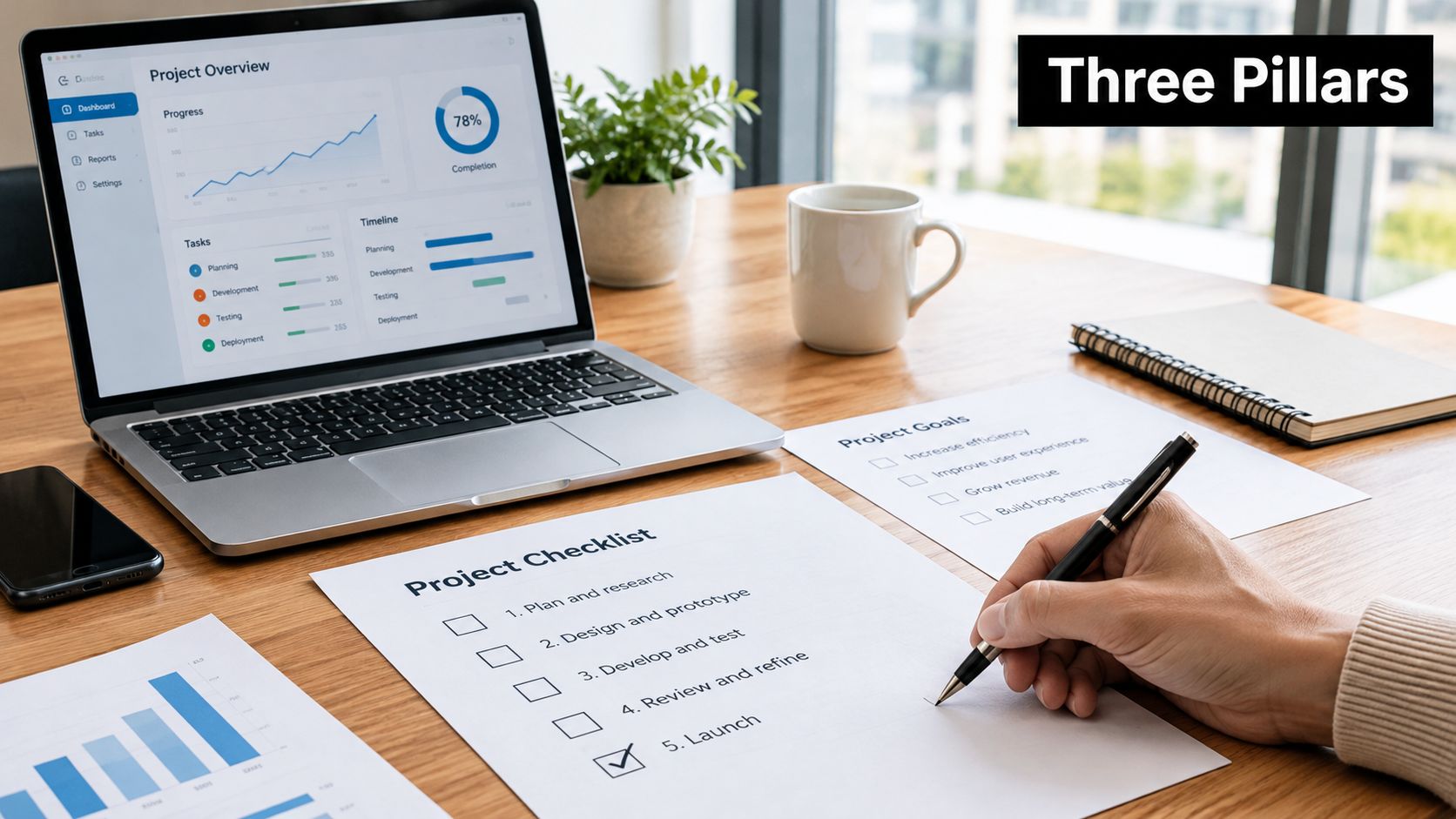
The practical sequence is straightforward: define the collaboration contract, prototype the states users will encounter, test disconnection and external access, then select or build the synchronization layer. Separating interface validation from backend engineering lets teams reject weak collaboration ideas early and invest where shared work truly improves the mobile experience.
RapidNative lets your team turn a prompt, sketch, image, or PRD into a shareable React Native prototype with live screens, navigation, and collaborative iteration. Use RapidNative to test presence, permissions, review states, and mobile collaboration flows before committing to production sync engineering.
Ready to build your app?
Turn your idea into a production-ready React Native app in minutes.
Free tools to get you started
Free AI PRD Generator
Generate a professional product requirements document in seconds. Describe your product idea and get a complete, structured PRD instantly.
Try it freeFree AI App Name Generator
Generate unique, brandable app name ideas with AI. Get creative name suggestions with taglines, brand colors, and monogram previews.
Try it freeFree AI App Icon Generator
Generate beautiful, professional app icons with AI. Describe your app and get multiple icon variations in different styles, ready for App Store and Google Play.
Try it freeFrequently asked questions
What is RapidNative?
RapidNative is an AI-powered mobile app builder. Describe the app you want in plain English and RapidNative generates real, production-ready React Native screens you can preview, edit, and publish to the App Store or Google Play.
Can I export the code?
Yes. RapidNative generates clean React Native and Expo code that you can export at any time. No lock-in, no proprietary format. Hand it to your developers or keep building inside RapidNative.
Is RapidNative free to use?
Yes. You can build apps on the free plan with no credit card required. Paid plans unlock unlimited AI generations, code export, and direct publishing to the App Store and Google Play.
Do I need to know how to code?
No. Most users build apps by describing what they want in plain English. Developers can drop into the code whenever they want more control, but coding is optional.
How long does it take to build an app?
Most users have a working first screen in under a minute. A full MVP usually takes a few hours instead of the weeks or months traditional development requires.