The Top 12 React JS Sandbox Environments for Mobile Product Teams in 2024
Discover the 12 best React JS sandbox tools for 2026. Compare features, use cases, and limitations to find the perfect online editor for your projects.
By Damini
1st Feb 2026
Last updated: 1st Feb 2026
Building a mobile app is a cycle of rapid iteration. Whether you're a founder demoing a new concept, a designer perfecting a UI component, or a product manager testing a user flow, you need a way to quickly build, test, and share your work. Setting up a local development environment is slow and creates a barrier for non-technical team members. This is where a React JS sandbox becomes essential. It’s a browser-based playground that lets your entire team collaborate on code instantly.
This guide is for product teams—founders, PMs, designers, and developers—building mobile products. We'll cut through the technical jargon and focus on the practical use cases for 12 top-tier sandboxes. We’ll show you which tool is right for quickly testing a React Native component, which is best for sharing a full-stack prototype with investors, and how they all fit into a modern mobile development workflow.
We provide direct links and screenshots for each platform to help you compare them quickly. For teams using React Native, we’ll highlight how sandboxes like Expo Snack are perfect for testing screens and components. A solid grasp of the underlying technology is key to getting the most out of these tools. Understanding the core principles and architecture of the React Framework is crucial for maximizing the benefits of a dedicated sandbox environment. Let's dive into the platforms that can speed up your mobile app development.
1. CodeSandbox
CodeSandbox is a powerful online editor that lets you build and share web applications without any local setup. For a mobile product team, it's a go-to tool for everything from testing a single UI component to collaborating on a full-stack prototype. It offers lightweight Browser Sandboxes for front-end experiments and more powerful VM Sandboxes (Devboxes) for projects that need a backend or database. This flexibility makes it useful for everyone on the team.
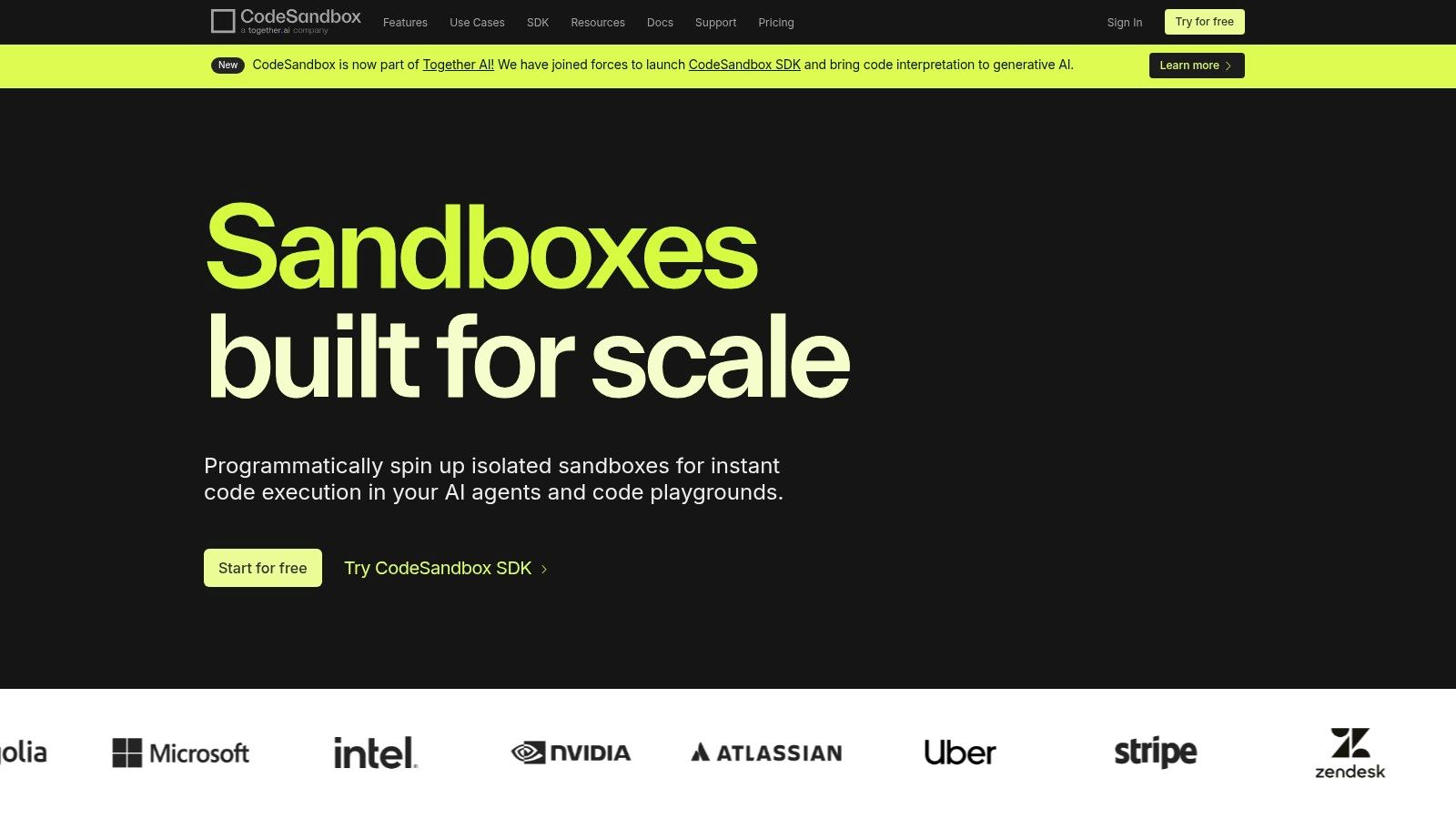
Imagine your designer wants to tweak the animation on a new button. They can open the component in a CodeSandbox, adjust the code, and see the result instantly, without needing a developer's help. Or, if you need to show an investor a new feature that requires a database, a developer can set up the entire project in a Devbox and share a single link. Its real-time collaboration features are a huge win for remote teams, allowing you to collaborate in real-time just like in a Google Doc.
Key Features & Use Cases
- Quick Start: Instantly spin up a pre-configured React or Next.js environment from a vast template gallery.
- GitHub Integration: Import any public GitHub repository to start working on it immediately, or connect your private repositories.
- Live Collaboration: Edit code with teammates simultaneously, which is perfect for pair programming or design handoffs.
- Embedded Sandboxes: Use the Sandpack library to embed live, editable code examples directly into your team's documentation or bug reports.
- Practical Tip: When testing code exported from a tool like RapidNative, you can import the entire project folder into a CodeSandbox Devbox to run and iterate on the full application with its dependencies.
| Feature | Browser Sandbox | VM Sandbox (Devbox) |
|---|---|---|
| Best For | UI components, prototypes | Full-stack apps, backends |
| Collaboration | Real-time co-editing | Real-time co-editing |
| Pricing | Unlimited (Free) | Credit-based (Free tier available) |
| Performance | Instant load | Slower initial boot |
Website: https://codesandbox.io
2. StackBlitz
StackBlitz stands out for its incredible speed. It uses a unique technology called WebContainers to run a full development environment, including a server and terminal, directly inside your browser. This means a complete react js sandbox can boot up in milliseconds. For mobile product teams, this speed is a game-changer for quick reviews and demos. There's no waiting for a virtual machine to start—it's instant.
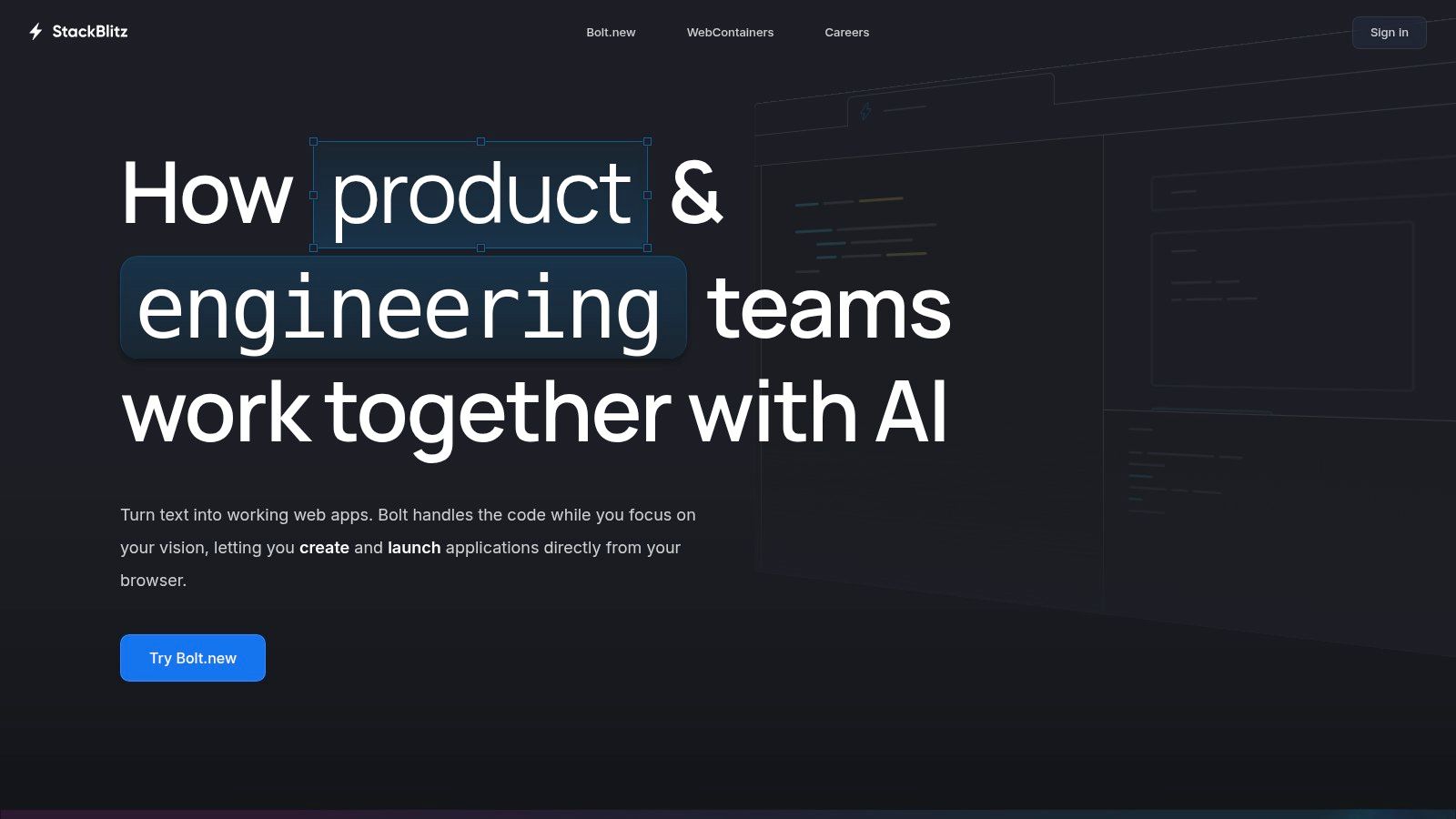
Think of it this way: a developer needs a PM to review a small change in a feature branch on GitHub. Instead of asking the PM to pull the code and run it locally (which might not even be possible for them), the developer can send a StackBlitz link. The PM clicks it and instantly sees a live, running version of the app with the changes applied. This frictionless workflow makes it perfect for rapid feedback cycles and keeps the entire team, technical or not, in the loop.
Key Features & Use Cases
- WebContainer Technology: Runs a Node.js environment entirely in the browser, offering unmatched speed and security.
- Instant Startup: Launch pre-configured React and Vite templates in milliseconds for immediate coding.
- GitHub Integration: Open any public repository, branch, or PR instantly with Codeflow, creating a live, editable environment.
- Offline Support: Continue working on your projects even when your internet connection is unstable, a unique advantage of its browser-native architecture.
- Practical Tip: Use StackBlitz to create live examples for technical documentation or to quickly reproduce a bug report. Its shareable links provide a complete, executable context for any issue.
| Feature | In-Browser Node.js | Traditional VM |
|---|---|---|
| Best For | Demos, PR reviews, prototypes | Heavy backend processes |
| Collaboration | Link sharing, Codeflow | Link sharing, Codeflow |
| Pricing | Generous free tier | Team/Enterprise plans available |
| Performance | Millisecond boot times | Slower initial boot |
Website: https://stackblitz.com
3. CodePen
CodePen is a playground for front-end developers and designers. It excels at creating and sharing small, isolated UI components and visual experiments, which it calls "Pens." While it's not designed for building full applications, it's the perfect tool for a designer to quickly prototype a new animation or for a developer to debug a specific CSS issue in a React component. Its strength is its simplicity and focus on visual output.
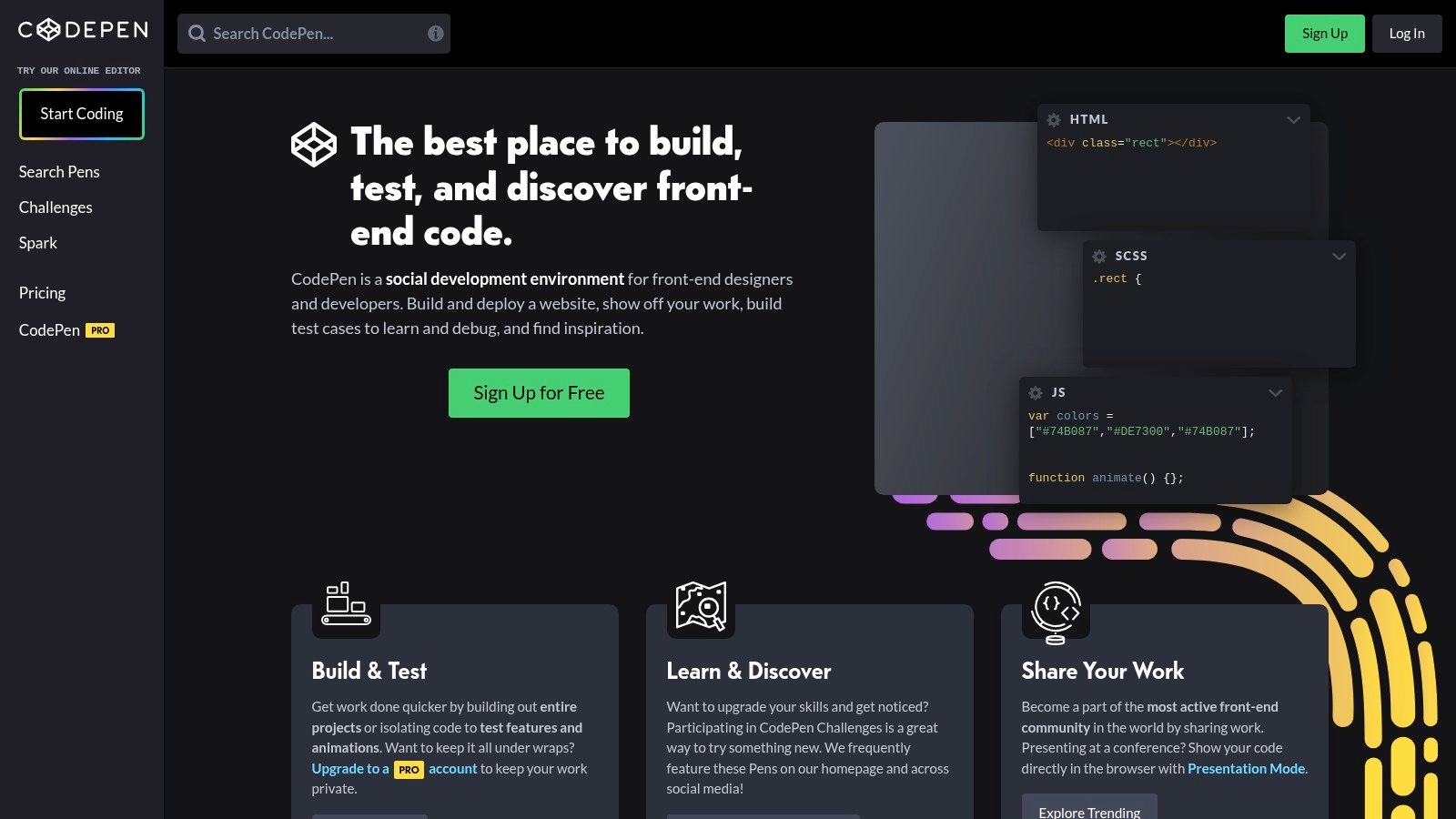
For a mobile product team, CodePen is an excellent way to build a library of UI/UX ideas. You can browse thousands of public Pens for inspiration on everything from loading spinners to complex navigation menus. When you find something you like, you can fork it, tweak it for your app's style, and share the link with your team for discussion. It's also great for creating live, interactive demos to embed in your team's documentation or public blog posts, letting users play with a component directly.
Key Features & Use Cases
- Rapid Prototyping: Quickly build and test single React components with an instant live preview.
- Easy Embedding: Generate embeddable code snippets to showcase interactive components in documentation, blog posts, or style guides.
- Community & Discoverability: Explore a massive library of public Pens for inspiration, learning, and finding solutions to common UI challenges.
- Prefill Embeds: Programmatically create Pens with pre-filled code via a URL, which is great for "Edit on CodePen" links in tutorials.
- Practical Tip: To use React, simply add the React and ReactDOM UMD scripts from a CDN in the Pen's JavaScript settings and use a preprocessor like Babel to handle JSX.
| Feature | Pens | Projects |
|---|---|---|
| Best For | Single components, quick demos | Simple, multi-file static sites |
| Collaboration | N/A (Collab Mode is a PRO feature) | PRO feature |
| Pricing | Free (with limitations) | Part of PRO plans |
| Setup | Instant, but requires manual config | More involved |
Website: https://codepen.io
4. Replit
Replit is a full-featured IDE that runs in your browser, making it a powerful react js sandbox for building and deploying applications quickly. Its key advantage is that it combines a code editor, a terminal, and one-click hosting into a single platform. This is perfect for hackathons, building quick proof-of-concepts, or for educational purposes where you want to go from code to a live, shareable app in minutes.
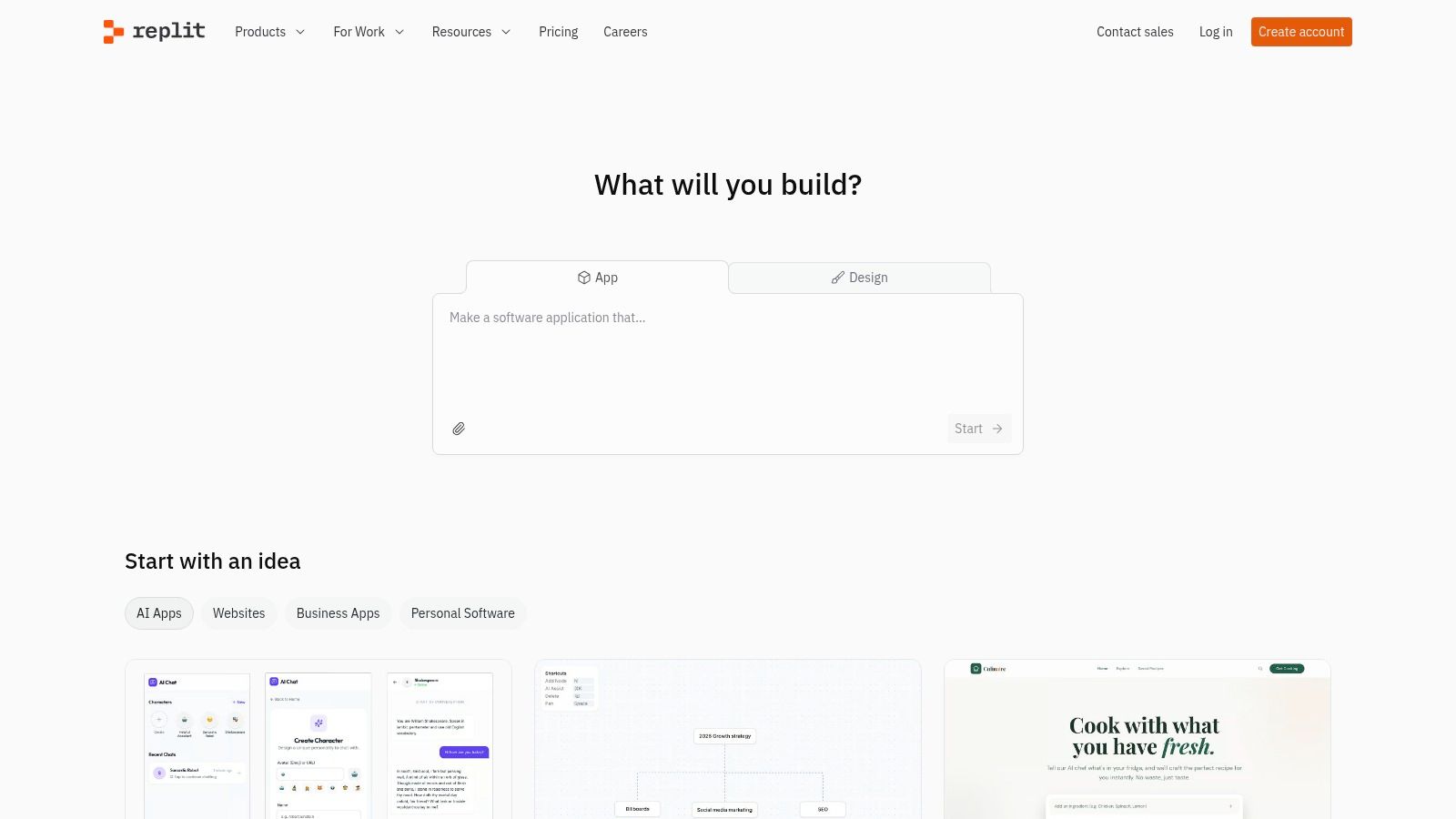
Imagine a startup founder needs to quickly build and demo a new feature idea to get stakeholder buy-in. Using a Replit template, they can scaffold a React app, write the code, and with a single click, deploy it to a public URL. They can then share that live link for immediate feedback. For teams, its "multiplayer" feature allows real-time collaboration, so a senior developer can easily mentor a junior developer by coding alongside them in the same environment.
Key Features & Use Cases
- Zero-Setup IDE: Start coding instantly with pre-configured React and Vite templates without any local installation.
- Instant Deployment: Deploy your React application directly from the editor to a live URL with a single click.
- Multiplayer Collaboration: Invite others into your "Repl" to code together in real-time, complete with shared terminals and outputs.
- Integrated AI: Replit includes an AI-powered code assistant to help with boilerplate, debugging, and code generation.
- Practical Tip: The integrated terminal is a full-featured shell, allowing you to run build scripts, install specific package versions, or manage environment variables just as you would in a local setup.
| Feature | Free Tier | Paid Tiers (Replit Core) |
|---|---|---|
| Best For | Learning, small prototypes, hackathons | Full-stack apps, larger projects |
| Collaboration | Real-time co-editing (public Repls) | Private Repls, more collaborators |
| Pricing | Free (with usage limits) | Subscription-based |
| Performance | Shared resources, can be slow | Dedicated resources, faster |
Website: https://replit.com
5. GitHub Codespaces
GitHub Codespaces provides a complete, production-grade development environment in the cloud, directly tied to your GitHub repositories. It's less of a lightweight sandbox and more of a powerful, containerized virtual machine that you can access from your browser or a connected VS Code editor. For mobile product teams, this is the ultimate tool for ensuring everyone is working in a consistent and reproducible environment, eliminating the classic "it works on my machine" problem.
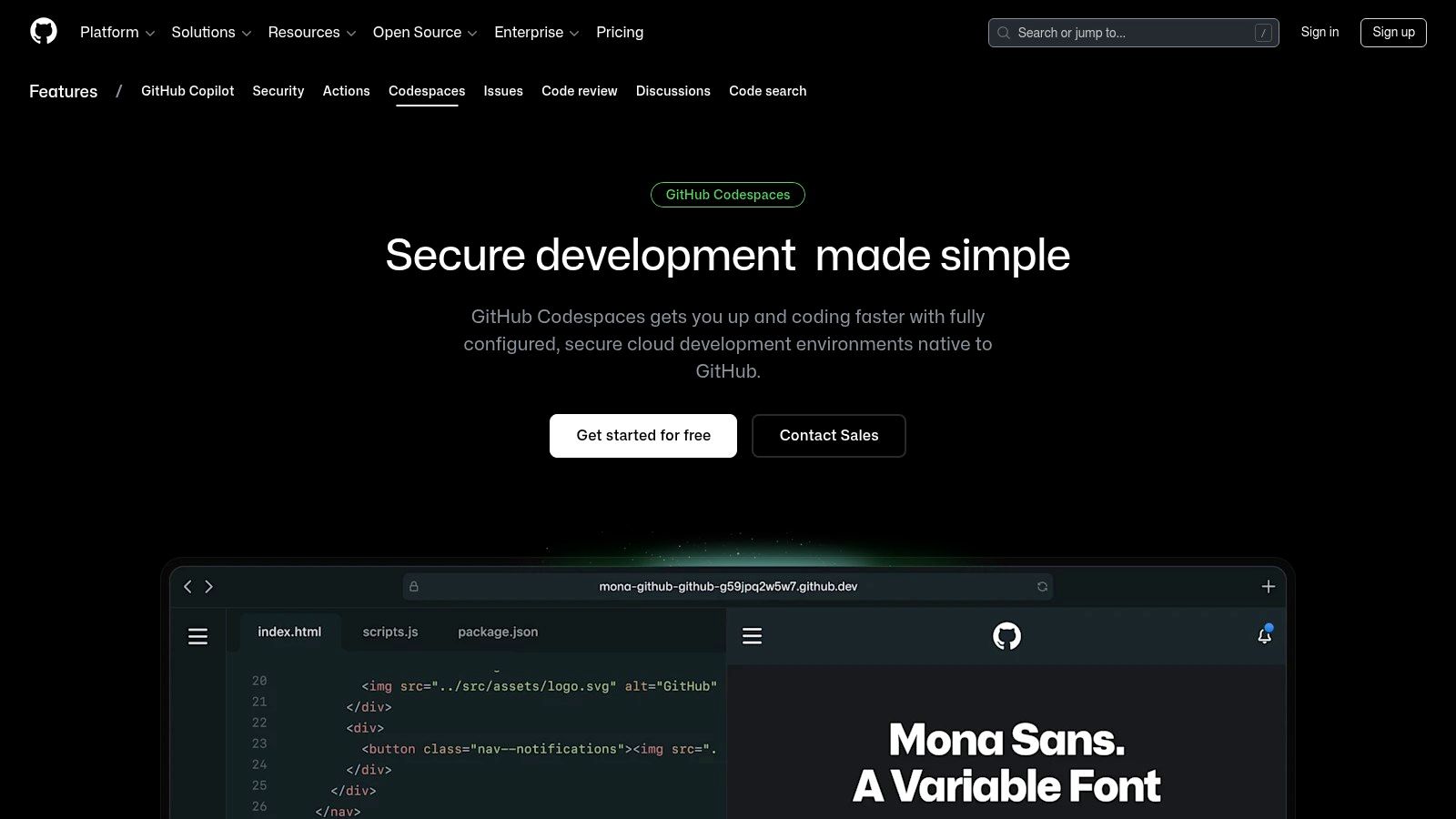
Its real power lies in its deep integration with the GitHub workflow. A product manager can open a pull request, launch a Codespace with a single click, and immediately see a live, running version of the feature branch to test it out. No need to ask a developer to deploy it to a staging server. You can pre-configure the entire environment—from specific Node.js versions to required VS Code extensions—in a devcontainer.json file, which means new developers can get up and running on your project in minutes, not days.
Key Features & Use Cases
- One-Click Environments: Launch a fully configured development environment from any repository, branch, or pull request.
- VS Code Experience: Get the complete VS Code interface, including the terminal and full extension support, either in the browser or on your desktop.
- Reproducibility: Use
devcontainerconfigurations to define the exact environment, dependencies, and tools for your project, ensuring consistency for all team members. - Scalable Compute: Choose from a range of machine sizes, from 2-core machines for small projects to 32-core powerhouses for demanding builds.
- Practical Tip: When you've used a tool to build a React Native app with AI, you can commit the project to a GitHub repository and use Codespaces to create an instant, shareable environment for your team to test and refine the application.
| Feature | Lightweight Sandbox | GitHub Codespaces |
|---|---|---|
| Best For | Snippets, UI component testing | Full-stack apps, team projects |
| Setup | Instant, template-based | Container build (fast with prebuilds) |
| Pricing | Often free | Pay-as-you-go (Free tier available) |
| Integration | Basic Git | Deep GitHub workflow integration |
Website: https://github.com/features/codespaces
6. Gitpod
Gitpod takes the idea of cloud-based development environments a step further by automating them. It continuously prebuilds your project from your Git repository, so when you're ready to work on a task, a fresh, ready-to-code workspace is available in seconds. For professional development teams working on large mobile applications, Gitpod is a powerful tool for standardizing environments and streamlining workflows. It's built for consistency and efficiency at scale.
The entire development setup is defined as code in a .gitpod.yml file. This means a team lead can ensure every developer, from junior to senior, gets an identical, pre-configured environment with all dependencies and tools installed automatically. This dramatically reduces onboarding time and makes it easy to switch between different feature branches without messing up your local setup. For companies with strict security requirements, Gitpod can even be self-hosted on your own cloud infrastructure.
Key Features & Use Cases
- Automated Prebuilds: Gitpod continuously builds your Git branches, so you can launch a fresh, ready-to-code workspace in seconds.
- Dev Environments as Code: Use
devcontainer.jsonand.gitpod.ymlto define your entire environment, including dependencies and editor settings. - Flexible IDE Support: Works with VS Code in the browser or on your desktop, as well as JetBrains IDEs, providing a familiar coding experience.
- Self-Hosting for Control: Enterprises can deploy Gitpod on their own cloud infrastructure for maximum security, compliance, and data control.
- Practical Tip: For a product team testing code from a tool like RapidNative, a manager can set up a Gitpod configuration file in the repository. This ensures any team member, technical or not, can launch a fully functional environment to review and test the exported React Native application with a single click.
| Feature | Standard Cloud Offering (SaaS) | Self-Hosted Option |
|---|---|---|
| Best For | Teams, open-source projects | Enterprises, regulated industries |
| Collaboration | Shared workspaces, live sharing | Same features, within your VPC |
| Pricing | Usage-based (Free tier available) | Custom enterprise licensing |
| Setup Complexity | Low to moderate | High (requires infrastructure) |
Website: https://www.gitpod.io
7. JSFiddle
JSFiddle is one of the original online code editors and remains a fantastic tool for its sheer simplicity. It's a lightweight front-end playground, perfect for isolating and sharing small code snippets. While it's not a full-featured react js sandbox with a complex build process, it's the ideal place to quickly test a piece of React logic or create a minimal example to reproduce a bug. Its clean, three-pane view for HTML, CSS, and JavaScript is fast and easy to use.
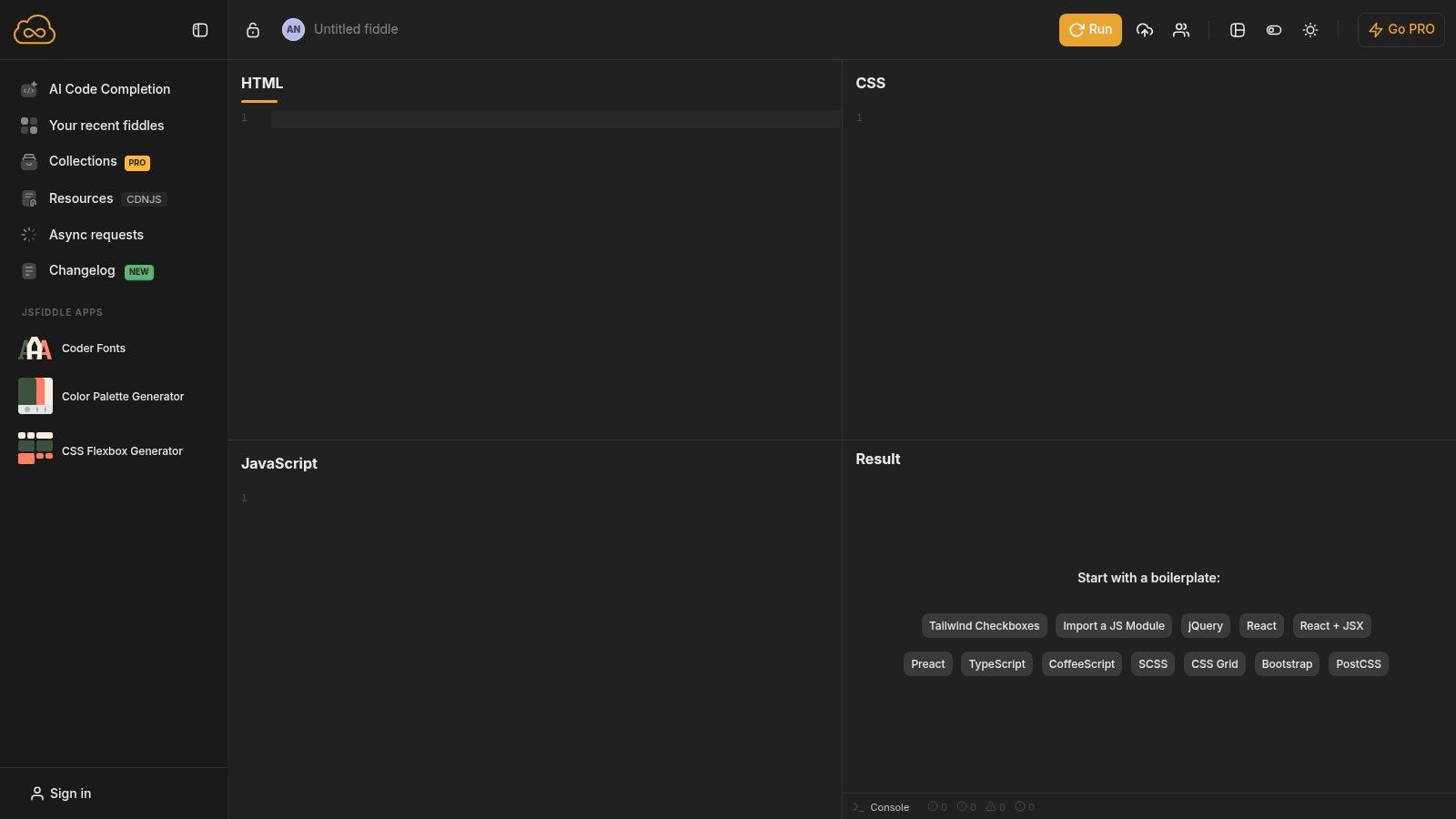
This minimalist approach is incredibly valuable for clear communication. For example, if a developer is trying to explain a bug in a specific component, they can paste just the relevant code into JSFiddle and share the link in a Jira ticket or Slack message. This removes all the clutter of the main application and allows the rest of the team to focus solely on the problem at hand. It's the digital equivalent of a napkin sketch—a quick, disposable way to share a front-end idea.
Key Features & Use Cases
- Simplicity: A no-frills HTML, CSS, and JavaScript environment that is extremely fast to load and use.
- External Resources: Easily add any library via CDN links (like unpkg or jsDelivr), which is how you enable React and JSX.
- Babel & TypeScript: The JavaScript pane can be configured to use Babel for JSX transpilation or TypeScript for type-checking.
- Sharable Snippets: Generates short, clean URLs perfect for sharing in forums, bug trackers like Jira, or chat applications.
- Practical Tip: JSFiddle is the ideal tool for creating a "Minimal, Reproducible Example" when filing a bug report for a React library. Isolate the problematic component, add the necessary CDN scripts, and share the fiddle link.
| Feature | Description | Best For |
|---|---|---|
| Setup | Manual via CDN links in the Resources panel | Single-file components, bug reproductions |
| Project Structure | Not supported; single-pane for JS/JSX logic | Isolated logic, small UI demonstrations |
| Collaboration | No real-time editing; sharing is via forking | Asynchronous feedback, quick shares |
| Pricing | Free for public fiddles; PRO for private collections | Free for most common use cases |
Website: https://jsfiddle.net
8. Expo Snack
Expo Snack is a browser-based react js sandbox built specifically for React Native. It's a game-changer for mobile product teams because it lets you build and test mobile UI components directly in your browser, with no need for Xcode or Android Studio. Its standout feature is the instant preview: you can see your changes live in a web simulator and, by scanning a QR code with the Expo Go app, on your actual iOS and Android devices. This is invaluable for rapid prototyping and sharing mobile concepts.
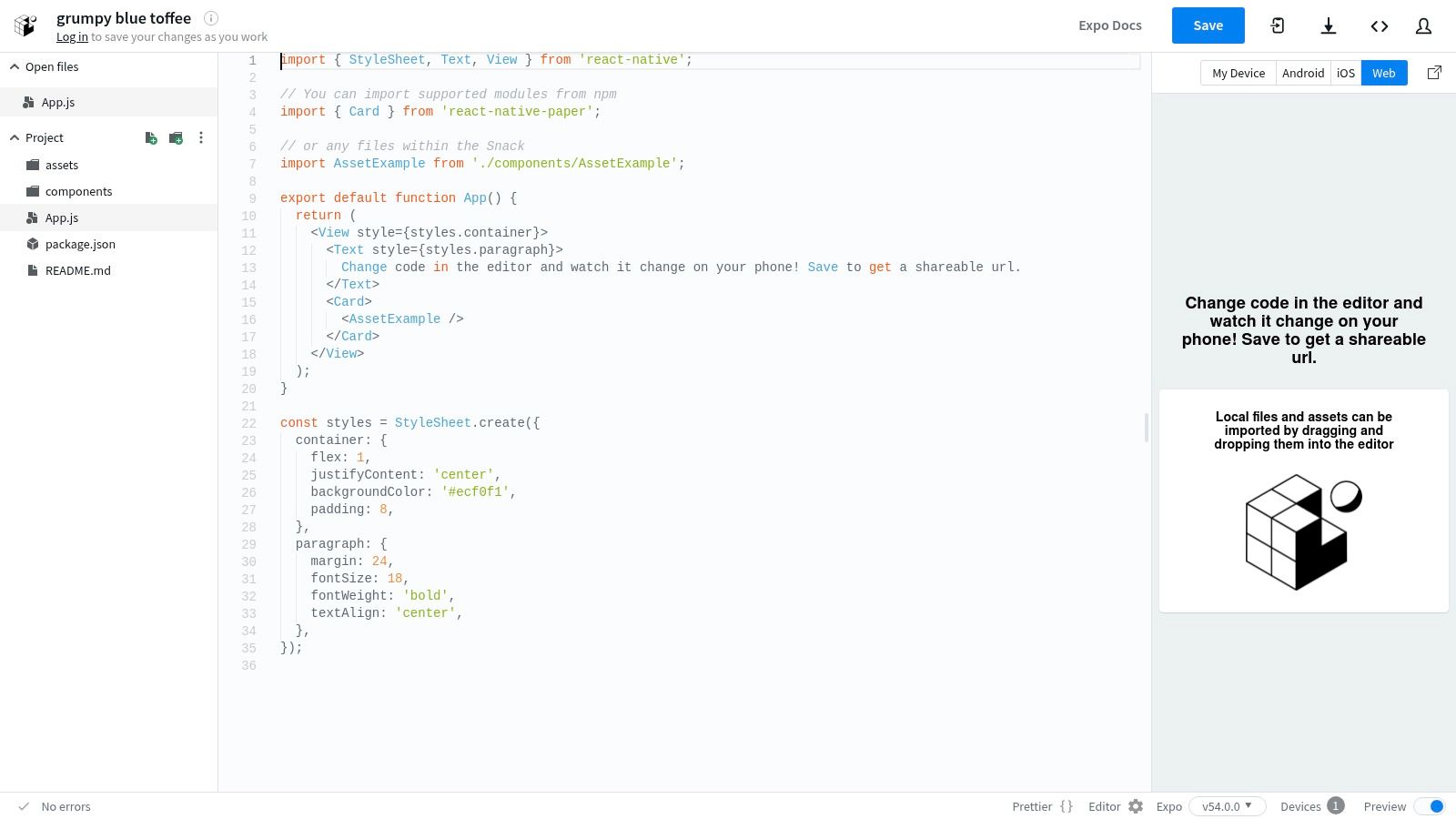
This tool is perfect for validating a mobile feature with your team. A designer can create an interactive prototype of a new onboarding flow, and a product manager can share the Snack link with stakeholders, who can then run the live prototype on their own phones for instant, realistic feedback. For anyone new to mobile development, it offers a frictionless way to start building, as outlined in guides on how to create a React Native application. It's the fastest way to go from an idea to an interactive mobile prototype.
Key Features & Use Cases
- Live Previews: Instantly view your React Native app on the web, iOS, and Android devices simultaneously.
- Zero Setup: No need to install SDKs or build tools. Start coding immediately with pre-configured templates.
- Easy Sharing: Share a working app prototype with a simple URL, allowing others to run it instantly.
- NPM Package Support: Add and test any library compatible with the Expo ecosystem directly within the sandbox.
- Practical Tip: Use Expo Snack to test individual screens or components exported from a tool like RapidNative. This isolates the UI for focused iteration and makes it easy to share for quick design reviews before integrating it into a larger project.
| Feature | Availability | Best For |
|---|---|---|
| Platform Focus | React Native & Expo | Mobile UI prototyping, component testing |
| Device Preview | Yes (via Expo Go app) | Real-device feedback, demos |
| Pricing | Free for sandboxing | Paid plans for advanced build services (EAS) |
| Setup | Instant, browser-based | Quick experiments, learning |
Website: https://snack.expo.dev
9. React Play
React Play is an open-source platform designed for learning and community collaboration. It functions as a gallery of "plays"—small, self-contained react js sandbox projects that demonstrate a specific React concept, component, or hook. This makes it a great resource for developers looking to practice their skills and learn from examples that have been reviewed and approved by the community.
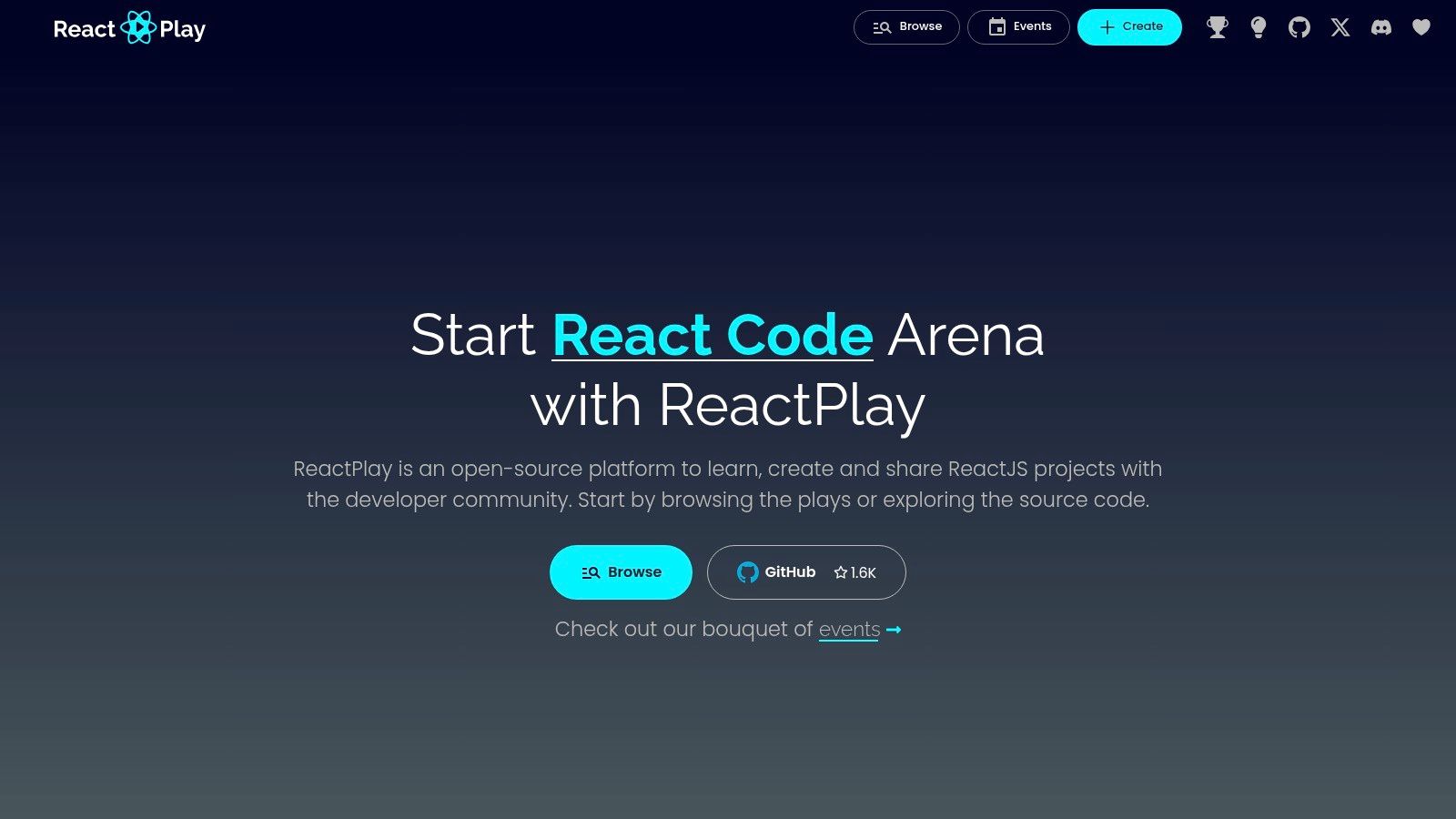
The platform's strength is its structured peer-review process. A developer can build a "play," submit it, and get feedback from other community members before it's published. For a product team, this gallery can be a source of inspiration for UI components or micro-interactions. A designer might browse the plays to find a cool new way to handle form validation, and a developer can then fork that play to quickly understand and adapt the pattern for their own project.
Key Features & Use Cases
- Community-Reviewed Projects: Submit your React sandboxes for feedback, ensuring code quality and adherence to best practices.
- Discoverable Gallery: Browse, fork, and learn from a wide range of small, focused React "plays" created by the community.
- Structured Learning: Ideal for beginners and intermediate developers who want to practice specific React concepts in an isolated environment.
- Open-Source Contribution: The entire platform is open-source, offering a great opportunity to contribute to a community-driven project.
- Practical Tip: Use React Play to build and showcase a specific, complex UI component. The community feedback can help you refine it before integrating it into a larger application.
| Feature | Description | Best For |
|---|---|---|
| Primary Focus | Learning and community-driven code review | Skill development, code examples, practice |
| Project Scope | Small, isolated React projects ("plays") | Single components, hooks, specific concepts |
| Collaboration | Asynchronous feedback and code review via submissions | Individual learning and community contribution |
| Pricing | Completely Free (Open-source) | Everyone |
Website: https://reactplay.io
10. PlayCode
PlayCode is a fast and simple browser-based playground, ideal for rapid prototyping and technical interviews. It provides a lightweight react js sandbox that boots instantly and comes with built-in support for popular tools like TypeScript and Tailwind CSS. Its focus on speed and simplicity makes it a great choice for developers who need to quickly test a component or share a code snippet without getting bogged down in a complex environment.
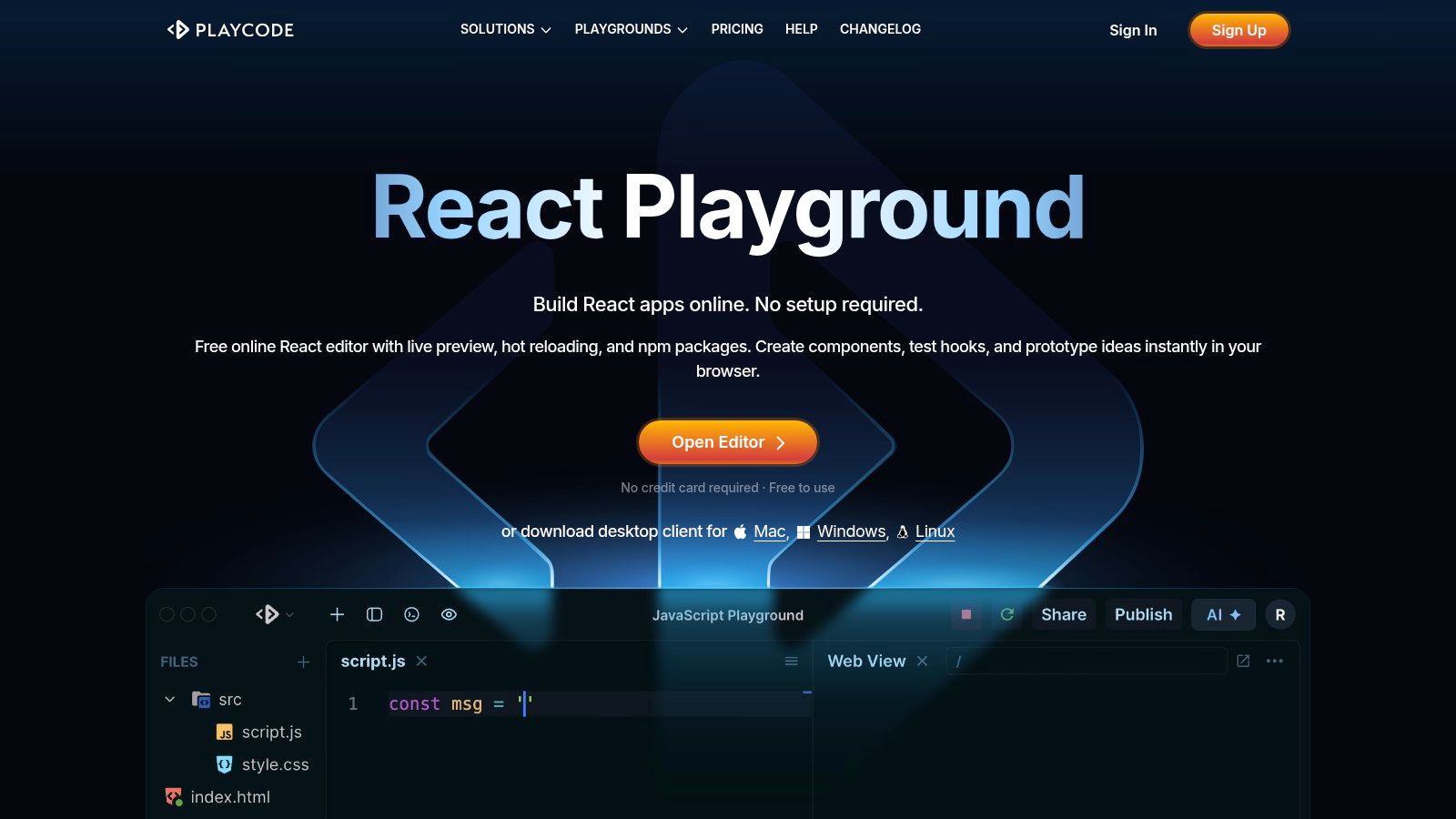
Where other sandboxes offer a wide range of features for full-stack development, PlayCode focuses on a clean and efficient front-end experience. Its straightforward interface—with a clear editor, console, and live preview—is useful for teaching or demonstrating React concepts. For a product manager or designer, it's a quick way to see a component come to life. For developers, it's a no-fuss tool for validating an idea or debugging a specific UI issue.
Key Features & Use Cases
- Instant React Setup: Launch a pre-configured React, TypeScript, or Tailwind CSS environment in a single click.
- Live Collaboration: A premium feature that allows real-time code editing with others, making it useful for pair programming or technical interviews.
- NPM Package Support: Quickly add and test third-party libraries from the NPM registry directly in your project.
- Simple Export: Download your project as a ZIP file to continue development locally or move it to a different environment.
- Practical Tip: Use PlayCode for quick, isolated component tests. If you've exported a single screen from a tool like RapidNative, you can copy its core JSX and logic into PlayCode to rapidly iterate on its styling or behavior.
| Feature | Free Tier | Pro Plan |
|---|---|---|
| Best For | Quick tests, snippets | Interviews, team collaboration |
| Collaboration | Not available | Real-time co-editing |
| Saved Projects | Limited | Unlimited |
| AI Assistant | Not available | Included |
Website: https://playcode.io/react
11. Sandpack (by CodeSandbox)
Sandpack isn't a standalone platform but rather a toolkit from the CodeSandbox team that lets you embed a live, editable react js sandbox directly into your own website or documentation. It provides the building blocks for creating powerful, interactive code editors and previews. This makes it an incredibly useful tool for creating educational content or design system documentation where you want users to interact with live code without leaving the page.
For a mobile product team, this is a powerful way to improve documentation and collaboration. Imagine your design system's documentation features live, editable examples of each component. A developer can then visit the page, tweak the component's properties, and see the changes instantly. This hands-on approach dramatically improves learning and adoption. It effectively turns static documentation into a dynamic workshop, making it easier for everyone on the team to understand how your components work.
Key Features & Use Cases
- Embeddable Toolkit: Integrate a fully functional code editor and preview pane anywhere in your React application.
- Customizable Experience: Control every aspect of the editor's appearance and functionality, including themes, layout, and visible files.
- Instant React Runtimes: Use pre-configured templates like
template="react"to spin up a live environment instantly. - CodeSandbox Handoff: An "Open in CodeSandbox" button allows users to seamlessly transition from an embedded example to a full IDE for more complex editing.
- Practical Tip: Product managers can use Sandpack on an internal wiki to demonstrate and get feedback on interactive prototypes built from exported code, allowing stakeholders to experiment directly.
| Feature | Description | Best For |
|---|---|---|
| Type | Component Toolkit/Library | Interactive documentation, tutorials, design systems |
| Control | Full control over UX/UI | Teams wanting a branded, integrated playground experience |
| Setup | Requires integration into an existing site/app | Developers comfortable with React and component integration |
| Pricing | Open-source and free to use | All projects, from personal blogs to enterprise applications |
Website: https://sandpack.codesandbox.io
12. AWS Cloud9
AWS Cloud9 is a cloud-based IDE for writing, running, and debugging code in a browser. It’s not a lightweight, instant sandbox; instead, it provides a powerful and persistent development environment, especially for teams building applications tightly integrated with the AWS ecosystem. It sets up an entire Linux server for you, giving you full terminal access and the ability to run a complete react js sandbox with a Node.js server, databases, and other backend services.
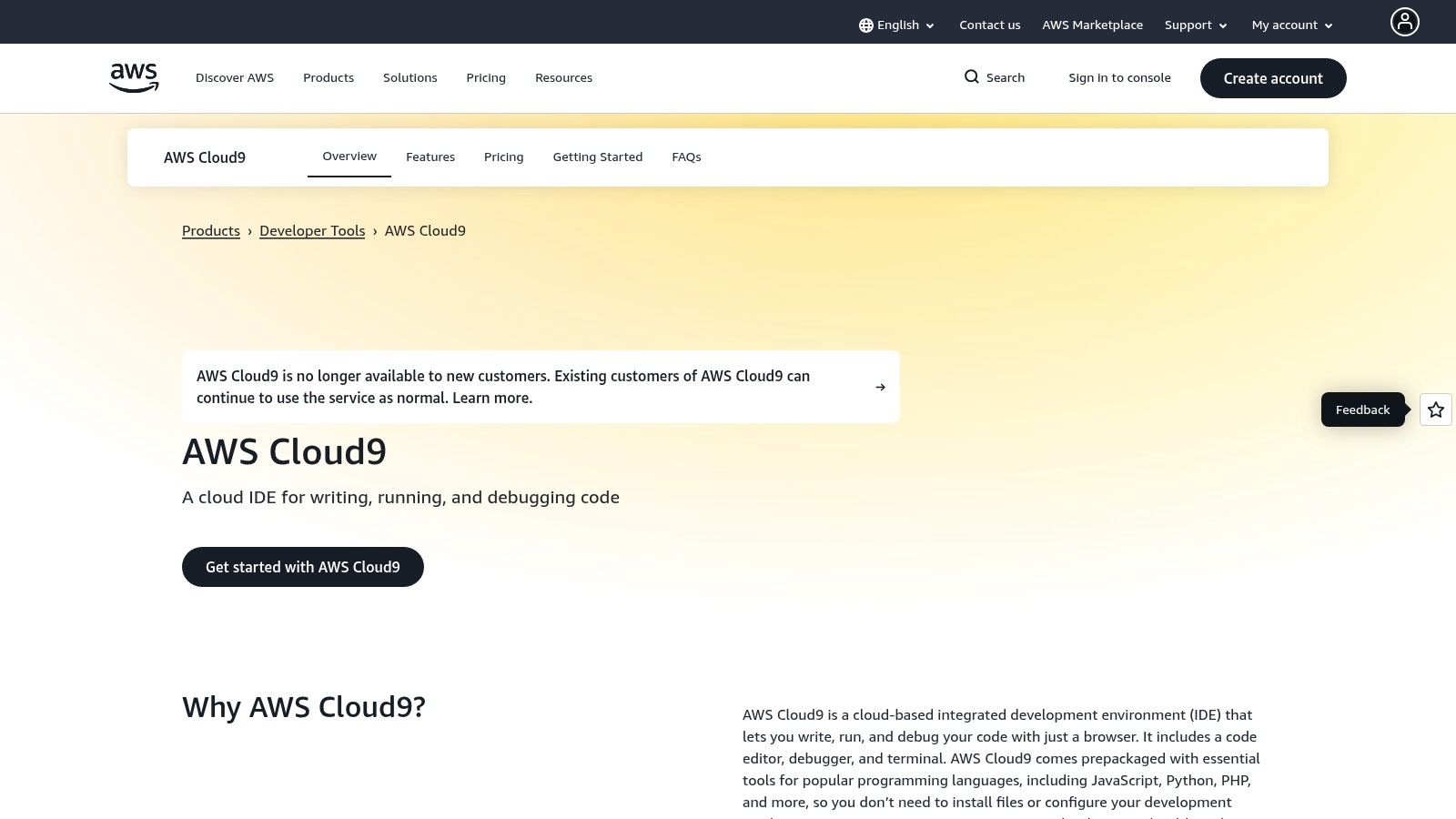
This makes it the ideal choice for teams already using AWS. For example, if your mobile app's front-end needs to communicate with AWS Lambda functions and a DynamoDB database, you can develop and test the entire stack within a single, unified environment. This ensures that what you build in development will work the same way in production. Its live pair programming features also allow for real-time collaboration, which is great for mentoring or tackling complex problems as a team.
Key Features & Use Cases
- Full Development Environment: Provides a browser-based IDE with a code editor, debugger, and a fully-featured terminal for complete project control.
- AWS Service Integration: Seamlessly connect and interact with other AWS services like S3, Lambda, and CodeCommit directly from the IDE.
- Live Collaboration: Includes pair programming features, allowing developers to code together, chat, and follow each other's cursors in real-time.
- Persistent & Configurable: Environments are backed by persistent EC2 storage, so your workspace remains intact between sessions. You can also connect it to your own Linux server via SSH.
- Practical Tip: To manage costs, configure your Cloud9 EC2 instance to automatically hibernate after a period of inactivity. This is crucial for avoiding unexpected charges on your AWS bill.
| Feature | Description | Best For |
|---|---|---|
| Environment Type | Full Linux server (EC2 or SSH) | Full-stack React apps needing a persistent backend and AWS integration. |
| Collaboration | Real-time pair programming | Team development, code reviews, and remote mentoring. |
| Pricing | No direct fee for Cloud9; pay for underlying AWS compute and storage resources. | Teams and developers already using the AWS cloud. |
| Performance | Slower initial boot, but performs like a dedicated dev server once running. | Projects where a persistent, powerful environment outweighs instant startup. |
Website: https://aws.amazon.com/cloud9
React JS Sandbox — 12-Tool Comparison
| Tool | Core focus | Key features | Collaboration & UX | Best for | Pricing / limits |
|---|---|---|---|---|---|
| CodeSandbox | Browser + VM sandboxes for React examples | Instant React templates, VM sandboxes, Sandpack & SDK | Live collaboration, shareable previews, easy for demos | Docs, demos, rapid prototyping | Free browser sandboxes; VM runtime billed by credits; enterprise plans |
| StackBlitz | In‑browser Node (WebContainers) React environments | WebContainers with npm, terminal, HMR, Vite starters | Millisecond start, shareable links, no remote server | Fast demos, PR previews, local‑free dev | Free tiers; team/enterprise pricing less explicit |
| CodePen | Front‑end playground for snippets & embeds | Pens, preprocessors (Babel), embeddable demos | Large community, discoverable embeds for docs/blogs | Small component demos, tutorials, blog embeds | Free + Pro for private/features; not full project IDE |
| Replit | Cloud IDE with deploy‑from‑editor flow | Multiuser editor, terminal, instant hosting/deploy | Real‑time collaboration, simple open‑and‑run flow | Teaching, hackathons, quick app scaffolds | Free tier; credits/plans for compute and teams |
| GitHub Codespaces | Full VS Code cloud dev environments tied to repos | Devcontainers, extensions, prebuilds, scalable VMs | Tight GitHub/PR integration, reproducible workspaces | Teams needing repo‑linked, production‑like envs | Pay‑as‑you‑go compute/storage after free tier |
| Gitpod | Automated prebuilt workspaces per branch/PR | Devcontainer prebuilds, autoscaling, self‑host option | Consistent, policy‑driven team workspaces | Standardizing team environments, enterprise | Runner costs vary; SaaS or self‑hosted pricing |
| JSFiddle | Minimal front‑end sandbox for quick repros | HTML/CSS/JS panes, Babel/TS, external CDN imports | Extremely fast sharing via short URLs | Quick repros, tiny demos, bug reports | Free; PRO for private features and collections |
| Expo Snack | Browser editor for React Native with device preview | Live RN preview (browser/device/QR), Expo package support | Instant mobile previews, shareable QR/links | Mobile UI prototyping without local setup | Free to start; store builds/OTA often require EAS paid |
| React Play | Community platform for small React projects | Submit plays, community review, discoverable gallery | Feedback‑oriented, curated examples to fork | Learning, practice, curated mini‑projects | Community/open; limited enterprise features |
| PlayCode | Fast in‑browser React playground with NPM | TypeScript, Tailwind, NPM imports, ZIP export, hot reload | Quick spin‑up, live collaboration, desktop apps | Interviews, quick prototypes, small exports | Free tier limits saves/storage; AI/hosting paid |
| Sandpack (CodeSandbox) | Embeddable live editor toolkit for docs/apps | React templates, themes, multiple previews, Nodebox | Embed control for docs, open‑in‑CodeSandbox handoff | Interactive docs, design systems, tutorials | Open‑source library; requires integration/hosting |
| AWS Cloud9 | EC2‑backed cloud IDE integrated with AWS | IDE + terminal, debugger, EC2 or SSH host, AWS integrations | Pair programming, persistent dev servers on AWS infra | Teams on AWS needing controlled environments | No separate Cloud9 fee; pay for underlying AWS compute/storage |
Integrating Your Sandbox into a Faster Prototyping Workflow
There is no single "best" sandbox—only the right tool for the job at hand. For a mobile product team, the goal is to choose the right sandbox for each stage of your workflow to move faster and collaborate more effectively. A designer testing a single component has different needs than a developer building a full-stack feature. The key is to build a workflow that leverages the strengths of each tool.
For product managers and designers, sandboxes are an accessible way to create interactive UI mockups and test mobile user flows without needing to set up a complex local environment. For developers, tools like GitHub Codespaces and Gitpod provide powerful, consistent environments that integrate directly with your codebase. The real breakthrough is combining these tools into a seamless process that accelerates your entire development cycle.
From Idea to Interactive Prototype: A Practical Workflow
Here's a practical workflow for a mobile product team, designed to minimize friction and speed up feedback loops:
-
Initial UI/UX Validation (Low-Fidelity): For quick, isolated component ideas or testing a single interaction, start with a simple, frontend-focused tool.
- Best for this: CodePen, JSFiddle, or React Play.
- Goal: Quickly visualize a concept, share it with a designer for feedback, or test a small code snippet without the overhead of a full project setup.
-
Mobile-First Prototyping (Medium-Fidelity): When your focus is specifically on a mobile app, you need a tool that mirrors the mobile environment.
- Best for this: Expo Snack.
- Goal: Create a shareable, interactive prototype that runs directly on physical devices via a QR code. This is invaluable for getting realistic feedback on mobile interactions and screen transitions.
-
Collaborative Development & Iteration (High-Fidelity): As the concept solidifies and requires collaboration with other developers, integration with backend services, or complex dependencies, it's time to graduate to a more powerful sandbox.
- Best for this: CodeSandbox, StackBlitz, or GitHub Codespaces.
- Goal: Create a shared, persistent development environment. Here, a founder can review progress in real-time, a PM can log issues, and multiple developers can code simultaneously, all within a browser tab.
Bridging the Gap with Code Generation
The biggest bottleneck in this process is often the initial, time-consuming task of turning designs into code. This is where combining a react js sandbox with AI-powered code generation creates a massive advantage for your team.
Imagine your team designs a new user onboarding flow in Figma. Instead of a developer spending hours writing boilerplate React Native code, a tool like RapidNative can generate the code for the entire screen from the design file or a simple text prompt.
This generated code is clean and production-ready. You can instantly export it and drop it into your sandbox of choice. For example, you can load it into Expo Snack to immediately test it on a real device, or into CodeSandbox to refine animations and connect it to a staging API. This hybrid workflow lets your team skip the tedious setup and focus on what really matters: creative problem-solving and rapid iteration. By strategically integrating these tools, you can go from an idea to a testable, interactive prototype in a fraction of the time.
Ready to eliminate the initial code-writing bottleneck and jumpstart your prototyping? RapidNative uses AI to generate production-ready React Native screens from your designs or text prompts, allowing you to go from idea to a live sandbox environment in minutes. Stop building from scratch and start iterating faster by visiting RapidNative to see how you can accelerate your mobile development workflow today.
Ready to build your app?
Turn your idea into a production-ready React Native app in minutes.
Free tools to get you started
Free AI PRD Generator
Generate a professional product requirements document in seconds. Describe your product idea and get a complete, structured PRD instantly.
Try it freeFree AI App Name Generator
Generate unique, brandable app name ideas with AI. Get creative name suggestions with taglines, brand colors, and monogram previews.
Try it freeFree AI App Icon Generator
Generate beautiful, professional app icons with AI. Describe your app and get multiple icon variations in different styles, ready for App Store and Google Play.
Try it freeFrequently asked questions
What is RapidNative?
RapidNative is an AI-powered mobile app builder. Describe the app you want in plain English and RapidNative generates real, production-ready React Native screens you can preview, edit, and publish to the App Store or Google Play.
Can I export the code?
Yes. RapidNative generates clean React Native and Expo code that you can export at any time. No lock-in, no proprietary format. Hand it to your developers or keep building inside RapidNative.
Is RapidNative free to use?
Yes. You can build apps on the free plan with no credit card required. Paid plans unlock unlimited AI generations, code export, and direct publishing to the App Store and Google Play.
Do I need to know how to code?
No. Most users build apps by describing what they want in plain English. Developers can drop into the code whenever they want more control, but coding is optional.
How long does it take to build an app?
Most users have a working first screen in under a minute. A full MVP usually takes a few hours instead of the weeks or months traditional development requires.