Video QR Code Explained How to Create and Use It
Learn what a video QR code is, how it works, and how to create one. Compare options, see use cases, and optimize for mobile with tracking tips.
By Rishav
22nd Sep 2026
Last updated: 22nd Sep 2026
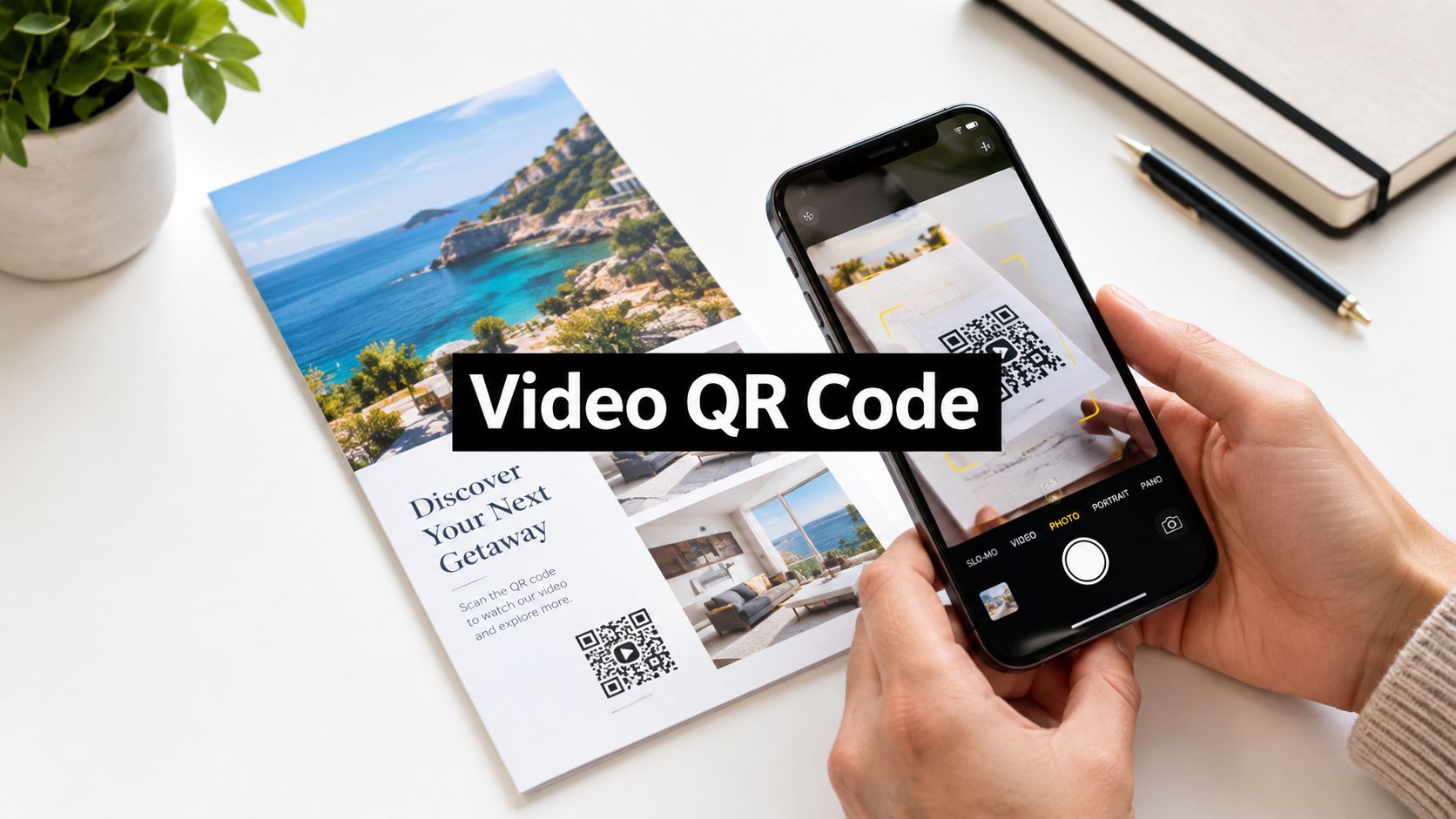
You're standing in front of a product package, event poster, or prototype screen. There's useful information behind it, but the only visible path is a long URL that someone would have to type on a phone. A video QR code removes that interruption. One scan can open a product demonstration, an onboarding walkthrough, or a mobile app preview without asking the user to remember, spell, or search for anything.
Introduction Why Video QR Codes Matter Now
QR codes have moved well beyond menus and promotional coupons. The code created by Denso Wave in 1994 became globally prominent during the COVID-19 era, when contactless behavior accelerated. By 2025, independent industry reporting estimated 11.2 billion global QR code scans, up from 8.9 billion in 2024, representing 26% year-over-year growth and showing that QR interactions had become a mainstream layer across industries, not a niche utility (State of QR Codes 2026).
That familiarity changes the product decision. A QR code on packaging can lead to a how-to video. A handout can open a lesson. An event badge can introduce a speaker. A prototype screen can take a stakeholder directly to a working mobile experience. The code isn't the experience itself, but it can make the first step almost effortless.
Product principle: A video QR code earns its place when the video supplies context that a plain link doesn't.
That distinction matters. If someone only needs a pricing page, a standard URL QR code may be enough. Video becomes more useful when the user needs to see a process, understand an interface, watch a demonstration, or receive guidance that would be difficult to communicate through text alone.
This guide focuses on the practical side of scan-to-video journeys. You'll learn how the code works, when static or dynamic routing makes sense, how to create and test one, and how to reduce friction around loading, trust, accessibility, and mobile viewing. The intended reader is a product team building or testing a mobile product, especially a founder, PM, designer, or developer sharing an app concept with other people.
What a Video QR Code Is and How It Works
Think of a QR code as a doorway, not a storage box. The black-and-white pattern usually stores a URL. That URL points to a hosted video page, a video platform, a landing page, or a product preview. The video file itself normally lives somewhere else.
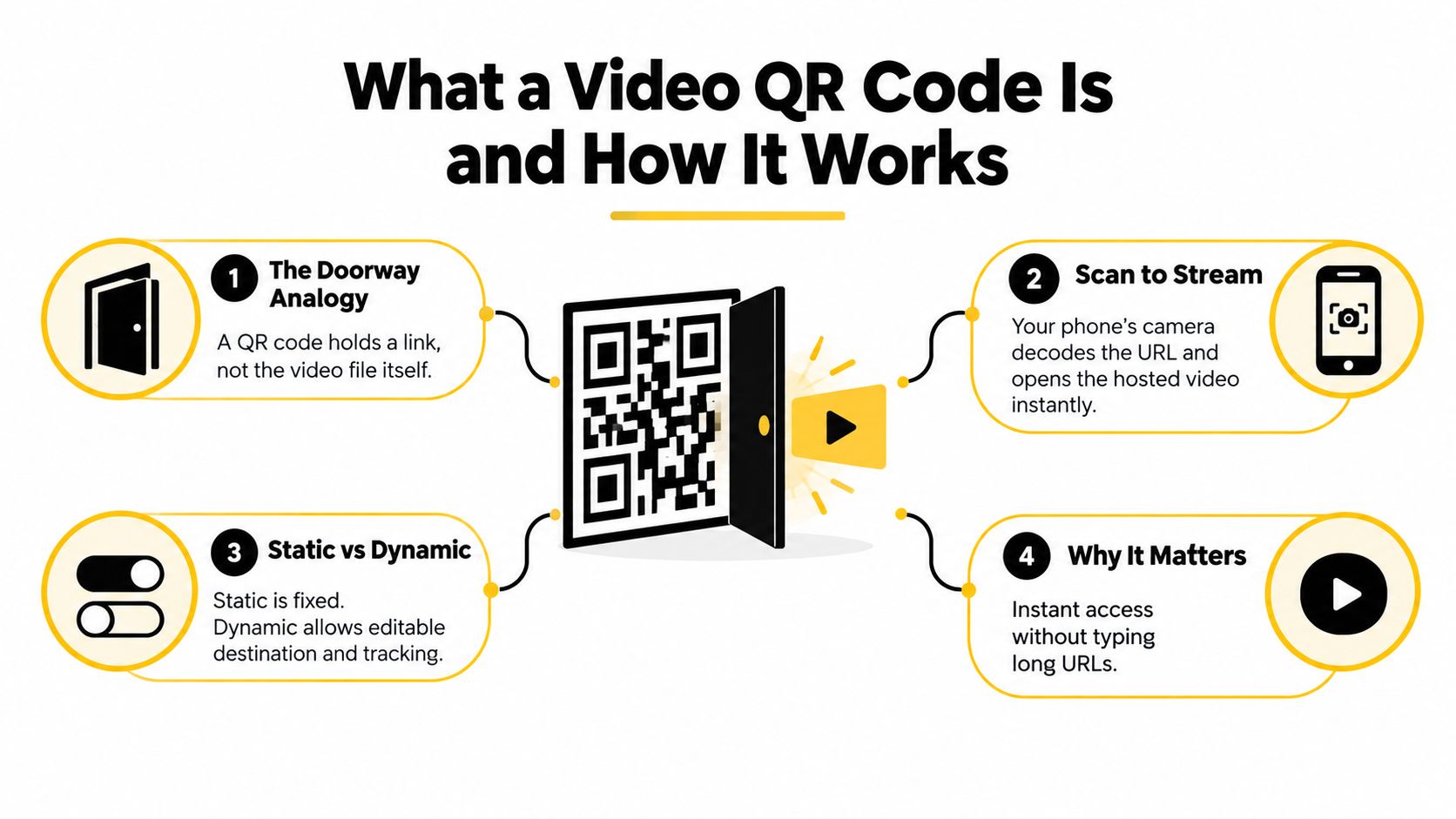
The scan-to-video path has four simple stages:
- The code presents a destination. A generator converts a URL into a QR pattern. The pattern contains encoded data that a phone can interpret.
- The camera detects the pattern. On a compatible phone, the native camera recognizes the code and offers a link to open.
- The browser or app fetches the destination. The phone follows the URL to wherever the video experience is hosted.
- The video page loads and plays. The result might be a YouTube or Vimeo page, a lightweight custom landing page, a QR platform viewer, or a mobile app preview.
This separation explains why the hosting choice matters. A printed code can remain physically unchanged while the destination page, video, or supporting context changes. With a fixed URL, however, changing the destination later may require creating and distributing a new code.
Printed codes and on-screen codes
A printed QR code needs sufficient size, contrast, and a clear quiet zone around the pattern. A code shown inside a presentation, livestream, or product video has an additional challenge: the viewer may see it only briefly, at a distance, or through a compressed stream.
Animation can work, but the QR pattern itself should stay still. Guidance on animated codes recommends keeping the data modules static while confining motion to the border or surrounding decoration. A scannable frame should remain visible for at least 500 milliseconds, with 1000 milliseconds safer, so mobile decoders have time to focus, sample frames, and complete error correction (guidance on animated QR codes).
If the pattern changes every frame, the phone may repeatedly restart recognition. The visual can look impressive while the scan fails. For product teams, the rule is simple: animate the presentation around the code, not the encoded modules.
Static Versus Dynamic Video QR Codes Compared
The most important choice happens before you download the image. A static QR code sends users directly to a fixed URL. A dynamic QR code generally sends them through an editable routing URL, allowing the destination to change without replacing the printed or displayed pattern.
Static routing suits a stable use case. You might print a code inside a one-off handout that points to a permanent product demonstration. Dynamic routing suits a living product workflow, such as packaging, event materials, campaign assets, or a prototype that will receive frequent revisions.
| Feature | Static QR Code | Dynamic QR Code |
|---|---|---|
| Destination | Fixed inside the code | Managed through an editable routing link |
| Editing later | Requires a new code if the URL changes | Destination can be updated without replacing the code |
| Tracking | Limited unless the destination provides analytics | Usually supports scan and campaign analytics |
| Best fit | Stable, simple, low-maintenance content | Iterative campaigns, product tests, and changing previews |
| Main trade-off | Less flexible after distribution | Depends on the routing service remaining available |
Choose for the life of the asset
A founder testing an app prototype may change the preview several times in a week. A dynamic code can keep the same poster or slide useful while the destination evolves. A designer presenting a single interaction concept to a small group may prefer a direct static URL because the setup is fast and the route is easy to understand.
Dynamic doesn't automatically mean better. It adds a service dependency and another layer between the camera and the video. The right question is whether future edits and measurement justify that layer.
QR activity continues to develop without proving that every QR placement will perform well. Bitly reports that QR scan volume grew 6.2% year over year from H1 2025 to H1 2026, while QRStuff reports that dynamic scans fell 12.2% from 2024 to 2025 after a surge, a pattern consistent with normalization rather than unlimited growth (Bitly's 2026 QR Code Trends Report). Treat the code as a product entry point, not as a substitute for a clear value proposition.
A useful decision rule is:
- Use static when the destination is stable, the asset has a short life, and measurement isn't central.
- Use dynamic when the destination may change, several audiences need different routes, or you need to compare scans with actual video engagement.
How to Create a Video QR Code Step by Step
You can create a video QR code through a hosted video link, a QR platform, or an integrated product workflow. The best path depends on who owns the video, how often the destination will change, and whether your team needs analytics or a polished landing experience.
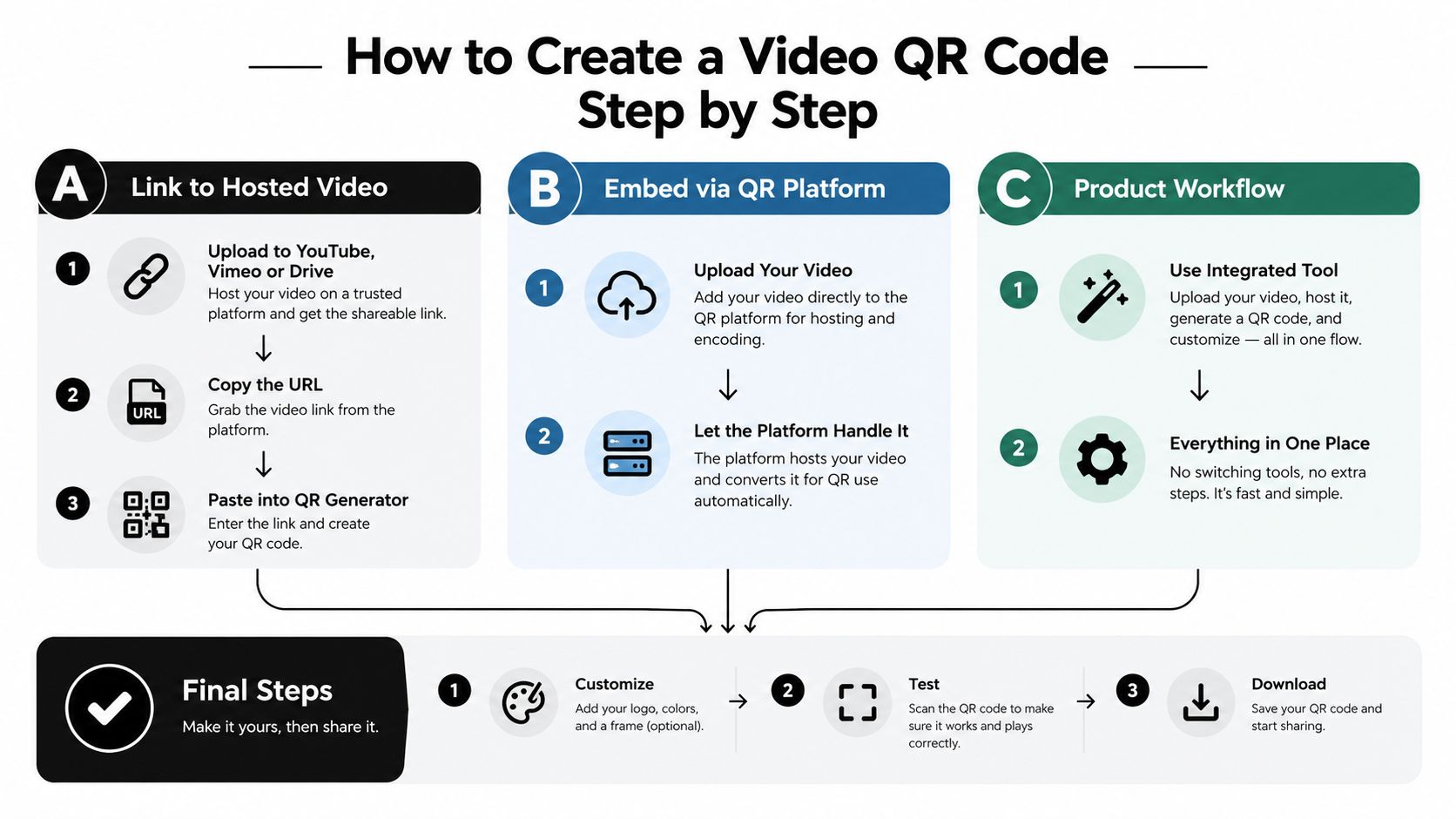
Path A Link to a hosted video
Upload the video to a platform such as YouTube, Vimeo, or an approved Drive setup, then copy the share URL into a QR generator. This is the simplest route because the hosting, playback, and sharing infrastructure already exist.
Before generating the code, check the viewer experience. A public video may expose unrelated recommendations, require sign-in, or open on a page with too much surrounding content. If your audience needs a focused explanation, use a landing page with a clear title, short description, transcript, and one primary action.
Path B Embed through a QR platform
Some QR platforms let you upload a video directly or connect a video destination to a managed code. This approach can provide a branded viewer, destination editing, and scan reporting in one place.
Keep the media broadly compatible. MP4 with H.264 encoding is commonly used because modern phones and browsers can handle it without an additional codec or app (video QR code format guidance). Compress the file enough for mobile delivery, but preserve readable interface text and spoken audio.
For event-related materials, the same scan-first pattern can support personal details, schedules, or introductions. A practical reference on applying QR journeys to ceremonies and event materials is how to use wedding QR codes.
Path C Use a product workflow
If the destination is an app prototype rather than a standalone video, use a workflow that creates a shareable mobile preview and its access link together. RapidNative's Expo QR code workflow is relevant when a product team needs stakeholders to open an app concept on a phone rather than watch a screen recording.
The final steps are the same across all paths:
- Add a promise: Place text beside the code, such as “Scan to watch the setup walkthrough.”
- Preserve contrast: Keep the pattern easy to distinguish from its background.
- Leave breathing room: Don't crowd the code with borders, logos, or nearby text.
- Test the route: Scan it on both iOS and Android, over the networks your audience is likely to use.
- Check the destination: Confirm that the video starts quickly, captions work, and the next action is visible.
A short walkthrough can clarify the basic creation flow:
Real World Use Cases and Examples That Work
The strongest examples start with a specific user question. Someone scans because they want information, not because the code itself is interesting. In Uniqode's 2026 report, 75% of consumers said they scan QR codes to get more information, ahead of discounts at 52% and payments at 35%. The same report says 71% consider QR codes useful in daily life (Uniqode's State of QR Codes 2026 report).
Packaging that answers the first question
A food product can place a code beside “Scan for preparation instructions.” The video can show the process from opening the package to serving the result. That beats a generic product page when the buyer wants to see the steps immediately, but it shouldn't force viewers through a long brand introduction before the useful part begins.
Handouts that extend a lesson
An education team can print a code beside a difficult concept and open a short explanation, pronunciation guide, or worked example. The page should include a transcript or written summary so learners who can't watch at that moment still receive the information.
Badges that add context to a conversation
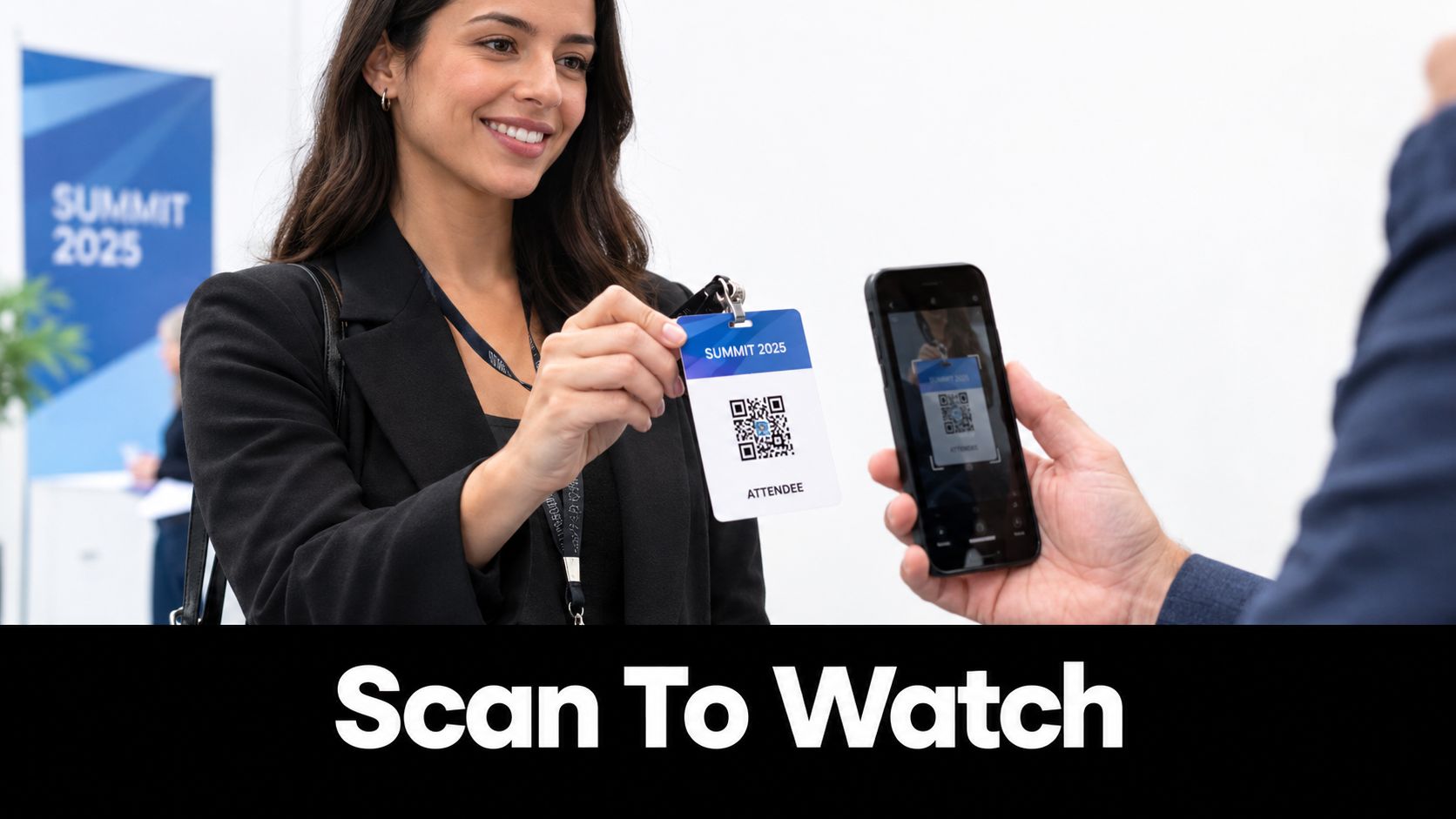
An event badge can lead to a speaker introduction, a project overview, or a sponsor demonstration. The promise should be explicit, because attendees are moving through a busy physical environment and may not scan an unexplained pattern. A short vertical video works well when the viewer is holding a phone in one hand and walking between sessions.
Prototypes that invite immediate feedback
A product manager sharing a prototype can put a QR code on a presentation slide or printed concept board. Instead of asking stakeholders to type a preview URL, the team can send them directly to the mobile interaction. A short orientation video can appear before the prototype, explaining what to test and which feedback matters. For teams exploring a short-form interface, a short video social app template can provide a concrete product context for that kind of review.
Video is justified when seeing the sequence reduces uncertainty. If a text label or plain link answers the question just as well, don't add playback, bandwidth, or trust friction.
Tracking Performance and Optimizing for Mobile
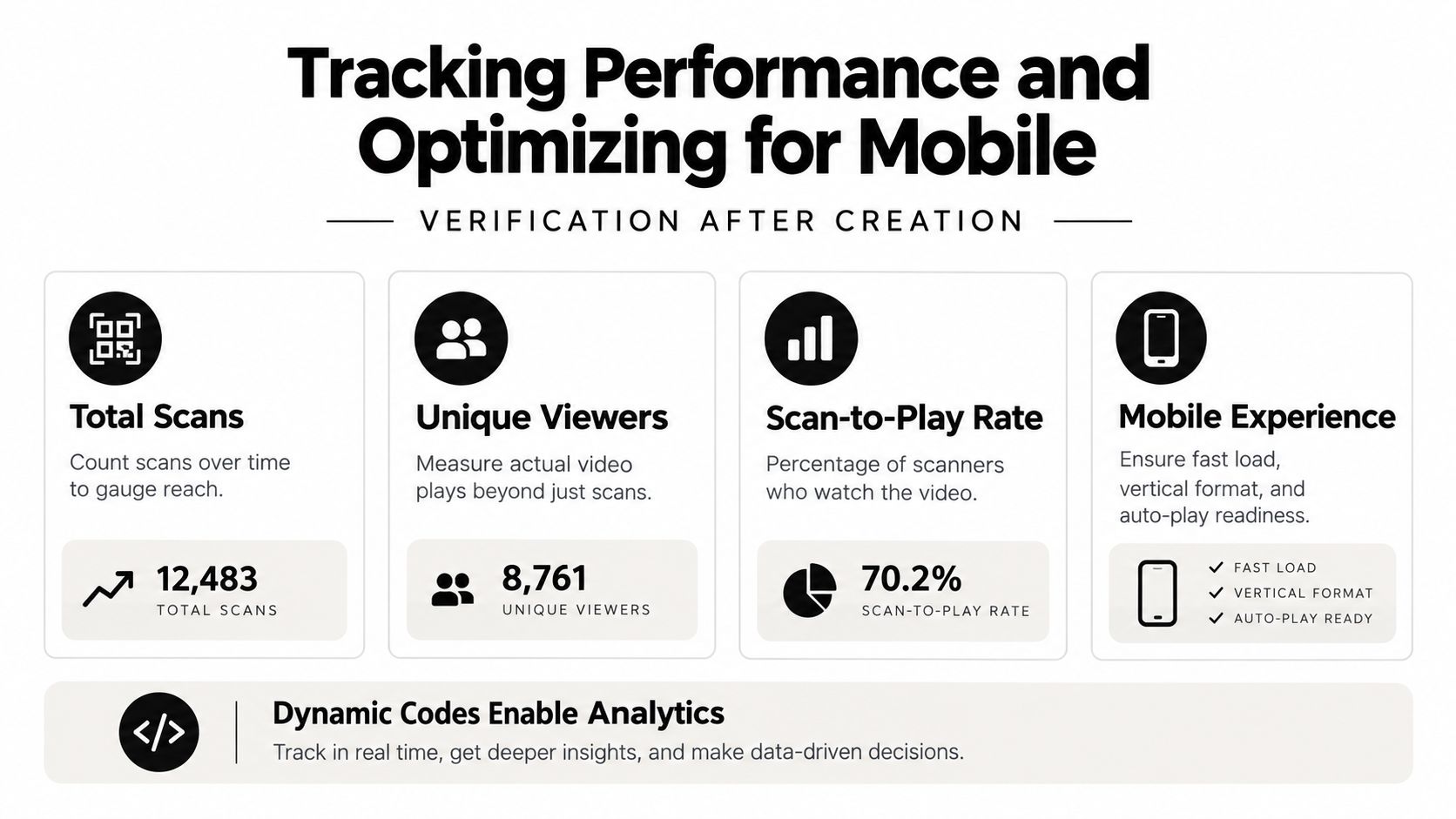
A scan is only the beginning of the journey. A useful review asks whether the person reached the page, started the video, watched enough to understand the message, and completed the intended action. Dynamic routing can help connect scan activity with destination analytics, but the team still needs to define what success means before looking at a dashboard.
Measure the whole path
Track the journey as a sequence rather than celebrating the first event:
- Total scans: Shows how often the code attracted an attempt.
- Unique viewers: Helps separate repeated scans from distinct people, where the platform supports that distinction.
- Scan-to-play rate: Reveals whether the destination loads well enough for people to begin watching.
- Completion or next action: Connects the video with the behavior it was meant to support.
A high scan count with weak playback may indicate a slow page, unclear consent prompt, broken routing, or a video that doesn't match the promise beside the code. A lower scan count with strong completion may suggest that the placement is narrow but well qualified.
Design for the device people actually use
QR interaction is overwhelmingly mobile. One 2026 report states that 89% of all QR scans occur on mobile devices, while another estimate puts scans at 85% on mobile versus 12% on desktop (QRTrac's 2026 QR statistics). Build and test the destination for a small screen first.
Use a concise landing page, readable text, visible play controls, captions, and a clear fallback link. Don't assume autoplay will work, especially when sound is enabled. A vertical or responsive player may suit handheld viewing better than a desktop-style video surrounded by tiny controls.
Protect the scan
Resolution and viewing geometry affect whether the camera can decode the code. In a live stream, practical scan distance depends on the stream's resolution rather than only on the camera sensor, and many mobile capture pipelines cap at 1080p (Dynamsoft's guidance on long-distance QR scanning).
Keep the code large, high contrast, and visible long enough for someone to position a phone. Test it from the actual distance, under the actual lighting, and through the actual presentation or streaming setup. Add recognizable branding and a plain-language promise so users can judge where the scan leads before opening it.
Best Practices and Workflow for Product Teams
Treat a video QR code like a small product surface. Start with the user question, write the promise beside the code, choose the shortest route that answers it, and test the complete experience on a real phone. Founders and PMs should define the desired action, designers should make the scan invitation obvious and accessible, and developers should verify routing, playback, fallbacks, and analytics.
For an app preview, the workflow can stay lightweight:
- Define the review task. Ask users to test navigation, onboarding, a particular feature, or the general concept.
- Create the preview destination. Use a shareable link or QR route that opens the mobile experience directly.
- Add context. Include a short video or instruction page only when it helps users understand what to do.
- Validate the physical or visual placement. Check size, contrast, quiet zone, lighting, distance, and screen persistence.
- Review behavior, not scans alone. Compare scans with playback, task completion, and qualitative feedback.
- Iterate without reprinting when appropriate. A dynamic destination can support changes, but keep the route trustworthy and stable.
A code shown inside a video needs the same discipline. The pattern should remain static, and its available pixels should be sufficient for the viewer's distance. A beautiful animation that can't be scanned is a failed interface.
Accessibility rule: Never make the QR code the only way to reach the content. Provide a short URL, captions, text instructions, and a clear description of what the scan opens.
Security deserves equal attention. Users should see the destination domain before the video loads, and teams should avoid unexplained redirects or pages that imitate familiar services. The scan should feel like a predictable next step, not a blind jump.
RapidNative lets product teams turn prompts, sketches, images, or PRDs into shareable React Native apps, with live previews that stakeholders can open through a link or QR code on their phones. Use RapidNative to create a focused mobile prototype, add a scan-to-preview route, and collect feedback while the experience is still easy to change.
Ready to build your app?
Turn your idea into a production-ready React Native app in minutes.
Free tools to get you started
Free AI PRD Generator
Generate a professional product requirements document in seconds. Describe your product idea and get a complete, structured PRD instantly.
Try it freeFree AI App Name Generator
Generate unique, brandable app name ideas with AI. Get creative name suggestions with taglines, brand colors, and monogram previews.
Try it freeFree AI App Icon Generator
Generate beautiful, professional app icons with AI. Describe your app and get multiple icon variations in different styles, ready for App Store and Google Play.
Try it freeFrequently asked questions
What is RapidNative?
RapidNative is an AI-powered mobile app builder. Describe the app you want in plain English and RapidNative generates real, production-ready React Native screens you can preview, edit, and publish to the App Store or Google Play.
Can I export the code?
Yes. RapidNative generates clean React Native and Expo code that you can export at any time. No lock-in, no proprietary format. Hand it to your developers or keep building inside RapidNative.
Is RapidNative free to use?
Yes. The free plan gives you 20 credits a month with no credit card required. Paid plans start at $20 a month and add more credits, code export, private projects and commercial rights to publish to the App Store and Google Play.
Do I need to know how to code?
No. Most users build apps by describing what they want in plain English. Developers can drop into the code whenever they want more control, but coding is optional.
How long does it take to build an app?
Most users have a working first screen in under a minute. A full MVP usually takes a few hours instead of the weeks or months traditional development requires.