9 Mobile Development Best Practices for 2026
Apply mobile development best practices across UX, React Native, performance, testing, security, and observability with practical checks for product teams.
By Riya
23rd Sep 2026
Last updated: 23rd Sep 2026

Your desktop prototype looks polished. Then someone opens it on a small phone, taps through the main flow on a weak connection, increases the system text size, or uses VoiceOver, and the experience starts to break. Buttons shift, loading states disappear, forms become frustrating, and a failed request leaves users wondering whether their action worked.
Strong mobile development best practices protect the complete product experience, from the first touch interaction to offline recovery, release monitoring, and future maintenance. The most important decisions aren't isolated engineering tips. They're product decisions supported by engineering checks: which journey matters most, what happens without a network, how quickly screens respond, and how the team detects regressions after release.
This list organizes nine practices around the decisions that create the most mobile rework. You'll see how to validate on real devices, design resilient flows, structure React Native code for change, use native capabilities deliberately, and measure reliability after users install the app. RapidNative can help teams validate React Native interfaces early through live device previews, while the production team still owns testing, security, observability, and long-term maintenance. For broader delivery planning, this guide to offshore mobile development best practices provides useful context on distributed mobile teams.
1. Build Mobile-First, Not Mobile-Responsive
A mobile-first product starts with the phone as the primary environment, not as a smaller version of a desktop experience. That changes decisions about navigation, touch targets, content priority, permissions, keyboard behavior, battery use, and how much information belongs on one screen.
For a React Native travel app, start the booking journey on an actual phone. Put destination search, dates, guest selection, payment, and confirmation into a flow that works comfortably with one thumb. A desktop browser can help you inspect layout structure, but it can't reveal whether a keyboard hides the submit button or whether a full-screen modal feels natural on iOS and Android.
Practical rule: Design the core journey for the phone first. Let larger screens inherit from that foundation instead of forcing the phone to inherit from desktop.
Validate the smallest realistic environment
Test the first prototype on a small screen, an older device, and a deliberately constrained connection. A polished animation that works on a fast development machine may consume too much memory or create hesitation on a lower-powered phone. Use platform-specific files such as .ios.js and .android.js when native conventions differ, rather than burying platform behavior inside complex conditional logic.
A practical first pass includes:
- Start with the main action: Make the most valuable task possible without unnecessary tabs, menus, or secondary content.
- Test touch before polish: Check reachability, tap target spacing, keyboard overlap, and gesture conflicts.
- Preview on a phone: Use mobile app design best practices while reviewing the rendered interface through a QR-based device preview.
- Challenge the assumptions: Test slow network conditions and older hardware before declaring the interaction complete.

The trade-off is clear. Mobile-first planning can constrain the initial design, but it exposes expensive problems while the team can still change the flow. Starting with a wide desktop layout often produces a responsive interface that technically fits, yet feels slow, crowded, or awkward to operate.
2. Establish Fast Iteration Cycles Through Real-Time Prototyping and Live Feedback
A finance app onboarding flow can look clear in screenshots and still fail in use. A live prototype shows whether users understand the navigation, abandon a long form, or misread a transition. That evidence lets the team change the flow before engineers build every screen around a weak assumption.
For a React Native team, the first check is simple: give a founder, PM, or designer a task to complete on a real phone. Watch where they pause, tap twice, or ask what happens next. Record the decision, then update the prototype while the interaction is still fresh. Real-time design feedback helps keep those comments tied to the rendered experience instead of scattered across screenshots and documents.
RapidNative can turn a prompt, sketch, image, or PRD into a shareable React Native interface. Use it to compare rough onboarding directions, test the order of fields, and review the same flow with stakeholders. The engineering check is whether the proposed states can be represented cleanly, including loading, validation, empty, and failure states.
Expo Snack is useful for isolating a component or interaction. A designer can test a filter sheet, while an engineer checks its props, state transitions, and platform behavior. Keep the experiment narrow. A prototype should answer product questions, not disguise unfinished code as a production implementation.
Use this review sequence:
- Ask for an action: Have stakeholders complete a task, such as creating an account, rather than approve a screen.
- Capture the decision: Note why the team changed navigation, copy, or interaction behavior.
- Check the failure path: Disconnect the request, submit invalid input, and confirm the interface explains what happens.
- Separate validation from delivery: Rebuild the approved direction with state management, tests, security controls, and release configuration.
The trade-off is speed versus false confidence. A live preview reduces rework, but it may hide native limitations, backend behavior, device differences, or build configuration problems. Mark the prototype's purpose clearly, then convert validated decisions into tickets and technical acceptance checks.
3. Prioritize Accessibility from the Start, Not as an Afterthought
A React Native shopping app can pass a visual review and still fail a customer using VoiceOver or TalkBack. Test the primary journey on real iOS and Android devices while increasing system text size, using assistive input, or viewing low-contrast labels. These checks expose interaction problems before they become expensive redesigns.
Treat accessibility as part of the component contract. Use Text for readable content, Pressable for actions, and FlatList for collections with a predictable reading order. A generic View can group layout elements, but it does not describe their purpose to assistive technology. Add accessibilityLabel when an icon has no visible text, and use accessibilityHint when the result of an action needs clarification.
Build one payment form as the reference flow. Its error message should be associated with the invalid field, announced without taking focus away from the user's task, and followed by a clear next action. Shared form and button components should carry these rules so new screens do not depend on individual memory.
Use this device check before approving the journey:
- Enable VoiceOver on iOS and TalkBack on Android, then complete the flow without looking at the screen.
- Increase the operating system text size and inspect wrapping, clipping, touch targets, and button placement.
- Check contrast for text, icons, disabled states, and focus indicators.
- Trigger loading, validation, and failure states. Confirm announcements are useful and do not interrupt input unnecessarily.
- Review focus order after modals open, close, or return the user to the previous screen.

Apply this accessibility guidance for mobile apps during component design. Clear labels, readable controls, and predictable focus behavior also reduce mistakes for users who do not use assistive technology. Treat the core journey as unfinished until it works with these checks.
4. Design for Offline-First Functionality
A field-service technician may open an assigned job, write notes, and attach photos where coverage drops in and out. A React Native app should save that work locally, show its synchronization status, and queue the write operation for the next available connection. A spinner that never resolves leaves the user unsure whether anything was saved.
Start with the states the user will see, then choose storage that supports them. AsyncStorage fits small, simple datasets. SQLite or another structured local store is a better choice when records, relationships, and synchronization rules grow more demanding. Optimistic updates can make an app feel responsive, but use them only when the team has defined what happens after a conflict or failed request. An Offline badge and pending-sync indicator should reflect the actual state.
For each critical action, answer four product questions:
- No connection: Can the user continue, and which features are unavailable?
- Pending synchronization: Does the interface show that the action is stored locally rather than implying that the server received it?
- Conflict: Can the user review meaningful differences before choosing which version to keep?
- Retry failure: Is the original input preserved, with a clear way to try again?
RapidNative can help teams mock slow responses, failed requests, and delayed synchronization while they shape the interface. A PM and designer can then decide whether a failed upload remains in a queue, whether an alert is needed, and which wording reduces uncertainty before the production API exists.
Test the flow on actual iOS and Android devices. Toggle connectivity during a save, close and reopen the app, interrupt an upload, and reconnect. Check that local records remain available, queued actions run once, and duplicate submissions do not appear. The trade-off is extra local state and conflict handling. That cost is preferable to lost work and unexplained failures.
5. Implement Resilient Error Handling and User-Centric Error Messages
An error is part of the product flow. Users need to know whether a payment went through, a message was saved, or an action is safe to repeat. The interface should answer those questions without exposing implementation details.
Consider a React Native checkout screen. “GET /api/payment failed” helps an engineer, not a customer. “We couldn't confirm your payment. Check your connection and try again. You won't be charged twice” gives the user a clear next step and reduces panic. The backend should still log the original exception for diagnosis.
Design each failure around recovery
Separate problems the user can fix from failures the app can retry safely. Invalid form input needs field-level guidance. A timeout may need a retry button plus protection against duplicate submissions. A permission denial should explain which feature is affected and offer a useful alternative when possible.
Check each path in the running app:
- Network failure: Keep entered data visible and make retry behavior idempotent.
- Timeout: Show an honest waiting state and disable actions that could submit twice.
- Invalid input: Identify the exact field and state the accepted format.
- Component crash: Add React error boundaries with recovery UI instead of leaving a blank screen.
- Production exception: Capture diagnostic context with Sentry or a comparable monitoring service, then alert the team to critical failures.
Gmail's offline compose experience shows how a pending state can remain understandable instead of turning a connection problem into a dead end. A trading app requires stricter messaging. It should distinguish a stale quote, a rejected transaction, and a connectivity problem because each carries a different user risk.
Prototype failure states beside successful states. On a React Native checkout flow, test a slow response, rejected payment, and app restart on physical iOS and Android devices. Confirm that the message matches the server state, the original input remains available, and the retry action cannot create a second charge. Ask someone unfamiliar with the implementation to read each message and describe the next action. If they cannot, revise the interface rather than expecting technical knowledge from the user.
6. Optimize Performance Through Lazy Loading and Code Splitting
A learning app should not download every feature before a student selects a course. Load the sign-in and course-selection flow first, then defer lesson video metadata, account settings, and administrative tools until users request them. Route-based loading reduces startup work, while focused asset loading helps limit memory use during the active journey.
Set a performance budget from observed behavior rather than applying caching or splitting everywhere. Google-linked mobile guidance cites 53% abandonment for mobile experiences taking longer than 3 seconds to load, with common targets of a cold launch under 2 seconds and UI motion at 60 fps or higher. These figures, summarized in mobile app benchmark guidance, offer starting points. Release-like builds and real user data decide whether your app meets them.
For a React Native app, use React.lazy() and Suspense for route-level splitting when the project setup supports it. Show a useful loading skeleton, not a blank screen. In an image-heavy feed, resize assets, choose suitable formats, and request images as they approach the viewport. Delay expensive analytics, admin screens, and other work outside the first task.
Check the experience on a physical phone:
- Does the first useful screen appear quickly on a cold launch?
- Does scrolling stay responsive while images load?
- Does navigation avoid unnecessary renders?
- Does a deferred chunk or asset failure produce recovery UI?
Use Flipper, React DevTools, and platform profilers to inspect startup work, renders, memory pressure, and frame drops. RapidNative's live preview can reveal rough navigation behavior as screens are added, but it is an early signal rather than a release verdict. Test representative data on real iOS and Android devices, then compare startup time, frame stability, and failure recovery across release builds.
7. Use Native Platform Capabilities and Platform-Specific Code
React Native provides shared code, not identical behavior. iOS and Android set different expectations for navigation, permission prompts, back actions, notifications, keyboard handling, haptics, and system APIs. Treat those differences as product decisions that require engineering checks.
For a delivery app, the order model and card component can remain shared while permission explanations and navigation patterns follow each platform's conventions. A voice feature may need native audio handling, background execution, and separate interruption rules. Putting every exception into one conditional component makes review, testing, and future changes harder.
Start by drawing the shared boundary. Keep validation, data mapping, and domain rules platform-neutral. Isolate native presentation and device integration in .ios.js and .android.js files when the interaction or implementation differs. This keeps platform decisions visible instead of hiding them inside nested conditions.
A practical React Native review covers four checks:
- Shared logic: Can the same tests verify validation, mapping, and business rules?
- Native behavior: Does each platform use familiar navigation, permission, back, and notification patterns?
- Dependency health: Is the native library maintained, documented, and compatible with the app's Expo setup?
- Device verification: Does the feature work on physical iOS and Android devices, including denied permissions and interrupted tasks?
For a camera flow, for example, test permission denial, returning from system settings, rotation, and backgrounding on both platforms. Use a maintained community library when it meets the requirement. Write a custom native module only when the product needs behavior existing options cannot provide.
RapidNative supports iOS, Android, and web-oriented prototyping. Teams can begin with a shared interface, then mark the points where native adaptation is required. The trade-off is more files and more test coverage. That cost pays off when a cross-platform flow would otherwise feel unfamiliar on both systems.
Record platform differences in the component or interaction guide. Designers, PMs, and engineers should see why a bottom sheet, permission prompt, or back action changes between operating systems.
8. Implement Modular Component Architecture
A sign-in screen often exposes the cost of unclear ownership first. If one React Native component handles layout, navigation, fetching, validation, analytics, and error states, a small product change can affect several flows. Separate those responsibilities so teams can adjust one interaction without surprising another.
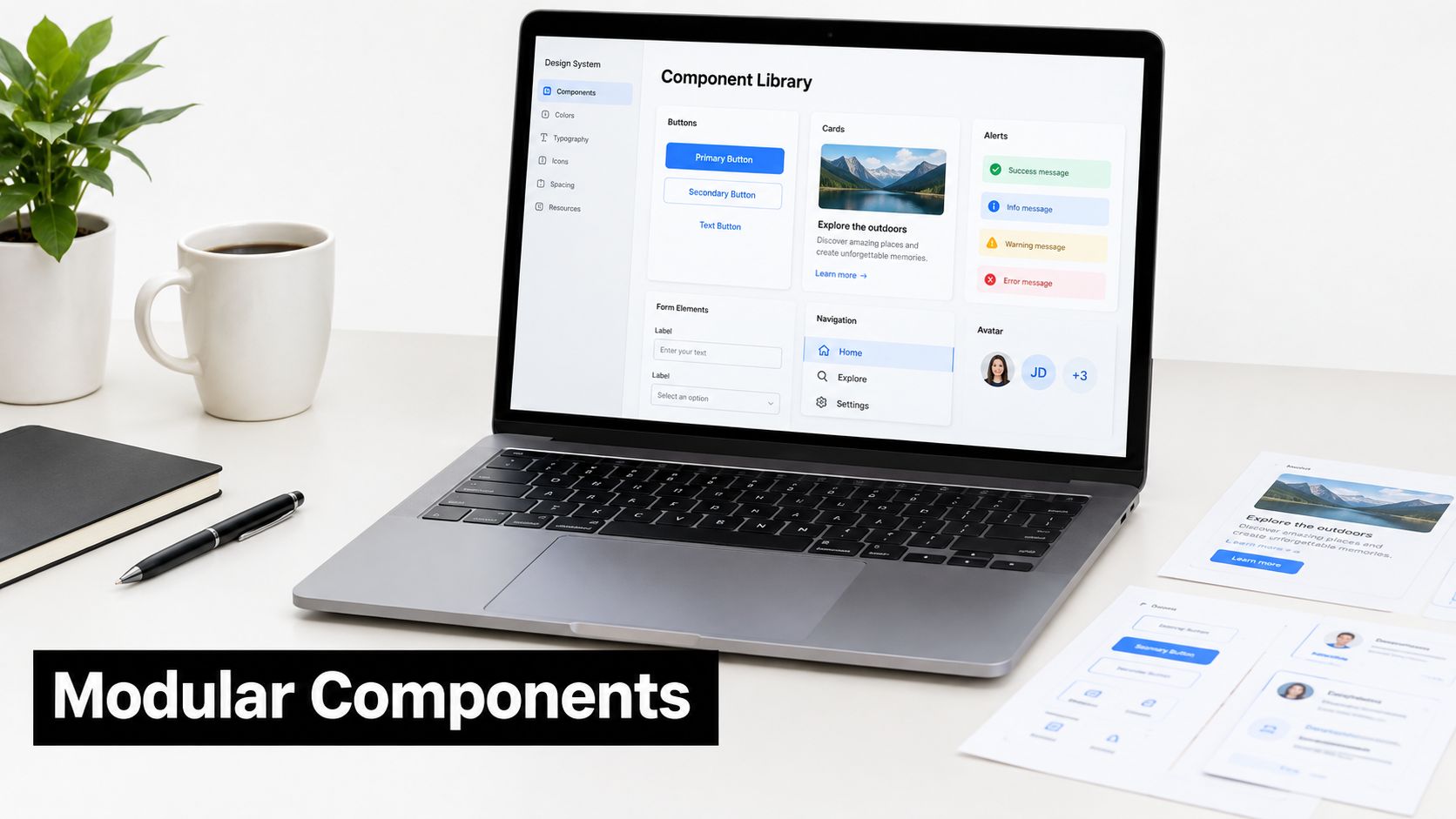
Build the first real journey before defining a large component library. On a sign-in or checkout screen, identify controls that repeat and extract them when the repetition represents a product rule. A shared Button can own loading, disabled, pressed, and accessibility states. It should receive those states through focused props, not infer navigation or call a screen-specific API.
Use TypeScript to catch renamed props and invalid values during development. Give each component a contract that answers four practical questions:
- Inputs: Which props does it need, and does it avoid unrelated global state?
- States: Can loading, empty, error, disabled, and success behavior be shown independently?
- Usage: Is there an example inside a real product flow?
- Composition: Can a screen combine it without changing its internal behavior?
A component that passes these checks is easier to review. A component that cannot demonstrate its states will usually create gaps in testing and design review.
For example, test the checkout Button with a slow network response, a rejected payment, and a repeated tap. In Storybook or an Expo Snack, verify that its label, disabled state, accessibility announcement, and loading indicator remain correct. Keep domain logic, state ownership, and security-sensitive operations in the screen or service layer rather than hiding them inside a visual component.
RapidNative can help teams generate an initial interface and spot repeated pieces as screens emerge. Review the exported code before adopting its boundaries. More files and tests add maintenance cost, but they reduce rework when a shared interaction changes. Avoid splitting every visual fragment into its own file. The useful boundary is the one that gives a behavior clear ownership and keeps changes contained.
9. Plan for Scalability and Monitor Performance Metrics from Day One
A React Native feed can feel fast with a small development dataset, then stall as records accumulate, image sizes vary, and local state grows. Before release, define acceptable startup, rendering, memory, and screen-loading behavior. Test those limits on representative iOS and Android devices, not only in a simulator.
Performance work should follow the release cycle. Android guidance treats benchmarking as a recurring way to detect regressions after code changes. The mobile performance testing benchmarks describe 3.8 seconds as a fast Lighthouse threshold, 3.9 to 7.3 seconds as needing improvement, and above 7.3 seconds as slow. The same guidance warns that a p95 screen-render time above 3 seconds means at least 5% of users see the app hang. Use those reference points as checks, then set budgets that match your product and target devices.
A useful review starts with the user journey. In a React Native subscription app, profile the first-run flow, feed, and checkout before a rarely used settings screen. Use React Native performance tools to inspect frame rate, render behavior, and unnecessary updates. Also track crashes, startup time, memory growth, bundle size, and the time required to reach a usable state.
Keep the release review concrete:
- Startup: Measure time to the first useful interaction, not only the splash screen.
- Runtime: Reproduce scrolling, typing, and checkout while watching frame drops, repeated renders, and memory growth.
- Data growth: Exercise pagination, filtering, and large lists with representative records.
- Release comparison: Compare the current build with a known baseline and investigate regressions before shipping.
Product instrumentation needs the same discipline. Guidance on mobile analytics and survey design recommends outcome-linked measures such as activation, retention, churn, revenue per user, crashes, and campaign conversion instead of recording every tap. Connect startup and checkout reliability to activation and paid conversion, and document why each event exists. Keep collection purposeful and privacy-conscious.
Use RapidNative to compare early choices such as pagination and infinite scrolling, then validate the selected approach in production-like builds. Instrumentation adds work before the interface feels finished, but it exposes expensive architectural decisions while they are still practical to change.
10. Establish Fast, Reliable Testing and CI/CD Gates
A reliable release process combines fast checks with a small number of realistic device journeys. Unit tests can validate pure functions, component tests can cover reusable controls, and end-to-end tests can verify that navigation, networking, permissions, and platform behavior work together.
Choose a high-risk path as the first smoke test. Sign-in, onboarding, checkout, and message sending are good candidates because they cross several boundaries. If a shared Button changes its props or accessibility labels, test its states directly. If navigation changes, run the relevant device flow on both iOS and Android.
Gate the changes that matter
A pull request should catch TypeScript errors, lint failures, broken component tests, and critical interaction regressions before merge. Release candidates should include iOS and Android checks, including Android back-button behavior, permission-denied paths, offline recovery, timeouts, large text, and configuration for production services.
React Native teams often combine managed automation with native tooling. A 2024 React Native community survey reported Expo's EAS Build as the top build tool at 50% adoption, while manual signing and builds still had substantial usage with Xcode at 59.7% and Android Studio at 54.5%. The survey also reported that 88% of respondents felt React Native was moving in the right direction. These figures appear in the 2024 State of React Native survey summary, and the practical lesson is not to eliminate native tools. Automate the common path, but retain enough native-toolchain knowledge to diagnose signing, store, and platform-specific failures.
Apple's standard review timing is less than 24 hours, with 90% of submissions reviewed in under 24 hours, according to this App Store review timing guide. A failed review or broken release configuration can still interrupt your schedule, so keep a release candidate checklist and rehearse rollback or hotfix procedures.
10 Mobile Development Best Practices Comparison
| Title | Implementation complexity | Resource requirements | Expected outcomes | Ideal use cases | Key advantages |
|---|---|---|---|---|---|
| Build Mobile-First, Not Mobile-Responsive | Moderate, requires rethinking design workflows and constraints from day one | Device-first prototyping, mobile designers/devs, testing on real phones | Native-feeling mobile UX, faster loads, prioritized core journeys | Consumer apps with majority mobile users, single-screen-first products | Better mobile performance and usability; simpler navigation; clearer feature prioritization |
| Establish Fast Iteration Cycles Through Real-Time Prototyping and Live Feedback | Low–Moderate, tooling setup and cultural shift required | Live-preview tools, collaboration platforms, initial tooling investment | Faster feedback loops, reduced rework, improved alignment | Early-stage products, distributed teams, rapid validation scenarios | Rapid validation with stakeholders; fewer handoffs; faster design–dev sync |
| Prioritize Accessibility from the Start, Not as an Afterthought | Moderate–High, requires education and design changes across components | Accessibility tools, assistive-technology testing, training and audits | Inclusive UX, reduced legal risk, larger reachable audience | Public-facing apps, regulated domains, products targeting broad demographics | Expanded market access; improved usability for all; lower legal exposure |
| Design for Offline-First Functionality | High, complex sync, conflict resolution and storage strategy | Local DBs (SQLite/Realm), sync infrastructure, network-condition testing | Reliable offline use, better perceived performance, higher retention | Apps used in low-connectivity areas, fieldwork, content consumption apps | Offline reliability; reduced server load; instant perceived interactions |
| Implement Robust Error Handling and User-Centric Error Messages | Moderate, design and instrumentation effort across flows | Error-tracking services, UX time for messages, testing of failure states | Clear recovery paths, fewer support tickets, faster debugging | Transactional flows (payments), high-risk user journeys, customer-facing apps | Improved user trust; actionable guidance; faster issue triage |
| Optimize Performance Through Lazy Loading and Code Splitting | Moderate–High, build and bundling complexity | Build tooling changes, profiling tools, engineering time to refactor | Faster startup, lower memory use, smaller initial download | Large or media-heavy apps, apps targeting budget devices or metered networks | Reduced startup time; smaller install sizes; better runtime performance |
| Leverage Native Platform Capabilities and Platform-Specific Code | High, requires native language knowledge and bridges | Native developers, platform-specific testing, maintenance effort | True native behavior and performance, access to OS features | Device-intensive features (camera, voice), apps needing platform conventions | Access to latest APIs; native UX; improved performance for device features |
| Implement Modular Component Architecture | Moderate, initial design and governance overhead | Component library tooling (Storybook), documentation, TypeScript/CI | Reusable UI, parallel development, fewer duplicated bugs | Large teams, multi-platform products, long-lived codebases | Faster delivery via reuse; easier onboarding; isolated bug fixes |
| Plan for Scalability and Monitor Performance Metrics from Day One | Moderate, architectural planning and ongoing monitoring setup | Monitoring/analytics tools, instrumentation, engineering effort | Early detection of regressions, data-driven optimizations, stable growth | Apps expecting user growth, high-traffic services, performance-sensitive products | Prevents regressions; informed prioritization; improved retention |
| Establish Fast, Reliable Testing and CI/CD Gates | Moderate–High, test strategy, device checks, and CI pipelines | CI infrastructure, device farms/emulators, test maintenance overhead | Fewer regressions, reliable releases, safer refactors | Production apps with frequent releases, mission-critical flows | Automated quality gates; repeatable releases; higher release confidence |
Turn the Checklist Into a Release Habit
The best mobile development best practices become valuable when they form a repeatable operating rhythm. Start with one important user journey, such as sign-in, booking, checkout, or first-run activation. Validate it on a real phone, on both major platforms where relevant, and under conditions that reflect how people use mobile products.
A practical cycle looks like this:
- Validate the core flow: Begin with a phone-sized prototype and test touch behavior, navigation, copy, and task completion.
- Challenge the happy path: Turn off the network, deny permissions, enter invalid data, interrupt a request, and reopen the app.
- Check accessibility: Use VoiceOver or TalkBack, increase text size, inspect contrast, and verify that controls have meaningful labels.
- Measure performance: Establish a baseline for startup, screen rendering, scrolling, memory, and crash behavior.
- Run automated gates: Keep unit and component checks fast, then reserve device-level tests for integrations and journeys that need them.
- Review production signals: Watch crashes, activation, retention, churn, conversion, and other outcome-linked events after release.
Retention data explains why this rhythm matters. One benchmark covering 31 categories reported 25.3% day-1 retention and 5.7% day-30 retention, so onboarding and first-run value deserve attention before a team adds a large feature backlog. The benchmark is summarized in this mobile app retention guide. Platform behavior can differ too. One benchmark reported Android retention at 23.01% on day 1, 11% on day 7, and 2.59% on day 30, compared with iOS at 25.65%, about 12%, and 4.13% respectively, as detailed in this platform retention comparison. Use those figures as context, then rely on your own cohort data for product decisions.
Don't attempt a full rewrite of every screen before learning where users struggle. A narrow, instrumented journey can reveal whether the problem is unclear onboarding, slow startup, an inaccessible control, unreliable synchronization, or a release regression. Fix the highest-impact failure, measure the result, and let evidence shape the next investment.
RapidNative is useful at the early validation stage when a team is moving from a prompt, sketch, image, or PRD to a shareable React Native prototype. Its live rendering and device previews can help founders, PMs, designers, and developers align on screens, navigation, and reusable components before production implementation begins. Exported code still needs your team's testing, security review, observability, native configuration, dependency management, and maintenance process. A faster prototype doesn't remove those responsibilities. It helps the team reach the right production decisions sooner.
RapidNative turns prompts, sketches, images, or PRDs into shareable React Native prototypes that teams can preview live on iOS, Android, and web. Use it to test a core mobile journey early, gather feedback on a working interface, and move validated decisions into your own codebase by visiting RapidNative.
Ready to build your app?
Turn your idea into a production-ready React Native app in minutes.
Free tools to get you started
Free AI PRD Generator
Generate a professional product requirements document in seconds. Describe your product idea and get a complete, structured PRD instantly.
Try it freeFree AI App Name Generator
Generate unique, brandable app name ideas with AI. Get creative name suggestions with taglines, brand colors, and monogram previews.
Try it freeFree AI App Icon Generator
Generate beautiful, professional app icons with AI. Describe your app and get multiple icon variations in different styles, ready for App Store and Google Play.
Try it freeFrequently asked questions
What is RapidNative?
RapidNative is an AI-powered mobile app builder. Describe the app you want in plain English and RapidNative generates real, production-ready React Native screens you can preview, edit, and publish to the App Store or Google Play.
Can I export the code?
Yes. RapidNative generates clean React Native and Expo code that you can export at any time. No lock-in, no proprietary format. Hand it to your developers or keep building inside RapidNative.
Is RapidNative free to use?
Yes. The free plan gives you 20 credits a month with no credit card required. Paid plans start at $20 a month and add more credits, code export, private projects and commercial rights to publish to the App Store and Google Play.
Do I need to know how to code?
No. Most users build apps by describing what they want in plain English. Developers can drop into the code whenever they want more control, but coding is optional.
How long does it take to build an app?
Most users have a working first screen in under a minute. A full MVP usually takes a few hours instead of the weeks or months traditional development requires.