8 Rapid Prototyping Examples That Validate Ideas
Explore 8 rapid prototyping examples across mobile and web, with workflows, tools, outcomes, lessons, and RapidNative handoff tactics.
By Rishav
25th Sep 2026
Last updated: 25th Sep 2026
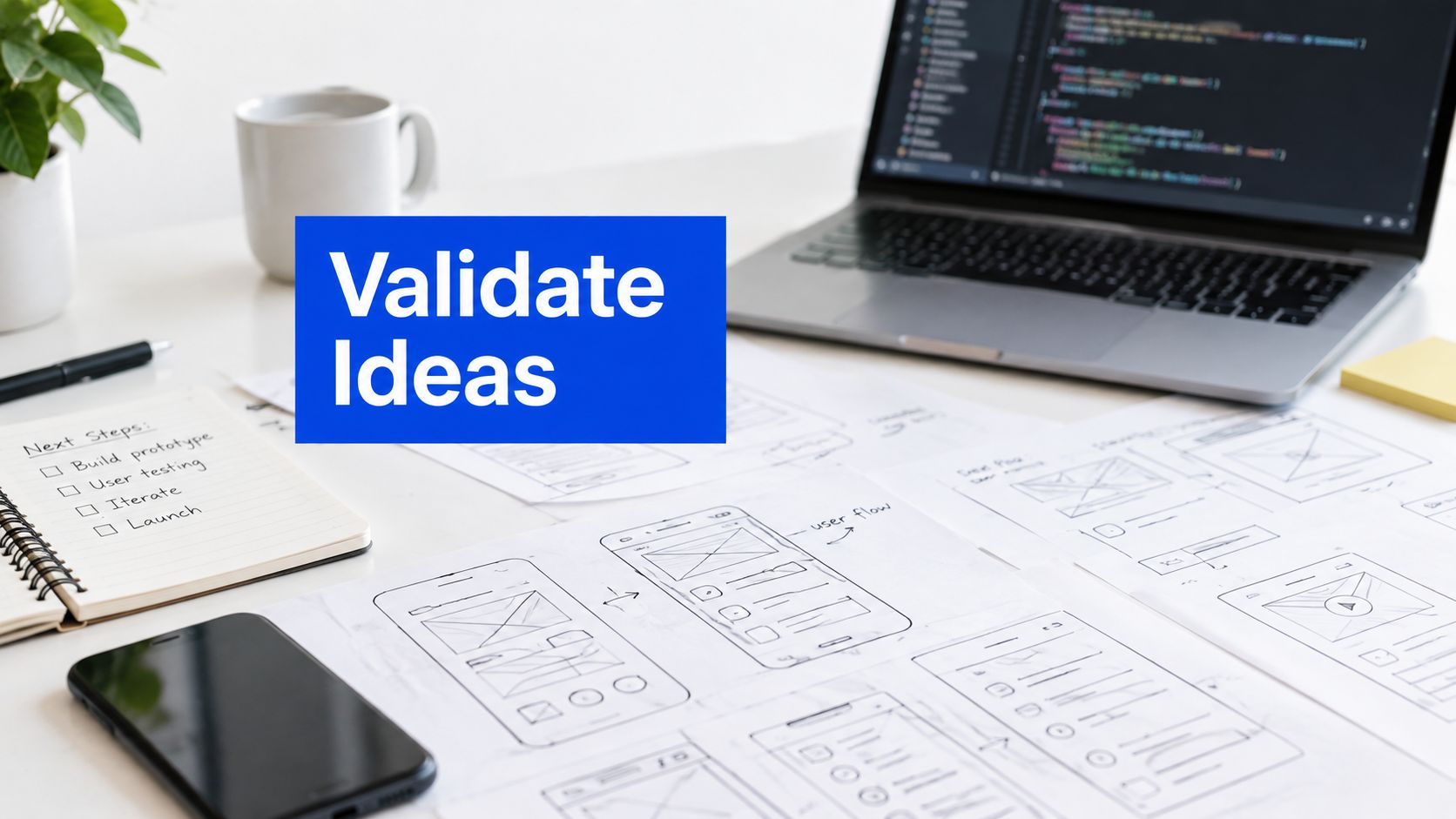
A prototype isn't just a static screen or a throwaway demo. That popular advice is too narrow for teams building mobile products, because a useful prototype should expose a decision: can users complete onboarding, do they understand the value proposition, does a checkout flow make sense, or can engineering work from the result without starting over?
The strongest rapid prototyping examples follow a complete path from input to learning. A founder may start with a prompt, a designer with a screenshot, a product manager with a PRD, or a team with rough whiteboard sketches. The build then becomes a testable mobile or web experience, stakeholders interact with it, and the team decides whether to refine, discard, or hand it to engineering.
This article compares eight practical workflow patterns. Each example covers the starting input, the build sequence, the tools or capabilities involved, what the team can learn before committing engineering time, and where generated code still needs human review. RapidNative is relevant here because it supports prompt-to-app, image-to-app, PRD-to-app, whiteboard-to-app, collaboration, live preview, and React Native export workflows. The point isn't to make every prototype polished. It's to make each prototype answer the right question.
1. AI-Powered Prompt-to-App Generation
A natural-language prompt can turn a rough product idea into an interactive mobile flow without requiring a founder or PM to write the first line of code. The useful shift isn't merely speed. It's that the team can evaluate navigation, screen hierarchy, and the core journey before a developer commits to an architecture.
A founder testing a fitness app might prompt for account creation, a goal-selection screen, a daily workout plan, and progress tracking. A product manager could describe a redesigned subscription flow and use the result in an engineering discussion. A designer might generate several checkout variations, then test which sequence users understand most easily.
RapidNative's prompt-to-app workflow fits this pattern by moving from plain-language intent toward a shareable React Native experience. The prompt should describe what the user does, not just the feature name. “Create a login screen” is weaker than “Create a login screen with email and password fields, social authentication buttons, validation states, and a route to account recovery.”
Build the journey before the polish
Start with the smallest complete path. Add reference screenshots, design-system rules, brand colors, or typography guidance when visual alignment matters. Generate the main screens first, then refine spacing, copy, empty states, and transitions after the team confirms that the journey is worth pursuing.
Practical rule: Prompt for user actions, states, and transitions. A feature list rarely describes enough behavior to make a useful prototype.
The generated output still needs review. Check whether navigation matches the intended information architecture, whether error states are credible, whether accessibility has been considered, and whether the code uses components that developers can maintain. Export and iterate on the generated code rather than repeatedly regenerating the same flow from scratch.

A live preview makes the concept easier to discuss because stakeholders can interact with the same journey instead of interpreting a description. That interaction doesn't prove product-market fit, but it can reveal unclear flows, missing decisions, and assumptions that would otherwise reach engineering as vague requirements.
2. Design-to-Code With Image and Sketch Import
A design file becomes more valuable when it can be explored as a working interface rather than viewed only as a collection of screens. Image and sketch import lets teams begin with a Figma frame, a wireframe, a mockup, or a photograph of a whiteboard and turn that visual input into structured screens.
A design agency could convert client mockups into an interactive iOS and Android review build. A UX designer could test whether a new tab pattern makes sense in a real flow. During a planning session, a product team could photograph whiteboard sketches and use them as the first version of a working experience instead of reconstructing every screen manually.
The design-into-code workflow is most effective when the source material is clear. High-quality images and vector assets give the conversion process better information. In Figma, clearly named layers help people and tools understand which elements are headings, buttons, cards, or navigation controls.
Treat visual conversion as a first pass
The first generated screen should answer whether the layout and interaction direction are viable. It shouldn't be treated as the final interpretation of a complex visual system. Custom gestures, unusual animations, dense data displays, and brand-specific interactions usually need refinement by a designer and developer.
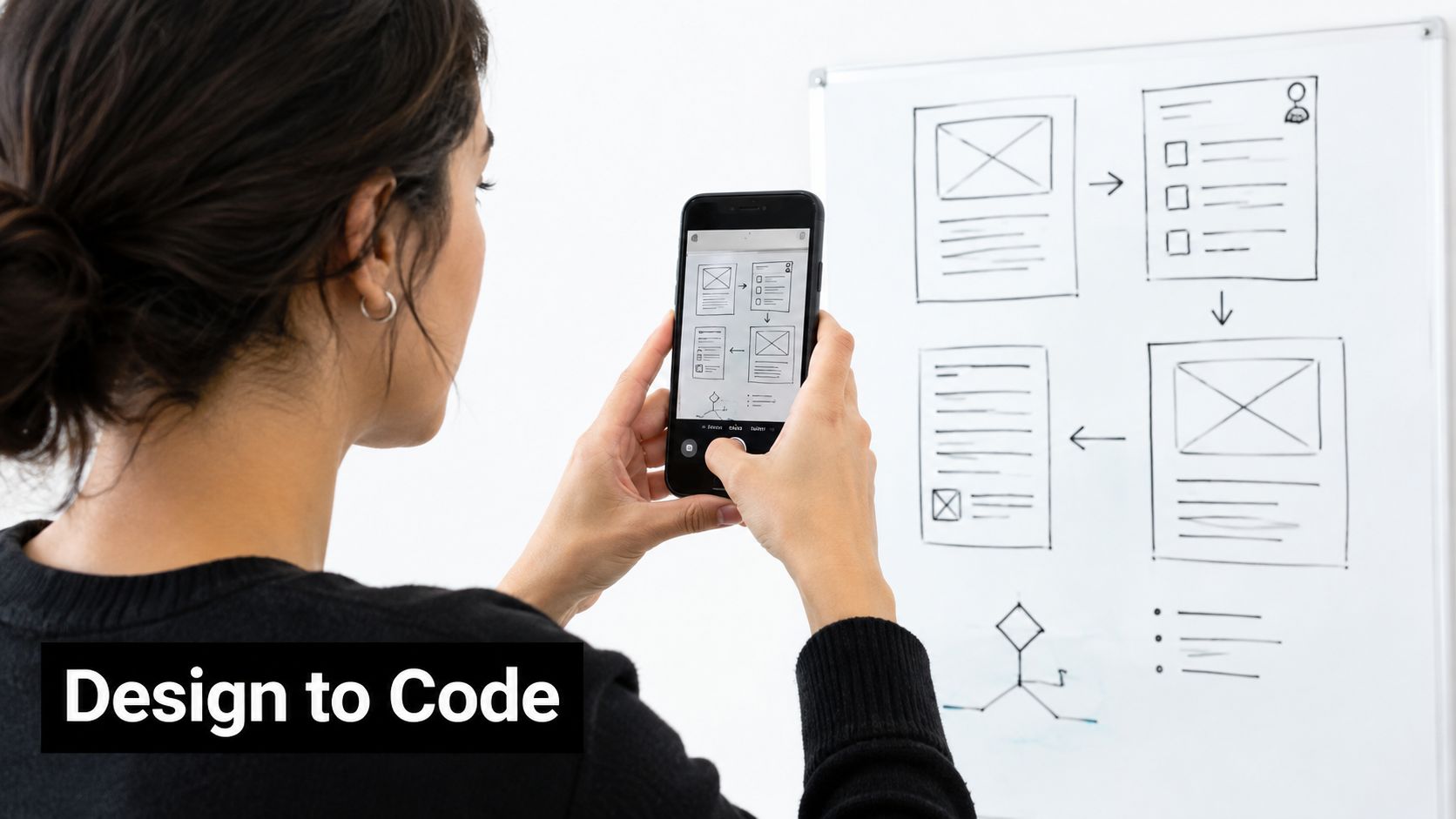
Use this pattern when the question depends on visual structure. Generate a few checkout or onboarding variants, keep the underlying journey comparable, and test which hierarchy users follow. Don't spend time perfecting shadows or micro-interactions before confirming that people can find the next action.
The handoff benefit is a shared reference point. Engineers can inspect the generated component structure and compare it with the intended design. They still need to validate responsive behavior, semantic structure, platform conventions, and the feasibility of any interaction that the imported image couldn't fully express.
3. Real-Time Collaborative Prototyping
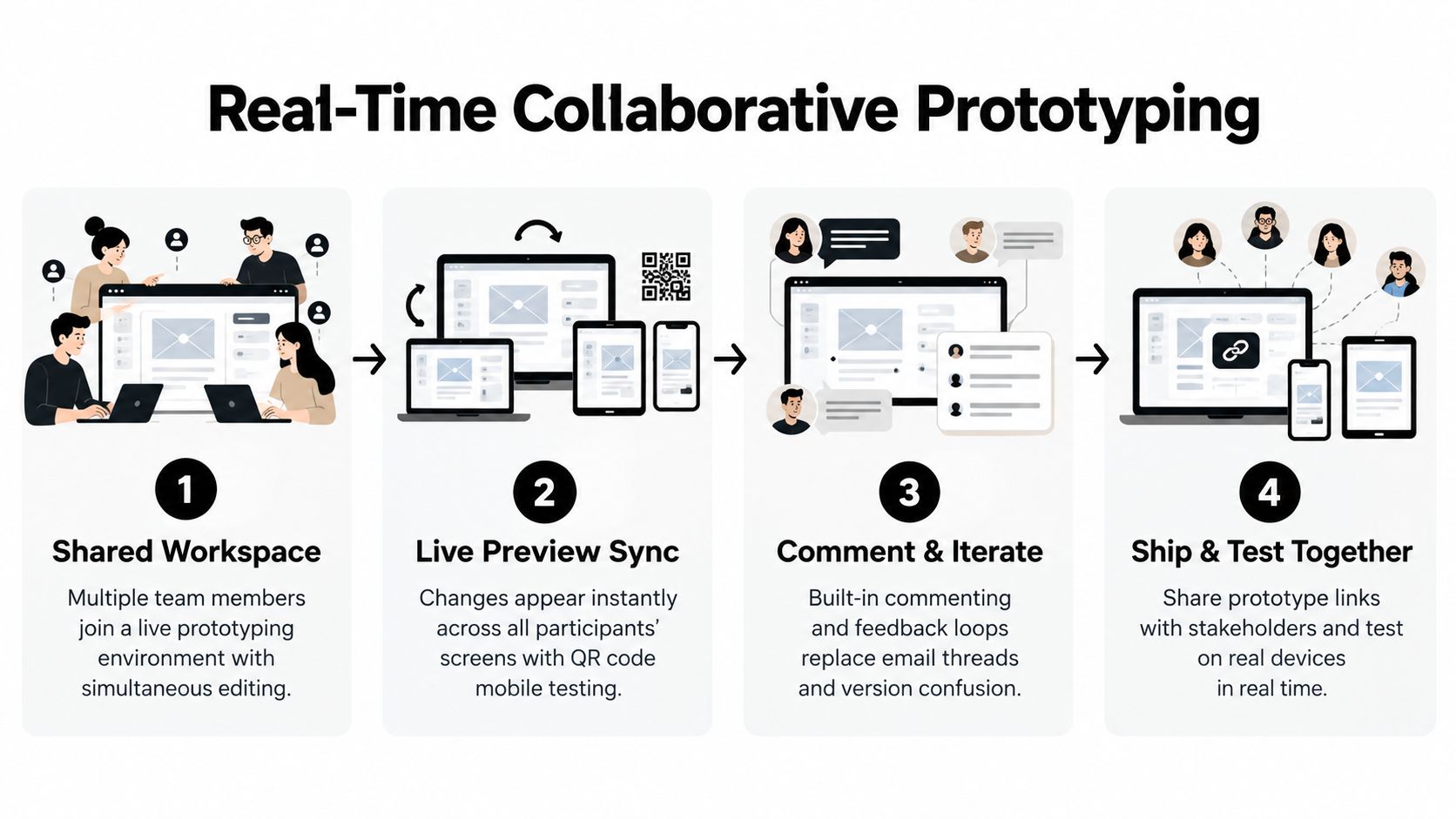
A shared prototype changes the meeting from “what do you think this screen should do?” to “try the flow and tell us where it breaks.” Founders, PMs, designers, and developers can work against the same current version, which reduces the confusion caused by screenshots circulating in different states.
Consider a distributed startup with colleagues in San Francisco, Berlin, and Singapore. During a product sync, the designer adjusts the checkout hierarchy, the PM rewrites the offer language, and the developer flags a navigation concern while everyone sees the preview update. The team can then share a link or QR code with a stakeholder instead of exporting another static presentation.
Real-time collaboration for app prototyping works best when collaboration has boundaries. Assign ownership for screens or flows so two people don't unknowingly overwrite each other's work. Use comments for concrete feedback, record sessions for teammates who can't attend, and identify decision points where one owner can move forward without waiting for unanimous agreement.
Make feedback observable
A collaborative workspace isn't automatically a collaborative process. Ask participants to comment on a specific interaction, decision, or user risk. “This feels wrong” is difficult to act on. “The secondary action competes with the primary action on the payment screen” gives the team a testable change.
The shared prototype should make disagreement cheaper, not make every decision communal.
A mobile preview is particularly useful during live sessions because people experience tap targets, scrolling, keyboard behavior, and visual density in context. Developers can also distinguish a design preference from a technical constraint before the prototype becomes a handoff artifact. Human review remains essential, especially when several contributors have changed components or navigation in parallel.
4. PRD-to-Prototype Direct Conversion
A well-structured PRD can become an interactive specification rather than a document that engineers must mentally translate. The input includes user stories, screen names, user roles, acceptance criteria, and feature rules. The output should show how those requirements behave together.
An enterprise product manager might turn a detailed feature specification into an app prototype for scope review. A Scrum team could convert sprint-planning material into a flow that helps developers estimate the work. A product director could use the resulting experience with executives to determine whether the proposed feature is appropriately focused before tickets are finalized.
The quality of this pattern depends on the quality of the requirements. Use consistent names for roles and screens. Describe the action, expected result, and failure state. If the PRD refers to a style guide or reference design, include that context so the generated interface doesn't have to infer the visual language from functional text alone.
Keep the specification and prototype connected
A generated prototype can expose contradictions that prose hides. If one requirement says a user confirms an order before selecting delivery, while another describes delivery selection earlier, the interactive flow forces the team to resolve the conflict. That makes the prototype useful for product discovery, not just presentation.
Use the prototype as a basis for developer tickets and acceptance criteria, then update the links between the PRD and the implementation as decisions change. Don't assume that generated screens are automatically complete. Review permissions, loading states, empty states, validation, analytics events, and backend dependencies before engineering begins.
The strongest PRD-to-prototype workflow treats the generated app as a conversation with the requirements. It helps non-technical stakeholders see scope and helps developers find ambiguity. It doesn't replace technical design, data modeling, security review, or production testing.
5. Component Library Reuse and Iteration
Rapid prototyping becomes more useful when the team stops treating every screen as a one-off. A reusable component library lets designers and developers build flows from shared buttons, inputs, cards, modals, navigation elements, and feedback states. The prototype then resembles the product system that engineering will maintain.
A SaaS company might use shared components across several features, while a design-system team validates a new modal or form pattern in many contexts. A startup can use the same tokens and components across iOS, Android, and web concepts, reducing the chance that each prototype invents a different version of the brand.
Build a small system before a large one
Start with a focused foundation rather than trying to model every possible component. Buttons, inputs, cards, modals, typography, spacing, colors, and common navigation patterns usually provide enough strength for early flows. Name components clearly and document their props and variants so the generated code remains understandable to engineers.
Useful component states include:
- Interaction states: Define default, pressed, disabled, loading, focused, and error behavior.
- Visual tokens: Centralize colors, spacing, typography, radius, and elevation so a theme change doesn't require manual edits on every screen.
- Content variation: Test short and long labels, missing images, empty results, and validation messages before assuming the component works everywhere.
- Handoff context: Export the library or its code structure so engineering can see which patterns are intended for reuse.
A component can look correct in one screen and fail in another. Test it inside onboarding, search, checkout, and account settings flows. Designers should review hierarchy and accessibility, while developers should review state management, naming, dependencies, and whether the component boundary makes sense for the production codebase.
Reuse isn't only a speed technique. It gives the team a way to test whether a design decision survives contact with different product contexts.
6. Live User Testing During Build
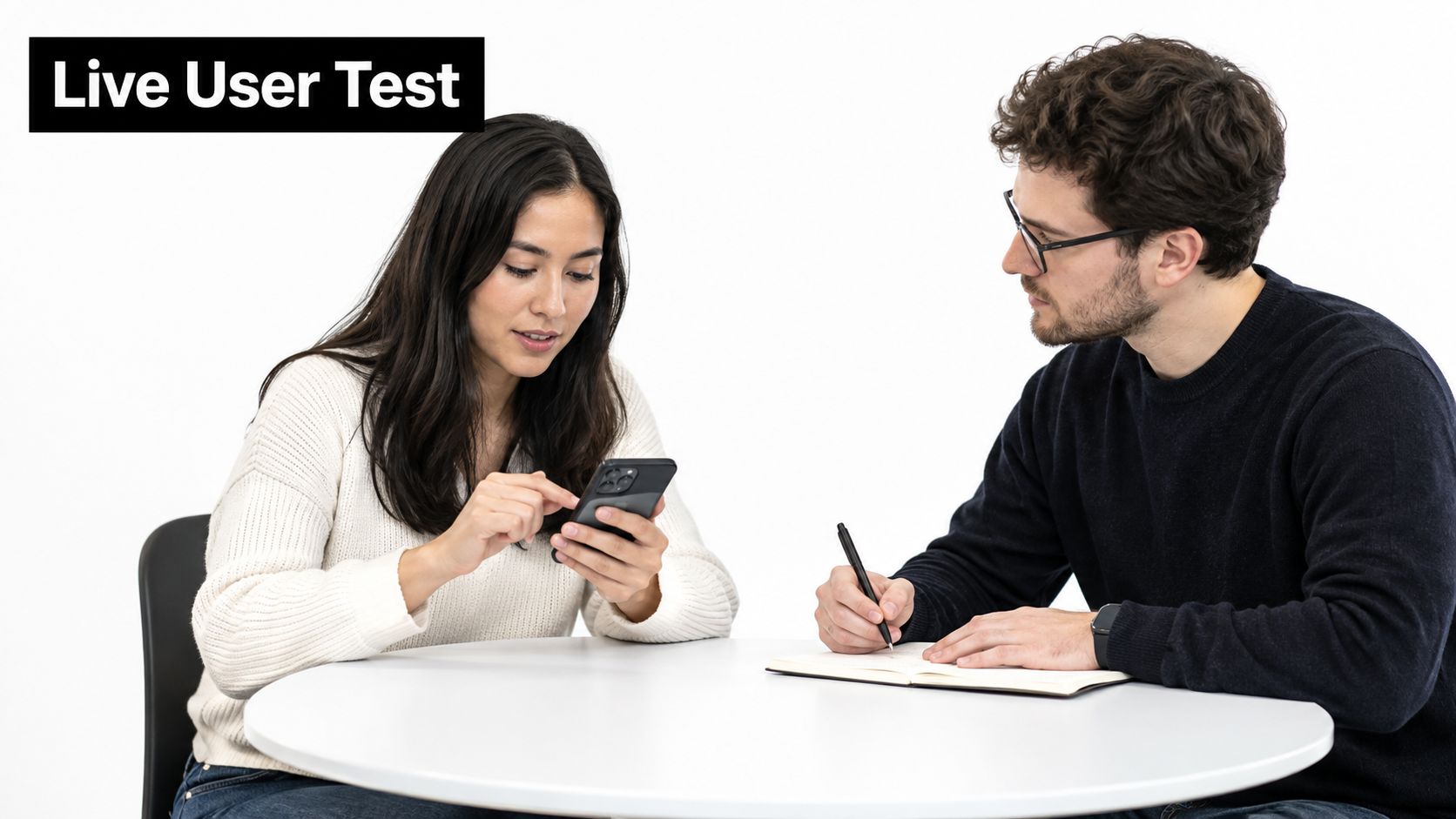
The most useful prototype is often the one users can try before the team considers it finished. Sharing a work-in-progress build by link or QR code lets product teams observe behavior while changes are still inexpensive. The feedback loop becomes build, test, interpret, and revise instead of build everything, then discover the central assumption was wrong.
A fintech startup might test an onboarding journey with real users during active development, then adjust confusing screens the same day. A healthcare team could explore medication search with nurses and observe whether the terminology matches their working habits. An e-commerce team might compare checkout flows with users while the product team is still deciding which interaction belongs in the final app.
Mobile prototype testing is naturally task-based. Ask a participant to complete a specific goal, such as finding a product, recovering an account, or changing a delivery option. A prototype can be a paper wireframe, a simple clickable flow, a high-fidelity interactive version, or the finished app, depending on the question being tested. Userlytics explains the practical value of testing mobile prototypes with participants on their devices, including the ability to observe people in their own environments and recruit beyond one location.
Measure behavior, not approval
Ask participants to think aloud, but don't rely only on what they say. Watch where they tap, whether they hesitate, which labels they ignore, and what they expect to happen next. Record task completion, time spent on a screen, error taps, and recurring questions when objective comparison matters.
An experimental evaluation of mobile app prototypes involved 34 participants and 136 usability test sessions. Users completed everyday tasks faster with prototypes aligned to Apple's Human Interface Guidelines than with Android-guideline prototypes, and the difference was statistically significant in 2 of 4 tests. The mobile usability evaluation shows why platform conventions can affect behavior, but it doesn't mean a team should choose one platform's patterns without testing its intended audience.
Share findings with engineering before handoff. A developer who knows that users misunderstand a control can preserve the tested intent while implementing the underlying behavior correctly. A prototype that gets positive comments but exposes no observable behavior hasn't earned a production build.
7. Rapid Export and Code Handoff to Engineering
The throwaway prototype creates a false economy. A team may move quickly in a visual tool, only to discover that engineers must rebuild the interface, navigation, and states from screenshots. Code export changes the handoff by giving developers a starting implementation they can inspect, adapt, and connect to the product.
A startup might export a React Native prototype and use it as the first interface layer for backend integration. An agency can give a client an app codebase rather than a locked project that only works inside a proprietary editor. A product team can export a tested set of screens and let engineering replace simulated data with APIs, authentication, analytics, and error handling.
The handoff should begin with a code review, not a download. Developers need to understand the component boundaries, navigation structure, styling approach, dependencies, and assumptions behind mocked interactions. Product and design should confirm that screen names and flows match the decisions made during testing.
Define the point where the prototype changes ownership
Export regularly while the concept is taking shape so the team sees how the generated structure evolves. Once engineering starts making substantive changes, the exported codebase should become the source of truth. Keeping two versions alive indefinitely creates ambiguity about which interaction, component, or requirement is current.
Use consistent names for screens and components. Set up linting, tests, and CI/CD expectations before the code becomes central to the project. Generated code can accelerate a handoff, but it doesn't remove the need for security checks, performance work, data integration, accessibility review, native configuration, or release testing.
Established prototyping guidance also treats prototypes as useful for user testing and developer handoff. High-fidelity prototypes are appropriate when a team needs to validate refined functionality, realistic interactions, and final design details over a sustained review period. Figma's prototyping guidance supports that broader view: a prototype can be a bridge into implementation, not merely a presentation artifact.
8. Multi-Platform Responsive Testing
A mobile idea can look convincing on one device and fail everywhere else. Multi-platform prototyping lets teams evaluate the same core journey across iOS, Android, and web before they commit to separate implementations. The aim isn't to make every platform identical. It's to identify which parts should remain consistent and which parts should follow platform conventions.
A startup might test onboarding on an iPhone, a Samsung device, and an iPad. A SaaS company could compare a web dashboard with its mobile companion experience. An agency may use one React Native codebase as the starting point for client concepts across mobile and web, then adapt the interface where the platform demands it.
Test the edges early
Begin with the smallest supported screen, then expand the layout for larger displays. Check safe areas, notches, keyboard behavior, scrolling, touch targets, text wrapping, and system back behavior. iOS and Android users bring different expectations, so a shared prototype should preserve the product's intent while respecting each platform's interaction language.
Use real devices as soon as the interaction is testable. Simulators won't always reveal physical reach, accidental taps, visual density, keyboard changes, or network-related behavior. Test outside a perfect Wi-Fi environment too, because loading states and failure recovery are part of the user experience.
A mobile usability study found that task time was the most affected metric when comparing prototypes aligned with Apple's and Android's interface guidelines. That evidence belongs in the decision about platform-specific behavior, not as a reason to copy one system blindly. The practical question is whether the selected convention helps the intended user complete the task.
A responsive prototype should also expose handoff decisions. Document which components scale, which layouts reflow, which controls change by platform, and where separate native behavior is required. Engineers can then estimate the actual work instead of treating “works everywhere” as a vague requirement.
Rapid Prototyping: 8-Point Feature Comparison
| Approach | Implementation complexity | Resource requirements | Expected outcomes | Ideal use cases | Key advantages |
|---|---|---|---|---|---|
| AI-Powered Prompt-to-App Generation | Low for basic prototypes; higher for advanced interactions | Clear natural-language prompts, designer/PM input; minimal dev effort initially | Instant React Native screens, navigation and components for rapid validation | Founders and PMs validating ideas quickly; early concept tests | Fastest path idea→prototype; no coding required for initial creation |
| Design-to-Code with Image and Sketch Import | Medium; accuracy varies with design complexity | High-quality design files or photos, Figma/Sketch assets | Pixel-accurate screens translated into componentized code | Design-heavy teams, agencies converting mockups for review | Reduces handoff friction; preserves visual fidelity from designs |
| Real-Time Collaborative Prototyping | Medium; needs real-time sync and conflict handling | Stable internet, multiple collaborators, live workspace tooling | Simultaneous editing, live preview sync, shared feedback and version history | Distributed cross-functional teams and remote workshops | Keeps teams aligned in real time; eliminates version confusion |
| PRD-to-Prototype Direct Conversion | Medium; depends on PRD clarity and structure | Well-structured PRDs, clear acceptance criteria and terminology | Spec-driven interactive prototypes linked to requirements | Enterprise teams with documentation practices, regulated industries | Traceability from spec to prototype; reduces spec interpretation errors |
| Component Library Reuse and Iteration | High upfront; lower ongoing complexity | Design system, component authors, governance and version control | Reusable, system-aligned components used across prototypes | Teams building multiple related prototypes or design-system owners | Global consistency and faster builds; easier brand-wide updates |
| Live User Testing During Build | Low–Medium; requires test setup and moderation | Test participants, session recording/tools, analytics | Real user feedback, session recordings, heatmaps and A/B results | Startups and UX-focused teams iterating frequently with users | Validates assumptions with real behavior; informs faster iterations |
| Rapid Export and Code Handoff to Engineering | Medium; must follow engineering conventions | Engineering review, React Native expertise, CI/CD readiness | Clean, modular React Native code ready for integration | Engineering-forward teams moving from prototype to production | Produces production-ready code; eliminates throw-away prototypes |
| Multi-Platform Responsive Testing (iOS/Android/Web) | Medium; responsive complexity and platform nuances | Single codebase, device previews, platform-specific testing | Cross-platform prototype with responsive breakpoints and previews | Teams launching on multiple platforms simultaneously | One build for multiple platforms; exposes cross-platform issues early |
Turn These Patterns Into a Validation Workflow
These eight patterns work best as inputs to a single validation workflow, not as competing tools. Choose the fastest suitable starting point: a prompt for an unformed idea, an image or sketch when the visual direction exists, a PRD when requirements are mature, or a shared workspace when the main risk is alignment.
Then generate only the core user journey. A prototype should answer a defined question, such as whether a new user can complete onboarding, whether the value proposition is clear, or whether a checkout sequence makes sense. If the team can't state the question, more screens won't make the prototype more useful.
Preview the experience with the intended audience and stakeholders. Let people interact with it on the device or environment that matters. Capture specific behavior rather than collecting general approval. Observe hesitation, wrong taps, missed labels, abandoned steps, and questions that repeat across sessions.
Match fidelity to the decision
A sketch is enough to discuss rough structure. A clickable mockup can test navigation and content hierarchy. A workflow simulation can expose a more realistic task sequence. A working demo is appropriate when the team needs to test behavior that depends on state, data, or a realistic interaction.
The wrong fidelity creates waste in both directions. Teams overbuild polished screens before confirming the core assumption, or underbuild a static representation when task completion depends on interaction. The prototype should be finished enough to answer the question, and no more.
Refine the interaction and the component system after the first learning cycle. Fix confusing navigation before polishing visual details. Replace one-off elements with reusable components when the same pattern appears across the product. Record the decisions so engineering understands not only what changed, but why it changed.
Separate visual speed from product readiness
RapidNative can support prompt-, image-, sketch-, PRD-, and whiteboard-to-app exploration, along with live preview, collaboration, and React Native handoff. That makes it relevant when a team wants to move from an input to a shareable mobile or web experience without locking the result inside a no-code environment.
The exported code still requires human review. Developers should inspect structure and dependencies, designers should verify the intended experience, and the team should test on relevant iOS and Android devices. Production release also requires backend integration, authentication and authorization checks, accessibility work, analytics, error handling, performance testing, automated tests, and the platform submission process.
One intervention study in real practice illustrates the difference between understanding and execution. After six months, mean knowledge scores rose from 30.9 to 36.1 out of 55, while practice scores rose from 15.2 to 16.2 without statistical significance. The 2025 mobile app prototyping model study concluded that the intervention improved knowledge but didn't materially change practice behavior. For product teams, the lesson is practical: a prototype can make an idea clearer, but only disciplined implementation and testing turn clarity into reliable product behavior.
Use the prototype to earn engineering attention, not to bypass engineering. Generate the core flow, test it, refine the components, document the decisions, and export when the concept has enough evidence to justify real implementation. That sequence keeps rapid prototyping connected to product outcomes instead of treating it as a separate design exercise.
RapidNative turns prompts, sketches, images, and PRDs into shareable React Native app prototypes with live preview, collaboration, and code export. Use it to test the rapid prototyping examples in this guide, then move the reviewed interface into your own engineering workflow through RapidNative.
Ready to build your app?
Turn your idea into a production-ready React Native app in minutes.
Free tools to get you started
Free AI PRD Generator
Generate a professional product requirements document in seconds. Describe your product idea and get a complete, structured PRD instantly.
Try it freeFree AI App Name Generator
Generate unique, brandable app name ideas with AI. Get creative name suggestions with taglines, brand colors, and monogram previews.
Try it freeFree AI App Icon Generator
Generate beautiful, professional app icons with AI. Describe your app and get multiple icon variations in different styles, ready for App Store and Google Play.
Try it freeFrequently asked questions
What is RapidNative?
RapidNative is an AI-powered mobile app builder. Describe the app you want in plain English and RapidNative generates real, production-ready React Native screens you can preview, edit, and publish to the App Store or Google Play.
Can I export the code?
Yes. RapidNative generates clean React Native and Expo code that you can export at any time. No lock-in, no proprietary format. Hand it to your developers or keep building inside RapidNative.
Is RapidNative free to use?
Yes. You can build apps on the free plan with no credit card required. Paid plans unlock unlimited AI generations, code export, and direct publishing to the App Store and Google Play.
Do I need to know how to code?
No. Most users build apps by describing what they want in plain English. Developers can drop into the code whenever they want more control, but coding is optional.
How long does it take to build an app?
Most users have a working first screen in under a minute. A full MVP usually takes a few hours instead of the weeks or months traditional development requires.