How to Write an App from Idea to React Native
Learn how to write an app for one audience, from a short brief and screens to a tested prototype and React Native code you can export.
By Suraj Ahmed
31st Oct 2026
Last updated: 31st Oct 2026
It's a weekday afternoon, and your meal-prep app idea still lives in scattered notes: a menu sketch, a checkout screenshot, and a list of features nobody agrees on. The parent you're building for has a simpler problem. They need dinner decided before 4 p.m., without another complicated errand.
To write an app that solves that problem, start with the order a parent needs to finish, not the screens you'd like to generate. Put accessibility, privacy, and code ownership into the first product brief so your team can test something useful without postponing the hard decisions until launch.
The Path from Idea to a Shippable App
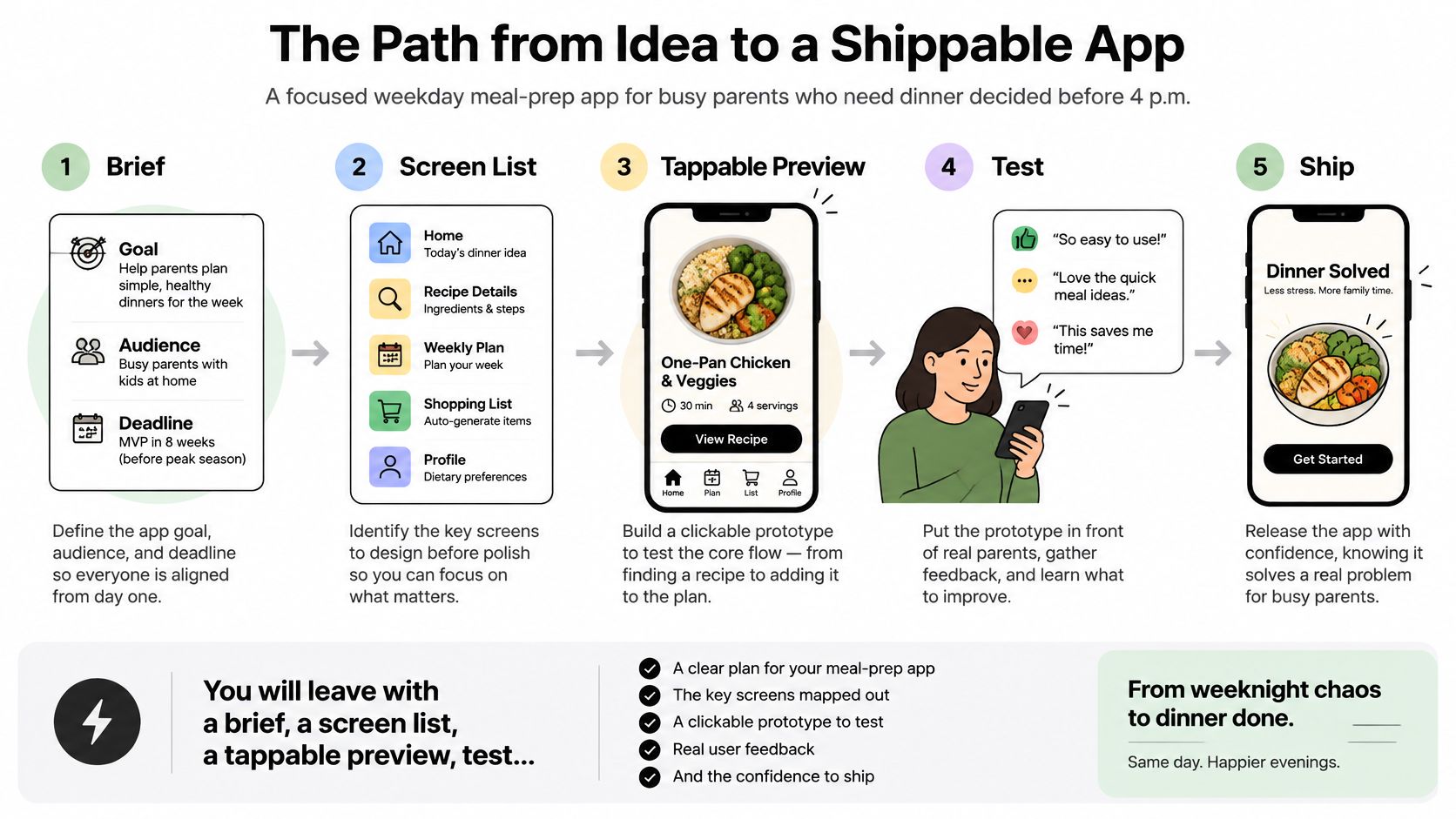
Say you're a founder building weekday meal ordering for busy parents. Your first deliverables aren't a polished brand or a restaurant dashboard. They're a brief, a screen list, a tappable preview, test notes, and a React Native repository an engineer can maintain.
Use this path to decide what happens next and who needs to lead it.
Six phases from idea to a shippable app
| Phase | Output | Lead | Done when |
|---|---|---|---|
| Name the audience and jobs | One-page brief with 1–3 tasks | Founder or PM | Every screen maps to one job for one audience |
| Design the screens | Screen list, navigation, empty and error states | Designer with PM | Primary task is reachable in three taps |
| Generate the prototype | Clickable iOS and Android preview | Anyone on the team | QR or browser preview runs the main flow |
| Test with one audience | Task success, time, and errors | PM | No core flow is stuck well below the 78% benchmark |
| Iterate in the shared build | Revised screens and a short change note | Whole team | Recurring barriers are fixed and retested once |
| Export or publish | React Native repo or store submission | Engineer | Dependencies are locked and a privacy link is in the app |
The tap target is a design constraint for this example, not a universal usability standard. Likewise, use the testing benchmark as a diagnostic aid, not permission to ship a broken checkout.
Keep product decisions with the team
Generating screens is now the fast part. In the 2024 Stack Overflow Developer Survey, 62% of respondents were already using AI tools, up from 44% in 2023. That doesn't make a generated interface a validated product.
The founder chooses which problem deserves attention. The designer makes the interaction understandable, and the engineer checks whether the implementation can support real orders. A non-technical founder can lead the project without pretending those responsibilities disappear.
Keep architectural additions proportional to the job. If decentralized transactions become a requirement, production dapp architecture with BroLabel offers a separate architectural reference. A dinner-ordering MVP doesn't need that complexity merely because it's available.
Whole-path done test: A parent can order three dinners, skip location and tracking, and leave the team holding code they can keep.
That's a more useful finish line than an attractive home screen. It connects the customer outcome to the engineering handoff.
How to Lock One Audience and Three Jobs
Choose parents ordering weeknight dinners, and refuse a second audience for the first version. Restaurant operators need inventory controls and fulfillment tools. Casual browsers may want inspiration. Neither belongs in this initial customer flow.
Use app market research to challenge the need before expanding the feature list. Ask parents how they decide dinner now, what makes them abandon an order, and which delivery constraints matter most. Interest in a mockup isn't the same as willingness to use the service.
Write a brief the designer can mark up
-
Name the person and the moment. Write a sentence such as: A busy parent opens the app during the afternoon to arrange dinner before the evening rush. Include the decision deadline, not a broad label like families.
-
List the core jobs: see tonight's menu, place an order for three dinners, and move a delivery window. These are proposed tasks for this meal-prep example, not a requirement to build every possible ordering feature.
-
Put unhappy paths beside each job. A dish sells out while it's in the basket. Payment fails after confirmation. An address falls outside the delivery zone. Write what the parent can do next, rather than leaving the designer to invent recovery behavior.
-
Map every data request to a purpose before drawing screens. Location to find the relevant kitchen is different from location retained for analytics. Keep contacts and photos out unless a core job requires them. An address entered manually may solve the delivery problem without device location access.
-
Specify the privacy facts. Apple's App Review Guidelines require a privacy-policy link in App Store Connect metadata and an easily accessible location inside the app. The policy must explain collection methods, uses, recipients, retention and deletion practices, and how people revoke consent or request deletion. Capture those facts as product requirements rather than drafting reassuring copy that doesn't match the implementation.
-
State the permission fallback. A parent who declines location can enter their delivery area manually, browse the menu, and start checkout. Declining tracking must not become a hidden checkout blocker.
Separate decisions from document formatting
RapidNative offers a free AI PRD generator, plus free AI app name and app icon generators. Use the PRD generator to turn these decisions into a shareable product requirements document. Don't use it to replace the decisions, and leave naming and icon work until the ordering proposition is clear.
Founders can put an idea in front of real users before spending months on development. Give parents a concrete choice to evaluate: whether this flow helps them arrange dinner, not whether they like the concept.
Finish with a one-page brief containing the audience, jobs, failure paths, data-purpose map, and acceptance conditions. The designer should be able to annotate it directly, and the engineer should be able to identify the backend and permission questions without another discovery meeting.
How to Design Screens Before Any Polish
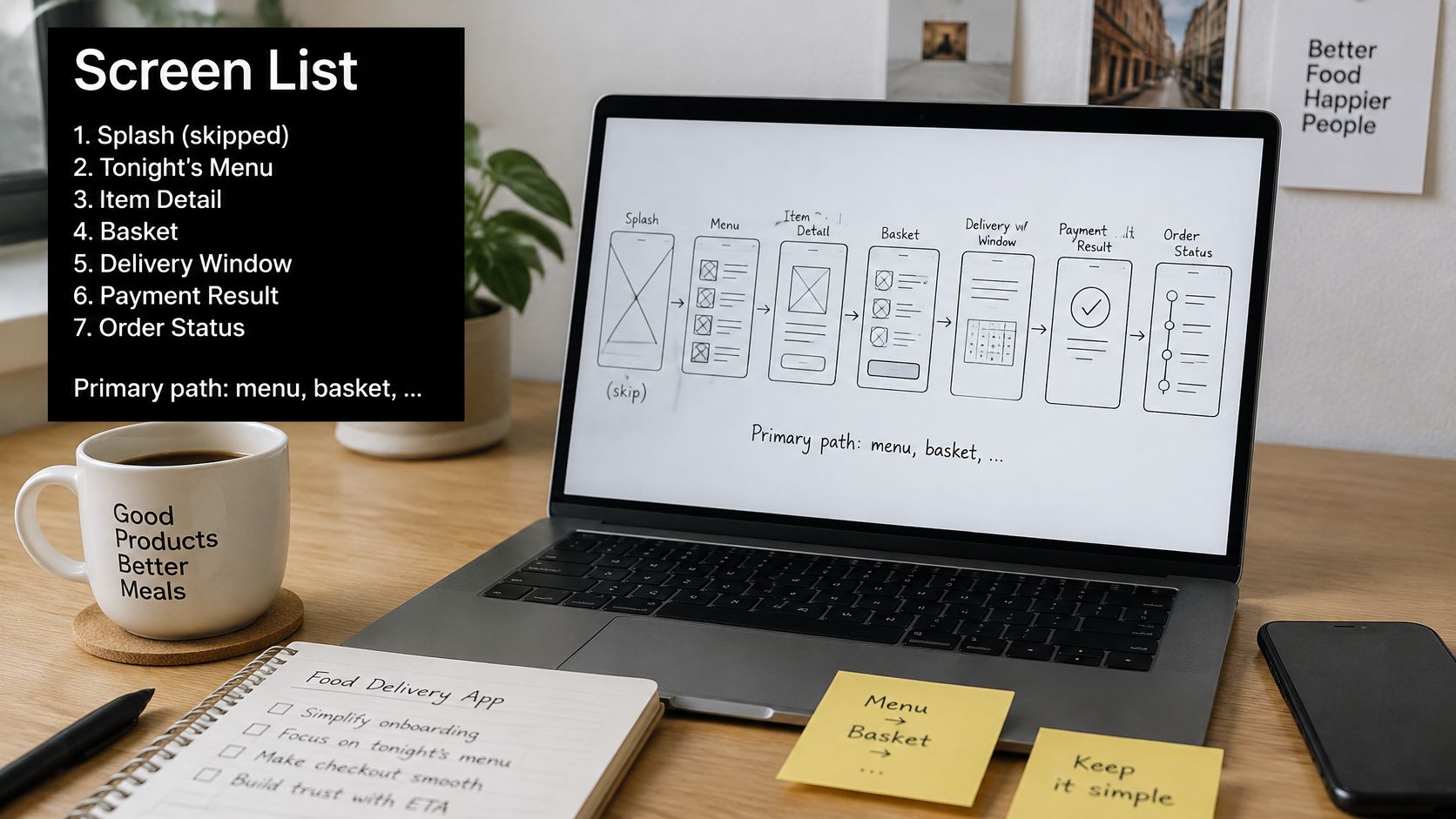
Skip a decorative splash screen. For this dinner-ordering example, design tonight's menu, item detail, basket, delivery window, payment result, and order status.
Make menu, basket, confirm the primary path, with an approximate three-tap target from the menu when defaults are suitable. Don't hide necessary allergen information or payment review to satisfy that target. Fewer taps aren't useful if parents can't tell what they're buying.
Screen states for the dinner order
| Screen | Primary job | Empty state | Error state |
|---|---|---|---|
| Tonight's menu | Choose three dinners | Sold-out items greyed out with text label | Menu fails to load, retry button |
| Item detail | Confirm one dish | Portion and allergen note always visible | Item sold out during checkout |
| Basket | Review three dinners | Prompt to add dinners | Price change alert before confirm |
| Delivery window | Move delivery time | Slots shown as text, not drag gesture | No slots left, nearest alternative offered |
| Payment result | Confirm the order | Success summary with order number | Payment failed, basket kept for retry |
| Order status | Track delivery | Status with text labels and time | Delay notice with new estimate |
Some cells describe a fallback or completed state rather than a literally empty screen. The practical requirement is that nobody lands on an unexplained blank view.
Add a loading note to every screen annotation: menu placeholders, item-detail progress, basket recalculation, slot availability, payment processing, and status refresh. During payment processing, prevent repeated submission and explain that the result is pending.
Make navigation usable before styling it
Set type behavior, tap targets, and contrast before choosing decorative colors. Large text must not clip a dish price or push confirmation beyond an unreachable area. Status changes need text, not animation alone.
The World Institute on Disability's 2025 mobile-app report identifies complicated layout or navigation as the leading reported obstacle among surveyed people with disabilities at 46.4%, followed by missing captions or transcripts at 42.9%; related developer research reported that only 9.8% involved users with disabilities in accessibility work and that testing tended to happen late.
Translate that into screen notes now. Add screen-reader labels that distinguish similarly named dishes, visible controls for changing delivery windows without gestures, and captions for any promotional clip. Specify a logical reading order and test focus after an error appears.
If a parent using large text or a screen reader cannot place the order, the screen list is not done.
Check switch access, reduced motion, and low-vision settings on the proposed interaction, not just the final visual theme. Hand over an annotated sketch or screenshot showing these behaviors alongside the ordinary order path.
How to Generate a Prototype You Can Tap
Coding is optional for the first build. Most users start by describing what they want in plain English. What matters is whether that description gives the generator enough direction to produce a coherent interaction.
RapidNative supports Prompt to Design, PRD to App, Whiteboarding, and Image to App, generating native iOS and Android apps using React Native and Expo. Choose the input you already have rather than rewriting everything to fit a particular starting format.
Build a narrow ordering slice
-
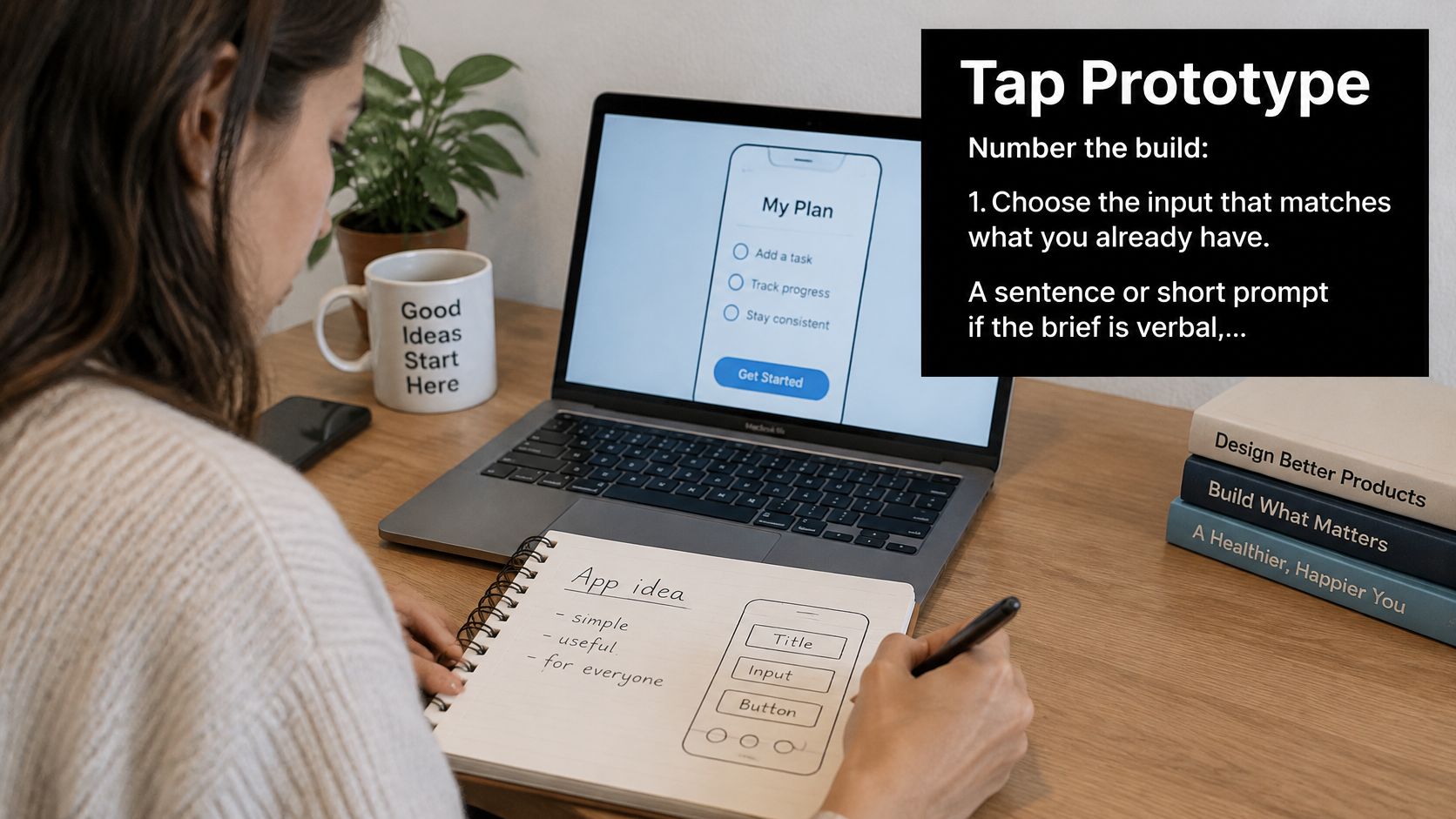
Choose the starting material. Use a sentence or short prompt if the idea is still verbal, the PRD if requirements are settled, a whiteboard photo if the team has mapped the flow, or a screenshot of the annotated menu sketch. Inputs can be expressed in ordinary words in any language. Make unclear handwriting and ambiguous arrows explicit in accompanying text.
-
Name the implementation outcome. Ask for React Native and Expo, with working navigation between menu, basket, and order status. Specify which data is illustrative and which services aren't connected yet. A tappable interface with sample meals is useful; an interface that pretends to charge a card isn't.
-
Include failure behavior in the prompt. Request a sold-out dish, failed payment with the basket preserved, and location declined with manual area entry. State that these conditions must be reachable during testing, rather than merely represented in unused components.
For this example, a useful prompt would read:
Build a weekday meal-ordering app for busy parents. Use React Native and Expo. Let parents browse tonight's menu, select dinners, review their basket and delivery window, and see the payment result and order status. Preserve the basket after payment failure, allow manual area entry, and support large text and screen readers. Use clearly marked sample data and simulated payments.
Inspect behavior instead of the render
-
Generate and open the preview. Watch the build render, then open it in the browser or on a phone. Treat missing navigation, stale basket totals, and controls that do nothing as implementation defects, not cosmetic feedback.
-
Tap through the proposed jobs. Select meals, inspect the basket, change the delivery window, and complete the simulated order. Then deliberately trigger the unhappy paths. Check whether information survives navigation backward and forward.
-
Edit the selected screen. If the basket loses the chosen delivery window, select that screen and describe the exact correction. The edit lands in real code. Avoid regenerating the whole app for a local problem, because that makes it harder to identify which behavior changed.
Keep this example's first pass to five screens, onboarding included: a short onboarding view, menu with item details, basket with delivery selection, payment result, and order status. The broader screen inventory still defines the states you need, but related views can share a screen during validation.
Stop when a teammate can complete an order on their own phone without narration from the person who built it. That demonstrates a usable prototype, not yet a production payment system.
How to Retest the Riskiest Flow with Teammates
Use task completion to decide whether to keep refining or redesign. The UXIA mobile usability testing guide gives an approximate cross-industry benchmark of 78% task success and treats performance below 60% as a serious usability problem requiring immediate redesign.
Decision thresholds for task success
| Task success | Status | Action |
|---|---|---|
| 78% or higher | On benchmark | Retest only the failed tasks and polish |
| 60% to 77% | Watch zone | Fix the top barriers by frequency and retest |
| Below 60% | Serious usability problem | Redesign the flow before adding any screens |
These are decision rules, not guarantees. Task complexity, accessibility needs, participant familiarity, and recruitment quality affect the result. With a small group, inspect individual failures rather than treating the percentage as a precise population estimate.
Give parents the same scenario
Recruit people who regularly order weeknight food. The CleverX discussion of representative usability recruitment describes the commonly cited Nielsen finding that five users from a given user group uncover roughly 85% of that group's usability problems. That qualification matters: restaurant owners aren't substitutes for parents in this test.
Ask each participant to think aloud while completing the same scenario:
- Find the meal: Locate Thursday's menu and choose the dinners.
- Adjust delivery: Change the selected delivery window without restarting checkout.
- Recover payment: Encounter the simulated payment failure and try again.
- Decline access: Finish with location denied, using manual delivery-area entry.
Record success without coaching, time on task, and errors. Note the label they misread, where they hesitate, and whether they notice the recovery action. A successful finish after the facilitator explains a button doesn't count as unassisted completion.
Use the mobile application testing guide to keep functional checks separate from usability observations. A payment button can work exactly as coded and still be incomprehensible.
Fix blockers in the shared build
Prioritize recurring problems that prevent an order. A missing retry action matters more than disagreement about card shadows.
Teammates can open the shared build through a link or scan a QR code to test on iPhone and Android, without Xcode, Android Studio, or cables. Select the affected screen, describe the correction, and preview the changed behavior together.
Fixing AI errors never costs credits; only real edits use credits. A build of five or more screens, including onboarding, costs five credits, while each generation costs a fraction of a credit. Spend the editing budget on meaningful behavior changes, not repeated attempts to repair generation mistakes.
More screens are not progress if parents still cannot finish the order.
Retest the failed tasks with representative parents. End this iteration when a retest shows the recurring barriers are gone, while keeping any remaining limitations in the test notes. That's evidence for the next release decision, not a claim that the app has no usability problems.
Export the Code and Choose How You Ship
A preview that runs is unfinished. Before adding features, give an engineer responsibility for the repository and use explicit release gates.
Release checks before export or store submit
| Check | Why it blocks shipping | Owner |
|---|---|---|
| Privacy policy link in the app and in App Store Connect | Apple requires both, and the policy must match real collection | PM |
| Each SDK and screen tied to one data purpose | Location for the kitchen is not location for analytics | PM with engineer |
| Secrets and keys out of the exported repo | Sample credentials must not become production secrets | Engineer |
| Dependencies version-locked and scanned | Unreviewed updates and workarounds make releases harder to reproduce | Engineer |
| Order flow retested on iPhone and Android | Browser previews don't expose every platform permission difference | Engineer |
| Large text and screen reader still complete checkout | Refactoring can change focus, labels, and layout | Designer |
Make the repository maintainable
An empirical study of 15,614 open-source Android apps found self-admitted technical-debt comments in approximately 43.39% of apps; among affected apps, the median was four comments, with code workarounds the dominant debt category.
Separate reusable components from screen files, centralize navigation and configuration, and document intentional shortcuts. Run static checks and tests in continuous integration before merging. Replace fragile asynchronous state and permission handling, and verify authentication and authorization if accounts exist.
Our generated stack includes React Native, Expo, Expo Router, TypeScript, NativeWind, Tailwind CSS, Postgres, Supabase-compatible APIs, and Lucide icons, on a Supabase-compatible scaffold. Use the React Native source-code handoff guide to organize the engineering review.
Keep external integrations behind clear service boundaries. If an actual address workflow requires property data, engineers can explore OpenAPI support for property data from RealtyAPI.io to assess that integration separately. Don't add property enrichment to ordinary meal delivery without a concrete need.
Choose the release owner
Downloading the full source is included with any paid plan, starting at $20 per month for Starter. The free forever plan includes 20 AI credits per month and five screens per project, with no credit card required. It supports proving this ordering slice; source download requires a paid plan.
Choose your route: export and ship from your own repository, or publish to the App Store and Google Play from the build. Don't add another audience before the parent order flow has a maintainable implementation.
After launch, assign an engineer to dependency advisories and vulnerability patches, a PM to privacy changes when SDKs or data purposes change, and a named reviewer to AI-generated code before merge. Write a short release policy covering who may ship, vulnerability handling, and the schedule for reviewing the data-purpose map.
A working generated app still needs an owner when a library, permission rule, or store requirement changes.
RapidNative turns prompts, PRDs, sketches, and screenshots into shareable React Native apps with exportable source code. Bring your parent-ordering brief and annotated screens to RapidNative, build the smallest tappable order flow, and test it before committing to a larger release.
Ready to build your app?
Turn your idea into a production-ready React Native app in minutes.
Free tools to get you started
Free AI PRD Generator
Generate a professional product requirements document in seconds. Describe your product idea and get a complete, structured PRD instantly.
Try it freeFree AI App Name Generator
Generate unique, brandable app name ideas with AI. Get creative name suggestions with taglines, brand colors, and monogram previews.
Try it freeFree AI App Icon Generator
Generate beautiful, professional app icons with AI. Describe your app and get multiple icon variations in different styles, ready for App Store and Google Play.
Try it freeFrequently asked questions
What is RapidNative?
RapidNative is an AI-powered mobile app builder. Describe the app you want in plain English and RapidNative generates real, production-ready React Native screens you can preview, edit, and publish to the App Store or Google Play.
Can I export the code?
Yes. RapidNative generates clean React Native and Expo code that you can export at any time. No lock-in, no proprietary format. Hand it to your developers or keep building inside RapidNative.
Is RapidNative free to use?
Yes. The free plan gives you 20 credits a month with no credit card required. Paid plans start at $20 a month and add more credits, code export, private projects and commercial rights to publish to the App Store and Google Play.
Do I need to know how to code?
No. Most users build apps by describing what they want in plain English. Developers can drop into the code whenever they want more control, but coding is optional.
How long does it take to build an app?
Most users have a working first screen in under a minute. A full MVP usually takes a few hours instead of the weeks or months traditional development requires.