How to Build an App Like Uber (2026 Guide)
A practical walkthrough of what it actually takes to ship a ride-hailing app. Architecture, tech stack, timelines, and the three realistic paths from idea to App Store.
By Gaurav Guha
9th Apr 2026
Last updated: 16th Apr 2026
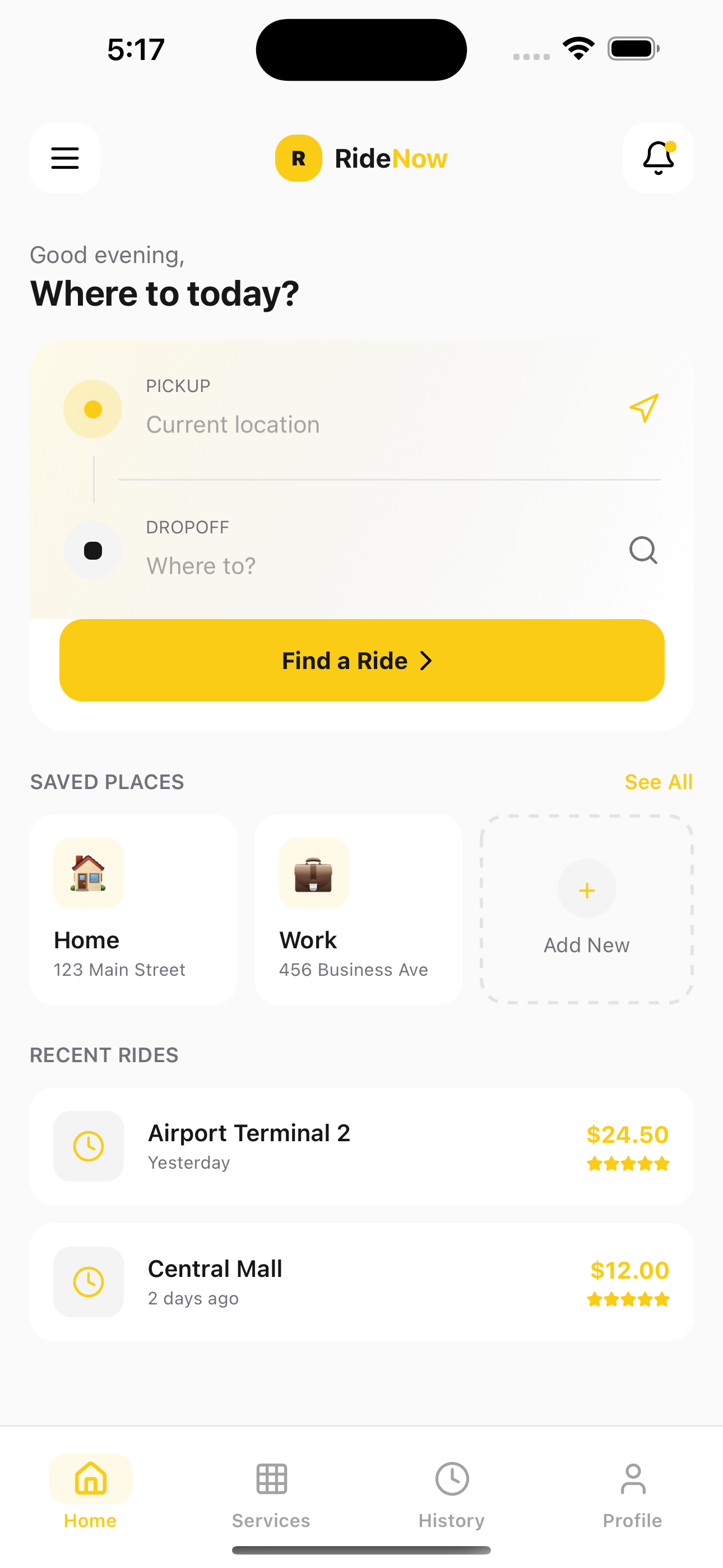
So you want to build the next Uber. Or maybe the Uber of [industry X]. Either way, the question every team hits first is the same: where do I even start?
This guide walks through what it actually takes to build a ride-hailing app in 2026. Not the pitch deck version. The real version, including the architecture, the tech stack choices, the timelines, and the three realistic paths you can take to get from idea to the App Store.
By the end you'll know what to build, what to buy, what to hire out, and roughly what it will cost you in time and money.
What actually makes up "an app like Uber"
When people say "an app like Uber," they usually picture the passenger app on their phone. But an Uber-style product is four applications working together:
- Rider app (iOS and Android). Passengers book rides, track drivers, pay, and rate trips.
- Driver app (iOS and Android). Drivers accept rides, navigate, collect payment, and manage earnings.
- Admin dashboard (web). Your operations team manages users, monitors trips, handles disputes, and reviews analytics.
- Backend. The engine that matches drivers to riders, handles payments, stores data, and pushes updates to all clients in real time.
Plus the third-party services you need to function at production quality: a maps API, a payments processor, an SMS service, push notifications, and cloud hosting. None of those are optional.
Most people quote "how much does it cost to build an Uber clone" using only the rider app, which is why the numbers you see online vary so wildly. Building one app in a month is doable. Building the full four-part system takes real time.
The three realistic paths from idea to App Store
Every team hitting this question ends up choosing between three options:
Path 1: Build from scratch
You hire a team (in-house or contract) and build everything from zero. Full control, maximum cost, longest timeline.
- Timeline: 6 to 12 months to a launchable v1
- Cost: $50,000 to $250,000+ (varies wildly by team location)
- Best for: Well-funded startups with unique requirements, technical founders with in-house talent
Path 2: Hire an agency or development shop
A specialized agency builds it for you using their own playbook. Faster than starting from zero because they've shipped these before. More expensive per week than freelancers, but lower risk.
- Timeline: 4 to 8 months
- Cost: $40,000 to $180,000
- Best for: Non-technical founders, teams that need predictability, enterprise clients who value project management over flexibility
Path 3: Start with a template, customize what matters
You buy a production-ready React Native template (like our Uber clone template) that gives you the entire rider-side UI, navigation, ride flow, and live tracking screens out of the box. Then you customize branding, connect a backend, and build the pieces that are actually unique to your product.
- Timeline: 2 to 6 weeks for a customized, launchable version
- Cost: $99 for the template plus whatever backend and custom work you do on top
- Best for: Indie developers, bootstrapped founders, agencies prototyping for clients, anyone validating an idea
Most people underestimate how much of "building an Uber clone" is actually rebuilding the same screens Uber already has. Map view with pickup pin. Ride type selector. Fare breakdown. Live tracking. Rating screen. If those are 80% of the work and already solved, the 20% that actually makes your app different is what you should spend time building.
The MVP: what to ship first, what to defer
One of the biggest mistakes teams make is trying to ship the full Uber feature set on day one. Uber didn't launch with pool rides, food delivery, or scheduled rides. Start narrow.
Ship in your v1:
- Phone or email signup
- Location permissions and map view
- Pickup and dropoff address entry
- Ride request with one or two vehicle types
- Driver assignment (manual or simple matching)
- Live tracking
- Cash or card payment
- Post-ride rating
- Trip history
Defer to v2 or later:
- Multiple ride categories
- Surge pricing
- Scheduled rides
- Package delivery
- Rewards, promo codes, referrals
- In-app chat between rider and driver
- Subscription plans
Getting a narrower v1 live in 6 weeks beats shipping a "complete" app in 6 months. Real users will show you what matters next.
Tech stack: the decisions that actually matter
There are only a few decisions in a ride-hailing app tech stack that change the outcome meaningfully. Here's what each one means and what we'd pick today.
Mobile: React Native + Expo vs Flutter vs Native
React Native + Expo is the default for most teams in 2026. One codebase, ships to both iOS and Android, huge ecosystem of packages, and Expo makes building, testing, and deploying almost painless. The downside: if you need deep native integrations, you may hit limits.
Flutter is a solid alternative if your team is more comfortable with Dart. Performance is excellent, UI consistency is better than RN on tricky components. The ecosystem is smaller but growing fast.
Native (Swift + Kotlin) gives you the best performance and deepest access to platform features. But now you're building and maintaining two apps instead of one. Unless you have a specific reason, this is overkill for a v1.
Our pick: React Native with Expo. That's what our Uber clone template is built on.
Backend: Node.js, Django, or Rails
Any of the three will work. What matters more is:
- WebSockets or a realtime service. You need real-time bi-directional updates between drivers and riders (location, ride status).
- Queue system. For dispatching, notifications, and background jobs.
- Solid ORM and database. Postgres is the safe pick.
For a realtime layer, many teams reach for Supabase Realtime, Firebase, or Pusher. They're fine for v1. Once you scale, you'll probably replace them with dedicated WebSocket infrastructure.
Our pick for a lean team: Node.js + Postgres + Supabase Realtime. Fast to build, cheap to run, easy to migrate away from later.
Maps and geolocation: Google Maps vs Mapbox
- Google Maps. Best accuracy, best traffic data, best place autocomplete. Also the most expensive at scale. Free tier covers MVP usage.
- Mapbox. Cheaper at scale, more customizable map styling. Good traffic data. Slightly less accurate place search.
- Apple Maps + Google Places. Valid for iOS-first apps, saves money.
Our pick for v1: Google Maps. Swap to Mapbox when your API bill hits six figures.
Payments: Stripe Connect
Unless you have a specific reason to pick otherwise, use Stripe Connect. It handles the hard part of a marketplace: paying drivers, splitting fees, and managing KYC and tax compliance. The docs are excellent. Most Uber clone templates assume Stripe.
Notifications and SMS: Twilio + Expo Push
For SMS OTP and trip alerts, Twilio is the default. Pricey at scale (you'll pay 2 to 5 cents per SMS) but reliable. For push notifications on iOS and Android, Expo's push service is free and simple.
Architecture: how the pieces connect
Here's a simplified picture of how a ride-hailing app actually works end-to-end:
- Rider opens the app. The app reads location, shows nearby drivers (pulled from your backend).
- Rider requests a ride. Backend creates a trip record, enters a "searching" state.
- Matching service. Finds nearby available drivers, sends them a push notification and a real-time request.
- Driver accepts. Trip moves to "en route." Backend pushes an update to the rider via WebSocket.
- Live tracking. Driver app emits location every few seconds. Backend forwards it to the rider in real time.
- Ride completes. Payment auto-captures via Stripe. Both apps move to the rating screen.
- Post-ride. Trip data writes to your analytics store, earnings update for the driver.
The hard part isn't any single piece, it's making all of them reliable at once. Real-time updates that never drop a message. Matching that finds the right driver in under 3 seconds. Payments that never double-charge. This is the reason building from scratch takes 6+ months.
The rough timeline
Here's what each path actually looks like in weeks:
| Milestone | From scratch | Agency | Template + customize |
|---|---|---|---|
| Design and wireframes | 2-4 weeks | 3-4 weeks | 0 (included) |
| Rider app UI | 6-8 weeks | 4-6 weeks | 0 (included) |
| Driver app UI | 4-6 weeks | 3-4 weeks | 1-2 weeks |
| Backend + matching | 6-10 weeks | 4-6 weeks | 3-5 weeks |
| Payments integration | 2-3 weeks | 1-2 weeks | 1 week |
| Live tracking | 2-3 weeks | 1-2 weeks | 0 (included) |
| Admin dashboard | 3-4 weeks | 2-3 weeks | 2-3 weeks |
| QA and polish | 2-4 weeks | 2-3 weeks | 1-2 weeks |
| Total | 6-12 months | 4-8 months | 2-6 weeks |
The template approach looks aggressive because it skips the single biggest chunk of work, the rider app UI. That's 6 to 8 weeks of design and frontend labor you don't repeat.
Common mistakes people make
Building the driver app first. The rider app is what users see. Build it first, then build a driver app good enough for real drivers to use. Nothing waves a bigger red flag at investors than a polished driver interface and a broken rider flow.
Using Firebase for everything. Firebase is great for v1 auth and push notifications. It's less great as your primary database once you have complex queries, joins, and analytics. Teams that start on Firebase often end up rewriting the backend within 18 months. Postgres is the safer long-term bet.
Skipping the admin panel. Your ops team needs to ban users, refund rides, and investigate disputes from day 1. If you skip the admin panel, you'll be doing all of that from psql, and it gets old fast.
Underestimating maps costs. Google Maps API charges per request. At 10,000 trips a month with live tracking, your API bill can hit $2,000 to $5,000 easily. Budget for it, or use Mapbox.
Building for a scale you don't have yet. You don't need Kubernetes, microservices, or distributed matching for 100 rides a day. A single Postgres database and a monolithic Node app will serve you for your first 10,000 users. Refactor when you have the problem, not before.
The template shortcut
If you want to get to a working, branded rider app without rebuilding everything Uber already figured out, our React Native Uber clone template gives you 8+ production-ready screens: login, booking, live tracking, ride selection, trip history, profile, services, and settings. It's built with Expo SDK 54, NativeWind v4, TypeScript, and follows modern React Native patterns.
You still need a backend, a driver app, and payments. But the template cuts 6 to 10 weeks of UI work off your timeline and gives you a design-polished foundation most solo developers couldn't ship on their own.
Related reading
For a full breakdown of what each path actually costs (with hourly rates, feature breakdowns, and three realistic budget scenarios from bootstrap to enterprise), read the companion guide: How Much Does It Cost to Build a Taxi App? (2026 Breakdown). Between this post and that one you'll have the full picture of what it takes.
Conclusion
Building an app like Uber isn't the unsolvable engineering problem it looks like from outside. The hard parts are real-time dispatching, scale, and payments compliance. Everything else has been done so many times that there are templates, SDKs, and open-source projects for every piece.
The fastest way to learn what to build is to ship something small and let real users tell you what's wrong with it. A template plus a minimal backend can get you there in weeks. A full custom build can do it too, in six times the time.
Pick the path that matches your budget and your deadline. Then build it.
Related templates
If you're evaluating other mobile app projects, RapidNative also ships ready-to-customize React Native templates for:
- Fitness app template — workout tracking, progress, achievements
- AI calorie tracker template (Cal AI alternative) — meal scanning, macro tracking, Supabase auth
- AI voice notes template (Otter alternative) — recording, transcription, AI summaries
- Chat with PDF template (ChatPDF alternative) — AI document chat, PDF viewer, library
- E-learning app template — courses, video lessons, progress tracking
- Weather app template
Ready to build your app?
Turn your idea into a production-ready React Native app in minutes.
Free tools to get you started
Free AI PRD Generator
Generate a professional product requirements document in seconds. Describe your product idea and get a complete, structured PRD instantly.
Try it freeFree AI App Name Generator
Generate unique, brandable app name ideas with AI. Get creative name suggestions with taglines, brand colors, and monogram previews.
Try it freeFree AI App Icon Generator
Generate beautiful, professional app icons with AI. Describe your app and get multiple icon variations in different styles, ready for App Store and Google Play.
Try it freeFrequently asked questions
How long does it take to build an app like Uber?
Building a launchable v1 of an Uber-like app takes 2 to 6 weeks if you start with a React Native template, 4 to 8 months with a professional agency, or 6 to 12 months if you build everything from scratch. The biggest time sink is the rider app UI, which a template removes from the critical path entirely.
What tech stack should I use to build a taxi app?
React Native with Expo for the mobile apps, Node.js with Postgres for the backend, Stripe Connect for payments, Google Maps or Mapbox for maps, Twilio for SMS, and Supabase Realtime or a dedicated WebSocket service for live tracking. This stack is fast to build, cheap to run, and scales to tens of thousands of users before you need to rearchitect.
Can I build an Uber clone with React Native?
Yes. React Native is the most common framework for ride-hailing app templates and has all the libraries you need for maps, real-time updates, payments, and push notifications. Expo adds a smooth development workflow and makes App Store and Google Play submission straightforward.
Do I need to build both a rider app and a driver app?
Yes, at minimum. The rider app is customer-facing and what users see first. The driver app is how drivers accept and complete rides. You'll also need an admin dashboard for your operations team to manage users, monitor trips, and handle disputes. Most teams build the rider app first and ship a lean driver app alongside it.
What's the hardest part of building a ride-hailing app?
Real-time driver-to-rider updates and matching. Keeping WebSocket connections reliable across unstable mobile networks, finding the right driver in under 3 seconds, and making sure payment, matching, and notifications all stay in sync without data loss. This is the engineering work that takes months to get right and is why building from scratch is expensive.